New ArrivalsChristmasHoliday Hosting & EntertainingGift IdeasAI Gift FinderClothing, Shoes & AccessoriesToysElectronicsBeautyGift CardsHomeFurnitureCharacter ShopBabyKitchen & DiningGroceryHousehold EssentialsSchool & Office SuppliesVideo GamesMovies, Music & BooksSports & OutdoorsBackpacks & LuggagePersonal CareHealthPetsUlta Beauty at TargetTarget OpticalParty SuppliesClearanceTarget New Arrivals Target Finds #TargetStyleHanukkahStore EventsAsian-Owned Brands at TargetBlack-Owned or Founded Brands at TargetLatino-Owned Brands at TargetWomen-Owned Brands at TargetLGBTQIA+ ShopTop DealsTarget Circle DealsWeekly AdShop Order PickupShop Same Day DeliveryRegistryRedCardTarget CircleFind Stores
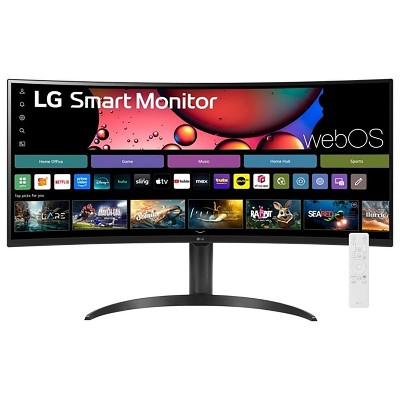
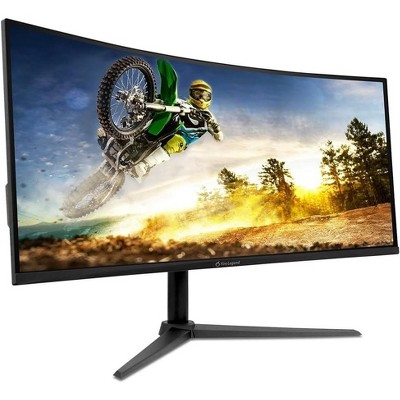
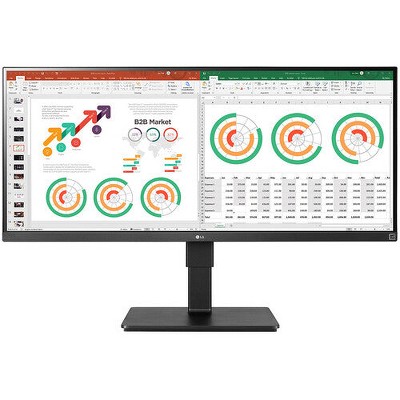
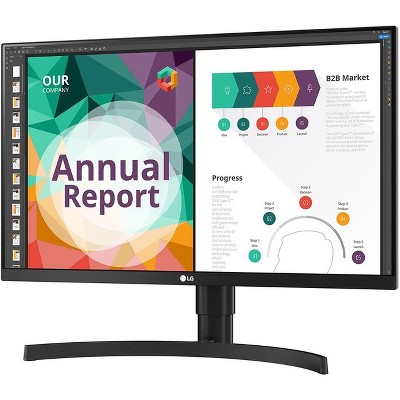
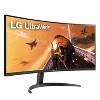
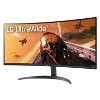
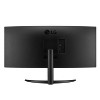
LG 34WP60C-B 34" 21:9 Curved UltraWide QHD (3440 x 1440) Monitor: Gaming Computer Screen - 2 of 4LG 34WP60C-B 34" 21:9 Curved UltraWide QHD (3440 x 1440) Monitor: Gaming Computer Screen - 3 of 4LG 34WP60C-B 34" 21:9 Curved UltraWide QHD (3440 x 1440) Monitor: Gaming Computer Screen - 4 of 4
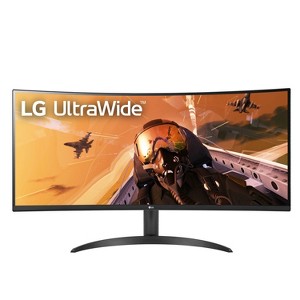
LG 34WP60C-B 34" 21:9 Curved UltraWide QHD (3440 x 1440) Monitor: Gaming Computer Screen - 1 of 4

LG 34WP60C-B 34" 21:9 Curved UltraWide QHD (3440 x 1440) Monitor: Gaming Computer Screen

$349.99

Out of Stock

Eligible for registries and wish lists

Sponsored

About this item

Highlights

  • 34” Curved UltraWide QHD VA Display - The curved UltraWide QHD (3440x1440) VA Display offers 33% more screen space in width than the FHD resolution (1920x1080) display.
  • sRGB 99% Color Gamut with HDR 10 - HDR10 elevates picture quality for a more dynamic visual immersion experience and enhanced color of HDR content. HDR10 is the digital HDR standard based on the sRGB 99% color gamut. A true difference in color and brightness.
  • AMD FreeSync Premium and 160Hz Refresh Rate / 1ms MBR - With FreeSync™ Premium technology, gamers can experience seamless, fluid movement in hi-resolution and fast-paced games. It virtually reduces screen tearing and stuttering.
  • 3-Side Virtually Borderless Display - An immersive experience that's all screen. Beautiful and practically bezel-less. Stay in the game with a virtually borderless screen on three sides and curve design that keeps you immersed in every moment.

Description

34” Curved UltraWide QHD HDR Monitor with 160Hz Refresh Rate. A wider view for working or watching. At 34"" and 21: 9 screen ratio, this curved QHD (3440x1440) VA Display display features realistic, accurate color, contrast, clarity and detail at wide angles. Content creation. Designing. Video editing. Entertainment. Bright and bold. The sRGB 99% Color Gamut coverage with HDR 10 brings work and virtual worlds to life, backed by 400 nits of brightness. This display tech elevates textures, elements, character movements and natural light and shadow. The 34WP65C-B LG UltraWide monitor features a 3-Side Virtually Borderless Display that has a tilt and height adjustable Stand. Whatever the task, the LG UltraWide Monitor unveils a panoramic view and high-performance features to push productivity to new levels.
Dimensions (Overall): 14.1 Inches (H) x 31.9 Inches (W) x 3.6 Inches (D)
Weight: 12.8 Pounds
Number of USB ports: 0
Electronics Features: Wall Mountable, Adjustable Tilt, High-Definition Display
Connection Type: HDMI, DisplayPort
Aspect Ratio: 21:9 Aspect Ratio
Response Time: 1ms Response Time
Contrast Ratio: 1000:1 Dynamic Contrast Ratio
Screen Resolution: 3440 x 1440
Native screen refresh rate: 160 Hz
Screen Brightness (cd/m2): 300
Screen Size: 34 Inches
Number of DVI ports: 0
Number of VGA Ports: 0
Industry or Government Certifications: Not Listed or Certified
Display Type: VA Panel
VESA Mounting Standard: 100x100
Number of display ports: 1
Number of HDMI ports: 2
Warranty: 1 Year Limited Warranty. To obtain a copy of the manufacturer's or supplier's warranty for this item prior to purchasing the item, please call Target Guest Services at 1-800-591-3869
TCIN: 89601391
UPC: 195174010273
Item Number (DPCI): 056-18-0008
Origin: Imported
If the item details aren’t accurate or complete, we want to know about it.

Shipping details

Estimated ship dimensions: 39 inches length x 8 inches width x 20 inches height
Estimated ship weight: 21 pounds
This item ships in its manufacturer’s packaging, revealing what’s inside. ·

Return details

This item can be returned to any Target store or Target.com.
This item must be returned within 30 days of the date it was purchased in store, shipped, delivered by a Shipt shopper, or made ready for pickup.
See the return policy for complete information.

Q: Does this come with a remote

submitted by Kevin - 1 year ago
  • A: Hi there. Thank you for your question about the LG 34WP60C-B monitor! This model does not come with a remote control. It is typically operated using the on-screen menu accessed through the buttons located on the monitor itself. If you have any additional questions or need further assistance, please send us a private message on social media @LGUSSupport. We’re here to help! —Avril

    submitted byLG Digital Customer Care - 1 year ago
    Brand expert
  • A: Hi Kevin, thanks for reaching out about LG 34WP60C-B 34" 21:9 Curved UltraWide QHD (3440 x 1440) Monitor. The LG 34WP60C-B 34" 21:9 Curved UltraWide QHD (3440 x 1440) Monitor is just a monitor, not a television. It does not bring a remote. If you have any additional questions, we welcome you to contact MyTGTtech at 833-848-8324 every day, between 7am-11pm CST.

    submitted byJoe - 1 year ago
    Target staff support

Q: Does this comes with displayport cable?

submitted by Ramon mtz - 4 months ago
  • A: A DisplayPort cable is an included accessory with the LG 34WP60C-B 34" 21:9 Curved UltraWide QHD (3440 x 1440) Monitor: Gaming Computer Screen...^Ivan.

    submitted byLG Digital Customer Care - 4 months ago
    Brand expert

Q: Does this include an HDMI cord?

submitted by Kelly - 7 months ago
  • A: An HDMI cable is included with the LG 34WP60C-B 34" 21:9 Curved UltraWide QHD (3440 x 1440) Monitor...^Ivan.

    submitted byLG Digital Customer Care - 7 months ago
    Brand expert

Q: Does this monitor have speakers

submitted by ChrisB - 11 months ago
  • A: Hi ChrisB, thanks for reaching out about LG 34WP60C-B 34" 21:9 Curved UltraWide QHD (3440 x 1440) Monitor No, this monitor does not have speakers built into it. If you have any additional questions, we welcome you to contact MyTGTtech at 833-848-8324 every day, between 7am-11pm CST.

    submitted byMike - 11 months ago
    Target expert support

Q: Can I use Desk Mount for this monitor in future to adjust height and orientation?

submitted by RS - 1 year ago
  • A: Hi there! Thank you for your inquiry about the LG 34WP60C-B Ultrawide Monitor. We understand that you're considering using a desk mount in the future to adjust the height and orientation of the monitor. This model is compatible with VESA wall mounts, specifically 100 x 100 mm. This means you can use a desk mount that supports VESA 100 x 100 mm to adjust the monitor’s height and orientation. When selecting a desk mount, make sure it supports these specifications to ensure compatibility and proper support. https://www.lg.com/us/monitors/lg-34wp60c-b-ultrawide-monitor#pdp_specs If you have any further questions or need assistance in choosing a desk mount, please feel free to send us a private message on Social Media @LGUSSupport. Our team will be happy to help you with that! We appreciate your interest! —Renzo

    submitted byLG Digital Customer Care - 1 year ago
    Brand expert

Q: Is this adjustable height?

submitted by Jay - 1 year ago
  • A: Hello there, Jay. Thank you for your question regarding the LG 34WP60C-B Ultrawide Monitor. We understand you're interested in the height adjustability of this model. The LG 34WP60C-B does not feature height adjustment. However, it does have a tilt adjustment that allows you to adjust the screen's angle from -5° to 15° for a comfortable viewing experience. The stand does not support vertical height changes, but you can adjust the tilt and slightly rotate the screen left or right (up to 3°) for better alignment. If you require height adjustment, you may consider using a compatible VESA wall mount (100 x 100 mm) that would allow you to adjust the monitor height. You can download and check the Owner's manual for adjusting the angle and refer to page 6 at: https://www.lg.com/us/support/product/lg-34WP60C-B.AUS For further inquiries or assistance, feel free to send us a private message on @LGUSSupport on social media, and we’ll be happy to assist you. We appreciate your interest in our product and are here to help! —Renzo

    submitted byLG Digital Customer Care - 1 year ago
    Brand expert

Q: Does this monitor have hdmi 2.1? I am trying to connect my Xbox series x to a monitor

submitted by Masroo - 1 year ago
  • A: Hi Masroo, thanks for reaching out about the LG 34WP60C-B 34" 21:9 Curved UltraWide QHD (3440 x 1440) Monitor. The LG 34WP60C-B 34" HDMI ports are 2.0. If you have any additional questions, we welcome you to contact MyTGTtech at 833-848-8324 every day, between 7am-11pm CST.

    submitted byRena - 1 year ago
    Target expert support

Q: What is the Hz/ Frame rate/ FPS

submitted by Silas - 1 year ago
  • A: Hi Silas, thanks for reaching out about LG 34WP60C-B 34" 21:9 Curved UltraWide QHD (3440 x 1440) Monitor This monitor has 160Hz Refresh Rate / 1ms MBR - With FreeSync™ Premium technology and 21: 9 screen ratio. FPS and other stats will depend on the computer hardware, game or programs running, etc. If you have any additional questions, we welcome you to contact MyTGTtech at 833-848-8324 every day, between 7am-11pm CST.

    submitted byMike - 1 year ago
    Target expert support

Q: Is there split screen capabilities?

submitted by Curious - 1 year ago
  • A: Thank you for reaching us regarding LG Monitor. Yes, the LG 34WP60C-B monitor does have split screen capabilities. You can download its owner's manual through this link for more information: https://www.lg.com/us/support/product/lg-34WP60C-B.AUS. For additional assistance, please reach out to us on social media @LGUSSupport so we can help you further. ^Cris

    submitted byLG Digital Customer Care - 1 year ago
    Brand expert

Q: How is the screen measured on this monitor? Is it diagonally or side to side?

submitted by Melly Mel - 2 years ago
  • A: Hi there. Thank you for your interest in the LG 34" 21:9 Curved UltraWide™ QHD (3440 x 1440) Monitor (34WP60C-B). The screen of the LG 34WP60C-B monitor is measured diagonally. The monitor has a 34-inch 21:9 curved UltraWide QHD (3440 x 1440) display, providing an immersive and wide viewing experience for various tasks such as content creation, designing, video editing, and entertainment. You can check all the specs at this link: https://www.lg.com/us/monitors/lg-34wp60c-b-ultrawide-monitor#pdp_specs. ^Dan

    submitted byLG Digital Customer Care - 2 years ago
    Brand expert
WARNING:Cancer and reproductive harm For more information, go to https://www.p65warnings.ca.gov/

Related Categories

Guests are saying

This monitor offers impressive color accuracy and a clear picture, making it ideal for both gaming and productivity. Guests appreciate its ultra-wide QHD resolution, which enhances multitasking and immersion. The curved design adds to the viewing experience, while features like customizable settings and multiple input options cater to diverse needs. However, some guests have noted issues with ghosting and speaker quality, which may affect the overall experience for gamers and multimedia users.
    Summary created by AI from text of reviews reflecting recent feedback provided across different star ratings (includes incentivized reviews)
    4.3 out of 5 stars with 96 reviews
    quality: 3.8 out of 5
    value: 4 out of 5
    70% would recommend
    10 recommendations
    1 out of 5 stars
    17 November, 2025Verified purchase

    (no review title)

    Contrast is terrible, HDR is terrible, no speakers depite sound settings
    1 reply from LG Digital Customer Care team - 16 days ago

    Hi, Comeran. Thank you for sharing your experience with your LG Monitor (34WP60C-B) model. We understand how important it is for your display to deliver strong visuals and sound options. For this model, the HDR performance depends on enabling HDR mode in both the monitor settings and your connected device’s graphics settings. You may want to check your PC’s display settings to ensure HDR is turned on and properly supported by your graphics card. As for sound, this model does not include built-in speakers, so audio output must be connected through external speakers or headphones. You can find more details here: https://www.lg.com/us/support/product/lg-34WP60C-B. If you’d like further assistance with optimizing HDR or confirming compatible audio setups, please send us an email at lgdigitalcare@lg.sprinklrsupport.com with your product details. ^Juvy
    Comeran
    Did you find this review helpful?
    4 out of 5 stars
    19 October, 2025
    originally posted on lg.com
    Image

    Excellent versatile monitor for work and gaming

    Excellent versatile monitor for work and game. The angle of curvature works for me. Though this misses USB C connectivity but its fine for me. Also the monitor operates at 50hz for HDMI for higher refresh rate you need DisplayPort connection.
    Jayan
    Did you find this review helpful?
    5 out of 5 stars
    1 October, 2025
    originally posted on lg.com
    Image

    LG Widescreen Monitor 34 inch

    Nice, crisp and bright monitor. Real value for money with this kind of performance
    Michael M
    Did you find this review helpful?
    1 out of 5 stars
    27 September, 2025
    originally posted on lg.com/ca
    Image

    Not OLED

    The black levels are not ike an OLED panel. I believe the panel used are IPS.
    Aeramrav
    Did you find this review helpful?
    1 out of 5 stars
    27 September, 2025
    originally posted on lg.com/ca
    Image

    Not an OLED panel

    The black levels are not good. I still see individual pixels turn off on black screen on my old LG OLED A1 TV purchased 4 years ago. It's night and day difference. I highly doubt this monitor has an OLED panel.
    1 reply from LG CareQ team - 2 months ago
    Hi there! Thank you for your valuable feedback regarding the LG 34G600A-B monitor. Please note that this model features an LCD panel, which differs from the OLED technology used in your LG A1 TV. As a result, differences in black levels and pixel behavior are expected. We appreciate your understanding and are here to assist you with any questions or support you may require.
    aeramrav
    Did you find this review helpful?
    4 out of 5 stars
    Thumbs up graphic, would recommend
    10 September, 2025Verified purchase

    Great value for money

    Good monitor. The stand doesn't come with height adjustment, hence, one star less
    Meet
    quality: 5 out of 5
    value: 5 out of 5
    Did you find this review helpful?
    5 out of 5 stars
    Thumbs up graphic, would recommend
    4 September, 2025Verified purchase

    Good curved monitor

    Great monitor for the price!
    Targetshopper
    quality: 4 out of 5
    value: 5 out of 5
    Did you find this review helpful?
    2 out of 5 stars
    Thumbs down graphic, would not recommend
    2 September, 2025Verified purchase

    Flickering

    Great monitors at first, but the started to flicker within 3 days.
    1 reply from LG Digital Customer Care team - 3 months ago
    Hey JoJo, thanks a bunch for sharing your experience—we really appreciate you taking the time to let us know. It’s awesome to hear that the monitors made a solid first impression, though we totally get how unexpected flickering can throw a wrench in your setup. This kind of thing might be linked to cable connections, refresh rate settings, or even compatibility with your graphics card. You can find some helpful troubleshooting steps and support resources here: https://www.lg.com/us/support/product-help/CT10000018-20150737965681-monitors If you’d like us to take a closer look or help out further, just shoot us a DM at @LGUSSupport. We’re here to make sure you get the best performance from your LG monitor. ~Ken
    JoJo
    quality: 2 out of 5
    value: 2 out of 5
    Did you find this review helpful?
    5 out of 5 stars
    Thumbs up graphic, would recommend
    28 August, 2025Verified purchase

    Awesome Monitor

    Let me preface this review by saying I got this on sale for $229, and it is my first ultrawide monitor. I know this isn’t a top of the line monitor, and I fully knew that going into this purchase. It does though, have a great refresh rate, freesync, and lots of real estate. The HDR mode is pretty impressive, and pictures don’t do it justice. I used it for some casual gaming this evening and was blown away at the difference coming from my 1080p 27in monitor. Yes it does have a VA panel, and every YouTuber/Influencer out there will tell you to buy an IPS or OLED panel. But in my opinion this thing is a steal if you can get it on sale. Deep blacks, vibrant colors, high refresh rate, all things that are hard to find for less than $250 on an ultrawide monitor. I hope it lasts, but it did come with a limited warranty card just in case. Overall I’m happy with this monitor, and plan on using it for the next few years. My one complaint, is that I wish it had an adjustable height stand. Also, there are no built in speakers which is fine because I have external ones but just a heads up.
    Average Consumer
    quality: 5 out of 5
    value: 5 out of 5
    1 guest found this review helpful. Did you?
    2 out of 5 stars
    Thumbs down graphic, would not recommend
    26 August, 2025Verified purchase

    Decent Monitor Not For Gaming

    Monitor has nice color and clear picture but has horrible ghosting unless you increase the response time which defeats the purpose for gaming and causes slight input lag. The response time of 1 ms is only for mprt and not for gtg which at its highest setting is only 5 ms. Would recommend finding an ultrawide with 1 ms gtg.
    1 reply from LG Digital Customer Care team - 3 months ago
    Hi there, thank you for sharing your detailed thoughts on the LG 34WP60C-B Monitor. We’re glad to hear you’re enjoying the vibrant color and clarity—it’s designed to deliver an immersive visual experience, especially with its UltraWide QHD curved display. We understand your feedback regarding ghosting and response time settings. The 1ms MPRT feature is intended to reduce motion blur during fast-paced scenes, while the GTG response time reflects a different measurement standard. Your insights are valuable and help us continue refining our products to better meet the needs of gamers and creators alike. For more information on your monitor’s features, settings, and support resources, feel free to visit the LG 34WP60C-B Support Pagehttps://www.lg.com/us/support/product/lg-34WP60C-B.AUS. If you’d like further assistance or have additional questions, please don’t hesitate to email us at lgdigitalcare@lg.sprinklrsupport.com. –Avril
    shopoholic35
    quality: 2 out of 5
    value: 1 out of 5
    Did you find this review helpful?
    3 out of 5 stars
    10 June, 2025
    originally posted on lg.com
    Image

    Can’t get the Display port working

    I bought this Monitor about December 2022 and it has served me well, until now, about a week ago my monitor can’t turn on, and I’ve gone and bought another display port from the old one I was using and it keeps popping up with this msg. And idk what to do about it. Can someone help me out?
    ._._.
    Did you find this review helpful?
    5 out of 5 stars
    Thumbs up graphic, would recommend
    14 May, 2025Verified purchase

    Phenomenal

    This display is simply amazing! Sure, it isn't the best monitor on the market, but for you you're paying, it's well worth it.
    JC
    quality: 5 out of 5
    value: 5 out of 5
    Did you find this review helpful?
    1 out of 5 stars
    Thumbs down graphic, would not recommend
    28 January, 2025Verified purchase

    Dont waste your money

    I purchased this monitor for my day for Christmas fast forward not even 30 days later the speakers are not working and the return window has expired smh don’t waste your money
    1 reply from LG Digital Customer Care team - 10 months ago

    Hi, there. Thank you for sharing your experience with us. We understand your concern about the speakers on your LG Monitor (34WP60C-B) model not working as expected, and we’d love to assist you in resolving this issue. We strive to provide reliable, high-quality products that exceed our customer's needs and expectations. To start, let’s try performing a quick troubleshooting step: please check that the audio output on the monitor is set correctly and that the volume is turned up both on the monitor itself and your device. For more help, you may visit https://www.lg.com/us/support/help-library/lg-monitors-troubleshooting-no-audio-or-low-volume--20150872235266. If that doesn't help, we’d be happy to explore other solutions with you. Please send us a private message on social media @LGUSSupport, and our team will assist you further to ensure everything is working as it should. We appreciate your patience. ^Juvy
    Please review
    quality: 1 out of 5
    value: 2 out of 5
    1 guest found this review helpful. Did you?
    5 out of 5 stars
    11 January, 2025
    originally posted on lg.com
    Image

    Great monitor

    [This review was collected as part of a promotion.] I really like the monitor - great graphics, refresh rate, etc. My use case is perhaps different than some. I wanted to get rid of two screens for work and consolidate to 1 that I could split-screen. It took me a while to figure out the settings to get this to work since the recommended settings gave me a really wide distorted view. Now I have it working and love it.
    1 reply from LG Digital Care Team - Diego team - 10 months ago
    Hey there, glad to hear you're loving the monitor! A single screen setup with split-screen can be a game-changer for work, and it’s great that you got it dialed in just right. ^ Diego
    SplitScreen
    Did you find this review helpful?
    5 out of 5 stars
    11 December, 2024
    originally posted on lg.com
    Image

    Unbelievable value. Very immersive.

    I bought this monitor to update my gaming setup. This is my first time owning an ultra wide monitor and after the switch, I will never go back. With the ultra high definition, fast refresh, and screen width, games are more immersive than ever. Premade profiles make it easy to optimize my monitor for different genres I play. I highly recommend this monitor for anyone who wants to add more immersion to their gaming experience and make full use of their computer or consoles abilities.
    Aaronx13
    Did you find this review helpful?
    5 out of 5 stars
    Thumbs up graphic, would recommend
    1 December, 2024Verified purchase

    Fantastic Monitor for Work and Gaming

    The LG 34WP60C-B is an outstanding monitor! The ultra-wide QHD resolution provides incredible screen real estate, making multitasking and immersive gaming an absolute joy. The curved display enhances the viewing experience, and the color accuracy is top-notch. I love the smooth performance thanks to the high refresh rate, and the sleek design fits perfectly on my desk. This monitor exceeded my expectations in every way—highly recommend it to anyone looking for a premium display!
    Kell
    quality: 5 out of 5
    value: 5 out of 5
    Did you find this review helpful?
    5 out of 5 stars
    14 November, 2024
    originally posted on lg.com
    Image

    Big curved monitors, oh my!

    I actually bought 2 of these monitors and I am pleased with them. They came online with my GTX4090s and gaming is a big improvement.
    Riverdawg
    Did you find this review helpful?
    5 out of 5 stars
    28 August, 2024
    originally posted on lg.com
    Image

    Great Monitor, Colours Are Fantastic !

    I had read some bad reviews on this monitor, and in the past and despite that, I purchased one. Because all LG Monitors that I've owned in the past, have been great. I love how you can customise the screen to maximise your productivity with the LG OnScreen Control. I have two LG 34" UltraWide Monitors and my other one is the fixed stand LG 34" Monitor, and I have that connected via a HDMI port which gets 85Hz. The 34BP65C-B model, I have it connected via a USB-C to DP cable, and I'm getting 160Hz. The things that LG can improve on is letting the public know, on the page on the UltraWide Monitor page, is there is a difference in Hz output using a DP and HDMI cable. And to state that fact. Also LG can do better in Registering a product purchased as I had an numerous unsuccessful attempts to register on my PC and phone. In the end I had to use "Live" chat that LG provides, to successfully register my monitor.
    Gord's
    Did you find this review helpful?
    2 out of 5 stars
    20 August, 2024
    originally posted on lg.com
    Image

    Meh

    [This review was collected as part of a promotion.] The display is ok. Refresh rate is not as good as I though, max I’m getting is 160. Also the “built in” speakers do not give any audio
    1 reply from LG Digital Care Team team - 1 year ago
    Hey there. We know that making sure your monitors are working at full functionality is essential to fully enjoy your PC experience. We have a support link for monitors in general (https://shorturl.at/gFrea) that can help you get the audio back up and running again. We would love to look into the monitor's refresh rate further with you as well. You can reach out to us on social media at @LGUSSupport with your model number and our teams will be happy to lend a hand! *Josh
    LTGen
    1 guest found this review helpful. Did you?
    4 out of 5 stars
    Thumbs up graphic, would recommend
    25 July, 2024Verified purchase

    Not height adjustable

    Listing says stand is both tilt & height adjustable stand but the monitor can only tilt. Cannot adjust height. False advertising and quite disappointed about this feature not being true. I was trying to avoid purchasing another monitor arm to mount the monitor. Box arrived damaged with a hole punctured on the side where the screen is. Luckily no damage and I hope it doesn’t affect anything in the long run. This is a second 34” ultrawide curved monitor I am adding to my set up and so far, the quality is better than my other one (Acer). Seems worth the price so far. Snagged it in the low $200s. Also cheaper than my Acer. Recommended.
    Jy
    value: 5 out of 5
    quality: 5 out of 5
    5 guests found this review helpful. Did you?

    Get top deals, latest trends, and more.

    Privacy policy

    Footer

    About Us

    About TargetCareersNews & BlogTarget BrandsBullseye ShopSustainability & GovernancePress CenterAdvertise with UsInvestorsAffiliates & PartnersSuppliersTargetPlus

    Help

    Target HelpReturnsTrack OrdersRecallsContact UsFeedbackAccessibilitySecurity & FraudTeam Member ServicesLegal & Privacy

    Stores

    Find a StoreClinicPharmacyTarget OpticalMore In-Store Services

    Services

    Target Circle™Target Circle™ CardTarget Circle 360™Target AppRegistrySame Day DeliveryOrder PickupDrive UpFree 2-Day ShippingShipping & DeliveryMore Services
    PinterestFacebookInstagramXYoutubeTiktokTermsCA Supply ChainPrivacy PolicyCA Privacy RightsYour Privacy ChoicesInterest Based AdsHealth Privacy Policy