Target New ArrivalsHalloweenClothing, Shoes & AccessoriesHome & DecorKitchen & DiningPatio, Lawn & GardenGroceryHousehold EssentialsBabyBeautyTarget Beauty StudioPersonal CareSports & OutdoorsPetsHealthWellnessSchool & Office SuppliesToys & GamesElectronics & TechVideo GamesBooks, Music & MoviesParty SuppliesGift IdeasGift CardsShop by CommunityTarget OpticalDealsClearanceNew ArrivalsBack to SchoolCollegeTop DealsTarget Circle DealsWeekly AdShop Order PickupShop Same Day DeliveryRegistryRedCardTarget CircleFind Stores
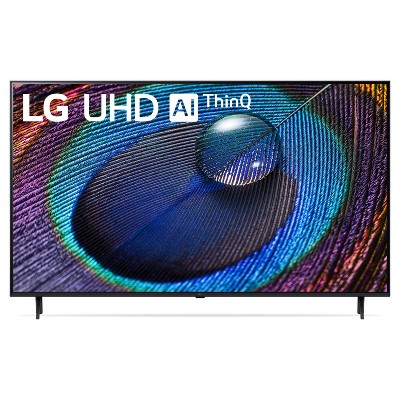
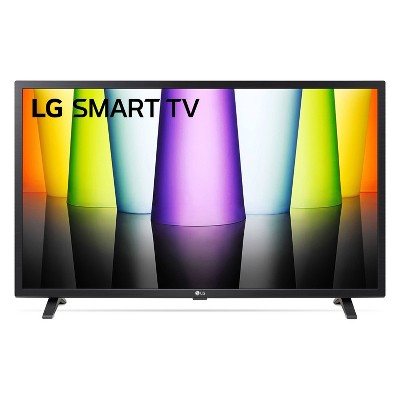
LG Class 4K HDR Smart LED TV - 2 of 4LG Class 4K HDR Smart LED TV - 3 of 4LG Class 4K HDR Smart LED TV - 4 of 4
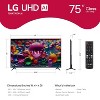
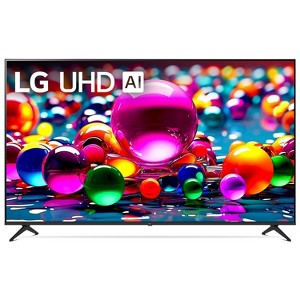
LG Class 4K HDR Smart LED TV - 1 of 4

LG 75" Class 4K HDR Smart LED TV - UA7700

214 Questions
$579.99 reg $679.99
$100 off

Size75

In Stock

Eligible for registries and wish lists
Save 5% every day
With Target Circle™ Card (restrictions apply)

At a glance

About this item

Highlights

  • Bring your favorite content to life in 4K resolution
  • Browse popular streaming apps
  • Cut the cord with LG Channels²
  • A thrilling watching experience powered by the α5 AI Processor Gen 7
  • Enjoy the film's original formatting with FILMMAKER MODE™
  • Quickly customize your gaming experience in one location with the LG Game Optimizer
  • Experience immersive sound with AI-upgraded sound
  • With webOS & LG Channels, browse your favorite streaming apps & view 300+ free channels. Enjoy up to 5 years of software updates with webOS Re:New* *Internet connection and subscriptions to streaming services are required; number of LG Channels subject to change. Software update will automatically download. Consumers who disable “auto-update” will receive a pop-up notification to accept or deny software update.

Description

Bring home 4K resolution in an impressive range of screen sizes with LG UHD TVs. Enjoy swift, easy browsing and tons of personalized recommendations including 300+ free LG channels you can't get anywhere else.*

Spend less time searching and more time streaming with LG webOS 24. Focus on the screen with a slim and simple-to-mount design for a stylish view no matter where you hang it. For gamers, you can quickly customize your gaming experience in one location with the LG Game Optimizer. And, with GeForce NOW included, you can automatically stream and get in the game.***


*Internet connection and subscriptions to streaming services are required; number of LG Channels subject to change.

**Subscription and compatible gaming controller are required.
Dimensions (Overall): 38 Inches (H) x 66.1 Inches (W) x 2.4 Inches (D)
Weight: 70.1 Pounds
Electronics Condition: New
Aspect Ratio: 16:9 Aspect Ratio
Screen Resolution: 4K
Native screen refresh rate: 60 Hz
Wireless Technology: Bluetooth, Wi-Fi
Screen Size: 75.1 Inches
Stand Depth: 11.8 Inches
Stand Width: 52.9 Inches
VESA Mounting Standard: 400x400
Product Depth with Stand: 14.2 Inches
Product Height with Stand: 40.4 Inches
Product Width with Stand: 66.1 Inches
Backlight type: LED Direct Lit
Smart platform: LG webOS
Voice assistant built-in: Alexa Built-in, Google Assistant Built-in
Number of HDMI ports: 3
High Dynamic Range (HDR): HDR10
Screen Mirroring Technology: Apple Airplay
Battery: 2 AAA Alkaline
Warranty: 1 Year Limited Warranty. To obtain a copy of the manufacturer's or supplier's warranty for this item prior to purchasing the item, please call Target Guest Services at 1-800-591-3869
TCIN: 90381780
UPC: 195174081976
Item Number (DPCI): 008-09-3670
Origin: Imported
Energy Guide Label Required:
ENERGYGUIDE LABEL REQUIRED
If the item details aren’t accurate or complete, we want to know about it.

lg

lg-tv-series-comparison-chart
Series OLED TV C1 OLED TV A1 NanoCell TV NANO90 NanoCell TV NANO75 UHD TV UP8000 UHD TV UP7070 UHD TV UP7000
Screen Size 48 - 55 - 65 Inches 55 - 65 Inches 55 - 65 Inches 50 - 55 - 65 - 75 Inches 43 - 50 - 55 Inches 70 - 75 Inches 43 - 50 - 55 - 65 Inches
Screen Resolution 4K UHD 4K UHD 4K UHD 4K UHD 4K UHD 4K UHD 4K UHD
Native Screen Refresh Rate 120hz 60hz 120hz 60hz 60hz 60hz 60hz
Effective Refresh Rate OLED Motion Pro N/A TruMotion 240 TruMotion 120 TruMotion 120 TruMotion 120 TruMotion 120
Processor a9 Gen 4 AI Processor 4K α7 Gen4 AI Processor 4K α7 Gen4 AI Processor 4K Quad Core Processor 4K Quad Core Processor 4K Quad Core Processor 4K Quad Core Processor 4K
Dimming Technology Pixel Level Dimming Pixel Level Dimming Full Array Dimming N/A N/A N/A N/A
High Dynamic Range Cinema HDR (Dolby Vision, HDR10, HLG) Cinema HDR (Dolby Vision, HDR10, HLG) Cinema HDR (Dolby Vision, HDR10, HLG) Active HDR (HDR10, HLG) Active HDR (HDR10, HLG) Active HDR (HDR10, HLG) Active HDR (HDR10, HLG)
Display Technology OLED - Self Lit Pixels OLED - Self Lit Pixels Real 4K NanoCell Display Real 4K NanoCell Display Real 4K Display Real 4K Display Real 4K Display
Viewing Wide Viewing Angle Wide Viewing Angle Wide Viewing Angle N/A N/A N/A N/A
Color Billion Rich Colors Billion Rich Colors Nano Color Nano Color True Color Accuracy True Color Accuracy True Color Accuracy

All Sizes in Inches Unless Otherwise StatedNetflix, Disney+, HBO Max, YouTube, Hulu and More
LG

CONNECTIVITY
Series OLED TV C1 OLED TV A1 NanoCell TV NANO90 NanoCell TV NANO75 UHD TV UP8000 UHD TV UP7070 UHD TV UP7000
Screen Size 48 - 55 - 65 Inches 55 - 65 Inches 55 - 65 Inches 50 - 55 - 65 - 75 Inches 43 - 50 - 55 Inches 70 - 75 Inches 43 - 50 - 55 - 65 Inches
Smart TV webOS webOS webOS webOS webOS webOS webOS
Voice Google and Alexa Built-in Google and Alexa Built-in Google and Alexa Built-in Google and Alexa Built-in Google and Alexa Built-in Hey Google, Alexa, Apple Airplay2 and Homekit (Separate device purchase necessary) Hey Google, Alexa, Apple Airplay2 and Homekit (Separate device purchase necessary)
Wireless Technology Wi-Fi and Bluetooth Wi-Fi and Bluetooth Wi-Fi and Bluetooth Wi-Fi and Bluetooth Wi-Fi and Bluetooth Wi-Fi Wi-Fi
Gaming Features Game Optimizer, G-Sync, FreeSync, VRR, and ALLM Game Optimizer, ALLM, and HGIG Game Optimizer, FreeSync, VRR, and ALLM Game Optimizer, FreeSync, VRR, and ALLM Game Optimizer, HGiG, Low Input Lag Game Optimizer, HGiG, Low Input Lag Game Optimizer, HGiG, Low Input Lag
Remote Magic Remote Magic Remote Magic Remote Magic Remote Magic Remote Standard Standard
HDMI Connections 4 3 4 3 3 2 2
App Compatibility Netflix, Disney+, HBO Max, YouTube, Hulu and More Netflix, Disney+, HBO Max, YouTube, Hulu and More Netflix, Disney+, HBO Max, YouTube, Hulu and More Netflix, Disney+, HBO Max, YouTube, Hulu and More Netflix, Disney+, HBO Max, YouTube, Hulu and More Netflix, Disney+, HBO Max, YouTube, Hulu and More Netflix, Disney+, HBO Max, YouTube, Hulu and More
All Sizes in Inches Unless Otherwise StatedNetflix, Disney+, HBO Max, YouTube, Hulu and More
Delivery options

Delivery service upgrades are available in cart during checkout.

Shipping details

Estimated ship dimensions: 7.9 inches length x 74 inches width x 43.9 inches height
Estimated ship weight: 90.8 pounds
We regret that this item cannot be shipped to PO Boxes.
This item cannot be shipped to the following locations: American Samoa (see also separate entry under AS), Guam (see also separate entry under GU), Northern Mariana Islands, Puerto Rico (see also separate entry under PR), United States Minor Outlying Islands, Virgin Islands, U.S., APO/FPO, Alaska, Hawaii
This item ships in its manufacturer’s packaging, revealing what’s inside. ·

Return details

This item can be returned to any Target store or Target.com.
This item must be returned within 30 days of the date it was purchased in store, delivered to the guest, delivered by a Shipt shopper, or picked up by the guest.
See the return policy for complete information.

Q: Will this TV work with Google Chromecast?

submitted by KJC - 2 years ago
  • A: My 55" LG tv shuts down for no apparent reason when I click Home or try to access Netflix. I don't know if it's my LG or my Verizon provider. Comments please. This is so frustrating. I've had 2-3 new set top boxes from Verizon too.

    submitted byHappyShopper - 9 months ago
  • A: Hi KJC, thanks for reaching out about LG 43" Class 4K HDR Smart LED TV - UT7590 . Yes, the LG 43-Inch Class 4K HDR Smart LED TV is compatible with Google Chromecast if it has High-bandwidth Digital Content Protection (HDCP) 1.3 or higher built-in If you have any additional questions, we welcome you to contact MyTGTtech at 833-848-8324 every day, between 7am-11pm CST.

    submitted byJoe - 2 years ago
    Target staff support
  • A: Hi there! Thank you for your question about the UT7590. Yes, the UT7590 is compatible with Google Chromecast. You can easily cast content from your mobile device or computer to the TV using a Chromecast device. Additionally, this model has built-in features like screen mirroring, which further enhances connectivity with Google devices. If you have any more questions or need assistance setting it up, please feel free to send us a private message on Social Media @LGUSSupport. Our team will be happy to assist you. We appreciate your interest! —Avril

    submitted byLG Digital Customer Care - 2 years ago
    Brand expert

Q: Does this TV have a way to turn WiFi back on. I have a LG TV and it says turn WiFi back on and there is no place to do that. I will not buy another TV I can't use as a smart TV.

submitted by Sally b - 2 years ago
  • A: Hello there, Sally b. Thank you for sharing your experience with us. We understand your inquiry regarding the WiFi settings on your LG 50" Class 4K HDR Smart LED TV (50UA7700). To turn your WiFi back on, please navigate to Settings > All Settings > Connection > Network > Wi-Fi Connection and ensure the toggle is set to "On." If the option is unavailable, we recommend power cycling the unit by unplugging it from the wall for 60 seconds. https://www.target.com/p/lg-50-34-class-4k-smart-led-tv-ut7570/-/A-90381776 For further assistance and any specific concerns you may have, please contact us on lgdigitalcare@lg.sprinklrsupport.com. We appreciate your patience. —Renzo

    submitted byLG Digital Customer Care - 8 months ago
    Brand expert
  • A: Hi Sally b, thanks for reaching out about LG 50" Class 4K Smart LED TV - UT7570. We apologize for the issue you are experiencing and have a few suggestions that may help: 01 Turn on the power of the router connected to the Internet. 02 Press gear button on the remote control. 03 Select (:) ->General -> Network -> Wi-Fi Connection. 04 When the network search is complete, the list of networks available for connection is shown. 05 Select a network to connect. If your Wireless Router is password protected, enter the password configured for the router. To see the details, click the Settings -> Network -> Wi-Fi Connection in User Guide. Below is the online manual, choose "getting started with webOS TV" then "Connecting to the Network" http://kr.eguide.lgappstv.com/manual/w22_odm_mr6/global/Apps/w22_odm_mr6_u1/u_enga/smarttv.html If these steps are not successful, we invite you to contact MyTGTtech at 833-848-8324 every day, between 7am-11pm CST.

    submitted byMatt - 2 years ago
    Target expert support

Q: What is the model number of this TV?

submitted by uniform33 - 8 months ago
  • A: This is the LG 43-inch Class LG UHD AI UA77 4K Smart TV 2025, Model # 43UA7700PUB...^Ivan.

    submitted byLG Digital Customer Care - 8 months ago
    Brand expert
  • A: We bought the 65 “ of this item

    submitted bytseed - 8 months ago

Q: Does it have the xfinity app

submitted by Max - 9 months ago
  • A: Hi there. Thank you for sharing your experience with us. We understand your inquiry regarding the LG Class 4K HDR Smart LED TV. https://www.target.com/p/lg-class-4k-hdr-smart-led-tv/-/A-94730098 Yes, the Xfinity Stream app is available on LG Smart TV models from 2018 to the present (running webOS 4.0 or higher) and can be downloaded via the LG Content Store. For further assistance and any specific concerns you may have, please contact us on lgdigitalcare@lg.sprinklrsupport.com. —Renzo

    submitted byLG Digital Customer Care - 7 months ago
    Brand expert
  • A: Hi, thank you for reaching out about LG Class 4K HDR Smart LED TV. Yes, most modern LG Class 4K HDR Smart TVs have the Xfinity Stream app available in the LG Content Store, compatible with models from 2017 onwards, allowing you to stream live TV, On Demand, and DVR content without a separate cable box. You just need to find and install the app from the LG Content Store and sign in with your Xfinity credentials, ensuring your TV has enough memory and a good internet connection for the best quality. If you have any additional questions, we welcome you to contact MyTGTtech at 833-848-8324 every day, between 7am-11pm CST.

    submitted byMatt - 9 months ago
    Target expert support

Q: On the LG UHD AI can Britbox work with this? Thank you

submitted by Taylor - 9 months ago
  • A: Hello there. Thank you for sharing your experience with us. We understand your inquiry regarding Britbox compatibility with the LG Class 4K HDR Smart LED TV. https://www.target.com/p/lg-class-4k-hdr-smart-led-tv/-/A-94730098 Yes, the Britbox app is available on LG Smart TVs running webOS 3.5 or higher (typically models from 2017 to the present) and can be downloaded through the LG Content Store. For further assistance and any specific concerns you may have, please contact us on lgdigitalcare@lg.sprinklrsupport.com. —Renzo

    submitted byLG Digital Customer Care - 7 months ago
    Brand expert
  • A: Hi, thanks for reaching out about the LG Class 4K HDR Smart LED TV Yes, BritBox is available on LG UHD AI TVs. Since your TV runs on LG’s webOS platform, you can access BritBox easily. If you have any additional questions, we welcome you to contact MyTGTtech at 833-848-8324 every day between 7 am and 11 pm CST.

    submitted byRena - 9 months ago
    Target expert support

Q: Sound but no visual with PS5

submitted by LAS - 9 months ago
  • A: Hi there. Thank you for sharing your experience with us. We understand your inquiry regarding the LG Class 4K HDR Smart LED TV. https://www.target.com/p/lg-class-4k-hdr-smart-led-tv/-/A-94730098 To troubleshoot the visual issue with your PS5, please ensure the HDMI cable is securely plugged into both devices and try power cycling your TV by unplugging it for 60 seconds before plugging it back in. For further assistance and any specific concerns you may have, please contact us on lgdigitalcare@lg.sprinklrsupport.com. —Renzo

    submitted byLG Digital Customer Care - 7 months ago
    Brand expert
  • A: Hi, thank you for reaching out about LG Class 4K HDR Smart LED TV. When your LG TV has sound but no picture from your PS5, it's usually a HDMI handshake issue, often fixed by power cycling both devices, checking/swapping cables/ports, enabling HDMI Deep Color/Enhanced Mode on the TV for that port, or adjusting PS5 video output settings in safe mode, as the TV isn't recognizing the 4K HDR signal correctly. If you have any additional questions, we welcome you to contact MyTGTtech at 833-848-8324 every day, between 7am-11pm CST.

    submitted byMatt - 9 months ago
    Target expert support

Q: How do I set up the TV?

submitted by Madam mango - 10 months ago
  • A: Hi there. Thank you for sharing your experience with us. We understand your inquiry regarding the LG Class 4K HDR Smart LED TV. https://www.target.com/p/lg-class-4k-hdr-smart-led-tv/-/A-94730098 To set up your TV, please power on the unit and follow the on-screen instructions to select your language, connect to your Wi-Fi network, and scan for available channels. For further assistance and any specific concerns you may have, please contact us on lgdigitalcare@lg.sprinklrsupport.com. —Renzo

    submitted byLG Digital Customer Care - 7 months ago
    Brand expert
  • A: Hi, thanks for reaching out about LG Class 4K HDR Smart LED TV. That's a great purchase! Setting up an LG Smart TV is very easy thanks to the on-screen Setup Wizard (powered by LG's webOS operating system). Here is a step-by-step guide to get your new LG 4K HDR Smart LED TV up and running: 📺 Initial LG TV Setup Guide Step 1: Physical Setup & Power Mount or Stand: Securely attach the TV to the wall mount or install the provided stand feet. Connections: Plug in the power cord to an outlet. Connect any external devices now (like a cable box, gaming console, or soundbar) using HDMI cables. Power On: Insert batteries into your remote (usually the LG Magic Remote). Press the power button on the TV or the remote. Step 2: Running the Setup Wizard The TV will automatically greet you with the initial setup screen: Language and Location: Select your preferred Language and Country/Time Zone. Internet Connection: Wired: If you connected an Ethernet cable, it should connect automatically. Wireless: Choose your home Wi-Fi network from the list and enter your password using the on-screen keyboard. Terms & Agreements: Review the User Agreements and Privacy Policy. You typically must Agree to the mandatory terms to use the TV's smart features. Step 3: Customizing Your TV Experience TV Environment: The TV may ask where it's located (e.g., Stand or Wall Mount) to optimize the sound output. Viewing Type: Select how you plan to watch TV (e.g., Cable/Satellite Box, Antenna, or None if you only plan to stream). Live TV/Tuner Setup: If you selected an antenna, the TV will ask to scan for local channels. If you selected a set-top box, you can set up the Universal Control feature (this lets the LG remote control your cable box). Picture & Sound (Optional but Recommended): The TV may prompt you to select AI Picture Pro and AI Sound Pro for automatic optimization. Step 4: Finalizing Smart Features LG Account: You will be prompted to Sign In or Create an LG Account. This is highly recommended as it is required to download new apps from the LG Content Store. App Installation: The TV will suggest popular streaming apps (like Netflix, Hulu, Disney+). You can select them for quick download or Skip this step and download them later. Once you hit "Done," the setup is complete, and your TV will switch to the home screen (the webOS dock) where you can access your inputs and streaming apps. The setup process is very intuitive, especially with the Magic Remote, which lets you point and click like a mouse. If you have any additional questions, we welcome you to contact MyTGTtech at 833-848-8324 every day, between 7am-11pm CST.

    submitted byJoe - 10 months ago
    Target staff support

Q: Can you get the xfinity stream app on this tv ?

submitted by Kevin - 1 year ago
  • A: Hi there, Kevin. Thank you for sharing your experience with us. We understand your inquiry regarding the LG Class 4K HDR Smart LED TV. https://www.target.com/p/lg-class-4k-hdr-smart-led-tv/-/A-94730098 Yes, the Xfinity Stream app is available on LG Smart TV models from 2018 to the present (running webOS 4.0 or higher) and can be downloaded directly from the LG Content Store. For further assistance and any specific concerns you may have, please contact us on lgdigitalcare@lg.sprinklrsupport.com. —Renzo

    submitted byLG Digital Customer Care - 7 months ago
    Brand expert
  • A: Hi, thanks for reaching out about LG Class 4K HDR Smart LED TV Yes, your "LG Class 4K HDR Smart LED TV" likely supports the Xfinity Stream app, allowing you to download it from the LG Content Store and access live, On Demand, and DVR content from your Xfinity subscription. To confirm compatibility and find the app, press the Home button on your remote, go to the LG Content Store, search for "Xfinity Stream," and then select Install. If you have any additional questions, we welcome you to contact MyTGTtech at 833-848-8324 every day, between 7am-11pm CST.

    submitted byJustin - 1 year ago
    Target expert support

Q: Is there an input for an antenna

submitted by Cinny129 - 1 year ago
  • A: The LG 43 Inch Class LG UHD AI UA77 4K Smart TV 2025, Model # 43UA7700PUB, has an F-Type, 75-Ohm, Coaxial connector on the back labeled 'Antenna/Cable In, that you can connect an indoor or outdoor antenna to, and the TV has a built-in ATSC terrestrial tuner that allows you to receive digital television (DTV) channels transmitted by television stations using ATSC standards. It is essential for receiving digital broadcasts in North America...^Ivan.

    submitted byLG Digital Customer Care - 1 year ago
    Brand expert
  • A: Hi, thanks for reaching out about LG Class 4K HDR Smart LED TV. Yes, an LG 4K HDR Smart LED TV has an input for an antenna. If you have any additional questions, we welcome you to contact MyTGTtech at 833-848-8324 every day, between 7am-11pm CST.

    submitted byJoe - 1 year ago
    Target staff support

Q: Is this TV compatible with a new Roku streaming stick and Roku remote?

submitted by Oh Susanna - 1 year ago
  • A: Hello there. Thank you for sharing your experience with us. We understand your inquiry regarding the LG Class 4K HDR Smart LED TV. This unit is fully compatible with the new Roku streaming sticks and Roku remotes via any available HDMI port. Once the device is connected to the HDMI input, you can easily access the Roku interface and use its remote to navigate your favorite content. https://www.target.com/p/lg-class-4k-hdr-smart-led-tv/-/A-94730098 For further assistance and any specific concerns you may have, please contact us on lgdigitalcare@lg.sprinklrsupport.com. —Renzo

    submitted byLG Digital Customer Care - 7 months ago
    Brand expert
  • A: Hi Oh Susanna, thanks for reaching out about LG Class 4K HDR Smart LED TV Yes, a Roku Streaming Stick is compatible with an LG Class 4K HDR Smart LED TV. The Roku Streaming Stick can be connected to any TV with an HDMI port. You'll plug the Roku Streaming Stick into one of the LG TV's HDMI ports. If you have any additional questions, we welcome you to contact MyTGTtech at 833-848-8324 every day, between 7am-11pm CST.

    submitted byJustin - 1 year ago
    Target expert support
WARNING:Cancer and reproductive harm. For more information, go to https://www.p65warnings.ca.gov/

Additional product information and recommendations

Frequently bought together

Skip to next section

Guests also viewed

Skip to next section
3.7 out of 5 stars with 436 reviews
48% would recommend
111 recommendations
1 out of 5 stars
Thumbs down graphic, would not recommend
26 September, 2026Verified purchase

Poor quality

Won’t zoom out and quality is poor
1 reply from LG Digital Customer Care team - 3 days ago
Hi, Chess. Thank you for sharing your feedback on your LG TV (55UA7700PUB). We understand how essential a crisp, properly sized display is for enjoying your entertainment, and we are fully committed to helping you adjust your settings for optimal picture performance. To restore proper screen scaling, navigate to Settings > Picture > Aspect Ratio, select 16:9 or Original, and set Just Scan to On. To enhance clarity, verify that your input device or streaming content is outputting in HD or 4K resolution, and try adjusting the Picture Mode to Standard or Vivid. For more guidance, visit https://www.lg.com/us/support/help-library/lg-tv-the-best-picture-settings-for-your-lg-tv--20150577528034?. Please email us at lgdigitalcare@lg.sprinklrsupport.com if you need further support. We're here to help. ^Juvy
Chess
Did you find this review helpful?
1 out of 5 stars
14 September, 2026Verified purchase

Can I still return it ?

The screen of tv is broken inside
1 reply from LG Digital Customer Care team - 12 days ago
Hi, Raul. Thank you for sharing your experience with the LG 43UA7700PUB. We understand the importance of getting a TV that’s ready to enjoy right out of the box, and we are committed to helping you move toward the right resolution. If you haven't done so yet, we recommend contacting Target customer service at 800-440-0680, as most retailers offer returns or exchanges within their standard return window. For more details, check out https://www.target.com/returns. To check the display panel: (1) Turn off and unplug the unit for 60 seconds. (2) Plug it back in and power it on. (3) Look for light bleeding through internal cracks or fixed lines on the screen. Please email us at lgdigitalcare@lg.sprinklrsupport.com with your purchase receipt, serial number, and a photo of the screen so we can check your coverage and review repair options with you. ^Juvy
Raul
Did you find this review helpful?
1 out of 5 stars
Thumbs down graphic, would not recommend
12 September, 2026Verified purchase

of course it breaks right after warranty expires

it was nice for a bit.. after one year, the screen goes black after a minute. Debugging with claude, turns out something with the backlight is broken. For the time being it is working with 50% panel brightness, not ideal. Of course that happens just a little after a year, so the warranty is expired. wont be buying another LG product again. especially since it came out recently that they also spy on you.
1 reply from LG Digital Customer Care team - 13 days ago
Hi, Simon. Thank you for sharing your review with us regarding your LG TV (50UA7700PUB). We understand the importance of long-lasting display reliability and consistent backlight performance, and we are dedicated to helping you achieve a smooth and effective resolution for your television's display concerns. To manage backlight stability at lower brightness and explore repair options, please try these troubleshooting steps: (1) Go to your TV's picture settings and turn off Energy Saving or automatic brightness limiting modes, as they may affect power to the LED backlight. (2) If you're comfortable opening the unit or working with a technician, check that the internal ribbon cables connecting the main board to the power supply and LED driver board are securely seated with no loose pins. For more guidance, visit https://www.lg.com/us/support/help-library/lg-tv-troubleshooting-an-lg-tv-with-no-picture-and-no-sound--20154765216944?. If you need any further support with your unit or guidance on service options, please email us at lgdigitalcare@lg.sprinklrsupport.com. ^Juvy
Simon
Did you find this review helpful?
1 out of 5 stars
4 September, 2026
originally posted on lg.com/ca
Image

Black screen

After exactly 2 years I see black screen and warranty is completed.
1 reply from LG CareQ team - 21 days ago
Hello Bharat. We are very sorry to hear that you are experiencing a black screen on your LG 50UT7570PUB TV, especially after your warranty has ended. We completely understand how frustrating it can be to encounter an issue after two years of use. Before looking into out-of-warranty repair options, we would like to help you try a few quick troubleshooting steps from our support guide: https://www.lg.com/ca_en/support/product-support/troubleshoot/help-library/cs-CT52001643-20155311258275/. First, perform a hard power drain by unplugging the TV, holding its physical power button for 30 seconds, waiting another 60 seconds, and then plugging it back in. You can also try shining a phone flashlight close to the powered-on screen to see if a faint image appears, which may indicate a backlight issue. Finally, unplug all external HDMI devices to check whether a connected device or cable may be affecting the display. If these steps do not restore the picture, please connect with our LG CareQ Team through our support page so we can help you explore the available out-of-warranty diagnostic and repair options: https://www.lg.com/ca_en/support/contact-us/ and reference CNN260907452133.
Bharat
Did you find this review helpful?
1 out of 5 stars
Thumbs down graphic, would not recommend
28 August, 2026

Do not buy LG

Do not purchase this TV or other LG products. There is no way to not agree to pages and pages of user agreements which require you to consent of selling and using your data from your viewing history. You are unable to use the TV unless you agree.
1 reply from LG Digital Customer Care team - 27 days ago
Hi, Sunny. Thank you for sharing your experience with your LG TV (43UA7700PUB). We appreciate you bringing up the setup requirements, and we understand you want to enjoy your TV without feeling obligated to navigate through multiple agreements. We are committed to making the setup process as smooth as possible. To manage your user agreements and privacy choices on your TV, please try these steps: (1) Reset User Agreements, go to Settings > All Settings > Support > Privacy & Terms to adjust consents, including User Agreements and Viewing Information. (2) During setup or in the terms menu, accept only essential software terms and decline optional data and advertising services. (3) Select Reset User Agreements in the privacy menu to re-evaluate and customize your choices from the beginning. For more guidance, visit https://www.lg.com/us/support/product/lg-43UA7700PUB.AUSQ?.If you have additional questions or need further guidance with your account settings, please email us directly at lgdigitalcare@lg.sprinklrsupport.com so we can assist you. ^Juvy
Sunny
Did you find this review helpful?
1 out of 5 stars
Thumbs down graphic, would not recommend
16 August, 2026

Bogus TV

This tv only lasted a year and a half after purchasing it all of a sudden the LEDs went out. And LG is aware of this which is why they only have a year warranty on the product. Never had a tv just burn out this quickly in my life
1 reply from LG Digital Customer Care team - 1 month ago
Hi, Jonathan. Thank you for sharing your experience with the LG TV (75UA7700PUA). We understand how essential a vibrant and reliable picture is for your home entertainment, and we are completely willing to help find a resolution for your television. To troubleshoot the screen, we recommend performing a power cycle by unplugging the TV from the wall outlet for 60 seconds. When plugging it back in, ensure it is connected directly to the wall outlet rather than a power strip or surge protector, and try pressing the settings or volume buttons on the remote to see if any on-screen menus appear. For more guidance, visit https://www.lg.com/us/support/help-library/lg-tv-troubleshooting-an-lg-tv-with-no-picture-and-no-sound--20154765216944?. If you’d like us to review your case or walk through additional steps, please email us at lgdigitalcare@lg.sprinklrsupport.com, and we’ll be glad to help. ^Juvy
Did you find this review helpful?
5 out of 5 stars
10 August, 2026Verified purchase

(no review title)

Nice TV
Did you find this review helpful?
1 out of 5 stars
Thumbs down graphic, would not recommend
1 July, 2026Verified purchase

Completely cracked

Arrived with a cracked screen. The very next day it was picked up by USPS, and target still won't issue a refund. That was several days ago. Dont waste your time, money or energy buying any large electronics to be shipped from target unless you want a headache and to be left waiting for your hard earned money to be returned.
1 reply from LG Digital Customer Care team - 3 months ago
Hi, Sarah. Thank you for reaching out to us regarding your LG TV (43UA7700PUB) model. We understand the importance of receiving your product in good condition and a timely refund for any damages. To expedite this process, please follow these steps: (1) Keep your USPS tracking number and any return receipt, as this is vital for confirming the return. (2) For purchase and return issues, reach out to Target's customer service with your order number and tracking info at 800-440-0680. If you haven't, ask them to escalate the refund based on the carrier's proof of delivery. (3) Document all communications with the retailer's support team, including reference numbers or representative names. If you still can't resolve the refund status, email us at lgdigitalcare@lg.sprinklrsupport.com. While we don't manage retail transactions directly, we can review your case and see how we can help. ^Juvy
Did you find this review helpful?
3 out of 5 stars
Thumbs up graphic, would recommend
26 June, 2026Verified purchase

Poor Delivery

Great Prices, ordering process was simple and straight to the point. The problem was the delivery, FEDEX left a 55" TV in the entrance of my building without notifing my. This area is excessable by ANYONE. They should have looked me up on the board, called me so i could let them in to leave the package in the secrued lobby.
Did you find this review helpful?
1 out of 5 stars
Thumbs down graphic, would not recommend
21 June, 2026Verified purchase

Being charged for a broken TV I never received from the store

I am being charged for a 75" LG Television that I never picked up. I attempted to pick the TV up until the customer service agent literally dropped the TV off the cart and fell on the concrete, you could literally hear glass break. The customer service agent wanted me to accept the TV and process the return. Instead I declined the TV and now I keep getting the run around yet 30 days later and no solution.
1 reply from LG Digital Customer Care team - 27 days ago
Hi, Joseph! Thanks for sharing your experience with the LG UA7700. We appreciate you letting us know what happened during pickup, and we want you to feel confident that your TV setup moves smoothly from purchase to delivery without unexpected issues. For situations involving damaged units at the store, we recommend confirming the pickup status through your retailer’s order history and ensuring the TV is inspected before completing the handoff. You can also review the setup and care steps on our LG support page to make sure everything is ready once the correct unit is received: https://www.lg.com/us/support/help-library If you need further support, feel free to contact target's customer service ( 1 (800) 440-0680 ) — John
Did you find this review helpful?
1 out of 5 stars
Thumbs down graphic, would not recommend
19 June, 2026Verified purchase

TV scream broke from delivery

I received my TV for FedEx and when I open it, the screen is broke
1 reply from LG Digital Customer Care team - 3 months ago
Hi, there. Thank you for sharing your feedback regarding your LG TV (55UA7700PUB) model. We understand how important it is to receive your new display in pristine condition, and we are committed to helping you resolve this delivery issue quickly. To assist us in finding the best path forward, please document the condition of both the shipping packaging and the screen itself with clear photographs. If you haven't done so yet, we recommend contacting Target customer service at 800-440-0680 to report the damage. For more details, check out https://www.target.com/returns. For further support, please email us at lgdigitalcare@lg.sprinklrsupport.com. We're here for you! ^Juvy
N
Did you find this review helpful?
5 out of 5 stars
Thumbs up graphic, would recommend
19 June, 2026Verified purchase

(no review title)

Love the clear picture and all the preloaded apps!
Donmarie1004
Did you find this review helpful?
1 out of 5 stars
5 June, 2026

(no review title)

The app allowed me to place the order for this product showing it was in stock. When I went to pick it up, it was in fact not in stock. The frustrating part of this is it takes a while to get refunded your money.
1 reply from LG Digital Customer Care team - 4 months ago
Hi, Amy. Thank you for sharing your review regarding the LG TV (50UA7700PUB) model. We understand how important an accurate ordering process and a swift transaction are when preparing to bring a new television home, and we want to ensure you receive the smooth fulfillment experience and reliable support you expect. To resolve the stock discrepancy and speed up billing, we suggest taking these immediate steps: (1) To obtain an Order Cancellation Receipt, contact Target customer service at 800-440-0680 and request an official cancellation receipt or a digital confirmation email showing the transaction was voided. (2) Monitor the Authorization Hold: Online stock errors often lead to a temporary authorization hold instead of a final charge, which banks usually release within 3 to 7 business days, depending on their processing times. (3) Check Your Account Status: Log in to the platform or app where you ordered to ensure it indicates "Cancelled" or "Refunded," enabling the banking system to process your credit return. We want to ensure your purchasing process is clear and satisfactory. Please email us at lgdigitalcare@lg.sprinklrsupport.com if you need further support so we can directly look into this situation for you. ^Juvy
Amy
2 guests found this review helpful. Did you?
5 out of 5 stars
Thumbs up graphic, would recommend
30 May, 2026Verified purchase

(no review title)

Love it
Nancy
Did you find this review helpful?
5 out of 5 stars
Thumbs up graphic, would recommend
29 May, 2026

Love them

I have the 43’ & 55’ bought them in October of 2024. I love them! I decided to leave a review because I’m considering buying another for a different room. For the price these are great! Not sure how they have such bad reviews.
Karina
1 guest found this review helpful. Did you?
1 out of 5 stars
Thumbs down graphic, would not recommend
27 May, 2026Verified purchase

Do not buy.

Terrible TV. Does not connect to internet well, ads play on screen saver (WITH NOISE). Do not recommend.
1 reply from LG Digital Customer Care team - 4 months ago
Hi, there. Thank you for reviewing the LG TV (55UA7700PUB) model. We understand you require a dependable network and a calm, uninterrupted viewing experience for your main display. We are fully committed to providing clear settings control so you can customize your television exactly to your liking. To enhance internet stability and remove unwanted ads, follow these steps: (1) Disable Screensaver Promotions by pressing the Settings gear on your remote, then go to All Settings > General > System > Additional Settings, and turn off Screen Saver Settings. (2) Clear the interface by selecting Home Settings under Additional Settings and disabling Home Promotions and Content Recommendations. (3) For better Wi-Fi stability, go to Settings > All Settings > General > Network. If using a 5GHz band with drops, switch to the 2.4GHz band for better coverage and less buffering. For more guidance, visit https://www.lg.com/us/support/product/lg-55UA7700PUB.AUSQ. If you’d like us to walk through more adjustments or review your setup, feel free to reach out to lgdigitalcare@lg.sprinklrsupport.com. We're here to help. ^Juvy
togostogo
8 guests found this review helpful. Did you?
5 out of 5 stars
Thumbs up graphic, would recommend
22 May, 2026

(no review title)

the delivery person was really good and nice and polite
charita
Did you find this review helpful?
5 out of 5 stars
15 May, 2026Verified purchase

Lg king of Tvs

Great picture u have to tweak settings..
Robfromhoust
Did you find this review helpful?
5 out of 5 stars
Thumbs up graphic, would recommend
15 May, 2026Verified purchase

Nice value

Great price for a great TV
Patruce44
1 guest found this review helpful. Did you?
1 out of 5 stars
10 May, 2026Verified purchase

(no review title)

Horizontal and vertical lines appeared within 24 hours
1 reply from LG Digital Customer Care team - 5 months ago
Hi, Noah. Thank you for reaching out and letting us know what’s happening with your LG TV (55UA7700PUB) model. We understand the importance of having a TV that delivers a clear, reliable picture. To address the horizontal and vertical lines on your screen, (1) we recommend performing a Picture Test to determine if the issue is related to the internal panel or an external input. You can find this in the TV settings under Settings > All Settings > Support > Screen Self-Diagnosis. (2) Additionally, please ensure all HDMI cables are securely connected and try a different port to rule out a signal transmission error. For more guidance, visit https://www.youtube.com/watch?v=lMvDXFSvrVQ. We’d be glad to take a closer look at this with you. Please send us an email at lgdigitalcare@lg.sprinklrsupport.com. We're here to help. ^Juvy
Noah
2 guests found this review helpful. Did you?

Get top deals, latest trends, and more.