
Target New ArrivalsGift Ideas for MomClothing, Shoes & AccessoriesHome & DécorKitchen & DiningOutdoor Living & GardenGroceryHousehold EssentialsBabyBeautyPersonal CareHealthWellnessLuggageSports & OutdoorsToysElectronicsVideo GamesMovies, Music & BooksSchool & Office SuppliesParty SuppliesGift IdeasGift CardsPetsUlta Beauty at TargetShop by CommunityTarget OpticalDealsClearanceTarget New ArrivalsSpring OutfitsGift Ideas for MomWomen’s Festival OutfitsTop DealsTarget Circle DealsWeekly AdShop Order PickupShop Same Day DeliveryRegistryRedCardTarget CircleFind Stores
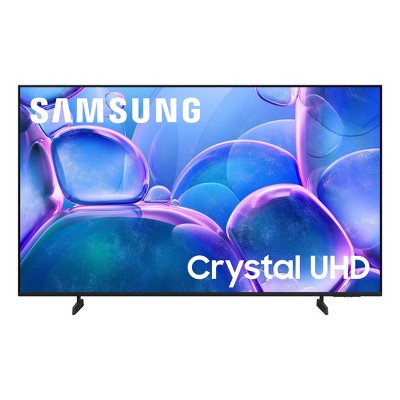
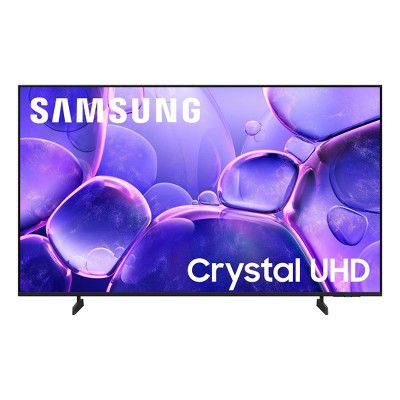
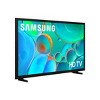
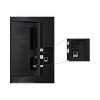
Samsung 32" HD H5000F 720p Smart LED TV: Wi-Fi, HDR10+, 60 Hz Refresh Rate - 2 of 4Samsung 32" HD H5000F 720p Smart LED TV: Wi-Fi, HDR10+, 60 Hz Refresh Rate - 3 of 4Samsung 32" HD H5000F 720p Smart LED TV: Wi-Fi, HDR10+, 60 Hz Refresh Rate - 4 of 4
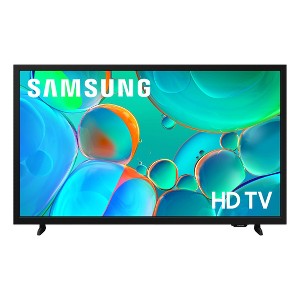
Samsung 32" HD H5000F 720p Smart LED TV: Wi-Fi, HDR10+, 60 Hz Refresh Rate - 1 of 4

Samsung 32" HD H5000F 720p Smart LED TV: Wi-Fi, HDR10+, 60 Hz Refresh Rate

$119.99 reg $147.99
Sale save $28.00 (19% off)

In Stock

Eligible for registries and wish lists

At a glance

About this item

Highlights

  • HDR -Expanded contrast for enhanced visual detail: Get expanded contrast between the lightest and darkest parts of a scene, so you can enjoy a wide spectrum of colors, enhanced detail and depth. See your content with added realism - from the reflective highlights in a dark, moody alleyway to the deep shadows cast on a bright and sunny afternoon. In HDR10+ content, each scene is dynamically tone mapped for optimal contrast and enhanced HDR performance.
  • Object Tracking Sound Lite -Motion-based sound: Feel like you're in the middle of the action with sound that follows objects on screen. Featuring a virtual top channel, every sound is placed in space and moves with the action, enhancing your sense of immersion. Whether it's a car chase, an intense shootout, or a romantic dinner conversation, you’ll feel like you're right in the middle of it all.
  • Samsung Knox Security -Secures personal data* with triple-layer protection: Your TV experiences are secured. Samsung Knox Security protects you from harmful attacks by automatically blocking unauthorized apps and phishing websites. It also safeguards your IoT devices connected to your TV, plus your sensitive information, including your PIN codes and passwords. With regular updates, your TV is always kept safe. *Personal data includes directly input PIN-codes and passwords, and IoT device information shared through the SmartThings app. The latest software is required.
  • One UI Tizen -Your TV screen, tailored to you: One UI Tizen is a personalized TV platform that brings together all your favorite apps and the latest features.* Work out with a trainer, follow recipes and binge watch endless shows from your favorite streaming services - all in an intuitive interface. You'll have peace of mind knowing that Samsung Knox** secures your personal data with triple-layer protection. Plus, get 7 years of automatic OS updates so your TV stays up to date.*** *Samsung Account required for network based smart services, including streaming apps and other smart features. Computer, mobile or other device may be necessary to create/log in to Samsung Account (free to download and create). Without Account log in, only external device connections (e.g., via HDMI) and terrestrial/over the air TV (only for TVs with tuners) available. **Personal data includes directly input PIN codes and passwords, and IoT device information shared through the SmartThings app. The latest software is required. ***Based on model year; requires Internet connection.
  • Samsung TV Plus -A world of content at your fingertips. No subscription required.: Watch 2,700+ free channels, including over 400 premium Samsung TV Plus channels and on free streaming apps with just an internet connection. With Samsung TV Plus, get live national and local news, sports, movies, music, kids' shows, K-Content and reality TV - all for free. Plus, enjoy thousands of free movies and shows on demand. With content frequently added, there’s always something new to explore. Plus, discover a diverse lineup of channels from free streaming TV services like Pluto TV and Freevee. There’s content for every occasion or mood. *Samsung Account required for network based smart services, including streaming apps and other smart features. Computer, mobile or other device may be necessary to create/log in to Samsung Account (free to download and create). Without Account log in, only external device connections (e.g., via HDMI) and terrestrial/over-the-air TV (only for TVs with tuners) available. Channels may vary by location and are subject to change. UI is subject to change without prior notice.
  • Slim Look Design -Sleek design for minimal distraction: With its minimalist design, this TV adds a sophisticated touch to any room in your home and enhances your viewing experience by providing an uncluttered view. Focus entirely on what matters most - whether that's catching up on your favorite sitcom, watching a classic blockbuster movie or staying updated with the news. Experience your entertainment without distractions.
  • PUR Color -Fine-tuned color for a vibrant, lifelike picture: Enjoy your favorite shows and movies with vibrant colors that look like real life. Get a huge spectrum of hues - from the deep blues of the ocean to the vibrant greens of a forest - for lifelike picture quality that enhances every scene.
  • Mobile to TV -Use your smartphone to control your TV: Can't find the TV remote? Worry no more. Don't waste time looking for the remote hidden in your kids' room or buried somewhere in the back of the couch. With the SmartThings app,* you can easily turn your smartphone into a TV remote. Manage everything - browse channels, access your favorite apps and control the volume and settings - all from your phone. Simple as that. *Requires SmartThings (available with Android OS 10 or later with 3 GB RAM space and Apple iOS 15 or later), Internet or Bluetooth connection and login to TV Samsung Account.
  • Mega Contrast -Bold contrast that brings scenes to life: Forget about adjusting your TV settings to achieve a better picture. Your TV automatically adjusts brightness and contrast, enhancing the difference between light and dark areas on the screen, so you can enjoy stunning picture quality. Catch every detail, regardless of how dark or bright the scene is.

Description

Enjoy your favorite shows in high definition, featuring vibrant colors, deep contrast and dynamic audio that flows with the action. Stream 2,700+ free channels including 400+ Samsung TV Plus premium channels*, and feel secure with triple-layer protection for your personal data.* *Samsung Account required for network-based smart services, including streaming apps and other smart features. Computer, mobile or other device may be necessary to create/log in to Samsung Account (free to download and create). Without Account log in, only external device connections (e.g., via HDMI) and terrestrial/over- the-air TV (only for TVs with tuners) available. Channels may vary by location and are subject to change. **Personal data includes directly input PIN codes and passwords, and IoT device information shared through the SmartThings app.
Dimensions (Overall): 17.3 Inches (H) x 28.9 Inches (W) x 2.9 Inches (D)
Weight: 8.4 Pounds
Electronics Condition: New
Electronics Features: Wi-Fi
Aspect Ratio: 16:9 Aspect Ratio
Screen Resolution: 720p
Native screen refresh rate: 60 Hz
Wireless Technology: Wi-Fi
Screen Size: 31.5 Inches
Stand Depth: 4.6 Inches
Stand Width: 24 Inches
Compatible With: Alexa, Google Assistant, Netflix, Disney+, YouTube, Hulu, Apple TV+, Amazon Prime Video, Max, Samsung TV Plus, Spotify, Sling TV
VESA Mounting Standard: 200x200
Product Depth with Stand: 4.6 Inches
Product Height with Stand: 17.8 Inches
Product Width with Stand: 28.9 Inches
Backlight type: LED Edge-Lit
Smart platform: Samsung Smart TV
Voice assistant built-in: No Voice Assistant Built-In
Model name: UN32H5000FFXZA
Number of HDMI ports: 2
High Dynamic Range (HDR): HDR10+, HDR10
Screen Mirroring Technology: SmartShare, Apple Airplay
Battery: 2 AAA Alkaline, Required, Packaged With
Warranty: 1 Year Limited Warranty. To obtain a copy of the manufacturer's or supplier's warranty for this item prior to purchasing the item, please call Target Guest Services at 1-800-591-3869
TCIN: 94465158
UPC: 887276927558
Item Number (DPCI): 008-09-0715
Origin: Imported
Energy Guide Label Required:
ENERGYGUIDE LABEL REQUIRED
If the item details aren’t accurate or complete, we want to know about it.

Shipping details

Estimated ship dimensions: 31.5 inches length x 20 inches width x 4.5 inches height
Estimated ship weight: 12 pounds
This item ships in its manufacturer’s packaging, revealing what’s inside. ·

Return details

This item can be returned to any Target store or Target.com.
This item must be returned within 30 days of the date it was purchased in store, delivered to the guest, delivered by a Shipt shopper, or picked up by the guest.
See the return policy for complete information.

Q: I own two of these TVs. It takes 15 minutes to turn on and it’s very hard to move the cursor.

submitted by Laura - 4 months ago
  • A: Hi Laura, Please know the H5000F is a 2025 Smart TV. For optimal performance, please ensure your TV is running the latest firmware. You can check this by going to: Home > left directional key > Settings > Support > Software Update To further optimize performance, try running Device Care, which checks memory, clears unused cached data, and closes background apps: Home > left directional key > Settings > Support > Device Care > Start Device Care If issues continue, please reach Samsung Support at 1-800-SAMSUNG, available 8AM – 12AM EST, 7 days a week. LiveChat is also available via the ‘Support’ link on our website. ~Samsung Advisor

    submitted bySamsung - 3 months ago
    Brand expert
  • A: Hi, thanks for reaching out about Samsung 32" HD H5000F 720p Smart LED TV: Wi-Fi, HDR10+, 60 Hz Refresh Rate. Having two identical TVs failing in the exact same way—taking 15 minutes to "boot up" and then freezing—points to a known software or hardware issue with that specific Samsung series. Since your model is the H5000F, it is an older "Early Smart" TV. These models have very limited memory, and as apps (like Netflix or YouTube) have become "heavier" over the years, they can cause the TV's processor to "choke" during the startup process. 1. The "Samsung TV Plus" Glitch (Most Likely) There is a well-documented issue where the Samsung TV Plus app tries to load a live preview the second the TV turns on. This overwhelms the processor, causing the 15-minute lag and freezing the cursor. The Fix: If you can eventually get the cursor to move after the 15-minute wait, navigate to the Samsung TV Plus app icon, long-press the "Select" button, and choose Remove or Disable. Many users report that disabling this one app instantly returns the TV to normal speed. 2. Perform a "Cold Boot" A standard "Off/On" with the remote doesn't actually clear the TV's memory; it just puts it in standby. You need to force the memory to flush: With the Remote: While the TV is ON, press and hold the Power Button on your remote and don't let go. The TV will turn off. Keep holding until the Samsung Logo appears again on the screen, then release. Without the Remote: Unplug both TVs from the wall. Wait at least 60 seconds. While they are unplugged, press and hold the physical power button on the TV itself for 30 seconds to drain residual power. Plug them back in. 3. Clear the "Broadcasting" Lag If your TV is searching for a cable signal or "HbbTV" data in the background, it can freeze the UI. Go to Settings > Broadcasting > Expert Settings > HbbTV Settings. If HbbTV is checked, uncheck/disable it. This feature often causes older Samsung processors to hang. If you have any additional questions, we welcome you to contact MyTGTtech at 833-848-8324 every day, between 7am-11pm CST.

    submitted byJoe - 4 months ago
    Target staff support

Q: I have two of the same TVs they take 15 minutes to turn on and you can’t move the cursor. What is the problem?

submitted by Laura - 4 months ago
  • A: Hi Laura, Please know the H5000F is a 2025 Smart TV. For optimal performance, please ensure your H5000F TV is running the latest firmware. You can check this by going to: Home > left directional key > Settings > Support > Software Update To further optimize performance, try running Device Care, which checks memory, clears unused cached data, and closes background apps: Home > left directional key > Settings > Support > Device Care > Start Device Care. If you continue to have issues, please reach out to us at 1-800-SAMSUNG, available 8AM – 12AM EST, 7 days a week. LiveChat is also available via the ‘Support’ link on our website. ~Samsung Advisor

    submitted bySamsung - 3 months ago
    Brand expert
  • A: Hi, thanks for reaching out about Samsung 32" HD H5000F 720p Smart LED TV: Wi-Fi, HDR10+, 60 Hz Refresh Rate. Having two identical TVs failing in the exact same way—taking 15 minutes to "boot up" and then freezing—points to a known software or hardware issue with that specific Samsung series. Since your model is the H5000F, it is an older "Early Smart" TV. These models have very limited memory, and as apps (like Netflix or YouTube) have become "heavier" over the years, they can cause the TV's processor to "choke" during the startup process. 1. The "Samsung TV Plus" Glitch (Most Likely) There is a well-documented issue where the Samsung TV Plus app tries to load a live preview the second the TV turns on. This overwhelms the processor, causing the 15-minute lag and freezing the cursor. The Fix: If you can eventually get the cursor to move after the 15-minute wait, navigate to the Samsung TV Plus app icon, long-press the "Select" button, and choose Remove or Disable. Many users report that disabling this one app instantly returns the TV to normal speed. 2. Perform a "Cold Boot" A standard "Off/On" with the remote doesn't actually clear the TV's memory; it just puts it in standby. You need to force the memory to flush: With the Remote: While the TV is ON, press and hold the Power Button on your remote and don't let go. The TV will turn off. Keep holding until the Samsung Logo appears again on the screen, then release. Without the Remote: Unplug both TVs from the wall. Wait at least 60 seconds. While they are unplugged, press and hold the physical power button on the TV itself for 30 seconds to drain residual power. Plug them back in. 3. Clear the "Broadcasting" Lag If your TV is searching for a cable signal or "HbbTV" data in the background, it can freeze the UI. Go to Settings > Broadcasting > Expert Settings > HbbTV Settings. If HbbTV is checked, uncheck/disable it. This feature often causes older Samsung processors to hang. If you have any additional questions, we welcome you to contact MyTGTtech at 833-848-8324 every day, between 7am-11pm CST.

    submitted byJoe - 4 months ago
    Target staff support

Q: can you use wireless headphones with this model Samsung?

submitted by Jo jo - 9 months ago
  • A: A Samsung advisor answered another question asking if it would be possible to connect Beats wireless headphones via Bluetooth and was answered NO, you could not. So, I'd be cautious about trusting and relying on the answers found here and suggest if you really want to know the answer to any questions, to contact Samsung directly noting the product model # and any other identifying information for this TV sold specifically through Target. In addition if you're already a Samsung member maybe check the Samsung Members App for Q & A or r/Samsung on Reddit may have some more reliable information. I'd recommend that for all of the Q & A found here on Tagged to get more reliable information & or confirm any questions. Or if it's not that important to you, take your chances purchasing and find out for yourself. If you choose the latter, please try to share any information you learn first hand on Target, please. Thank you.

    submitted byOCD Cleaning Freak - 7 months ago
  • A: Hi, thanks for reaching out about the Samsung 32" HD H5000F 720p Smart LED TV: Wi-Fi, HDR10+, 60 Hz Refresh Rate The Samsung 32" HD H5000F 720p Smart LED TV it does have built-in Bluetooth connectivity. This means you can connect wireless headphones directly to the TV without needing an external adapter. If you have any additional questions, we welcome you to contact MyTGTtech at 833-848-8324 every day between 7 am and 11 pm CST.

    submitted byRena - 9 months ago
    Target expert support

Q: Does this TV have a audio output setting for PCM? And a setting for Multi-output Audio?

submitted by Julie - 9 months ago
  • A: I can assure you it does NOT.

    submitted byshoes - 9 months ago
  • A: Hi Julie, thanks for reaching out about the Samsung 32" HD H5000F 720p Smart LED TV Yes, the Samsung 32" HD H5000F 720p Smart LED TV generally has both an audio output setting for PCM and a feature called Multi-output Audio. If you have any additional questions, we welcome you to contact MyTGTtech at 833-848-8324 every day between 7 am and 11 pm CST.

    submitted byRena - 9 months ago
    Target expert support
  • A: Hi Julie, No, the H5000F does not offer the Multi-Output Audio feature. ~Samsung Advisor

    submitted bySamsung - 9 months ago
    Brand expert

Q: How do you access sleep timer function?

submitted by D - 15 days ago
  • A: Hi D, To access the Sleep Timer, go to Home > Settings > All Settings > General & Privacy > Power and Energy Saving > Sleep Timer. ~Samsung Advisor

    submitted bySamsung - 14 days ago
    Brand expert
  • A: Hi, thanks for reaching out about Samsung 32" HD H5000F 720p Smart LED TV: Wi-Fi, HDR10+, 60 Hz Refresh Rate To set the sleep timer on a Samsung 32" H5000F Smart TV, press the Menu button on your remote, select System > Time > Sleep Timer, and choose the desired time duration (up to 180 minutes). Alternatively, you can press the TOOLS button on the remote and select "Sleep Timer" directly. If you have any additional questions, we welcome you to contact MyTGTtech at 833-848-8324 every day, between 7am-11pm CST.

    submitted byJustin - 14 days ago
    Target expert support

Q: Can I connect my Apple AirPods to the Bluetooth so only I hear what’s being played

submitted by Hailey - 1 month ago
  • A: Hi Hailey, The H5000F TV is not Bluetooth-enabled. ~Samsung Advisor

    submitted bySamsung - 28 days ago
    Brand expert
  • A: Hi, thanks for reaching out about Samsung 32" HD H5000F 720p Smart LED TV: Wi-Fi, HDR10+, 60 Hz Refresh Rate Yes, you can. The Samsung H5000F (2025/2026 Model) is equipped with Bluetooth Audio support, which allows you to pair your AirPods directly to the TV for private listening. Even though "H5000" was an older series name, this specific newer version features the modern Tizen Smart TV system, making the connection process very straightforward. If you have any additional questions, we welcome you to contact MyTGTtech at 833-848-8324 every day, between 7am-11pm CST.

    submitted byMike - 1 month ago
    Target expert support

Q: Can I connect this tv to my xfinity account?

submitted by Theresa - 2 months ago
  • A: Hi Theresa, Yes, you can download the Xfinity app via the built-in app store. ~Samsung Advisor

    submitted bySamsung - 2 months ago
    Brand expert
  • A: Hi, thank you for reaching out about Samsung 32" HD H5000F 720p Smart LED TV: Wi-Fi, HDR10+, 60 Hz Refresh Rate. Yes, you can connect the Samsung 32" HD H5000F Smart TV to your Xfinity account. The TV features the Tizen Smart TV platform and supports the Xfinity Stream app. If you have any additional questions, we welcome you to contact MyTGTtech at 833-848-8324 every day, between 7am-11pm CST.

    submitted byMatt - 2 months ago
    Target expert support

Q: Can I use my blue tooth earbuds with this tv

submitted by jessieleone - 3 months ago
  • A: Hi jessieleone, No, the H5000F is not Bluetooth-enabled. ~Samsung Advisor

    submitted bySamsung - 3 months ago
    Brand expert
  • A: Hi, thanks for reaching out about Samsung 32" HD H5000F 720p Smart LED TV: Wi-Fi, HDR10+, 60 Hz Refresh Rate. Yes, you can use your Bluetooth earbuds with the Samsung 32" H5000F (2025 Model). If you have any additional questions, we welcome you to contact MyTGTtech at 833-848-8324 every day, between 7am-11pm CST.

    submitted byJoe - 3 months ago
    Target staff support

Q: Does this have the Xfinity app preloaded for connecting with Xfinity services?

submitted by TargetTina - 4 months ago
  • A: Hi TargetTina, The H5000F TV offers the Xfinity app in our built-in app store. ~Samsung Advisor

    submitted bySamsung - 3 months ago
    Brand expert
  • A: Hi, thanks for reaching out about Samsung 32" HD H5000F 720p Smart LED TV: Wi-Fi, HDR10+, 60 Hz Refresh Rate No, the Xfinity Stream app is not preinstalled on the Samsung 32" H5000F, and unfortunately, this specific TV model is not compatible with the app at all. If you want to watch Xfinity on this specific screen, you will need to use an external "Partner Device" plugged into one of the two HDMI ports on the back (such as a Roku, Fire TV Stick, Chromecast, or an Xfinity set top box). If you have any additional questions, we welcome you to contact MyTGTtech at 833-848-8324 every day, between 7am-11pm CST.

    submitted byMike - 4 months ago
    Target expert support

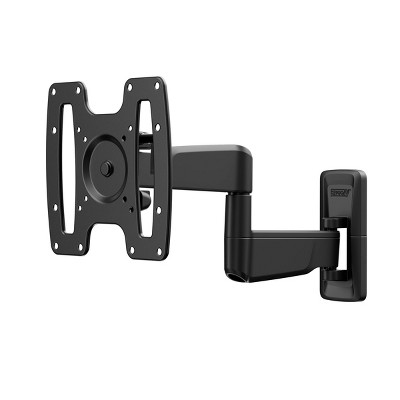
Q: Can you mount this tv?

submitted by Amanda - 4 months ago
  • A: Hi Amanda, Yes, you can mount the H5000F TV with an external wall mount. ~Samsung Advisor

    submitted bySamsung - 4 months ago
    Brand expert
  • A: Hi, thanks for reaching out about the Samsung 32" HD H5000F 720p Smart LED TV: Wi-Fi, HDR10+, 60 Hz Refresh Rate The Samsung 32" H5000F (specifically model UN32H5000FFXZA) is a 2025 refresh of a classic Samsung series. It is a highly capable small-screen TV designed for modern streaming while keeping a compact footprint. If you have any additional questions, we welcome you to contact MyTGTtech at 833-848-8324 every day between 7 am and 11 pm CST.

    submitted byRena - 4 months ago
    Target expert support
WARNING: Cancer and Reproductive Harm - www.P65Warnings.ca.gov For more information, go to https://www.p65warnings.ca.gov/

Additional product information and recommendations

Discover more options

Guests also viewed

Guests are saying

This Samsung TV impresses guests with its vibrant picture quality, user-friendly features, and versatility for various activities like gaming, streaming, and watching movies. Many guests appreciate the seamless integration with smart devices and the customizable sound settings. The setup process is straightforward, making it an excellent choice for families and individuals alike. Overall, it delivers a fantastic viewing experience that enhances entertainment at home.
    Summary created by AI from text of reviews reflecting recent feedback provided across different star ratings (includes incentivized reviews)
    4.6 out of 5 stars with 1080 reviews
    black levels: 4.3 out of 5
    brightness: 4.45 out of 5
    color quality: 4.37 out of 5
    features: 4.08 out of 5
    sound quality: 4.1 out of 5
    63% would recommend
    58 recommendations
    5 out of 5 stars
    17 April, 2026Verified purchase

    (no review title)

    good
    Lateefah
    Did you find this review helpful?
    1 out of 5 stars
    Thumbs down graphic, would not recommend
    13 April, 2026

    (no review title)

    It doesn't come with a stand. This is a bad move by Samsung/Target.
    Abdul
    Did you find this review helpful?
    4 out of 5 stars
    11 April, 2026
    originally posted on Samsung US
    Image

    Need one

    [This review was collected as part of a promotion.] Nice ..... I so wish I had a TV!!! I need one .... please 🙏 let me win!
    diamin
    Did you find this review helpful?
    4 out of 5 stars
    11 April, 2026
    originally posted on Samsung US
    Image

    Easy. Navigating

    [This review was collected as part of a promotion.] The remote makes it very easy to navigate between Features
    Sandman
    Did you find this review helpful?
    5 out of 5 stars
    11 April, 2026
    originally posted on Samsung US
    Image

    Best Bang for your Buck!

    [This review was collected as part of a promotion.] This TV isn't the biggest but it's definitely one of the best! The picture is clear and vibrant. The initial home load up screen is super easy to navigate. It has safety features for shutting down which I love. Super awesome.
    SamsungFanatic
    Did you find this review helpful?
    5 out of 5 stars
    11 April, 2026
    originally posted on Samsung US
    Image

    Picture perfect

    [This review was collected as part of a promotion.] it has a great picture and it's very user friendly
    Brew2
    Did you find this review helpful?
    5 out of 5 stars
    9 April, 2026
    originally posted on Samsung US
    Image

    Samsung

    [This review was collected as part of a promotion.] Love it awesome the best i suggest to get it great
    JillElites
    Did you find this review helpful?
    5 out of 5 stars
    8 April, 2026
    originally posted on Samsung US
    Image

    Geat volume and picture features

    [This review was collected as part of a promotion.] This TV has great volume and picture features also the size of the product is great
    Amber420
    Did you find this review helpful?
    4 out of 5 stars
    7 April, 2026
    originally posted on Samsung US
    Image

    Awesomeness

    [This review was collected as part of a promotion.] I love it. Its awesome ans easy to use. Thank you.
    JOHNSON
    Did you find this review helpful?
    5 out of 5 stars
    7 April, 2026
    originally posted on Samsung US
    Image

    Great product quality also great company been usin

    [This review was collected as part of a promotion.] Product has always been great from phones , tvs any electrical devices including headphone only brand i use
    Desmond
    Did you find this review helpful?
    5 out of 5 stars
    Thumbs up graphic, would recommend
    7 April, 2026Verified purchase

    Great tv at a great price

    Love my tv! It is the perfect size for my office!
    tlcplanes
    black levels: 5 out of 5
    brightness: 5 out of 5
    color quality: 5 out of 5
    features: 5 out of 5
    sound quality: 5 out of 5
    Did you find this review helpful?
    1 out of 5 stars
    Thumbs down graphic, would not recommend
    7 April, 2026Verified purchase

    SLOW PROCESSING AND DROPS WI-FI CONSTANTLY

    Horrible connection and processing issues. Constantly losing Internet connection with strong Wi-Fi. I love Samsung TVs, but not this one.👎🏻👎🏻
    1 reply from Samsung team - 12 days ago
    Hi Katie, Thank you for your feedback. If your TV is having trouble maintaining a wireless connection, please try the following: 1. Distance matters – Keep your TV within 50 feet of your router. Avoid placing the router behind walls, furniture, or electronic devices. 2. Minimize interference – Turn off nearby wireless devices that may disrupt the signal. 3. Power cycle both devices – Unplug the TV and router for 30 seconds, then plug them back in. 4. Run diagnostics: o Settings > Support > Device Care > Self Diagnosis > Smart Hub Connection Test o Settings > Support > Device Care > Self Diagnosis > Wi-Fi 5. Update firmware: Settings > Support > Software Update > Update Now 6. Factory reset (if needed): Settings > All Settings > General & Privacy > Reset > Factory Data Reset If you continue to experience issues, please contact Samsung Support at 1-800-SAMSUNG, 8AM – 9PM EST Mon – Fri, 8AM – 6PM Sat – Sun. LiveChat support and additional help are available at the ‘Support’ link on our website. ~ Samsung Advisor
    Katie
    Did you find this review helpful?
    3 out of 5 stars
    7 April, 2026
    originally posted on Samsung US
    Image

    Sampson TV

    [This review was collected as part of a promotion.] Good quality. Images are sharp, good contrast, brightness, interface, added with a good surround sound for complete immersion. Im not sure how good the security is, we'll see if they have any data breaches....
    1 reply from Samsung Advisor team - 12 days ago
    Hi, We appreciate your feedback. If you have any questions or need support, do not hesitate to reach out to us at 1-800-SAMSUNG, available 8AM – 9PM EST Mon – Fri, 8AM – 6PM Sat – Sun. You can also LiveChat with an agent or explore additional resources on our website by clicking the ‘Support’ link. ~ Samsung Advisor
    APimpNamedSlickback
    Did you find this review helpful?
    4 out of 5 stars
    7 April, 2026
    originally posted on Samsung US
    Image

    Good TV for our Kitchen Area

    [This review was collected as part of a promotion.] Wanted a small TV for our Kitchen area. We enjoy Samsung TV Plus so this was a good option for us. Has the same interface and remote as other TV's in the house and sense I have a Samsung phone this works well.
    Zetman43
    Did you find this review helpful?
    5 out of 5 stars
    6 April, 2026
    originally posted on Samsung US
    Image

    Awesome features

    [This review was collected as part of a promotion.] Awsome picture... just over all great product... ..
    Sassy
    Did you find this review helpful?
    5 out of 5 stars
    6 April, 2026
    originally posted on Samsung US
    Image

    Great Purchase

    [This review was collected as part of a promotion.] My Samsung TV has been a game-changer for my home entertainment setup! 📺 I absolutely love how seamlessly I can connect my phone to it, making screen mirroring a breeze. Plus, the picture quality is truly stunning, bringing all my favorite shows and movies to life. It's been so convenient for sharing photos and videos with family and friends. Honestly, I'm super impressed with the overall experience. #SamsungTV #SmartHome #TechLife
    Samsunggirl
    Did you find this review helpful?
    4 out of 5 stars
    6 April, 2026
    originally posted on Samsung US
    Image

    Very good TV

    [This review was collected as part of a promotion.] This model has a great picture. The size fits my small BR. Color is still vibrant after all these years. Only complaint is the sound is not as good as it has been. But, I guess time has worked on that.
    Sham
    Did you find this review helpful?
    5 out of 5 stars
    5 April, 2026
    originally posted on Samsung US
    Image

    Samsung 32" HDTV Review

    [This review was collected as part of a promotion.] reviewing the Samsung HDTV for 32 this is a great excellent HDTV all the work really well and it's easy to follow the startup guide and instruction manual to the TV up with cable as well as also other internet and HDTV features including the HDMI plugin which makes it easy to adapt and literally view your mobile device or your desktop computer on your TV screen on your Samsung HD definite high definition TV and it's a great product I would recommend it to anybody especially for the price and this is a great excellent HDTV all the features work really well and it's easy to follow the startup guide and instruction manual to set the TV up with cable as well as also other internet and HDTV features including the HDMI plugin which makes it easy to adapt and literally view your mobile device or your desktop computer on your TV screen on your Samsung HD definite high definition TV and it's a great product I would recommend it to anybody especially for the price and other features that this is a great excellent HDTV all the features work really well and it's easy to follow the startup guide and instruction manual to set the TV up with cable as well as also other internet and HDTV features including the HDMI plugin which makes it easy to adapt and literally view your mobile device or your desktop computer on your TV screen on your Samsung HD definite high definition TV and it's a great product I would recommend it to anybody especially for the price I'd recommend Samsung Products it to anyone looking for high quality electronics and excellent prices/service! Consistency is my highest grade regarding Samsung, but regarding the Samsung 32" HDTV, HD resolution and high definition picgurr quality are most impressive areas of evaluation.
    Did you find this review helpful?
    5 out of 5 stars
    5 April, 2026
    originally posted on Samsung US
    Image

    Nice

    [This review was collected as part of a promotion.] Nice product it's really nice I would buy it again if I had the money
    Doughboy691973
    Did you find this review helpful?
    5 out of 5 stars
    5 April, 2026
    originally posted on Samsung US
    Image

    Great in every sense

    [This review was collected as part of a promotion.] It is exactly what I was looking for.It is simply great
    Happy
    Did you find this review helpful?

    Get top deals, latest trends, and more.

    Privacy policy

    Footer

    About Us

    About TargetCareersNews & BlogTarget BrandsBullseye ShopSustainability & GovernancePress CenterAdvertise with UsInvestorsAffiliates & PartnersSuppliersTargetPlus

    Help

    Target HelpReturnsTrack OrdersRecallsContact UsFeedbackAccessibilitySecurity & FraudTeam Member ServicesLegal & Privacy

    Stores

    Find a StoreClinicPharmacyTarget OpticalMore In-Store Services

    Services

    Target Circle™Target Circle™ CardTarget Circle 360™Target AppRegistrySame Day DeliveryOrder PickupDrive UpFree 2-Day ShippingShipping & DeliveryMore Services
    PinterestFacebookInstagramXYoutubeTiktokTermsCA Supply ChainPrivacy PolicyCA Privacy RightsYour Privacy ChoicesInterest Based AdsHealth Privacy Policy