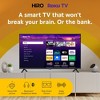
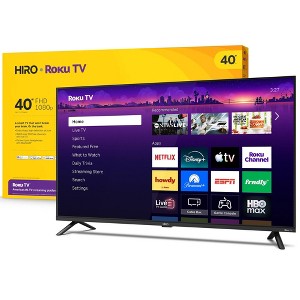
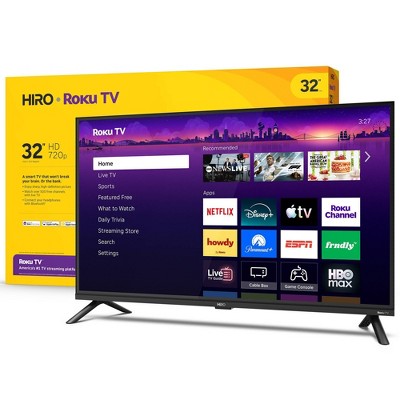
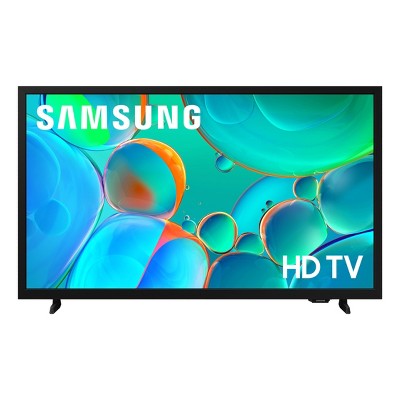
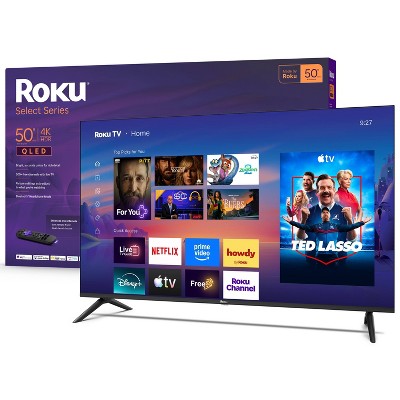
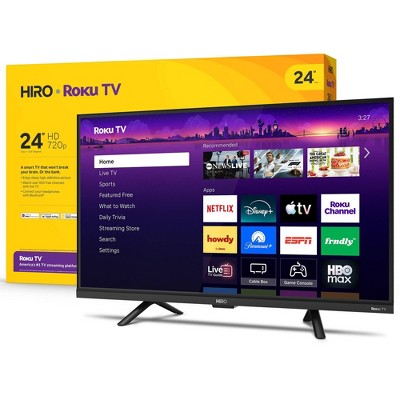
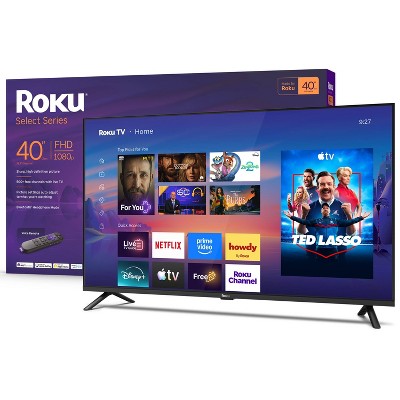
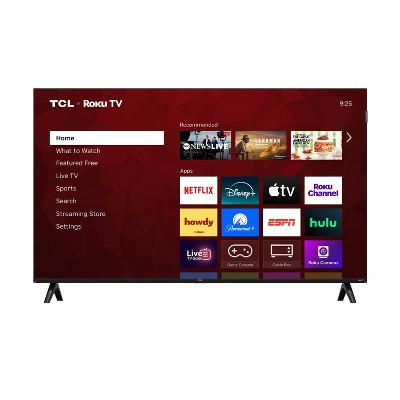
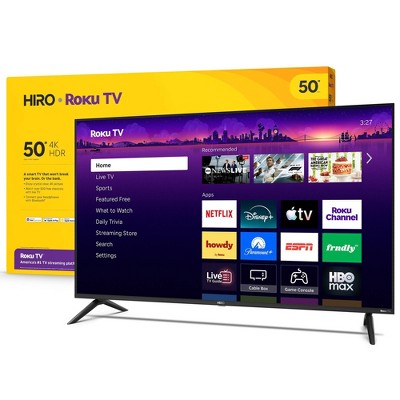
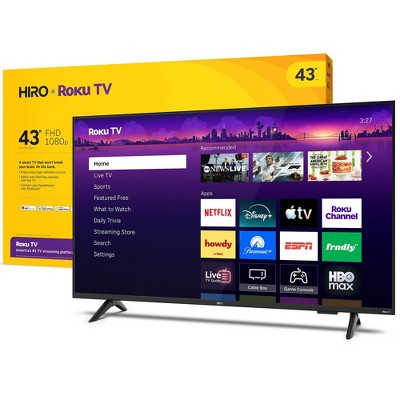
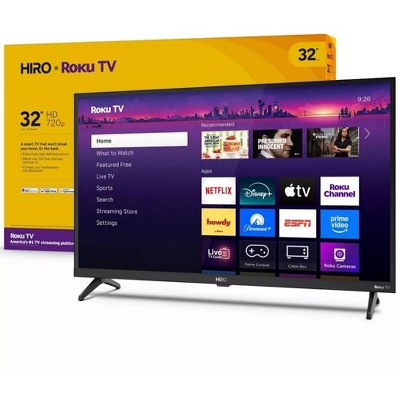
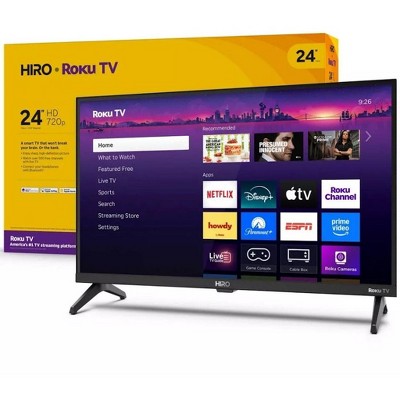
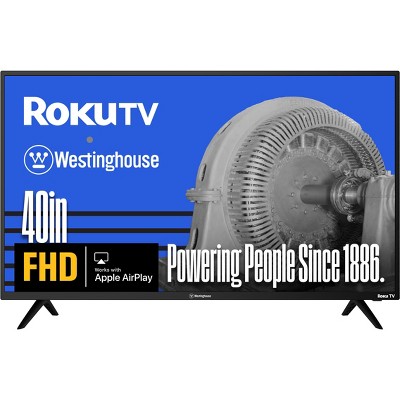
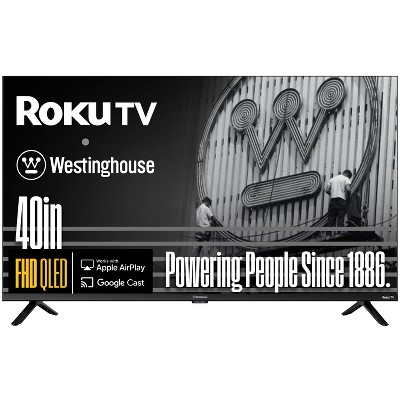
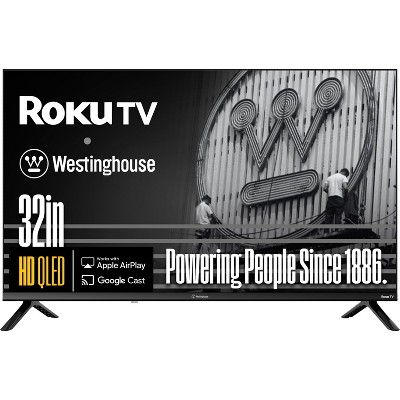
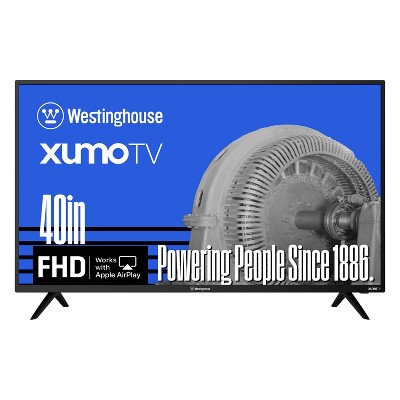
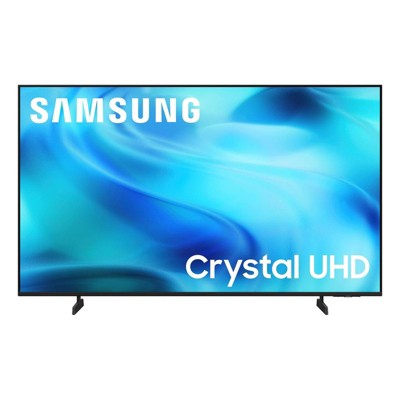
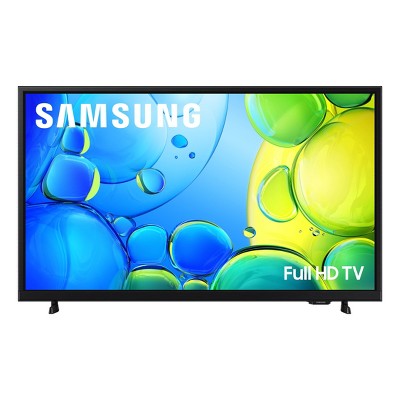
Enjoy America’s #1 streaming experience: Hiro is home to entertainment’s most entertaining streaming platform, Roku. Stream all your favorite apps, play trivia, and even take a trip to Roku City.
A ton of entertainment at the best price—free: Your go-to streaming destination for free entertainment, Roku has 500+ TV channels, with live in-season shows, hit movies, weather, local news, and award-winning Roku Originals.
Bright and beautiful picture: Bright, colorful, and super sharp, FHD on this 40-inch smart TV makes your entertainment pop. With Roku Smart Picture, Hiro automatically chooses the right picture mode for whatever you’re watching.
Home sweet home screen: Move apps around and make the Roku experience your own with a home screen that easily gets you to what you want to watch fast.
Explore a world's worth of TV: Dive into all kinds of entertainment and easily find your favorites or soon-to-be favorites.
A simple remote that will never push your buttons: Enjoy a remote that does exactly what a remote should—give you complete and easy control over your TV.
Sounds good: With enhanced audio quality and features, your shows and movies will be extra pleasing to the ears. Bluetooth headphones pair seamlessly with Hiro—it’s the quietest way to get the biggest sound.
Simple streaming: Game days and movie nights have never been easier. Simply connect your TV to the internet and stream away.
Description
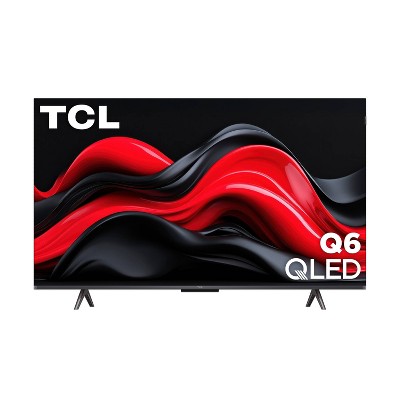
Say hello to Hiro— the smart TV that saves you from overpriced, overcomplicated tech. It delivers unbeatable value, reliability, and Roku—America’s #1 streaming experience. This flat screen TV’s Full HD display creates bright, sharp picture, while the speakers produce rich sound—you can even pair your TV with Bluetooth headphones for private wireless listening. The Roku experience keeps streaming simple with a customizable home screen, more than 500 free channels with live television, automatic updates, and more. It’s the perfect TV for bedrooms, dorm rooms, living rooms, and kids’ rooms. Hiro makes TV effortless, so you can spend less time figuring it out and more time enjoying it.
Dimensions (Overall): 20.4 Inches (H) x 35.1 Inches (W) x 3.1 Inches (D)
Weight: 11.4 Pounds
Electronics Condition: New
Aspect Ratio: 16:9 Aspect Ratio
Screen Resolution: 1080p
Native screen refresh rate: 60 Hz
Wireless Technology: Wi-Fi, Bluetooth
Screen Size: 40 Inches
Stand Depth: 8.6 Inches
Stand Width: 30.9 Inches
Compatible With: Roku, Netflix, YouTube, Spotify, Amazon Prime Video, Max, YouTube TV, Paramount+, Disney+, Peacock, Apple TV+, discovery+, Hulu
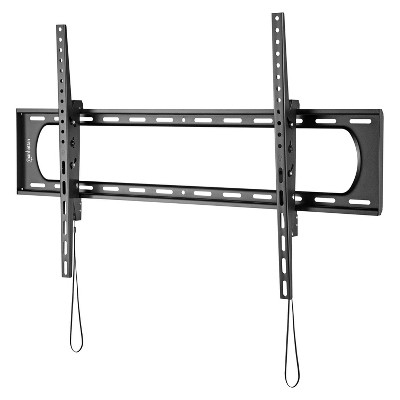
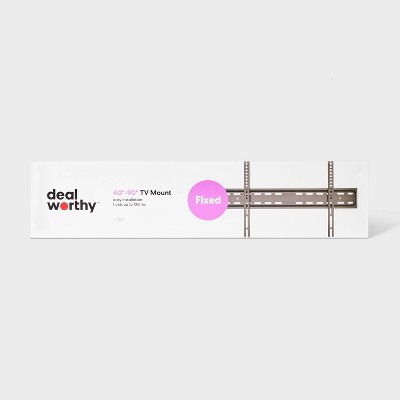
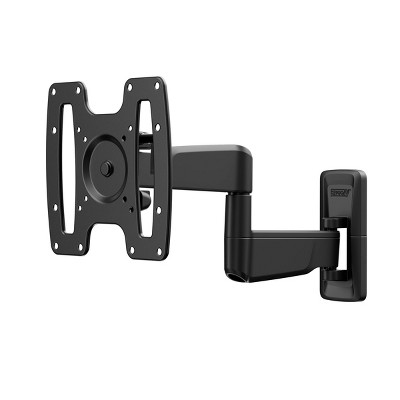
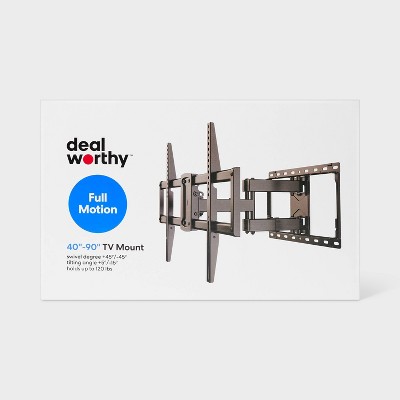
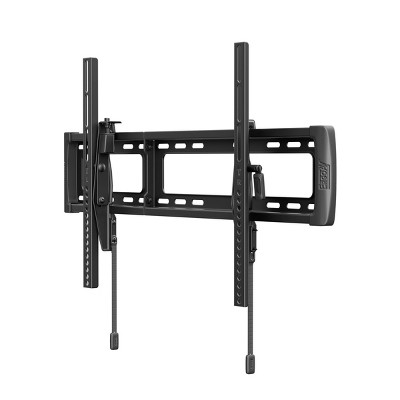
VESA Mounting Standard: 200x300
Product Depth with Stand: 8.6 Inches
Product Height with Stand: 22.4 Inches
Product Width with Stand: 35.1 Inches
Backlight type: LED Direct Lit
Smart platform: Roku
Voice assistant built-in: No Voice Assistant Built-In
Number of HDMI ports: 3
High Dynamic Range (HDR): No HDR
Screen Mirroring Technology: Apple Airplay
Battery: 2 AAA Alkaline, Required, Packaged With
Warranty: 1 Year Limited Warranty. To obtain a copy of the manufacturer's or supplier's warranty for this item prior to purchasing the item, please call Target Guest Services at 1-800-591-3869
TCIN: 94728907
UPC: 829610008929
Item Number (DPCI): 008-09-0250
Origin: Imported
Energy Guide Label Required:
ENERGYGUIDE LABEL REQUIRED
If the item details aren’t accurate or complete, we want to know about it.
Shipping details
Estimated ship dimensions: 40 inches length x 24 inches width x 4.5 inches height
Estimated ship weight: 15 pounds
This item ships in its manufacturer’s packaging, revealing what’s inside. ·
Return details
This item can be returned to any Target store or Target.com.
This item must be returned within 30 days of the date it was purchased in store, delivered to the guest, delivered by a Shipt shopper, or picked up by the guest.
Q: Unable to connect to wireless network.
WI-Fi Hardware Missing
Just bought it today.
submitted by Tony - 9 months ago
A: I’ve seen this error before and, in my case, unplugging the USB drive fixed the issue.
Not guaranteed to solve, but worth a try before contacting the manufacturer.
submitted byGabriel - 9 months ago
A: Hello Tony, Please visit Roku Support for any product or support related questions at https://support.roku.com/ or call 408-556-9391
submitted byRoku Support - 9 months ago
Brand expert
A: Hi, thanks for reaching out about Hiro Roku TV 40" 1080p Full HD Smart TV Flat Screen LED Television with Roku TV and Dolby Audio for Streaming
We apologize for the issue you are experiencing. We would suggest reaching out to the store your purchased it from or contacting the Manufacturer.
submitted byMike - 9 months ago
Target expert support
Q: Does this have a digital optical output?
submitted by - 9 months ago
A: Hello Tristan newman, No, the Hiro Roku TV 40" does not have a digital optical audio output, but it does have other audio features like Dolby Audio and Bluetooth, according to information from Target and other product descriptions. It is expandable up to 2.1 surround sound and supports Roku TV wireless soundbars, which can be used for a better audio experience.
submitted byRoku Support - 9 months ago
Brand expert
A: Hi, thanks for reaching out about Hiro Roku TV 40" 1080p Full HD Smart TV Flat Screen LED Television with Roku TV and Dolby Audio for Streaming
No, the Hiro Roku TV 40" does not have a digital optical audio output, but it does have other audio features like Dolby Audio and Bluetooth, according to information from Target and other product descriptions. It is expandable up to 2.1 surround sound and supports Roku TV wireless soundbars, which can be used for a better audio experience.
If you have any additional questions, we welcome you to contact MyTGTtech at 833-848-8324 every day, between 7am-11pm CST.
submitted byJustin - 9 months ago
Target expert support
Q: Can I get xfinity stream on this tv?
submitted by anixolef - 10 months ago
A: How much does tv weight hiro Roku tv 40 inch
submitted byManuel - 10 months ago
A: Hello anixolef, Yes that app will work on this TV. This TV uses the Roku TV operating system which is compatible with the Xfinity Stream app. Roku is one of the supported "partner devices" for Xfinity
submitted byRoku Support - 9 months ago
Brand expert
A: Hi, thanks for reaching out about Hiro Roku TV 40" 1080p Full HD Smart TV Flat Screen LED Television with Roku TV and Dolby Audio for Streaming
Yes that app will work on this TV. This TV uses the Roku TV operating system which is compatible with the Xfinity Stream app. Roku is one of the supported "partner devices" for Xfinity
If you have any additional questions, we welcome you to contact MyTGTtech at 833-848-8324 every day, between 7am-11pm CST.
submitted byMike - 10 months ago
Target expert support
Q: What inexpensive sound bar would be compatible with this TV
submitted by Italia - 4 months ago
A: Hello Italia, The Hiro 40" Roku TV is highly compatible with budget-friendly soundbars, especially those in the Roku ecosystem, providing improved audio via HDMI ARC or Bluetooth.
submitted byRoku Support - 4 months ago
Brand expert
A: Hi, thank you for reaching out about Hiro Roku TV 40" 1080p Full HD Smart TV Flat Screen LED Television with Roku TV and Dolby Audio for Streaming.
The Hiro 40" Roku TV is highly compatible with budget-friendly soundbars, especially those in the Roku ecosystem, providing improved audio via HDMI ARC or Bluetooth.
If you have any additional questions, we welcome you to contact MyTGTtech at 833-848-8324 every day, between 7am-11pm CST.
submitted byMatt - 4 months ago
Target expert support
Q: Is a additional ROKU subscription or monthly required to use this tv?
submitted by Kelly - 4 months ago
A: Hello Kelly, Roku does not have a subscription or monthly fee, there is no credit card information needed when setting up your Roku device or tv.
submitted byRoku Support - 4 months ago
Brand expert
A: Hi, thanks for reaching out about Hiro Roku TV 40" 1080p Full HD Smart TV Flat Screen LED Television with Roku TV and Dolby Audio for Streaming
No. There is no additional Roku subscription or monthly fee required to use this TV. The Roku TV platform is free. You only pay for optional streaming services you choose (like Netflix, Hulu, Disney+, etc.). Many channels and streaming apps are free with ads. You just need Wi‑Fi to get started.
If you have any additional questions, we welcome you to contact MyTGTtech at 833-848-8324 every day, between 7am-11pm CST.
submitted byMike - 4 months ago
Target expert support
Q: After owning this TV for about 3 months now suddenlly I get a frozen screen while watching a program and a message that says "loading" and it will do this for 10-30 seconds before it returns to norm
submitted by Larry - 5 months ago
A: Hello Larry, Please visit Roku Support for any product or support related questions at https://support.roku.com/ or call 408-556-9391
submitted byRoku Support - 4 months ago
Brand expert
A: Hi, thanks for reaching out about Hiro Roku TV 40" 1080p Full HD Smart TV Flat Screen LED Television with Roku TV and Dolby Audio for Streaming
For intermittent freezing here are some steps to try:
Hard Power Cycle: Unplug the TV directly from the power outlet, wait at least 60 seconds, and plug it back in.
Clear Cache/Restart Sequence: If the remote works, press Home 5 times, Up 1 time, Rewind 2 times, and Fast Forward 2 times to clear the cache and restart.
Factory Reset: Locate the physical reset button on the back of the TV, use a paperclip to hold it for 15 seconds, or look for this option in the Settings menu.
Network Reset: Unplug your internet router for 10 seconds, then plug it back in to resolve connectivity issues causing loading screens.
Remove USB/HDMI Devices: Unplug external USB drives or HDMI devices as they can prevent the TV from booting properly.
If these steps fail to resolve your issue, we welcome you to contact MyTGTtech at 833-848-8324 every day, between 7am-11pm CST.
submitted byJustin - 5 months ago
Target expert support
Q: What is the distance between stand legs?
submitted by Dixie - 6 months ago
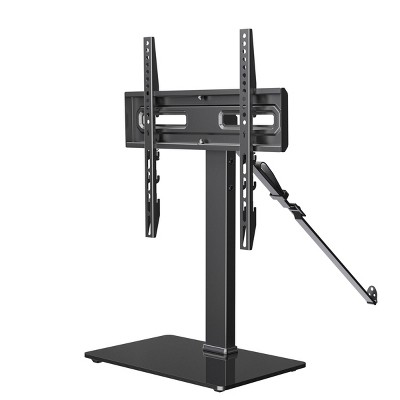
A: Hello Dixie, For the Hiro 40" 1080p Roku TV (Model H40C3C4), the distance between the outer edges of the stand legs is 30.9 inches. This means you will need a TV stand or surface that is at least 31 inches wide to accommodate the feet safely.
submitted byRoku Support - 6 months ago
Brand expert
A: Hi, thanks for reaching out about Hiro Roku TV 40" 1080p Full HD Smart TV Flat Screen LED Television with Roku TV and Dolby Audio for Streaming.
For the Hiro 40" 1080p Roku TV (Model H40C3C4), the distance between the outer edges of the stand legs is 30.9 inches.
This means you will need a TV stand or surface that is at least 31 inches wide to accommodate the feet safely.
If you have any additional questions, we welcome you to contact MyTGTtech at 833-848-8324 every day, between 7am-11pm CST.
submitted byJoe - 6 months ago
Target staff support
Q: What type of wall mount does it need
submitted by Me - 6 months ago
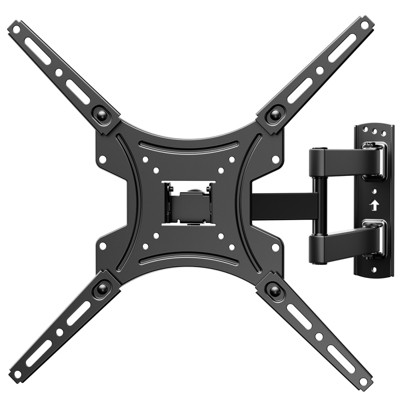
A: Hello Me, this model features standard VESA mounting and can be wall mounted using any universal mount that accommodates this size of tv.
submitted byRoku Support - 6 months ago
Brand expert
A: Hi, thanks for reaching out about the Hiro Roku TV 40" 1080p Full HD Smart TV Flat Screen LED Television with Roku TV and Dolby Audio for Streaming
To mount your Hiro 40" 1080p Roku TV (Model: H40C3C4), you need a wall mount that supports the VESA 200 x 300 mm standard.
If you have any additional questions, we welcome you to contact MyTGTtech at 833-848-8324 every day between 7 am and 11 pm CST.
submitted byRena - 6 months ago
Target expert support
Q: Is the remote voice controlled
submitted by Freida - 6 months ago
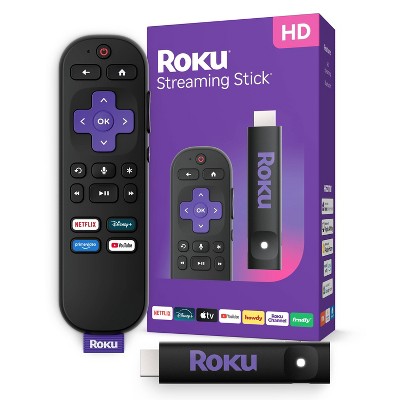
A: Hello Freida, I’m not sure where the TGTech employee is getting this information but I apologize for the misinformation. This model does not come with a voice remote. This model comes with a simple IR remote. You can purchase the voice remote or voice remote pro separately
submitted byRoku Support - 6 months ago
Brand expert
A: Hi, thanks for reaching out about Hiro Roku TV 40" 1080p Full HD Smart TV Flat Screen LED Television with Roku TV and Dolby Audio for Streaming
Yes. The Hiro 40" 1080p Roku TV (part of the Roku Select Series) comes with a Roku Voice Remote. This remote allows you to use voice commands to search for content, control playback, and manage settings.
If you have any additional questions, we welcome you to contact MyTGTtech at 833-848-8324 every day, between 7am-11pm CST.
submitted byJustin - 6 months ago
Target expert support
Q: Does this tv have a sleep timer?
submitted by Dt - 6 months ago
A: Hello dt, Yes, the Hiro Roku TV has a built-in sleep timer. Since it runs on the Roku TV operating system, it includes the standard Roku power-management features that allow you to schedule when the TV turns off.
submitted byRoku Support - 6 months ago
Brand expert
A: Hi, thanks for reaching out about Hiro Roku TV 40" 1080p Full HD Smart TV Flat Screen LED Television with Roku TV and Dolby Audio for Streaming
Yes, the Hiro Roku TV has a built-in sleep timer. Since it runs on the Roku TV operating system, it includes the standard Roku power-management features that allow you to schedule when the TV turns off.
If you have any additional questions, we welcome you to contact MyTGTtech at 833-848-8324 every day, between 7am-11pm CST.
WARNING: This product can expose you to chemicals including styrene which is known to the state of California to cause cancer, and bisphenol A which is known to the state of California to cause birth defects or other reproductive harm. For more information, go to www.P65Warnings.ca.gov For more information, go to https://www.p65warnings.ca.gov/
This TV offers a great combination of size, picture quality, and affordability, making it a suitable choice for various settings, including bedrooms and guest rooms. Many guests appreciate its easy setup and the built-in Roku feature, which provides access to numerous streaming options. However, some guests have experienced issues with lag, freezing, and wobbly legs, which may affect overall satisfaction. Despite these concerns, it remains a popular choice for budget-conscious buyers.
Summary created by AI from text of reviews reflecting recent feedback provided across different star ratings (includes incentivized reviews)
3.7
3.7 out of 5 stars
394 star ratings
3.7 out of 5 stars with 394 reviews
black levels
4.0 out of 5
black levels: 3.97 out of 5
brightness
4.1 out of 5
brightness: 4.1 out of 5
color quality
4.1 out of 5
color quality: 4.11 out of 5
features
4.0 out of 5
features: 3.97 out of 5
sound quality
3.9 out of 5
sound quality: 3.86 out of 5
59% would recommend
153 recommendations
5 out of 5 stars
Thumbs up graphic, would recommendWould recommend
30 August, 2026Verified purchase
(no review title)
Easy to set up and use.
O
black levels
4.0 out of 5
black levels: 4 out of 5
brightness
4.0 out of 5
brightness: 4 out of 5
color quality
5.0 out of 5
color quality: 5 out of 5
features
5.0 out of 5
features: 5 out of 5
sound quality
4.0 out of 5
sound quality: 4 out of 5
Did you find this review helpful?
1 out of 5 stars
Thumbs down graphic, would not recommendWould not recommend
25 August, 2026Verified purchase
Defective
Lines on the tv. Horrible picture quality!
1 reply from Roku Support team - 5 days ago
Hi Ivana, we're here to help. Have you had a chance to contact our customer support team? Please reach us directly at support.roku.com/contactus so that we can assist. Your feedback is very important to us, and we’re eager to assist. Thank you! Jessica, Roku Customer Advocate
Ivana
black levels
1.0 out of 5
black levels: 1 out of 5
brightness
1.0 out of 5
brightness: 1 out of 5
color quality
1.0 out of 5
color quality: 1 out of 5
features
1.0 out of 5
features: 1 out of 5
sound quality
1.0 out of 5
sound quality: 1 out of 5
Did you find this review helpful?
2 out of 5 stars
Thumbs down graphic, would not recommendWould not recommend
22 August, 2026
Would not reccommend. Get a sony or samsung
They volume is very low. The screen resolution is terrible
1 reply from Roku Support team - 8 days ago
Hi there! We offer simple steps to help. First, play any movie or show on your Roku TV, then press the star (*) button on your remote to open the TV settings menu. Select Picture Settings, then select Picture Mode, and change the picture mode using the left and right buttons on your remote. For more help, visit https://support.roku.com/article/improve-image-quality-with-picture-modes. Also, please note that you have an option to customize the sound settings on your TV. To learn more, visit https://support.roku.com/en-us/article/manage-volume-levels#enable-volume-leveling-on-a-roku-tv. If you need more help, visit https://support.roku.com/contactus. Thanks! Elmer, Roku Customer Advocate
Tsypho
black levels
4.0 out of 5
black levels: 4 out of 5
brightness
4.0 out of 5
brightness: 4 out of 5
color quality
3.0 out of 5
color quality: 3 out of 5
features
1.0 out of 5
features: 1 out of 5
sound quality
1.0 out of 5
sound quality: 1 out of 5
Did you find this review helpful?
5 out of 5 stars
Thumbs up graphic, would recommendWould recommend
21 August, 2026Verified purchase
very good merchandise
good sound good quality reasonable price I would give it 💯 rating five stars
Robert
black levels
5.0 out of 5
black levels: 5 out of 5
brightness
5.0 out of 5
brightness: 5 out of 5
color quality
5.0 out of 5
color quality: 5 out of 5
features
5.0 out of 5
features: 5 out of 5
sound quality
5.0 out of 5
sound quality: 5 out of 5
Did you find this review helpful?
2 out of 5 stars
Thumbs down graphic, would not recommendWould not recommend
19 August, 2026Verified purchase
Pretty Awful TV
Like: it’s Roku so it synced up to my other tv/account easily Dislike: it lags, horribly… whether we’re playing video games or listening to music or trying to watch a movie, it cannot keep up and just gives out and has force shutoff on us multiple times.
1 reply from Roku Support team - 13 days ago
Hello! Does this happen with specific content or across all channels? If you haven’t already, please make sure your Roku has a stable Wi‑Fi connection and try reducing the number of devices using your network. You can also restart your device by going to Settings > System > Power > System restart. Additionally, check for the latest software update under Settings > System > Software update and select Check now. More troubleshooting steps can be found at https://support.roku.com/article/issues-playing-content. If the issue continues, our support team is available at http://support.roku.com/contactus. We hope this helps! Jessica, Roku Customer Advocate
Chiksewp
black levels
3.0 out of 5
black levels: 3 out of 5
brightness
3.0 out of 5
brightness: 3 out of 5
color quality
3.0 out of 5
color quality: 3 out of 5
features
1.0 out of 5
features: 1 out of 5
sound quality
2.0 out of 5
sound quality: 2 out of 5
Did you find this review helpful?
5 out of 5 stars
Thumbs up graphic, would recommendWould recommend
17 August, 2026Verified purchase
(no review title)
I like it work great it was very easy to set it up
Police helicopter
black levels
5.0 out of 5
black levels: 5 out of 5
brightness
5.0 out of 5
brightness: 5 out of 5
color quality
5.0 out of 5
color quality: 5 out of 5
features
5.0 out of 5
features: 5 out of 5
sound quality
5.0 out of 5
sound quality: 5 out of 5
Did you find this review helpful?
3 out of 5 stars
17 August, 2026Verified purchase
Its okay for the price
A little slow and crash here and there
1 reply from Roku Support team - 16 days ago
Hi there! Help is here. For a quick fix, it is imperative to ensure that your device is operating on the latest software version. This will significantly enhance its functionality and provide access to the most recent features. To verify, navigate to Home > Settings > System > Software Update > Check Now. Also, it is essential to ascertain the stability of your Wi-Fi connection to enable uninterrupted streaming. For more help, visit https://support.roku.com/article/issues-playing-content#section-0. If none of these suggestions work, please contact a member of our team so that we can assist you directly at support.roku.com/contactus. Thanks! Elmer, Roku Customer Advocate
WhyHellothere
black levels
3.0 out of 5
black levels: 3 out of 5
brightness
3.0 out of 5
brightness: 3 out of 5
color quality
3.0 out of 5
color quality: 3 out of 5
features
3.0 out of 5
features: 3 out of 5
sound quality
4.0 out of 5
sound quality: 4 out of 5
Did you find this review helpful?
5 out of 5 stars
Thumbs up graphic, would recommendWould recommend
14 August, 2026Verified purchase
(no review title)
Great picture and sound
black levels
5.0 out of 5
black levels: 5 out of 5
brightness
5.0 out of 5
brightness: 5 out of 5
color quality
5.0 out of 5
color quality: 5 out of 5
features
5.0 out of 5
features: 5 out of 5
sound quality
5.0 out of 5
sound quality: 5 out of 5
Did you find this review helpful?
5 out of 5 stars
Thumbs up graphic, would recommendWould recommend
11 August, 2026Verified purchase
(no review title)
got to like the price and how to get smart TVs so I didn't have to pay monthly anymore for my Xfinity foxes
brightness
5.0 out of 5
brightness: 5 out of 5
color quality
5.0 out of 5
color quality: 5 out of 5
features
5.0 out of 5
features: 5 out of 5
sound quality
5.0 out of 5
sound quality: 5 out of 5
Did you find this review helpful?
4 out of 5 stars
Thumbs up graphic, would recommendWould recommend
11 August, 2026Verified purchase
Remote
The remote has volume and mute button on the side so every time I pick it up I mute the TV!😡
black levels
5.0 out of 5
black levels: 5 out of 5
brightness
5.0 out of 5
brightness: 5 out of 5
color quality
5.0 out of 5
color quality: 5 out of 5
features
5.0 out of 5
features: 5 out of 5
sound quality
4.0 out of 5
sound quality: 4 out of 5
Did you find this review helpful?
5 out of 5 stars
8 August, 2026Verified purchase
(no review title)
Package came with everything ripping cold ones with the boys watching great baseball
Did you find this review helpful?
5 out of 5 stars
Thumbs up graphic, would recommendWould recommend
7 August, 2026Verified purchase
Don't miss this value
Have really enjoyed my Hiro Roku pictures sharp, great sound, great channels and most important and awesome value. It didn't disappoint in any area.
black levels
5.0 out of 5
black levels: 5 out of 5
brightness
5.0 out of 5
brightness: 5 out of 5
color quality
5.0 out of 5
color quality: 5 out of 5
features
5.0 out of 5
features: 5 out of 5
sound quality
5.0 out of 5
sound quality: 5 out of 5
Did you find this review helpful?
5 out of 5 stars
3 August, 2026Verified purchase
(no review title)
Nice size beautiful color great price keep up the good work
Kane
1 guest found this review helpful. Did you?
1 out of 5 stars
Thumbs up graphic, would recommendWould recommend
1 August, 2026Verified purchase
BAG FEE
How am I charge a $1.00 if I purchase a TV that doesn’t even make sense. I purchase the TV 7/25 but was charge a $1.00 on 8/1 how does that happen. It’s the principal I need to be reimbursed for the bag fee or receive the 10 bags.
1 reply from Roku Support team - 1 month ago
Hi Penina, thanks you for sharing your experience with us. Have you had a chance to reach out to Target about this issue? We recommend contacting them directly at https://www.target.com/help/contact-us so they can look into this for you, since it’s something outside of our service. We hope this can be sorted out smoothly. If there's anything that we can help you within the future, feel free to contact us at http://support.roku.com/contactus. Thanks again! Jessica, Roku Customer Advocate
2 guests found this review helpful. Did you?
1 out of 5 stars
31 July, 2026Verified purchase
Do not buy this
Awful doesn't work. Constantly freezes and crashes on every single app.
1 reply from Roku Support team - 28 days ago
Hi Layni, we'd like to help! If you haven't already, please try restarting your TV through Settings → System → Power → System Restart. Also, reset your internet router and modem. Next, run a network check by going to Settings → Network → Check Connection, and consider moving the Roku device closer to your router. Additionally, make sure your device has the latest software version installed. If the issue persists, please don’t hesitate to contact our customer support team at https://support.roku.com/contactus for further assistance. We hope this helps! Jessica, Roku Customer Advocate
Layni
Did you find this review helpful?
5 out of 5 stars
Thumbs up graphic, would recommendWould recommend
30 July, 2026
Great TV for all it offers!
Liked this TV for its size and picture quality.
Annie
black levels
5.0 out of 5
black levels: 5 out of 5
brightness
5.0 out of 5
brightness: 5 out of 5
color quality
5.0 out of 5
color quality: 5 out of 5
features
5.0 out of 5
features: 5 out of 5
sound quality
5.0 out of 5
sound quality: 5 out of 5
Did you find this review helpful?
5 out of 5 stars
Thumbs up graphic, would recommendWould recommend
30 July, 2026Verified purchase
great tv
great quality
black levels
5.0 out of 5
black levels: 5 out of 5
brightness
5.0 out of 5
brightness: 5 out of 5
color quality
5.0 out of 5
color quality: 5 out of 5
features
5.0 out of 5
features: 5 out of 5
sound quality
5.0 out of 5
sound quality: 5 out of 5
Did you find this review helpful?
3 out of 5 stars
Thumbs down graphic, would not recommendWould not recommend
30 July, 2026Verified purchase
You get what you paid for
The price is great but it lags. It takes some time for the tv to react to the remote. I’m not a fan of having to go to the Roku online account to download apps on the tv. The tv has some random glitches. It’s frozen while watching a show and stops responding and it would randomly go to the home screen while watching a show.
1 reply from Roku Support team - 1 month ago
Hi there, thanks for sharing. Have you had a chance to contact our customer support team? We'd be happy to learn more and help troubleshoot this with you! Visit us online at support.roku.com/contactus to get started and connect with an agent. Your feedback is very important to us, and we’re eager to assist. Jessica, Roku Customer Advocate
Jo
black levels
3.0 out of 5
black levels: 3 out of 5
brightness
4.0 out of 5
brightness: 4 out of 5
color quality
4.0 out of 5
color quality: 4 out of 5
features
3.0 out of 5
features: 3 out of 5
sound quality
2.0 out of 5
sound quality: 2 out of 5
Did you find this review helpful?
5 out of 5 stars
Thumbs up graphic, would recommendWould recommend
26 July, 2026Verified purchase
Nice little TV!
We have two of these TVs in our kids' bedrooms and are going to get a third for our home gym. They work well. We have no issues with connection BUT on occasion need to reset due to volume mismatch. Still... not a big deal or that inconvient for the cost. I think a lot of people expect low value items to exceed normal expectations, which is just absurd. Pay more if you need something of high quality.
Momma Kayla
black levels
5.0 out of 5
black levels: 5 out of 5
brightness
5.0 out of 5
brightness: 5 out of 5
color quality
5.0 out of 5
color quality: 5 out of 5
features
5.0 out of 5
features: 5 out of 5
sound quality
3.0 out of 5
sound quality: 3 out of 5
Did you find this review helpful?
5 out of 5 stars
Thumbs up graphic, would recommendWould recommend
24 July, 2026Verified purchase
(no review title)
Pretty cool tv for the price, it gets the job done for a bedroom tv