Sponsored
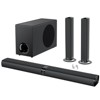
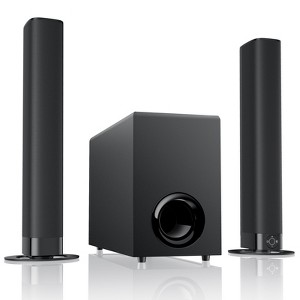
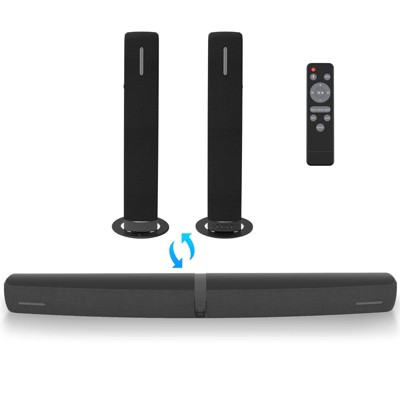
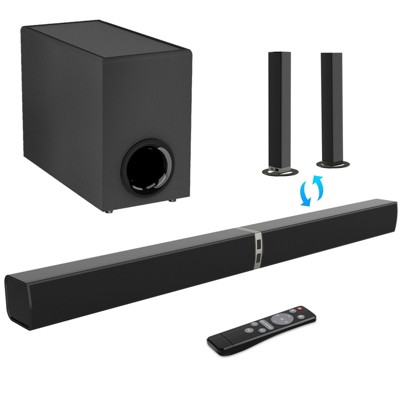
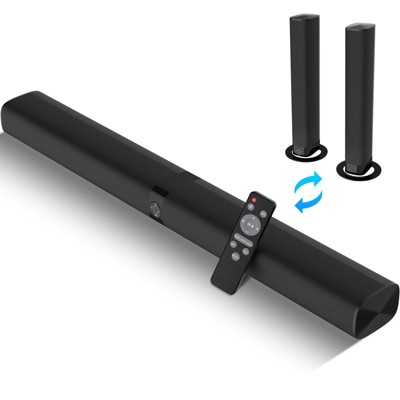
MOVSSOU 120W Sound Bar with Subwoofer 5.0 Bluetooth Soundbar for Smart TV Volume Boost 2 in 1 Detachable TV Sound Bar
In Stock
At a glance
Sponsored
About this item
Highlights
- 120W Powerful Sound and Adjustable Subwoofer for Deep Bass and Crisp Highs
- Volume Boost Enhances Faint Sounds for Vibrant Clarity
- 3 Equalizer Modes Movie Music and News for Optimized Listening
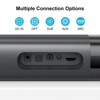
- Multi-Connection Bluetooth 5.0, ARC, OPT and AUX
- Flexible Setup Detachable and 4 Placement Styles
Description
Shipping details
Return details
Q: Will this work with a Samsung tv via hdmi cable?
A: Mine didn’t work with any cable connection, the bad part is that I throw the box away and I just have a week with them
submitted byTeo - 4 months agoA: Hi Mike, thanks for reaching out about MOVSSOU 120W Sound Bar with Subwoofer 5.0 Bluetooth Soundbar for Smart TV Volume Boost 2 in 1 Detachable TV Sound Bar This device has an input for a HDMI ARC input which is available on many modern Samsung TVs. If you have any additional questions, we welcome you to contact MyTGTtech at 833-848-8324 every day, between 7am-11pm CST.
submitted byJustin - 5 months agoTarget expert support
Q: Does it come with the two speakers and the soundbar and subwoofer
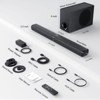
A: Hello Jose. It comes with: 1x Soundbar (detachable design), 1x Subwoofer. Please note: It does not come with two separate satellite speakers. The "2 in 1" means the soundbar can be split.
submitted byMarry - 7 days agoBrand expert
Q: This is not working with my television at all. Am I doing something wrong or do I not have adequate requirements to connect to my LG television? I don't know 😕.
A: Hello Eric. We're sorry to hear you're having trouble connecting the soundbar to your LG TV and we're here to help you get it working! This is a common issue that's almost always solvable. Let's troubleshoot step by step. The most reliable connection is usually via an HDMI cable (using ARC/eARC). Step 1: Check the Physical Connection Best Method: Use the included HDMI cable. Plug one end into the soundbar's HDMI (ARC or eARC) port and the other into your LG TV's HDMI (ARC or eARC) port. This port is usually labeled on the TV. Alternative Method: If you are using an Optical cable, ensure it's firmly plugged into both the soundbar's "OPT" port and the TV's "Digital Audio Out (Optical)" port. Step 2: Check the TV's Audio Settings This is the most crucial step for LG TVs. On your LG TV remote, press the Settings button (gear icon). Go to Sound > Sound Out (or "Audio Output"). Select "HDMI ARC" if you used an HDMI cable, or "Optical" if you used that cable. Your TV will not send sound to the soundbar until this is set correctly. Step 3: Test the Soundbar's Input Mode Press the "Source" or "Input" button on the soundbar's remote to cycle through the modes. Make sure it's set to "HDMI" or "OPT" to match your cable connection. If you've tried these steps and it's still not working, please let us know which model of LG TV you have, and we can provide more specific guidance. Don't worry, we'll figure this out together!
submitted byMarry - 7 days agoBrand expert
Q: Will this soundbar work for Fire tv?
A: Hello BamaMomma. Yes, this soundbar will work very well with your Fire TV. Most modern soundbars, including this one, connect to Fire TV devices using a universal HDMI ARC port or an Optical Audio cable. These are standard connections on all Fire TV editions and smart TVs.
submitted byMarry - 1 month agoBrand expert
Frequently bought together

Discover more options