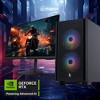
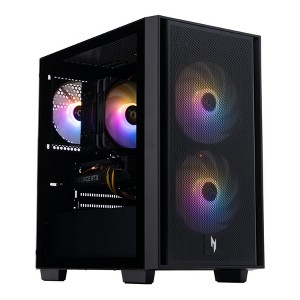
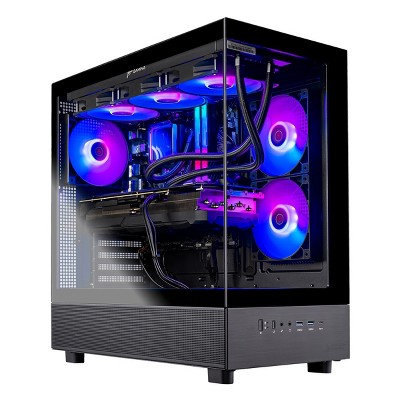
Acer Nitro 60 N60-640-UR25 Desktop Intel Core i7 14700F NVIDIA GeForce RTX 5070 Ti 16GB RAM 32GB RAM 2TB SSD Windows 11
$2,299.99
In Stock
Eligible for registries and wish lists
About this item
Additional product information and recommendations
Related Categories
Discover more options
Frequently bought together

$10.99 - $17.99
$5 Target GiftCard with 4 select personal care items
4.1 out of 5 stars with 8 ratings
$35.69
reg $50.99 Sale

Guests also viewed
5.0 out of 5 stars with 2 reviews
5 out of 5 stars
30 March, 2026
originally posted on Acer

Great gaming system, CAN accommodate 3.5" drive.
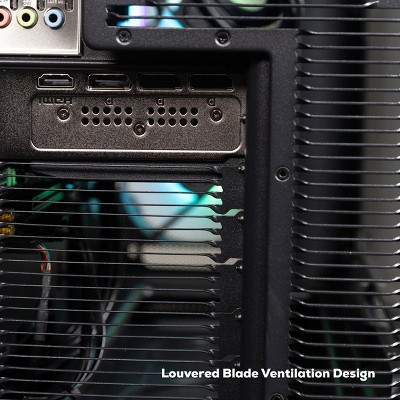
I purchased the UR24 version of this build (GPU is 5060 vs the 5070). This review is primarily to clarify what 'Jimmy' wrote about HDD drive expansion. While due to the AI-driven component crisis Acer is likely not specifying specific parts so that they can swap brands, I'll write this review for what I had in my nearly identical system: 1. I cannot comment on the SATA headers on Jimmy's MB, but my system had a Gigabyte B760M C V3 with plenty of SATA ports (4?). Most motherboards should have at LEAST 1 SATA connector. Refer to the online manual! 2. I hunted down the case, it's a rebranded Thermaltake Versa H16 ARGB. Google the PDF manual, and it clearly shows where to put an SSD or HDD. The section is accessible on the right (non window) side of the case. 3. THAT SAID: My Acer build did NOT come with the 3.5" HDD bracket, which sits in front of the PSU. I don't know if this was a one-off mistake or if Acer builders leave the bracket out on purpose assuming no-one will put a 3.5" drive in there. They just jam the PSU cables in that space. Note that you will most likely NOT be able to add 2x3.5" HDDs as the case allows due to these cables. However 1x3.5" does fit if you have the bracket along with the cables on top as I have it installed right now. The bottom half of the bottom fan does pull in air to cool that cramped space. I contacted Acer support (call them, because their Chat is terrible) to request the bracket. It was quite hard convincing them that it was missing, but after sending pictures (which requires a form to be emailed to you) they believed me and sent it to me free. 4. The PC itself is fanastic: All branded parts, (mostly Thermaltake and Gigabyte) good airflow, latest BIOS with all Intel microcode fixes (BIOS is limited to Acer releases), good cable management, great RGB lighting. SSD/RAM is going to be random depending on what Acer puts in there. NOTE: The 14700F CPU and RAM are on DEFAULT in BIOS. This is severely limiting performance. To unlock both: CPU: Set the PL1 to 125w up from 65w defaults. It sounds like a lot but it's not; it's just matching it's equivalent 'K' brother. DEL key on boot to enter BIOS >Tweaker >Advanced CPU Settings >Turbo Power Limits = ENABLED >Package Power Limit1 (aka PL1) = Set 125 >Save and Exit. RAM: Set the RAM profile in BIOS to 'XMP 1' profile. Save and Exit. This takes it from 4800mhz to it's rated 6000mhz. With the above settings I stress tested on max settings via Memtest86, OCCT, and FurMark for HOURS. Passed with flying colors and temps were fantastic. This setup with the 5070 will crush all games on max at 1080p and 1440p. Could likely even do good 4k with proper optimization. This is an excellent gaming system, Acer did great!
5 out of 5 stars
18 September, 2025
originally posted on Acer
Powerfal Desktop
This was a great buy! we got it for playing Elden Ring and it has been preforming very well, the fans are noisy at times but this is normal most important thing is the gameplay is very good.