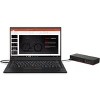
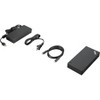
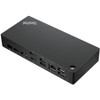
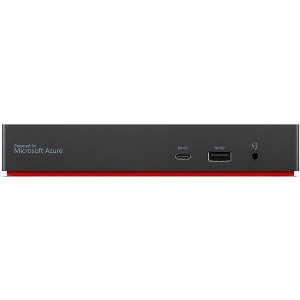
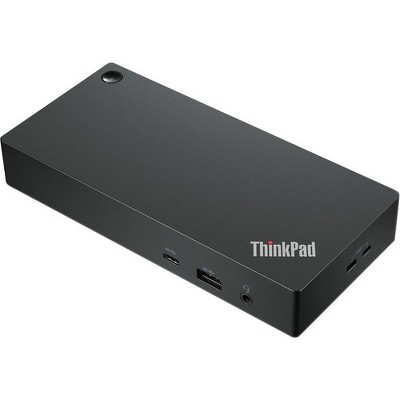
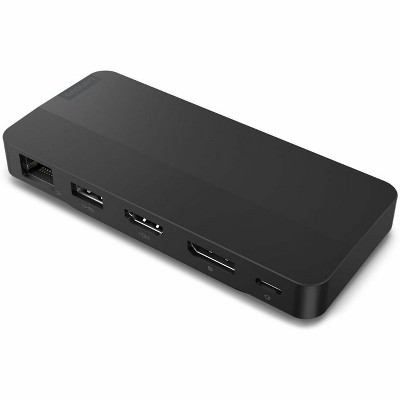
Lenovo ThinkPad Universal USB-C Smart Dock - for Notebook/Desktop PC - 96 W - USB Type C - 4K - 3840 x 2160 - 2 x USB 2.0 - USB Type-C
$284.99
In Stock
Eligible for registries and wish lists
About this item
Additional product information and recommendations
Discover more options
Frequently bought together
Guests also viewed
$94.99
reg $99.99 Sale
Related Categories
Guests are saying
The ThinkPad Universal USB C Smart Dock is a highly versatile docking solution that enhances productivity with its seamless connectivity and wide range of ports. Guests appreciate its intuitive setup, sleek design, and reliable performance, making it an excellent choice for integrating multiple devices into a unified workspace. While it excels in many areas, some guests noted limitations with external monitor support and power delivery, which may affect specific setups.
Summary created by AI from text of reviews reflecting recent feedback provided across different star ratings (includes incentivized reviews)
4.3 out of 5 stars with 126 reviews
4 out of 5 stars
3 January, 2026
originally posted on lenovo.com

Clean, small profile and effective
[This review was collected as part of a promotion.] Clean, small profile with adequate and a great variety of ports. Perfect, not really as the symbols for ports and miniscule and the documentation sparse to non-existent. It appears the keyboard and mouse ports are truly only for those items. I'm still not sure what ports are always powered nor do I know why the power light blinks. A couple more always powered "c" ports. It's certainly better than my prior configuration but there is always room for improvement. This is my second Smart Dock. The earlier version, pre- any USB-C ports, smoked many years ago.
1 out of 5 stars
1 December, 2025
originally posted on lenovo.com
Doesn’t work.
It won’t run two 4K monitors at 4K resolution. Only 1.
1 reply from Lenovo team - 4 months ago
Hello, Thank you for sharing your feedback. We’re sorry to hear that the system isn’t meeting your expectations for dual 4K monitor support, however this model should support multiple 4K monitors. If you haven't already, please get in touch with our customer support team at 1-855-253-6686. We look forward to addressing any concerns and resolving the issue. Regards, Thomas, Lenovo
5 out of 5 stars
15 November, 2025
originally posted on lenovo.com
Great Product
[This review was collected as part of a promotion.] Great Solution to consolidate cords and for ease of use.
5 out of 5 stars
29 September, 2025
originally posted on lenovo.com
Reliable Dock with Great Features
[This review was collected as part of a promotion.] The ThinkPad Universal USB-C Smart Dock has been a great addition to my setup. It keeps my workspace clean with a single cable for power, displays, and peripherals. It easily runs multiple monitors, connects all my devices, and charges my laptop without issue. I like the solid build quality and that it just works every time I plug in. The smart management features are a nice bonus for keeping firmware up to date. Overall, it’s a dependable and professional dock that makes switching between workstations simple.
5 out of 5 stars
19 June, 2025
originally posted on lenovo.com
ThinkPad Universal Smart Dock
[This review was collected as part of a promotion.] This docking station is exactly what I was looking for. It was easy to set up and get going right away.
5 out of 5 stars
12 June, 2025
originally posted on lenovo.com
Great Smark dock
[This review was collected as part of a promotion.] I have two of these set up in my office for each station they work great.
5 out of 5 stars
5 May, 2025
originally posted on lenovo.com

Good dock
(This review was collected as part of a promotion.) Definitely needed with the new laptops to connect everything required. It does this very well
5 out of 5 stars
7 February, 2025
originally posted on lenovo.com
ThinkPad Universal USB-C Smart Dock
[This review was collected as part of a promotion.] efficient, compact, easy to setup. works well with X1
5 out of 5 stars
5 December, 2024
originally posted on lenovo.com
Dependable Dock
[This review was collected as part of a promotion.] I have used these docks over the last for years. They have been easy to use and manage.
5 out of 5 stars
4 December, 2024
originally posted on lenovo.com
Great, easy product
[This review was collected as part of a promotion.] Super easy to set up and makes life so much easier when using a laptop
4 out of 5 stars
2 December, 2024
originally posted on lenovo.com
Good dock, so-so management tools
[This review was collected as part of a promotion.] Dock works well, haven't had very many tickets from our fleet. management tools could use some work. Create a config and password with Smart Dock Admin then put it in the Smart Dock Connect app dir. Can be finicky adding devices, and they'll appear in the dashboard when they get around to it.
5 out of 5 stars
1 November, 2024
originally posted on lenovo.com
All docks should be like this!
(This review was collected as part of a promotion.) The ThinkPad Universal USB-C Smart Dock is a versatile and highly effective docking solution that has received positive feedback for its performance and functionality. With its seamless connectivity and wide range of ports, it enhances productivity by allowing users to easily integrate multiple devices into a unified workspace. The dock's compatibility with various USB-C enabled laptops, not just ThinkPads, makes it a flexible choice for diverse setups. Users appreciate its reliable performance, intuitive setup, and sleek design that fits well in any desk environment. Overall, it's a fantastic accessory for anyone looking to streamline their workstation and improve connectivity.
5 out of 5 stars
27 August, 2024
originally posted on lenovo.com
Would buy again.
(This review was collected as part of a promotion.) Performs as expected. No issues. I prefer this dock to the larger, more expensive workstation dock that regularly black screens.
3 out of 5 stars
23 August, 2024
originally posted on lenovo.com
Needs to be able to support USB-C monitor
Generally has everything, but no capability to add a monitor with USB-C. Can't tell the difference between the smart docking station and the regular one.
1 reply from Customer Service team - 2 years ago
Thank you for taking time to provide feedback on your experience with our Lenovo product. Please go through the below link which will help you to connect the monitor with USB-C, https://www.lenovo.com/us/en/p/accessories-and-software/docking/docking-usb-docks/40b20135us If the issue persists, we request you to please contact our technical team who should be able to fix your issue as early as possible, https://support.lenovo.com/us/en/ Please let us know if this helps! Your Respectfully, Poornima_Lenovo
5 out of 5 stars
1 August, 2024
originally posted on lenovo.com
Expand the possibilities
(This review was collected as part of a promotion.) With a single USB-C I recharge my laptop, I get wired Network, I get 3 more monitors and a bunch of extra USB connections. This thing is amazing.
5 out of 5 stars
1 August, 2024
originally posted on lenovo.com
Mobile workstation
[This review was collected as part of a promotion.] Perfect complement to a laptop and a few monitors for a mobile workstation
5 out of 5 stars
22 July, 2024
originally posted on lenovo.com
Great Dock for mutiple screens
[This review was collected as part of a promotion.] It was extremely easy to set up. Just plug and play!
5 out of 5 stars
12 July, 2024
originally posted on lenovo.com
Quality Dock
[This review was collected as part of a promotion.] We are a Lenovo shop, so purchase this dock with every laptop. Never have any issues. It's great that these are discounted when purchased with a device!
5 out of 5 stars
6 July, 2024
originally posted on lenovo.com
Works as expected
[This review was collected as part of a promotion.] These docks work as expected and include all the needed cables and charges to use them. If you are looking for a dock to use that just works with Lenovo laptops then you have found it. A word of caution though. If you are wanting to run 3 monitors with tis dock make sure your laptop supports 3 monitors at the resolution and refresh rate you want. This dock supports up to 2x 3840x2160 @60Hz, 1x 3840x2160 @30Hz currently. If your laptop does not support 3 x 4k displays then you may be limited to 2 x 4k displays and 1x 1080p mirroring the laptop screen. I do wish the USBC cable was at least 1.5m instead of 1m. We use these for hot seating in our office. The cable is not long enough to reach on for some laptops because of the cable management used preventing the dock from being moved. Another 6" would do the trick.
5 out of 5 stars
5 July, 2024
originally posted on lenovo.com
Works all the time
[This review was collected as part of a promotion.] Works well, does what its supposed to and doesn't glitch or disconnect like other docks