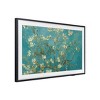
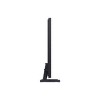
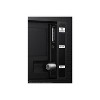
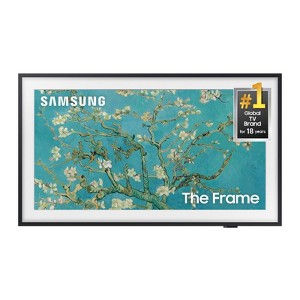
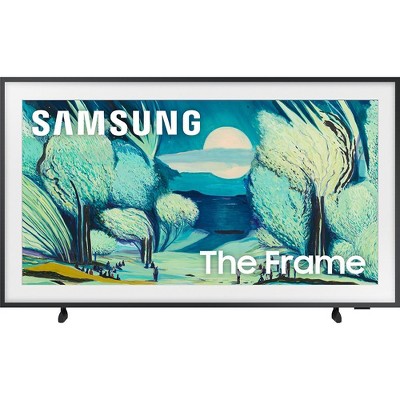
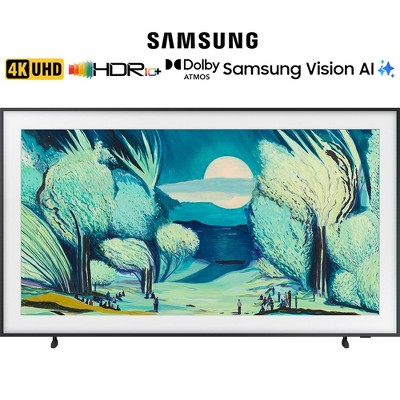
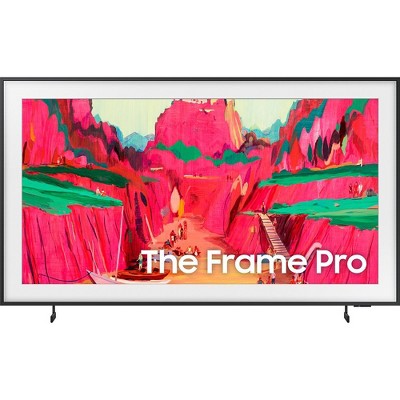
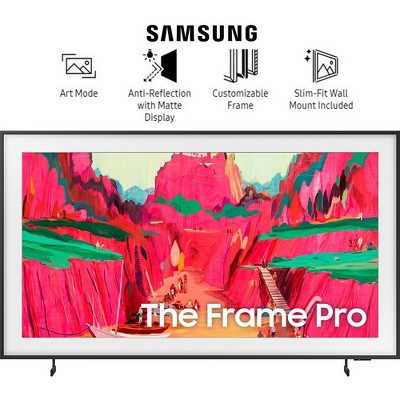
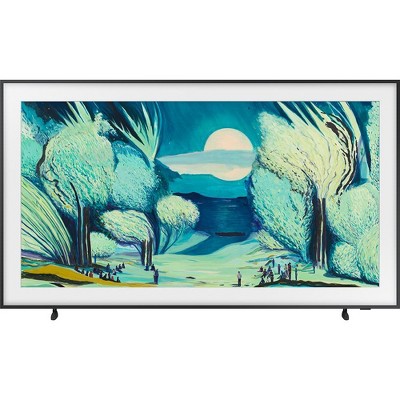
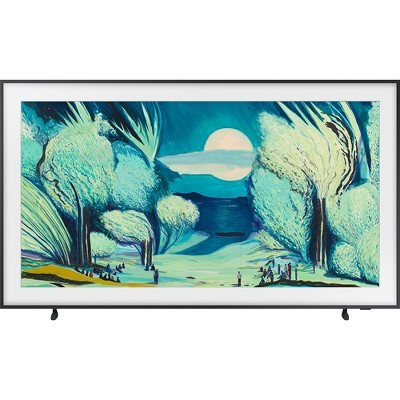
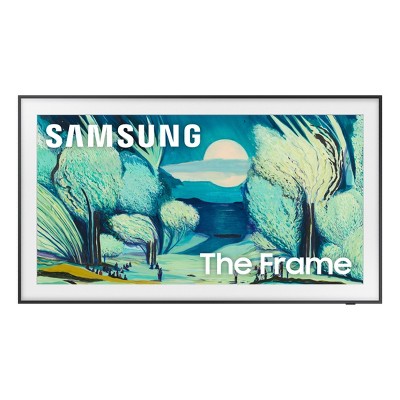
Samsung 32" The Frame 1080p FHD Smart TV - Black (QN32LS03C): Smart, HDR10, Bluetooth
$599.99
Out of Stock

Free & easy returns
Return this item by mail or in store within 30 days for a full refund.
Eligible for registries and wish lists
At a glance
About this item
Additional product information and recommendations
Discover more options
- $821.93reg $1,299.00 Sale
- $1,954.93reg $2,999.00 Sale
- $1,387.36reg $1,997.99 Sale
- $924.93reg $1,599.00 Sale
- $365.39reg $599.95 Sale1 out of 5 stars with 4 ratings
- $1,233.93reg $1,799.00 Sale
- $239.99reg $249.99 Sale
- $119.99reg $149.99 Sale
Frequently Also Added



Guests also viewed
- $899.99 - $1,199.99reg $1,199.99 - $1,699.99 Sale4.5 out of 5 stars with 528 ratings
Guests are saying
The Samsung Frame TV has garnered positive feedback for its unique ability to blend seamlessly into home decor while providing excellent picture quality and sound. Guests appreciate its art display feature, which transforms the TV into a beautiful piece of art when not in use. Many find it easy to set up and enjoy the variety of images available. However, some guests have noted issues with connectivity and interface usability, which could be improved.
Summary created by AI from text of reviews reflecting recent feedback provided across different star ratings (includes incentivized reviews)
4.3 out of 5 stars with 283 reviews
black levels: 5 out of 5
brightness: 5 out of 5
color quality: 5 out of 5
features: 5 out of 5
sound quality: 5 out of 5
100% would recommend
1 recommendations
1 out of 5 stars
11 June, 2026
originally posted on Samsung US

Black Blank screen
[This review was collected as part of a promotion.] The main reason I bought the TV was for the frame feature I've been unable to Get it to function properly It continuously switches back to a black background Which defeats the whole reason why I bought the TV
1 reply from Samsung Specialist team - 6 days ago
Hi Bill, We appreciate you taking the time to let us know about your experience. So that we can better troubleshoot this issue and provide steps towards a solution, please contact Samsung Support at 1-800-SAMSUNG (8AM – 9PM EST Mon – Fri, 8AM – 6PM Sat – Sun), or visit our website for LiveChat. ~ Samsung Specialist
2 out of 5 stars
1 June, 2026
originally posted on Samsung US
Save your $$$$
[This review was collected as part of a promotion.] We have the best wifi package but this Frame continues to freeze up at intervals. Software upgrades have helped a little but it continues. Also most recent upgrade overwrote all accounts so we had to reload all apps. User interface actually got worse. Nice display and wall art feature are positives.
1 reply from Samsung Specialist team - 16 days ago
We appreciate you taking the time to let us know about your experience. So that we can better troubleshoot this issue and provide steps towards a solution, please contact Samsung Support at 1-800-SAMSUNG (8AM – 9PM EST Mon – Fri, 8AM – 6PM Sat – Sun), or visit our website for LiveChat. ~ Samsung Specialist
4 out of 5 stars
29 May, 2026
originally posted on Samsung US
Art Mode for Displaying Artwork & Photos
[This review was collected as part of a promotion.] The 32-Inch Class The Frame QLED HDR blends stunning picture quality with elegant design. When not in use, it transforms into a beautiful piece of art, displaying artwork or personal photos to complement your space. With vibrant QLED color, HDR technology, and a slim customizable frame, it delivers both premium entertainment and modern style.
5 out of 5 stars
25 May, 2026
originally posted on Samsung US
Beautiful & Functional
[This review was collected as part of a promotion.] We have had The Frame TV now for about a year. It fits perfectly in our room. I love the available images to choose from. We will definitely buy another once needed for other rooms!
3 out of 5 stars
20 May, 2026
originally posted on Samsung US
32 inch Samsung The Frame
[This review was collected as part of a promotion.] The picture for this type of TV especially due to the price should be much better than it is. If you are too close the picture is fuzzy and it needs to be clear no matter the distance.
1 reply from Samsung Specialist team - 28 days ago
We appreciate your feedback on the picture quality of Samsung’s Frame TV. If the image doesn’t quite match your preferences, there are several adjustments you can make to better suit your viewing environment and content type. First, please ensure your TV is running the latest firmware, as updates may include important picture quality enhancements. Go to: Home > Left directional button > Settings > Support > Software Update > Update Now To explore picture mode options, navigate to: Home > Left directional button > Settings > All Settings > Picture > Picture Mode. Options include: • Standard – Ideal for general viewing • Dynamic – Brighter and more vibrant for well-lit spaces • Eco – Optimized for energy efficiency • Movie – Best for viewing in low light • Filmmaker Mode – Preserves the content creator’s intent and disables motion smoothing for supported content You can further customize your image by going to: Settings > All Settings > Picture > Expert Settings, where you can adjust Brightness, Contrast, Color Tone, Sharpness, Contrast Enhancer and more. If you’d like help finding the best picture settings for your preferences, please don’t hesitate to contact Samsung Support at 1-800-SAMSUNG (8AM – 9PM EST Mon – Fri, 8AM – 6PM Sat – Sun). You can also LiveChat with an agent or explore additional resources on our website by clicking the ‘Support’ link. ~ Samsung Specialist
5 out of 5 stars
19 May, 2026
originally posted on Samsung UK

Samsung the frame
Just love these tvs .. I have 4 now just live them
1 reply from Samsung team - 29 days ago
We're delighted to see how much you are loving The Frame! Once you experience the stylish design and incredible quality of these TVs, there is certainly no going back. Keep enjoying! ^SK at Samsung Support
3 out of 5 stars
11 May, 2026
originally posted on Samsung US
Alright TV, better options available for price
[This review was collected as part of a promotion.] Ok TV but a bit pricey compared to others. Is very laggy like all smart TVs and had dysplay issues when on dynamic mode for video output. works well with the Samsung sound bar
1 reply from Samsung Specialist team - 1 month ago
DKim, Thank you for your review. If there’s anything we can assist with, please don’t hesitate to call us at 1-800-SAMSUNG (8AM – 9PM EST Mon – Fri, 8AM – 6PM Sat – Sun), or reach us via text anytime. You can also visit ‘Support’ on our website for: • Live Chat • Manuals, Software, & Warranty Info ~ Samsung Specialist
5 out of 5 stars
9 May, 2026
originally posted on Samsung Australia

Samsung The Frame 32” TV
[This review was collected as part of a promotion.] I just bought this tv for my office and it looks and works fantastically.
1 reply from Samsung AU team - 27 days ago
Thank you for your lovely feedback! We’re thrilled to hear your new The Frame TV is looking fantastic in your office and performing so well. We hope it continues to bring both style and a great viewing experience to your workspace!
5 out of 5 stars
22 April, 2026
originally posted on Samsung UK
Looks like a picture when in Art Mode
Picture is sharp with good contrast. Art display works well when TV is in stand-bye. good sound quality compared to cheaper 32" TVs.
1 reply from Samsung team - 2 months ago
It's great to hear that you're enjoying your 32" The Frame Art Mode TV, Alan. The picture and audio quality are exceptional whilst watching TV, and Art Mode is amazing, turning your TV into a piece of decor with a gallery of world class art or your own personal photos. Thank you for sharing your excellent review, and keep enjoying! ^EW at Samsung Support
5 out of 5 stars
20 April, 2026
originally posted on Samsung US
Simply: THE Frame!!!
[This review was collected as part of a promotion.] Amazing product. Love the filters that give the art on screen different qualities depending on your taste and mood. Best feature I use is sleep/wake screen. I feel right at home whenever it turns on to my choice of art.
5 out of 5 stars
20 April, 2026
originally posted on Samsung US
Awesome TV
[This review was collected as part of a promotion.] What's not to love about this TV. It's was really easy to setup and use. The picture quality is great. Also it really looks great hanging on the wall as if it was a piece of art. I am really happy with my purchase.
4 out of 5 stars
20 April, 2026
originally posted on Samsung US
Great Artwork
[This review was collected as part of a promotion.] As a art frame is beautiful but the interface is difficult to work with
5 out of 5 stars
20 April, 2026
originally posted on Samsung UK
Love it
Love it, great colour and sound. Just want to get the Bezel. Hoping for a special offer coming up soon
1 reply from Samsung team - 2 months ago
We're delighted to see how much you are loving the colour and sound on The Frame TV! The rich colours of the display and crystal clear sound allow you to truly immerse yourself in your favourite content. Keep an eye on our website for any upcoming deals, we hope you will be able to pair this TV with the perfect Bezel to complete the look! ^SK at Samsung Support
5 out of 5 stars
16 April, 2026
originally posted on Samsung US
One of the best TVs I've ever purchased!
[This review was collected as part of a promotion.] There really isn't a negative on this TV. The only thing you can say is it's a little expensive but it gets very loud, it has smart capabilities and allows me to easily use and control it from my android phone and the picture and response time is amazing. It is extremely low profile and right up against the wall making it flush and simply a clean look. Mounting is very easy. I love being able to have it as a picture showing seasonal themes and it's even great for gaming! There is no negative for me.
5 out of 5 stars
30 March, 2026
originally posted on Samsung UK
Better than expected!
[This review was collected as part of a promotion.] Love this TV looks amazing in standby mode with one of the thousands of options of Art available. Easy to set up good pic and sound everyone whos seen it now wants one!
1 reply from Samsung team - 2 months ago
We’re thrilled to read your thoughts and feedback, Sallie! Thanks for sharing with us and giving the 32" The Frame LS03C Smart TV five stars! ^CL at Samsung Support
5 out of 5 stars
23 March, 2026
originally posted on Samsung US
Great
[This review was collected as part of a promotion.] Great product recomnd the visual quality awesome and can't beet their products
1 out of 5 stars
6 March, 2026
originally posted on Samsung UK
good product
its impossible to rregistere and i have to keepgoing back to the retailere to just give you proof of purchase I have to wait for transppoirt just to rerturn to thr retailer which may not be in 7 days what an impossible task i sm not imprerssed all i want to do is registeer for the 5 year warranty
1 reply from CX team - 3 months ago
We are disheartened to see you are having issues with the extended 5-year warranty. If this is for our 5-year extended warranty, we will need a valid proof of purchase along with other information to enable us to provide this. You can speak to the retailer you purchased it from to get this. You may be able to reach out to them online or via the phone. We'd recommend reaching out to our Support Teams for further guidance on this. You can find their contact details and opening hours here: https://www.samsung.com/uk/support/contact/ ^LB at Samsung Support
2 out of 5 stars
5 March, 2026
originally posted on Samsung US
Not great for the price
[This review was collected as part of a promotion.] I don’t know what happened to my particular tv but when I received the tv there was a considerable dark area already present on the right side of the screen. I did some digging and I guess this is not uncommon. I would have returned the tv but I broke my hand and during that time so it was low on my list of to-dos. Anyway, I loved my previous Samsung tv and thought the Frame would be an upgrade. Not only is the screen sub-par but the interface is average. Also, I think it’s only the 32” but there are less connections on the box. The one good thing is the form factor.
1 reply from Samsung Specialist team - 3 months ago
Zero, We appreciate your thoughts on the picture quality of Samsung’s Frame TV. If the image you’re seeing isn’t to your liking, there are several picture settings you may want to adjust. Go to Home > left direction button > Settings > All Settings > Picture > Picture Mode ...and select the mode that best fits your usage: 1. Standard: Is the default mode suitable for general viewing environments 2. Dynamic: Makes the picture brighter and clearer in bright viewing environments 3. Eco: Provided to save energy 4. Movie: Suitable for watching TV or movies in a dark room 5. Filmmaker Mode: Provides source content just as the creators intended. If the image is defined as Filmmaker Mode, it’ll automatically switch to Filmmaker Mode while watching. You can also fine-tune your picture with expert settings such as brightness, contrast, sharpness and more (All Settings > Picture > Expert Settings). For further assistance with settings adjustments, please contact Samsung Customer Support at 1-800-SAMSUNG between 8AM - 12AM EST, any day of the week. You can also chat with us online by visiting the ‘Support’ section of our website. ~ Samsung Specialist
1 out of 5 stars
5 March, 2026
originally posted on Samsung US
Display clarity
[This review was collected as part of a promotion.] The picture of art displays is awful. There is no vividness at all. Some pictures are barely visible. Display of TV broadcasts and security monitors is fine. But we usually have art displayed on the TV and they are terrible. We bought the TV for the FRAME Art functionality, and it does not display well at all
1 reply from Samsung Specialist team - 3 months ago
Robert, We appreciate your review. So that we can better troubleshoot this issue and provide steps towards a solution, please contact Samsung Support at 1-800-SAMSUNG, 8AM – 12AM EST, 7 days a week, or visit our website for LiveChat. ~ Samsung Specialist
5 out of 5 stars
5 March, 2026
originally posted on Samsung US
Bought it to be a TV fall in love with a Art
[This review was collected as part of a promotion.] We bought it because we needed space saving TV for a specific area for depth, but we’ve actually now fallen in love with it as just a piece of art and subscribe to the service and feel like we’re getting an educational at the same time and travel around the world the funny thing is we have not once used it as a TV yet I think that’s a good