Target New ArrivalsBack to SchoolCollegeClothing, Shoes & AccessoriesHome & DecorKitchen & DiningOutdoor Living & GardenGroceryHousehold EssentialsBabyBeautyPersonal CareSports & OutdoorsHealthWellnessSchool & Office SuppliesToys & GamesElectronics & TechVideo GamesMovies, Music & BooksParty SuppliesGift IdeasGift CardsPetsUlta Beauty at TargetShop by CommunityTarget OpticalDealsClearanceNew ArrivalsBack to SchoolCollegeTop DealsTarget Circle DealsWeekly AdShop Order PickupShop Same Day DeliveryRegistryRedCardTarget CircleFind Stores
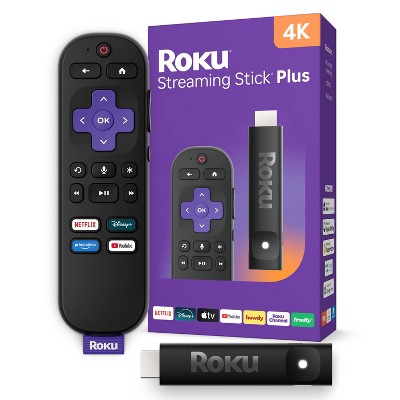
Roku Streaming Stick 4K Streaming Device 4K/HDR/Dolby Vision with Voice Remote with TV Controls: Wi-Fi, Apple Airplay - 2 of 4Roku Streaming Stick 4K Streaming Device 4K/HDR/Dolby Vision with Voice Remote with TV Controls: Wi-Fi, Apple Airplay - 3 of 4Roku Streaming Stick 4K Streaming Device 4K/HDR/Dolby Vision with Voice Remote with TV Controls: Wi-Fi, Apple Airplay - 4 of 4
Roku Streaming Stick 4K Streaming Device 4K/HDR/Dolby Vision with Voice Remote with TV Controls: Wi-Fi, Apple Airplay - 1 of 4

Roku Streaming Stick 4K Streaming Device 4K/HDR/Dolby Vision with Voice Remote with TV Controls: Wi-Fi, Apple Airplay

241 Questions
$49.99

In Stock

Eligible for registries and wish lists

About this item

Highlights

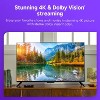
  • Stunning 4K & Dolby Vision streaming made simple: With America’s #1 TV streaming platform*, exploring popular apps—plus tons of free movies, shows, and live TV—is as easy as it is fun.
  • Breathtaking picture quality: Stunningly sharp 4K picture brings out rich detail in your entertainment with four times the resolution of HD. Watch as colors pop off your screen and enjoy lifelike clarity with Dolby Vision and HDR10+.
  • Seamless streaming for any room: With Roku Streaming Stick 4K, watch your favorite entertainment on any TV in the house, even in rooms farther from your router thanks to the long-range Wi-Fi receiver.
  • Compact without compromises: Our sleek design won’t block neighboring HDMI ports, so you can switch from streaming to gaming with ease. Plus, it’s designed to stay hidden behind your TV, keeping wires neatly out of sight.
  • No more juggling remotes: Power on your TV, adjust the volume, and control your Roku device with one remote. Use your voice to quickly search, play entertainment, and more.
  • Shows on the go: Take your TV to-go when traveling—without needing to log into someone else’s device.
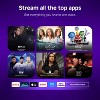
  • All the top apps: Never ask “Where’s that streaming?” again. Now all of the top apps are in one place, so you can always stream your favorite shows, movies, and more.
  • Home sweet home screen: Jump right in with a home screen that easily gets you to what you want to watch fast.
  • Unbelievably free live TV: Enjoy 500+ TV channels with live news and weather, sports coverage, and more—totally free.
  • Quick and easy setup: Just power up your device, connect to the internet, and dive into a world of streaming.

Description

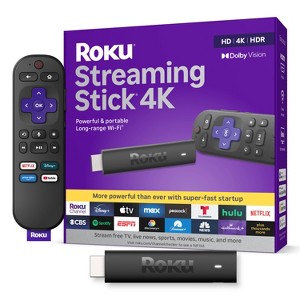
Roku Streaming Stick 4K is the easiest way to give any 4K TV the ultimate upgrade to America’s #1 TV streaming platform*. Start streaming in a snap and enjoy 500+ free TV channels with live news, weather, sports coverage, and more. Watch your favorites in stunning 4K, Dolby Vision, and rich HDR10+ colors packed into this slim Roku player with long-range Wi-Fi. The sleek, portable design won’t block neighboring HDMI ports, so you can switch from streaming to gaming with ease. Plus, it stays hidden behind your TV, keeping wires neatly out of sight.


*Based on hours streamed—Hypothesis Group.

Dimensions (Overall): .45 Inches (H) x 3.7 Inches (W) x .8 Inches (D)
Weight: .9 Ounces
Electronics Features: Streaming Capability, Controlled by Smartphone App, Wi-Fi, Dolby Vision
Connection Type: HDMI
Data Storage Capacity: 4GB
Maximum Resolution: 4K
Wireless Technology: Wi-Fi 5 (IEEE 802.11ac)
System RAM: 1 GB
Compatible With: Spotify, YouTube TV, YouTube, Netflix, Apple HomeKit, Amazon Prime Video, Peacock, discovery+, Max, Crunchyroll, Hulu, Disney+, Paramount+, Roku, Apple TV+, ViX
Voice assistant built-in: ROKU Voice Assistant Built-In
Model name: 3820R2
Screen Mirroring Technology: Apple Airplay
Battery: 2 AAA Alkaline, Required, Packaged With
Warranty: 1 Year Limited Warranty. To obtain a copy of the manufacturer's or supplier's warranty for this item prior to purchasing the item, please call Target Guest Services at 1-800-591-3869
Street Date: October 25, 2021
TCIN: 52709600
UPC: 829610004853
Item Number (DPCI): 008-06-0065
Origin: Imported
If the item details aren’t accurate or complete, we want to know about it.

Shipping details

Estimated ship dimensions: 9 inches length x 5.56 inches width x 1.73 inches height
Estimated ship weight: 0.58 pounds

Return details

This item can be returned to any Target store or Target.com.
This item must be returned within 30 days of the date it was purchased in store, delivered to the guest, delivered by a Shipt shopper, or picked up by the guest.
See the return policy for complete information.

Q: Does it work with the Spectrum App?

submitted by Elis - 6 years ago
  • A: Yes, all Roku devices have access to the Spectrum App

    submitted byRoku Support - 6 years ago
    Brand expert
  • A: If you have Spectrum app on your Roku it will still work, but if you delete it, you can't re-add it unfortunately.

    submitted byValley Mom - 5 years ago
  • A: I just received this new roku stick last week and was surprised to find it still has spectrum app already installed. But with a warning that if you delete it, you can’t get it back.

    submitted byPix - 5 years ago
  • A: Does it have the Xfinity stream app?

    submitted byMGT - 7 months ago
  • A: Not anymore! It was removed on 12/12/20

    submitted byRonald14 - 6 years ago

Q: Can you turn off the Roku when not using?

submitted by Nancy - 6 years ago
  • A: Hi Nancy, Roku streaming players are low-power devices that are designed to remain on and always connected to the internet. This helps to allow for instant-access to all of your favorite channels, along with new OS software updates automatically without interruption.

    submitted byRoku Support - 5 years ago
    Brand expert
  • A: Hi Nancy, I don't know if you found out the answer but I watched a Youtube Video and the guy said to hit the Home button when done streaming instead of power tv off or Roku would still run? Check that answer out...I seen another guy who used a certain type outlet ?

    submitted bystonekelrn - 6 years ago
  • A: Hi, Nancy! Regarding your question about the Roku Streaming Stick+ Black (3810R): Yes! You can have the Roku Streaming Stick off when you are not currently using it. If you have any additional questions, please do not hesitate to contact MyTGTtech at 877-698-4883 every day, between 7am-11pm CST.

    submitted byTaylor - 6 years ago
    Target expert support
  • A: To the person who asked if the Roku is on all of the time, you can buy a special power strip for your TV and its devices. Plug the TV into the main slot and your ROKU and other devices will turn on and off when you turn on the TV. Saves energy. These power strips are generally available online or at big box stores.

    submitted byGrandma M - 5 years ago

Q: Can you get General Hospital on ABC

submitted by Tink - 2 years ago
  • A: Yes u can watch general hospital on Roku channel

    submitted byEdward - 2 years ago
  • A: Hi Tink, you can watch General Hospital on the ABC app or through Hulu. (Subscription required)

    submitted byRoku Support - 2 years ago
    Brand expert
  • A: Hi Tink, thanks for reaching out about Roku Streaming Stick 4K Streaming Device 4K/HDR/Dolby Vision with Voice Remote with TV Controls General Hospital is available for streaming from a few services including Hulu, and ABC. If you have any additional questions, we welcome you to contact MyTGTtech at 833-848-8324 every day, between 7am-11pm CST.

    submitted byMike - 2 years ago
    Target expert support

Q: Does the remote allow for headphones?

submitted by Bandlady13 - 3 years ago
  • A: Hi Bandlady13, thanks for reaching out about Roku Streaming Stick 4K Streaming Device 4K/HDR/Dolby Vision with Voice Remote with TV Controls. This product does not have an audio jack for headphones. If you have any additional questions, we welcome you to contact MyTGTtech at 833-848-8324 every day, between 7am-11pm CST.

    submitted byMel - 3 years ago
    Target staff support
  • A: Hello, Bandlady13! The Roku Streaming Stick does not have an audio jack on the remote. However, the private listening feature is available on the Roku mobile app. Connect your Bluetooth headphones to your phone and listen at any volume you want. Plus, up to three friends can also join in on their phones. The Roku App is available for Android and iOS Smartphones for free. Happy Streaming!

    submitted byRoku Support - 3 years ago
    Brand expert

Q: Just switched to a new internet service. I was wondering if a Roku can be placed on a smart tv? Roku just seems so much easier to use and I can get apps that my You tubetv doesn't have.

submitted by Jacksonmh1 - 4 years ago
  • A: Hello! Regarding your question about the Roku Streaming Stick 4K Streaming Device 4K/HDR/Dolby Vision with Voice Remote with TV Controls: Yes a Roku can be connected to a smart TV, as long as you have an open HDMI port! If you have any further questions, please don't hesitate to contact MyTGTtech at 877-698-4883 every day, between 7am-11pm CST.

    submitted byPatrick - 4 years ago
    Target expert support
  • A: Hello, Jacksonmh1! Absolutely! Roku turns an ordinary TV into a Smart TV and makes an existing Smart TV Smarter with consistent software updates and endless free entertainment, including 250+ Live TV channels with news, sports, and more streaming on The Roku Channel. Plus, you can stream the most popular channels in a snap. It's easy to watch what you love for less: no monthly equipment rentals, long-term contracts, or hidden fees. If you wish to access premium streaming services such as Netflix, Amazon Prime, or Disney+ through the Roku device, you must pay a separate subscription fee to the platform you choose. The choice of what to watch and pay for is up to you. We like to call it TV on your terms. As always, you can browse our Roku Channel Store on our website. Happy Streaming!

    submitted byRoku Support - 3 years ago
    Brand expert
  • A: Absolutely, yes! I use roku on all of my smart tv's simply because roku has the best, easiest and most entertaining platform.

    submitted byNeelie - 2 years ago

Q: Does it support You Tube TV?

submitted by Lae - 6 years ago
  • A: 5/14/21 Not now, they are fighting

    submitted byrecca - 5 years ago
  • A: Hi, Lae! Regarding your question about the Roku Streaming Stick+ Black (3810R): The YouTube TV app is available to download on the Roku Streaming Stick+. If you have any additional questions, please do not hesitate to contact MyTGTtech at 877-698-4883 every day, between 7am-11pm CST.

    submitted byZackery - 6 years ago
    Target expert support
  • A: Yes. The YouTube app is on the Roku.

    submitted byMsDM - 6 years ago

Q: Is there an directv streaming app?

submitted by Becky - 1 year ago
  • A: Hello Becky, Yes! just download the DirecTV streaming app off of the Roku App Store.

    submitted byRoku Support - 1 year ago
    Brand expert
  • A: Hi Becky, thanks for reaching out about Roku Streaming Stick 4K Streaming Device 4K/HDR/Dolby Vision with Voice Remote with TV Controls Yes, the DirecTV Stream app is available on Roku devices. To use it, you'll need a Roku device and an active DirecTV account. You can download the app from the Roku Channel Store and then sign in with your DirecTV credentials. If you have any additional questions, we welcome you to contact MyTGTtech at 833-848-8324 every day, between 7am-11pm CST.

    submitted byJustin - 1 year ago
    Target expert support

Q: Supports the spectrum app?

submitted by Dadavid069 - 1 year ago
  • A: Hi Dadavid069, thanks for reaching out about Roku Streaming Stick 4K Streaming Device 4K/HDR/Dolby Vision with Voice Remote with TV Controls. Yes, the Roku Streaming Stick 4K Streaming Device absolutely supports the Spectrum app. If you have any additional questions, we welcome you to contact MyTGTtech at 833-848-8324 every day, between 7am-11pm CST.

    submitted byJoe - 1 year ago
    Target staff support
  • A: Hello Dadavid069, Yes you can download the Spectrum TV app off of the Roku App Store. https://channelstore.roku.com/details/0e1be4eca7cdaed6b7378219ab374f70:1cdea0ad3d0250dce6d695a7a46e9068/spectrum-tv

    submitted byRoku Support - 1 year ago
    Brand expert

Q: Can I get News Nation

submitted by Kitkat - 1 year ago
  • A: Hello Kitkat, Yes you sure can, just download the News Nation app off of the Roku App Store. https://channelstore.roku.com/details/195d4c6ad6b72a2ae139df09107e0e51:b581a8ae3e73c5acf3ba6ad55c9fc374/newsnation

    submitted byRoku Support - 1 year ago
    Brand expert
  • A: Hi Kitkat, thanks for reaching out about the Roku Streaming Stick 4K Streaming Device 4K/HDR/Dolby Vision with Voice Remote with TV Controls Yes, you can get News Nation on your Roku Streaming Stick 4K If you have any additional questions, we welcome you to contact MyTGTtech at 833-848-8324 every day between 7 am and 11 pm CST.

    submitted byRena - 1 year ago
    Target expert support

Q: Can I use for TCL tv?

submitted by Rach - 1 year ago
  • A: Hi Rach, thanks for reaching out about Roku Streaming Stick 4K Streaming Device 4K/HDR/Dolby Vision with Voice Remote with TV Controls. Yes, you absolutely can use a Roku Streaming Stick 4K Streaming Device with a TCL TV. If you have any additional questions, we welcome you to contact MyTGTtech at 833-848-8324 every day, between 7am-11pm CST.

    submitted byJoe - 1 year ago
    Target staff support
  • A: Hello Rach, Roku Devices work on any TV with an HDMI port no matter the brand.

    submitted byRoku Support - 1 year ago
    Brand expert
WARNING: This product can expose you to chemicals including styrene which is known to the state of California to cause cancer, and bisphenol A which is known to the state of California to cause birth defects or other reproductive harm. For more information, go to www.P65Warnings.ca.gov For more information, go to https://www.p65warnings.ca.gov/

Additional product information and recommendations

Discover more options

Skip to next section

Frequently bought together

Skip to next section

Guests also viewed

Skip to next section

Guests are saying

The Roku streaming stick is a popular choice among guests for transforming non-smart TVs into smart devices, offering a wide range of streaming options and easy setup. Many guests appreciate its user-friendly interface and the ability to control multiple TVs with a single remote. However, some have experienced issues with the remote and occasional streaming errors. Overall, it provides great value and enhances the viewing experience.
    Summary created by AI from text of reviews reflecting recent feedback provided across different star ratings (includes incentivized reviews)
    4.6 out of 5 stars with 10181 reviews
    ease of use: 4.61 out of 5
    features: 4.6 out of 5
    quality: 4.46 out of 5
    value: 4.47 out of 5
    86% would recommend
    680 recommendations
    5 out of 5 stars
    Thumbs up graphic, would recommend
    9 August, 2026Verified purchase

    Recommend

    We travel a lot and this allows us to take our streaming services with us. The wifi in this model makes it very easy to use without having to sign in to the hotel's wifi with a username and password.
    ease of use: 5 out of 5
    features: 5 out of 5
    quality: 5 out of 5
    value: 5 out of 5
    Did you find this review helpful?
    1 out of 5 stars
    6 August, 2026
    originally posted on roku.com
    Image

    Terrible Product

    I bought a Roku stick about 9 months ago and it already has major problems. It acted up a bit when I first got it, and over the past 9 months, it has repeatedly caused disruptions in any and all of the apps that I have on my tv. My internet signal strength is always "Excellent" but the tv has interruptions, buffering, or even an app will completely end. During these times, my laptop is unaffected. I would advise people to carefully check with people who actually use this item, but from my experience, I would not recommend a Roku Streaming Stick to anyone. I just ordered a different brand and expect much better service then what I've experienced for all of 2026.
    1 reply from Roku Customer Advocate team - 5 days ago
    Hello Ray. Thank you for sharing your experience. We’re sorry to hear your Streaming Stick has been causing repeated interruptions and app issues. That’s not the performance we aim for. Please reach out to our support team so we can help troubleshoot the device and work toward a better experience for you. Contact us: support.roku.com/contactus. We hope you get back to streaming soon! Bernie, Roku Customer Advocate
    Ray Prisk
    Did you find this review helpful?
    5 out of 5 stars
    1 August, 2026Verified purchase

    I Love it

    Great device for the price
    ease of use: 5 out of 5
    features: 5 out of 5
    quality: 5 out of 5
    value: 5 out of 5
    Did you find this review helpful?
    5 out of 5 stars
    24 July, 2026
    originally posted on roku.com
    Image

    Smart TV

    I have been using ROKU for over 5 years. We love it! Turned my non smart TV into a smart TV, and use it on my newer models also. We have bought ROKU sticks for family and friends as Christmas presents. They all were really excited, after learning how to operate, which is very simple, they all committed, BEST PRESENT EVER. Great product. Will keep all our TV`s, ROKU ON.
    Robyjer
    Did you find this review helpful?
    1 out of 5 stars
    Thumbs down graphic, would not recommend
    22 July, 2026Verified purchase

    roku streaming stick 4k

    Roku remote is crazy. When I raise the volume it lowers and vise versa.
    1 reply from Roku Support team - 19 days ago
    Hello! If you're having trouble with your Roku remote, try these steps: First, reset your Roku remote. Locate the pairing button on the back of your remote and press and hold it for at least 20 seconds. If your remote doesn’t have a pairing button, press and hold the Back and Home buttons for 20 seconds instead. Next, restart your Roku device, replace or recharge the batteries, and try re-pairing your voice remote with your streaming device. For detailed instructions, you can refer to this FAQ article: https://support.roku.com/en-gb/article/fix-your-roku-remote-simple-or-voice#section-2. If the issue persists, please get in touch with us directly at http://support.roku.com/contactus. Jessica, Roku Customer Advocate
    Crashing Waves
    ease of use: 1 out of 5
    features: 5 out of 5
    quality: 1 out of 5
    value: 1 out of 5
    Did you find this review helpful?
    2 out of 5 stars
    22 July, 2026
    originally posted on roku.com
    Image

    HDCP Error

    I've had this device for a couple years now. When I first got it the HDCP error kept coming up so I bought expensive cable, problem continued. So then I bought a brand new home theatre receiver result HDCP errors every hour or so. Not to mention the apps freezing up all of the time. I'm convinced that the streaming sticks are not powerful enough to handle the apps and the hdmi end of the stick just plain sucks for 4K.
    1 reply from Roku Customer Advocate team - 19 days ago
    Hi Greg! Thanks for sharing your experience. We’re sorry to hear you’ve continued to deal with HDCP errors and app freezing. Our streaming sticks do support 4K, but HDCP and app issues can occur due to compatibility or setup. We’d like to take a closer look and help troubleshoot your device. Please reach out to us at support.roku.com/contactus so we can assist you further. In the meantime, try restarting your Roku device and TV to refresh the HDMI connection, and make sure both your Roku software and your TV firmware are fully updated. We look forward to helping improve your experience. Roku Customer Advocate
    Greg
    Did you find this review helpful?
    5 out of 5 stars
    Thumbs up graphic, would recommend
    11 July, 2026Verified purchase

    (no review title)

    Great
    ease of use: 5 out of 5
    features: 5 out of 5
    quality: 5 out of 5
    Did you find this review helpful?
    5 out of 5 stars
    Thumbs up graphic, would recommend
    10 July, 2026Verified purchase

    Saved my LG

    My LG TV could not keep up with streaming video. The native streaming on the LG TV is terrible. Adding the Roku fixed my TV. We just moved and went from cable to purely streaming so this was a necessity.
    ease of use: 5 out of 5
    features: 5 out of 5
    quality: 5 out of 5
    value: 5 out of 5
    Did you find this review helpful?
    4 out of 5 stars
    Thumbs up graphic, would recommend
    8 July, 2026Verified purchase

    works well so far

    Have only had it for 2 days. It replaced a Fire Stick. So far, so good, except where the volume/mute buttons are. Who was the Einstein that decided they should go on the side of the remote where your fingers go, to hold onto the remote?? Dumb and dumber. Thankfully I have a soundbar with it's own remote for one tv but it's still annoying feeling the buttons move and hearing them click when I handle the remote with my dominant right hand. So now I use my left hand to avoid the distraction.
    Kimbo
    ease of use: 4 out of 5
    features: 4 out of 5
    quality: 5 out of 5
    value: 4 out of 5
    Did you find this review helpful?
    5 out of 5 stars
    Thumbs up graphic, would recommend
    5 July, 2026Verified purchase

    (no review title)

    I loved it!
    ease of use: 5 out of 5
    features: 5 out of 5
    quality: 5 out of 5
    value: 5 out of 5
    Did you find this review helpful?
    2 out of 5 stars
    Thumbs up graphic, would recommend
    3 July, 2026

    Tech products either last forever or break instantly

    I love Roku but the drive broke just after a year of use. So I’m buying another in hopes I just got a bad one.
    1 reply from Roku Support team - 1 month ago
    Hi Joseph, thank you for sharing your experience. Your feedback is important to us as we strive to improve our services. You can visit this website to find the device that best fits your needs: https://www.roku.com/products/players. If there’s anything we can help you with in the future, please don’t hesitate to reach out to us. Thanks again! Jessica, Roku Customer Advocate
    ease of use: 5 out of 5
    features: 5 out of 5
    quality: 1 out of 5
    value: 3 out of 5
    Did you find this review helpful?
    5 out of 5 stars
    Thumbs up graphic, would recommend
    29 June, 2026Verified purchase

    Roku has always worked well and super easy set up. Love the simplicity and how many options there are

    Was ready right on time and delivered quickly to my car
    ease of use: 5 out of 5
    features: 5 out of 5
    quality: 5 out of 5
    value: 5 out of 5
    Did you find this review helpful?
    5 out of 5 stars
    12 June, 2026
    originally posted on roku.com
    Image

    (no review title)

    I love my Roku the best. It makes very mad not knowing have been missing so much.how I lost so much money all this year.thinking why I don’t purchase this Roku stick before
    Brunilda S
    Did you find this review helpful?
    4 out of 5 stars
    20 May, 2026
    originally posted on roku.com
    Image

    Remote doesn’t work anymore

    It’s great Except the remote control doesn’t work anymore. Hadn’t had it even a year .
    Did you find this review helpful?
    5 out of 5 stars
    13 May, 2026
    originally posted on roku.com
    Image

    Great product

    This device is far superior than Flixy. Simple to use
    David Moon
    Did you find this review helpful?
    5 out of 5 stars
    6 May, 2026
    originally posted on roku.com
    Image

    We love our Roku remote control

    It’s easy and simple to understand and use we enjoy it on a daily basis
    Jim c
    Did you find this review helpful?
    5 out of 5 stars
    4 May, 2026
    originally posted on roku.com
    Image

    Holy House

    Heavenly Experience worshipping my God on Heart Channel.
    Lucinda H
    Did you find this review helpful?
    5 out of 5 stars
    3 May, 2026
    originally posted on roku.com
    Image

    (no review title)

    Purchased it at Base Exchange on my military base, love it, a lot better then fire stick three thumbs up.
    Roger F
    1 guest found this review helpful. Did you?
    5 out of 5 stars
    29 April, 2026
    originally posted on roku.com
    Image

    Works great

    I thought my tv was just too old and maybe I needed to get a new one. My Roku just wasn’t working. Then I did a survey with a PBS station and because I did a survey for them they sent me a brand new Roku. Wow! It wasn’t my tv, but the other Roku was old. I’m getting a great picture & service with my new Roku.
    Connie Z
    2 guests found this review helpful. Did you?
    5 out of 5 stars
    29 April, 2026
    originally posted on roku.com
    Image

    Roku Stick

    It was easy to set up and works Great!!!!!!!!!!!!!!!!!!!!!!!!!!!!!!😃😃😃😃😃😃😃😃 😃
    Justine H
    Did you find this review helpful?

    Get top deals, latest trends, and more.