Sponsored
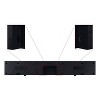
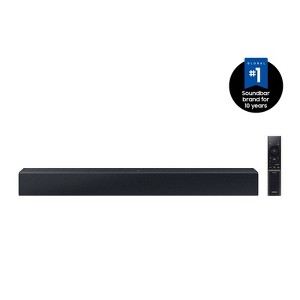
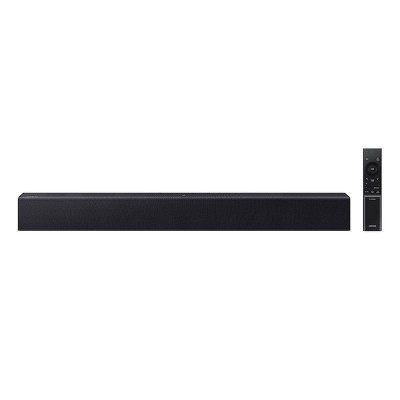
Samsung 2.0Ch Soundbar with Built-in Woofer - Black (HW-C400)
Out of Stock
At a glance
Sponsored
About this item
Highlights
- Built-in Subwoofer - Go deep and hear more with this soundbar’s all in one, built in subwoofer design. It’s a compact but powerful audio device, right sized for your life.
- One Remote Control - Keep your finger on the pulse. This do it all remote controls both your Samsung TV and soundbar, helping you streamline your home entertainment setup.
- Surround Sound Expansion - Invite your friends. This soundbar expands the optimal listening zone emanating sound all around you. Now everyone can hear like they claimed the best spot on the sofa.
- Bluetooth® TV Connection - Effortless connection. No cable necessary. Hear your TV’s audio through your soundbar with Bluetooth® TV Connection.* *Requires a Bluetooth® compatible TV.
- Night Mode - Stay up late and enjoy stellar sound even when they’re sleeping. Switch on Night Mode to tamp down the volume and compress the bass.
- Voice Enhance - Ensure voices cut through the noise. Voice Enhance optimizes the equalizer and amplifies the dialogue on the screen so that voices can be heard more clearly.
- NFC - Skip the extra steps and get right to the good stuff. Simply set your phone on the soundbar and let Near Field Communication pair the two automatically no manual setup required.
Description
Shipping details
Return details
Q: Is this soundbar compatible with a Samsung TV model number UN40N5200AFXZA?
A: Hi Greg, thanks for reaching out about Samsung 2.0Ch Soundbar with Built-in Woofer. You could use this soundbar with your UN40N5200AFXZA television model with the supplied Optical cable. If you have any additional questions, we welcome you to contact MyTGTtech at 833-848-8324 every day, between 7am-11pm CST.
submitted byMel - 2 years agoTarget staff supportA: Does it work with a TV that is not Bluetooth compatible?
submitted byNanaB - 1 year agoA: Hi Greg, You can connect the HW-C400 Soundbar using a Digital Optical Cable, but you will need to purchase this cable as it does not come in the box. ~Samsung Solutions
submitted bySamsung - 2 years agoBrand expert
Q: can this be connected via hdmi.
A: Hi Bronco Fan, thanks for reaching out about Samsung 2.0Ch Soundbar with Built-in Woofer - Black (HW-C400). You cannot connect the Samsung HW-C400 soundbar to your TV via an HDMI cable. Your primary wired connection option for audio from your TV to this soundbar is through an optical cable. You can also connect wirelessly via Bluetooth if your TV supports it. If you have any additional questions, we welcome you to contact MyTGTtech at 833-848-8324 every day, between 7am-11pm CST.
submitted byJoe - 8 months agoTarget staff supportA: Hello Branco Fan, No, the HW-C400 Soundbar can only be connected using Optical or wirelessly with Bluetooth. ~ Samsung Solutions
submitted bySamsung - 8 months agoBrand expert
Q: How long is this soundbar
A: Hi Char, thanks for reaching out about Samsung 2.0Ch Soundbar with Built-in Woofer - Black (HW-C400) 64.1 centimeters If you have any additional questions, we welcome you to contact MyTGTtech at 833-848-8324 every day, between 7am-11pm CST.
submitted byJustin - 11 months agoTarget expert supportA: Hello Char, The HW-C400 Soundbar is 25.2 inches long and 4.2 inches wide. ~ Samsung Solutions
submitted bySamsung - 11 months agoBrand expert
Q: Is this bar only compatible with Samsung tvs? I have an LG smart tv
A: Hi Channy, thanks for reaching out about Samsung 2.0Ch Soundbar with Built-in Woofer - Black (HW-C400) This soundbar is compatible with any TV that has an optical audio output. If you have any additional questions, we welcome you to contact MyTGTtech at 833-848-8324 every day, between 7am-11pm CST.
submitted byJustin - 1 year agoTarget expert supportA: Hi there Channy! The HW-C450 Soundbar is not brand restricted and features an Optical port as well as Bluetooth connectivity; if your TV supports Bluetooth connectivity or includes an Optical port, you can connect this soundbar to your TV via either of these connections. ~Samsung Solutions
submitted bySamsung - 1 year agoBrand expert
Q: Is this compatible with the Samsung frame tv?
A: Hi there Frame tv! The HW-C450 Soundbar is not brand restricted and features an Optical port as well as Bluetooth connectivity; if your TV supports Bluetooth connectivity or includes an Optical port, you can connect this soundbar to your TV via either of these connections. ~Samsung Solutions
submitted bySamsung - 1 year agoBrand expertA: Hi Frame tv, thanks for reaching out about Samsung 2.0Ch Soundbar with Built-in Woofer - Black (HW-C400). Yes, you can connect a soundbar to a Samsung Frame TV using a variety of methods, including HDMI, Bluetooth, optical, or Wi-Fi. If you have any additional questions, we welcome you to contact MyTGTtech at 833-848-8324 every day, between 7am-11pm CST.
submitted byJoe - 1 year agoTarget staff support
Q: I purchased this soundbar and the pamphlet says there is a HDMI port connection on the bottom by the digital audio and power connection however there is not!???? It’s a USB!??????
A: Hi there Angie, the Samsung HW-C400 Soundbar features an Optical port as well as Bluetooth connectivity, however, it does not feature HDMI connectivity. If your TV supports Bluetooth connectivity or includes an Optical port, you can connect this soundbar to your TV via either of these connections. ~ Samsung Solutions
submitted bySamsung - 1 year agoBrand expertA: Hi Angie, thanks for reaching out about Samsung 2.0Ch Soundbar with Built-in Woofer - Black (HW-C400). According to the manual, the bottom panel includes a power port, Digital audio in(optical), and USB. However, the manual does not mention HDMI. If you have any additional questions, we welcome you to contact MyTGTtech at 833-848-8324 every day, between 7am-11pm CST.
submitted byMatt - 1 year agoTarget expert support
Q: Does this sound bar have a security feature. I ask because my neighbors keep connecting to my Vizio sound bar. They keep turning up the volume and scaring everyone!
A: Hi Shopping, thanks for reaching out about Samsung 2.0Ch Soundbar with Built-in Woofer - Black (HW-C400). The Samsung 2.0Ch Soundbar with Built-in Woofer does not have security but does have an app, which you can monitor the soundbar. If you have any additional questions, we welcome you to contact MyTGTtech at 833-848-8324 every day, between 7am-11pm CST.
submitted byJoe - 1 year agoTarget staff supportA: Hello Shopping! The HW-C400 Soundbar doesn't have a security feature or app. For someone else to control the soundbar volume they would need to have a Samsung Soundbar remote or access to the Soundbar itself. Should you have any additional questions please contact Samsung Customer Support at 1-800-SAMSUNG (ask for Soundbars), available 8AM -12AM EST, 7 days a week, LiveChat on Samsung.com ~ Samsung Solutions
submitted bySamsung - 1 year agoBrand expert
Q: how many watts? i need a loud sound
A: Hi jordy, thanks for reaching out about Samsung 2.0Ch Soundbar with Built-in Woofer - Black (HW-C400) It features 40 watts of power and an integrated woofer for rich sound with clear voices and powerful bass. If you have any additional questions, we welcome you to contact MyTGTtech at 833-848-8324 every day, between 7am-11pm CST.
submitted byJustin - 1 year agoTarget expert supportA: Hello Jordy! The HW-C400 Soundbar features 40 Watts of power and a built-in subwoofer, allowing you to go deep and hear more. ~ Samsung Solutions
submitted bySamsung - 1 year agoBrand expert
Q: Can you use this with a JVC Receiver Surround System?
A: Hi Lisa, thanks for reaching out about Samsung 2.0Ch Soundbar with Built-in Woofer - Black (HW-C400) While this device was designed to be connected directly to the TV's optical audio output, it can be connected to any device that supports optical audio out. To determine if your specific JVC Receiver has this option, we would need the model number. If you have any additional questions, we welcome you to contact MyTGTtech at 833-848-8324 every day, between 7am-11pm CST.
submitted byJustin - 1 year agoTarget expert supportA: Hi Lisa. The HW-C400 Soundbar is not brand-restricted and features an Optical port as well as Bluetooth connectivity; if your device supports Bluetooth connectivity or has an optical audio output, you can connect this soundbar to your device via either of these connections. ~Samsung Solutions
submitted bySamsung - 1 year agoBrand expert
Q: When I connect this to my Samsung TV through Bluetooth will I be able to use my TV remote to adjust?
A: Hello Pam, Yes, you can use your Samsung TV remote to control the HW-C400 Soundbar. Once the soundbar is connected to your Samsung TV via Bluetooth, you can control key soundbar functions like power, volume, and even sound effects with your TV remote Should you need further assistance, please contact Samsung Support at 1-800-SAMSUNG (ask for Soundbars). ~ Samsung Solutions
submitted bySamsung - 2 years agoBrand expertA: Hi Pam, thanks for reaching out about Samsung 2.0Ch Soundbar with Built-in Woofer - Black (HW-C400). While some of the soundbar features cannot be controlled from the TV remote, the volume can be adjusted. If you have any additional questions, we welcome you to contact MyTGTtech at 833-848-8324 every day, between 7am-11pm CST.
submitted byJustin - 2 years agoTarget expert support
Frequently bought together




Related Categories
Guests are saying
Dont reccommend.
1 reply from Samsung team - 3 months ago

Not compatible with subwoofer
1 reply from Samsung Support Team team - 4 months ago
Mediocre Sound Quality
1 reply from Samsung team - 6 months ago

connectivity issues
1 reply from Samsung Support Team team - 5 months ago
Samsung sound bar
Good sound bad control
1 reply from Samsung team - 7 months ago

Great monitor soundbar
80 Percent Okay.
Soundbar
Small but powerful
Excellent
great improvement over TV sound
Awesome Sound Quality
Small but amazing
Poor sound quality.
1 reply from Samsung Solutions team - 9 months ago
Really Good all in 1 Sound Bar
Not Happy
1 reply from Samsung Solutions team - 9 months ago
It's okay
1 reply from Samsung team - 10 months ago
Poor sound projection
1 reply from Samsung team - 10 months ago