
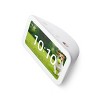

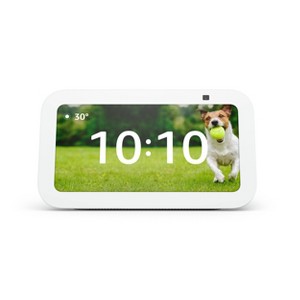
Amazon Echo Show 5 (3rd Gen, 2023 release) | Smart Display with Deeper Bass and Clearer Sound - Glacier White
$54.99 reg $99.99
$45 off
In Stock
Add plans or services
Make your selection before adding to cart
2 Year Electronics Protection Plan ($50-$74.99) - Allstate
$8.00
Eligible for registries and wish lists
At a glance
About this item
Additional product information and recommendations
Discover more options
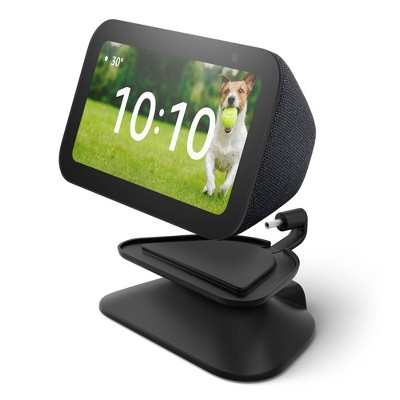
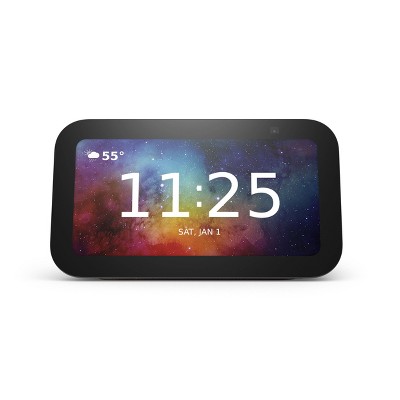
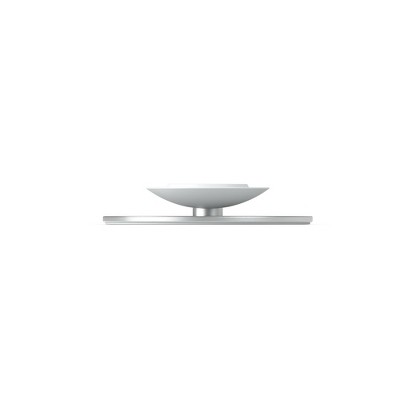
Frequently bought together
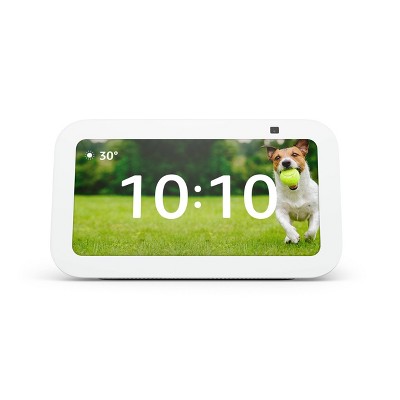

Guests also viewed
Related Categories
Guests are saying
The Echo Show 5 has garnered mixed feedback from guests, highlighting its multifunctionality and sound quality while also noting issues with responsiveness and connectivity. Many appreciate its ability to display photos, play music, and facilitate video calls, making it a versatile addition to any home. However, concerns about lag, advertisements, and occasional malfunctions have been raised, particularly for families with young children. Overall, it serves as a useful smart device with room for improvement.
Summary created by AI from text of reviews reflecting recent feedback provided across different star ratings (includes incentivized reviews)
4.2 out of 5 stars with 317 reviews
quality: 3.78 out of 5
value: 3.82 out of 5
66% would recommend
53 recommendations
5 out of 5 stars
Thumbs down graphic, would not recommend
23 November, 2026Verified purchase
love it
this is awesome 👍
1 out of 5 stars
14 November, 2026Verified purchase
(no review title)
Malfunctions a lot. Randomly stops playing music.
From Amazon Devices Customer Support team
Hi Mo, Thanks for flagging this, and we're sorry the Echo Show has been cutting out — music randomly stopping is genuinely annoying, especially when you just want it to play without fuss. This is often fixable, and a few things tend to resolve it: Restart the device: Unplug it for 30 seconds and plug it back in — this clears up a lot of random playback glitches. Check the WiFi signal: Random drop-outs are frequently a connection issue. If the Echo Show is far from your router or on a crowded network, moving it closer or restarting the router can help a lot. Update the software: Go to Settings → Device Options → Check for Software Updates to make sure it's on the latest version, which often fixes playback bugs. For a specific music service: If it only happens with one app (Spotify, Amazon Music, etc.), signing out and back in to that service can clear it up. If it keeps malfunctioning after those steps, that's not normal for the device, and we'd like to make it right — please reach out to Amazon Customer Service at 1-888-280-4331 and they can look into a repair or replacement if needed. Thanks for your patience, and we'd like to get your music playing reliably again.
9 days ago
1 out of 5 stars
Thumbs down graphic, would not recommend
9 October, 2026Verified purchase
Sucks.
We wanted to like this echo so bad! We’ve had it for the better part of a year and it’s terrible. It stalls, doesn’t ever do what you ask it to do and all in all it’s a very frustrating technology. Although I like the ability to upload family photos, I think the screen adds too much processing for it to really serve as its intended function. The endless advertisements going across the screen are not welcomed and there were plenty of times our 3 year old used the screen to almost purchase something unintentionally. So yeah, not really great for families with little kids. I wish we could return this but sadly we’re outside the 30-day return window.
From Amazon Devices Customer Support team
Hello, and thank you for taking the time to share your feedback on the Echo Show 5. I am truly sorry to hear about the frustrating experience you and your family have had with the device over this past year. Regarding the stalling and slow performance, here are a few troubleshooting steps that may help improve the device's responsiveness: 1. Check that your Echo Show 5 has a strong and stable internet connection, as a weak Wi-Fi signal can cause lag and delayed responses. 2. Restart the device by unplugging it from power, waiting 30 seconds, and then plugging it back in this can clear temporary issues that build up over time. 3. If your device setup uses the Alexa app, make sure you have the latest version of the app installed. 4. If none of these steps help, performing a factory reset on the device can clear up most persistent performance issues. To address the unwanted content and rotating recommendations on your home screen, you can customize what appears by going into your device settings. In the Alexa app, navigate to your Echo Show 5's device settings and look for the "Home Screen" options, where you can turn off rotating content and keep your family photos as the primary display. Regarding the accidental purchase attempts by your 3-year-old, you can enable Parental Controls and purchase restrictions to prevent this from happening. In the Alexa app, go to Settings, then Account Settings, and select "Voice Purchasing." From there, you can turn off voice purchasing entirely, or set up a voice confirmation code that must be spoken before any purchase is completed. This will ensure that no unintended orders are placed by little hands or voices. If these steps do not resolve the performance issues you are experiencing, Amazon Customer Service is available 24/7 for further assistance you can reach them at 1-888-280-4331. I hope this information helps improve your experience with the Echo Show 5. Thank you for your feedback!
1 month ago
5 out of 5 stars
Thumbs up graphic, would recommend
15 August, 2026
(no review title)
Everything about it
5 out of 5 stars
Thumbs down graphic, would not recommend
11 August, 2026Verified purchase
(no review title)
Love this in my kitchen.
1 out of 5 stars
Thumbs down graphic, would not recommend
26 July, 2026
(no review title)
I purchased this product in Dec 2024, less than 2 years ago. I would have thought it would have functioned correctly for at least 3 years, but already the clock, on its own and for no apparent reason, changes time. I assume it's broken. Repair forums indicate it is difficult to repair. I don't recommend purchasing this product.
From Amazon Devices Customer Support team
Hi Donna, Thank you for sharing your experience, and we're sorry to hear that your Echo Show 5 is experiencing clock issues. We understand how frustrating it must be when a device you've relied on for over a year suddenly starts behaving unpredictably — especially something as fundamental as keeping accurate time. The clock on the Echo Show 5 syncs automatically via your Wi-Fi connection, so when it starts changing on its own, it's typically related to one of the following: Network connectivity fluctuations — If the device briefly loses its Wi-Fi connection, it may fail to sync the correct time. Try forgetting and reconnecting your Wi-Fi network in Settings > Network. Time zone settings — Navigate to Settings > Device Options > Date & Time and confirm that "Set Automatically" is toggled on and the correct time zone is selected. Software glitch — A factory reset can often resolve persistent clock drift. Press and hold the Mute and Volume Down buttons simultaneously for about 15 seconds until the Amazon logo appears. If none of these steps resolve the issue and your device was purchased in December 2024, it would not be within the standard one-year warranty period (expired December 2025). However, we'd still like to help — please reach out to us at 1-888-280-4331 or through the Alexa app, and our support team can explore additional options for you. We appreciate your feedback and hope we can turn this experience around.
4 months ago
1 out of 5 stars
Thumbs down graphic, would not recommend
23 April, 2026Verified purchase
(no review title)
Constant glitching. Shows the wrong time.
From Amazon Devices Customer Support team
Hello Shannon! Thank you for your feedback on the Echo Show 5 (3rd Gen). I'm sorry to hear about the glitching and incorrect time display — that's certainly not the experience you should be having with your device. The Echo Show 5 is designed to be a reliable smart display, and issues like screen glitching and incorrect time are typically resolvable. Here are several troubleshooting steps that should help: Restart your device — Unplug the Echo Show 5 from power, wait 30 seconds, and plug it back in. This is often the most effective first step for resolving display glitches and software-related issues. Check your time zone settings — Open the Alexa app, go to Devices > select your Echo Show 5 > Time Zone, and verify that the correct time zone is selected. An incorrect time zone setting is the most common cause of the wrong time being displayed. Ensure a strong Wi-Fi connection — The Echo Show 5 syncs its clock over the internet. If your Wi-Fi connection is weak or intermittent, the device may not update the time correctly. Move the device closer to your router or restart your router to improve connectivity. Update the software — On your Echo Show 5, swipe down from the top of the screen and tap Settings > Device Options > Check for Software Updates. Installing the latest update can fix known bugs that cause glitching and display errors. Factory reset — If the glitching persists after trying the steps above, you can perform a factory reset by going to Settings > Device Options > Reset to Factory Defaults. This will erase your settings and restore the device to its original state, which can resolve persistent software issues. Check the power adapter — Make sure you are using the original power adapter that came with the device. A third-party or underpowered adapter can cause screen flickering and erratic behavior. Your experience matters, and I hope these steps get your Echo Show 5 working smoothly. Thank you for sharing your feedback. Have a great day!
7 months ago
5 out of 5 stars
Thumbs up graphic, would recommend
13 April, 2026Verified purchase
(no review title)
good
5 out of 5 stars
14 February, 2026Verified purchase
(no review title)
It tells me what to do with myself
1 out of 5 stars
Thumbs down graphic, would not recommend
10 February, 2026Verified purchase
Junk
I purchased this on December 7 and went to move it to the other side of my kitchen and it doesn’t work. The cord isn’t even completely unraveled like I don’t understand why it’s not working. Pass my return window so I can do nothing.
From Amazon Devices Customer Support team
Hello, Scerney. Thank you for taking the time to leave a review on the Echo Show 5. I'm sorry to hear about the issue you are having with the device. Here are some troubleshooting steps that may help resolve the issue: 1. Ensure the power cord is fully plugged into both the Echo Show 5 and the wall outlet—sometimes connections can become loose during movement. 2. Try a different power outlet to rule out any issues with the original outlet. 3. Check that the power adapter is firmly connected to the cord. 4. Unplug the device, wait 30 seconds, then plug it back in to perform a power cycle. If these steps don't resolve the issue and your Echo Show 5 still won't power on, please contact Amazon Customer Support at 1-888-280-4331. They're available 24/7 and can assist with troubleshooting. Thank you for your feedback, and I hope we can help get your Echo Show 5 working properly again.
10 months ago
3 out of 5 stars
19 January, 2026Verified purchase
(no review title)
Moves really slow
1 out of 5 stars
18 January, 2026
(no review title)
To small and to annoying to set up and it lags the battery port is loose
From Amazon Devices Customer Support team
Hello Chris! Thank you for your feedback on the Echo Show 5 (3rd Gen). I'm sorry to hear you're experiencing frustration with the size, setup process, performance lag, and a loose power port on your device. Let me address each of your concerns with solutions that can help improve your experience: Device Size: The Echo Show 5 features a compact 5.5-inch display, which is designed for smaller spaces like nightstands, desks, or kitchens. If you're finding the screen too small for your needs, you might consider the Echo Show 8 (8-inch display) for larger viewing areas. However, the Echo Show 5 offers the same smart home control, video calling, and Alexa functionality in its compact form. Setup Simplification: To make setup easier, ensure you have the latest version of the Alexa app downloaded on your mobile device before beginning. The setup process should involve: plugging in the device, connecting to your Wi-Fi network when prompted on screen, and signing in with your Amazon account. If you encountered specific error messages or steps that were confusing, try performing a factory reset (press and hold the Volume Down button and Mute button simultaneously, releasing once the Amazon logo reappears) and attempt setup again with your phone close to the device for a stronger connection during the process. Performance Lag Issues: If the device is responding slowly or freezing, try these steps: Restart the device by unplugging it from power, waiting 30 seconds, then plugging it back in. Ensure your Wi-Fi connection is strong—the Echo Show 5 performs best with a stable internet connection. Check for software updates by saying "Alexa, check for software updates" or going to Settings > Device Options > Check for Software Updates. Loose Power Port: A loose connection at the power supply port is a hardware defect that shouldn't occur on a new device. This can cause intermittent power issues and device instability. Since this is a physical defect, I strongly recommend contacting Amazon Customer Support to discuss what options are available under warranty, as this type of hardware issue typically qualifies for resolution under the standard one-year limited warranty. Given the combination of issues you're experiencing—particularly the hardware defect with the power port—I encourage you to reach out to Amazon Customer Support at 1-888-280-4331 (available 24/7) to explore your warranty options. A device with a defective power port will only become more problematic over time. I hope these troubleshooting steps help with the setup and performance concerns, and that Amazon can resolve the hardware issue for you. Thank you for your feedback!
10 months ago
1 out of 5 stars
11 January, 2026Verified purchase
(no review title)
Had a week before it just totally stopped working. Lagged terribly in the week it worked
From Amazon Devices Customer Support team
Hello Amanda, Thank you for sharing your feedback about the Amazon Echo Show 5 (3rd Gen). We're truly sorry to hear that your device stopped working after just one week and experienced significant lag during that time. This is absolutely not the experience we want our customers to have with Echo Show devices. A device failing within a week of use is unacceptable, and we understand how frustrating this must have been, especially when dealing with lag issues before it stopped working entirely. Since your Echo Show 5 has completely stopped functioning, we'd like to help you get this resolved. Please contact Amazon Customer Service at 1 888 280-4331 or through your Amazon account. Our team will work with you to make this right. We appreciate you taking the time to let us know about this issue. Your feedback helps us identify quality concerns and improve our products.
11 months ago
1 out of 5 stars
7 January, 2026Verified purchase
(no review title)
Defective! Do not respond- screen goes off constantly - garbage.
From Amazon Devices Customer Support team
Hello Sergio! I'm sorry to hear about the frustrating issues you're experiencing with your Echo Show 5. Here are comprehensive troubleshooting steps to help resolve these issues: First, check your device's internet connection, as a weak or unstable Wi-Fi connection can cause unresponsiveness and screen issues, so ensure your Echo Show 5 has a strong signal. Next, restart your Echo Show 5 by unplugging the device from power, waiting 30 seconds, then plugging it back in, as this simple step resolves many functionality issues. You should also adjust your screen settings, as the screen may be turning off due to power-saving settings—swipe down from the top of the screen, select Settings > Display & Brightness, adjust the screen timeout settings and brightness levels, and check if "Adaptive Brightness" is enabled and adjust as needed. If your device setup uses the Alexa app, ensure you have the latest version installed on your mobile device. Your Echo Show 5 should update automatically, but you can manually check by going to Settings > Device Options > Check for Software Updates. If none of these steps help, a factory reset will clear up most issues—swipe down from the top, select Settings > Device Options > Reset to Factory Defaults, though note that this will erase all settings and you'll need to set up the device again. If these troubleshooting steps don't resolve the screen and responsiveness issues, Amazon Customer Support is available 24/7 for assistance at 1-888-280-4331. Thank you for your feedback it helps improve product quality and customer experience.
11 months ago
5 out of 5 stars
30 December, 2025Verified purchase
(no review title)
Works great
1 out of 5 stars
28 December, 2025
Item was not there when i got there to pick up.
Ordered online. They showed plenty of stock. Got to Target to pick up and they didn’t have the ones that they said they had.
5 out of 5 stars
Thumbs up graphic, would recommend
27 December, 2025Verified purchase
(no review title)
I really like my item .
1 out of 5 stars
Thumbs down graphic, would not recommend
26 December, 2025Verified purchase
(no review title)
i ordered it for christmas it came opened box beat up my replacement never got here i will be canceling my $100 membership DO BETTER TARGET
5 out of 5 stars
Thumbs up graphic, would recommend
23 December, 2025Verified purchase
(no review title)
It's very loud
5 out of 5 stars
Thumbs up graphic, would recommend
17 December, 2025Verified purchase
(no review title)
Very clean store
From Amazon Devices Customer Support team
Hi Nora, Thank you for your 5-star review! We appreciate your feedback about the store experience. While we're glad you had a positive visit to Target, we'd love to hear about your experience with the Amazon Echo Show 5 (3rd Gen)! If you have any thoughts about the device itself—such as the deeper bass, clearer sound, or smart display features—we'd be happy to hear them. Thank you for choosing the Echo Show 5, and we hope it's serving you well!
11 months ago