Target New ArrivalsFourth of JulyGift Ideas for DadClothing, Shoes & AccessoriesHome & DecorKitchen & DiningOutdoor Living & GardenGroceryHousehold EssentialsBabyBeautyPersonal CareSports & OutdoorsHealthWellnessLuggageSchool & Office SuppliesToys & GamesElectronicsVideo GamesMovies, Music & BooksParty SuppliesGift IdeasGift CardsPetsUlta Beauty at TargetShop by CommunityTarget OpticalDealsClearanceNew ArrivalsGift Ideas for DadBack to SchoolCollegeTop DealsTarget Circle DealsWeekly AdShop Order PickupShop Same Day DeliveryRegistryRedCardTarget CircleFind Stores
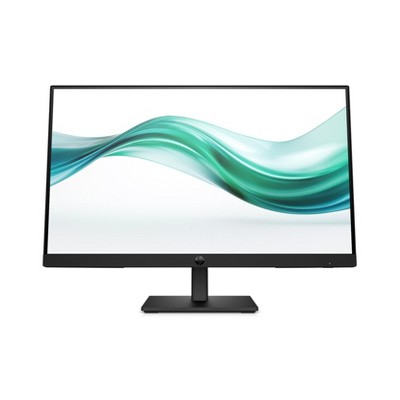
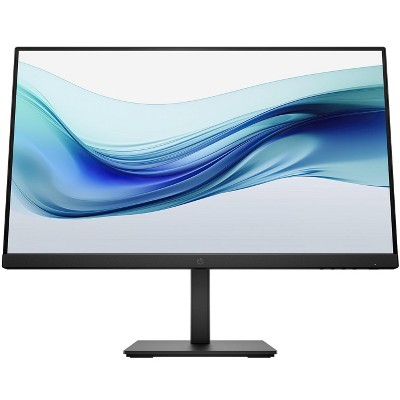
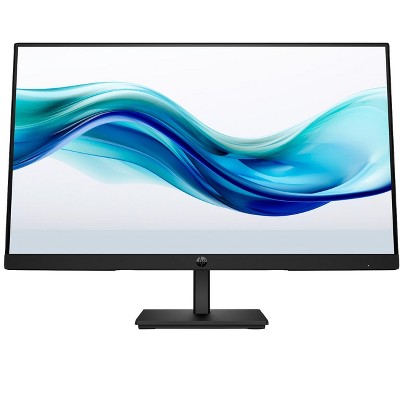
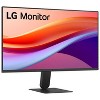
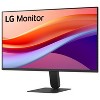
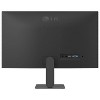
LG 24U411A-B.AUSQ 24" IPS FHD (1920 x 1080) 120Hz HDR 10 Monitor with Slim Stand - 2 of 4LG 24U411A-B.AUSQ 24" IPS FHD (1920 x 1080) 120Hz HDR 10 Monitor with Slim Stand - 3 of 4LG 24U411A-B.AUSQ 24" IPS FHD (1920 x 1080) 120Hz HDR 10 Monitor with Slim Stand - 4 of 4
LG 24U411A-B.AUSQ 24" IPS FHD (1920 x 1080) 120Hz HDR 10 Monitor with Slim Stand - 1 of 4

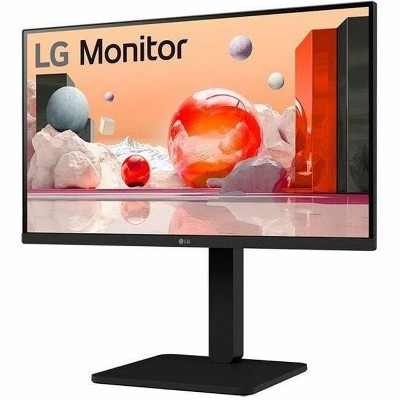
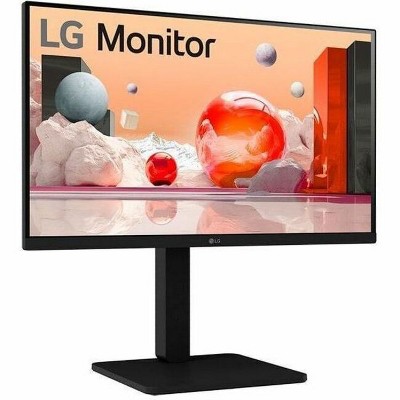
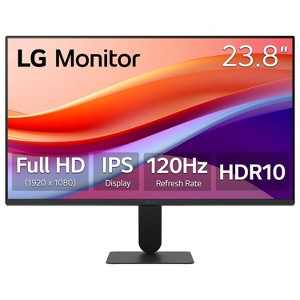
LG 24U411A-B.AUSQ 24" IPS FHD (1920 x 1080) 120Hz HDR 10 Monitor with Slim Stand

$84.99 reg $99.99
Sale save $15.00 (15% off)

In Stock

Eligible for registries and wish lists

About this item

Highlights

  • Work clearly and comfortably with a 24"" Full HD IPS monitor
  • Slim bezels and sleek stand keep your workspace clean and distraction-free
  • Fast 120Hz delivers sharp, fluid visuals for work and play
  • 1ms Motion Blur Reduction for sharper, cleaner fast-moving gameplay
  • HDR10 and up to 99% sRGB deliver rich, impeccible color across every task
  • Customize Your Screen View with the Switch App1
  • Adjust the tilt to match your space, your tasks, and your style
  • Dynamic Action Sync cuts input lag for faster, more responsive gameplay
  • Black Stabilizer brightens dark scenes for better visibility in games
  • Reader Mode reduces blue light for more comfortable viewing
  • Enjoy steady, flicker-free viewing with Flicker Safe technology

Description


The 24" class (23.8" screen) Full HD (1920 x 1080) IPS monitor delivers sharp, vibrant visuals from virtually any viewing angle—ideal for working, streaming ...and even playing from home. Whether you're tackling emails, browsing the web, or managing projects, this monitor helps you stay clear, focused, and productive. The monitor's ultra-slim bezels and 3-side virtually borderless design bring a clean, modern look to any home office setup. The sleek stand adds a floating feel to the display that’s perfect for dual monitor workstations or minimal desk spaces. A 120Hz refresh rate ensures smoother scrolling and frame transitions, while 1ms Motion Blur Reduction (MBR) keeps fast-moving visuals crisp—great for multitasking or after-hours gaming. With HDR10 and up to 99% sRGB color gamut coverage, this LG monitor delivers vivid, accurate color across everything from video calls to creative projects. Whether you're outfitting a new home office or upgrading your current work-from-home setup, the LG 27U411A-B monitor offers the clarity, speed, and style you need to stay productive and inspired.
Dimensions (Overall): 16.4 Inches (H) x 21.2 Inches (W) x 8.7 Inches (D)
Weight: 7.1 Pounds
Number of USB ports: 0
Electronics Features: Adjustable Tilt
Connection Type: HDMI
Aspect Ratio: 16:9 Aspect Ratio
Response Time: 5ms Response Time
Contrast Ratio: 1500:1 Dynamic Contrast Ratio
Screen Resolution: 1920 x 1080
Native screen refresh rate: 120 Hz
Screen Brightness (cd/m2): 250
Screen Size: 24 Inches
Number of DVI ports: 0
Number of VGA Ports: 1
Industry or Government Certifications: Energy Star Certified
Display Type: IPS Panel
VESA Mounting Standard: 100x100
Number of display ports: 1
Number of HDMI ports: 1
Warranty: 1 Year Limited Warranty. To obtain a copy of the manufacturer's or supplier's warranty for this item prior to purchasing the item, please call Target Guest Services at 1-800-591-3869
TCIN: 94904131
UPC: 195174124550
Item Number (DPCI): 056-18-1612
Origin: Imported
If the item details aren’t accurate or complete, we want to know about it.

Shipping details

Estimated ship dimensions: 5.7 inches length x 23.8 inches width x 15.2 inches height
Estimated ship weight: 9.7 pounds

Return details

This item can be returned to any Target store or Target.com.
This item must be returned within 30 days of the date it was purchased in store, delivered to the guest, delivered by a Shipt shopper, or picked up by the guest.
See the return policy for complete information.

Q: Does it have bluetooth

submitted by Rose - 6 months ago
  • A: Hello there. We understand your inquiry regarding the features of the 24U411A-B. This monitor is designed with HDMI and DisplayPort connectivity for audio and video signals, but it does not include built-in Bluetooth functionality. https://www.target.com/p/lg-24u411a-b-ausq-24-34-ips-fhd-1920-x-1080-120hz-hdr-10-monitor-with-slim-stand/-/A-94904131 For further assistance and any specific concerns you may have, please contact us on lgdigitalcare@lg.sprinklrsupport.com. —Renzo

    submitted byLG Digital Customer Care - 3 months ago
    Brand expert
  • A: Hi, thanks for reaching out about LG 24U411A-B.AUSQ 24" IPS FHD (1920 x 1080) 120Hz HDR 10 Monitor with Slim Stand The LG 24U411A-B.AUSQ monitor does not support Bluetooth connectivity. It is designed to connect via HDMI and VGA inputs, but does not include Bluetooth functionality. If you have any additional questions, we welcome you to contact MyTGTtech at 833-848-8324 every day, between 7am-11pm CST.

    submitted byJustin - 6 months ago
    Target expert support

Q: What are the dimensions of the base that supports the monitor?

submitted by Kim - 7 months ago
  • A: Hi there. Thank you for sharing your experience with us. We understand your inquiry regarding the base dimensions for the LG 24U411A-B.AUSQ monitor. The stand base measures approximately 20.3 x 7.5 inches. We understand that having precise space requirements is important for your setup. https://www.target.com/p/lg-24u411a-b-ausq-24-34-ips-fhd-1920-x-1080-120hz-hdr-10-monitor-with-slim-stand/-/A-94904131 For further assistance and any specific concerns you may have, please contact us on lgdigitalcare@lg.sprinklrsupport.com, and our team will be more than happy to assist you. —Renzo

    submitted byLG Digital Customer Care - 3 months ago
    Brand expert
  • A: Hi, thanks for reaching out about the LG 24U411A-B.AUSQ 24" IPS FHD (1920 x 1080) 120Hz HDR 10 Monitor with Slim Stand The most precise measurements available for the stand dimensions are: Product Depth (With Stand) 8.7 inches Product Width (With Stand) 21.1 inches If you have any additional questions, we welcome you to contact MyTGTtech at 833-848-8324 every day between 7 am and 11 pm CST.

    submitted byRena - 7 months ago
    Target expert support

Q: does this monitor provide power delivery to the macbook when connected?

submitted by grace - 7 months ago
  • A: Hi there! We understand your inquiry regarding the LG 24U411A-B.AUSQ 24" IPS FHD Monitor. This model features HDMI and DisplayPort connections but does not include a USB-C port with power delivery to charge a MacBook while connected. https://www.target.com/p/lg-24u411a-b-ausq-24-34-ips-fhd-1920-x-1080-120hz-hdr-10-monitor-with-slim-stand/-/A-94904131 For further assistance and any specific concerns you may have, please contact us on lgdigitalcare@lg.sprinklrsupport.com. —Renzo

    submitted byLG Digital Customer Care - 3 months ago
    Brand expert
  • A: Hi, thanks for reaching out about LG 24U411A-B.AUSQ 24" IPS FHD (1920 x 1080) 120Hz HDR 10 Monitor with Slim Stand No, the LG 24U411A-B.AUSQ monitor does not support power delivery; it uses an external power adapter for power. Power delivery is a feature that allows a monitor to both display an image and charge a connected laptop via a single USB-C cable, which this model lacks. If you have any additional questions, we welcome you to contact MyTGTtech at 833-848-8324 every day, between 7am-11pm CST.

    submitted byJustin - 7 months ago
    Target expert support

Q: This is all I need to connect it to computer and wall?

submitted by Mona - 7 months ago
  • A: Hello there! We understand your inquiry regarding the LG 24U411A-B.AUSQ 24" IPS FHD Monitor. This unit comes with a power cable and an HDMI cable to connect to your computer; however, if you plan to mount it to a wall, a VESA-compatible wall mount (100mm x 100mm) would need to be purchased separately. https://www.target.com/p/lg-24u411a-b-ausq-24-34-ips-fhd-1920-x-1080-120hz-hdr-10-monitor-with-slim-stand/-/A-94904131 For further assistance and any specific concerns you may have, please contact us on lgdigitalcare@lg.sprinklrsupport.com. —Renzo

    submitted byLG Digital Customer Care - 3 months ago
    Brand expert
  • A: Hi, thank you for reaching out about LG 24U411A-B.AUSQ 24" IPS FHD (1920 x 1080) 120Hz HDR 10 Monitor with Slim Stand. Yes, the LG 24U411A-B.AUSQ 24" IPS FHD monitor typically comes with all the necessary cables to connect it to both the wall power and your computer via HDMI. If you have any additional questions, we welcome you to contact MyTGTtech at 833-848-8324 every day, between 7am-11pm CST.

    submitted byMatt - 7 months ago
    Target expert support

Q: Is this compatible with a Chromebook?

submitted by Ids2007 - 7 months ago
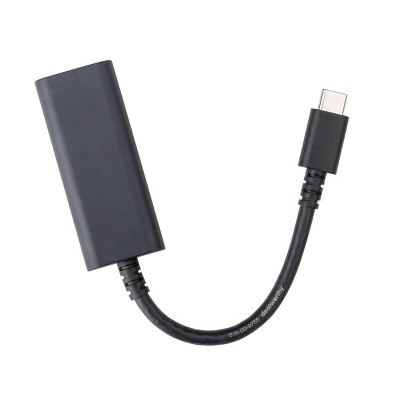
  • A: Hello there. Thank you for reaching out to us. We understand your inquiry regarding the compatibility of your LG 24" IPS FHD Monitor with a Chromebook. This monitor is compatible with any Chromebook that features an HDMI port or a USB-C port (via a USB-C to HDMI adapter), allowing you to easily extend or mirror your screen. https://www.target.com/p/lg-24u411a-b-ausq-24-34-ips-fhd-1920-x-1080-120hz-hdr-10-monitor-with-slim-stand/-/A-94904131 For further assistance and any specific concerns you may have, please contact us on lgdigitalcare@lg.sprinklrsupport.com. —Renzo

    submitted byLG Digital Customer Care - 3 months ago
    Brand expert
  • A: Hi, thanks for reaching out about LG 24U411A-B.AUSQ 24" IPS FHD (1920 x 1080) 120Hz HDR 10 Monitor with Slim Stand Yes, you can connect this laptop to a chromebook with an available HDMI port for it to plug into. If you have any additional questions, we welcome you to contact MyTGTtech at 833-848-8324 every day, between 7am-11pm CST.

    submitted byMike - 7 months ago
    Target expert support

Q: Does this have speakers?

submitted by LG monitor - 7 months ago
  • A: Hello there. Thank you for sharing your experience with us. We understand your inquiry regarding the audio features of your LG 24U411A-B.AUSQ monitor. This specific model does not have built-in speakers, but it does include a headphone out port for your external audio needs. https://www.target.com/p/lg-24u411a-b-ausq-24-34-ips-fhd-1920-x-1080-120hz-hdr-10-monitor-with-slim-stand/-/A-94904131 For further assistance and any specific concerns you may have, please contact us on lgdigitalcare@lg.sprinklrsupport.com. —Renzo

    submitted byLG Digital Customer Care - 3 months ago
    Brand expert
  • A: Hi, thanks for reaching out about LG 24U411A-B.AUSQ 24" IPS FHD (1920 x 1080) 120Hz HDR 10 Monitor with Slim Stand This monitor does not include built in speakers. If you have any additional questions, we welcome you to contact MyTGTtech at 833-848-8324 every day, between 7am-11pm CST.

    submitted byMike - 7 months ago
    Target expert support

Q: How do I activate HDR10 on this for my console

submitted by Js - 7 months ago
  • A: Hi there. Thank you for sharing your experience with us. We understand your inquiry regarding how to activate HDR10 on your LG 24U411A-B.AUSQ monitor. To enable this, please ensure that "HDMI Ultra HD Deep Color" is turned on in the monitor's Picture settings menu and that HDR is enabled within your console's display settings. https://www.target.com/p/lg-24u411a-b-ausq-24-34-ips-fhd-1920-x-1080-120hz-hdr-10-monitor-with-slim-stand/-/A-94904131 For further assistance and any specific concerns you may have, please contact us on lgdigitalcare@lg.sprinklrsupport.com. —Renzo

    submitted byLG Digital Customer Care - 3 months ago
    Brand expert
  • A: Hi, thanks for reaching out about LG 24U411A-B.AUSQ 24" IPS FHD (1920 x 1080) 120Hz HDR 10 Monitor with Slim Stand Enabling HDR10 on this monitor for a gaming console is primarily done through the console's display settings. The monitor is designed to automatically detect and switch to an HDR picture mode once it receives a proper HDR signal from the console. On a PlayStation 5 Navigate to settings, then Screen and Video. Select Video Output, and then you can set the HDR option to "On When Supported" or "Automatic." You also can Scroll down and select Adjust HDR. Follow the on-screen instructions to calibrate the brightness. You will adjust the sliders until the PlayStation logo is barely visible against the dark or bright background. On Xbox Series X/S First navigate to Profile & system > Settings (the gear icon), then select general and then TV & display options. Go to Video modes next, and make sure the box next to "Allow HDR10" is checked. You may also check "Auto HDR" to allow the console to apply an HDR effect to some SDR games. To calibrate, go back one screen and select Calibrate HDR for games. Follow the on-screen prompts to adjust the brightness sliders for optimal HDR performance. If you have any additional questions, we welcome you to contact MyTGTtech at 833-848-8324 every day, between 7am-11pm CST.

    submitted byMike - 7 months ago
    Target expert support

Q: Is there any flicker-free viewing feature?

submitted by AI Shopping Assistant - 3 months ago
  • A: Yes, it includes Flicker Safe technology for steady, flicker-free visual experiences.

    submitted byAI Shopping Assistant - 3 months ago
    Ai generated

Q: What is the response time of the monitor?

submitted by AI Shopping Assistant - 3 months ago
  • A: The monitor has a response time of 5 milliseconds, ideal for fast visuals.

    submitted byAI Shopping Assistant - 3 months ago
    Ai generated

Q: Does the monitor support HDR content?

submitted by AI Shopping Assistant - 3 months ago
  • A: Yes, it supports HDR10, providing enhanced color and brightness for richer visuals.

    submitted byAI Shopping Assistant - 3 months ago
    Ai generated
WARNING:May cause reproductive harm and cancer For more information, go to https://www.p65warnings.ca.gov/

Additional product information and recommendations

Discover more options
Guests also viewed

4.3 out of 5 stars with 293 reviews
quality: 5 out of 5
value: 5 out of 5
100% would recommend
3 recommendations
3 out of 5 stars
27 May, 2026
originally posted on lg.com

Image

(no review title)

i have a question for this it's a led monitor or not?
sahil
Did you find this review helpful?
5 out of 5 stars
24 May, 2026
originally posted on lg.com/ca

Image

Nice feature and Budget Friendly

One of the best budget friendly monitor out there.
1 reply from LG CareQ team - 27 days ago
Thank you so much for the fantastic feedback! We’re thrilled to hear your 24U411A-B has been such a great value for you. Finding that perfect balance between performance, quality, and affordability is exactly what we aim for, so it’s wonderful to know the monitor is standing out as one of the best budget-friendly options for your setup. Knowing that the monitor met your expectations so well is incredibly rewarding for us. We’re delighted that the care and effort we put into creating reliable and accessible products truly came through in your experience. Thank you again for your kind words and for taking the time to share your feedback with us. We’ll continue doing our very best to deliver products and experiences you can feel confident choosing. Our LG CareQ Team is always here for you at 1-888-542-2623 or via live chat or email through our support site: https://www.lg.com/ca_en/support/contact-us/
Tepy
Did you find this review helpful?
5 out of 5 stars
7 April, 2026
originally posted on lg.com

Image

Easy Process to order with LG

Speed of delivery excellent. Product great for the price.
RGH79
Did you find this review helpful?
5 out of 5 stars
9 March, 2026
originally posted on lg.com/ca
Image

Amazing

If you’re looking for work station monitors these are cats ass. Amazing pictures for any type of work. And the size 27’ is big but add a second one and bingo.
1 reply from LG CareQ team - 3 months ago
It’s fantastic to hear that your LG 27U411A-B monitor is exceeding your expectations! We’re glad the 27” size and picture quality are making your workstation setup so enjoyable. Thank you for sharing your experience and tips for adding a second monitor—it’s very helpful for others considering this model. If you ever need assistance or have questions about your monitor, our LG CareQ Team is happy to help: Phone: 1-888-542-2623 Support: https://www.lg.com/ca_en/support
James Potyka
Did you find this review helpful?
5 out of 5 stars
Thumbs up graphic, would recommend
2 March, 2026Verified purchase

Excellent Monitor, Great Value

I have two of these monitors and a couple similar from their competitors. Honestly, I can't see a lot of difference in the colors or brightness, all modern monitors are using good lcd panels and look great. The item that sets these LG's apart in my mind is the power and menu button. On the competition they seem to want to "hide" these on the back somewhere making powering on and adjustments a pain LG thoughtfully put that button right directly under the LG logo on the bottom of the panel, easy to reach and easy to adjust! Got to like a product that actually thinks of the user!
Os2guru
quality: 5 out of 5
value: 5 out of 5
Did you find this review helpful?
4 out of 5 stars
27 February, 2026
originally posted on lg.com

Image

Works great but where is the setup app?

I bought this monitor yesterday. Assembly was easy and I was able to navigate through the setup. The image quality is great, however I am having trouble finding the configuration software.
1 reply from LG team - 4 months ago
Hello! We’re glad to hear your LG monitor was easy to set up and that the image quality is already impressing you. It’s great knowing the LG unit is off to a strong start for you. For the configuration software, many models use LG OnScreen Control, which you can download directly from our site here: https://www.lg.com/us/support/help-library/lg-monitor-onscreen-control-how-to-update-monitor-software--20154629827481 For more feedback or questions, please send us an email at lgdigitalcare@lg.sprinklrsupport.com. Thanks for choosing LG! #LifesGood ^James
CEAPeru
Did you find this review helpful?
1 out of 5 stars
26 February, 2026
originally posted on lg.com/ca
Image

Drivers not found

There are no drivers for this monitor on the LG web site
1 reply from LG CareQ team - 4 months ago
Thank you for your feedback. The 24MR41A-B monitor uses your computer’s built-in display driver, so a separate driver download may not appear on the LG website. For further assistance, please contact LG Canada Customer Support at 1-888-542-2623 or visit https://www.lg.com/ca_en/support/contact-us/ and reference case number CNN260227297368. We’ll be happy to help!
Suzie
1 guest found this review helpful. Did you?
5 out of 5 stars
Thumbs up graphic, would recommend
17 February, 2026Verified purchase

Well worth it!

I recently purchased a monitor for my son. He uses the monitor for gaming and he loves it. I got it on sale along with a in store warranty as well as a warranty from the manufacturer. Better and cheaper than purchasing a tv. I feel like it would last longer than a tv actually. It’s true to size but still worth it. Not too big, not too small and on sale!
crystal
quality: 5 out of 5
value: 5 out of 5
Did you find this review helpful?
5 out of 5 stars
11 February, 2026
originally posted on lg.com
Image

Excellent

Great display, tiny bezels, power efficient and compact frame.
Lykapack
Did you find this review helpful?
5 out of 5 stars
11 February, 2026
originally posted on lg.com/ca
Image

A Visual Powerhouse: The 27U411A-B

I’m blown away by the excellent picture clarity and vibrant color accuracy of this monitor. Combined with the amazing refresh rate, everything from scrolling through documents to editing video feels incredibly smooth and easy on the eyes.
1 reply from LG CareQ team - 4 months ago
Thank you for the fantastic feedback on the 27U411A-B! We’re thrilled to hear you’re enjoying the picture clarity, vibrant colors, and smooth refresh rate. It’s great to know it’s making everything from everyday work to video editing feel effortless and easy on the eyes. Should you ever need help, please don’t hesitate to call 1-888-542-2623, Monday–Sunday, 8 a.m. to 9 p.m. ET. You can also reach us through: 💬 WhatsApp: https://www.lg.com/ca_en/support/contact/whatsapp 💻 Chat: https://lg-chatbot.com/web/ca?locale=en_CA ✉️ Email: https://www.lg.com/ca_en/support/email We truly appreciate you choosing LG!
Taofeek
1 guest found this review helpful. Did you?
5 out of 5 stars
9 February, 2026
originally posted on lg.com/ca
Image

Work fine

Bought recently, it starts perfectly and instantly after plugging the cable. Let's now see if it works for at least 12 years like the one it replaces!
1 reply from LG CareQ team - 4 months ago
Thank you for sharing your experience! We’re glad to hear your 24U411A-B is off to a great start and working perfectly so far. We hope it continues to serve you well for many years to come. Should you ever need help, please don’t hesitate to call 1-888-542-2623, Monday–Sunday, 8 a.m. to 9 p.m. ET. You can also reach us through: 💬 WhatsApp: https://www.lg.com/ca_en/support/contact/whatsapp 💻 Chat: https://lg-chatbot.com/web/ca?locale=en_CA ✉️ Email: https://www.lg.com/ca_en/support/email
Dede
Did you find this review helpful?
1 out of 5 stars
6 February, 2026Verified purchase

(no review title)

Buy this if you want to waste your time, money, and emotion! Purchased this, thinking I would have an easy set up. No. They came with the wrong screws which after research, seems to be a common issue with this brand. Never buy from this brand again. They clearly don't care and surprised that target even bothers carrying this. Now I get to waste time waiting in line for a return on this piece of crap.
1 reply from LG Digital Customer Care team - 4 months ago
Hi, Eva Elizabeth. Thank you for reaching out and sharing your experience with the LG Monitor (24U411A‑B) model. We understand the importance of having a product that sets up smoothly right out of the box. One helpful step you can try is to check the screw size listed in the product manual and compare it with the screws included in your package. In some cases, the correct screws may be attached to the inner packaging or taped to the mounting plate. For more guidance, visit https://www.lg.com/us/support/product/lg-24U411A-B.AUSQ. We’d like to take a closer look and assist you further. Please send us an email at lgdigitalcare@lg.sprinklrsupport.com. Our team will be ready to help you move forward. ^Juvy
Eva Elizabeth
Did you find this review helpful?
5 out of 5 stars
5 February, 2026
originally posted on lg.com/ca
Image

27U411A-B Monitor for Windows use.

The 27 inch LG Monitor was easy to setup and works great with my Windows 11 computer.
1 reply from LG CareQ team - 5 months ago
Thank you for the great feedback on the 27U411A-B! We’re glad to hear it was easy to set up and works seamlessly with your Windows 11 computer. Thanks for choosing LG!
Doucet
Did you find this review helpful?
5 out of 5 stars
31 January, 2026
originally posted on lg.com/ca
Image

A great gift,

I bought this for my spouse, and it is very appreciated, loves the curve, and the graphics.
1 reply from LG CareQ team - 5 months ago
Thank you for sharing! We’re happy to hear your spouse is enjoying the curved design and great graphics. Thanks for choosing LG!
Jeffery
Did you find this review helpful?
5 out of 5 stars
27 January, 2026
originally posted on lg.com/uk

Image

Great monitor

[This review was collected as part of a promotion.] Perfect monitor, I got a great deal and I am so happy with the purchase
E George
Did you find this review helpful?
5 out of 5 stars
20 January, 2026
originally posted on lg.com
Image

awesome product

the product quality is top notch and loving it so far
Harry S
Did you find this review helpful?
5 out of 5 stars
Thumbs up graphic, would recommend
17 January, 2026Verified purchase

Perfectly Basic

Great price point and serves its purpose as a second monitor.
ASCK
quality: 5 out of 5
value: 5 out of 5
Did you find this review helpful?
5 out of 5 stars
13 January, 2026
originally posted on lg.com/ca
Image

New Computer Monitor

Screen size, cost, and functions were just what I needed for my home office.
1 reply from LG CareQ team - 5 months ago
Thank you for your feedback! We’re glad to hear the screen size, features, and value of your LG monitor are a great fit for your home office. Thank you for choosing LG! 😊
Dad Rock
Did you find this review helpful?
5 out of 5 stars
12 January, 2026
originally posted on lg.com/uk
Image

What a bargain

[This review was collected as part of a promotion.] The monitor works exactly as expected. For a budget priced monitor it is excellent value for the money. Set up is straightforward and much better for my vision. many thanks
Did you find this review helpful?
5 out of 5 stars
4 January, 2026
originally posted on lg.com
Image

Great Monitor, great price plus a 3 year warranty

This was purchased as a Xmas gift for me and after the simple installation and set-up I was very pleased with the detail, colour rendition and clarity of the monitor. Great for photo and video editing and a joy to play games on. Highly recommended.
Mick
Did you find this review helpful?

Get top deals, latest trends, and more.

Privacy policy