

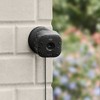
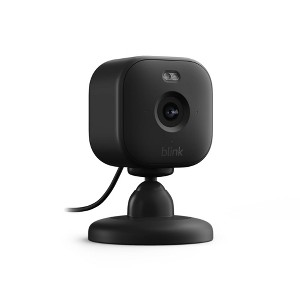
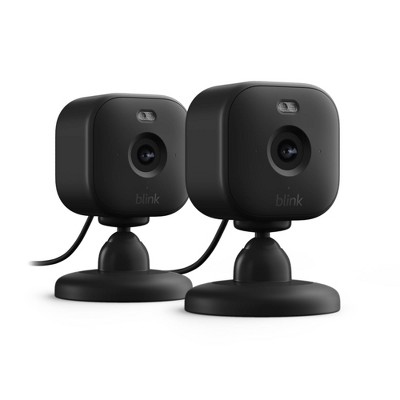
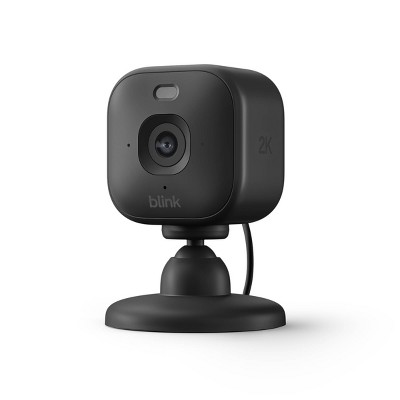
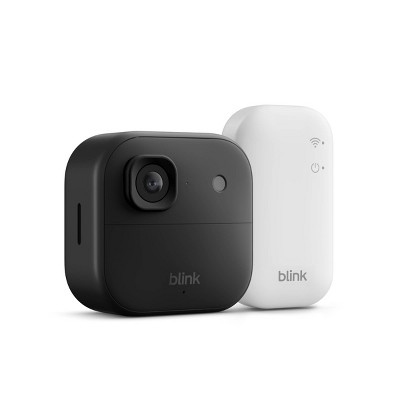
Blink Mini 2 1080p Security Camera with Built-in Mic - Black
$39.99
In Stock
Find alternative
- $19.99 - $39.99Select items on clearance4.4 out of 5 stars with 34 ratings
Eligible for registries and wish lists
At a glance
About this item
Additional product information and recommendations
Frequently bought together
- $14.66 - $17.49reg $16.29 - $23.39 Sale
- $38.49 - $69.99reg $51.39 - $70.69 Sale

Guests also viewed

Guests are saying
The Blink Mini 2 camera impresses with its excellent video quality, easy installation, and compact design, making it a great choice for monitoring pets or children. Guests appreciate its night vision and motion detection features, which enhance security. However, the requirement for a subscription to access recordings has raised concerns. Overall, it offers a practical solution for those seeking an affordable and effective indoor camera.
Summary created by AI from text of reviews reflecting recent feedback provided across different star ratings (includes incentivized reviews)
4.1 out of 5 stars with 151 reviews
quality: 3.81 out of 5
value: 3.73 out of 5
64% would recommend
39 recommendations
5 out of 5 stars
10 September, 2026
originally posted on Amazon Devices

10/10
[This review was collected as part of a promotion.] This product has been a staple in our home. It was easy to set up and begin using and I like the fact it can connect to any phone. It’s small and can be hidden discreetly.
1 out of 5 stars
Thumbs down graphic, would not recommend
13 August, 2026Verified purchase
Not worth it.
Stopped working after one month… conveniently for Target after the return window expired.
1 reply from Amazon Devices Customer Support team - 1 month ago
Hello Donna , Thank you for your feedback on the Blink Mini 2. I'm sorry to hear that your camera stopped working after just one month of use. Having a device fail shortly after the retailer's return window has closed is an understandably frustrating experience, and I appreciate you sharing this. Regardless of where your Blink Mini 2 was purchased, Amazon backs its devices with a limited warranty that covers manufacturer defects. This warranty is separate from any retailer return policy, so even though Target's return window may have passed, your device may still be eligible for support or replacement directly through Amazon. The Blink Mini 2 comes with a one-year limited warranty from the date of purchase, so at one month of ownership you would still be well within that coverage period. Before pursuing a warranty claim, here are a few troubleshooting steps that may help restore functionality: unplug the camera from power for 10 seconds, then plug it back in and wait for the LED light to indicate it is ready to connect. If the camera does not respond at all, try a different USB cable and power adapter, as power delivery issues are a common cause of cameras appearing to be non-functional. If the LED blinks but the camera will not connect to your network, try removing the device from the Blink app and re-adding it through the setup process. You can also perform a factory reset by pressing and holding the reset button on the bottom of the camera until the LED flashes red. Thank you again for your feedback, and I hope we can get this resolved for you.
1 out of 5 stars
Thumbs down graphic, would not recommend
4 April, 2026Verified purchase
(no review title)
You have to buy a subscription for it to work. I wasn't expecting that, I don't need another monthly bill!
1 reply from Amazon Devices Customer Support team - 6 months ago
Hi Ruth, Thank you for sharing your feedback on the Blink Mini 2 camera. We're sorry to hear about the confusion regarding the subscription requirement. We understand how frustrating it is to discover unexpected costs, especially when you're trying to avoid additional monthly bills. We want to clarify how the Blink Mini 2 works without a subscription. The camera does function without a subscription — you can use core features like live view, motion notifications, and two-way audio at no additional cost. However, cloud storage for recorded clips does require a Blink subscription plan (Basic or Plus). The good news is that the Blink Mini 2 supports local storage as an alternative to cloud subscriptions. If you have a Blink Sync Module 2 (sold separately), you can connect a USB drive to it and save motion-triggered clips locally without paying for a subscription. This gives you the ability to store and review footage without recurring monthly fees — which aligns with your preference to avoid another monthly bill. If you're interested in exploring the local storage option, you would need to purchase a Sync Module 2 and a compatible USB drive. This would be a one-time cost rather than an ongoing subscription. We appreciate you taking the time to share your experience, as feedback like yours helps us understand what customers expect when purchasing our products.
1 out of 5 stars
20 February, 2026Verified purchase
(no review title)
Not good,no recording
1 reply from Amazon Devices Customer Support team - 7 months ago
Hello, Bob. Thank you for your feedback on the Blink Mini 2. We are sorry to hear that you are experiencing issues with recording on your camera. We want to clarify that live view and motion alerts are automatically available on the Blink Mini 2 at no additional cost. To save video clips, you can either subscribe to the Blink Subscription Plan for cloud storage, or save clips locally at no recurring fee using the Sync Module 2 with a USB flash drive or the Sync Module XR with an SD card (both sold separately). If you are having trouble getting recording to work, we recommend ensuring your camera is connected to a strong Wi-Fi signal, that the Blink Home Monitor app is up to date, and that your camera has been properly added to your account. If you continue to experience issues, our Blink Customer Support team is available 24/7 at 1-833-392-5465 and would be happy to assist you further. Thank you again for your feedback!
5 out of 5 stars
Thumbs up graphic, would recommend
16 February, 2026Verified purchase
Impressed
LOVE THIS Mini 2 camera...great upgrade, clearer pic and wider view than previous mini, also love the fact its a usb c cord
5 out of 5 stars
Thumbs up graphic, would recommend
30 December, 2025
good deal
amazing price great quality
5 out of 5 stars
Thumbs up graphic, would recommend
30 December, 2025Verified purchase
(no review title)
I love it! It’s very clear
5 out of 5 stars
Thumbs up graphic, would recommend
30 December, 2025Verified purchase
(no review title)
Love this item. Blink is a great system as a whole. We got this camera to pair with our doorbell cam and it works great. So easy to set up always has great connection and picture. Had never had blink before moving and now we have blink products and I love them. Definitely recommend! Will be getting more blink indoor minis in the future. Sound is great and the video quality is excellent.
1 reply from Amazon Devices Customer Support team - 8 months ago
Hi Alberto! Hello! Thank you so much for sharing your wonderful feedback on the Blink Mini 2! I'm thrilled to hear that you're having such a positive experience with your Blink system. It's great to know that the setup was easy, the connection is reliable, and both the picture and sound quality are meeting your expectations. The seamless pairing with your doorbell camera is exactly the kind of integrated experience we aim to provide. Your recommendation means a lot, and I'm glad the Blink Mini 2 has become a trusted part of your home security setup. It sounds like you've found a system that works perfectly for your needs, and we're excited that you're planning to add more Blink Indoor Minis in the future. Thank you for taking the time to share your experience with other customers. Reviews like yours help people make informed decisions about their home security solutions. If you ever have questions or need assistance with your Blink products, Amazon Customer Support is available 24/7 at 1-888-280-4331. Enjoy your Blink system, and thank you again for choosing Blink!
5 out of 5 stars
29 December, 2025Verified purchase
(no review title)
Amazing quality for the price! Camera has night vision and a night light which is very helpful.
5 out of 5 stars
Thumbs up graphic, would recommend
29 December, 2025Verified purchase
Good little camera, easy to use
Works good enough and app doesn't take much space on my phone!
5 out of 5 stars
Thumbs up graphic, would recommend
23 December, 2025Verified purchase
Help is here
This is an inexpensive camera that can provide some calm to those worried about or responsible for loved ones that are working on independence. I can assist with cooking and do wake up checks from across town. It's a great tool.
5 out of 5 stars
Thumbs up graphic, would recommend
16 December, 2025Verified purchase
(no review title)
Powerfully practical piece of equipment. It works well, and you get more bang for your buck with this inexpensive product.
4 out of 5 stars
Thumbs down graphic, would not recommend
13 December, 2025Verified purchase
Mini 2 camera is ok
I wish it had storage instead of a subscription
5 out of 5 stars
Thumbs up graphic, would recommend
26 November, 2025Verified purchase
Very affordable w/small size and great video quality
Super easy set up and I love how small yet powerful little camera it is!! The video quality and range of view is great!! The price is also very good. I’m glad I tried it and will be buying more for my whole house.
2 out of 5 stars
Thumbs down graphic, would not recommend
24 November, 2025
(no review title)
Sucks, had to buy a subscription for camera to actually work.
1 reply from Amazon Devices Customer Support team - 10 months ago
Hello Oj. Thank you for your feedback on the Blink Mini 2. I understand your frustration about needing to purchase a subscription for the camera to function as expected. The Blink Mini 2 does offer some basic functionality without a subscription, including live view access through the Blink app, two-way audio, motion detection alerts, and compatibility with Alexa-enabled devices. However, without a Blink Subscription Plan, you lose access to key features including unlimited cloud video recording, 60-day cloud storage, live view recording, and Extended Live View capabilities. As an alternative, you can use local storage with a Sync Module 2 and USB drive to save motion-triggered clips without a subscription, though this requires the additional hardware purchase. I appreciate you sharing this feedback, as it helps other customers understand the subscription requirements and make informed purchasing decisions about whether the Blink Mini 2's feature set aligns with their expectations and budget.
1 out of 5 stars
21 November, 2025Verified purchase
(no review title)
Limited features
1 reply from Amazon Devices Customer Support team - 10 months ago
Hello Davendra, Thank you for your feedback on the Blink Mini 2. I am sorry to hear it has limited features. The Blink Mini 2 has limited features without a subscription, primarily restricted to live view and basic motion alerts. Advanced features like person detection, extended cloud storage, and some notification settings are only available with a Blink Subscription Plan. . I hope this information is helpful to get your device working properly for you. Thank you!
5 out of 5 stars
Thumbs up graphic, would recommend
21 November, 2025
(no review title)
recommended! great notifications and great video quality
4 out of 5 stars
19 November, 2025
(no review title)
Good choice
5 out of 5 stars
Thumbs up graphic, would recommend
8 November, 2025Verified purchase
(no review title)
Very good visual and sound quality
5 out of 5 stars
Thumbs up graphic, would recommend
1 November, 2025Verified purchase
(no review title)
This is my #3 Camera.