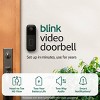
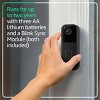
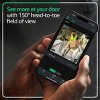
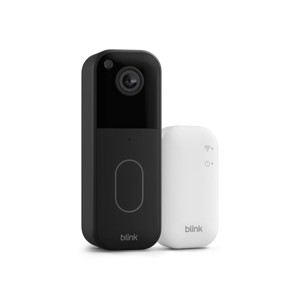
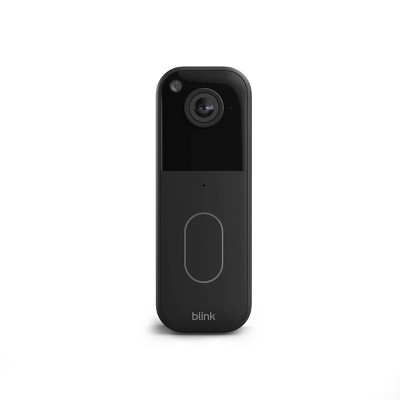
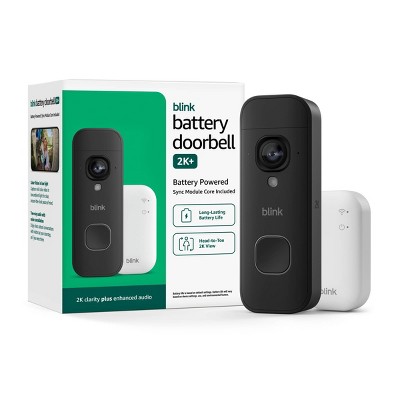
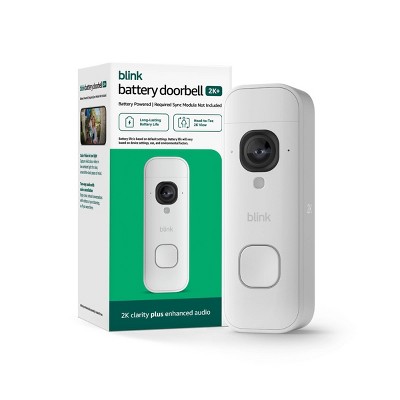
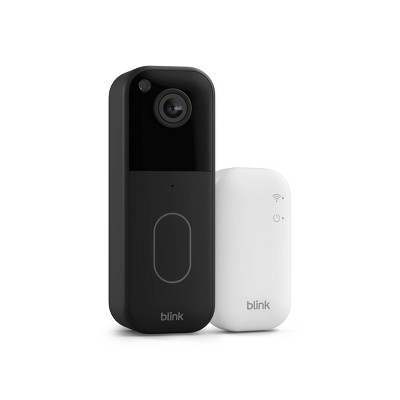
Blink Video Doorbell System with Head-to-Toe HD View, Two-Year Battery Life & Simple Setup, Sync Module Core included - Black
$59.99
In Stock

Free & easy returns
Return this item in store within 30 days for a full refund.
Eligible for registries and wish lists
At a glance
About this item
Additional product information and recommendations
Frequently bought together
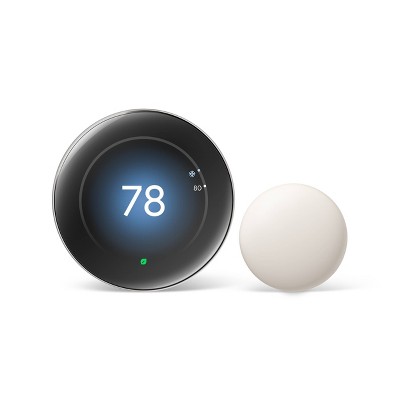
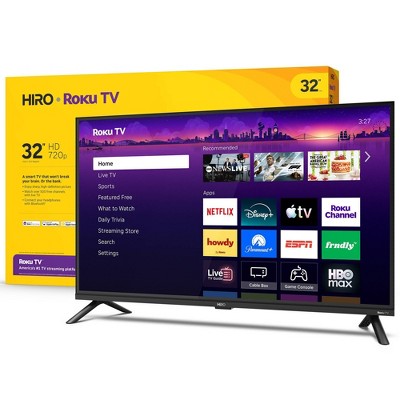
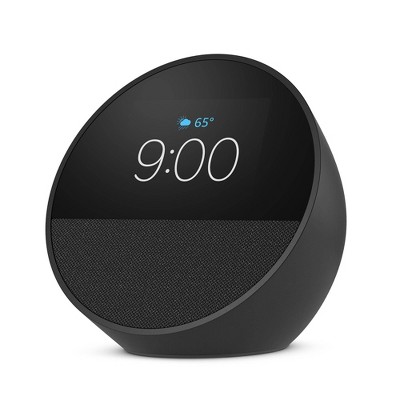
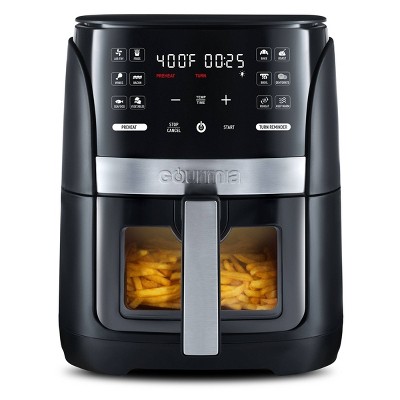
Guests also viewed
- $34.99 - $138.99reg $89.99 - $349.99 Sale4 out of 5 stars with 50 ratings
Related Categories
Guests are saying
The Blink Video Doorbell offers a blend of convenience and functionality, making it a solid choice for home security. Guests appreciate its easy installation, clear video quality, and integration with the Blink ecosystem. However, concerns about battery life and connectivity issues have been noted. Overall, it serves as a reliable option for monitoring your front door, especially for those already using Blink products.
Summary created by AI from text of reviews reflecting recent feedback provided across different star ratings (includes incentivized reviews)
3.5 out of 5 stars with 132 reviews
quality: 2.9 out of 5
value: 2.83 out of 5
34% would recommend
49 recommendations
1 out of 5 stars
30 October, 2026Verified purchase
(no review title)
It stops recording after few videos and asks u to buy a storage plan
1 out of 5 stars
Thumbs down graphic, would not recommend
24 August, 2026Verified purchase
(no review title)
The batteries that are supposed to last for 2 years was dead. Based on the suggestion from the tech support company, it was suggested to return the item but I was told the window of time has expired. Don’t buy this product, it’s obvious the batteries and the device are more than 2 years old. I’m saddened by such obsurdity.
2 out of 5 stars
Thumbs down graphic, would not recommend
21 August, 2026Verified purchase
Don't Do It
Would be a great little doorbell if it worked even 25% of the time. The Live view hardly ever works. It might record 1 event a day, and it won't be any of the people ringing it or nose to nose with it. Unfortunately chucked the box after 2 weeks, before it started this mess. So, guess I'm stuck with this half butt thing.
From Amazon Devices Customer Support team
Hi Danny, Thank you for sharing your experience with the Blink Video Doorbell. We're truly sorry it hasn't been performing reliably for you — a doorbell camera that misses the people actually ringing it defeats the purpose entirely, and we understand your frustration. The issues you're describing with Live View connectivity and inconsistent motion detection aren't typical behavior, and there are a few things that may help: Live View connectivity: This is often related to Wi-Fi signal strength at the doorbell's location. Check your signal strength in the Blink app (Device Settings > General > Network). If it's showing one or two bars, a Wi-Fi extender closer to your front door can make a significant difference. Missed motion events: Try adjusting your motion sensitivity to High in the Blink app (Device Settings > Motion Settings), and ensure your activity zones are configured to cover the area directly in front of the doorbell. Sync Module placement: The Sync Module Core should ideally be within 25 feet of the doorbell with minimal walls between them. Moving it closer can improve responsiveness. If you've already tried these steps and the doorbell still isn't capturing events reliably, this may indicate a hardware issue that our support team can help resolve. Please reach out at 1-888-280-4331 or through the Blink app so we can get this working the way it should. We appreciate your feedback and want to make this right for you.
2 months ago
5 out of 5 stars
4 August, 2026Verified purchase
(no review title)
Loved it
1 out of 5 stars
1 August, 2026Verified purchase
Garbage Doorbell
Batteries die after a month of use. When it says 1 year life
From Amazon Devices Customer Support team
Hi there, Thank you for sharing your experience with the Blink Video Doorbell, and we're sorry to hear the battery life hasn't met your expectations. We understand how frustrating it is when a product doesn't perform as advertised — you should be able to rely on your doorbell without constantly replacing batteries. Battery life can vary based on several factors, including the number of daily motion activations, live view usage, Wi-Fi signal strength, and extreme temperatures. Here are a few tips that may help extend battery performance: Adjust motion sensitivity settings to reduce unnecessary activations Reduce the clip length in your activity zones Ensure a strong Wi-Fi connection between the doorbell and Sync Module (a weak signal causes the device to work harder) Check that firmware is up to date through the Blink app That said, batteries lasting only one month is well below expected performance and may indicate a device issue. We'd recommend reaching out to our support team directly at 1-888-280-4331 or through the Blink app so they can run diagnostics and determine if a replacement is needed. Thank you for your feedback — it helps us continue to improve.
3 months ago
2 out of 5 stars
Thumbs down graphic, would not recommend
29 July, 2026Verified purchase
Will not order online from target
My camera came open in the box and it's not working and I have to waste time to go return it
1 out of 5 stars
Thumbs down graphic, would not recommend
14 July, 2026
Just get ring
The live feed rarely works , it’s always disconnecting from my echo show and it’s always offline for no reason. New batteries that aren’t cheap , strong wifi connection. This camera is a joke
From Amazon Devices Customer Support team
Hello Monica. Thank you for your feedback on the Blink Video Doorbell. I'm sorry to hear about the connectivity issues you're experiencing with your device, especially given that you've already taken steps like replacing the batteries and confirming a strong Wi-Fi connection. Intermittent connectivity and live view issues can sometimes be resolved with a few additional troubleshooting steps. First, try power cycling your Sync Module by unplugging it for 10 seconds and plugging it back in, as this re-establishes the connection between your doorbell and the Blink servers. Next, ensure your Sync Module is placed within a reasonable range of both your Wi-Fi router and the doorbell itself — thick walls or long distances can weaken the signal between the Sync Module and the camera even when your Wi-Fi is strong. You may also want to check that your Sync Module's firmware is up to date through the Blink app under Device Settings. For the disconnection from your Echo Show, confirm that both devices are on the same Amazon account and that the Blink skill is enabled in the Alexa app — removing and re-enabling the skill can often restore a stable connection. If these steps do not resolve the live view and offline issues, Amazon Customer Service is available 24/7 for further device-specific assistance. You can reach them at 1-888-280-4331. I hope this information helps get your Blink Video Doorbell working reliably for you. Thank you.
4 months ago
3 out of 5 stars
Thumbs down graphic, would not recommend
13 July, 2026Verified purchase
Poor battey life. Needs a disarm for set time.
Battery life was 6 months. Wish there was a disarm for a set period of time in the app instead of still uploading 20 clips of me mowing the grass. There’s a silence notifications, but that doesn’t stop the camera from wasting battery uploading all these clips. You have to fully disarm and then remember to turn it on again yourself.
From Amazon Devices Customer Support team
Hello djjeesh. Thank you for your feedback on the Blink Video Doorbell. I appreciate you sharing your experience, and I understand the frustration of having the camera record unnecessary clips — like mowing the lawn — which not only fills up your clip list but also drains battery life faster than expected. I have good news regarding your request for a timed disarm feature. The Blink app does include a Scheduling feature that allows you to set automatic arm and disarm times for your system. To access it, open the Blink app and navigate to Settings > Device and System Settings > select your system > Scheduling. From there, you can create a schedule with specific days and times for the system to automatically arm and disarm. For example, you could set the system to disarm during the hours you typically do yard work and automatically re-arm afterward, so you never have to remember to turn it back on manually. You can create multiple schedules to cover different days and routines. Additionally, to help extend your battery life beyond the six months you experienced, consider setting up Activity Zones in the Blink app to exclude areas with frequent non-security motion, reducing the clip length to a shorter duration, and enabling the "End Clip Early" setting which stops recording when motion ceases rather than recording the full clip length. These adjustments can significantly reduce the number of unnecessary recordings and help preserve battery life closer to the advertised two-year estimate. If you need further assistance setting up schedules or optimizing your settings, Amazon Customer Service is available 24/7 at 1-888-280-4331. I hope this information helps improve your experience. Thank you.
4 months ago
4 out of 5 stars
26 June, 2026
originally posted on influenster.com

Long Battery Life and Easy Installation
We’ve had this Blink video doorbell, integrated with our existing Blink camera system for several years, and it has been a reliable addition to our home security set up. Installation was straightforward, even on an uneven stone exterior, and adding a wedge mount helped improve the viewing angle toward our front walkway and driveway. The biggest advantage is how well it works with the rest of the Blink ecosystem. Everything lives in one app, notifications are quick, and the sync module allows for local storage without forcing a monthly subscription. Battery life is also been impressive. Depending on activity levels and settings, we’ve gotten many months between battery changes, which is a huge improvement over constantly charging some competing models. Video quality is good during the day and perfectly adequate at night, though it won’t match the image quality of some premium wired doorbells that cost significantly more. Audio is also adequate . If you’re already using Blink cameras or want an affordable entry in a smart home security, this is an easy recommendation. 
1 out of 5 stars
Thumbs down graphic, would not recommend
25 June, 2026Verified purchase
Slow!!!
Wish we could get our money back for this. The battery does not last like it says, and the notifications come 12-15 seconds after an event. It does not matter what sensitivity you said it on. This is most piece of junk doorbell camera you could pay money on.
From Amazon Devices Customer Support team
Hi CaptainMindy4, Thank you for sharing your experience with the Blink Video Doorbell. We're sorry to hear it hasn't met your expectations, and we understand how frustrating it must be when a product doesn't perform as advertised. Regarding the notification delay of 12-15 seconds — this is a common concern, and there are a few things that can help reduce that lag: Wi-Fi Signal Strength: The doorbell relies heavily on a strong, stable connection to the Sync Module. If the signal between your router, Sync Module, and doorbell is weak, notifications can be significantly delayed. Placing the Sync Module closer to the doorbell or adding a Wi-Fi extender can help. Phone Notification Settings: Ensure that Blink app notifications are set to priority/high on your phone and that battery optimization isn't restricting the app from running in the background. Sync Module Placement: The Sync Module should ideally be within 25 feet of the doorbell with minimal walls or obstructions between them. As for battery life, factors like extreme temperatures (hot or cold), high motion activity, and longer clip lengths can drain the battery faster than expected. If your area has moderate traffic, adjusting the motion sensitivity and retrigger time may help extend battery performance. If you've already tried these adjustments and the issues persist, we'd recommend reaching out to Blink support at 1-888-280-4331 or through the Blink app. They can review your device's diagnostics and determine if there's a hardware issue that may warrant a replacement. We appreciate your feedback — it helps us improve, and we want to make sure you have a better experience.
4 months ago
5 out of 5 stars
25 June, 2026
originally posted on influenster.com
Perfect for smart home
I’m so happy to buy this doorbell. It’s easy for install. It’s comparable with Alexa very good video quality very long life battery , and simple use in app
5 out of 5 stars
Thumbs up graphic, would recommend
3 June, 2026Verified purchase
love it!!
I read the other reviews and I was hesitant. but im glad I gave it a chance. I didn't need subscription to use it. you have to configure what you need. has options like motion ... person etc. some people said it has slow connection, but it connected perfectly to my wifi and I can see my front door. from everywhere even at work. I absolutely love it. I will buy a second one for my back door.
1 out of 5 stars
29 May, 2026Verified purchase
Support cant help. Product capability is limited.
Do not purchase any Blink equipment. I should have gone with zigbee products like my coworker recommended. I wasted $500 this Memorial Day sale weekend on products that do not meet my needs and customer support that can’t help. “Blinkie Chat” is useless too. You want your home and family security 25/7 but customer support is only available 12 hours a day. Do not purchase Blink products and subscriptions.
From Amazon Devices Customer Support team
Hi Suselis, Thank you for sharing your experience with Blink products. We're genuinely sorry to hear that you spent $500 on a system that didn't meet your needs and that you felt let down by our customer support. Your frustration is completely valid, and we appreciate you taking the time to provide this feedback — it's important for us to hear when we fall short. We hear your concerns: You've raised several legitimate points: Product capability limitations — Blink's feature set may not align with all security needs, and we understand that Support availability — Our chat support being limited to 12 hours daily is a real constraint when you need 24/7 assistance for home security Overall experience — When a $500 investment doesn't deliver what you expected, that's a significant disappointment Regarding your specific situation: We'd genuinely like to understand what capabilities you were looking for that Blink didn't provide. This feedback helps us identify gaps in our product roadmap. Additionally, if there are technical issues with your system that our support team wasn't able to resolve, we may still be able to help. Here's what we can do: Escalate your case — Contact our senior support team at 1-888-280-4331 and reference this review. Explain the specific capabilities you needed and the support experience you had. They have more flexibility and authority to explore solutions. Explore alternatives — If Blink truly isn't the right fit for your security needs, we understand. Your recommendation to explore Zigbee-based systems may indeed be better suited to your requirements. Feedback for our product team — Your input about product limitations and support availability will be shared with our leadership team. This type of feedback drives product improvements. We genuinely regret that we didn't meet your expectations, and we're sorry our support team couldn't fully address your concerns.
5 months ago
2 out of 5 stars
Thumbs down graphic, would not recommend
21 May, 2026Verified purchase
I think its faulty, or it just sucks
I have had the blink video doorbell for about a week. I have spent $14 extra for new batteries, $30 for a wifi booster/repeater, talked with customer service for a total of 1.5 hours and I still haven't gotten it to work properly. it works sporadically but basically has only stayed connected for an hour total.
From Amazon Devices Customer Support team
Hello Tammy! Thank you for your feedback on the Blink Video Doorbell. I'm sorry to hear about the frustrating experience and the additional expenses you've incurred trying to get it working properly. The Blink Video Doorbell requires a stable 2.4 GHz Wi-Fi connection (it does not support 5 GHz networks). Here are a few steps that may help resolve the intermittent connectivity: Confirm your router is broadcasting a dedicated 2.4 GHz network — combined-band routers can cause connection drops with Blink devices. Ensure the Sync Module is placed centrally between your router and the doorbell, within 100 feet of each. Remove and reinsert the batteries, then delete and re-add the device in the Blink app for a fresh setup. Check for interference from nearby devices operating on 2.4 GHz (baby monitors, microwaves, etc.). I hope this information helps and thank you for your feedback. Have a great day!
5 months ago
2 out of 5 stars
6 May, 2026Verified purchase
(no review title)
Very, very slow. Delayed almost. Would definitely go a different route for a doorbell camera next time.
From Amazon Devices Customer Support team
Hello, and thank you for your feedback on the Blink Video Doorbell. I'm sorry to hear that you've been experiencing slow and delayed responses from the device — having a doorbell camera that reacts quickly is essential for home security. The most common cause of delayed notifications and slow response times with the Blink Video Doorbell is Wi-Fi signal strength. Because the Blink Video Doorbell operates on a battery-powered, wire-free system, it relies heavily on a strong and stable Wi-Fi connection to wake up, record, and send notifications promptly. To help improve response times, ensure your router is positioned as close to the doorbell as possible, or consider adding a Wi-Fi extender to boost the signal near your front door. Within the Blink app, you can check your doorbell's signal strength to confirm it is receiving an adequate connection. Additionally, make sure your Sync Module 2 is placed in a central location between your router and the doorbell, as it acts as the communication bridge between the two. Keeping the doorbell's firmware up to date through the Blink app can also help resolve performance issues, as updates often include improvements to connectivity and response speed. If you've tried these steps and are still experiencing delays, you can reach Amazon Customer Service 24/7 at 1-888-280-4331 for further assistance. I hope this information helps improve your experience, and thank you for sharing your feedback! Hope you have a great day!
6 months ago
5 out of 5 stars
5 May, 2026Verified purchase
(no review title)
Clear video, easy install, app is very simple
1 out of 5 stars
Thumbs down graphic, would not recommend
27 April, 2026Verified purchase
Not what i expected
Doesn’t record clips without a subscription and it alerts me about 200 times a day. I regret buying this.
From Amazon Devices Customer Support team
Hello SRPCG. Thank you for your feedback on the Blink Video Doorbell. I'm sorry to hear that the experience has not met your expectations, and I'd like to address both of your concerns to help improve your experience with the device. Regarding clip recording without a subscription — the Blink Video Doorbell system you purchased includes a Sync Module Core, which provides basic connectivity for your doorbell but does not support local storage. To record and save motion clips, you have two options: You can subscribe to a Blink Subscription Plan, which starts at $3/month per device (or $10/month for unlimited devices with the Plus Plan) and provides cloud storage for up to 60 days. Alternatively, if you'd prefer a subscription-free option, you can upgrade to a Sync Module 2 or Sync Module XR, both of which support local storage via a USB flash drive or MicroSD card respectively, allowing you to save clips directly without any ongoing fees. Regarding the excessive alerts — receiving a high volume of motion notifications is a common concern that can be resolved by adjusting a few settings in the Blink app. Here are some steps to significantly reduce unwanted alerts: 1. Adjust Motion Sensitivity — In the Blink app, navigate to your doorbell's device settings and lower the Motion Sensitivity slider. This will reduce the number of triggers caused by minor movements such as passing cars, blowing leaves, or shadows. 2. Set Up Activity Zones — Use the Activity Zones feature to define specific areas within the camera's field of view where you want motion to be detected. By excluding high-traffic areas like sidewalks or streets, you can dramatically cut down on unnecessary alerts. 3. Adjust Retrigger Time — Under your device's Motion Settings, you can change the retrigger time, which controls how soon after one motion event the camera will detect another. Setting this to a longer interval will reduce back-to-back notifications. These adjustments should help bring your daily alerts down to a much more manageable level while still capturing the events that matter most to you. If you need further assistance with any of these settings, Amazon Customer Support is available 24/7 at 1-888-280-4331. Thank you for your feedback, and I hope these tips help you get the most out of your Blink Video Doorbell.
6 months ago
1 out of 5 stars
Thumbs down graphic, would not recommend
23 April, 2026Verified purchase
Received a bad blink camera
The camera doesn’t show video or live motion wasted money
From Amazon Devices Customer Support team
Dear Ramona, Thank you for reaching out, and I'm sorry to hear that your Blink Video Doorbell arrived with a defective unit. A camera that doesn't show video or detect motion is essentially non-functional, and I completely understand your frustration—especially when you've invested in the system. This sounds like a hardware defect that happened either during manufacturing or shipping. The good news is that this is exactly what our warranty covers, and we can get you a replacement or refund without the runaround. Here's what I recommend: Please contact our support team at 1-888-280-4331 or through the Blink app Let them know the camera arrived non-functional. You should be able to get a replacement unit shipped out quickly, or if you'd prefer a refund, that's absolutely an option too. I'm genuinely sorry this happened. A defective unit on arrival is not the experience we want you to have, and we'll make this right. Thank you for giving us the chance to help.
6 months ago
5 out of 5 stars
15 April, 2026
originally posted on influenster.com
Best Door Bell Camera
This is one of the cheapest door cameras and I can also say one of the best! I love that I can use this door camera WITHOUT a monthly subscription. I also love that I have the option to hard wire it in or just put in batteries. The batteries last 2.5 - 3 months. It was also very easy to setup on the app, just connect the app to your wifi and scan the QR code on the camera or box. Literally took less than 5 mins. The camera quality is also amazing & it has a night mode. I will definitely recommend this door bell camera.
5 out of 5 stars
Thumbs up graphic, would recommend
27 March, 2026Verified purchase
Finally in the loop
How have I lived without this so long’s amazing came with a wedge bump free and the sync module all For only 35$ nice sale price makes it wven more of a win!👍✅🩷🎥🎞️🤳