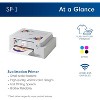
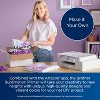
Compatible with Artspira: Import and save up to 20 printing images easily with the Artspira app*. With access to printing patterns and designs, plus the ability to convert images into poster-style drawings, Artspira will have you creating on the go
Create in Artspira: To start using the Brother SP1 Sublimation Printer, you must first download the Artspira app*. Once in Artspira, you can access over 100 sublimation designs, stylistic photo authentic images, and more!
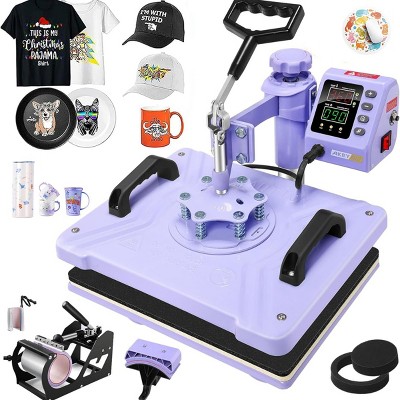
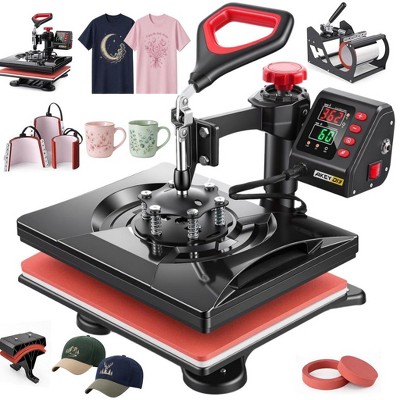
Make readymade clothes all yours: Use the Brother Sublimation Printer for your next DIY Project! It's as easy as creating your design on Artspira*, transferring it, printing, heat pressing, and finishing! Heat press required-additional purchase necessary
Fast printing speeds: With fast printing speeds, you can quickly show off your custom project in vibrant color
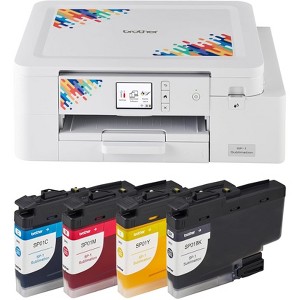
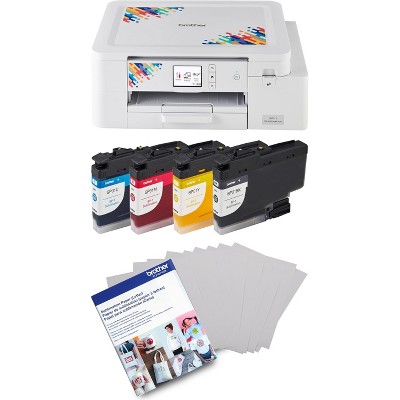
Complete Bundle: This product bundle also includes an extra set of 4 standard yield color sublimation ink cartridges
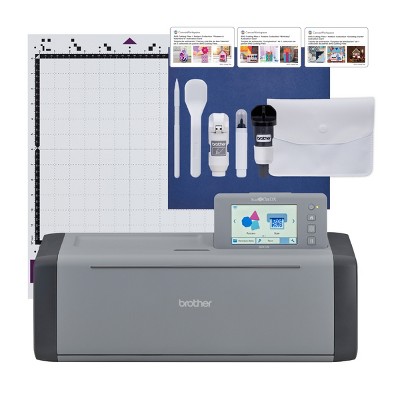
Get started right out of the box: Includes a full-size set of Brother Genuine ink cartridges (Black Sublimation Ink/SP01BKS, Yellow Sublimation Ink/SP01YS, Magenta Sublimation Ink/SP01MS, Cyan Sublimation Ink/SP01CS) and a couple of sheets of Sublimation Paper (SP01PLS)
Description
Unleash your inner bold and bloom-tiful creativity with the Brother Sublimation Printer. The Brother Sublimation Printer is ideal for any maker, artist or designer, as it allows you to create vibrant designs, patterns, motifs, or decorations using Artspira, Brother’s free editing and design app. Once you design in Artspira, you can quickly transfer your creations to your Sublimation Printer and print high-quality, full-color designs. How does sublimation printing work? Sublimation printing prints your graphic onto a sheet of sublimation paper. Then, you use a heat press to transfer the design from the paper onto your product. Dye sublimation printing is a technique that uses heat to transfer images onto sublimation surfaces like shirts, hats, jackets, awards, mugs, mousepads, home decor, tumblers, and coasters. Create custom projects for birthdays, celebrations, and inviting home decor. With the Brother Sublimation Printer, your imagination, and Artspira, creating personalized pieces in full color with vibrant print quality is fun. To start using the Brother Sublimation Printer, first download the free Artspira app. Downloading and setting up Artspira is easy! Access the app store, download the app, create an account, and connect your machine. Once in the free Artspira app, you can access over 100 sublimation designs, stylistic photo authentic images, and more! Want to show off your latest custom design? The Artspira app lets you share your creations on many social media platforms. Looking for inspiration? Browse the Artspira digital magazine tiles, where new projects and tutorials are uploaded regularly. The Artspira magazine will help you get the most out of your Sublimation Printer and take your imagination to the next level. It's as easy as creating your design on Artspira, transferring it, printing, heat pressing, and finishing! Engineered to work seamlessly with your Brother Sublimation Printer, the four Brother Genuine Ink cartridges (Black Sublimation Ink (SP01BK), Yellow Sublimation Ink (SP01Y), Magenta Sublimation Ink (SP01M), and Cyan Sublimation Ink (SP01C)), administer superior print quality and performance while delivering outstanding results with no mess. Excellent for ink saturation, the Brother Genuine Sublimation Paper is the go-to supply for your Brother Sublimation Printer. With a compact design (17.1" W x 13.5" D x 6.2" H), and a 2.7" Touch Panel, the Brother Sublimation Printer is ready to add another level of creativity for customers who want full-color transfers without having to spend big money on screen printing or competitor machines. And when paired with Artspira, customers can access free designs and support! So, get ready to unleash your inner bold and bloom-tiful creativity with the Brother Sublimation Printer. Heat press required-additional purchase necessary.
The above item details were provided by the Target Plus™ Partner. Target does not represent or warrant that this information is accurate or complete. On occasion, manufacturers may modify their items and update their labels.
We recommend that you do not rely solely on the information presented. If you have a specific question about this item, you may consult the item's label, contact the manufacturer directly or call Target Guest Services at 1-800-591-3869.
If the item details aren’t accurate or complete, we want to know about it.
Shipping details
Estimated ship dimensions: 20 inches length x 19 inches width x 12 inches height
Estimated ship weight: 21 pounds
This item cannot be shipped to the following locations: American Samoa (see also separate entry under AS), Guam (see also separate entry under GU), Northern Mariana Islands, Puerto Rico (see also separate entry under PR), United States Minor Outlying Islands, Virgin Islands, U.S., APO/FPO, Alaska, Hawaii
item ships from third party seller: Brand Authorized
Return details
This item can be returned to any Target store or Target.com.
This item must be returned within 30 days of the date it was purchased in store, delivered to the guest, delivered by a Shipt shopper, or picked up by the guest.
A: Maximum accepted paper size is 8.5" x 14" / A4 / Legal.
submitted byBrand Authorized - 2 years ago
Brand expert
Q: Why do we have to use Artspira & wireless to use the printer? No USB? Doesn't support any other standard software? Is there a "high" capacity set of inks? What is the DPI print resolution?
submitted by FunFractals - 2 years ago
A: This sublimation printer does have a USB port. It also supports AirPrint. Only one size capacity of inks right now, 47ml. Resolution is up to 1200x2400 dpi.
submitted byBrand Authorized - 2 years ago
Brand expert
Q: It says the material is plastic. Is it really made out of plastic?
The Brother SP-1 sublimation printer has garnered positive feedback for its vibrant print quality and user-friendly setup. Guests appreciate its self-cleaning feature, which helps maintain ink flow, and the affordability of ink and paper. Many find it ideal for crafting projects, producing beautiful images on various materials. However, some guests have noted concerns about the app's usability and the printer's speed, suggesting room for improvement in these areas.
Summary created by AI from text of reviews reflecting recent feedback provided across different star ratings (includes incentivized reviews)
4.5
4.5 out of 5 stars
217 star ratings
4.5 out of 5 stars with 217 reviews
quality
3.0 out of 5
quality: 3 out of 5
value
3.0 out of 5
value: 3 out of 5
50% would recommend
2 recommendations
1 out of 5 stars
31 May, 2026
originally posted on brother-usa.com
Don't buy! It don't work.
The app doesn't work. It want let me get past setting up a username in the state I'm in. There's no go forward button or anything. And then on my phone it can't even find the internet on none of your printer apps. This is very discouraging
1 reply from Brother Customer Service team - 3 months ago
We are sorry to hear you are experiencing difficulty setting up the application for your Brother SP-1 sublimation machine. We'd like to assist. Please contact Brother Customer Service directly at: https://www.brother-usa.com/contact-us
Kiki
Did you find this review helpful?
5 out of 5 stars
15 May, 2026
originally posted on brother-usa.com
You will love this printer and its affordable.
This a the best affordable sublimation printer. I did have a paper jam almost 2 yrs of having the machine one time and I called brother it was swap and I am better than ever. Love this machine its printout is beautiful and once its place on the product to be sublimated it is forever beautiful. Thank you Brother.
Meek Sew
Did you find this review helpful?
5 out of 5 stars
2 April, 2026
originally posted on brother-usa.com
Love my SP-1/ Brother Sublimation printer
The brother sublimation SP-1 printer is outstanding! I highly recommended it for sublimation artwork. It does 8 1/2 x 11 (full page of paper) and also can go up or down fro there! Amazing- I really love this printer it makes artwork pop. I’m so impressed with the color quality. And the most spectacular thing is that you don’t have to shake the ink. It automatically will print once a week a small test to make sure that all the ink doesn’t get clogged!!! Can’t tell you how much fun and easy this printer is to use!!! Well worth the money!!!
SliverSwan
Did you find this review helpful?
5 out of 5 stars
16 February, 2026
originally posted on brother-usa.com
Great printer
LOVE THIS PRINTER! It's easy to use, the colors turn out vibrant and beautiful. I couldn't be happier!
Bridget Blood
Did you find this review helpful?
5 out of 5 stars
6 October, 2025
originally posted on brother-usa.com
wonderful
This is the best ever printer I have had 2 epson printers both was terrible not good at all
haze
Did you find this review helpful?
4 out of 5 stars
13 September, 2025
originally posted on brother-usa.com
Just don't hit the ink everyday
I have had this for a while, and everyone said to hit the ink every day to make sure it doesn't clog. Well now I have to buy an ink absorber because now I can't use it at all. I only used 3 times, and I loved it but that's expensive. So, it just sits till I get the money so somebody can do fix it for me.
jeanne
Did you find this review helpful?
5 out of 5 stars
2 September, 2025
originally posted on brother-usa.com
So easy to Use.
I love this printer. I do wish the prints were a little more vibrant, but overall I am very happy with it.
Innocent Me
Did you find this review helpful?
5 out of 5 stars
31 May, 2025
originally posted on brother-usa.com
Works great
Once the printer was set up, it prints great and the quality of the sublimation is vivid and detailed. We use mostly for adding details to plushies before sewing them together and it comes out beautiful.
MATS
Did you find this review helpful?
3 out of 5 stars
28 May, 2025
originally posted on brother-usa.com
Handy for quick prints!
I like this handy inkjet sublimation printer to a certain extent...meaning, the liquid ink seems to look dry on the print outs whether Sublimation or DTF prints. My printer does calibrate and runs the liquid ink through often with auto-maintenance (I like that) to keep the ink fresh before each use. I've had it for about a month now and still getting used to it. I wanted to purchase an actual DTF printer but they are super expensive. This SP-1 Sublimation Printer by Brother pretty much handles quick tshirt prints should I get an order for family or friends for birthday events, etc. I like it, just wish it wasn't so SLOW printing...
JL Designs JoyLoons LLC
Did you find this review helpful?
5 out of 5 stars
26 May, 2025
originally posted on brother-usa.com
Great printer
This printer has been a game changer for me. You get great color and vibrant pictures.
Richard
Did you find this review helpful?
5 out of 5 stars
10 May, 2025
originally posted on brother-usa.com
Super Sub !!!!!!
I have used this printer about a dozen times and it has performed perfectly. The colors are true and crisp. Ink levels are always displayed so no danger of running out in the middle of a print. For what little I have used it the levels have not dropped so I feel it's efficient enough for my usage. For the price of this printer I feel its better than converting one that's not designed for sublimation printing due to its automatic maintenance. I did peel all the stickers off which makes it look much cleaner and they do come off easy.
BobbyD
Did you find this review helpful?
5 out of 5 stars
8 May, 2025
originally posted on http://brother.ca
Sublimation printer
I have made a few projects so far.The ease of set up to first print was easy. Print quality and ink trafster is great. I'm happy with my purchase so far.
Carol
Did you find this review helpful?
5 out of 5 stars
7 May, 2025
originally posted on brother-usa.com
I love this printer!
This printer is an incredible value. The ink cartridges and paper are also reasonably priced. Make sure you use material that is predominantly polyester or your print will be very dull. Sublimation spray helps a little if using cotton or non-white material.
Angela from Holiday Haus
Did you find this review helpful?
4 out of 5 stars
7 May, 2025
originally posted on brother-usa.com
Awesome printer
Great product just need to be able to print bigger
Did you find this review helpful?
5 out of 5 stars
6 May, 2025
originally posted on brother-usa.com
Excellent Choice
Printer works great with little effort for the initial setup. I print from Photoshop and have been pleased with the the colors, speed and how quiet the printer is
Out In The Sticks
Did you find this review helpful?
5 out of 5 stars
23 April, 2025
originally posted on brother-usa.com
Zero Hassle Set Up
Excellent sublimation printer. Did not want to mess with tricking another printer into being a sublimation printer. Auto clean is the best. No Clogs so far! Not as grand as the high end machine, but it does what I need.
Shes Crafty
Did you find this review helpful?
5 out of 5 stars
21 April, 2025
originally posted on brother-usa.com
Great printer
Printer works great.. easy to set up and pictures print quality is 100...i would recommend this sublimation printer over the epson sure color f170 i have both
Amanda
1 guest found this review helpful. Did you?
5 out of 5 stars
2 April, 2025
originally posted on brother-usa.com
Solid Sub Printer
This printer has printed some vibrant images, is very quiet, and efficient. I have had good service from other Brother products in the past and so far I am pleased with this one as well!
Chad
1 guest found this review helpful. Did you?
4 out of 5 stars
1 April, 2025
originally posted on brother-usa.com
Good for a beginner
Good first printer to have. The screen stopped working the 2nd time i tried it though. They sent me a refurbished machine and have a 2 year warranty. I wish you could do more on the artspira app.
Anisha
Did you find this review helpful?
5 out of 5 stars
30 March, 2025
originally posted on brother-usa.com
Great printer!
Love this printer, such vibrant prints and solid made