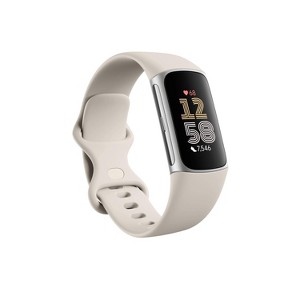
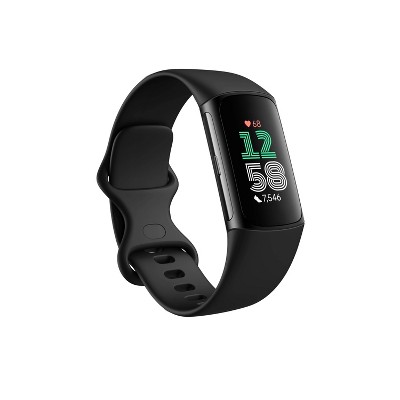
Fitbit Charge 6 - Porcelain / Silver Aluminum
$159.95
ColorPorcelain / Silver Aluminum
In Stock
Eligible for registries and wish lists
At a glance
About this item
Additional product information and recommendations
Frequently Bought Together
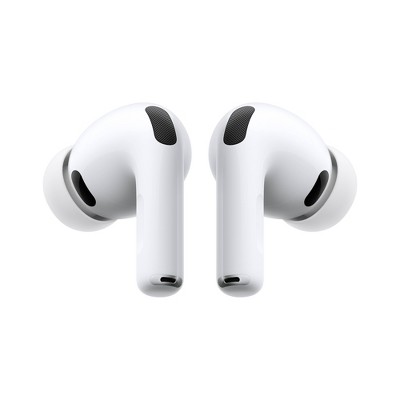
- Bestseller$199.99reg $249.99 SaleGet the AirPods Pro 3 starting at $24/mo.3.9 out of 5 stars with 2243 ratings
- $69.99reg $79.99 Sale3.4 out of 5 stars with 2025 ratings
Related Categories
Guests are saying
The Fitbit Charge 6 offers a range of features aimed at health and fitness tracking, including heart rate monitoring, sleep tracking, and a user-friendly app. However, many guests have reported issues with accuracy, battery life, and durability, leading to mixed experiences. While some appreciate its design and functionality, others express disappointment over its short lifespan and syncing problems. Overall, it serves as a decent fitness tracker but may not meet everyone's expectations.
Summary created by AI from text of reviews reflecting recent feedback provided across different star ratings (includes incentivized reviews)
3.3 out of 5 stars with 271 reviews
quality: 2.39 out of 5
value: 2.23 out of 5
26% would recommend
97 recommendations
1 out of 5 stars
Thumbs down graphic, would not recommend
16 October, 2026
Moving away from Fitbit - decline in quality
Same as other reviews, the battery life os terrible. Prior Fitbits, you can leave on 24/7 with only needing to charge once a week. This current one, I have to charge daily, and it randomly shut down. Not worth it. Moving over to another brand, anything os better than this.
4 out of 5 stars
Thumbs up graphic, would recommend
7 October, 2026
(no review title)
My associate at the Target tech part of the store was named Aria. She was extremely knowledgeable about the different kinds of "fitbits" Target sold. I had lost the charger, and she tried finding a comparable charger, but to no avail. Then she showed me several types of "replacement fitbits", and she was extremely helpful, so I bought a new "fitbit", and it actually cost less than I expected. She also looked up the specific name of a book I needed, which you also didn't have, and explained the buy 2, get one free deal you were running now. So, even thought I am having significant trouble using my charge card at the moment, she was a godsend in helping me getting my problems taken care of. Kudos to her!!
2 out of 5 stars
25 September, 2026Verified purchase
Lasted only a year
Typically Fitbits are OK however this is my third one and they all seem to break within the year. I’ve barely had this one a year and it’s already broke.
1 reply from FitBit Team team - 19 days ago
Thanks for sharing your experience. We're sorry to hear your Charge 6 hasn't held up the way you expected — we understand how frustrating that is. We'd like to look into what may have happened and find a solution. Please reach out to our support team here so we can investigate further: https://support.google.com/googlehealth/gethelp
1 out of 5 stars
Thumbs down graphic, would not recommend
7 September, 2026
Not very good
Got it to track heart rate it's not very good at that it just wants all your personal data and there's no on screen app displays in real time. Now it 150 dollar paper weight.
1 reply from FitBit Team team - 1 month ago
Hi there, james. We're sorry to hear you’ve had a frustrating experience with the heart rate tracking and display features on your Charge 6. To help ensure the most accurate heart rate readings, we recommend checking that the band isn't too loose and is worn about a finger's width above your wrist bone during workouts. We’d be happy to look into this further with you and help get things working right. When you get a second, talk to us here: https://support.google.com/googlehealth/gethelp
3 out of 5 stars
Thumbs down graphic, would not recommend
12 August, 2026Verified purchase
Doesn't Last
Short lifespan. First one died during warranty, and the replacement lasted less than a year before the screen went black. Rebooting attempts failed.
1 reply from FitBit Team team - 2 months ago
Hi there. We’re sorry to hear that your Charge 6 stopped working so soon after receiving it. We’d like to take a closer look into this with you — when you have a moment, please reach out to our support team here: https://support.google.com/googlehealth/gethelp
1 out of 5 stars
Thumbs down graphic, would not recommend
31 July, 2026
Not worth the money
Returned this watch after one day. The gps is horrible, it's consistently wrong on distance by >50%. I went on a 6 mile bike at around 18mph pace and it tracked 2 miles at a 5mph pace. The gps only works if you change the settings to track from your phone, so if you're someone who always brings their phone with them on runs/bikes this won't be an issue. This watch also has a lot of issues with the display turning on. I found that turning my wrist to look at the time would most often not turn on the screen and I would have to press the buttons to see the time which was pretty annoying. On the upside the Google health app is really nice and easy to navigate with all of the data the watch tracks. However for this price point this watch is in no way a good purchase or worth the money, save up to get something nicer.
1 reply from FitBit Team team - 3 months ago
Hi there, Marcus. Sorry to hear you had an issue with GPS and the screen on the Charge 6. Even though you returned the device, we'd like to look into what may have happened and learn more — when you get a second, here's our survey: https://google.qualtrics.com/jfe/form/SV_2aStd8wsbcLGvwG
1 out of 5 stars
Thumbs down graphic, would not recommend
11 July, 2026Verified purchase
Last just a year then white screen of death
white screen of death just over one year. woke up in the morning to the white screen, watch still connected to my phone. Tried all the resets and nothing worked.
1 reply from FitBit Team team - 3 months ago
Hi there. We’re sorry to hear about the trouble you're having with your Charge 6 display — we get how frustrating that can be. We’d like to look into this and get you a solution. We're here when you're ready: https://support.google.com/googlehealth/gethelp
1 out of 5 stars
Thumbs down graphic, would not recommend
10 July, 2026Verified purchase
Lousy
There is no way to sinc or do any updates unless you purchase through an app. I would not purchase this again.
1 reply from FitBit Team team - 3 months ago
Hey there, joan. Sorry you’re running into connection trouble on the Charge 6 — we understand how frustrating it can be. Here’s a few steps to resolve this and get your device running smoothly: 1. Uninstall and reinstall the Google Health app. 2. Try to manually sync your Fitbit device with your phone. 3. Check your phone permissions. Here’s a link with more troubleshooting tips: https://support.google.com/googlehealth/answer/14236618 If these steps don’t work, feel free to reach out to us here: https://support.google.com/googlehealth/gethelp?hl=en
1 out of 5 stars
Thumbs down graphic, would not recommend
25 June, 2026Verified purchase
Google Ruined FitBit
Google Ruined FitBit. I have medical conditions that require me to monitor my heart rate. The device showed my HR 158-173 but the app showedy HR never went above 140. It happened repeatedly. I have had Fitbits for over a decade. It's critical for me to have remotely accurate information as I need to advise my cardiologist. I ordered a Garmin Venu 4- the only reason why I didn't switch previously was because I didn't want to lose all that cardiac history. Wearing them simultaneously, the Venu was on point (I was wearing a pulse oximeter as well) The fitbit charge was off consistently by more than 20%. This was my 4th (and last Charge) Adios Fitbit!
1 reply from FitBit Team team - 3 months ago
Hey there. We’re sorry to hear you had trouble with heart rate accuracy on the Charge 6 — we understand how annoying that would be. To ensure the best possible heart rate accuracy, please make sure the device is worn 2-3 finger widths above your wrist bone for a snug, secure fit, and ensure the sensor remains clean. Additionally, confirming that your device firmware is fully updated in the app can help ensure you’re running the latest tracking optimizations. We're available 24/7 to answer any questions for you: https://support.google.com/googlehealth/gethelp?hl=en
1 out of 5 stars
Thumbs down graphic, would not recommend
20 June, 2026
Returned in 5 hours
Immediately hated it lol. It was stiff. Too complicated with the app. Too much to deal with if you want something simple.
1 reply from FitBit Team team - 4 months ago
Thanks for sharing your feedback on the Charge 6, J Mar 77. We're sorry to hear it wasn't the right fit for you. We'd appreciate it if you shared more about your experience with our team — fill out this survey: https://google.qualtrics.com/jfe/form/SV_2aStd8wsbcLGvwG
5 out of 5 stars
17 June, 2026Verified purchase
(no review title)
Very happy with my purchase for a while I was eyeing it and reading about it as well as the comments from others. I wanted a watch to track all my habits but also didn’t want a watch with all techy things and distractions. So far this is what I wanted, very easy to use. Happy with battery life.
1 out of 5 stars
Thumbs down graphic, would not recommend
14 June, 2026
would not recommend
Device screen froze repeatedly. Awkward wristband. Overall poor performance when it did work.
1 reply from FitBit Team team - 4 months ago
Hey there, Therese. We’re sorry to hear you’ve had such a frustrating experience with your Charge 6. We’d like to take a closer look into this with you to see what might be going on — when you have a moment, reach out to our support team here: https://support.google.com/googlehealth/gethelp
1 out of 5 stars
Thumbs down graphic, would not recommend
13 June, 2026Verified purchase
Does not work for kids
I bought this item for my daughter. Unfortunately it does not work with a phone that has parental controls on it. It can only work with an adult account. When I tried to sync it to her phone, it didn't work, but synced to mine with no problem. They really should make that obvious before buying this. My daughter was very disappointed we needed to return it.
1 reply from FitBit Team team - 4 months ago
Hi there, thefunnystone. We're sorry to see the Charge 6 may not have been the best fit. Even though you returned it, we'd like to get more insight on your concerns so we may be able to learn more — when you get a second, here's our survey: https://google.qualtrics.com/jfe/form/SV_2aStd8wsbcLGvwG
1 out of 5 stars
9 May, 2026Verified purchase
Missing product!
Ordered it and got it shipped to my house and when I opened the sealed target box. The Fitbit box was torn and the watch missing.
5 out of 5 stars
Thumbs up graphic, would recommend
10 April, 2026Verified purchase
(no review title)
This was a great price and working perfectly since I bought it in December. My husband uses it to workout and sleep and has had no problems with it nor the app he uses with it. He likes the design because it's comfortable to wear even to sleep in when he wants to monitor overnight.
1 out of 5 stars
14 March, 2026Verified purchase
(no review title)
The shopper delivered the wrong item and created more work
1 out of 5 stars
Thumbs down graphic, would not recommend
9 March, 2026Verified purchase
Item stolen from order!
It was stolen out of my delivery order and target made it VERY difficult to do anything about it!!! Therefore I can’t give it a review because I paid for it but never received it. Either the target employee packing my order swiped it or the delivery driver- which I feel is more likely.
1 out of 5 stars
Thumbs down graphic, would not recommend
20 February, 2026Verified purchase
Vibrates incessantly after 3 months
I’ve had it for 3 months and it has worked fine. Now it has started vibrating for no reason over and over for several seconds. I contacted Fitbit and they’ve said it’s a known issue they are watching. Huh?
1 reply from FitBit Team team - 8 months ago
Hey there, Krista. We hear your concerns regarding vibration issues on the Charge 6. A factory reset may resolve this and make the device run like new — here’s how: 1. Swipe down from the clock screen to find the Settings app. 2. On your Fitbit device, open the Settings app > Device Info > Clear User Data. If you’re still having issues, reach out to us here: https://support.google.com/fitbit/gethelp?hl=en
1 out of 5 stars
Thumbs down graphic, would not recommend
15 February, 2026Verified purchase
(no review title)
Don't waste your money. I purchased my daughter one of Christmas 2025 and the band clasp broke already. Lasted roughly 2 months.
1 reply from FitBit Team team - 8 months ago
Hi there, B. We’re sorry to see you ran into trouble with the band on the Charge 6. The device has 2 detachable bands which allows for alternative bands and replacement bands — here’s how to change them: 1. Turn over your tracker and find the band latches. 2. To release the latch, use your fingernail to press the flat button toward the band. 3. Gently pull the band away from the tracker to release it. 4. Repeat on the other side. 5. To attach a band, press it into the end of the tracker until you hear a click and it snaps into place. The band with the buckle attaches to the top of the tracker. Don’t hesitate to reach out to us here: https://support.google.com/fitbit/gethelp
5 out of 5 stars
29 January, 2026Verified purchase
(no review title)
Loving it