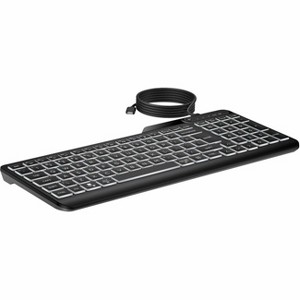
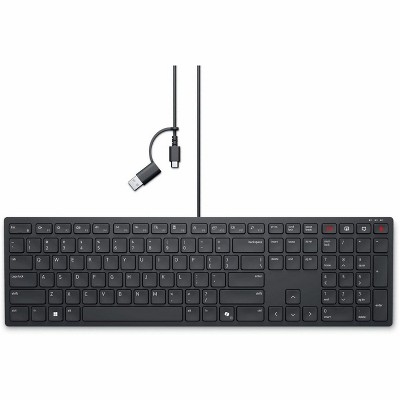
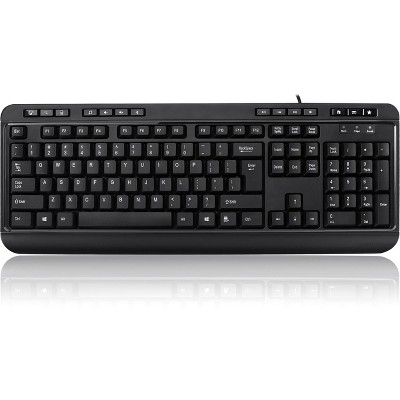
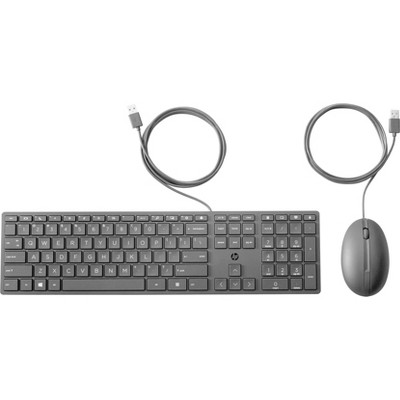
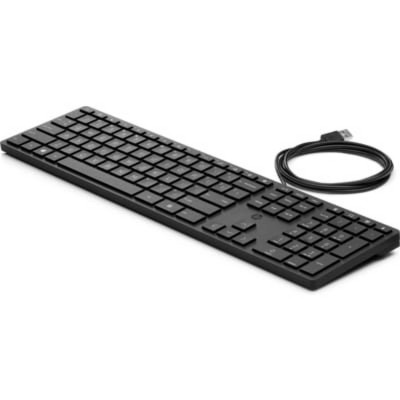
HP 400 Backlit Wired Keyboard (7N7C0AA) - Cable Connectivity - USB Type A Interface - LED - 20 Hot Key(s)
$63.99
Out of Stock

Free & easy returns
Return this item by mail or in store within 30 days for a full refund.
Sold & shipped by antonline
Eligible for registries and wish lists
At a glance
About this item
Additional product information and recommendations

Guests are saying
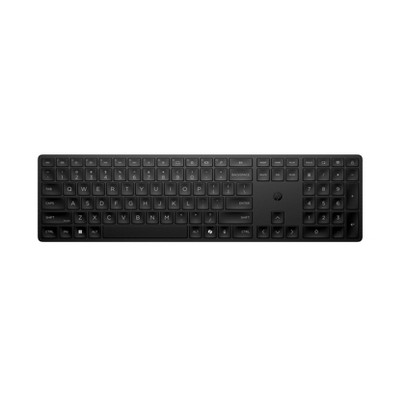
The HP 400 backlit wired keyboard is designed for those who need enhanced visibility and comfort while typing. With adjustable backlighting and a compact design, it caters to users with varying needs, including those with vision challenges. The keyboard features a quiet operation, a USB-C connection, and a user-friendly setup. While some guests noted minor issues with key mapping and size, the overall performance and quality have received high praise, making it a reliable choice for everyday use.
Summary created by AI from text of reviews reflecting recent feedback provided across different star ratings (includes incentivized reviews)
4.7 out of 5 stars with 28 reviews
5 out of 5 stars
15 July, 2026
originally posted on hp.com

Non-wireless Wonder
Who needs wireless when you can have constant backlit keys with smooth operation?
4 out of 5 stars
6 July, 2026
originally posted on hp.com

Hp printer
It's just ok. The price is good. But, the keys stick sometimes. I can't be bothered to mail it back
2 out of 5 stars
25 June, 2026
originally posted on hp.com
Backlit, and frustrating
I wanted a nice backlit keyboard. This is backlit. It also requires an app to lock in the Function keys to F1, F2, etc. I would have been okay with that unnecessary inconvenience. When you do lock you F keys to be F keys, you also lock your Home, End, Pg Up, and Pg Dn keys to alternate functions (including calculator). I need these keys. So I ended up unlocking the F keys, and went through the process of mapping each key to do a custom keystroke using the HP app. I mapped F1 to F1. F2 to F2. Yes each function key is mapped to the F key. F1 is now F1 instead of mute. Someone spent time deciding to remove a simple F key key-combination to lock/unlock F keys in favor of creating an entire keyboard app. Separately, there is a residue on most of the keycaps. "Quality insights are 2-3 sentences long."
5 out of 5 stars
11 May, 2026
originally posted on hp.com
Vision Friendly Keyboard
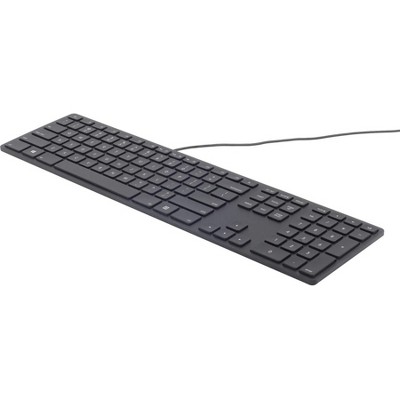
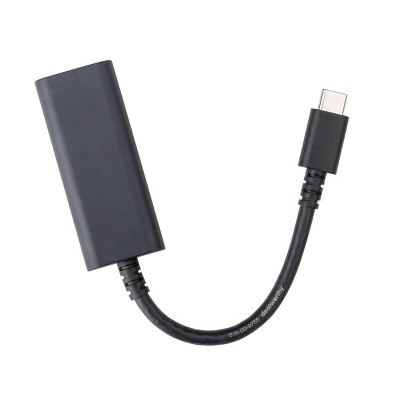
Purchased this HP 400 because of failing eyesight. Plain keyboards required bright light to use. The HP 400 has large numbers and letters that are evenly backlit. Three levels of illumination are more than adequate. The lowest level is sufficient for my needs. The keyboard has a nice tactile, yet quiet, feel. I like the smaller footprint though the number pad and arrow keys are somewhat overlapped. I quickly adapted to the different placement of the insert, delete, and end keys. The only other thing that is a little strange about this keyboard is that it requires the HP Accessory Center App to operate properly. The keyboard is wired with a USB-C fitting, but includes an adapter if needed for an older USB style port. Excellent choice if vision is a problem or a full size keyboard that is only 15" wide.
5 out of 5 stars
16 April, 2026
originally posted on hp.com
Lights up bright
Love the light up keyboard, it has 3 light settings and off. 2 suggestions for future models A. Dimmer backlight option B. Auto light off The keyboard works wonderfully and exceeded my expectations. Highly recommend this product
5 out of 5 stars
1 April, 2026
originally posted on hp.com
Good little Keyboard
These are good little keyboards. The backlight is between warm and white (not yellowish or blueish). I keep mine on the dimmest setting in a dimly-lit office/studio. An important point for me was having quiet keys and these are almost as quiet as any laptop.
5 out of 5 stars
25 February, 2026
originally posted on hp.com
Lighted keyboard
Easy to set up and the keys are easy to see now. would highly recommend .
5 out of 5 stars
2 December, 2025
originally posted on hp.com
Backlit Keyboard
This backlit keyboard is exactly what I needed since my last backlit keyboard went wonky on me and have been using a non backlit till I found this one. No issues and the backlighting brightness is adjustable.
5 out of 5 stars
27 October, 2025
originally posted on hp.com
Soft & quiet keyboard with easy to see backlit characters
Soft & quiet keyboard with easy to see backlit characters. No battery to run out nor wireless delays or connection issues to deal with. I like the one key lock for PC at F11. backlighting auto off when computer is put to sleep or turned off, otherwise it is on and brightness adjustable. Excellent well built product.
4 out of 5 stars
26 July, 2025
originally posted on hp.com
Backlit Keyboard
Keyboard could be larger. Keys could be larger. Light up keys are great.
5 out of 5 stars
21 June, 2025
originally posted on hp.com
Bright Idea in a Compact Package
At 78, being able to see my keys clearly makes a world of difference—and this HP 400 Backlit Wired Keyboard delivers. The adjustable backlighting with three brightness levels is a real standout. Yes, it does require a USB connection for power, but that's a small trade-off for such visibility. The keyboard is slightly narrower than a full-sized model with a number pad, so it took a little time to adjust to the key layout. Still, it’s a sleek, reliable option that’s easy on the eyes—literally and figuratively.
5 out of 5 stars
21 June, 2025
originally posted on hp.com
Great Keyboard
The backlighting is worth the added expense.
5 out of 5 stars
22 February, 2025
originally posted on hp.com
My experience with HP has always been positive and this purchase was a good one
great quality
5 out of 5 stars
23 November, 2024
originally posted on hp.com
HP400 Backlit Wired Keyboard
This is an illuminated wired keyboard that was easy to setup
5 out of 5 stars
9 September, 2024
originally posted on hp.com
Back-lite is the way to go
Great wish I'd gotten one long ago
5 out of 5 stars
1 March, 2024
originally posted on hp.com
The light helps a lot
This is grat key board
5 out of 5 stars
15 February, 2024
originally posted on hp.com
Excellent Backlit Keyboard
Perfect for my needs. Connects via USB-C cable and comes with an USB-A adapter as well. Backlight button to turn on, and can keep pressing to adjust brightness. Has no sensor, so stays on unless you turn it off, which is fine for me. Keyboard is very quiet as well. A professional keyboard with number pad, and not a gaming type keyboard.