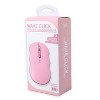
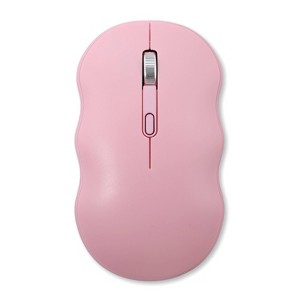
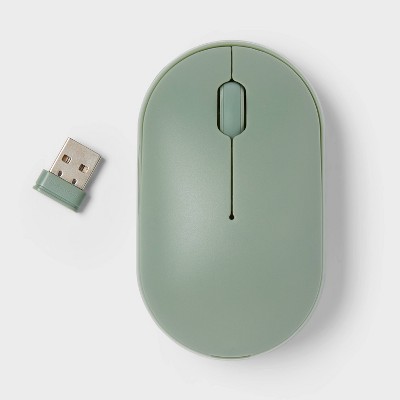
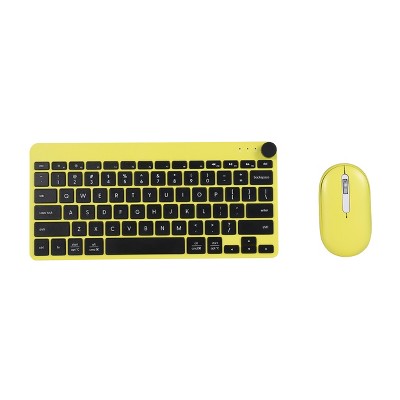
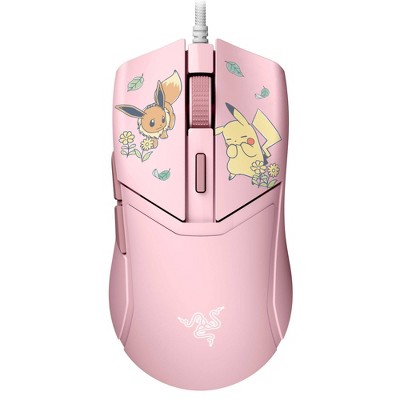
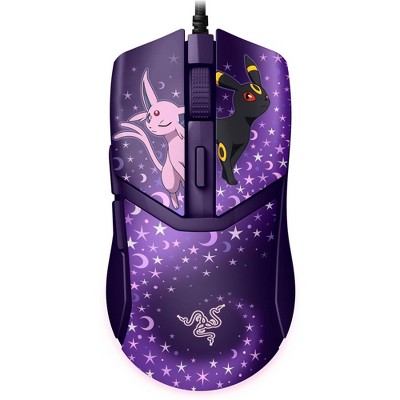
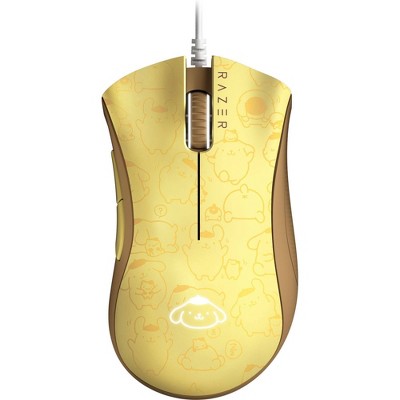
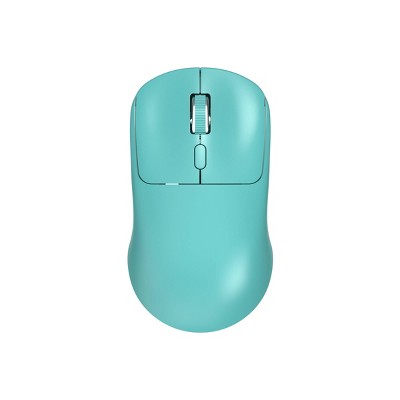
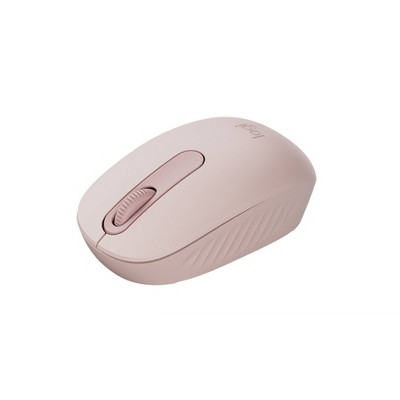
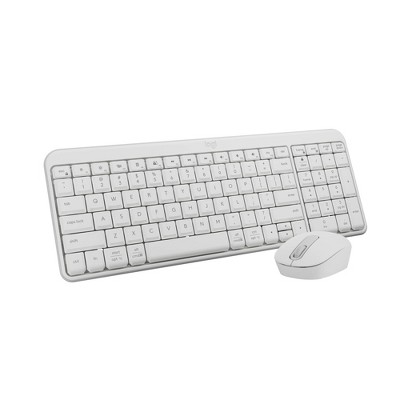
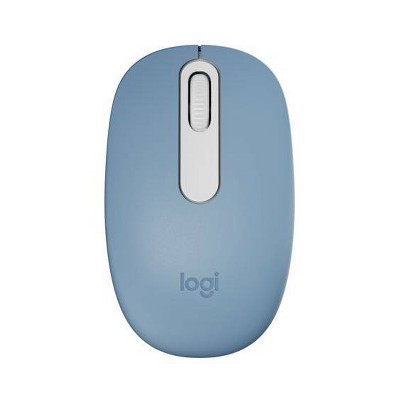
Ergonomic Wavy Design: Its unique wavy shape provides a comfortable fit for prolonged use, reducing strain.
Wireless Connectivity: Features a USB-A receiver for seamless connection to laptops, desktops, and more.
Adjustable DPI Levels: Offers three settings (800/1200/1600 DPI) for customizable sensitivity.
Battery Powered: Operates with 1 AA battery (not included) for cord-free convenience.
Portable and Lightweight: Easy to carry and perfect for on-the-go use.
Description
Upgrade your setup with the iJoy Wireless Wavy Mouse, designed for comfort and versatility! Its ergonomic wavy shape fits naturally in your hand, reducing strain during long sessions. Enjoy wireless freedom with a USB-A receiver, connecting effortlessly to laptops, desktops, and more. Customize your precision with three adjustable DPI levels (800/1200/1600), perfect for work or play. Battery-powered for cord-free convenience (batteries not included), this lightweight mouse is ideal for home or on-the-go use. Get yours today and experience the difference!
Material: ABS (Acrylonitrile Butadiene Styrene), Metal
Battery: Required, Not Included
TCIN: 94434077
UPC: 198926005923
Item Number (DPCI): 056-00-9260
Origin: Imported
If the item details aren’t accurate or complete, we want to know about it.
Shipping details
Estimated ship dimensions: 2.24 inches length x 3.24 inches width x 7.25 inches height
Estimated ship weight: 0.2 pounds
Return details
This item can be returned to any Target store or Target.com.
This item must be returned within 30 days of the date it was purchased in store, delivered to the guest, delivered by a Shipt shopper, or picked up by the guest.
Q: I have installed the AA battery, USB connecor is in my laptop, I turned the mounse on, but still cannot find the mounse on the screen. What do I need to do? how do you set the sensitivity?
submitted by GG - 2 months ago
A: Hi, thank you for reaching out about iJoy Wireless Wavy Computer Mouse.
To get your iJoy Wireless Wavy Mouse connected and working, ensure the USB receiver (dongle) is securely plugged directly into a USB-A port on your laptop. If it doesn't immediately work, toggle the mouse's power switch off and on, and test the receiver in a different USB port.
To set the sensitivity on your iJoy Wireless Wavy Mouse, locate the DPI button (usually a small square or oval button just below the scroll wheel). Pressing this button will cycle the mouse through 3 pre-set DPI sensitivity levels (typically slow, medium, and fast).
If you have any additional questions, we welcome you to contact MyTGTtech at 833-848-8324 every day, between 7am-11pm CST.
submitted byMatt - 2 months ago
Target expert support
Q: Why is there no USB chip to go in the computer/laptop?
submitted by Love it - 6 months ago
A: Hi, thanks for reaching out about iJoy Wireless Wavy Computer Mouse
The USB chip (or "dongle") is actually hiding inside the mouse itself for safekeeping during shipping. Because these chips are so tiny, manufacturers "park" them inside the body of the mouse so they don't get lost in the box.
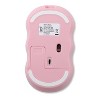
Flip the mouse over and slide off the battery cover. Look right next to where the AA battery goes. You should see a small rectangular slot with a tiny USB-A plug tucked inside. Give it a firm tug or use your fingernail to pull it out. If it isn't inside the battery door, look at the very bottom of the mouse near the optical sensor (the part that glows). Some iJoy models have a dedicated "parking" slot on the exterior base where the chip clicks into place.
If you have any additional questions, we welcome you to contact MyTGTtech at 833-848-8324 every day, between 7am-11pm CST.
submitted byMike - 6 months ago
Target expert support
Q: Why is there no USB chip to go in a computer/laptop?
submitted by Love it - 6 months ago
A: Hi, thanks for reaching out about iJoy Wireless Wavy Computer Mouse
The USB chip (or "dongle") is actually hiding inside the mouse itself for safekeeping during shipping. Because these chips are so tiny, manufacturers "park" them inside the body of the mouse so they don't get lost in the box.
Flip the mouse over and slide off the battery cover. Look right next to where the AA battery goes. You should see a small rectangular slot with a tiny USB-A plug tucked inside. Give it a firm tug or use your fingernail to pull it out. If it isn't inside the battery door, look at the very bottom of the mouse near the optical sensor (the part that glows). Some iJoy models have a dedicated "parking" slot on the exterior base where the chip clicks into place.
If you have any additional questions, we welcome you to contact MyTGTtech at 833-848-8324 every day, between 7am-11pm CST.
submitted byMike - 6 months ago
Target expert support
Q: Where is the usb a receiver?
submitted by Mimi - 7 months ago
A: Hi, thanks for reaching out about iJoy Wireless Wavy Computer Mouse
For almost all iJoy wireless mice, including the Wavy model, the USB-A receiver isn't loose in the box. You’ll find it tucked away inside the mouse itself to keep it safe during shipping. Flip the mouse over and slide off the battery cover. Look right next to the battery slot; there is a small dedicated "parking spot" where the tiny USB dongle is stored. If it is not there, on some specific iJoy versions, the receiver is tucked into a small rectangular slot on the bottom exterior of the mouse (near the sensor), rather than inside the battery door.
If you have any additional questions, we welcome you to contact MyTGTtech at 833-848-8324 every day, between 7am-11pm CST.
submitted byMike - 7 months ago
Target expert support
Q: Can this mouse connect to an iPad?
submitted by Jonathan - 10 months ago
A: Hi, thanks for reaching out about iJoy Wireless Wavy Computer Mouse.
Whether the iJoy Wireless Wavy Computer Mouse can connect to your iPad depends on the mouse's connection type and the adapters you have.
Based on the product information, this mouse primarily uses a 2.4 GHz USB-A Receiver (a small dongle), not standard Bluetooth.
If you have any additional questions, w
submitted byJoe - 10 months ago
Target staff support
Q: The mouse is kind of all over the place with a purple line with two circles, one on top the other on bottom. Would like to reset for it to be standard. Why does my mouse timeout when I am away
submitted by Whitey - 1 year ago
A: Hi, thanks for reaching out about iJoy Wireless Wavy Computer Mouse
To better understand your individual needs, we welcome you to contact MyTGTtech at 833-848-8324 every day, between 7am-11pm CST.
submitted byJustin - 1 year ago
Target expert support
Q: Is this compatible to a MacBook Air ?
submitted by Jenn - 1 year ago
A: Hi, thanks for reaching out about the iJoy Wireless Wavy Computer Mouse
The mouse itself is compatible with the macOS operating system, but you'll need a simple and inexpensive adapter to connect the USB receiver to your MacBook Air.
If you have any additional questions, we welcome you to contact MyTGTtech at 833-848-8324 every day between 7 am and 11 pm CST.
submitted byRena - 1 year ago
Target expert support
Q: The mouse did not come with a USB receiver so I'm not sure how to connect it. I tried via bluetooth, device is powered on but it doesn't come up. Please help!
submitted by Meghan - 1 year ago
A: Hi, thanks for reaching out about IJoy Wavy Mouse - Pink The IJoy Wavy Mouse - Pink typically uses one AA battery. The mouse is wireless, and the battery is typically located under a removable cover on the bottom of the mouse. If you have any additional questions, we welcome you to contact MyTGTtech at 833-848-8324 every day, between 7am-11pm CST.
submitted byMel - 1 year ago
Target staff support
Q: What kind of batteries does it need?
submitted by Margie - 1 year ago
A: Hi Margie, thanks for reaching out about IJoy Wavy Mouse - Pink
The IJoy Wavy Mouse - Pink typically uses one AA battery. The mouse is wireless, and the battery is typically located under a removable cover on the bottom of the mouse. You can use either alkaline, lithium, or rechargeable AA batteries
If you have any additional questions, we welcome you to contact MyTGTtech at 833-848-8324 every day, between 7am-11pm CST.
submitted byJustin - 1 year ago
Target expert support
Q: Is there a manual? I’m having trouble connecting it to my desktop.
submitted by Manual - 1 year ago
A: Hi Manual, thanks for reaching out about the IJoy Wavy Mouse - Pink
We apologize for the issue you are experiencing and have a few suggestions that may help:
Check Batteries: Power On/Off: USB Receiver (If applicable):
Try plugging the USB receiver into a different USB port on your desktop.If you're using a USB 3.0 port (often blue inside), try a USB 2.0 port instead. Sometimes USB 3.0 can cause interference with 2.4GHz wireless devices. Unplug the USB receiver, wait a few seconds, and then plug it back in.
Restart Your Computer: Pairing Mode (If Bluetooth): Ensure your mouse is actively in pairing mode when trying to connect via Bluetooth.
If you have any additional questions, we welcome you to contact MyTGTtech at 833-848-8324 every day between 7 am and 11 pm CST.
WARNING: This Product can expose you to chemicals including Bisphenol A (BPA), which is know to the State of California to cause birth defects or other reporductive harm. For more information go to www.P65Warnings.ca.gov. For more information, go to https://www.p65warnings.ca.gov/
This mouse has garnered mixed feedback from guests, with many praising its cute design and compatibility with various devices. However, numerous guests have reported significant issues with connectivity and functionality, leading to frustration. While some guests found it easy to use and appreciated its quiet clicks, others experienced repeated failures and battery drainage. Overall, guests should weigh the aesthetic appeal against the potential for technical difficulties before making a decision.
Summary created by AI from text of reviews reflecting recent feedback provided across different star ratings (includes incentivized reviews)
2.6
2.6 out of 5 stars
67 star ratings
2.6 out of 5 stars with 67 reviews
quality
1.9 out of 5
quality: 1.92 out of 5
value
1.8 out of 5
value: 1.81 out of 5
17% would recommend
29 recommendations
5 out of 5 stars
Thumbs up graphic, would recommendWould recommend
25 July, 2026Verified purchase
Great product
i’ve had it for 1 year and i love it!!!
quality
5.0 out of 5
quality: 5 out of 5
value
5.0 out of 5
value: 5 out of 5
Did you find this review helpful?
1 out of 5 stars
Thumbs down graphic, would not recommendWould not recommend
8 July, 2026Verified purchase
(no review title)
worked for a little bit then randomly stopped, couldnt fix it no matter what i did. wasn’t great even when it did work
quality
1.0 out of 5
quality: 1 out of 5
value
1.0 out of 5
value: 1 out of 5
Did you find this review helpful?
4 out of 5 stars
2 July, 2026
Cute!
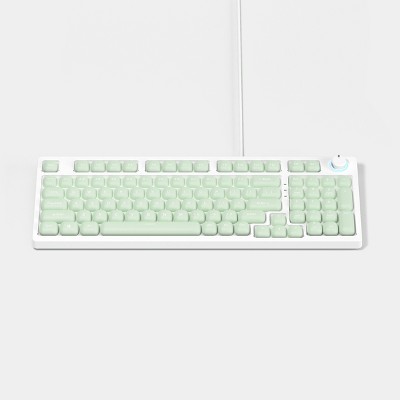
Very cute and matches the keyboard. It’s very very small and I have small kid hands (size 3 ring size), but I’m dealing with it because it’s cute. I got it on sale so I don’t feel bad about the price
LenaLy
quality
3.0 out of 5
quality: 3 out of 5
value
2.0 out of 5
value: 2 out of 5
Did you find this review helpful?
1 out of 5 stars
Thumbs down graphic, would not recommendWould not recommend
11 June, 2026Verified purchase
(no review title)
I should have listened. This mouse messed up my usb port. Don’t buy it!
quality
1.0 out of 5
quality: 1 out of 5
value
1.0 out of 5
value: 1 out of 5
Did you find this review helpful?
1 out of 5 stars
Thumbs down graphic, would not recommendWould not recommend
19 May, 2026
Sadly doesn't work
I bought the keyboard and mouse for work. Keyboard is great but the mouse doesn’t work AT ALL! I am annoyed bc I threw alway the box so I can’t return it ):
mnm
quality
1.0 out of 5
quality: 1 out of 5
value
1.0 out of 5
value: 1 out of 5
Did you find this review helpful?
1 out of 5 stars
1 May, 2026Verified purchase
(no review title)
Couldn't get to work.
Shiann
Did you find this review helpful?
1 out of 5 stars
30 April, 2026
No!
Didn’t work—-I don’t even know why it’s on the shelf!
Marcie
Did you find this review helpful?
1 out of 5 stars
Thumbs down graphic, would not recommendWould not recommend
20 April, 2026Verified purchase
Narcoleptic....
Second time using it and it works for a second and then stops. It's like what I imagine a mouse would do if it had narcolepsy.
S M
quality
1.0 out of 5
quality: 1 out of 5
value
1.0 out of 5
value: 1 out of 5
Did you find this review helpful?
1 out of 5 stars
Thumbs down graphic, would not recommendWould not recommend
31 March, 2026Verified purchase
Horrible connectivity
Horrible Hconnectgr ttr35
Rashelle
quality
1.0 out of 5
quality: 1 out of 5
value
1.0 out of 5
value: 1 out of 5
Did you find this review helpful?
1 out of 5 stars
Thumbs down graphic, would not recommendWould not recommend
30 March, 2026Verified purchase
(no review title)
Did not work - exchanged it for the same one and that one did not work either.
Brooke
quality
1.0 out of 5
quality: 1 out of 5
value
2.0 out of 5
value: 2 out of 5
Did you find this review helpful?
1 out of 5 stars
30 March, 2026Verified purchase
(no review title)
I bought 2 and neither have worked I bought because I have same brand and color in a wireless keyboard but the mouse will not work
jessica
Did you find this review helpful?
1 out of 5 stars
Thumbs down graphic, would not recommendWould not recommend
17 February, 2026
Trash.
Just bought it over the weekend. Put the battery into it today at work and it turned on for a second then shut off. Will not connect to my computer at all even after switching batteries, usb ports, and restarting computer. Do not waste the money on this item.
Kiley
quality
1.0 out of 5
quality: 1 out of 5
value
1.0 out of 5
value: 1 out of 5
Did you find this review helpful?
1 out of 5 stars
Thumbs down graphic, would not recommendWould not recommend
10 February, 2026
So disappointed
Don't do it. This mouse is garbage. Stops working even with brand new batteries. So frustrating. I like that it matched my keyboard but it's just not worth it.
CyndiB
quality
3.0 out of 5
quality: 3 out of 5
value
1.0 out of 5
value: 1 out of 5
Did you find this review helpful?
1 out of 5 stars
Thumbs down graphic, would not recommendWould not recommend
20 January, 2026Verified purchase
(no review title)
It just randomly stops working no matter how many times I’ve changed the batteries
HM9517
quality
1.0 out of 5
quality: 1 out of 5
value
1.0 out of 5
value: 1 out of 5
1 guest found this review helpful. Did you?
1 out of 5 stars
13 January, 2026Verified purchase
(no review title)
No stars. I bought 3 and not one of them worked! It turns on for a split second then goes off.
Julissa
Did you find this review helpful?
1 out of 5 stars
Thumbs down graphic, would not recommendWould not recommend
29 December, 2025
READ THE REVIEWS
I wish I could give 0 stars and I certainly wish I had read the reviews before purchasing this mouse. It sucks. It doesn’t even turn on. The light comes on for a split second then shuts off. I’ve replaced the batteries several times. My computer displays a device error when trying to connect the mouse. It does NOT come with any sort of instructions and there is nothing that I can find online, other than that it just doesn’t work. DO NOT WASTE YOUR MONEY ON THIS!! Or the keyboard. They suck.
Jordan
quality
1.0 out of 5
quality: 1 out of 5
value
1.0 out of 5
value: 1 out of 5
1 guest found this review helpful. Did you?
1 out of 5 stars
Thumbs down graphic, would not recommendWould not recommend
8 December, 2025
Dosent work with anything but a computer
Does not work with an iPad or a phone
Orla
quality
2.0 out of 5
quality: 2 out of 5
value
1.0 out of 5
value: 1 out of 5
Did you find this review helpful?
1 out of 5 stars
24 November, 2025
Wireless mouse
Did not work after installing batteries
Unknown
1 guest found this review helpful. Did you?
1 out of 5 stars
12 November, 2025Verified purchase
(no review title)
They delivered an open box and mouse did not work
Collette
Did you find this review helpful?
1 out of 5 stars
Thumbs down graphic, would not recommendWould not recommend
12 November, 2025Verified purchase
Do NOT purchase.
I’ve exchanged 3 times and none have worked! Total waste of time! Disappointed because I really love the keyboard. Returning both for refund.