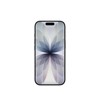
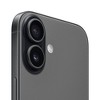
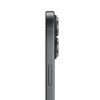
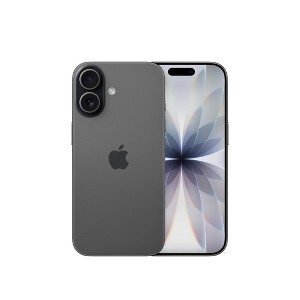
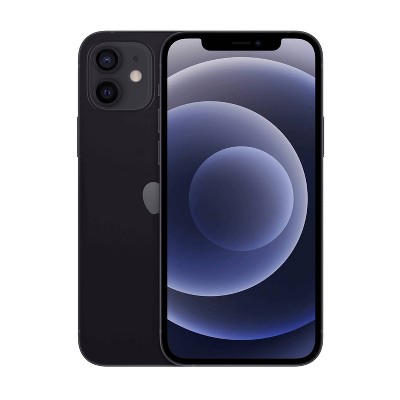
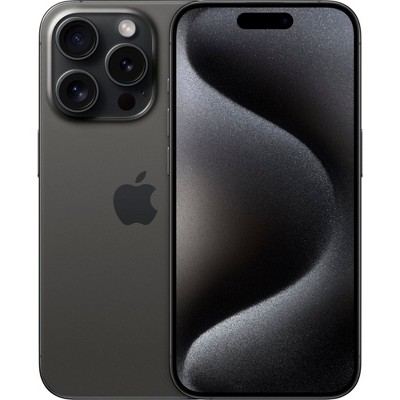
Apple iPhone 17 (256GB) - Black
Price Varies




Out of Stock

Eligible for registries and wish lists
Call 855-996-1904 to order now or order online – Learn How
At a glance
About this item
Additional product information and recommendations
Related Categories
Discover more options
4.4 out of 5 stars with 2389 reviews
100% would recommend
1 recommendations
5 out of 5 stars
14 March, 2026
originally posted on ATT.com

Awesome iPhone 17
I really Love the iPhone 17 it’s an awesome phone enjoying all the new features.
5 out of 5 stars
13 March, 2026
originally posted on ATT.com
Im happy I choose iPhone
My daughter loves it. Pink
5 out of 5 stars
12 March, 2026
originally posted on ATT.com
11 to 17
I finally convinced my husband to get a new phone. He was still carrying around the 11 with lots of glitches, so he’s definitely happy to have this!
5 out of 5 stars
12 March, 2026
originally posted on ATT.com
nice phone
needed the upgrade to get work emails
5 out of 5 stars
9 March, 2026
originally posted on ATT.com
Fast, great battery life
Great product, works as expected
5 out of 5 stars
3 March, 2026
originally posted on ATT.com
I miss my Iphone 7 but my flip phone more
I’m adjusting to the 17. It works as it should.
5 out of 5 stars
1 March, 2026
originally posted on ATT.com
Great service
Shipped promptly and return was very simple
4 out of 5 stars
26 February, 2026
originally posted on ATT.com
Easy peasy
Set up was easy, no hitches
1 out of 5 stars
24 February, 2026
originally posted on ATT.com
I don’t like iPhone 17 at all
I want my old phone back 😫
5 out of 5 stars
19 February, 2026
originally posted on ATT.com
Cost of internet
iPhone works. But if you guys keep increasing my cost of the subpar WiFi that you guys provide, I’ll be taking my phones and my internet to another company. This is the last time ATT raises my cost of internet.
5 out of 5 stars
15 February, 2026
originally posted on ATT.com
Perfect upgrade
My son loves the upgrade from his 11. He’s not a gadget person but loves this phone
2 out of 5 stars
14 February, 2026
originally posted on ATT.com
Average
Phone is average. Nothing exciting about the product.
4 out of 5 stars
11 February, 2026
originally posted on ATT.com
No AC Charger
Didn’t like that phone came with no AC charger
4 out of 5 stars
9 February, 2026
originally posted on ATT.com
Best phone product to date
Easy to transfer info from old phone but face retention for security seems to go off after setup. Still working on it.
5 out of 5 stars
8 February, 2026
originally posted on ATT.com
Great phone
Great weight, shape, and size. Faster processing and charging.
1 out of 5 stars
4 February, 2026
originally posted on ATT.com
Nothing new
Same old phone, nothing new. I had high hopes but I would have to say it’s equal to my iPhone 13. No need for me to update. I dislike the way Att is treating me and lie to me also. It’s not a good situation for the same old song and dance.
1 reply from AT&T CARE - Jessica team - 1 month ago
Hi Bryan — thanks for sharing your honest feedback. We’re sorry to hear the iPhone 17 didn’t meet your expectations and that your experience with AT&T left you feeling frustrated. That’s never what we want. 💙 If you were given conflicting information or feel you weren’t treated fairly, we’d like the chance to review your account and address those concerns directly. Please reach out here so an AT&T support agent can help: 👉 https://www.att.com/get-support/?source=ILC309046520 We appreciate you being an AT&T customer and the opportunity to make things right.
5 out of 5 stars
Thumbs up graphic, would recommend
3 February, 2026
lavender
Super pretty color and good camera
1 out of 5 stars
30 January, 2026
(no review title)
0;.''
5 out of 5 stars
27 January, 2026
originally posted on ATT.com
IPHONE REVIEW
So far I’ve been satisfied with my new IPHONE
5 out of 5 stars
26 January, 2026
originally posted on ATT.com
iPhone 17
My husband loves his new phone!