Target New ArrivalsGift Ideas for DadFourth of JulyClothing, Shoes & AccessoriesHome & DecorKitchen & DiningOutdoor Living & GardenGroceryHousehold EssentialsBabyBeautyPersonal CareSports & OutdoorsHealthWellnessLuggageSchool & Office SuppliesToys & GamesElectronicsVideo GamesMovies, Music & BooksParty SuppliesGift IdeasGift CardsPetsUlta Beauty at TargetShop by CommunityTarget OpticalDealsClearanceNew ArrivalsGift Ideas for DadBack to SchoolCollegeTop DealsTarget Circle DealsWeekly AdShop Order PickupShop Same Day DeliveryRegistryRedCardTarget CircleFind Stores
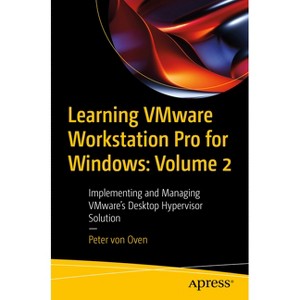
Learning Vmware Workstation Pro for Windows: Volume 2 - by  Peter Von Oven (Paperback) - 1 of 1

Learning Vmware Workstation Pro for Windows: Volume 2 - by Peter Von Oven (Paperback)

$37.49Save $22.50 (38% off)

In Stock

Free & easy returns

Free & easy returns

Return this item by mail or in store within 90 days for a full refund.
Eligible for registries and wish lists

About this item

Highlights

  • VMware Workstation is a software solution that provides a type-2 hypervisor, or desktop hypervisor, that runs on x64 Windows and Linux-based operating systems.
  • About the Author: Peter von Oven is an experienced technical consultant working closely with customers, partners, and vendors in designing technology solutions, to meet business needs and deliver outcomes.
  • 342 Pages
  • Computers + Internet, Networking

Description


Book Synopsis


VMware Workstation is a software solution that provides a type-2 hypervisor, or desktop hypervisor, that runs on x64 Windows and Linux-based operating systems. It enables users to create and run virtual machines, containers, and Kubernetes clusters simultaneously on their physical devices without having to reformat or dual-boot the underlying device.

There are several use cases for VMware Workstation. For IT pros, it allows them to test applications and

operating system builds, as well as enable remote control of vSphere datacenter infrastructure. Developers can run multiple different operating systems or different versions of operating systems on a single device giving them the platform flexibility to test, develop, and troubleshoot applications cost-effectively.

Finally, for the greater workforce, VMware Workstation can enable BYOD device initiatives allowing employees to run a full corporate environment on their device without deleting or reformatting it.

Learning VMware Workstation Pro for Windows - Part 2 provides the reader with a practical, step-by-step guide to creating and managing virtual machines using VMware Workstation, starting with an overview of hypervisors and desktop hypervisors. Next, it talks about each resource, such as CPU, memory, and networking, and how these are configured in a virtual environment. After that, it demonstrates the installation of VMware Workstation, configuration, and then building and managing different virtual machines running on different operating systems such as ChromeOS, and Linux, and building an ESXi lab environment.

Towards the end, readers will learn how to use command line tools, such as the REST API, and vmrun, before going on to discuss upgrading and troubleshooting your VMware Workstation environment. By the end of this book, readers will have full knowledge of VMware Workstation Pro. This book is a continuation of " Learning VMware Workstation Pro for Windows - Part 1 " where readers learn how to build and manage different virtual machines running on different operating systems and build an ESXi lab environment with VMware Workstation.

You Will:

  • Learn how to run containers on a VMware workstation
  • Understand how to use the command line to configure and control Workstation Pro and virtual machines
  • Practice the use of REST API for Workstation Pro

This book is for:

Developers, IT professionals, VMware certified professionals both remote and Bring your device (BYOD).


From the Back Cover


VMware Workstation is a software solution that provides a type-2 hypervisor, or desktop hypervisor, that runs on x64 Windows and Linux-based operating systems. It enables users to create and run virtual machines, containers, and Kubernetes clusters simultaneously on their physical devices without having to reformat or dual-boot the underlying device.

There are several use cases for VMware Workstation. For IT pros, it allows them to test applications and

operating system builds, as well as enable remote control of vSphere datacenter infrastructure. Developers can run multiple different operating systems or different versions of operating systems on a single device giving them the platform flexibility to test, develop, and troubleshoot applications cost-effectively.

Finally, for the greater workforce, VMware Workstation can enable BYOD device initiatives allowing employees to run a full corporate environment on their device without deleting or reformatting it.

Learning VMware Workstation Pro for Windows - Part 2 provides the reader with a practical, step-by-step guide to creating and managing virtual machines using VMware Workstation, starting with an overview of hypervisors and desktop hypervisors. Next, it talks about each resource, such as CPU, memory, and networking, and how these are configured in a virtual environment. After that, it demonstrates the installation of VMware Workstation, configuration, and then building and managing different virtual machines running on different operating systems such as ChromeOS, and Linux, and building an ESXi lab environment.

Towards the end, readers will learn how to use command line tools, such as the REST API, and vmrun, before going on to discuss upgrading and troubleshooting your VMware Workstation environment. By the end of this book, readers will have full knowledge of VMware Workstation Pro. This book is a continuation of " Learning VMware Workstation Pro for Windows - Part 1 " where readers learn how to build and manage different virtual machines running on different operating systems and build an ESXi lab environment with VMware Workstation.

You Will:

  • Learn how to run containers on a VMware workstation
  • Understand how to use the command line to configure and control Workstation Pro and virtual machines
  • Practice the use of REST API for Workstation Pro


About the Author


Peter von Oven is an experienced technical consultant working closely with customers, partners, and vendors in designing technology solutions, to meet business needs and deliver outcomes. During his career, Peter has presented at key IT events such as VMworld, IP EXPO, and various VMUGs and CCUG events across the UK. He has also worked in senior presales roles and presales management roles for Fujitsu, HP, Citrix, and VMware, and has been awarded VMware vExpert for the last nine years in a row and vExpert EUC for the last three consecutive years. In 2021, Peter added the vExpert Desktop Hypervisor award to his portfolio of awards. In 2016, Peter founded his own company specializing in application delivery. Today he works with partners and vendors helping drive and deliver innovative technology solutions. He is also an avid author, having now written 19 books and made numerous videos about VMware end-user computing solutions. In his spare time, Peter volunteers as a STEM Ambassador, working with schools and colleges, helping the next generation develop the skills and confidence in building careers in technology. He is also a serving Royal Air Force Reservist currently working as an instructor with the Air Cadet organization.

Dimensions (Overall): 9.21 Inches (H) x 6.14 Inches (W) x .74 Inches (D)
Weight: 1.1 Pounds
Suggested Age: 22 Years and Up
Number of Pages: 342
Genre: Computers + Internet
Sub-Genre: Networking
Publisher: Apress
Theme: General
Format: Paperback
Author: Peter Von Oven
Language: English
Street Date: December 1, 2024
TCIN: 1011993190
UPC: 9798868808630
Item Number (DPCI): 247-33-4972
Origin: Made in the USA or Imported
If the item details aren’t accurate or complete, we want to know about it.

Shipping details

Estimated ship dimensions: 0.74 inches length x 6.14 inches width x 9.21 inches height
Estimated ship weight: 1.1 pounds
We regret that this item cannot be shipped to PO Boxes.
This item cannot be shipped to the following locations: American Samoa (see also separate entry under AS), Guam (see also separate entry under GU), Northern Mariana Islands, Puerto Rico (see also separate entry under PR), United States Minor Outlying Islands, Virgin Islands, U.S., APO/FPO, Alaska, Hawaii

Return details

This item can be returned to any Target store or Target.com.
This item must be returned within 90 days of the date it was purchased in store, delivered to the guest, delivered by a Shipt shopper, or picked up by the guest.
See the return policy for complete information.

Q: What is the primary function of VMware Workstation?

submitted by AI Shopping Assistant - 2 days ago
  • A: VMware Workstation allows users to create and run virtual machines, containers, and Kubernetes clusters on their devices.

    submitted byAI Shopping Assistant - 2 days ago
    Ai generated

Q: What is the suggested age for readers of this book?

submitted by AI Shopping Assistant - 2 days ago
  • A: The book is suggested for readers aged 22 years and up, targeting professionals and developers.

    submitted byAI Shopping Assistant - 2 days ago
    Ai generated

Q: What can IT professionals achieve using VMware Workstation?

submitted by AI Shopping Assistant - 2 days ago
  • A: IT professionals can test applications, manage operating system builds, and control vSphere datacenter infrastructure remotely.

    submitted byAI Shopping Assistant - 2 days ago
    Ai generated

Q: What topics are covered in this volume of the book?

submitted by AI Shopping Assistant - 2 days ago
  • A: This volume covers creating and managing virtual machines, configuring resources, and using command line tools.

    submitted byAI Shopping Assistant - 2 days ago
    Ai generated

Q: Who is the author of this book?

submitted by AI Shopping Assistant - 2 days ago
  • A: The book is authored by Peter von Oven, an experienced technical consultant and VMware expert.

    submitted byAI Shopping Assistant - 2 days ago
    Ai generated

Additional product information and recommendations

Discover more options

Best-selling Computers & Technology Books

Get top deals, latest trends, and more.

Privacy policy