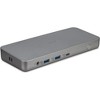
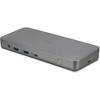
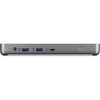
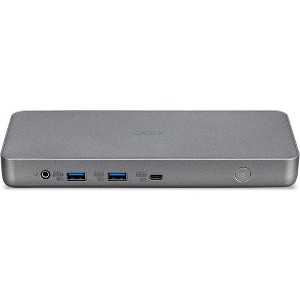
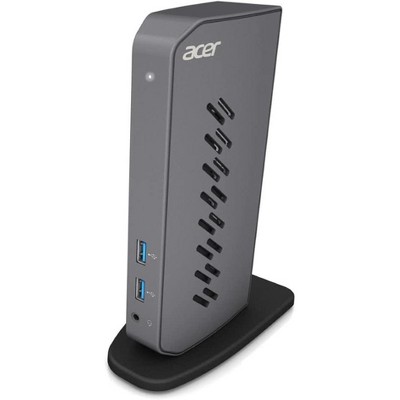
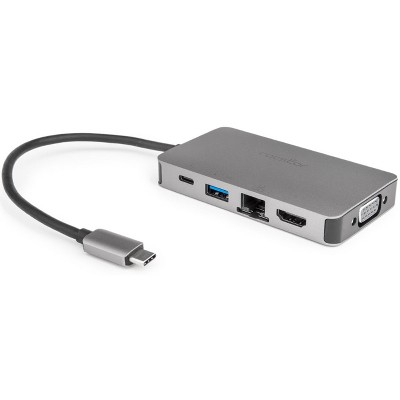
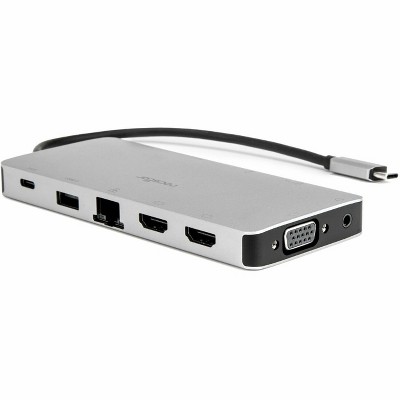
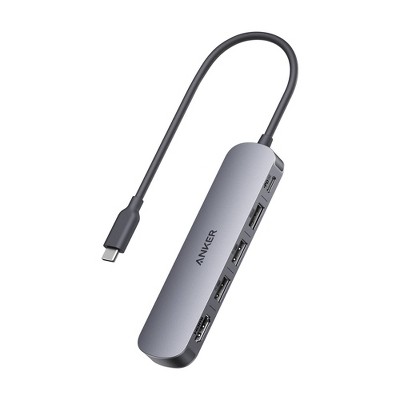
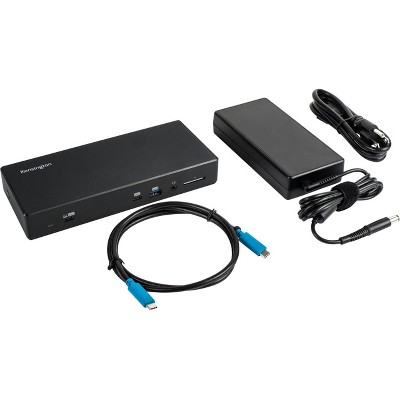
The Acer USB Type-C Dock D501 is a high-performance docking station designed to expand your laptop’s connectivity with versatile ports and seamless compatibility. Certified to work with Chromebooks, it features dual HDMI 2.0 and dual DisplayPort outputs, supporting multiple high-resolution displays for enhanced productivity. The dock offers a total of seven USB ports, including two USB 3.1 Gen 2 and four USB 3.1 Gen 1 ports, enabling fast data transfer and easy connection to peripherals. A dedicated USB Type-C port and Gigabit Ethernet ensure stable network access and quick device integration. Its sleek, compact design fits effortlessly into any workspace, making it ideal for professionals seeking efficient and reliable connectivity.
Dimensions (Overall): 1 inches (H) x 3.35 inches (W) x 8.07 inches (D)
Weight: 2 pounds
Holds up to: 2 pounds
Compatible With: Most Laptops up to 17"
Product Name: Acer USB Type-C Dock D501: Certified Chromebook | 2x HDMI 2.0 | 2x DP | USB-C | 2x USB 3.1 Gen2 | 4x USB 3.1 Gen1 | Ethernet | USB 3.1/Type-C Req.
Battery: No Battery Used
TCIN: 1005317035
UPC: 195133097376
Origin: imported
The above item details were provided by the Target Plus™ Partner. Target does not represent or warrant that this information is accurate or complete. On occasion, manufacturers may modify their items and update their labels.
We recommend that you do not rely solely on the information presented. If you have a specific question about this item, you may consult the item's label, contact the manufacturer directly or call Target Guest Services at 1-800-591-3869.
If the item details aren’t accurate or complete, we want to know about it.
acer
chromebook-acer
Size Chart Reference
Chromebooks
Screen Size
From 11.6'' to 17.3''
Storage
From 16 GB to 256 GB
Screen Resolution
From 1366 x 768 to 2256 x 1504
Processor Manufacturer
AMD, Intel, Qualcomm, ARM, NVIDIA, MediaTek
Standard Memory
From 4GB to 16GB
Display Screen Type
LCD, LED
Graphics Memory Accessibility
Shared
Wireless LAN Standard
IEEE 802.11a/b/g/n/ac
Operating System
Chrome OS
Maximum Battery Run Time (Range)
From 7 to 20 Hours
Weight (Range)
From 4 to 8 lbs
All Sizes in Inches Unless Otherwise Stated
Shipping details
Estimated ship dimensions: 8.5 inches length x 4 inches width x 1.5 inches height
Estimated ship weight: 3 pounds
This item cannot be shipped to the following locations: American Samoa (see also separate entry under AS), Guam (see also separate entry under GU), Northern Mariana Islands, Puerto Rico (see also separate entry under PR), United States Minor Outlying Islands, Virgin Islands, U.S., APO/FPO, Alaska, Hawaii
item ships from third party seller: Acer
Return details
This item can be returned to any Target store or Target.com.
This item must be returned within 30 days of the date it was purchased in store, delivered to the guest, delivered by a Shipt shopper, or picked up by the guest.
Small/light form and layout of connection ports is good, it ultimately does the job. However, this does not provide power to laptop connected, so laptop has to be plugged and unplugged from both power and dock if moving around. If laptop is left connected with the dock it almost never resumes docked connections automatically if more than a couple hours have gone by, so requires either disconnecting/reconnecting or powering off/on the dock pretty much every day, convenient power button on the front.
1 reply from Acer America team - 4 months ago
Hi Becs, The Acer D501 dock provides up to 60W power, but it won't charge high-drain laptops or if your laptop needs more than 60W, if you're using a low-quality USB-C cable, if the laptop's USB-C port isn't PD-enabled, or if the dock's charger isn't plugged in/sufficient, requiring you to use your laptop's original charger alongside the dock for full power, as noted in various discussions and product details. We hope that otherwise the device continues to work for you and if you need help with this dock, please feel free to contact our support team at 866-695-2237; they are available to assist 24/7 for in-warranty products. We appreciate you taking the time to write this review. Regards, Acer America
Becs
Did you find this review helpful?
5 out of 5 stars
18 January, 2025
originally posted on Acer America Corporation
No more messing with plugging in peripherals!
This dock fits in perfectly with my professional set up. With the multiple HDMI, DVI, USB-C and USB-A connections, I was able to plug in all of my peripheral devices with ease. I hope there is a higher watt offering in the near future so I can rely on it to charge my device, but it is still working flawlessly. I turned on USB wake in my BIOS so that my computer can go to sleep (as it should) and then wake when I press my keyboard or mouse. When I need to take my laptop with me, I simply unplug the USB-C connection from the dock to my laptop and take my laptop charging cable. This also reduces the amount of times I am plugging in my monitors, headset, speakers, keyboard, mouse, etc which greatly reduces wear on the onboard connections with the laptop. Great work Acer!
Cade M
Did you find this review helpful?
2 out of 5 stars
13 April, 2022
originally posted on Acer America Corporation
Acer USB Type-C Dock D501 - ADK020
It was not what I expected. I cannot operate the laptop closed. I cannot operate two displays. I can do all of this and more with the docking station for my laptop from work. This cost me a third of the cost of my laptop yet I could have accomplished the same thing with a few outlet adapters.
1 reply from Acer Support team - 4 years ago
Dear Cyman528, Thank you for taking the time to leave a review regarding the purchase of your Acer USB dock. We are sorry to hear that the product did not meet your expectations, and we want to work with you to see how we can help improve this experience. If you are located in the US or Canada, please feel free to contact our support team at 866-695-2237; they are available to assist 24/7 for in-warranty products. We appreciate you taking the time to write this review. Regards, Acer America