Sponsored
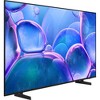
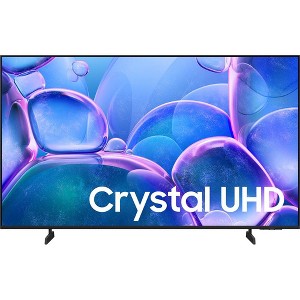
Samsung 50 inch U7900 Series UHD 4K Smart Tizen TV, (2025)
$427.99 reg $1,499.99
Sale save $1,072.00 (71% off)
In Stock
Eligible for registries and wish lists
At a glance
Sponsored
About this item
Highlights
- Immerse yourself in colorful, lifelike entertainment and catch every shade of color as it was meant to be seen in dazzling 4K resolution.
- Play your favorite video games and enjoy sports with fast motion clarity. This technology automatically estimates the motion between individual frames and then uses it to predict subsequent frames to improve the smoothness of the motion. It provides fast performance for your favorite games.
- See amazing details come to life in every scene of shows or that classic film you love.
- Enjoy thousands of free movies and shows on demand. Plus, discover a diverse lineup of channels from free streaming TV services like Pluto TV and Freevee. There’s content for every occasion or mood.
Description
Upgrade your home theater with this stylish 4K TV featuring vibrant colors, rich contrast and an advanced 4K processor. Stay endlessly entertained with thousands of on demand shows and movies for free and enjoy peace of mind as watch thanks to our proprietary triple layer security that protects your personal data across all connected devices at once.
Features:
Crystal Processor 4K
Enhance the clarity of your content with powerful 4K upscaling, ensuring that everything you watch movies, TV shows, games and sports looks sharp and clear, bringing every detail to life.
MetalStream Design
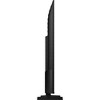
Enhance the look of your space with a sleek TV made from a single sheet of metal. Inspired by aircraft design, it showcases clean lines that beautifully balance form and function. With a slim bezel and elegant look, this TV not only enhances your décor but also minimizes distractions and expands your viewing.
Samsung Knox Security
Your TV experiences are secured. Samsung Knox Security protects you from harmful attacks by automatically blocking unauthorized apps and phishing websites. It also safeguards your IoT devices connected to your TV, plus your sensitive information, including your PIN codes and passwords. With regular updates, your TV is always kept safe.
Endless Free Content
Watch 2,700+ free channels, including over 400 premium Samsung TV Plus channels and on free streaming apps with just an internet connection. With Samsung TV Plus, get live national and local news, sports, movies, music, kids' shows, K Content and reality TV all for free.
4K Upscaling
Get up to 4K resolution on all the content you love to watch. Even if your content's source quality is lower resolution, our powerful processing upgrades to near 4K to unlock never before seen elements in whatever you're watching.
Dimensions (Overall): 25.3 inches (H) x 43.7 inches (W) x 3 inches (D)
Weight: 18.3 pounds
Electronics Condition: New
Screen Resolution: 4K
Native screen refresh rate: 60 Hz
Screen Mirroring Technology: Smart View
VESA Mounting Standard: 200x200
Backlight type: LED Direct Lit
Aspect Ratio: 16:9 Aspect Ratio
Smart platform: Samsung Smart TV
Voice assistant built-in: Alexa Built-in
High Dynamic Range (HDR): HDR10+
Screen Size: 50 inches
Stand Depth: 7.8 inches
Stand Width: 1 inches
Product Depth with Stand: 7.8 inches
Product Height with Stand: 27.4 inches
Product Width with Stand: 43.7 inches
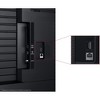
Number of HDMI ports: 2
Battery: Required, Packaged With
TCIN: 1005478870
UPC: 887276951980
Origin: imported
Energy Guide Label Required:
ENERGYGUIDE LABEL REQUIRED
The above item details were provided by the Target Plus™ Partner. Target does not represent or warrant that this information is accurate or complete. On occasion, manufacturers may modify their items and update their labels.
We recommend that you do not rely solely on the information presented. If you have a specific question about this item, you may consult the item's label, contact the manufacturer directly or call Target Guest Services at 1-800-591-3869.
If the item details aren’t accurate or complete, we want to know about it.
Shipping details
Estimated ship dimensions: 5.6 inches length x 49 inches width x 30 inches height
Estimated ship weight: 26 pounds
We regret that this item cannot be shipped to PO Boxes.
This item cannot be shipped to the following locations: American Samoa (see also separate entry under AS), Guam (see also separate entry under GU), Northern Mariana Islands, Puerto Rico (see also separate entry under PR), United States Minor Outlying Islands, Virgin Islands, U.S., APO/FPO, Alaska, Hawaii
item ships from third party seller: Beach Camera
Return details
This item can be returned to any Target store or Target.com.
This item must be returned within 30 days of the date it was purchased in store, shipped, delivered by a Shipt shopper, or made ready for pickup.
See the return policy for complete information.
Frequently Also Added

Guests also viewed
$249.99 - $899.99
Select items on sale
4.3 out of 5 stars with 891 ratings
$229.99 - $579.99
reg $279.99 - $679.99 Sale
3.6 out of 5 stars with 264 ratings
$199.99 - $499.99
Lower price on select items
4.4 out of 5 stars with 7064 ratings
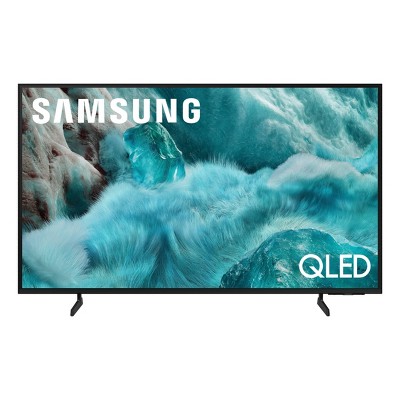
$379.99 - $499.99
Select items on sale
4.7 out of 5 stars with 825 ratings
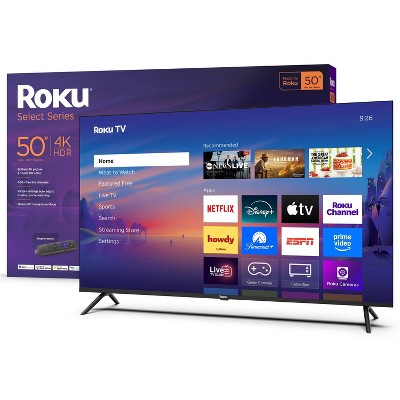
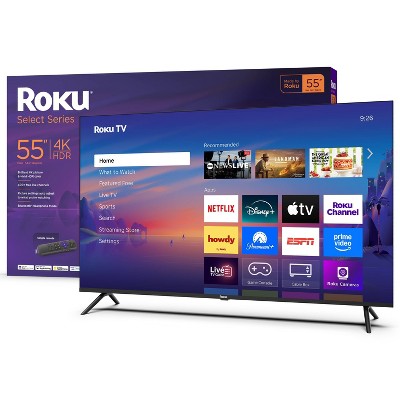
Discover more options
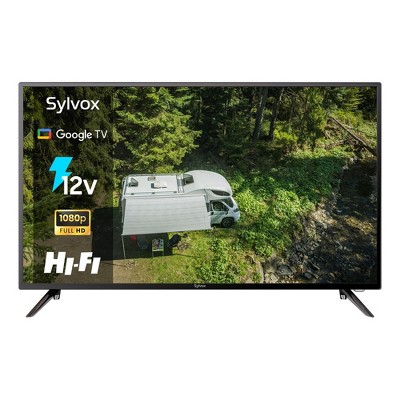
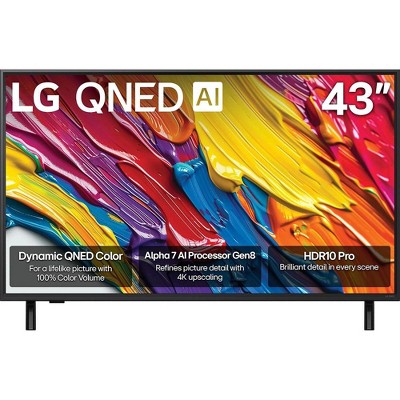
$456.88
reg $1,896.99 Sale
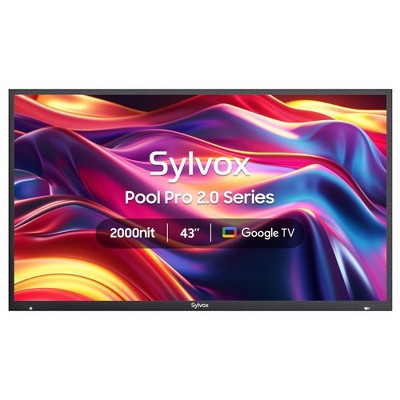
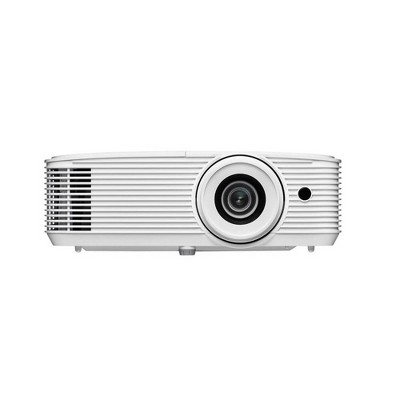
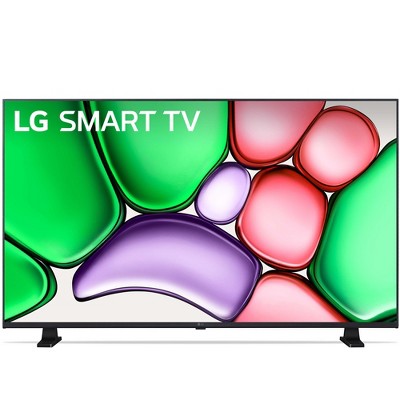
$267.49
reg $1,896.99 Sale
4.2 out of 5 stars with 30 ratings
$5,297.99
reg $5,499.99 Sale
4.9 out of 5 stars with 314 ratings
Related Categories
Guests are saying
The Samsung TV offers an impressive viewing experience with its vibrant picture quality, excellent sound, and user-friendly smart features. Guests appreciate its seamless streaming capabilities and the variety of pre-installed apps. The TV is versatile for various uses, from gaming to watching movies, making it a great addition to any home. However, some guests have noted challenges with the interface and occasional connectivity issues, which may require attention.
Summary created by AI from text of reviews reflecting recent feedback provided across different star ratings (includes incentivized reviews)
4.6 out of 5 stars with 485 reviews
5 out of 5 stars
5 December, 2025
originally posted on Samsung US

Motion based sound is impressive
[This review was collected as part of a promotion.] It really is an experience that speaks for itself, no detailed description is adequate enough to fully grasp the whole experience. You just gotta get one for yourself and set it up you literally can hear the different directions each sounds is coming from as if you were right there where the filming was happening.
4 out of 5 stars
5 December, 2025
originally posted on Samsung US
Samsung 50 inch crystal series 4k tv
[This review was collected as part of a promotion.] This TV is primarily a high-value 4K streaming and general-use television. It offers vibrant color and an excellent smart platform (Tizen) at a budget price. Not 120 hz but great and clear image and sound.
5 out of 5 stars
5 December, 2025
originally posted on Samsung US
Good TV with Many Features
[This review was collected as part of a promotion.] Paid a very low price for a smart tv with many features including remote control option on my phone
5 out of 5 stars
5 December, 2025
originally posted on Samsung US
Worthy Price for the spec you get
[This review was collected as part of a promotion.] For what its worth the resolution is great and sound quality is amazing. Mind you I upgraded from 1080p. Its great!
5 out of 5 stars
5 December, 2025
originally posted on Samsung US
Awesome tv
[This review was collected as part of a promotion.] High quality love watching movies and football games. Great quality for video games love playing all day.
4 out of 5 stars
5 December, 2025
originally posted on Samsung US
Great picture poor sound
[This review was collected as part of a promotion.] I have a great picture but I have trouble with the sound. Cannot fin a happy medium. Have to adjust when I change streaming accounts. Other than that I am happy with the product
4 out of 5 stars
5 December, 2025
originally posted on Samsung US
Great picture
[This review was collected as part of a promotion.] Love the picture quality and all the features the games, apps, etc. I would have given 5 stars but I don't like the remote it came with I use the remote from my old Samsung TV otherwise I love it.
4 out of 5 stars
5 December, 2025
originally posted on Samsung US
This product is excellent for the price
[This review was collected as part of a promotion.] This TV has an amazing picture quality considering the price. As compared to my QLED and OLED TV's the minor difference in picture quality is surprising.
5 out of 5 stars
5 December, 2025
originally posted on Samsung US
Color and clarity.
[This review was collected as part of a promotion.] I mainly use the 3 Samsung TV as a computer monitors. It mount portrait 3 50in. Started with TU690T got other brands twice because it was cheaper. But ended returning it the minute it was side by side with Samsung. Black looks blacks and most other have some sort of grain at an angle. Samsung is clear no matter the angle. So I ended with 3 50in TU690, TU700, and U7900.
3 out of 5 stars
5 December, 2025
originally posted on Samsung US
Picture Skips
[This review was collected as part of a promotion.] Just bought the tv a couple weeks ago, and sometimes while watching tv, the picture skips, repeatedly sometimes. It’ll look like a person is going forward and backwards multiple times. Very annoying.
1 reply from Samsung Advisor team - 3 days ago
Hi ANTreu90, Thank you for sharing your experience. Buffering during streaming is typically related to internet speed or signal strength. This can happen when your connection isn’t able to deliver data quickly enough for smooth playback. We recommend the following steps to help improve streaming performance: 1. Use a 5GHz Wi-Fi connection, if available 2. Try a wired LAN connection for more stability 3. Reposition your router to minimize obstacles between it and the TV 4. Make sure your TV is running the latest firmware (Settings > Support > Software Update) 5. Run Device Care to optimize performance: Home > left directional key > Settings > Support > Device Care > Start Device Care If buffering continues, you may want to contact your internet service provider to check your current speed or explore upgrade options. If we can assist further, please call us at 1-800-SAMSUNG, available daily from 8AM - 12AM EST. You can also chat with a LiveChat agent by clicking the ‘Support’ link on our website for: • Live Chat • Manuals, Software, & Warranty Info • Creating a Service ticket ~ Samsung Advisor
5 out of 5 stars
5 December, 2025
originally posted on Samsung US
Satisfied customer
[This review was collected as part of a promotion.] We love the bright and sharp screen. Our only complaint is that we can’t connect a DVD player to the tv. We have Roku plugged in so there’s no where to plug in a DVD player. Any suggestions would be appreciated!!
5 out of 5 stars
5 December, 2025
originally posted on Samsung US
Slim unique
It’s sleek thin and an excellent picture fantastic picture.
5 out of 5 stars
5 December, 2025
originally posted on Samsung US
Great picture
[This review was collected as part of a promotion.] The picture quality is surprisingly good for this price point. I’ve owned Samsung TVs for many years and have never been disappointed
1 out of 5 stars
5 December, 2025
originally posted on Samsung US
Returned to store
[This review was collected as part of a promotion.] We tried everything to get the Samsung hub to update and it would not! We could not load any of our streaming apps (Netflix, Hulu, prime, etc) so we returned the tv!
1 reply from Samsung Advisor team - 3 days ago
Hi Disappointedcustomer, We're very sorry you experienced issues with signing into Samsung Smart Hub on your U7900 TV. Please know we are always available and would have been happy to troubleshoot the issue with you. We hope you’ll consider Samsung again in the future. If you do, we’re always here to help with setup and support. Reach us at 1-800-SAMSUNG (8AM – 12AM EST, 7 days a week), or visit our website to chat live and access manuals or software. ~ Samsung Advisor
5 out of 5 stars
5 December, 2025
originally posted on Samsung US
Really is a great product great picture and sound
[This review was collected as part of a promotion.] Easy to navigate easy setup came undamaged and package very well clear picture Great sound
5 out of 5 stars
5 December, 2025
originally posted on Samsung US
Love samsung products
[This review was collected as part of a promotion.] I love my new Samsung TV. Replaced the old TV in my room with new Samsung TV. Definitely will upgrade my older Samsung model in the living room soon.
5 out of 5 stars
5 December, 2025
originally posted on Samsung US
Overall great television
[This review was collected as part of a promotion.] Over all the TV looks great runs smooth glad I purchased, will definitely be buying another in the future.
3 out of 5 stars
5 December, 2025
originally posted on Samsung US
Great picture but...
[This review was collected as part of a promotion.] Love this TV. Has all the features I wanted. The only issue I have encountered is the wifi signal will just drop. Everything else in my house works fine. In fact the FireTv Stick I have attached to it works too. I have to go into the wifi settings and reset the connection to get it to reconnect. Overall a decent TV.
1 reply from Samsung Advisor team - 3 days ago
Hi Thank you for your purchase and for sharing your experience with us. If your TV is having trouble maintaining a wireless connection, please try the following: 1. Distance matters – Keep your TV within 50 feet of your router. Avoid placing the router behind walls, furniture, or electronic devices. 2. Minimize interference – Turn off nearby wireless devices that may disrupt the signal. 3. Power cycle both devices – Unplug the TV and router for 30 seconds, then plug them back in. 4. Run diagnostics: o Settings > Support > Device Care > Self Diagnosis > Smart Hub Connection Test o Settings > Support > Device Care > Self Diagnosis > Wi-Fi 5. Update firmware: Settings > Support > Software Update > Update Now 6. Factory reset (if needed): Settings > All Settings > General & Privacy > Reset > Factory Data Reset If you continue to experience issues, please contact Samsung Support at 1-800-SAMSUNG, available 8AM – 12AM EST, 7 days a week. LiveChat support and additional help are available at the ‘Support’ link on our website. ~ Samsung Advisor
5 out of 5 stars
5 December, 2025
originally posted on Samsung US
Crystal 43‘
I love it, was confused about how to turn the volume up and first but there is nothing bad I can say about the TV
5 out of 5 stars
4 December, 2025
originally posted on Samsung US
Great features
[This review was collected as part of a promotion.] I love it great TV overall easy to navigate and has a beautiful picture.