Target New ArrivalsGift Ideas for DadClothing, Shoes & AccessoriesHome & DecorKitchen & DiningOutdoor Living & GardenGroceryHousehold EssentialsBabyBeautyPersonal CareSports & OutdoorsHealthWellnessLuggageSchool & Office SuppliesToysElectronicsVideo GamesMovies, Music & BooksParty SuppliesGift IdeasGift CardsPetsUlta Beauty at TargetShop by CommunityTarget OpticalDealsClearanceNew ArrivalsGift Ideas for DadBack to SchoolCollegeTop DealsTarget Circle DealsWeekly AdShop Order PickupShop Same Day DeliveryRegistryRedCardTarget CircleFind Stores
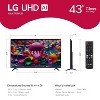
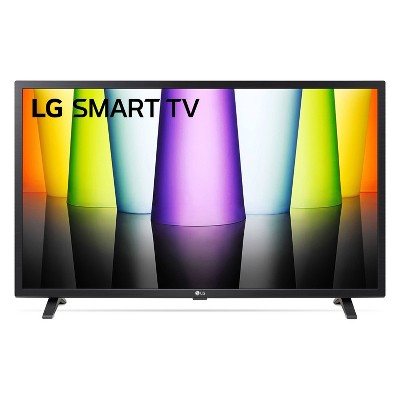
LG Class 4K HDR Smart LED TV - 2 of 4LG Class 4K HDR Smart LED TV - 3 of 4LG Class 4K HDR Smart LED TV - 4 of 4
LG Class 4K HDR Smart LED TV - 1 of 4

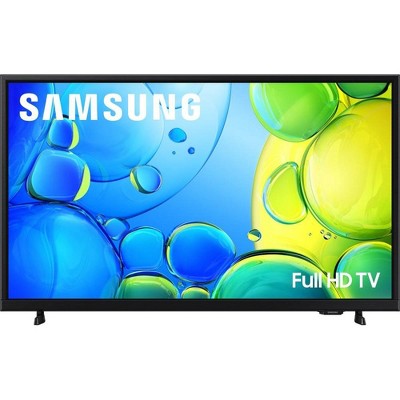
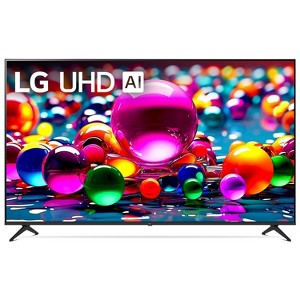
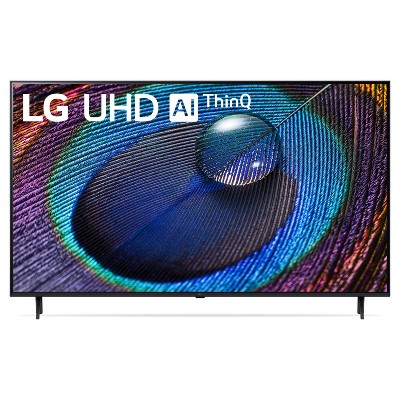
LG 43" Class 4K HDR Smart LED TV - UA7700

See price in cart

Size43

In Stock

Eligible for registries and wish lists

At a glance

About this item

Highlights

  • Bring your favorite content to life in 4K resolution
  • A thrilling watching experience powered by the Alpha 7 AI Processor Gen8 
  • LG’s Award winning Smart TV platform powered by webOS. Get easy access to streaming your favorite apps & more*
  • Get instant access to over 350 free channels with LG Channels* 
  • Enjoy future platform updates for peace of mind** 
  • Personalized Picture & Sound Wizard for a Customized Experience
  • HDR10 Pro delivers a dramatic visual experience
  • See it as the Director intended with FILMMAKER MODE™ 

Description

Bring home 4K resolution in an impressive range of screen sizes with LG UHD TVs. Enjoy swift, easy browsing and tons of personalized recommendations including over 350 free LG channels.*
Spend less time searching and more time streaming with LG webOS 25. Focus on the screen with a slim and simple-to-mount design for a stylish view no matter where you hang it. For gamers, you can quickly customize your gaming experience in one location with the LG Game Optimizer. And, with GeForce NOW & Xbox Cloud Gaming included, you can automatically stream and get in the game.**
*Internet connection and subscriptions to streaming services are required; number of LG Channels subject to change.
**Subscription and compatible gaming controller are required.  
Dimensions (Overall): 22.2 Inches (H) x 38.1 Inches (W) x 2.2 Inches (D)
Weight: 19.6 Pounds
Electronics Condition: New
Aspect Ratio: 16:9 Aspect Ratio
Screen Resolution: 4K
Native screen refresh rate: 60 Hz
Wireless Technology: Bluetooth, Wi-Fi
Screen Size: 43.1 Inches
Stand Depth: 6.3 Inches
Stand Width: 31.5 Inches
VESA Mounting Standard: 200x200
Product Depth with Stand: 8.5 Inches
Product Height with Stand: 24.4 Inches
Product Width with Stand: 38.1 Inches
Backlight type: LED Direct Lit
Smart platform: LG webOS
Voice assistant built-in: Alexa Built-in, Google Assistant Built-in
Number of HDMI ports: 3
High Dynamic Range (HDR): HDR10
Screen Mirroring Technology: Apple Airplay
Battery: 2 AAA Alkaline, Required, Included
Warranty: 1 Year Limited Warranty. To obtain a copy of the manufacturer's or supplier's warranty for this item prior to purchasing the item, please call Target Guest Services at 1-800-591-3869
TCIN: 90381774
UPC: 195174102428
Item Number (DPCI): 008-09-0142
Origin: Imported
Energy Guide Label Required:
ENERGYGUIDE LABEL REQUIRED
If the item details aren’t accurate or complete, we want to know about it.

LG

comparison chart
Series OLED TV C1 OLED TV A1 NanoCell TV NANO90 NanoCell TV NANO75 UHD TV UP8000 UHD TV UP7070 UHD TV UP7000
Screen Size 48 - 55 - 65 Inches 55 - 65 Inches 55 - 65 Inches 50 - 55 - 65 - 75 Inches 43 - 50 - 55 Inches 70 - 75 Inches 43 - 50 - 55 - 65 Inches
Screen Resolution 4K UHD 4K UHD 4K UHD 4K UHD 4K UHD 4K UHD 4K UHD
Native Screen Refresh Rate 120hz 60hz 120hz 60hz 60hz 60hz 60hz
Effective Refresh Rate OLED Motion Pro N/A TruMotion 240 TruMotion 120 TruMotion 120 TruMotion 120 TruMotion 120
Processor a9 Gen 4 AI Processor 4K a9 Gen 4 AI Processor 4K a9 Gen 4 AI Processor 4K Quad Core Processor 4K Quad Core Processor 4K Quad Core Processor 4K Quad Core Processor 4K
Dimming Technology Pixel Level Dimming Pixel Level Dimming Full Array Dimming N/A N/A N/A N/A
High Dynamic Range Cinema HDR (Dolby Vision, HDR10, HLG) Cinema HDR (Dolby Vision, HDR10, HLG) Cinema HDR (Dolby Vision, HDR10, HLG) Active HDR (HDR10, HLG) Active HDR (HDR10, HLG) Active HDR (HDR10, HLG) Active HDR (HDR10, HLG)
Display Technology OLED - Self Lit Pixels OLED - Self Lit Pixels Real 4K NanoCell Display Real 4K NanoCell Display Real 4K NanoCell Display Real 4K NanoCell Display Real 4K NanoCell Display
Viewing Wide Viewing Angle Wide Viewing Angle Wide Viewing Angle (IPS Display) N/A N/A N/A N/A
Color Billion Rich Colors Billion Rich Colors Nano Color Nano Color True Color Accuracy True Color Accuracy True Color Accuracy

All Sizes in Inches Unless Otherwise Stated

LG

CONNECTIVITY
Series OLED TV C1 OLED TV A1 NanoCell TV NANO90 NanoCell TV NANO75 UHD TV UP8000 UHD TV UP7070 UHD TV UP7000
Screen Size 48 - 55 - 65 Inches 55 - 65 Inches 55 - 65 Inches 50 - 55 - 65 - 75 Inches 43 - 50 - 55 Inches 70 - 75 Inches 43 - 50 - 55 - 65 Inches
Smart TV webOS webOS webOS webOS webOS webOS webOS
Voice Google and Alexa Built-in Google and Alexa Built-in Google and Alexa Built-in Google and Alexa Built-in Google and Alexa Built-in Hey Google, Alexa, Apple Airplay2 and Homekit (Separate device purchase necessary) Hey Google, Alexa, Apple Airplay2 and Homekit (Separate device purchase necessary)
Wireless Technology Wi-Fi and Bluetooth Wi-Fi and Bluetooth Wi-Fi and Bluetooth Wi-Fi and Bluetooth Wi-Fi Wi-Fi Wi-Fi
Gaming Features Game Optimizer, G-Sync, FreeSync, VRR, and ALLM Game Optimizer, ALLM, and HGIG Game Optimizer, FreeSync, VRR, and ALLM Game Optimizer, FreeSync, VRR, and ALLM Game Optimizer, HGiG, Low Input Lag Game Optimizer, HGiG, Low Input Lag Game Optimizer, HGiG, Low Input Lag
Remote Magic Remote Magic Remote Magic Remote Magic Remote Magic Remote Standard Standard
HDMI Connections 4 3 4 3 3 2 2
App Compatibility Netflix, Disney+, HBO Max, YouTube, Hulu and More Netflix, Disney+, HBO Max, YouTube, Hulu and More Netflix, Disney+, HBO Max, YouTube, Hulu and More Netflix, Disney+, HBO Max, YouTube, Hulu and More Netflix, Disney+, HBO Max, YouTube, Hulu and More Netflix, Disney+, HBO Max, YouTube, Hulu and More Netflix, Disney+, HBO Max, YouTube, Hulu and More

All Sizes in Inches Unless Otherwise Stated

Shipping details

Estimated ship dimensions: 5.6 inches length x 41.5 inches width x 26 inches height
Estimated ship weight: 25.4 pounds
This item ships in its manufacturer’s packaging, revealing what’s inside. ·

Return details

This item can be returned to any Target store or Target.com.
This item must be returned within 30 days of the date it was purchased in store, delivered to the guest, delivered by a Shipt shopper, or picked up by the guest.
See the return policy for complete information.

Q: Will this TV work with Google Chromecast?

submitted by KJC - 2 years ago
  • A: My 55" LG tv shuts down for no apparent reason when I click Home or try to access Netflix. I don't know if it's my LG or my Verizon provider. Comments please. This is so frustrating. I've had 2-3 new set top boxes from Verizon too.

    submitted byHappyShopper - 4 months ago
  • A: Hi there! Thank you for your question about the UT7590. Yes, the UT7590 is compatible with Google Chromecast. You can easily cast content from your mobile device or computer to the TV using a Chromecast device. Additionally, this model has built-in features like screen mirroring, which further enhances connectivity with Google devices. If you have any more questions or need assistance setting it up, please feel free to send us a private message on Social Media @LGUSSupport. Our team will be happy to assist you. We appreciate your interest! —Avril

    submitted byLG Digital Customer Care - 2 years ago
    Brand expert
  • A: Hi KJC, thanks for reaching out about LG 43" Class 4K HDR Smart LED TV - UT7590 . Yes, the LG 43-Inch Class 4K HDR Smart LED TV is compatible with Google Chromecast if it has High-bandwidth Digital Content Protection (HDCP) 1.3 or higher built-in If you have any additional questions, we welcome you to contact MyTGTtech at 833-848-8324 every day, between 7am-11pm CST.

    submitted byJoe - 2 years ago
    Target staff support

Q: Does this TV have a way to turn WiFi back on. I have a LG TV and it says turn WiFi back on and there is no place to do that. I will not buy another TV I can't use as a smart TV.

submitted by Sally b - 1 year ago
  • A: Hi Sally b, thanks for reaching out about LG 50" Class 4K Smart LED TV - UT7570. We apologize for the issue you are experiencing and have a few suggestions that may help: 01 Turn on the power of the router connected to the Internet. 02 Press gear button on the remote control. 03 Select (:) ->General -> Network -> Wi-Fi Connection. 04 When the network search is complete, the list of networks available for connection is shown. 05 Select a network to connect. If your Wireless Router is password protected, enter the password configured for the router. To see the details, click the Settings -> Network -> Wi-Fi Connection in User Guide. Below is the online manual, choose "getting started with webOS TV" then "Connecting to the Network" http://kr.eguide.lgappstv.com/manual/w22_odm_mr6/global/Apps/w22_odm_mr6_u1/u_enga/smarttv.html If these steps are not successful, we invite you to contact MyTGTtech at 833-848-8324 every day, between 7am-11pm CST.

    submitted byMatt - 1 year ago
    Target expert support
  • A: Hello there, Sally b. Thank you for sharing your experience with us. We understand your inquiry regarding the WiFi settings on your LG 50" Class 4K HDR Smart LED TV (50UA7700). To turn your WiFi back on, please navigate to Settings > All Settings > Connection > Network > Wi-Fi Connection and ensure the toggle is set to "On." If the option is unavailable, we recommend power cycling the unit by unplugging it from the wall for 60 seconds. https://www.target.com/p/lg-50-34-class-4k-smart-led-tv-ut7570/-/A-90381776 For further assistance and any specific concerns you may have, please contact us on lgdigitalcare@lg.sprinklrsupport.com. We appreciate your patience. —Renzo

    submitted byLG Digital Customer Care - 3 months ago
    Brand expert

Q: What is the model number of this TV?

submitted by uniform33 - 4 months ago
  • A: This is the LG 43-inch Class LG UHD AI UA77 4K Smart TV 2025, Model # 43UA7700PUB...^Ivan.

    submitted byLG Digital Customer Care - 4 months ago
    Brand expert
  • A: We bought the 65 “ of this item

    submitted bytseed - 3 months ago

Q: Does it have the xfinity app

submitted by Max - 4 months ago
  • A: Hi there. Thank you for sharing your experience with us. We understand your inquiry regarding the LG Class 4K HDR Smart LED TV. https://www.target.com/p/lg-class-4k-hdr-smart-led-tv/-/A-94730098 Yes, the Xfinity Stream app is available on LG Smart TV models from 2018 to the present (running webOS 4.0 or higher) and can be downloaded via the LG Content Store. For further assistance and any specific concerns you may have, please contact us on lgdigitalcare@lg.sprinklrsupport.com. —Renzo

    submitted byLG Digital Customer Care - 2 months ago
    Brand expert
  • A: Hi, thank you for reaching out about LG Class 4K HDR Smart LED TV. Yes, most modern LG Class 4K HDR Smart TVs have the Xfinity Stream app available in the LG Content Store, compatible with models from 2017 onwards, allowing you to stream live TV, On Demand, and DVR content without a separate cable box. You just need to find and install the app from the LG Content Store and sign in with your Xfinity credentials, ensuring your TV has enough memory and a good internet connection for the best quality. If you have any additional questions, we welcome you to contact MyTGTtech at 833-848-8324 every day, between 7am-11pm CST.

    submitted byMatt - 4 months ago
    Target expert support

Q: On the LG UHD AI can Britbox work with this? Thank you

submitted by Taylor - 4 months ago
  • A: Hello there. Thank you for sharing your experience with us. We understand your inquiry regarding Britbox compatibility with the LG Class 4K HDR Smart LED TV. https://www.target.com/p/lg-class-4k-hdr-smart-led-tv/-/A-94730098 Yes, the Britbox app is available on LG Smart TVs running webOS 3.5 or higher (typically models from 2017 to the present) and can be downloaded through the LG Content Store. For further assistance and any specific concerns you may have, please contact us on lgdigitalcare@lg.sprinklrsupport.com. —Renzo

    submitted byLG Digital Customer Care - 2 months ago
    Brand expert
  • A: Hi, thanks for reaching out about the LG Class 4K HDR Smart LED TV Yes, BritBox is available on LG UHD AI TVs. Since your TV runs on LG’s webOS platform, you can access BritBox easily. If you have any additional questions, we welcome you to contact MyTGTtech at 833-848-8324 every day between 7 am and 11 pm CST.

    submitted byRena - 4 months ago
    Target expert support

Q: Sound but no visual with PS5

submitted by LAS - 4 months ago
  • A: Hi there. Thank you for sharing your experience with us. We understand your inquiry regarding the LG Class 4K HDR Smart LED TV. https://www.target.com/p/lg-class-4k-hdr-smart-led-tv/-/A-94730098 To troubleshoot the visual issue with your PS5, please ensure the HDMI cable is securely plugged into both devices and try power cycling your TV by unplugging it for 60 seconds before plugging it back in. For further assistance and any specific concerns you may have, please contact us on lgdigitalcare@lg.sprinklrsupport.com. —Renzo

    submitted byLG Digital Customer Care - 2 months ago
    Brand expert
  • A: Hi, thank you for reaching out about LG Class 4K HDR Smart LED TV. When your LG TV has sound but no picture from your PS5, it's usually a HDMI handshake issue, often fixed by power cycling both devices, checking/swapping cables/ports, enabling HDMI Deep Color/Enhanced Mode on the TV for that port, or adjusting PS5 video output settings in safe mode, as the TV isn't recognizing the 4K HDR signal correctly. If you have any additional questions, we welcome you to contact MyTGTtech at 833-848-8324 every day, between 7am-11pm CST.

    submitted byMatt - 4 months ago
    Target expert support

Q: How do I set up the TV?

submitted by Madam mango - 5 months ago
  • A: Hi there. Thank you for sharing your experience with us. We understand your inquiry regarding the LG Class 4K HDR Smart LED TV. https://www.target.com/p/lg-class-4k-hdr-smart-led-tv/-/A-94730098 To set up your TV, please power on the unit and follow the on-screen instructions to select your language, connect to your Wi-Fi network, and scan for available channels. For further assistance and any specific concerns you may have, please contact us on lgdigitalcare@lg.sprinklrsupport.com. —Renzo

    submitted byLG Digital Customer Care - 2 months ago
    Brand expert
  • A: Hi, thanks for reaching out about LG Class 4K HDR Smart LED TV. That's a great purchase! Setting up an LG Smart TV is very easy thanks to the on-screen Setup Wizard (powered by LG's webOS operating system). Here is a step-by-step guide to get your new LG 4K HDR Smart LED TV up and running: 📺 Initial LG TV Setup Guide Step 1: Physical Setup & Power Mount or Stand: Securely attach the TV to the wall mount or install the provided stand feet. Connections: Plug in the power cord to an outlet. Connect any external devices now (like a cable box, gaming console, or soundbar) using HDMI cables. Power On: Insert batteries into your remote (usually the LG Magic Remote). Press the power button on the TV or the remote. Step 2: Running the Setup Wizard The TV will automatically greet you with the initial setup screen: Language and Location: Select your preferred Language and Country/Time Zone. Internet Connection: Wired: If you connected an Ethernet cable, it should connect automatically. Wireless: Choose your home Wi-Fi network from the list and enter your password using the on-screen keyboard. Terms & Agreements: Review the User Agreements and Privacy Policy. You typically must Agree to the mandatory terms to use the TV's smart features. Step 3: Customizing Your TV Experience TV Environment: The TV may ask where it's located (e.g., Stand or Wall Mount) to optimize the sound output. Viewing Type: Select how you plan to watch TV (e.g., Cable/Satellite Box, Antenna, or None if you only plan to stream). Live TV/Tuner Setup: If you selected an antenna, the TV will ask to scan for local channels. If you selected a set-top box, you can set up the Universal Control feature (this lets the LG remote control your cable box). Picture & Sound (Optional but Recommended): The TV may prompt you to select AI Picture Pro and AI Sound Pro for automatic optimization. Step 4: Finalizing Smart Features LG Account: You will be prompted to Sign In or Create an LG Account. This is highly recommended as it is required to download new apps from the LG Content Store. App Installation: The TV will suggest popular streaming apps (like Netflix, Hulu, Disney+). You can select them for quick download or Skip this step and download them later. Once you hit "Done," the setup is complete, and your TV will switch to the home screen (the webOS dock) where you can access your inputs and streaming apps. The setup process is very intuitive, especially with the Magic Remote, which lets you point and click like a mouse. If you have any additional questions, we welcome you to contact MyTGTtech at 833-848-8324 every day, between 7am-11pm CST.

    submitted byJoe - 5 months ago
    Target staff support

Q: Can you get the xfinity stream app on this tv ?

submitted by Kevin - 7 months ago
  • A: Hi there, Kevin. Thank you for sharing your experience with us. We understand your inquiry regarding the LG Class 4K HDR Smart LED TV. https://www.target.com/p/lg-class-4k-hdr-smart-led-tv/-/A-94730098 Yes, the Xfinity Stream app is available on LG Smart TV models from 2018 to the present (running webOS 4.0 or higher) and can be downloaded directly from the LG Content Store. For further assistance and any specific concerns you may have, please contact us on lgdigitalcare@lg.sprinklrsupport.com. —Renzo

    submitted byLG Digital Customer Care - 2 months ago
    Brand expert
  • A: Hi, thanks for reaching out about LG Class 4K HDR Smart LED TV Yes, your "LG Class 4K HDR Smart LED TV" likely supports the Xfinity Stream app, allowing you to download it from the LG Content Store and access live, On Demand, and DVR content from your Xfinity subscription. To confirm compatibility and find the app, press the Home button on your remote, go to the LG Content Store, search for "Xfinity Stream," and then select Install. If you have any additional questions, we welcome you to contact MyTGTtech at 833-848-8324 every day, between 7am-11pm CST.

    submitted byJustin - 7 months ago
    Target expert support

Q: Is there an input for an antenna

submitted by Cinny129 - 8 months ago
  • A: The LG 43 Inch Class LG UHD AI UA77 4K Smart TV 2025, Model # 43UA7700PUB, has an F-Type, 75-Ohm, Coaxial connector on the back labeled 'Antenna/Cable In, that you can connect an indoor or outdoor antenna to, and the TV has a built-in ATSC terrestrial tuner that allows you to receive digital television (DTV) channels transmitted by television stations using ATSC standards. It is essential for receiving digital broadcasts in North America...^Ivan.

    submitted byLG Digital Customer Care - 8 months ago
    Brand expert
  • A: Hi, thanks for reaching out about LG Class 4K HDR Smart LED TV. Yes, an LG 4K HDR Smart LED TV has an input for an antenna. If you have any additional questions, we welcome you to contact MyTGTtech at 833-848-8324 every day, between 7am-11pm CST.

    submitted byJoe - 8 months ago
    Target staff support

Q: Is this TV compatible with a new Roku streaming stick and Roku remote?

submitted by Oh Susanna - 1 year ago
  • A: Hello there. Thank you for sharing your experience with us. We understand your inquiry regarding the LG Class 4K HDR Smart LED TV. This unit is fully compatible with the new Roku streaming sticks and Roku remotes via any available HDMI port. Once the device is connected to the HDMI input, you can easily access the Roku interface and use its remote to navigate your favorite content. https://www.target.com/p/lg-class-4k-hdr-smart-led-tv/-/A-94730098 For further assistance and any specific concerns you may have, please contact us on lgdigitalcare@lg.sprinklrsupport.com. —Renzo

    submitted byLG Digital Customer Care - 3 months ago
    Brand expert
  • A: Hi Oh Susanna, thanks for reaching out about LG Class 4K HDR Smart LED TV Yes, a Roku Streaming Stick is compatible with an LG Class 4K HDR Smart LED TV. The Roku Streaming Stick can be connected to any TV with an HDMI port. You'll plug the Roku Streaming Stick into one of the LG TV's HDMI ports. If you have any additional questions, we welcome you to contact MyTGTtech at 833-848-8324 every day, between 7am-11pm CST.

    submitted byJustin - 1 year ago
    Target expert support
WARNING:Cancer and reproductive harm For more information, go to https://www.p65warnings.ca.gov/

Additional product information and recommendations

Discover more options

Frequently bought together

Guests also viewed

3.7 out of 5 stars with 341 reviews
50% would recommend
98 recommendations
5 out of 5 stars
15 May, 2026Verified purchase

Lg king of Tvs

Great picture u have to tweak settings..
Robfromhoust
Did you find this review helpful?
5 out of 5 stars
Thumbs up graphic, would recommend
15 May, 2026Verified purchase

Nice value

Great price for a great TV
Patruce44
Did you find this review helpful?
1 out of 5 stars
10 May, 2026Verified purchase

(no review title)

Horizontal and vertical lines appeared within 24 hours
1 reply from LG Digital Customer Care team - 3 days ago
Hi, Noah. Thank you for reaching out and letting us know what’s happening with your LG TV (55UA7700PUB) model. We understand the importance of having a TV that delivers a clear, reliable picture. To address the horizontal and vertical lines on your screen, (1) we recommend performing a Picture Test to determine if the issue is related to the internal panel or an external input. You can find this in the TV settings under Settings > All Settings > Support > Screen Self-Diagnosis. (2) Additionally, please ensure all HDMI cables are securely connected and try a different port to rule out a signal transmission error. For more guidance, visit https://www.youtube.com/watch?v=lMvDXFSvrVQ. We’d be glad to take a closer look at this with you. Please send us an email at lgdigitalcare@lg.sprinklrsupport.com. We're here to help. ^Juvy
Noah
1 guest found this review helpful. Did you?
1 out of 5 stars
Thumbs down graphic, would not recommend
8 May, 2026Verified purchase

Disappointing

TV only lasted four months and Target does not accept returns! The screen has a vertical line that runs down the center. Please see photo below. We called the service center and we were dropped by the customer service rep when we took a photo of the tv screen for him to see.
1 reply from LG Digital Customer Care team - 4 days ago
Hi, Lindsey. Thank you for reaching out about your LG TV (50UA7700PUB) model. We understand the importance of having a reliable display for your home entertainment, especially within the first few months of ownership. To check for a vertical line on your screen, perform a Picture Test to determine if the issue is with the internal panel or an external input. (1) Press the Settings (gear icon) button on your remote. (2) Go to All Settings > Support > Screen Self-Diagnosis (or Picture Test). (3) If the line persists during the test, try a Hard Reset: unplug the TV for 60 seconds, then hold the power button for 30 seconds before plugging it back in. (4) Verify all cable connections (HDMI, Coax) are secure and undamaged. For more guidance, visit https://www.lg.com/us/support/help-library/lg-tv-troubleshooting-vertical-lines-or-stains-on-an-oled-tv-screen--20153130731463. We’d like to take a closer look at your case and the photo you mentioned. Please email us at lgdigitalcare@lg.sprinklrsupport.com so we can assist you directly. ^Juvy
Lindsey
2 guests found this review helpful. Did you?
5 out of 5 stars
Thumbs up graphic, would recommend
5 May, 2026

Fantastic TV

I have had this TV now for almost a year and a half and I love it! It has kept a bright and clear picture this entire time, the sound on it is clear, and I have no regrets buying this TV. I don't use the built in Smart TV streaming service features anymore since I use my PS5 for those, but I used them occasionally before moving in with my boyfriend and having the PS5 to use constantly on the TV, and they worked when I did, just a bit slow but it did its job. This is a great product and still a year and a half later I use it daily either for gaming or streaming movies or watching TV.
Krysten
Did you find this review helpful?
4 out of 5 stars
30 April, 2026Verified purchase

(no review title)

everything
Sharlene
Did you find this review helpful?
1 out of 5 stars
Thumbs down graphic, would not recommend
18 April, 2026Verified purchase

worthless

Everytime I turn on the TV I have to type in my wifi password. I always buy LG products and never had this problem.
1 reply from LG Digital Customer Care team - 24 days ago
Hi, there. Thank you for reaching out to us regarding the LG TV (50UA7700PUB) model. We understand the need for a stable, automatic internet connection to enjoy your favorite content without the hassle of re-entering information. To ensure your unit remembers your network, (1) disable the Quick Start+ feature in TV settings, as it may disrupt Wi-Fi module initialization. (2) Also, set the Time and Date to "Automatic," as an incorrect system time can cause security handshake issues with your router. For more guidance, visit https://www.lg.com/us/support/help-library/lg-tv-troubleshooting-your-tvs-internet-connection--1426626051711. If the issue continues, we’d be glad to take a closer look. Please send us an email at lgdigitalcare@lg.sprinklrsupport.com. If the issue continues, we’d be glad to take a closer look. Please send us an email at lgdigitalcare@lg.sprinklrsupport.com. We're here to help. ^Juvy
LG tv
Did you find this review helpful?
1 out of 5 stars
Thumbs down graphic, would not recommend
12 April, 2026Verified purchase

(no review title)

TV. came damage Thursday reported minutes after receiving. it was set for pickup Friday no one showed. lots of running around few calls finally got it resolved 5 day after returning item.
1 reply from LG Digital Customer Care team - 1 month ago
Hi, Cynthia. Thank you for reaching out to us. We understand the importance of having your LG TV (43UA7700PUB) model arrive in proper condition and being able to rely on a smooth pickup process. While we understand the item has been successfully returned, we recommend a quick check for future setups to ensure the best possible start with a new unit: When unboxing a replacement, always inspect the screen for "spider-web" patterns while the unit is off, as this may reveal internal panel damage from shipping that could be hidden when the TV is on. Power on the device, then go to Settings > All Settings > Support > Screen Self-Diagnosis to perform a quick picture test. This ensures the hardware is functioning properly before setting up your home theater. For more guidance, visit https://www.lg.com/us/support/product/lg-43UA7700PUB.AUSQ. For further assistance, please send us an email at lgdigitalcare@lg.sprinklrsupport.com. We're here for you! ^Juvy
Cynthia
1 guest found this review helpful. Did you?
5 out of 5 stars
3 April, 2026Verified purchase

(no review title)

Looks good
Caleb
1 guest found this review helpful. Did you?
5 out of 5 stars
30 March, 2026
originally posted on lg.com/ca
Image

Easy to use TV with great picture quality

Have been using TV for about 2 weeks, so far everything has been great.
1 reply from LG CareQ team - 2 months ago
We’re glad to hear that everything has been great so far and that you’re enjoying your TV. We appreciate you choosing LG! For any support, you can visit: 🔗 https://www.lg.com/ca_en/support/contact-us/
Mike
Did you find this review helpful?
5 out of 5 stars
Thumbs up graphic, would recommend
29 March, 2026Verified purchase

(no review title)

Great TV in a great price point.
Sajed
1 guest found this review helpful. Did you?
5 out of 5 stars
Thumbs up graphic, would recommend
26 March, 2026Verified purchase

(no review title)

Very pleased with the product.
Thomas
1 guest found this review helpful. Did you?
5 out of 5 stars
26 March, 2026
originally posted on lg.com
Image

Great dependable tv.

This is our third LG TV purchase this year and we’re very happy with both 65” and the 55”. When it is back in stock, we’ll order a 27” for the kitchen. They are easy to navigate and work very well.
1 reply from LG team - 2 months ago
Hello! We’re excited to hear how much you’re enjoying your LG TVs. Picking up the 65" and 55" in the same year is quite the upgrade streak, and it’s great knowing they’ve been easy to navigate and performing just the way you hoped. We love that you’re already planning to add the 27" to your kitchen lineup once it’s back in stock — sounds like an LG home in the making! For more feedback or questions, please send us an email at lgdigitalcare@lg.sprinklrsupport.com. Thanks for choosing LG! #LifesGood ^James
Magnum QI
1 guest found this review helpful. Did you?
5 out of 5 stars
24 March, 2026
originally posted on lg.com
Image

Good value for the money!

I'm using this TV as a computer monitor, in an adjusted vivid mode and it's fantastic. I also have a 77" G5 for TV viewing. This would make a good bedroom TV but it's not intended, at least to me, to be your everyday TV. Once you realize its limitations, it works just fine.
1 reply from LG team - 2 months ago
Hello! We appreciate your 5‑star shoutout for your LG TV—great value and great performance make an awesome combo, and we’re glad it’s hitting the mark for you. For more feedback or questions, please send us an email at lgdigitalcare@lg.sprinklrsupport.com. Thanks for choosing LG! #LifesGood ^James
catinhotlanta
2 guests found this review helpful. Did you?
1 out of 5 stars
Thumbs down graphic, would not recommend
22 March, 2026

Horrie tv.

Do not buy this tv. This is my THIRD one and its back light is out again. I got the 65inch every single time. For the price of it, it’s a piece of crap. Don’t buy.
1 reply from LG Digital Customer Care team - 1 month ago
Hi, there. Thank you for reaching out about your LG TV (43UA7700PUB) model. We understand the importance of having a TV that delivers dependable performance. When a backlight goes out, one helpful step is to unplug the TV for about one minute and plug it back in, then check if the screen briefly lights up when powering on, as this can help determine whether the issue is power‑related or panel‑related. You can review support information for your model here: https://www.lg.com/us/support/product/lg-43UA7700PUB. We’d be glad to take a closer look at this for you. Please send us an email at lgdigitalcare@lg.sprinklrsupport.com with your model number and the details you shared so our team can assist you further. ^Juvy
Brooklynz
1 guest found this review helpful. Did you?
5 out of 5 stars
16 March, 2026Verified purchase

(no review title)

Great picture, but including an instruction manual would be great. Had to google how to
Chuck
1 guest found this review helpful. Did you?
5 out of 5 stars
8 March, 2026
originally posted on lg.com
Image

Great for Playstation 4pro and Playstation 5pro

Love this tv. Got for my PS4PRO and PS5pro. Lg put Game Optimizer in it it has great gaming i Love thev features.HDR10PRO Looks amazing. My 1st time utilizing HDR and what a different it makes
1 reply from LG team - 2 months ago
Hi, Jay! We’re thrilled to hear how much you’re enjoying your LG TV, especially with your PS4 Pro and PS5 Pro. Gaming really shines when features like LG Game Optimizer and HDR10 Pro come together, and it’s great knowing you’re seeing that difference firsthand! For more feedback or questions, please send us an email at lgdigitalcare@lg.sprinklrsupport.com. Thanks for choosing LG! #LifesGood ^James
Jayt70
Did you find this review helpful?
1 out of 5 stars
2 March, 2026Verified purchase

(no review title)

I have had this tv for almost 2 months, and I regret buying it. It’s horrible. The tv sucks when it comes to streaming services. Constantly blurry, freezes too much. When it’s just cable it’s okay. Will not buy LG again.
1 reply from LG Digital Customer Care team - 2 months ago
Hi, Goater. Thank you for reaching out, and we understand the importance of having your LG TV (43UA7700PUB) model deliver a smooth streaming experience. Streaming issues such as blurriness or freezing can often be linked to network stability or picture settings, even when cable channels appear fine. A helpful step you can try is to run a built‑in Picture Test on your TV. You can do this by going to Settings > Support > Picture Test. This helps confirm whether the display itself is working properly. You may also want to check your AI Picture Pro or TruMotion settings, as adjusting or disabling them can improve clarity during streaming. For more guidance, visit https://www.lg.com/us/support/product/lg-43UA7700PUB.AUSQ. We’d be glad to take a closer look at this with you. Please send us an email at lgdigitalcare@lg.sprinklrsupport.com so we can assist further. ^Juvy
Goater
1 guest found this review helpful. Did you?
5 out of 5 stars
22 February, 2026Verified purchase

(no review title)

Seems to be a pretty decent TV.
Eleuterio
Did you find this review helpful?
1 out of 5 stars
Thumbs up graphic, would recommend
16 February, 2026Verified purchase

Red Card did not work

Tried to use my Target Red Card but it would not take my 3-digit pin so I missed out on my 5% savings ! What’s up with that?
1 reply from LG Digital Customer Care team - 3 months ago
Hi, Lenny. Thank you for reaching out about your LG TV (55UA7700PUB) model. We understand the importance of having your payment method work smoothly during checkout, especially when you’re trying to take advantage of your Target RedCard savings. If you haven't done so yet, we recommend contacting Target customer service at 800-440-0680. Since the PIN entry didn’t go through, one helpful step is to power cycle your TV by unplugging it for about 30 seconds and plugging it back in. This refreshes the system and can help clear temporary glitches that may affect app or payment‑related functions. You can also review your model’s support page here for additional guidance: https://www.lg.com/us/support/product/lg-55UA7700PUB. If you need further assistance with your unit, please send us an email at lgdigitalcare@lg.sprinklrsupport. We're here for you! ^Juvy
Lenny
5 guests found this review helpful. Did you?

Get top deals, latest trends, and more.

Privacy policy