Target New ArrivalsBack to SchoolCollegeClothing, Shoes & AccessoriesHome & DecorKitchen & DiningOutdoor Living & GardenGroceryHousehold EssentialsBabyBeautyPersonal CareSports & OutdoorsHealthWellnessSchool & Office SuppliesToys & GamesElectronics & TechVideo GamesMovies, Music & BooksParty SuppliesGift IdeasGift CardsPetsUlta Beauty at TargetShop by CommunityTarget OpticalDealsClearanceNew ArrivalsBack to SchoolCollegeTop DealsTarget Circle DealsWeekly AdShop Order PickupShop Same Day DeliveryRegistryRedCardTarget CircleFind Stores
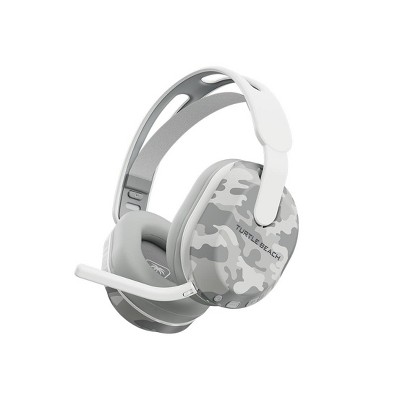
Turtle Beach Stealth 600 Gen 3 Wireless Headset for PlayStation - 2 of 4Turtle Beach Stealth 600 Gen 3 Wireless Headset for PlayStation - 3 of 4Turtle Beach Stealth 600 Gen 3 Wireless Headset for PlayStation - 4 of 4
Turtle Beach Stealth 600 Gen 3 Wireless Headset for PlayStation - 1 of 4

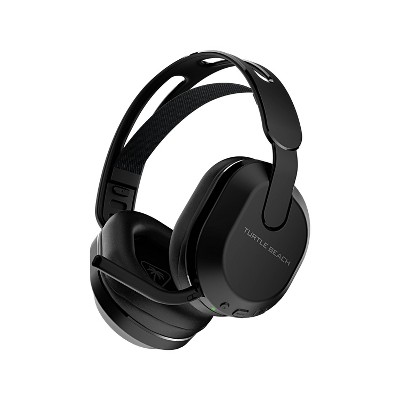
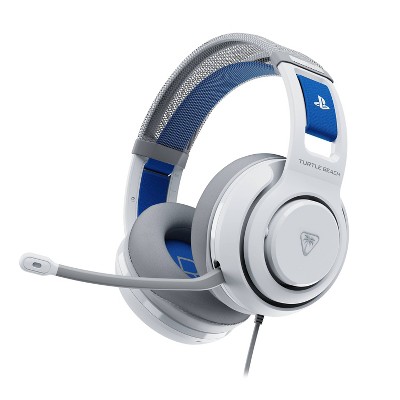
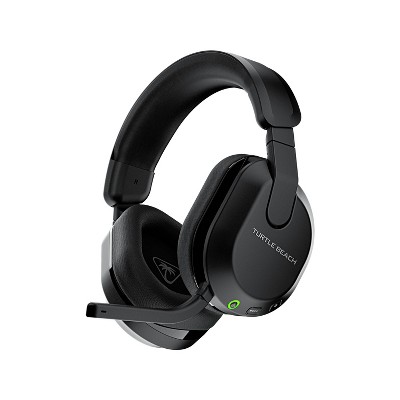
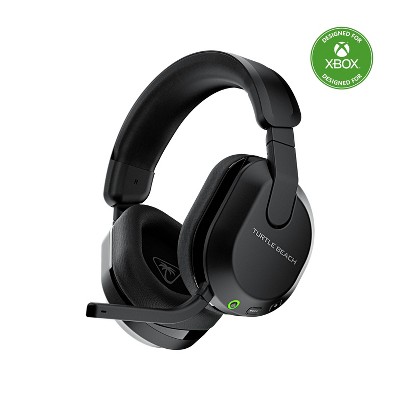
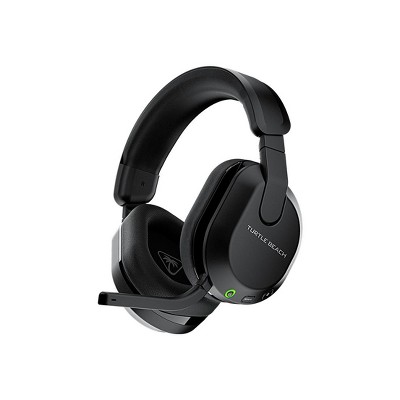
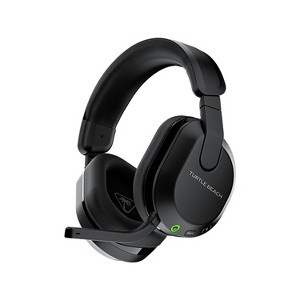
Turtle Beach Stealth 600 Gen 3 Multiplatform Wireless Gaming Over-Ear Headset for PS5, PS4, PC & Mobile - Black

8 Questions
$89.99 reg $109.99
Sale save $20.00 (18% off)

ColorBlack

In Stock

Eligible for registries and wish lists

At a glance

About this item

Highlights

  • Multiplatform, Low-latency 2.4GHz Wireless + Bluetooth® 5.2
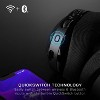
  • Switch between wireless and Bluetooth® with the QuickSwitch button
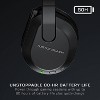
  • Game longer with up to 80 hours of battery life plus quick charge
  • Experience immersive gaming audio with powerful 50mm Nanoclear™ drivers
  • Stay connected with low-latency 2.4GHz wireless + Bluetooth®
  • Chat clearly with a flip-to-mute microphone featuring A.I.-based noise reduction
  • Play comfortably with memory foam ear cushions and glasses-friendly technology
  • Customize your sound with the Swarm™ II app and advanced 10-band EQ
  • Gain a competitive edge with Superhuman Hearing® audio modes
  • Play your way with a lay-flat, adjustable design
  • Compatible with PlayStation®, PC, Steam Deck™ & mobile devices

Description

Experience wireless gaming with the Turtle Beach® Stealth™ 600 Wireless Gaming Headset. Compatible with PlayStation®, Windows PCs, Steam Deck™, and Bluetooth®-enabled mobile devices, Stealth™ 600 makes it easy to game across your favorite platforms. Low-latency 2.4GHz wireless delivers responsive gaming audio, while built-in Bluetooth® keeps you connected to music, calls, or voice chat. Quickly switch between wireless and Bluetooth® connections with the convenient QuickSwitch button without interrupting your game.
Powerful 50mm Nanoclear™ drivers deliver immersive gaming audio optimized for spatial sound on PlayStation® and PC, while the redesigned flip-to-mute microphone with A.I.-based noise reduction helps your voice come through clearly. Customize your audio, microphone settings, programmable controls, and advanced 10-band EQ with the Swarm™ II desktop and mobile app, or activate Superhuman Hearing® to hear subtle in-game sounds that can give you a competitive advantage. With up to 80 hours of battery life, quick charging, memory foam ear cushions with ProSpecs™ glasses-friendly technology, and a lightweight, adjustable design, the Stealth™ 600 is built for lasting comfort through every gaming session.
Model Compatibility: PlayStation 5, PlayStation 5 Digital Edition Slim, PlayStation 5 Digital Edition, PlayStation 5 Slim, Personal Computer
Dimensions (Overall): 8.58 Inches (H) x 7.81 Inches (W) x 3.74 Inches (D)
Weight: 1.32 Pounds
Ear Cushion Material: Leatherette
Wireless Type: Wireless
Battery: 1 Non-Universal Lithium, Required, Installed
Warranty: 1 Year Limited Warranty. To obtain a copy of the manufacturer's or supplier's warranty for this item prior to purchasing the item, please call Target Guest Services at 1-800-591-3869
Street Date: May 19, 2024
TCIN: 91190390
UPC: 731855031023
Item Number (DPCI): 207-00-7243
Origin: Made in the USA and Imported
If the item details aren’t accurate or complete, we want to know about it.

Shipping details

Estimated ship dimensions: 8.54 inches length x 7.87 inches width x 3.89 inches height
Estimated ship weight: 1.29 pounds
We regret that this item cannot be shipped to PO Boxes.
This item cannot be shipped to the following locations: American Samoa (see also separate entry under AS), Guam (see also separate entry under GU), Northern Mariana Islands, Puerto Rico (see also separate entry under PR), United States Minor Outlying Islands, Virgin Islands, U.S., APO/FPO, Alaska, Hawaii

Return details

This item must be returned to any Target store.
This item must be returned within 30 days of the date it was purchased in store, delivered to the guest, delivered by a Shipt shopper, or picked up by the guest.
See the return policy for complete information.

Q: Can these be used on PlayStation 4?

submitted by CourtneyPage - 8 months ago
  • A: Hello Courtney! All versions of the Stealth 600 Gen 3 are compatible with both PS4 and PS5. Best Regards!

    submitted byTurtle Beach Support - 8 months ago
    Brand expert
  • A: Hi, thanks for reaching out about Turtle Beach Stealth 600 Gen 3 Wireless Headset for PlayStation - Black: USB, Leatherette Cushion. That is great news! Yes, the Turtle Beach Stealth 600 Gen 3 Wireless Headset for PlayStation is fully compatible with the PlayStation 4 (PS4) console. Although it's specifically marketed for the PS5 (since that is the newest console), Turtle Beach confirms that the "PlayStation Version" of the Stealth 600 Gen 3 works seamlessly with both the PS5 and the PS4. 🔌 How It Connects to Your PS4 The headset connects using the included USB Wireless Transmitter (dongle): Plug and Play: You simply plug the USB transmitter into an available USB port on your PS4 console. Power On: Turn on the headset. Automatic Setup: The PS4 will recognize the headset as a USB audio device. You may need to go to Settings > Devices > Audio Devices to ensure the Input and Output are set to the Stealth 600 Gen 3. 🎮 Key Features You Get Wireless Freedom: Enjoy low-latency 2.4GHz wireless connection for both game audio and chat. Mic Monitoring: You can hear your own voice through the headset so you don't shout. Flip-to-Mute Mic: The microphone is easily muted by flipping it up. You are all set to use this new headset with your PS4! If you have any additional questions, we welcome you to contact MyTGTtech at 833-848-8324 every day, between 7am-11pm CST.

    submitted byJoe - 8 months ago
    Target staff support

Q: can this be bluetooth to playstation 5?

submitted by jackie - 8 months ago
  • A: Hello Jackie. The Stealth 600 Gen 3 connects to the PS5 using the included USB transmitter, NOT the Bluetooth connection. It is NOT able to connect with the PS5 via Bluetooth. Best Regards.

    submitted byTurtle Beach Support - 8 months ago
    Brand expert
  • A: Hi, thanks for reaching out about Turtle Beach Stealth 600 Gen 3 Wireless Headset for PlayStation - Black: USB, Leatherette Cushion Yes, the Turtle Beach Stealth 600 Gen 3 Wireless Headset for PlayStation is compatible with the PS5. It connects to the console wirelessly via a USB transmitter, providing low-latency audio and supporting features like PlayStation's 3D Audio. If you have any additional questions, we welcome you to contact MyTGTtech at 833-848-8324 every day, between 7am-11pm CST.

    submitted byJustin - 8 months ago
    Target expert support

Q: Can these be used with an iPhone 15 pro max?

submitted by Ashley F - 11 months ago
  • A: Hi, thank you for reaching out about Turtle Beach Stealth 600 Gen 3 Wireless Headset for PlayStation - White: Leatherette Ear Cushion, USB Connection. Yes, the Turtle Beach Stealth 600 Gen 3 Wireless Headset can be used with an iPhone 15 Pro Max, but only through a Bluetooth connection, not the USB-C port. If you have any additional questions, we welcome you to contact MyTGTtech at 833-848-8324 every day, between 7am-11pm CST.

    submitted byMatt - 11 months ago
    Target expert support
  • A: The Stealth 600 Gen 3 has Bluetooth and is capable of connecting to Bluetooth-equipped mobile devices including the iPhone 15. Best Regards.

    submitted byTurtle Beach Support - 11 months ago
    Brand expert

Q: Having a difficult time getting head set to pair with PS Help!!

submitted by Linda - 1 year ago
  • A: Hello Linda! We are sorry to hear about the experience you've had with your Turtle Beach Product. Our products are each sold with a manufacturer's warranty, and we have a dedicated Support Team available to provide assistance as needed. Please reach out directly to our dedicated Support Team so they can lend a hand. They’re always happy to help and can be reached right from the support section of the Turtle Beach website. Thank you and have a great day!

    submitted byTurtle Beach Support - 1 year ago
    Brand expert
  • A: Hi Linda, thanks for reaching out about Turtle Beach Stealth 600 Gen 3 Wireless Headset for PlayStation - Black. It sounds frustrating to have a new headset and not be able to get it working! Let's walk through the steps for pairing your Turtle Beach Stealth 600 Gen 3 with your PlayStation, and then some troubleshooting tips if it's still giving you trouble. Standard Pairing Process for PlayStation: The Stealth 600 Gen 3 for PlayStation uses a USB wireless transmitter, not direct Bluetooth to the console. Charge your headset: Make sure your headset has sufficient battery life. A low battery can sometimes prevent proper pairing. Connect the USB Wireless Transmitter: Plug the USB Wireless Transmitter into an available USB-A port on your PlayStation console (PS4 or PS5). Important for PS5: There might be a small switch on the transmitter for "PC" and "PS." Ensure it's set to "PS" mode. Power on the Headset: Press and hold the Power Button on your Stealth 600 Gen 3 headset for about 2 seconds until it powers on. Wait for automatic pairing: The headset and the USB Wireless Transmitter should automatically pair within a few seconds. LED Indicators for Successful Pairing: Headset LED: Will blink GREEN every five seconds (if in 2.4GHz Wireless Mode, which is for console gaming). Transmitter LED: Will be SOLID GREEN (if in 2.4GHz Wireless Mode). Adjust PlayStation Audio Settings: Go to Settings on your PlayStation. Navigate to Sound > Audio Output. For "Output Device," select "Stealth 600." Set "Output to Headphones" to "All Audio." Set "Volume Control (headphones)" level to Maximum. You can also adjust your microphone levels under Settings > Sound > Microphone > Adjust Mic Level > Microphone Level. If it's still not pairing, try these troubleshooting steps: Force Re-pairing (Headset and Transmitter): Transmitter: Insert the USB Wireless Transmitter into your PlayStation. Remove it within 2-3 seconds. Repeat this step twice more (insert, remove, insert, remove). On the third insertion, leave it connected. The LED on the transmitter should start fast-blinking GREEN, indicating it's in pairing mode. Headset: With the headset powered OFF, press and hold the Power button for at least 5-8 seconds. The LED will flash rapidly and then begin to pulse (or "breathe") slowly, indicating it's in pairing mode. Wait for a few seconds. The LEDs on both the headset and transmitter should turn SOLID GREEN (if the mic is unmuted) or PULSING RED (if the mic is muted) when successfully paired. Hard Reset the Headset: This can clear temporary settings and fix bugs. Power OFF the headset (hold the power button until it fully turns off). Press and hold the Power button and the QuickSwitch button simultaneously for about 10 seconds. Release both buttons. The headset should power off and then back on. It should then attempt to re-pair with the transmitter. Check for Firmware Updates: Outdated firmware is a common cause of connectivity issues. You'll need a computer (PC or Mac) for this. Download the Turtle Beach Swarm II software from the Turtle Beach support website. Install the software. Connect your headset and the USB Wireless Transmitter to separate USB ports on your computer. Open Swarm II and follow the prompts to check for and install any available firmware updates for both the headset and the transmitter. Try Different USB Ports: Sometimes a specific USB port on your PlayStation might have issues. Try plugging the transmitter into a different USB port. Ensure you have the PlayStation Version: The Stealth 600 Gen 3 comes in both PlayStation and Xbox versions. The Xbox version is not compatible with PlayStation consoles. Make sure you have the "PlayStation" version of the headset. Review LED Status Indicators: Pay attention to the LED lights on both your headset and the USB transmitter. The Turtle Beach user guide has a detailed section on what each color and blinking pattern means. This can help diagnose the specific issue. Headset LED: Fast-blinking Green: Not paired to transmitter. Blinking Green (every 5 seconds): On, paired, good battery. Solid Red: Charging. Solid Green: Fully charged. Transmitter LED: Fast-blinking Green: In pairing mode or not paired. Solid Green: Paired to headset. If you have any additional questions, we welcome you to contact MyTGTtech at 833-848-8324 every day, between 7am-11pm CST.

    submitted byJoe - 1 year ago
    Target staff support

Q: Do these only work for playstation? Or could they be used for xbox/pc too?

submitted by John - 1 year ago
  • A: Hi John, thanks for reaching out about Turtle Beach Stealth 600 Gen 3 Wireless Headset for PlayStation - Black. They will work on PlayStation and PC, Xbox is not supported. If you have any additional questions, we welcome you to contact MyTGTtech at 833-848-8324 every day, between 7am-11pm CST.

    submitted byMatt - 1 year ago
    Target expert support
  • A: Hello John! The Stealth 600 Gen 3 for PlayStation will work on PlayStation and PC, however, Xbox is not supported. Best Regards!

    submitted byTurtle Beach Support - 1 year ago
    Brand expert

Q: Can they be connected to a switch and switch 2 using the USB wireless connection?

submitted by Done - 7 months ago
  • A: Hi, thank you for reaching out about Turtle Beach Stealth 600 Gen 3 Wireless Headset for PlayStation - White: Leatherette Ear Cushion, USB Connection. Yes, the Turtle Beach Stealth 600 Gen 3 Wireless Headset for PlayStation can connect to both the original Nintendo Switch (when docked) and the Nintendo Switch 2 using the included USB wireless connection. The headset is designed for multiplatform compatibility via its 2.4GHz wireless dongle. If you have any additional questions, we welcome you to contact MyTGTtech at 833-848-8324 every day, between 7am-11pm CST.

    submitted byMatt - 7 months ago
    Target expert support

Q: Can this headset still be used while it is being charged?

submitted by Mels - 1 year ago
  • A: Thanks for your inquiry, Mels! Yes, the Stealth 600 Gen 3 can be used while you charge it. Best Regards!

    submitted byTurtle Beach Support - 1 year ago
    Brand expert

Q: How do you charge them? Does it come with a charger?

submitted by As123 - 2 years ago
  • A: Thanks for your inquiry! The Stealth 600 Gen 3 Headset includes a 2.3ft Charging Cable that can be plugged into a USB port on the console itself, or into a USB wall charger for a phone/tablet. Best Regards!

    submitted byTurtle Beach Support - 2 years ago
    Brand expert

Additional product information and recommendations

Discover more options
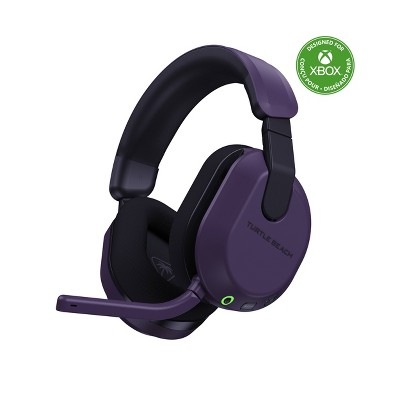
Guests also viewed
Guests are saying

The wireless headset offers impressive sound quality and comfort, making it suitable for gaming and everyday use. Guests appreciate its long battery life and compatibility with various devices, including consoles and PCs. While many enjoy the features and performance, some have experienced issues with the microphone and connectivity. Overall, it stands out as a solid choice for both casual and serious gamers looking for a reliable audio experience.
    Summary created by AI from text of reviews reflecting recent feedback provided across different star ratings (includes incentivized reviews)
    4.3 out of 5 stars with 413 reviews
    quality: 3 out of 5
    value: 2.9 out of 5
    36% would recommend
    11 recommendations
    4 out of 5 stars
    22 July, 2026
    originally posted on turtlebeach.com

    *First gaming headset purchase* Love

    *First gaming headset purchase* Love the color and flip to mute, wish was a little more adjustable in the tightness and grip around my head. The sound is SUPER intense, so I'm still working into using it full time. Disclaimer * I have a small vestibular tumor, so of course the sound is more intense lol. Very happy with purchase so far tho :)
    Allison B.
    Did you find this review helpful?
    2 out of 5 stars
    21 July, 2026
    originally posted on turtlebeach.com

    Decent headset. The band is

    Decent headset. The band is smaller than on the Gen2's and could be 1/2" bigger to be comfortable. Master volume control does not work well, and have to spin it a ton to get it to switch. Not a fan
    Samuel B.
    Did you find this review helpful?
    5 out of 5 stars
    18 July, 2026
    originally posted on turtlebeach.com

    Comfort is great mic and

    Comfort is great mic and the audio is also good. Loving it!
    Jared
    Did you find this review helpful?
    5 out of 5 stars
    16 July, 2026
    originally posted on turtlebeach.com

    This is my first good

    This is my first good headset and I absolutely love it.
    Sawyer
    Did you find this review helpful?
    5 out of 5 stars
    15 July, 2026
    originally posted on Turtle Beach

    Image

    Great wireless headset. Works well

    Great wireless headset. Works well on all consoles and PC. Comfortable to wear, great sound quality and amazing battery life!
    James
    Did you find this review helpful?
    5 out of 5 stars
    9 July, 2026
    originally posted on turtlebeach.com

    I’m new to gaming and

    I’m new to gaming and this was my first purchase for my setup. Very pleased!
    Krystal C.
    Did you find this review helpful?
    3 out of 5 stars
    3 July, 2026
    originally posted on turtlebeach.com

    I do have a few

    I do have a few complaints but overall is a better headset then my last pair(stealth 500) the few differences being needing to lift the mic higher to mute, not having the extra band, head support and they slide around to much when I’m moving as well as just fitting completely different now this is my opinion some may like those qualities.
    Amya L.
    Did you find this review helpful?
    5 out of 5 stars
    3 July, 2026
    originally posted on turtlebeach.com

    Love it

    I love it my last headset lasted only a year but that was on me sleeping with it on worked well with my phone as well and even though the mic is technically broken it still works lol I got this new one. Still feels and hears like the last one I would recommend it all around
    Christina G.
    Did you find this review helpful?
    1 out of 5 stars
    Thumbs down graphic, would not recommend
    30 June, 2026Verified purchase

    Dont buy this

    Microphone stopped working after a few months don’t buy it
    1 reply from Turtle Beach Support team - 21 days ago
    Hi Christopher, thank you for letting us know about this issue as we can help you get it sorted! Our headsets are backed by our Turtle Beach one-year manufacturer's warranty, so we invite you to contact our Tech Support team for troubleshooting and warranty replacement service. Please visit https://turtlebeach.com/contactsupport, and our support team will take it from there!
    quality: 1 out of 5
    value: 1 out of 5
    Did you find this review helpful?
    5 out of 5 stars
    24 June, 2026
    originally posted on www.turtlebeach.com

    Lowkey tuff will be buying

    Lowkey tuff will be buying more turtle Beach products
    Keyton J.
    1 guest found this review helpful. Did you?
    4 out of 5 stars
    22 June, 2026
    originally posted on www.turtlebeach.com

    I absolutely love these headphones.

    I absolutely love these headphones. I previously had the stealth 700 Gen 3 Max or Pro for 2-3 years but they unfortunately stopped working. Due to the warranty being over on my headset, customer service still gave me a discount code for any of their products online so of course I bought a new pair and I got the Stealth 600 Gen 3 and they are just as great as my last pair. The only reason why I'm giving it a 4/5 stars is because my last pair had two different volumes for the game volume and chat volume which I loved and this current pair doesn't do that. Instead it's more of do you want to hear more of the game, or the chat as one of the volume controls and the other control is the master volume for everything which doesn't help with controlling the volume separately
    Niyah A.
    Did you find this review helpful?
    5 out of 5 stars
    21 June, 2026
    originally posted on www.turtlebeach.com

    I can hear very well

    I can hear very well and took no time to come in 10-10
    Cash D.
    Did you find this review helpful?
    5 out of 5 stars
    21 June, 2026
    originally posted on www.turtlebeach.com

    Loving it so much :grin:

    Loving it so much :grin: it is very worth having them.
    Thaddeus S.
    Did you find this review helpful?
    4 out of 5 stars
    13 June, 2026
    originally posted on Turtle Beach
    Image

    Great headset. 8/10, everything is

    Great headset. 8/10, everything is flawless however its a little uncomfortable to wear for a long period of time (60-120 minutes)
    Tomasz T.
    Did you find this review helpful?
    5 out of 5 stars
    13 June, 2026
    originally posted on www.turtlebeach.com

    I bought this to work

    I bought this to work with my ASUS XBOX Ally. It is lite and comfortable with great sound.
    Daniel B.
    Did you find this review helpful?
    5 out of 5 stars
    6 June, 2026
    originally posted on www.turtlebeach.com

    Great sound, Love the superhuman

    Great sound, Love the superhuman mode.
    Joshua C.
    Did you find this review helpful?
    5 out of 5 stars
    5 June, 2026
    originally posted on www.turtlebeach.com

    Best headset I’ve ever owned

    Best headset I’ve ever owned
    Raymond N.
    Did you find this review helpful?
    5 out of 5 stars
    3 June, 2026
    originally posted on www.turtlebeach.com

    Great sound long battery life

    Great sound long battery life
    Cecil J.
    Did you find this review helpful?
    2 out of 5 stars
    29 May, 2026
    originally posted on Turtle Beach
    Image

    A bit disappointed

    I got my partner these for his birthday and when he's in an Xbox party with his friends, they say he sounds robotic etc so he has gone back to his old headset. Really disappointed as I spent a lot of money
    Jasmine
    Did you find this review helpful?
    3 out of 5 stars
    26 May, 2026
    originally posted on www.turtlebeach.com

    When they’re working, they’re great.

    When they’re working, they’re great. Have been having issues with the usb not recognizing the headset, or shutting off mid game. Did the update on the app and having the same issues. I’ve had them like three weeks and the issues just started today.
    Scott P.
    Did you find this review helpful?

    Get top deals, latest trends, and more.