Target New ArrivalsHalloweenChristmasGift IdeasClothing, Shoes & AccessoriesHome & DecorKitchen & DiningPatio, Lawn & GardenGroceryHousehold EssentialsBabyBeautyTarget Beauty StudioPersonal CareSports & OutdoorsPetsHealthWellnessSchool & Office SuppliesToys & GamesElectronics & TechVideo GamesBooks, Music & MoviesParty SuppliesGift CardsShop by CommunityTarget OpticalDealsClearanceNew ArrivalsHalloweenChristmasGift IdeasTop DealsTarget Circle DealsWeekly AdShop Order PickupShop Same Day DeliveryRegistryRedCardTarget CircleFind Stores
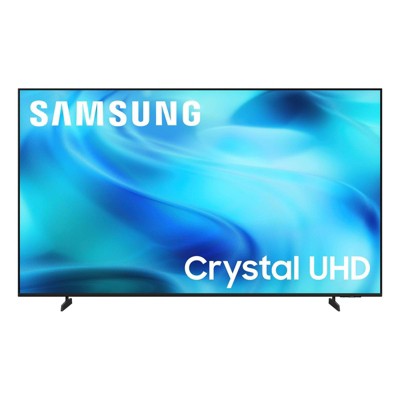
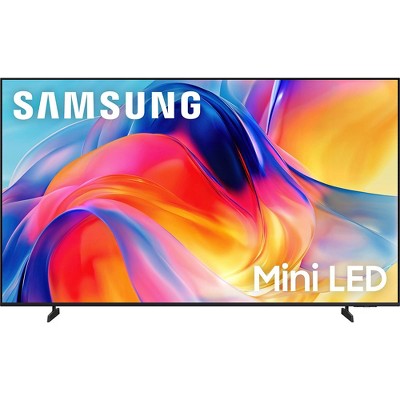
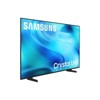
Samsung 50" 4K Crystal Series SamsungVision AI Companion Smart Tizen OS TV - UN50U8000H - 2 of 4Samsung 50" 4K Crystal Series SamsungVision AI Companion Smart Tizen OS TV - UN50U8000H - 3 of 4Samsung 50" 4K Crystal Series SamsungVision AI Companion Smart Tizen OS TV - UN50U8000H - 4 of 4
Samsung 50" 4K Crystal Series SamsungVision AI Companion Smart Tizen OS TV - UN50U8000H - 1 of 4

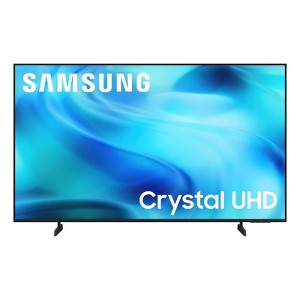
Samsung 50" 4K Crystal Series SamsungVision AI Companion Smart Tizen OS TV - UN50U8000H

15 Questions
$299.99

In Stock

Eligible for registries and wish lists
Save 5% every day
With Target Circle™ Card (restrictions apply)

At a glance

About this item

Highlights

  • Crystal Processor 4K - Powerful processor enhances colors and sharpens details for a vibrant 4K viewing experience. Immerse yourself in lifelike visuals. See every shade of color as the creators intended in brilliant 4K resolution, and experience sharper details with powerful 4K upscaling. From thrilling sports to cinematic movies, vibrant games and gripping TV shows, everything you watch is transformed into stunning clarity and vivid color that brings every detail to life.
  • Endless Free Content - Watch 2,700+ free channels, no subscription required* Dive into endless entertainment with 2,700+ free streaming options, including 750+ subscription-free channels on Samsung TV Plus — all with just an internet connection. Stay updated with live news, enjoy blockbuster movies or explore kids' shows and international hits. With thousands of on-demand movies and fresh content added regularly, there’s always something new to watch. Free, convenient and packed with variety, it's entertainment for every occasion.* *Samsung Account and internet connection required for network-based smart services, including streaming apps and other smart features. Without Account log in, only external device connections (e.g., via HDMI) and terrestrial/over-the-air TV (only for TVs with tuners) available. Channels may vary by location and are subject to change. UI is subject to change without prior notice.
  • Motion Xcelerator -Experience clear picture and smooth motion in games and sports. Stay in the action with smooth motion clarity in your favorite games and sports. By intelligently analyzing and optimizing frame transitions, this technology ensures fluid visuals and crisp detail at up to 4K 60Hz. Whether you’re gaming in fast-paced action or watching a thrilling match, see every move and play clearly, so you don't miss a moment.
  • Color Booster - Supercharge your color. Every scene comes to life, from fiery reds and oranges to cool blues and greens. With Color Booster, all colors are enhanced, ensuring your favorite content is vivid and beautiful. Transform your viewing experience with rich hues and vibrancy.
  • 4K Upscaling - Upgrades what you watch to crisp 4K clarity. Transform your viewing experience on all your favorite content. Whether it's classic films, new movies, or binge-worthy shows, our upscaling technology delivers incredible clarity and detail to every scene. Even content from lowerquality sources is enhanced to reveal hidden details you’ve never seen before.
  • Gaming Hub - Where gaming comes together - no console required. Transform your TV into a gaming destination with Gaming Hub. Access your favorite titles from consoles, cloud services and gaming apps—all in one place, no console required. With personalized recommendations, discover hidden gems or revisit fan favorites. Whether you’re exploring new worlds, playing online with friends, or trying out a new cloud game, Gaming Hub makes it easy to jump right in with seamless access and hassle-free navigation.* *Samsung Account required for network-based smart services, including streaming apps and other smart features. Without Account log in, only external device connections (e.g., via HDMI) and terrestrial/over-the-air TV (only for TVs with tuners) available. Channels may vary by location and are subject to change. UI is subject to change without prior notice. High speed internet connection, additional gaming service subscriptions and compatible controller required.
  • DLG 120Hz - Smoother motion, sharper action* Experience smoother motion and sharper details with DLG 120Hz.* This technology increases your TV refresh rate up to 120 Hz, offering responsive performance with reduced lag. *Available only on 55" class and larger screen sizes. DLG 120Hz increases refresh rate up to 120Hz, but will reduce image sharpness. Optimal for fast-paced gaming; visual quality varies by title.
  • Object Tracking Sound Lite - Motion-based sound: Experience sound that moves with the action on screen. Featuring a virtual top channel, sound is placed precisely in space and moves with the scene, creating a sense of immersion. Whether it's high-speed car chases, intense shootouts or soft-spoken dialogue, enjoy dynamic, clear audio that enhances every moment. Perfect for bringing every detail to life in your favorite shows and movies.
  • Soccer Mode - Vivid colors and stadium sound. Bring the excitement of the stadium into your living room with optimized settings for brightness, contrast, and motion. You’ll see every pass, shot, and goal in stunning detail with 40% better motion clarity and 30% more vibrant colors. Specifically designed for soccer, it enhances motion clarity to effectively track fast kicks and provides richer greens* for an authentic pitch look. As a result, crowd details and player movements appear sharper than ever. *40% clearer motion/30% richer greens vs. Q7F Sports Mode. Resulting picture may vary based on source content.
  • Samsung Knox Security - Enjoy peace of mind with builtin triple-layer data protection* Your TV experiences are secured. Samsung Knox Security protects you from harmful attacks by automatically blocking unauthorized apps and phishing websites. It also safeguards your IoT devices connected to your TV, plus your sensitive information, including your PIN codes and passwords. With regular updates, your TV is always kept safe.* *Personal data includes directly input PIN-codes and passwords, and IoT device information shared through the SmartThings app. The latest software is required.

Description

Watch all your content in crisp 4K resolution, with rich contrast, amazing color and clear picture. Discover thousands of free streaming options, including 750+ subscription-free channels with Samsung TV Plus*. Also, play thousands of video games without a console thanks to Samsung Gaming Hub***. Enjoy peace of mind for years to come with the TV brand rated #1 in durability.**

*Samsung Account required for network-based smart services, including streaming apps and other smart features. Computer, mobile or other device may be necessary to create/log in to Samsung Account (free to download and create). Without Account log in, only external device connections (e.g., via HDMI) and terrestrial/over-the-air TV (only for TVs with tuners) available. Channels may vary by location and are subject to change. UI is subject to change without prior notice.
**Source: 2025 ACSI® Survey of customers rating their own TV manufacturer. ACSI and its logo are registered trademarks of the American Customer Satisfaction Index LLC. For more about the ACSI, visit www.theacsi.org.
***High-speed internet connection, compatible gaming service subscription, and compatible controller required.
Dimensions (Overall): 25.3 Inches (H) x 43.7 Inches (W) x 3 Inches (D)
Weight: 19.2 Pounds
Indoor/Outdoor: Indoor
Electronics Condition: New
Electronics Features: Bixby Built-In, Gaming Mode, Smart TV, UHD Upscaling, HDR10, Bluetooth, Internet Applications, 4K Ultra High Definition, Streaming Capability, Color Enhancer, Wi-Fi
Aspect Ratio: 16:9 Aspect Ratio
Screen Resolution: 4K
Native screen refresh rate: 60 Hz
Wireless Technology: Bluetooth, Wi-Fi
Screen Size: 49.5 Inches
Stand Depth: 7.8 Inches
Stand Width: 29.4 Inches
Compatible With: Alexa, Facebook, Disney+, Amazon Prime Video, Max, Samsung TV Plus, Spotify, Sling TV, Netflix, YouTube, Hulu, Apple TV+, ESPN
VESA Mounting Standard: 200x200
Product Depth with Stand: 7.8 Inches
Product Height with Stand: 27.4 Inches
Product Width with Stand: 43.7 Inches
Backlight type: LED Direct Lit
Smart platform: Samsung Smart TV
Voice assistant built-in: Bixby Built-In
Model name: UN50U8000HFXZA
Number of HDMI ports: 3
High Dynamic Range (HDR): HDR10+, HDR10
Screen Mirroring Technology: SmartShare
Battery: 2 AAA Alkaline, Required, Packaged With
Warranty: 1 Year Limited Warranty. To obtain a copy of the manufacturer's or supplier's warranty for this item prior to purchasing the item, please call Target Guest Services at 1-800-591-3869
TCIN: 95003222
UPC: 198957276422
Item Number (DPCI): 008-09-3450
Origin: Imported
Energy Guide Label Required:
ENERGYGUIDE LABEL REQUIRED
If the item details aren’t accurate or complete, we want to know about it.

Shipping details

Estimated ship dimensions: 5 inches length x 48.3 inches width x 29.3 inches height
Estimated ship weight: 28 pounds
We regret that this item cannot be shipped to PO Boxes.
This item cannot be shipped to the following locations: American Samoa (see also separate entry under AS), Guam (see also separate entry under GU), Northern Mariana Islands, Puerto Rico (see also separate entry under PR), United States Minor Outlying Islands, Virgin Islands, U.S., APO/FPO, Alaska, Hawaii
This item ships in its manufacturer’s packaging, revealing what’s inside. ·

Return details

This item can be returned to any Target store or Target.com.
This item must be returned within 30 days of the date it was purchased in store, delivered to the guest, delivered by a Shipt shopper, or picked up by the guest.
See the return policy for complete information.

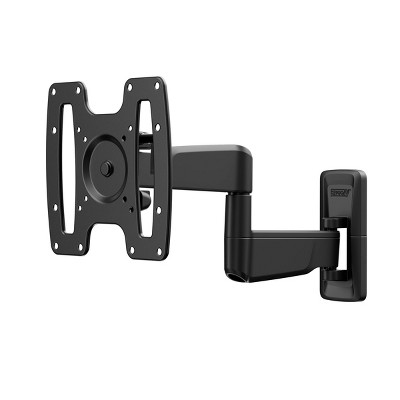
Q: Can this tv be hung on a wall

submitted by Theresa - 16 days ago
  • A: Hi Theresa, Yes, but you will need a compatible wall mount. ~Samsung Advisor

    submitted bySamsung - 16 days ago
    Brand expert

Q: Does it work with Direct TV

submitted by Direct TV - 27 days ago
  • A: Hi, thanks for reaching out about Samsung 50" 4K Crystal Series SamsungVision AI Companion Smart Tizen OS TV - UN50U8000H. Yes. The Samsung UN50U8000H 50" Smart TV works with DIRECTV. DIRECTV satellite receiver: Connect the receiver to one of the TV’s 3 HDMI ports. DIRECTV streaming: The DIRECTV app supports Samsung Smart TVs from 2018 and newer, so this model can use the app with an active DIRECTV account and internet connection. If you have any additional questions, we welcome you to contact MyTGTtech at 833-848-8324 every day, between 7am-11pm CST.

    submitted byJoe - 27 days ago
    Target staff support

Q: Does this tv have an over the air tuner so I can connect my digital antenna?

submitted by MadDad - 1 month ago
  • A: Hi, thanks for reaching out about Samsung 50" 4K Crystal Series SamsungVision AI Companion Smart Tizen OS TV - UN50U8000H. Yes. The Samsung 50" 4K Crystal Series UN50U8000H has a built-in ATSC over-the-air TV tuner, so you can connect a digital antenna directly to it. If you have any additional questions, we welcome you to contact MyTGTtech at 833-848-8324 every day, between 7am-11pm CST.

    submitted byJoe - 1 month ago
    Target staff support

Q: Is this TV compatible with the Samsung Model HW-R60C sound bar?

submitted by Anne - 2 months ago
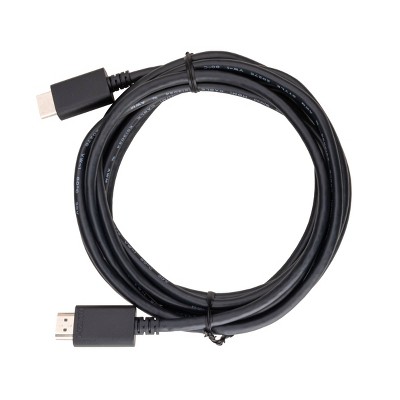
  • A: Hi Anne, Yes, you can connect the HW-R60C soundbar via HDMI cable. ~Samsung Advisor

    submitted bySamsung - 2 months ago
    Brand expert

Q: Does this TV support Paramount Plus App? Our current TV always runs out of memory interrupting our movie.

submitted by Wonder - 2 months ago
  • A: Hi, thank you for reaching out about Samsung 50" 4K Crystal Series SamsungVision AI Companion Smart Tizen OS TV - UN50U8000H. Yes, the Samsung UN50U8000H TV fully supports the Paramount Plus app. If you have any additional questions, we welcome you to contact MyTGTtech at 833-848-8324 every day, between 7am-11pm CST.

    submitted byMatt - 2 months ago
    Target staff support

Q: Does this have hdmi 2.1 port

submitted by Marcus - 2 months ago
  • A: Hi Marcus - With HDMI 2.1 including a wide range of capabilities, we find it helpful to highlight the specific features supported by each TV model. The U8000H includes three HDMI ports, all of which support HDR10+ and Auto Low Latency Mode (Auto Game Mode). HDMI port 1 also supports eARC for connecting compatible audio devices. If you’re looking for a TV capable of 4K@120Hz, you may want to consider stepping up to the M80H TV, which supports this feature across all HDMI ports. ~ Samsung Specialist

    submitted bySamsung - 2 months ago
    Brand expert

Q: Does it come with installed apps?

submitted by Alicia - 2 months ago
  • A: Hi, thanks for reaching out about Samsung 50" 4K Crystal Series Samsung Vision AI Companion Smart Tizen OS TV - UN50U8000H Yes, this Smart TV comes with a number of pre-installed apps, including popular streaming services and Samsung smart TV features. Additional compatible apps can also be downloaded from the Samsung App Store through the Tizen OS platform. If you have any additional questions, we welcome you to contact MyTGTtech at 833-848-8324 every day, between 7am-11pm CST.

    submitted byMike - 2 months ago
    Target staff support

Q: Can this TV be viewed clearly from every angle? In other words, does it look good from every viewing angle?

submitted by shadows - 3 months ago
  • A: Hi, thanks for reaching out about Samsung 50" 4K Crystal Series SamsungVision AI Companion Smart Tizen OS TV - UN50U8000H. Short answer: No, not from every angle. The Samsung UN50U8000H uses a VA (Vertical Alignment) LCD panel. VA panels typically provide better contrast when viewed straight on, but the picture quality tends to degrade when viewed from the side. Independent testing of the Samsung U8000H found that the image degrades when viewed from the sides. If you have any additional questions, we welcome you to contact MyTGTtech at 833-848-8324 every day, between 7am-11pm CST.

    submitted byJoe - 3 months ago
    Target staff support

Q: Does the picture look the same from every angle?

submitted by shadows - 3 months ago
  • A: Hi, thanks for reaching out about Samsung 50" 4K Crystal Series SamsungVision AI Companion Smart Tizen OS TV - UN50U8000H. Not exactly. This TV uses a direct-lit LED LCD panel, and LCD TVs generally look best when viewed straight on. As you move off to the side, you can expect some loss of color saturation, contrast, and overall picture quality. The listing does not advertise a wide-viewing-angle panel, which is a feature Samsung typically highlights on higher-end models. What to expect: ✅ Great picture from the center seating position. ✅ Fine for people sitting somewhat off-center. ⚠️ Colors and contrast may appear less vibrant at wider angles. ❌ It is unlikely to look exactly the same from every seat in the room. If your couch is directly in front of the TV, this shouldn't be an issue. If you have a very wide seating arrangement and need consistent picture quality from the sides, an OLED TV or an LCD model specifically marketed with wide viewing angles would be a better choice. If you have any additional questions, we welcome you to contact MyTGTtech at 833-848-8324 every day, between 7am-11pm CST.

    submitted byJoe - 3 months ago
    Target staff support

Q: does this samsung tv has the samsung gaming hub as a built in?

submitted by Mohamed - 3 months ago
  • A: Hi Mohamed, Yes, Samsung Gaming Hub is built into the U8000H TV. ~Samsung Advisor

    submitted bySamsung - 3 months ago
    Brand expert
WARNING: Cancer and Reproductive Harm - www.P65Warnings.ca.gov For more information, go to https://www.p65warnings.ca.gov/

Additional product information and recommendations
Discover more options

Skip to next section

Guests also viewed
Skip to next section

Guests are saying

This television offers an impressive viewing experience with vibrant colors and excellent sound quality, making it a great addition to any home entertainment setup. Guests appreciate its easy setup and smart features, which allow for seamless access to various streaming apps. However, some guests have noted challenges with the remote control and navigating the interface. Overall, it stands out for its picture clarity and value, making it a solid choice for anyone looking to upgrade their TV.
    Summary created by AI from text of reviews reflecting recent feedback provided across different star ratings (includes incentivized reviews)
    4.5 out of 5 stars with 1242 reviews
    black levels: 5 out of 5
    brightness: 5 out of 5
    color quality: 5 out of 5
    features: 5 out of 5
    sound quality: 4.86 out of 5
    75% would recommend
    8 recommendations
    5 out of 5 stars
    21 October, 2026
    originally posted on Samsung US

    Image

    Great Features/Easy to Setup

    [This review was collected as part of a promotion.] I use the Samsung TV in my Sunroom. It is the largest screen I can comfortably use in the sunroom without blocking the view from our pool and all the flowers. It has an excellent picture and there is nothing more I would like to have that this does not have. I have been using Samsung TV for years, and this one is the reason why. Highly recommend getting a Samsung. (I wanted to provide an image of my TV but the form would not allow me to input it).
    Luv2bhere
    Did you find this review helpful?
    5 out of 5 stars
    21 October, 2026
    originally posted on Samsung Canada

    Image

    First smart TV

    Only had this about 2 weeks but this being my first smart TV i am very happy with the it. Picture is crystal clear and navigating through the settings is smooth.
    Monryneeded6866
    Did you find this review helpful?
    5 out of 5 stars
    21 October, 2026
    originally posted on Samsung US
    Image

    Zero issues with initial start…. Unexpected

    [This review was collected as part of a promotion.] Zero issues… none… completely unexpected…. I usually have to fight with these things…..this is all I will say….. it’s enough. You asked me to review this and then put parameters on how I do it?
    Kevbob
    Did you find this review helpful?
    5 out of 5 stars
    21 October, 2026
    originally posted on Samsung Canada
    Image

    Awesome tv , lots of features. Love it!

    Very happy with my purchase, best tv I’ve ever owned. Really nice clear picture.
    CBarbe
    Did you find this review helpful?
    4 out of 5 stars
    21 October, 2026
    originally posted on Samsung US
    Image

    Good

    [This review was collected as part of a promotion.] My main complaint about this tv is that I can see my lamp, when it’s on, reflected in the screen. I read a lot of reviews but never saw this mentioned. I thought those days were over. I also don’t care for the volume control adjuster on the remote. Rather than having buttons, it’s a small raised bar that has to be pushed/ pulled up or down & trying to lower the volume is not always easy for me. Quite often I accidentally push the bar in & that mutes the sound. I’d rather have 3 buttons than one for all 3 functions. When watching a show on a Samsung Plus station I have trouble with it buffering an abnormal amount. I don’t have this problem on any of the apps I use though. The tv is a good size and I can read the screen well. It has a good picture & sound, which are my main criteria as an average everyday viewer.
    Beeswidow
    Did you find this review helpful?
    5 out of 5 stars
    21 October, 2026
    originally posted on Samsung US
    Image

    Crystal UHD

    [This review was collected as part of a promotion.] We have this same tv in our bedroom so when our old tv died in our spare bedroom we got the same Crystal UHD for that room. Great picture quality and sound.
    Joe Spina
    Did you find this review helpful?
    5 out of 5 stars
    21 October, 2026
    originally posted on Samsung US
    Image

    Great choice for a new TV

    [This review was collected as part of a promotion.] I love this TV! I did a major upgrade from an old 30 inch to the 50 inch and I feel like I’m at the movies! The sharpness, color, and sound are all great. The setup was easy and smart TV navigation is easy. Especially love free Samsung TV app. Highly recommend!
    Puplover31297
    Did you find this review helpful?
    5 out of 5 stars
    21 October, 2026
    originally posted on Samsung US
    Image

    Great

    [This review was collected as part of a promotion.] This product is great! The picture is beautiful. I would Recommend it family and friends! I would purchase again and again The brightness is beautiful . The contrast Is what is what was expected. Responsiveness Is great. Sounds stage is superb. Upscaling is wonderful
    Brownangel
    Did you find this review helpful?
    5 out of 5 stars
    21 October, 2026
    originally posted on Samsung US
    Image

    Great TV, great price!

    [This review was collected as part of a promotion.] Clear 3D picture, bright, clear color, good volume, easy to setup, great price! We are very much enjoying the new TV. Bluetooth connection is a good bonus.
    SuzSta
    Did you find this review helpful?
    5 out of 5 stars
    20 October, 2026
    originally posted on Samsung US
    Image

    Samsung TV the picture is great and the sound fine

    [This review was collected as part of a promotion.] it took us a while to figure it out but now we are enjoying our new TV . We are seniors and not to computer literate but we try. It is a great picture
    Nanny
    Did you find this review helpful?
    5 out of 5 stars
    20 October, 2026
    originally posted on Samsung US
    Image

    Great picture and sounds

    [This review was collected as part of a promotion.] It’s was a great purchase the setup was very easy. The price was unbelievable. The sound and size was perfect for my family. It gives us great family time.
    Mommy E
    Did you find this review helpful?
    4 out of 5 stars
    20 October, 2026
    originally posted on Samsung US
    Image

    works good

    [This review was collected as part of a promotion.] It took me a while to figure out how it worked with my sound bar, but it work fine. Now I wish that it could go to and turn on my dish connection as a default. Could have used a hard copy of instruction manual. I wish that the question at the bottom about receiving an incentive to write a review had yes and no boxes. I unknowing clicked on yes thinking I would have an opportunity to change it to no, but I am locked in to yes. .
    Slug
    Did you find this review helpful?
    2 out of 5 stars
    20 October, 2026
    originally posted on Samsung US
    Image

    Responsiveness/pairing

    [This review was collected as part of a promotion.] I bought this Samsung television to replace one that stopped working after 15 years. It was a Samsung. My phones have always been Samsung so I thought this new television would be great too. It's fair. Sometimes it is responsive and sometimes it's not and I have to turn it off and on a few times before it pairs with my Dish receiver. My other Samsung television never gave me any problems.
    Cookie
    From Samsung Advisor team
    Hi Cookie, We appreciate your feedback regarding your U8000H TV’s performance. If you're experiencing freezing or lag in general response time, please try the following steps: 1. Check for firmware updates – Keeping your TV up to date can resolve many performance issues: Home > left directional key > Settings > Support > Software Update > Update Now 2. Run Device Care – This tool checks system memory, frees up cached data, and closes background apps that could be slowing things down: Home > left directional key > Settings > Support > Device Care > Start Device Care 3. Cold boot your TV – With the TV powered on, press and hold the Power button on your remote for 5+ seconds until the TV restarts. This helps refresh the system. If you're still noticing performance snags after these steps, please contact Samsung Support at 1-800-SAMSUNG (8AM – 9PM EST Mon – Fri, 8AM – 6PM Sat). You can also connect with a LiveChat agent via the ‘Support’ link on our website. ~ Samsung Advisor
    3 days ago
    Did you find this review helpful?
    3 out of 5 stars
    20 October, 2026
    originally posted on Samsung US
    Image

    Too old for all this technology

    [This review was collected as part of a promotion.] I could not get my antenna to program couldn’t get it to channel search couldn’t find where to get It to channel search and I cannot get no voice either on it only Voice guide and not to drive anybody knows
    None
    From Samsung Advisor team
    Hi, Thank you for your review. If your U8000H TV isn’t receiving all available channels, first check that your coaxial cable is securely connected. Then, try running Auto Program by going to: Home > left directional key > Settings > All Settings > General & Privacy > Broadcasting > Auto Program If the issue persists, a factory reset may help: Home > left directional key > Settings > All Settings > General & Privacy > Factory Data Reset (this will restore all settings on your TV) Please also note: • Broadcasting settings are only accessible when your source is set to TV. • These settings are not available when watching TV via a cable or satellite box. If you continue to experience issues, please don’t hesitate to contact Samsung Customer Support at 1-800-SAMSUNG (8AM – 9PM EST Mon – Fri, 8AM – 6PM Sat). LiveChat agents and additional resources are also available through the ‘Support’ link on our Samsung website. ~ Samsung Advisor
    3 days ago
    Did you find this review helpful?
    5 out of 5 stars
    20 October, 2026
    originally posted on Samsung US
    Image

    Amazingly true to life

    [This review was collected as part of a promotion.] Darks and shadows come close to what we see naturally. My 50" is clear as a whistle. Love the clarity and natural viewing that is amazing. Highly recommended
    Nosyn2
    Did you find this review helpful?
    5 out of 5 stars
    20 October, 2026
    originally posted on Samsung US
    Image

    Unbelievablely great features

    [This review was collected as part of a promotion.] The TV sound system is powerful with it's colourful brightness that allows you to see it's picture clearly. The remote control is so light and cool you don't even know you are holding it, you don't have to push the remote control more than one time before it responds. Definitely recommending Samsung TV to my friends
    Dvals
    Did you find this review helpful?
    5 out of 5 stars
    20 October, 2026
    originally posted on Samsung US
    Image

    Remote

    [This review was collected as part of a promotion.] Very great quality but need to work on remote sort Of difficult to operate with disabilities . Please take into consideration of people with disabilities or getting up in age
    Surfnmike
    Did you find this review helpful?
    5 out of 5 stars
    20 October, 2026
    originally posted on Samsung US
    Image

    Great colors!

    [This review was collected as part of a promotion.] I like how the colors of my TV shows, it is perfect for movies and tv shows! It is very fast and easy to navigate throught the channels and apps. Best purchase ever
    Kathe
    Did you find this review helpful?
    1 out of 5 stars
    20 October, 2026
    originally posted on Samsung US
    Image

    Television

    [This review was collected as part of a promotion.] I hate the sound and the setup was awfully hard and I had to buy a soundbar ..I will never buy a Samsung TV again ..I also have to use the TV power on once in a while instead of my Spectrum remote
    NANA
    From Samsung Advisor team
    Hi NANA, Thank you for purchasing Samsung’s U8000H TV and for sharing your feedback on the sound quality. To ensure you’re experiencing the best possible audio, we first recommend checking that your TV is running the latest firmware. To do this, navigate to: Home > left directional key > Settings > Support > Software Update If the sound still doesn’t meet your expectations, there are a few settings you can try adjusting: Go to: Settings > All Settings > Sound > Sound Mode • Standard: Balanced sound without emphasis on any one range • Optimized: Enhanced effects and spacious sound • Amplify: Boosts mid and high tones to make dialogue clearer You can also explore Expert Settings to fine-tune options such as Balance, Equalizer, Auto Volume, and more to match your personal preferences. If you're considering expanding your setup, Samsung’s Q- and S-Series Soundbars support Q-Symphony, a feature that synchronizes your TV and soundbar speakers for an immersive 3D audio experience. For further help adjusting your sound settings or finding the right soundbar for your space, feel free to reach Samsung Support at 1-800-SAMSUNG (8AM – 9PM EST Mon – Fri, 8AM – 6PM Sat), or reach us via text anytime. You can also visit ‘Support’ on our website for: • Live Chat • Manuals, Software, & Warranty Info ~ Samsung Advisor
    3 days ago
    Did you find this review helpful?
    5 out of 5 stars
    20 October, 2026
    originally posted on Samsung US
    Image

    50" CLASS CRYSTAL UHD4K SMART TV

    [This review was collected as part of a promotion.] PRODUCT IS TOP OF THE LINE TV'S... THE COLOR IS AMAZING... SOUND IS FANTASTIC...CHANELS ARE QUICK.. THE SIZE IS PERFECT FOR THE SIZE OF MY SPACE. SO FAR, THE BEST PRODUCT I HAVE PURCHASED!
    ROTTIE
    Did you find this review helpful?

    Get top deals, latest trends, and more.