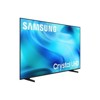
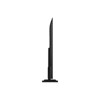
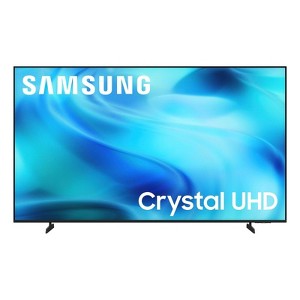
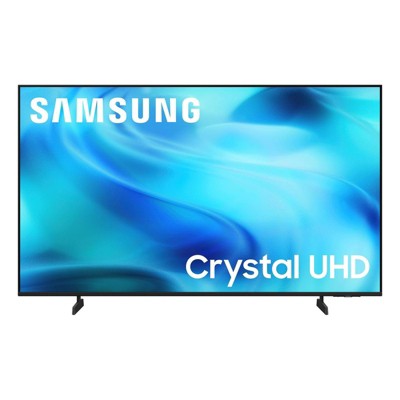
Samsung 65" 4K Crystal Series SamsungVision AI Companion Smart Tizen OS TV - UN65U8000H
New at target
$399.99
In Stock
Eligible for registries and wish lists
At a glance
About this item
Additional product information and recommendations
Discover more options
- $339.99reg $599.90 Sale
- $305.99reg $599.99 Sale3.4 out of 5 stars with 5 ratings
- $349.99reg $504.95 Sale
- $205.99reg $239.99 Sale
- $160.19 - $188.99reg $179.99 - $209.99 Sale4.8 out of 5 stars with 1017 ratings
- $160.19 - $188.99reg $179.99 - $209.99 Sale4.3 out of 5 stars with 4 ratings
Frequently bought together

Guests also viewed
- $699.99was $799.99 New lower price4.7 out of 5 stars with 45 ratings
Related Categories
Guests are saying
The Samsung TV offers an impressive combination of design, brightness, and responsiveness, making it a great choice for various viewing experiences. Guests appreciate the vivid colors and excellent picture quality, along with the ease of setup and a wide range of apps. However, some guests have noted limitations with the remote control and sound quality, which could be improved. Overall, it provides great value for its price and enhances the home entertainment experience.
Summary created by AI from text of reviews reflecting recent feedback provided across different star ratings (includes incentivized reviews)
4.6 out of 5 stars with 750 reviews
brightness: 5 out of 5
color quality: 5 out of 5
features: 5 out of 5
sound quality: 5 out of 5
50% would recommend
2 recommendations
3 out of 5 stars
13 September, 2026
originally posted on Samsung US

Not The Easiest to Program or Understand
Not really that impressed and I find too many Options and the Remote is just too small and impossible to read or us at night. Had a hard time trying to find the INPUT options so that I change from the Smart TV viewing to in my case, Dish Network. It was way later explained that INPUT is in Settings under "PC".
3 out of 5 stars
13 September, 2026
originally posted on Samsung US
I'm too old to appreciate the features.
[This review was collected as part of a promotion.] The picture is fantastic, but this TV is not for older people who are not proficient at managing this kind of technology.
5 out of 5 stars
13 September, 2026
originally posted on Samsung US
Tv
[This review was collected as part of a promotion.] The most beautiful TV I seen in my life . The brightness crisp and movement of this TV isOUT OF THIS WORLD !!
5 out of 5 stars
13 September, 2026
originally posted on Samsung Canada

55" Crystal UHD U8000H 4K Samsung Vision AI Sma...
I purchased the Samsung TV because we had already purchased another Samsung tv and are very happy with it. We highly recommend.
5 out of 5 stars
11 September, 2026
originally posted on Samsung Canada
Great Samsung tv
I bought this Samsung 75 inch tv a few weeks ago. Best tv i have ever owned, easy set up,great display, great sound and love the free Samsung tv channels, a real bonus. Thanks Samsung
5 out of 5 stars
11 September, 2026
originally posted on Samsung US
GREAT TV AND EASY SET UP
THIS TV IS A GRAT PURCHASE AND EASY TO SET UP. WE LOVE SAMSUNG PRODUCTS, THEY ARE THE BEST OVER ALL!
4 out of 5 stars
11 September, 2026
originally posted on Samsung US
Great TV, But Not So User-Friendly
[This review was collected as part of a promotion.] Overall, I like my Samsung Crystal UHD U8000H. The picture is clear, the screen looks great, and as far as being a TV goes, it definitely does its job well. Once I have everything where I want it, I enjoy watching it. However, I do think Samsung could make the everyday experience a little more user-friendly. My biggest frustration has been navigating the menus. Something as simple as switching over to my cable box took me longer than I expected because I had to figure out where to find the external source. I’ve also had trouble figuring out where to add or download other apps. I usually consider myself pretty capable of figuring out technology, but I’ve found myself Googling instructions for things that I feel should be easy to locate directly on the TV. Even then, the instructions I find online don’t always match what I’m seeing on my screen. Then there’s the remote. I like that it is small and simple, but the lettering on it is extremely tiny. I find myself having to really look closely just to see what some of the buttons say. A little larger print would make a huge difference. The U8000H is a good-looking TV with a very nice picture, and I’m happy with it overall. I just wish Samsung had made navigating sources, adding apps, and reading the remote as easy as enjoying the picture. Sometimes simple really is better.
5 out of 5 stars
11 September, 2026
originally posted on Samsung Canada
Great for watching sports!
We’re really enjoying the new TV. The colours are vibrant and pictures are beautiful. There’s a very balanced contrast in colours. We watch a lot of sports and love its responsiveness and that the audio is very clear even without a sound bar.
5 out of 5 stars
11 September, 2026
originally posted on Samsung Canada
Great
I bought for our living room and works well. The picture is great and size is big enough but not intrusive.
5 out of 5 stars
11 September, 2026
originally posted on Samsung US
Great Entertainment experience
[This review was collected as part of a promotion.] Love the gaming compatibility stream quality and color display cell phone compatibility and connectivity
5 out of 5 stars
11 September, 2026
originally posted on Samsung Canada
Great TV for very bright family room!
I bought this 50" Crystal UHD U8000H 4K Samsung Vision TV for our very bright natural light little family room. It is great during the sunlight hours. All our streaming apps were easy to enter and easy guide for the apps on screen to use from the remote. Picture is bright and clear with no issues during this first month of use.
5 out of 5 stars
11 September, 2026
originally posted on Samsung US
Its awesome all around!
The product is amazing which most samsungs are. I have washer and dryer fridge all tvs etc with Samsung but this one is awesome all around.
1 out of 5 stars
11 September, 2026
originally posted on Samsung US
don't understand what you want here
too cumbersome /time comsuming to have to go through several apps just to get to what you want to view.
1 reply from Samsung Advisor team - 4 days ago
Hi do not have one, Thank you for sharing your experience. Please know that you can customize your Home screens by installing, removing or adding your favorite apps to Apps Home and/or For You Home screen. Here's how: Searching for & Installing Apps 1. From the Home screen, press up on the remote’s directional pad. 2. Navigate to and select Search. 3. Using the search bar, enter the content or app you’d like to find. 4. Navigate to and select the app you’d like to install, then select Install. Note: Previously installed apps can be accessed on the Settings screen. Adding & Managing Apps on Home Screen 1. Go to App Settings (these can be found at the bottom of the Apps screen) and select the app you want to move. The following options will be available: a. Add to Home: Move the app to your desired location on the Home screen. b. Delete: Delete app. c. Lock/Unlock: Lock the app with a PIN so only you can use it. When the app is selected again, you will be prompted to enter the PIN to unlock it. d. Reinstall: Reinstall the app. e. View Details: View the app’s information and details. If you need more help with app management, please don’t hesitate to reach Samsung Support at 1-800-SAMSUNG (8AM – 9PM EST Mon – Fri, 8AM – 6PM Sat – Sun). Our LiveChat agents are also available by clicking on the ‘Support’ link on our website. ~ Samsung Advisor
5 out of 5 stars
10 September, 2026
originally posted on Samsung Canada
Great TV
Bought tv a couple months back, tv easy to install and works as it should.
5 out of 5 stars
10 September, 2026
originally posted on Samsung Canada
Great features
My son loves it coz it has Mr Beast on its channel guide. Love the features. The volume on the remote control is just a little delayed to respond.
5 out of 5 stars
10 September, 2026
originally posted on Samsung US
Best TV of 2026
[This review was collected as part of a promotion.] I recently purchased the Crystal UHD 2026 TV, and overall, I have been very impressed with the experience. From the moment I set it up, the TV felt like a significant upgrade from my previous television. The design is modern, slim, and clean, so it looks great whether it is mounted on the wall or placed on a TV stand. The picture quality is one of the biggest strengths of this TV. Colors look bright and vibrant without appearing overly artificial, while the 4K resolution provides plenty of detail. Watching movies and TV shows is particularly enjoyable because the picture feels sharp and clear. I also noticed that scenes with a lot of detail, such as nature documentaries and action movies, look especially impressive. The contrast and overall picture balance are good for everyday viewing, although the experience can vary depending on the lighting in the room. Another thing I really like is how easy the TV is to use. The interface is straightforward, and navigating between streaming services and other features feels smooth. Apps load quickly, and having access to popular streaming platforms makes it convenient to watch everything in one place. The remote is also simple to understand, which is helpful if you don't want to spend a lot of time figuring out complicated controls. The sound quality is decent for a built-in TV speaker system. Voices are generally clear, and the sound is perfectly adequate for everyday watching. However, if you want a more immersive cinema-like experience, I would recommend adding a soundbar or external speakers. Overall, the Crystal UHD 2026 TV offers an excellent combination of picture quality, smart features, design, and ease of use. It is a great choice for watching movies, sports, streaming content, and regular television. For the price, I think it provides very good value and has made my everyday viewing experience much more enjoyable. I would definitely recommend it to anyone looking for a reliable, modern 4K TV.
3 out of 5 stars
10 September, 2026
originally posted on Samsung US
Needs an easier UX
[This review was collected as part of a promotion.] Why doesn't Samsung have a clear path to an app store?! TV is very responsive, but that's easy to say when it's brand new. Setting up the TV is proving to be quite frustrating, even though I've been part of the Samsung ecosystem for almost 2 decades. I don't like the remote either; call me old fashioned, but I love remotes that still have numbers on them. Shipping was also confusing; thankfully got items on time, but shipping details did not match what was on Samsung website or app. I did appreciate that the TV was able to connect to my phone quickly; the Smart things aspect seems to be responsive as well.
1 reply from Samsung Advisor team - 4 days ago
Hi BooAppleBooThem, Thank you for sharing your experience. Please know that you can customize your Home screens by installing, removing or adding your favorite apps to Apps Home and/or For You Home screen. Here's how: Searching for & Installing Apps 1. From the Home screen, press up on the remote’s directional pad. 2. Navigate to and select Search. 3. Using the search bar, enter the content or app you’d like to find. 4. Navigate to and select the app you’d like to install, then select Install. Note: Previously installed apps can be accessed on the Settings screen. Adding & Managing Apps on Home Screen 1. Go to App Settings (these can be found at the bottom of the Apps screen) and select the app you want to move. The following options will be available: a. Add to Home: Move the app to your desired location on the Home screen. b. Delete: Delete app. c. Lock/Unlock: Lock the app with a PIN so only you can use it. When the app is selected again, you will be prompted to enter the PIN to unlock it. d. Reinstall: Reinstall the app. e. View Details: View the app’s information and details. Regarding the remote, while it may appear minimal at first glance, many of the buttons are designed with dual or long-press functions to help reduce clutter without sacrificing functionality. For example: • Volume rocker: Push UP/DOWN to adjust volume; press and release quickly to MUTE. • Long-press Volume button: Hold for more than 1 second to access Accessibility Shortcuts. • RETURN button: Press to go back to the previous screen or menu; when watching TV, it takes you back to the previous channel. These combined functions help create a cleaner design while keeping everything you need just a button away. If you ever need help with your remote or want to learn more shortcuts, we’re here to assist. You can reach us at 1-800-SAMSUNG (8AM – 9PM EST Mon – Fri, 8AM – 6PM Sat – Sun), or reach us via text anytime. You can also visit ‘Support’ on our website for: • Live Chat • Manuals, Software, & Warranty Info ~ Samsung Advisor
4 out of 5 stars
10 September, 2026
originally posted on Samsung Canada
Great picture
Purchased a about a month ago and am satisfied with most features
5 out of 5 stars
10 September, 2026
originally posted on Samsung US
Samsung TV
new TV is great an was right fit for my room. Brightness and contrast is very good. And it connected to WiFi with very ease.
5 out of 5 stars
10 September, 2026
originally posted on Samsung Canada
Great tv
Bought this a few weeks ago and works perfect, came with free Samsung tv plus, easy to use, nice bright screen and good speakers, the stands were easy to install, the app is easy to use, great price.