Target New ArrivalsBack to SchoolCollegeClothing, Shoes & AccessoriesHome & DecorKitchen & DiningOutdoor Living & GardenGroceryHousehold EssentialsBabyBeautyPersonal CareSports & OutdoorsHealthWellnessSchool & Office SuppliesToys & GamesElectronics & TechVideo GamesMovies, Music & BooksParty SuppliesGift IdeasGift CardsPetsUlta Beauty at TargetShop by CommunityTarget OpticalDealsClearanceNew ArrivalsBack to SchoolCollegeTop DealsTarget Circle DealsWeekly AdShop Order PickupShop Same Day DeliveryRegistryRedCardTarget CircleFind Stores

hdmi retro console

1,000+ results for “hdmi retro console”
Sponsored

Related deals

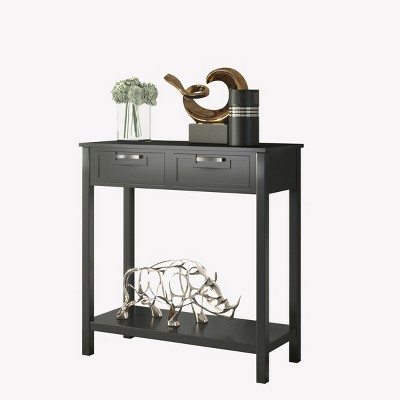
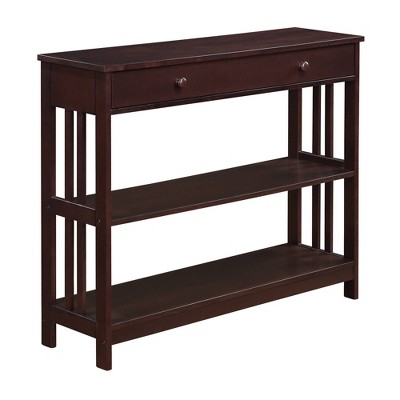
Landers 2 Drawer Console Table - CNS5710 -Safavieh

Sponsored

Warwick Narrow Console Table - Threshold™

$180.00

Sponsored

Powered by AI

Guests also ask:

Power varies by model. Some units include a DC/USB power adapter; others require you to provide a USB AC adapter (listings commonly specify 5V/1A / 5W or higher). Handhelds and wireless controllers often use replaceable batteries (e.g., AAA) or built-in rechargeable cells. Always check the product listing to see whether an adapter or batteries are included.

Storage depends on the model. Some handhelds have no internal storage, some list small built-in capacities (for example 1GB), and others use or include TF/microSD cards (examples show up to a 64GB TF card). Many consoles come with preloaded games on a card or internal memory, and at least some listings explicitly note the ability to save game progress. Check the specific product details for capacity and whether saves are supported.

Most models connect via HDMI to TVs, monitors, projectors, and devices with an HDMI input; some listings also note compatibility with computers, set-top boxes, and laptops that accept HDMI input. A smaller number of handhelds offer legacy AV output instead of HDMI. Verify the console’s output type and whether an HDMI or AV cable is included in the listing.

Typical steps: 1) Connect the console’s HDMI (or AV) cable to your TV’s input. 2) Insert any required TF/microSD card if the unit uses one. 3) Power the console using the included adapter or a separate USB AC adapter as specified. 4) Turn on the TV and select the correct HDMI/AV input. 5) Turn on the console and any controllers. Check the product listing to confirm whether power and cables are included.

Output types vary—many consoles use HDMI while some use legacy AV. Listings commonly advertise 1080p output; a few claim 4K HDMI capability but often target 1080p playback quality. Whether an HDMI cable is included varies by product. Check the specific listing for the stated maximum resolution and included cables.

Packages vary: some include two wired controllers, others two 2.4GHz wireless controllers, and some handheld bundles list dual controllers. Wireless controllers are often battery-powered (commonly requiring AAA batteries), while wired controllers draw power from the console and need no batteries. Confirm controller type and battery requirements in the product description.

Game counts vary widely—from about 20 preloaded titles to 520 and into the tens of thousands on some units. Larger systems sometimes ship with a preloaded TF card (e.g., 64GB) and may advertise multiple emulators (one listing cites 15 emulators). Check the product details for the exact game list and emulator support.

Retro consoles come in several form factors: HDMI stick-style devices, compact mini consoles, and handheld units. Dimensions vary by model (examples in listings range roughly from 2.3–5.4 inches wide, 3–6.4 inches tall, and 1.9–3.95 inches deep), reflecting both pocketable and small living-room designs. Verify dimensions in the product listing if size or portability matters to you.

Battery requirements differ by model and controller type. Many wireless controllers require 2 AAA batteries each (often not included). Some listings show console or handheld battery specifications such as '4 AAA, required, not included' or a single non-replaceable lithium cell 'required, installed.' Wired controllers do not need separate batteries. Always check the product listing for exact battery type and whether batteries are included.

Get top deals, latest trends, and more.