Target New ArrivalsChristmasTarget Black FridayGift IdeasHoliday Kids CatalogHome & DecorKitchen & DiningToys & GamesElectronics & TechVideo GamesGift CardsClothing, Shoes & AccessoriesGroceryBabyBeautyTarget Beauty StudioPersonal CareHousehold EssentialsHealthWellnessBooks, Music & MoviesSports & OutdoorsPetsSchool & Office SuppliesParty SuppliesAutomotiveTarget OpticalClearanceNew ArrivalsChristmasGift IdeasTop DealsTarget Circle DealsWeekly AdShop Order PickupShop Same Day DeliveryRegistryRedCardTarget CircleFind Stores
Amazon Fire TV Stick 4K, Simple 4K Streaming, New Fire TV Remote, All your Apps in One Place, Free & Live TV, Find Shows Faster with Alexa+ - 2 of 4Amazon Fire TV Stick 4K, Simple 4K Streaming, New Fire TV Remote, All your Apps in One Place, Free & Live TV, Find Shows Faster with Alexa+ - 3 of 4Amazon Fire TV Stick 4K, Simple 4K Streaming, New Fire TV Remote, All your Apps in One Place, Free & Live TV, Find Shows Faster with Alexa+ - 4 of 4
Amazon Fire TV Stick 4K, Simple 4K Streaming, New Fire TV Remote, All your Apps in One Place, Free & Live TV, Find Shows Faster with Alexa+ - 1 of 4

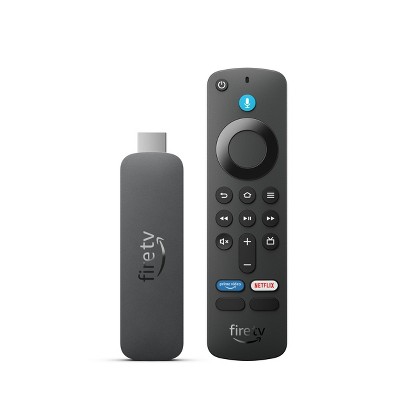
Amazon Fire TV Stick 4K, Simple 4K Streaming, New Fire TV Remote, All your Apps in One Place, Free & Live TV, Find Shows Faster with Alexa+

12 Questions
New at  target 
$19.99 reg $59.99
$40 off

In Stock

Eligible for registries and wish lists
Save 5% every day
With Target Circle™ Card (restrictions apply)

At a glance

About this item

Highlights

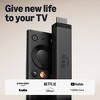
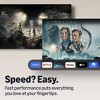
  • Give new life to your TV – Fire TV Stick 4K enhances your TV with endless entertainment, fast performance, and Alexa+ intelligence, plus a new Fire TV Remote and Wi-Fi 6 support.
  • Watch in vivid 4K with HDR10+ – Make the most of your 4K TV’s picture quality. You’ll see rich colors, deep contrast, and sharp details, whether it's a stunning nature doc or your favorite rom-com.
  • Easier than ever to set up – Plug into a TV’s HDMI port to stream anywhere. With Direct Power, it’s powered by the TV (no wall adapter necessary).
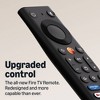
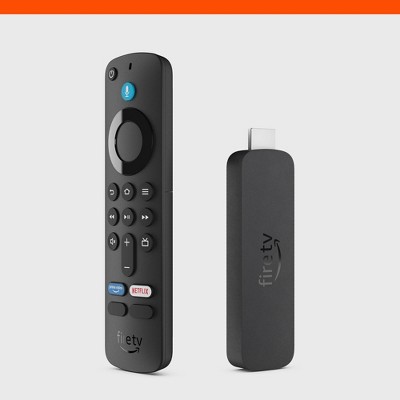
  • All-new Fire TV Remote – Enjoy an intuitive layout with TV power/volume controls. Search with the navigation ring and jump to specific scenes. Dedicated buttons for the Shortcut Panel, Fire TV experience menu, and Live TV get you there in one click.
  • Find it fast – The Fire TV experience gets you to what you’re looking for, whether it’s shows, games, music, or smart home controls. Browse dedicated content categories, pin more of your favorite apps, and turn your display into a work of art.
  • All your apps in one place – Prime Video, Netflix, YouTube, Disney+, Apple TV, HBO Max, Hulu, Peacock, Paramount+, & thousands more. Easily find what's next from hundreds of thousands of movies & TV episodes, including free, ad-supported content. Subscription fees may apply.
  • Smarter picks with Alexa+ – Press the voice remote button and talk naturally to get personalized recommendations for what to watch, manage your smart home, or dive into virtually any topic.
  • Control your smart home – Alexa checks your Ring cameras, dims the lights, and more.
  • Bluetooth listening – Connect your Bluetooth headphones for private listening to watch TV without disturbing those around you.

Description

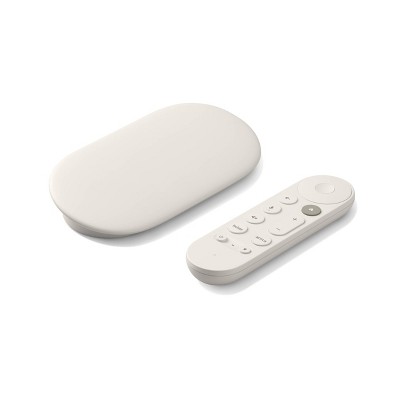
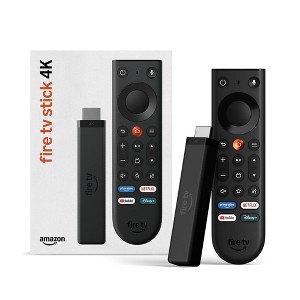
Give new life to your TV - Add fast performance, endless entertainment, and Alexa+ to your TV. Control is in the details - Meet the all-new Fire TV Remote. Navigating the Fire TV experience feels like second nature. Every button, shortcut, and Alexa interaction gets you to where you want to go in seconds, from personalized entertainment to smart home management. In the box: Fire TV Stick 4K, Fire TV Remote, 1.3ft power cable, 2 AAA batteries, Quick Start Guide.
Dimensions (Overall): 4.17 Inches (H) x 5.77 Inches (W) x .83 Inches (D)
Weight: .43 Pounds
Electronics Features: Wi-Fi, Streaming Capability
Connection Type: HDMI, USB-C
Data Storage Capacity: No Internal Data Storage
Maximum Resolution: 4K
Wireless Technology: Wi-Fi, Bluetooth
System RAM: 1 GB
Compatible With: Disney+, Netflix, Hulu, Crackle, Paramount+, Amazon Prime Music, Max, Amazon Prime Video, Apple TV+
Battery: 2 AAA Lithium, Required, Packaged With
Warranty: 90 Day Limited Warranty. To obtain a copy of the manufacturer's or supplier's warranty for this item prior to purchasing the item, please call Target Guest Services at 1-800-591-3869
Street Date: October 13, 2026
TCIN: 1012349327
UPC: 840414613300
Item Number (DPCI): 008-06-0057
Origin: Imported
If the item details aren’t accurate or complete, we want to know about it.

Shipping details

Estimated ship dimensions: 5.91 inches length x 4.14 inches width x 0.95 inches height
Estimated ship weight: 0.342 pounds

Return details

This item can be returned to any Target store or Target.com.
This item must be returned within 30 days of the date it was purchased in store, delivered to the guest, delivered by a Shipt shopper, or picked up by the guest.
See the return policy for complete information.

Q: Can you download third party apps on this firestick

submitted by John - 1 month ago
  • A: Downloader app compatible??

    submitted byDon - 27 days ago
  • A: No, this firetsick has thsi new Luna operating system that prevents sideloading. See here https://www.amazon.com/dp/B0G4XRP464?pd_rd_w=XO1CC&content-id=amzn1.sym.d427187d-caf6-4799-9c68-4b55683a052f%

    submitted bySlobjoe - 19 days ago
  • A: Just purchased this today and does NOT support sideloading... going back to the store!

    submitted byDSL - 13 days ago
  • A: Hello John, yes the Amazon Fire TV Stick 4K does support sideloading.

    submitted byAmazon Devices Customer Support - 1 month ago
    Brand expert
  • A: Hi, thanks for reaching out about the Amazon Fire TV Stick 4K, Simple 4K Streaming, New Fire TV Remote, All your Apps in One Place, Free & Live TV, Find Shows Faster with Alexa+ Yes, you can generally download and install third-party apps on the Fire TV Stick 4K, provided the app is compatible with Fire OS and you enable installation from unknown sources. If you have any additional questions, we welcome you to contact MyTGTtech at 833-848-8324 every day between 7 am and 11 pm CST.

    submitted byRena - 1 month ago
    Target staff support

Q: Does it work with any smart tv?

submitted by Nettie - 5 days ago
  • A: Hi Nettie, Great question! Yes, it works with any TV that has an HDMI port, whether it's a smart TV or not. Setup is simple: Plug the Fire TV Stick 4K into your TV's HDMI port. Connect it to power by plugging it into your TV's USB port. You don't need a wall adapter. Connect to Wi-Fi, and you'll have all your apps, plus free and live TV, in one place. To watch in 4K, you'll need a 4K TV. Happy Streaming!

    submitted byAmazon Devices Customer Support - 4 days ago
    Brand expert

Q: Is this second generation? I need a fire stick that can run “MotoGP” app as my current fire stick no longer supports the app

submitted by BarefootedAlien - 11 days ago
  • A: Hello BarefootedAlien, This Amazon Fire TV Stick 4K is 3rd Generation and runs Vega OS. I am not finding if it can run MotoGP app as they would have to have the latest software to run on our current Vega OS software.

    submitted byAmazon Devices Customer Support - 10 days ago
    Brand expert

Q: Is this offer s 2 pack as indicated by the picture?

submitted by Faceoff1630 - 11 days ago
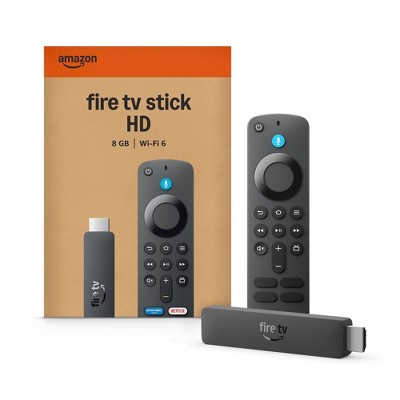
  • A: Hello, The Amazon Fire TV Stick 4K comes with the Stick and the remote. The picture depicted is showing the box and then the product outside of the box. I hope this helps answer your question!

    submitted byAmazon Devices Customer Support - 10 days ago
    Brand expert

Q: How many gb of storage does it have?

submitted by Liz - 14 days ago
  • A: Hello Liz and thank you for your question! The Amazon FireTV Stick 4K comes with 8gb of storage. Hope that helps! Have a great day!

    submitted byAmazon Devices Customer Support - 12 days ago
    Brand expert

Q: Does it work on older Vizio tvs

submitted by Billie - 15 days ago
  • A: Hello Billie! This will work on any TV with an HDMI port, even if it's not a 4k TV. If your TV is not a 4k then content from the Fire Stick will be streamed and broadcast in HD instead. I hope this answers your question and I hope you have a great day!

    submitted byAmazon Devices Customer Support - 13 days ago
    Brand expert

Q: Does this run on Fire OS or Vega OS?

submitted by Sach - 16 days ago
  • A: Hello Sach and thank you for your question! This Amazon FireTV Stick 4K is running Vega OS. Hope this helps! Have a great day!

    submitted byAmazon Devices Customer Support - 12 days ago
    Brand expert

Q: Can the Sling app be downloaded on this fire stick?

submitted by Angela - 17 days ago
  • A: Hello Angela, Yes the Sling app can be downloaded onto the Amazon Fire TV Stick 4K. There may be some limitations on the app, such as multiview due to the new Vega operating system. I hope this helps answer your question!

    submitted byAmazon Devices Customer Support - 17 days ago
    Brand expert

Q: Would this remote work on a Fire TV?

submitted by Dmm - 20 days ago
  • A: Hello and thank you for asking this question. This Fire Stick uses HDMI out and can connect to monitors, TVs, projectors, etc. It can either be powered from the TVs USB port or from a wall plug. I hope this answers your question and that you have a great day.

    submitted byAmazon Devices Customer Support - 18 days ago
    Brand expert

Q: What processor does this have?

submitted by Slobjoe - 21 days ago
  • A: Hi Slobjoe, great question! The Fire TV Stick 4K is powered by a quad-core 1.7 GHz processor (MediaTek MT8696D) paired with 2GB of RAM. That combination delivers fast, responsive navigation and quick app loading — about 30% more powerful than the previous generation — so you get smooth 4K streaming across all your apps. Hope that helps!

    submitted byAmazon Devices Customer Support - 20 days ago
    Brand expert

Additional product information and recommendations
Discover more options

Skip to next section
4.0 out of 5 stars with 25 reviews
50% would recommend
6 recommendations
1 out of 5 stars
Thumbs down graphic, would not recommend
23 November, 2026Verified purchase

Shady Vendors - Another Disappointing Purchase

I specifically purchased this item because the vendors in the Q&A for this ad said "yes, this item supports app side loading." It DOES NOT!! Please don't waste your time/money is this feature is important to you. On the other hand, Target themselves made the purchase/return process very easy.
wendy0nc
Did you find this review helpful?
1 out of 5 stars
Thumbs up graphic, would recommend
22 November, 2026Verified purchase

Target staff need training...pick up "by" Nov 21st does not mean pick up "on" Nov 21st

Nothing wrong with the item...unpleasant experience at the store from the staff (may be a trainee). Ordered the item online, it gave address and date to pickup by Nov 21st. Went to store on 18th, the customer service staff said come on Nov 21st. I didn't want to come back, grabbed the item from the store, matched the UPS code but the customer service person said come back on Nov 21st even though the pickup instruction says pickup "by" Nov 21st. Requested to process the pickup using bar code I received and bar code on the product, she denied. Went back on 21st and picked up the item...
Anil
Did you find this review helpful?
5 out of 5 stars
Thumbs up graphic, would recommend
21 November, 2026Verified purchase

Great Value

Affordable, availability, and able to access
Brie
Did you find this review helpful?
5 out of 5 stars
20 November, 2026
originally posted on Amazon Devices
Image

Streaming service

[This review was collected as part of a promotion.] I am so in love with this fire tv stick 4k streaming service. We love the 2021 version and now getting to to try the 2026 has been so much better! We love the new remote control everything about it is amazing.
SophearL
Did you find this review helpful?
5 out of 5 stars
20 November, 2026
originally posted on Amazon Devices
Image

It’s so useful and has something for everyone.

[This review was collected as part of a promotion.] Having a fire stick was not something I thought I needed. I love it! I love streaming all my shows from one place and it’s become the most used thing in my home easily. We love to sit and watch movies.
DenaL
Did you find this review helpful?
2 out of 5 stars
Thumbs down graphic, would not recommend
14 November, 2026Verified purchase

(no review title)

Stopped working after 3 days. Also, this uses Vega OS not Fire OS so buyer beware. Lastly, the design of the new Stick makes it so that I have to buy an extender for my hdmi port so the true cost of purchasing this item on sale or otherwise was greater than its price.
Megan
From Amazon Devices Customer Support team
Hi Megan, We're sorry — a streaming stick that stops working after just three days is genuinely frustrating, and that's not the experience you should have. We'd like to help make it right. On the device failing: that points to a possible hardware fault, so please don't feel you need to keep troubleshooting it. A quick first step is to unplug it for 30 seconds, make sure it's powered from the included adapter into a wall outlet (not a TV USB port), and restart — but if it still won't work, please reach out to Amazon Customer Service at 1-888-280-4331 and we'll arrange a replacement or refund. Your other two points are fair call-outs, and we appreciate you raising them: Operating system: You're right that this model runs a different software platform, which changes how some apps and features behave compared to earlier Fire OS sticks. That's useful feedback, and we're sharing it so the difference is clearer for buyers up front. HDMI extender: Needing an extender to fit certain ports — and the added cost that brings — is a legitimate concern, and we're passing it along too. If an extender didn't come in your box, our support team can help. Thank you for taking the time to share all three issues — it genuinely helps us improve, and we want to get you a working device without the extra hassle.
12 days ago
1 guest found this review helpful. Did you?
5 out of 5 stars
14 November, 2026
originally posted on Amazon Devices
Image

Best streaming device that doesn’t cost an arm and a leg.

[This review was collected as part of a promotion.] This is the best streaming device on the market that doesn’t cost an arm and a leg. Remote works perfectly. It’s super portable and supports all my favorite streaming apps.
PatrickL
Did you find this review helpful?
5 out of 5 stars
13 November, 2026
originally posted on Amazon Devices
Image

Upgraded performance and visually!

[This review was collected as part of a promotion.] Received my new 4k Fire Stick today! It’s sooo pretty! Love the convenience of the buttons for quick access to apps. Much faster too ! My old one was outdated and no convenient buttons to access my apps. Love the new and improved version.
LisaF
Did you find this review helpful?
1 out of 5 stars
10 November, 2026

(no review title)

This said it had fire os and it’s not is Vega os you can not download third party apps on this
mariana
From Amazon Devices Customer Support team
Hello Mariana, Thank you for your feedback on the Fire TV Stick 4K. I'm sorry the device wasn't what you expected and that you can't install the third-party apps you planned to use. I understand how frustrating that is when the operating system isn't the one you thought you were buying. Amazon now offers Fire TV streaming devices on two operating systems. The newer Fire TV Stick 4K Select, sold as simple 4K streaming with the new Fire TV remote, runs Amazon's Vega OS. Other Fire TV devices, including the Fire TV Stick 4K Max, Fire TV Cube, and earlier Fire TV Stick 4K models, run Fire OS. Vega OS installs apps only from the Amazon Appstore, so apps from outside sources and sideloaded apps can't be added. This keeps apps compatible, secure, and optimized for the device. You can see which operating system your device runs under Settings, My Fire TV, About. Vega OS supports many popular streaming apps, and more are added over time. To check whether an app is available, select Find or Search from the Home screen and type its name, or say the name using the Alexa Voice Remote. Keeping the device updated under Settings, My Fire TV, About, Check for Updates helps new apps show up as soon as they're released. If you depend on third-party apps that aren't in the Amazon Appstore, a Fire TV device that runs Fire OS, such as the Fire TV Stick 4K Max or Fire TV Cube, will better fit how you stream. I hope this information helps you find the right streaming setup for your home. Thank you for your feedback, and have a great day!
14 days ago
1 guest found this review helpful. Did you?
5 out of 5 stars
10 November, 2026
originally posted on Amazon Devices
Image

Voice search has greatly improved

[This review was collected as part of a promotion.] The new firestick is awesome for kids and families. My preschoolers love the way they can find their favorite shows on their own using the voice search feature, which is a huge upgrade over previous versions. I also like how this new version can plug into the TVs usb port and doesnt need a power adapter. Previous versions had issues with this.
JasonS
Did you find this review helpful?
5 out of 5 stars
Thumbs up graphic, would recommend
9 November, 2026Verified purchase

(no review title)

Pickup was great
Atif
Did you find this review helpful?
1 out of 5 stars
8 November, 2026

(no review title)

The fact that you have to be super close to the tv for this remote to work!
Sabrina
From Amazon Devices Customer Support team
Hi Sabrina, Thanks for flagging this, and we're sorry the remote has been frustrating — having to sit right next to the TV defeats the whole point, and that's not how it should work. The good news is this is usually fixable. The Fire TV remote connects over Bluetooth (not line-of-sight infrared), so short range often points to one of a few things: Fresh batteries: A weak battery is the most common cause of short range — swapping in new ones often fixes it immediately. Re-pair the remote: Hold the Home button for about 10 seconds to reset the connection to the Fire TV Stick. Reduce interference: If the stick is tucked behind the TV, using the included HDMI extender to move it out from behind the screen can dramatically improve range. If it's still only working up close after trying those, that may point to a faulty remote — in which case Amazon Customer Service can arrange a replacement at 1-888-280-4331. Thanks for your patience, and we'd like to get this working properly for you.
19 days ago
Did you find this review helpful?
3 out of 5 stars
5 November, 2026
originally posted on Amazon Devices
Image

Good for not smart tv

[This review was collected as part of a promotion.] This is good if your TV is not a smart tv. It has all the apps like Netflix, Hulu, YouTube and such. Very easy to install, you basically just have to plug it in then it will start loading and working. The picture is okay, couldn’t they’ll the difference honestly
SanaaB
Did you find this review helpful?
5 out of 5 stars
5 November, 2026
originally posted on Amazon Devices
Image

Easy setup!

[This review was collected as part of a promotion.] I love this! This has so many apps and you can add more as well! The setup process was fast and easy. It took me 5 min to 10 mon to set this up! The remote has volume control and it syncs very easy.
LakeishaH
Did you find this review helpful?
5 out of 5 stars
4 November, 2026Verified purchase

(no review title)

Easy to set up
Grandmother
Did you find this review helpful?
5 out of 5 stars
4 November, 2026
originally posted on Amazon Devices
Image

Easy to Use

[This review was collected as part of a promotion.] I was surprised by how easy it was set up this Fire TV stick! It’s very much plug-and-play, and comes with a very natural interface to navigate. It’s also super compact! Very happy with this product.
JayT
Did you find this review helpful?
3 out of 5 stars
Thumbs down graphic, would not recommend
3 November, 2026

(no review title)

This version is the new OS that you can’t install third parties app. It’s not android 🙃
francisco
2 guests found this review helpful. Did you?

Get top deals, latest trends, and more.