New ArrivalsValentine’s DayClothing, Shoes & AccessoriesHomeKitchen & DiningGroceryHousehold EssentialsFurnitureOutdoor Living & GardenBabyToysVideo GamesElectronicsMovies, Music & BooksBeautyHealthPersonal CareGift IdeasParty SuppliesCharacter ShopSports & OutdoorsBackpacks & LuggageSchool & Office SuppliesPetsUlta Beauty at TargetShop by CommunityTarget OpticalGift CardsDealsClearanceTarget New Arrivals Target Finds #TargetStyleStore EventsAsian-Owned Brands at TargetBlack-Owned or Founded Brands at TargetLatino-Owned Brands at TargetWomen-Owned Brands at TargetLGBTQIA+ ShopTop DealsTarget Circle DealsWeekly AdShop Order PickupShop Same Day DeliveryRegistryRedCardTarget CircleFind Stores
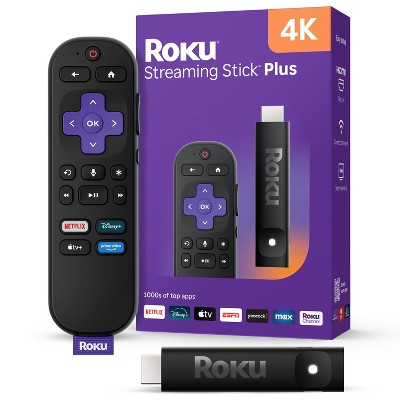
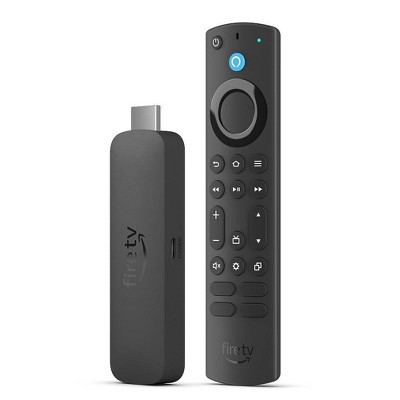
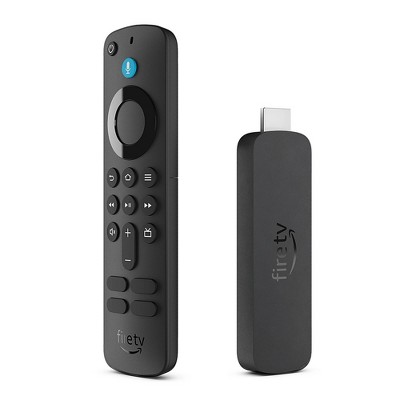
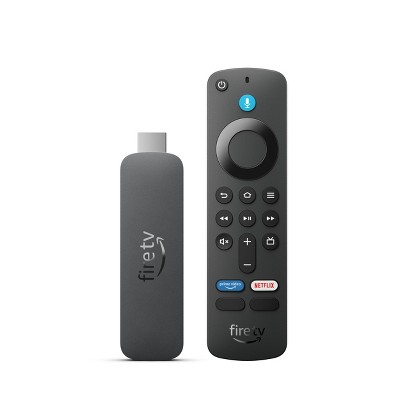
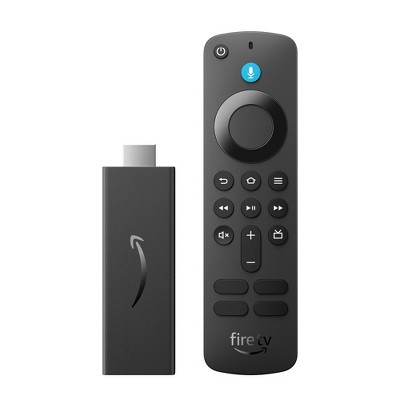
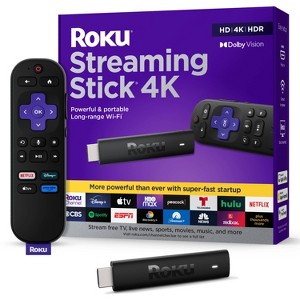
Roku Streaming Stick 4K Streaming Device 4K/HDR/Dolby Vision with Voice Remote with TV Controls: Wi-Fi, Apple Airplay - 2 of 4Roku Streaming Stick 4K Streaming Device 4K/HDR/Dolby Vision with Voice Remote with TV Controls: Wi-Fi, Apple Airplay - 3 of 4Roku Streaming Stick 4K Streaming Device 4K/HDR/Dolby Vision with Voice Remote with TV Controls: Wi-Fi, Apple Airplay - 4 of 4
Roku Streaming Stick 4K Streaming Device 4K/HDR/Dolby Vision with Voice Remote with TV Controls: Wi-Fi, Apple Airplay - 1 of 4

$49.99

In Stock

Eligible for registries and wish lists

About this item

Highlights

  • Stunning 4K & Dolby Vision streaming made simple: With America’s #1 TV streaming platform*, exploring popular apps—plus tons of free movies, shows, and live TV—is as easy as it is fun.
  • Breathtaking picture quality: Stunningly sharp 4K picture brings out rich detail in your entertainment with four times the resolution of HD. Watch as colors pop off your screen and enjoy lifelike clarity with Dolby Vision and HDR10+.
  • Seamless streaming for any room: With Roku Streaming Stick 4K, watch your favorite entertainment on any TV in the house, even in rooms farther from your router thanks to the long-range Wi-Fi receiver.
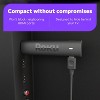
  • Compact without compromises: Our sleek design won’t block neighboring HDMI ports, so you can switch from streaming to gaming with ease. Plus, it’s designed to stay hidden behind your TV, keeping wires neatly out of sight.
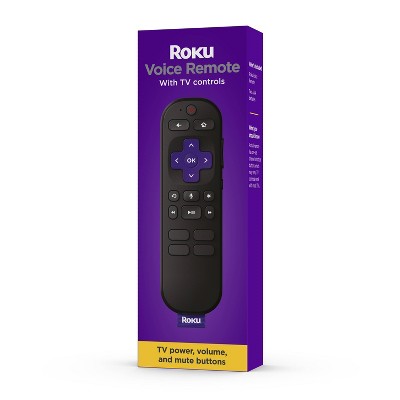
  • No more juggling remotes: Power on your TV, adjust the volume, and control your Roku device with one remote. Use your voice to quickly search, play entertainment, and more.
  • Shows on the go: Take your TV to-go when traveling—without needing to log into someone else’s device.
  • All the top apps: Never ask “Where’s that streaming?” again. Now all of the top apps are in one place, so you can always stream your favorite shows, movies, and more.
  • Home sweet home screen: Jump right in with a home screen that easily gets you to what you want to watch fast.
  • Unbelievably free live TV: Enjoy 500+ TV channels with live news and weather, sports coverage, and more—totally free.
  • Quick and easy setup: Just power up your device, connect to the internet, and dive into a world of streaming.

Description

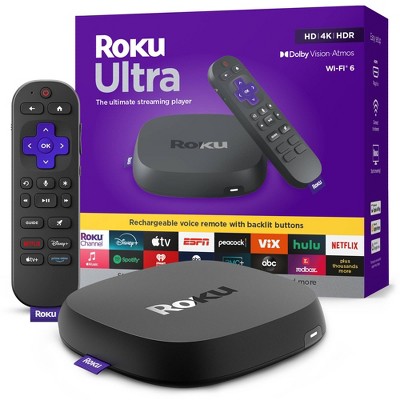
Roku Streaming Stick 4K is the easiest way to give any 4K TV the ultimate upgrade to America’s #1 TV streaming platform*. Start streaming in a snap and enjoy 500+ free TV channels with live news, weather, sports coverage, and more. Watch your favorites in stunning 4K, Dolby Vision, and rich HDR10+ colors packed into this slim Roku player with long-range Wi-Fi. The sleek, portable design won’t block neighboring HDMI ports, so you can switch from streaming to gaming with ease. Plus, it stays hidden behind your TV, keeping wires neatly out of sight.


*Based on hours streamed—Hypothesis Group.

Dimensions (Overall): .45 Inches (H) x 3.7 Inches (W) x .8 Inches (D)
Weight: .9 Ounces
Electronics Features: Streaming Capability, Controlled by Smartphone App, Wi-Fi, Dolby Vision
Connection Type: HDMI
Data Storage Capacity: 4GB
Maximum Resolution: 4K
Wireless Technology: Wi-Fi 5 (IEEE 802.11ac)
System RAM: 1 GB
Compatible With: Spotify, YouTube TV, YouTube, Netflix, Apple HomeKit, Amazon Prime Video, Peacock, discovery+, Max, Crunchyroll, Hulu, Disney+, Paramount+, Roku, Apple TV+, ViX
Voice assistant built-in: ROKU Voice Assistant Built-In
Screen Mirroring Technology: Apple Airplay
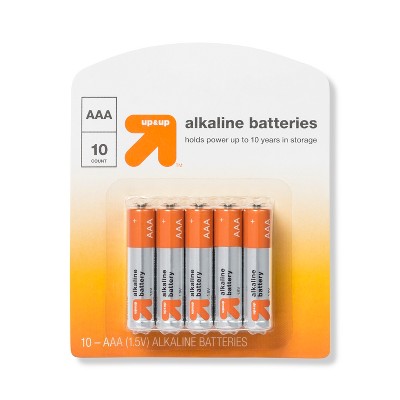
Battery: 2 AAA Alkaline, Required, Packaged With
Warranty: 1 Year Limited Warranty. To obtain a copy of the manufacturer's or supplier's warranty for this item prior to purchasing the item, please call Target Guest Services at 1-800-591-3869
Street Date: October 25, 2021
TCIN: 52709600
UPC: 829610004853
Item Number (DPCI): 008-06-0065
Origin: Imported
If the item details aren’t accurate or complete, we want to know about it.

Shipping details

Estimated ship dimensions: 5.5906 inches length x 5.748 inches width x 2.0472 inches height
Estimated ship weight: 0.6 pounds

Return details

This item can be returned to any Target store or Target.com.
This item must be returned within 30 days of the date it was purchased in store, shipped, delivered by a Shipt shopper, or made ready for pickup.
See the return policy for complete information.

Q: Does it work with the Spectrum App?

submitted by Elis - 5 years ago
  • A: Not anymore! It was removed on 12/12/20

    submitted byRonald14 - 5 years ago
  • A: Yes, all Roku devices have access to the Spectrum App

    submitted byRoku Support - 5 years ago
    Brand expert
  • A: If you have Spectrum app on your Roku it will still work, but if you delete it, you can't re-add it unfortunately.

    submitted byValley Mom - 5 years ago
  • A: I just received this new roku stick last week and was surprised to find it still has spectrum app already installed. But with a warning that if you delete it, you can’t get it back.

    submitted byPix - 5 years ago
  • A: Does it have the Xfinity stream app?

    submitted byMGT - 15 days ago
  • A: Can I watch fox news?

    submitted bySusan - 2 months ago

Q: Can you turn off the Roku when not using?

submitted by Nancy - 5 years ago
  • A: Hi Nancy, I don't know if you found out the answer but I watched a Youtube Video and the guy said to hit the Home button when done streaming instead of power tv off or Roku would still run? Check that answer out...I seen another guy who used a certain type outlet ?

    submitted bystonekelrn - 5 years ago
  • A: Hi, Nancy! Regarding your question about the Roku Streaming Stick+ Black (3810R): Yes! You can have the Roku Streaming Stick off when you are not currently using it. If you have any additional questions, please do not hesitate to contact MyTGTtech at 877-698-4883 every day, between 7am-11pm CST.

    submitted byTaylor - 5 years ago
    Target expert support
  • A: Hi Nancy, Roku streaming players are low-power devices that are designed to remain on and always connected to the internet. This helps to allow for instant-access to all of your favorite channels, along with new OS software updates automatically without interruption.

    submitted byRoku Support - 4 years ago
    Brand expert
  • A: To the person who asked if the Roku is on all of the time, you can buy a special power strip for your TV and its devices. Plug the TV into the main slot and your ROKU and other devices will turn on and off when you turn on the TV. Saves energy. These power strips are generally available online or at big box stores.

    submitted byGrandma M - 4 years ago

Q: Can you get General Hospital on ABC

submitted by Tink - 1 year ago
  • A: Yes u can watch general hospital on Roku channel

    submitted byEdward - 1 year ago
  • A: Hi Tink, thanks for reaching out about Roku Streaming Stick 4K Streaming Device 4K/HDR/Dolby Vision with Voice Remote with TV Controls General Hospital is available for streaming from a few services including Hulu, and ABC. If you have any additional questions, we welcome you to contact MyTGTtech at 833-848-8324 every day, between 7am-11pm CST.

    submitted byMike - 1 year ago
    Target expert support
  • A: Hi Tink, you can watch General Hospital on the ABC app or through Hulu. (Subscription required)

    submitted byRoku Support - 1 year ago
    Brand expert

Q: Does the remote allow for headphones?

submitted by Bandlady13 - 3 years ago
  • A: Hi Bandlady13, thanks for reaching out about Roku Streaming Stick 4K Streaming Device 4K/HDR/Dolby Vision with Voice Remote with TV Controls. This product does not have an audio jack for headphones. If you have any additional questions, we welcome you to contact MyTGTtech at 833-848-8324 every day, between 7am-11pm CST.

    submitted byMel - 3 years ago
    Target staff support
  • A: Hello, Bandlady13! The Roku Streaming Stick does not have an audio jack on the remote. However, the private listening feature is available on the Roku mobile app. Connect your Bluetooth headphones to your phone and listen at any volume you want. Plus, up to three friends can also join in on their phones. The Roku App is available for Android and iOS Smartphones for free. Happy Streaming!

    submitted byRoku Support - 3 years ago
    Brand expert

Q: Just switched to a new internet service. I was wondering if a Roku can be placed on a smart tv? Roku just seems so much easier to use and I can get apps that my You tubetv doesn't have.

submitted by Jacksonmh1 - 3 years ago
  • A: Absolutely, yes! I use roku on all of my smart tv's simply because roku has the best, easiest and most entertaining platform.

    submitted byNeelie - 1 year ago
  • A: Hello! Regarding your question about the Roku Streaming Stick 4K Streaming Device 4K/HDR/Dolby Vision with Voice Remote with TV Controls: Yes a Roku can be connected to a smart TV, as long as you have an open HDMI port! If you have any further questions, please don't hesitate to contact MyTGTtech at 877-698-4883 every day, between 7am-11pm CST.

    submitted byPatrick - 3 years ago
    Target expert support
  • A: Hello, Jacksonmh1! Absolutely! Roku turns an ordinary TV into a Smart TV and makes an existing Smart TV Smarter with consistent software updates and endless free entertainment, including 250+ Live TV channels with news, sports, and more streaming on The Roku Channel. Plus, you can stream the most popular channels in a snap. It's easy to watch what you love for less: no monthly equipment rentals, long-term contracts, or hidden fees. If you wish to access premium streaming services such as Netflix, Amazon Prime, or Disney+ through the Roku device, you must pay a separate subscription fee to the platform you choose. The choice of what to watch and pay for is up to you. We like to call it TV on your terms. As always, you can browse our Roku Channel Store on our website. Happy Streaming!

    submitted byRoku Support - 3 years ago
    Brand expert

Q: Does it support You Tube TV?

submitted by Lae - 6 years ago
  • A: 5/14/21 Not now, they are fighting

    submitted byrecca - 5 years ago
  • A: Hi, Lae! Regarding your question about the Roku Streaming Stick+ Black (3810R): The YouTube TV app is available to download on the Roku Streaming Stick+. If you have any additional questions, please do not hesitate to contact MyTGTtech at 877-698-4883 every day, between 7am-11pm CST.

    submitted byZackery - 6 years ago
    Target expert support
  • A: Yes. The YouTube app is on the Roku.

    submitted byMsDM - 6 years ago

Q: Is there an directv streaming app?

submitted by Becky - 7 months ago
  • A: Hi Becky, thanks for reaching out about Roku Streaming Stick 4K Streaming Device 4K/HDR/Dolby Vision with Voice Remote with TV Controls Yes, the DirecTV Stream app is available on Roku devices. To use it, you'll need a Roku device and an active DirecTV account. You can download the app from the Roku Channel Store and then sign in with your DirecTV credentials. If you have any additional questions, we welcome you to contact MyTGTtech at 833-848-8324 every day, between 7am-11pm CST.

    submitted byJustin - 6 months ago
    Target expert support
  • A: Hello Becky, Yes! just download the DirecTV streaming app off of the Roku App Store.

    submitted byRoku Support - 6 months ago
    Brand expert

Q: Supports the spectrum app?

submitted by Dadavid069 - 7 months ago
  • A: Hello Dadavid069, Yes you can download the Spectrum TV app off of the Roku App Store. https://channelstore.roku.com/details/0e1be4eca7cdaed6b7378219ab374f70:1cdea0ad3d0250dce6d695a7a46e9068/spectrum-tv

    submitted byRoku Support - 7 months ago
    Brand expert
  • A: Hi Dadavid069, thanks for reaching out about Roku Streaming Stick 4K Streaming Device 4K/HDR/Dolby Vision with Voice Remote with TV Controls. Yes, the Roku Streaming Stick 4K Streaming Device absolutely supports the Spectrum app. If you have any additional questions, we welcome you to contact MyTGTtech at 833-848-8324 every day, between 7am-11pm CST.

    submitted byJoe - 7 months ago
    Target staff support

Q: Can I get News Nation

submitted by Kitkat - 7 months ago
  • A: Hi Kitkat, thanks for reaching out about the Roku Streaming Stick 4K Streaming Device 4K/HDR/Dolby Vision with Voice Remote with TV Controls Yes, you can get News Nation on your Roku Streaming Stick 4K If you have any additional questions, we welcome you to contact MyTGTtech at 833-848-8324 every day between 7 am and 11 pm CST.

    submitted byRena - 7 months ago
    Target expert support
  • A: Hello Kitkat, Yes you sure can, just download the News Nation app off of the Roku App Store. https://channelstore.roku.com/details/195d4c6ad6b72a2ae139df09107e0e51:b581a8ae3e73c5acf3ba6ad55c9fc374/newsnation

    submitted byRoku Support - 7 months ago
    Brand expert

Q: Can I use for TCL tv?

submitted by Rach - 7 months ago
  • A: Hi Rach, thanks for reaching out about Roku Streaming Stick 4K Streaming Device 4K/HDR/Dolby Vision with Voice Remote with TV Controls. Yes, you absolutely can use a Roku Streaming Stick 4K Streaming Device with a TCL TV. If you have any additional questions, we welcome you to contact MyTGTtech at 833-848-8324 every day, between 7am-11pm CST.

    submitted byJoe - 7 months ago
    Target staff support
  • A: Hello Rach, Roku Devices work on any TV with an HDMI port no matter the brand.

    submitted byRoku Support - 7 months ago
    Brand expert

Additional product information and recommendations

Guests are saying

The Roku Streaming Stick 4K offers a seamless streaming experience with easy installation and a user-friendly interface. Guests appreciate its ability to enhance picture quality and provide access to a wide range of channels, making it a great alternative to cable. The voice remote and compact design are also highlighted as significant advantages. While some guests have experienced minor issues with the remote and connectivity, the overall satisfaction with the product remains high.
    Summary created by AI from text of reviews reflecting recent feedback provided across different star ratings (includes incentivized reviews)
    4.6 out of 5 stars with 9853 reviews
    ease of use: 4.61 out of 5
    features: 4.59 out of 5
    quality: 4.47 out of 5
    value: 4.47 out of 5
    86% would recommend
    671 recommendations
    5 out of 5 stars
    6 February, 2026
    originally posted on roku.com
    Image

    All in one

    It has everything I need in one little device. I bought 3
    Dean G
    Did you find this review helpful?
    5 out of 5 stars
    6 February, 2026
    originally posted on roku.com
    Image

    (no review title)

    I love my Roku I can watch ever I want . I’m going to get alone for my bedroom. My boyfriend can watch the sports Channel a wild life stores .
    Angelenia L
    Did you find this review helpful?
    5 out of 5 stars
    Thumbs up graphic, would recommend
    5 February, 2026Verified purchase

    (no review title)

    so easy and it is plugged in on the back of the TV and you do not know it is there....
    Marcia
    ease of use: 5 out of 5
    features: 5 out of 5
    quality: 5 out of 5
    value: 5 out of 5
    Did you find this review helpful?
    5 out of 5 stars
    5 February, 2026
    originally posted on roku.com
    Image

    Great Device

    Easy to install and it allows me to use a TV that I was ready to throw away.
    Don Patty
    Did you find this review helpful?
    5 out of 5 stars
    5 February, 2026
    originally posted on roku.com
    Image

    (no review title)

    I love it, I'm not smarts at technology and thought I was going to have problems hooking it up by myself. But to my surprise I did it. I had to pat myself on the back. No problems and I love it.
    Patricia Serna
    Did you find this review helpful?
    5 out of 5 stars
    5 February, 2026
    originally posted on roku.com
    Image

    Perfect - installation and use

    I wanted my older TV to efficiently stream content like my smart TV (ROKU). The ROKU stick does so perfectly. Installation was a breeze, even for this less techy guy.
    Paul F
    Did you find this review helpful?
    5 out of 5 stars
    4 February, 2026
    originally posted on roku.com
    Image

    Works Great

    The Roku streaming stick is a great addition to my older Samsung tv. It eliminated streaming issues I was experiencing and the screen appeared to be clearer.
    Sue B
    Did you find this review helpful?
    5 out of 5 stars
    4 February, 2026
    originally posted on roku.com
    Image

    (no review title)

    I’m 83 this is easy to use & fills my TV needs This is it thanks
    Jim D
    Did you find this review helpful?
    5 out of 5 stars
    4 February, 2026
    originally posted on roku.com
    Image

    Easy to Set Up

    I'm 75. We decided to cut the cord to the cable companies. We kept the internet but used the ROKU stick as suggested by the guy at the retail store. I found the directions easy to understand and easy to set up. The handheld device took control of our two Samsung tvs (we bought two sticks). It's been great to use the voice control as well. We've saved money and have a better choice of our shows. - PJM
    Peter M
    Did you find this review helpful?
    5 out of 5 stars
    4 February, 2026
    originally posted on roku.com
    Image

    Easy use

    Outstanding product easy installation outstanding searching easy to use.
    Yacoub S
    Did you find this review helpful?
    5 out of 5 stars
    4 February, 2026
    originally posted on roku.com
    Image

    Easy Access to My Shows

    Other devices require the viewer to identify the streaming service the desired show/event. With Roku voice control the viewer tells Roku the name of the show/movie/event and Roku displays all the streaming service options (& prices) for that broadcast. It’s a huge time saver and eliminates the frustration of searching (& failing) for the desired broadcast. No more sitting down to watch ‘the game’ or ‘the show’ and spending 10-40 mintes searching for the desired broadcast. NFL is still a little difficult until you learn the streaming partners. But overall this feature elevates ROKU to superior status.
    Mel B
    Did you find this review helpful?
    5 out of 5 stars
    4 February, 2026
    originally posted on roku.com
    Image

    Get rid of your cable box!

    Get rid of the cable boxes. I have Roku Stiks on all of my TVs . Easy setup and very easy to Navigate along with all the free apps with endless free things available to watch
    William S
    Did you find this review helpful?
    5 out of 5 stars
    3 February, 2026
    originally posted on roku.com
    Image

    (no review title)

    Very good. Glad l purchased it. Easy to install. Even easier to use.
    Josefina R
    Did you find this review helpful?
    4 out of 5 stars
    3 February, 2026
    originally posted on roku.com
    Image

    roku

    Four star because when I pause it or rewind sometimes I loose "captions on." I am hard of hearing and wear hearing aids but also I read the captions to enable me to follow. I have to turn off tv and restart the streaming service to get captions back (I have it set for captions always on). It is frustrating.
    Suzi H
    Did you find this review helpful?
    5 out of 5 stars
    3 February, 2026
    originally posted on roku.com
    Image

    (no review title)

    As usual Roku has enabled me to watch TV easily and cost effective and allows me to watch the shows I like at the same time. The voice activated way to search is reactively easy and reliable. I am still exploring all the features and content.
    John H
    Did you find this review helpful?
    5 out of 5 stars
    3 February, 2026
    originally posted on roku.com
    Image

    (no review title)

    I am happy with the price I paid for it and the free channels I get with it and I am also happy the reception I get with it also
    John S
    Did you find this review helpful?
    5 out of 5 stars
    3 February, 2026
    originally posted on roku.com
    Image

    (no review title)

    I can watch my live tv through spectrum and all my streaming services are there, very happy with the purchase!
    Hunter O
    Did you find this review helpful?
    5 out of 5 stars
    3 February, 2026
    originally posted on roku.com
    Image

    Roku

    Very easy to install and use.This is my 4th Roku for all my TVs Roku is fantastic!
    Robert Kern
    Did you find this review helpful?
    5 out of 5 stars
    2 February, 2026
    originally posted on roku.com
    Image

    Revitalized TV

    This stick solved the problem of buffering on our 2016 Roku TV.
    Jennifer K
    Did you find this review helpful?
    4 out of 5 stars
    2 February, 2026
    originally posted on roku.com
    Image

    The upgrade I needed

    I had the Roku Ultra previously and started to experience connection and output issues. Received the Roku stick for Christmas and it definitely out performs the other model
    Shellee A
    Did you find this review helpful?

    Get top deals, latest trends, and more.

    Privacy policy

    Footer

    About Us

    About TargetCareersNews & BlogTarget BrandsBullseye ShopSustainability & GovernancePress CenterAdvertise with UsInvestorsAffiliates & PartnersSuppliersTargetPlus

    Help

    Target HelpReturnsTrack OrdersRecallsContact UsFeedbackAccessibilitySecurity & FraudTeam Member ServicesLegal & Privacy

    Stores

    Find a StoreClinicPharmacyTarget OpticalMore In-Store Services

    Services

    Target Circle™Target Circle™ CardTarget Circle 360™Target AppRegistrySame Day DeliveryOrder PickupDrive UpFree 2-Day ShippingShipping & DeliveryMore Services
    PinterestFacebookInstagramXYoutubeTiktokTermsCA Supply ChainPrivacy PolicyCA Privacy RightsYour Privacy ChoicesInterest Based AdsHealth Privacy Policy