New ArrivalsChristmasHoliday Hosting & EntertainingGift IdeasAI Gift FinderClothing, Shoes & AccessoriesToysElectronicsBeautyGift CardsHomeFurnitureCharacter ShopBabyKitchen & DiningGroceryHousehold EssentialsSchool & Office SuppliesVideo GamesMovies, Music & BooksSports & OutdoorsBackpacks & LuggagePersonal CareHealthPetsUlta Beauty at TargetTarget OpticalParty SuppliesClearanceTarget New Arrivals Target Finds #TargetStyleHanukkahStore EventsAsian-Owned Brands at TargetBlack-Owned or Founded Brands at TargetLatino-Owned Brands at TargetWomen-Owned Brands at TargetLGBTQIA+ ShopTop DealsTarget Circle DealsWeekly AdShop Order PickupShop Same Day DeliveryRegistryRedCardTarget CircleFind Stores
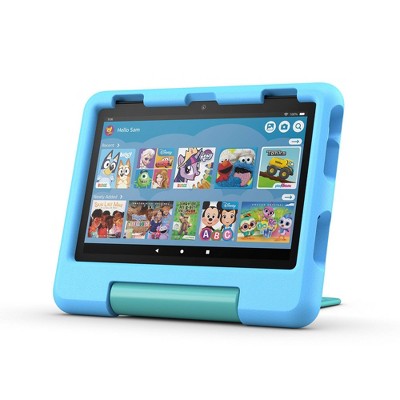
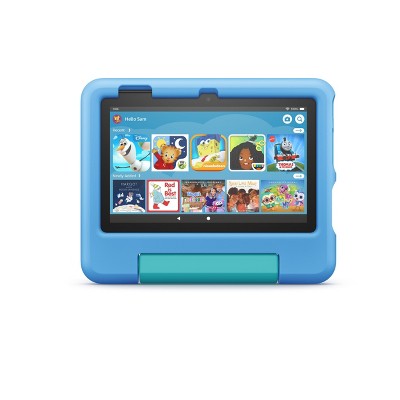
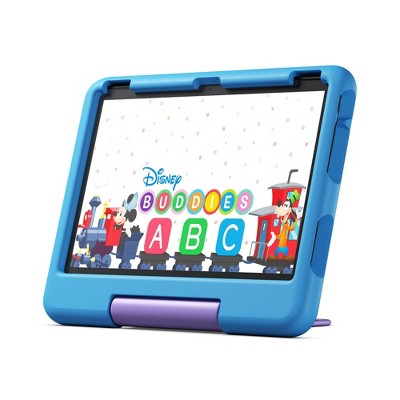
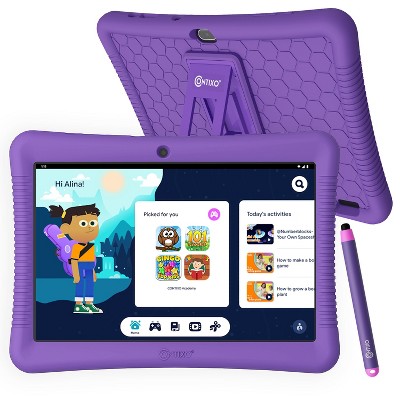
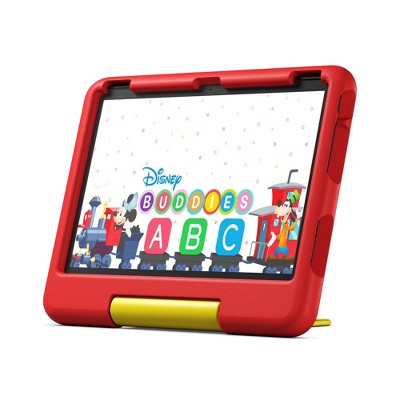
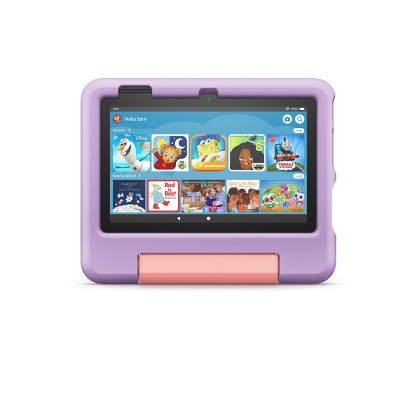
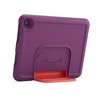
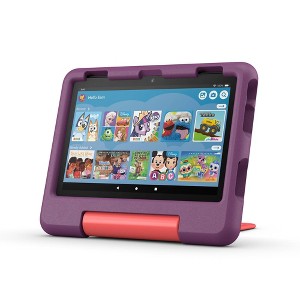
Amazon Fire HD 8 Kids Tablet (2024) - 2 of 4Amazon Fire HD 8 Kids Tablet (2024) - 3 of 4Amazon Fire HD 8 Kids Tablet (2024) - 4 of 4
Amazon Fire HD 8 Kids Tablet (2024) - 1 of 4

Amazon Fire HD 8 Kids Tablet (2024)

$64.99 reg $139.99
Sale save $75.00 (54% off)

In Stock

Eligible for registries and wish lists

Sponsored

About this item

Highlights

  • RESPONSIVE WITH LONG BATTERY LIFE - Features 8" HD display, 3GB RAM (50% more than 2022 release), 32GB, up to 1 TB of expandable storage (sold separately). All-day battery life - Up to 13 hours of enjoying books, shows, and listening to music.
  • AMAZON KIDS+ INCLUDED - Includes 6 months of Amazon Kids+, a digital subscription that provides unlimited access to ad-free, age-appropriate content that kids love. This includes STEM content like Math Claw or books in different languages to help kids develop their skills. After 6 months, your subscription will automatically renew every month starting at just $5.99/month plus applicable tax. You may cancel any time by visiting the Amazon Parent Dashboard or contacting Customer Service.
  • 2 YEAR WORRY-FREE GUARANTEE INCLUDED - If the tablet breaks, return it and we’ll replace it for free. Screen made with strengthened aluminosilicate glass and every Fire Kids tablet comes with a sturdy Kid-Proof Case designed to protect against drops and bumps.
  • EASY-TO-USE PARENTAL CONTROLS - Remotely review child activity to learn more about what your child is enjoying, set time limits, or prioritize books and learning apps before entertainment.
  • SAFETY FIRST - The Amazon Family Trust team partners with leaders in children’s safety, privacy, and development to ensure we help families build safe, healthy digital behaviors.

Description

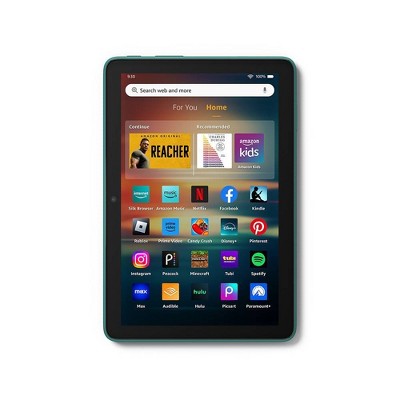
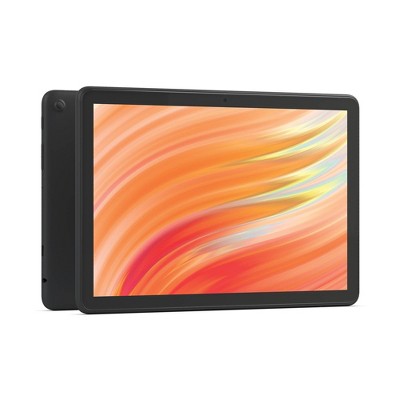
A fast and portable tablet for kids - Fire HD 8 Kids is a bigger screen, great for playing games, reading and watching shows anywhere. The Fire HD 8 Kids includes a Kids-Proof Case, Amazon Kids+ subscription, and a 2-year worry-free guarantee. Your Amazon Kids+ subscription works across all Amazon devices, with access to thousands of age-appropriate books, movies, videos, music stations, apps, and games. Content varies by device. Parents are always in charge — even from a distance. With intuitive controls, parents can easily set boundaries that allow children to play and explore safely. In the box: Fire HD 8 Kids (2024 release) wifi-enabled tablet, Amazon Kid-Proof Case with stand/handle - Amazon power adapter, USB-C (2.0) charging cable, built-in rechargeable battery, and 6-month Amazon Kids+ subscription (auto-renews at applicable rate).
Dimensions (Overall): .37 Inches (H) x 5.41 Inches (W) x 7.95 Inches (D)
Weight: .74 Pounds
Product Model: Amazon Fire HD 8 Kids
Electronics Condition: New
Electronics Features: Built-In Bluetooth, High-Definition Display, Front-Facing Camera, Built-In Speaker, Built-In Microphone
Connection Type: USB-C, 3.5mm Jack, MicroSD
Operating System: Fire OS
Data Storage Capacity: 32GB
Screen Resolution: 1280 x 800
Wireless Technology: Bluetooth 5.0, Wi-Fi 5 (IEEE 802.11ac)
Screen Size: 8 Inches
Processor Speed: 12 GHz
System RAM: 3 GB
Industry or Government Certifications: Energy Star Certified
Data storage type: EMMC
Processor model: MTK/MT8169A
Camera Megapixels (Front Facing): 2 MP
Maximum Battery Charge Life: 12.4 Hours
Camera Megapixels (Rear Facing): 5 MP
Battery: 1 Non-Universal Lithium Ion
Warranty: 2 Year Limited Warranty. To obtain a copy of the manufacturer's or supplier's warranty for this item prior to purchasing the item, please call Target Guest Services at 1-800-591-3869
Street Date: October 2, 2024
TCIN: 91563140
UPC: 840414644342
Item Number (DPCI): 056-01-7898
Origin: Imported
If the item details aren’t accurate or complete, we want to know about it.

Amazon

tablet
Features Fire Fire Plus Fire Kids Fire Kids Pro
Best for Brilliant and responsive entertainment Portable, fast entertainment Kids ages 3-7 Older kids ages 6-12
Display 7in, 8in HD, 10in HD 8in HD, 10in HD 7in, 8in HD, 10in HD 7in, 8in HD, 10in HD
Storage 16, 32, or 64 GB 32 or 64 GB 16 or 32 GB 16 or 32 GB
RAM 1-3 GB 3-4 GB 1-3 GB 1-3 GB
Warranty Starting at 90-day limited warranty Starting at 90-day limited warranty 2-year worry-free guarantee 2-year worry-free guarantee
Wireless Charging - X - -
1-year Amazon Kids+ subscription included - - X X
Case included - - X X
Digital store with parental controls - - - X

All Sizes in Inches Unless Otherwise Stated
Shipping details

Estimated ship dimensions: 10.4 inches length x 7.2 inches width x 1.2 inches height
Estimated ship weight: 1.4 pounds
We regret that this item cannot be shipped to PO Boxes.
This item cannot be shipped to the following locations: American Samoa (see also separate entry under AS), Guam (see also separate entry under GU), Northern Mariana Islands, Puerto Rico (see also separate entry under PR), United States Minor Outlying Islands, Virgin Islands, U.S., APO/FPO

Return details

This item must be returned to any Target store.
This item must be returned within 30 days of the date it was purchased in store, shipped, delivered by a Shipt shopper, or made ready for pickup.
See the return policy for complete information.

Q: Does this tablet have hotspot?

submitted by Ana - 1 year ago
  • A: Hi Ana, thanks for reaching out about Amazon Fire HD 8 Kids Tablet (2024). This does not have Cellular Service capabilities and cannot create a hotspot. However, it can connect to a hotspot from a cell phone or hotspot device. If you have any additional questions, we welcome you to contact MyTGTtech at 833-848-8324 every day, between 7am-11pm CST.

    submitted byMatt - 1 year ago
    Target expert support
  • A: Hi Ana, thanks for reaching out about the Fire HD 8 Kids tablet. As TGTtech stated, this device will require Wi-Fi in order to connect to the internet. Hope this helps. Have a great day!

    submitted byAmazon Devices Customer Support - 1 year ago
    Brand expert

Q: Can I download YouTube kids to this device?

submitted by Gonzar08 - 18 days ago
  • A: Hello Gonzar08 and thank you for your question! No, you can not download YouTube kids onto the Amazon Fire HD 8 Kids Tablet. Hope this helps! Have a great day!

    submitted byAmazon Devices Customer Support - 16 days ago
    Brand expert
  • A: Hi, thanks for reaching out about Amazon Fire HD 8 Kids Tablet (2024) No, the official YouTube Kids app cannot be downloaded directly from the Amazon App Store, but you can access the web version through the Silk browser and add it as a shortcut, or by sideloading the app with advanced steps. If you have any additional questions, we welcome you to contact MyTGTtech at 833-848-8324 every day, between 7am-11pm CST.

    submitted byJustin - 17 days ago
    Target expert support

Q: Can you download roblox??

submitted by Silvia129 - 27 days ago
  • A: Hi Silvia129! Roblox, along with tons of great kids games, are available to download on the Amazon App Store on the Fire HD 8 Kids tablet. You'll also receive a free trial of Kids+, which gives you access to a huge library of kids games, movies, shows, books and more as part of the trial! You can even set age ranges to be sure kids have access to appropriate content. I hope that helps, have a great rest of your day!

    submitted byAmazon Devices Customer Support - 22 days ago
    Brand expert
  • A: Hi, thanks for reaching out about Amazon Fire HD 8 Kids Tablet (2024) Yes, Roblox is available and compatible with this Amazon Fire HD 8 Kids Tablet (2024). If you have any additional questions, we welcome you to contact MyTGTtech at 833-848-8324 every day, between 7am-11pm CST.

    submitted byMike - 27 days ago
    Target expert support

Q: Can this device be used to join a zoom meeting?

submitted by Techie Grandma - 1 month ago
  • A: Hello Techie Grandma, you can add Zoom to the Amazon Kids tablet by going into the Parental Dashboard and allowing Zoom to be downloaded and used. Have a great day!

    submitted byAmazon Devices Customer Support - 1 month ago
    Brand expert
  • A: Hi, thanks for reaching out about Amazon Fire HD 8 Kids Tablet (2024). Yes, it is generally possible to use the Amazon Fire HD 8 Kids Tablet (2024) to join a Zoom meeting, but it requires an extra step. If you have any additional questions, we welcome you to contact MyTGTtech at 833-848-8324 every day, between 7am-11pm CST.

    submitted byJoe - 1 month ago
    Target staff support

Q: If I don't want my kid watching certain shows on YouTube, is there a way to block those or at least ONLY include the ones I'm ok with?

submitted by SM - 2 months ago
  • A: Hello SM and thank you for your question! You can use Parental Controls on the Amazon Fire HD 8 Kids Tablet to help control the content your child watches. The YouTube Kids app also helps block undesired content as well. Hope this helps! Have a great day!

    submitted byAmazon Devices Customer Support - 2 months ago
    Brand expert
  • A: Hi, thank you for reaching out about Amazon Fire HD 8 Kids Tablet (2024). While you cannot block specific videos on the standard YouTube app on a Fire HD 8 Kids Tablet, you can control what your child can watch using a combination of the YouTube Kids app and parental controls on the tablet. If you have any additional questions, we welcome you to contact MyTGTtech at 833-848-8324 every day, between 7am-11pm CST.

    submitted byMatt - 2 months ago
    Target expert support

Q: Can you download and use Disney app on this kindle

submitted by PNA - 4 months ago
  • A: Hi, thanks for reaching out about Amazon Fire HD 8 Kids Tablet (2024) Yes, the Disney+ app can be downloaded and used on Amazon Fire tablets, including Kindle Fires. To do so, you'll need to download the app from the Amazon Appstore. The app is compatible with Fire OS 5.0 and later versions. If you have any additional questions, we welcome you to contact MyTGTtech at 833-848-8324 every day, between 7am-11pm CST.

    submitted byJustin - 4 months ago
    Target expert support
  • A: Hello PNA, thank you for your question. Yes, you can download and use the Disney+ app on a Fire HD 8 Kids tablet, but it requires a few extra steps. First, you need to download the app on the adult profile, then you'll share it with the child's profile through the Amazon Kids settings. I hope that helps, have a great day!

    submitted byAmazon Devices Customer Support - 4 months ago
    Brand expert

Q: Does this take a sim card for any phone company ?

submitted by AubreyH - 4 months ago
  • A: Hello AubreyH, thank you for your question. No, the Amazon Fire HD 8 Kids tablet does not take a SIM card, as it is a Wi-Fi-only device. While the Fire HD 8 Kids does have a slot, it is for a microSD card to expand storage, not for a SIM card, which is used for cellular data. You can still use the device for internet access, but it will require a Wi-Fi connection. I hope that helps, have a great day!

    submitted byAmazon Devices Customer Support - 4 months ago
    Brand expert
  • A: Hi, thank you for reaching out about Amazon Fire HD 8 Kids Tablet (2024). No, the Amazon Fire HD 8 Kids tablet (2024) does not support cellular connectivity. If you have any additional questions, we welcome you to contact MyTGTtech at 833-848-8324 every day, between 7am-11pm CST.

    submitted byMatt - 4 months ago
    Target expert support

Q: What age group is this tablet geared for.

submitted by LovelyRita - 6 months ago
  • A: Hi LovelyRita! The Fire HD 8 Kids Tablet is aimed primarily at children from 3-7 years old. This is why the included case is a little thicker and more durable, to help younger children keep their device protected. If you're looking for a device aimed at slightly older kids, the Fire HD 8 Kids Pro features a slightly sleeker case but still includes the trial of Kids+ as well as the 2 year worry free guarantee. No matter which tablet you choose, you can always customize the content available for your children using the Parent Dashboard. I hope that helps, have a great rest of your day!

    submitted byAmazon Devices Customer Support - 6 months ago
    Brand expert
  • A: Hi LovelyRita, thanks for reaching out about the Amazon Fire HD 8 Kids Tablet (2024) The Amazon Fire HD 8 Kids Tablet (2024) is primarily geared for ages 3-7. Amazon also offers a "Fire HD 8 Kids Pro Tablet" which is designed for ages 6-12. If you have any additional questions, we welcome you to contact MyTGTtech at 833-848-8324 every day between 7 am and 11 pm CST.

    submitted byRena - 6 months ago
    Target expert support

Q: How long is battery life typically?

submitted by Galjaz2025 - 7 months ago
  • A: Hi Galjaz2025, thanks for reaching out about Amazon Fire HD 8 Kids Tablet (2024). For the Amazon Fire HD 8 Kids Tablet (2024), Amazon officially states the typical battery life is up to 13 hours. This figure is based on a mix of activities like reading, watching videos, and listening to music. It's important to note that actual battery life can vary depending on usage. If you have any additional questions, we welcome you to contact MyTGTtech at 833-848-8324 every day, between 7am-11pm CST.

    submitted byJoe - 7 months ago
    Target staff support
  • A: Hello Galjaz2025, the Amazon Fire HD 8 Kids Tablet has a battery life up to 13hrs. Have a great day!

    submitted byAmazon Devices Customer Support - 7 months ago
    Brand expert

Q: Can you download coloring pages or apps on this tablet ?

submitted by Jermerica - 10 months ago
  • A: Hi Jermerica, thanks for reaching out about Amazon Fire HD 8 Kids Tablet (2024). Yes, you can definitely download coloring pages and apps on the Amazon Fire HD 8 Kids Tablet (2024)! Here's how: Apps: The Fire HD 8 Kids tablet runs on Fire OS, which is Amazon's version of Android. You can download apps from the Amazon Appstore, which has a wide variety of apps for kids, including many coloring apps. Some popular options include "Coloring Games for Kids and Drawing Book for Toddlers," "Disney Coloring World," and "Happy Color™ – Color by Number." Coloring Pages: You can find coloring pages in a few ways: Within Coloring Apps: Many coloring apps come with built-in coloring pages. Downloading from the Internet: You can use the tablet's browser to search for and download free coloring pages from websites. Then, you can use a drawing app or even the tablet's built-in photo editor to color them. Amazon Kids+: If you subscribe to Amazon Kids+, you'll get access to a huge library of content, including coloring pages and activities. To download apps, just open the Amazon Appstore on the tablet and search for "coloring apps" or any other type of app you're looking for. Once you find an app you like, tap the "Download" button. If you have any additional questions, we welcome you to contact MyTGTtech at 833-848-8324 every day, between 7am-11pm CST.

    submitted byJoe - 10 months ago
    Target staff support
  • A: Hi Jermerica! Yes, your Amazon Fire HD 8 Kids tablet comes with access to numerous coloring book apps through the Appstore. Hope this helps, have a great day!

    submitted byAmazon Devices Customer Support - 10 months ago
    Brand expert

Related Categories

4.3 out of 5 stars with 122 reviews
65% would recommend
23 recommendations
1 out of 5 stars
Thumbs down graphic, would not recommend
13 December, 2025Verified purchase

Nothing in the box

Wouldn’t give any stars but that’s not an option. My package was delivered EMPTY just a box and I called Target to only be told there’s nothing they can do it was delivered. Yes a box was but not the 100$ item I ordered. I live in an elderly complex I know my neighbors did not take it so where is it? I got no help from Target at all
Kerri
Did you find this review helpful?
1 out of 5 stars
Thumbs down graphic, would not recommend
11 December, 2025Verified purchase

Very inconvienient tablet

I hate this tablet. It is so slow and trying to switch back and forth between profiles is so stupid. Adding content on my daughter’s profile is uneccessarly hard. Do not recommend
1 reply from Amazon Devices Customer Support team - 3 days ago
Hi Amy! Thank you for your feedback about the Fire HD 8 Kids tablet. I'm sorry to hear you're experiencing frustration with the device's performance speed and profile management. To address the slow performance, check that your tablet has a strong internet connection and restart it by holding down the power button. Ensure the tablet is fully charged, close any background apps by swiping up from the bottom of the screen, and clear the cache by going to Settings, then Storage, and selecting Clear Cache. Check for software updates in Settings under Device Options, then System Updates. For easier profile switching and content management, use the Parent Dashboard in the Amazon Parent app or on the Amazon website to manage content, set age filters, and add books, apps, and videos to your daughter's profile remotely without switching between profiles on the device. You can also adjust the age range in her profile settings to automatically filter appropriate content. If these steps don't improve the performance and usability issues, Amazon Customer Support is available 24/7 at 1-888-280-4331. Thank you for your feedback!
Amy
quality: 2 out of 5
value: 1 out of 5
Did you find this review helpful?
1 out of 5 stars
10 December, 2025Verified purchase

(no review title)

The box arrived damaged. The SEAL to open the box WAS NOT SEALED. Seems to have been TAMPERED with. I went to my local Target and they said they can ONLY accept it as a return and re purchase, they COULDN'T DO AN EXCHANGE. I would have to repurchase at REGULAR PRICE. Very disappointing.
Carmen
1 guest found this review helpful. Did you?
5 out of 5 stars
9 December, 2025Verified purchase

(no review title)

So excited for my grandbaby to open it at Christmas
lisa
Did you find this review helpful?
1 out of 5 stars
Thumbs down graphic, would not recommend
30 November, 2025Verified purchase

Save your money

Keep randomly getting a nonresponsive screen and store will not exchange and the tablet is only 5 days old …. Save your money
1 reply from Amazon Devices Customer Support team - 14 days ago
Dear Ashleigh, We're very concerned about the screen issues you're experiencing with your Fire HD 8 Kids tablet. A nonresponsive screen on a 5-day-old device is completely unacceptable. Even if the store won't exchange it, we can help: Your tablet is under Amazon's warranty We can arrange a replacement directly through Amazon Our technical support team can assist with immediate troubleshooting Please contact our customer service team at 1 888 280-4331 right away. We'll make this right, whether through device replacement or another solution.
Ashleigh
quality: 1 out of 5
value: 1 out of 5
2 guests found this review helpful. Did you?
5 out of 5 stars
30 November, 2025Verified purchase

(no review title)

I had the older model at first and got the newest now and I love them for smaller kids
Kynesha
Did you find this review helpful?
5 out of 5 stars
Thumbs up graphic, would recommend
26 November, 2025Verified purchase

Great Choice All Around

This is a great tablet. Great size and quality and includes a lot of features. It’s perfect for small children and over 5. It’s not too overstimulating. It has a lot of parental controls, and it was an amazing deal for Black Friday. I recommend this version specifically! A great choice.
1 reply from Amazon Devices Customer Support team - 19 days ago
Dear Katy112, Thank you for such a comprehensive and enthusiastic review of the Fire HD 8 Kids Tablet! We're thrilled to hear how well it's working for you. Your detailed feedback about the size, quality, and age-appropriateness is incredibly helpful for other parents making similar decisions. We specifically designed the parental controls to be robust yet user-friendly, so it's wonderful to know these features are meeting your needs. We're also glad you were able to take advantage of our Black Friday pricing! Thank you for recommending this specific version and for taking the time to share your experience in such detail.
Katy112
quality: 5 out of 5
value: 5 out of 5
1 guest found this review helpful. Did you?
5 out of 5 stars
Thumbs up graphic, would recommend
21 November, 2025Verified purchase

Great purchase

My son loves it. It is a great product. Set up was quick and easy.
1 reply from Amazon Devices Customer Support team - 19 days ago
Dear Alexis, Thank you for your wonderful review of the Fire HD 8 Kids Tablet! We're delighted to hear that your son is loving it and that you found the setup process quick and easy. These are exactly the experiences we aim for - happy kids and hassle-free setup for parents. Thank you for choosing our tablet and taking the time to share your positive experience!
Alexis
quality: 5 out of 5
value: 5 out of 5
1 guest found this review helpful. Did you?
1 out of 5 stars
20 November, 2025Verified purchase

Not intuitive

This tablet is not intuitive at all and is such a pain to set up. I thought it would be better in terms of setting up a children’s profile, but it is ridiculously confusing. I think I’d rather just use an iPad since we currently use tablets just for travel.
1 reply from Amazon Devices Customer Support team - 24 days ago
Hello Cla! Thank you for your feedback on the Fire HD 8 Kids tablet. I'm sorry to hear about the frustration you're experiencing with the setup process and children's profile configuration. The Fire HD 8 Kids tablet uses Amazon Kids (formerly FreeTime) to create child profiles. To set up, ensure you're signed into your Amazon account on the device, then navigate to Settings > Profiles & Family Library > Add a Child Profile. You'll be prompted to enter your child's name and birthdate, which helps Amazon Kids suggest age-appropriate content. The setup wizard will guide you through selecting content filters and time limits. Make sure the tablet is fully charged and connected to a strong Wi-Fi network before beginning setup, and have your Amazon account credentials ready. The first-time setup includes downloading the Amazon Kids app and syncing your free year subscription. You can customize content access, screen time limits, and educational goals after the initial profile creation through the Parent Dashboard, which is accessible via the Amazon Parent Dashboard website or through the settings to manage multiple aspects of the device remotely. Rather than blocking individual items, start by setting the age filter for your child, which automatically curates appropriate content. You can then add specific approved content from your Amazon library. The daily time limits and bedtime curfews can be set in just a few taps once the profile is active. If you're finding the Amazon Kids environment too restrictive or complex, you can set up the tablet as a standard Fire tablet and manually control which apps are installed, though this removes some of the built-in parental control features. If these steps don't resolve your setup challenges and you're still finding the experience too cumbersome for your needs, Amazon Customer Service is available 24/7 at 1-888-280-4331. They can walk you through the setup process step-by-step or discuss whether the device meets your family's specific requirements. I hope this information helps make the setup process more manageable. Thank you for sharing your experience!
Cla
3 guests found this review helpful. Did you?
5 out of 5 stars
18 November, 2025Verified purchase

(no review title)

Very nice for my 3 year old
1 reply from Amazon Devices Customer Support team - 17 days ago
Dear Brittney, Thank you for your 5-star review of the Fire HD 8 Kids Tablet with Disney Princess design! We're delighted to hear it's working well for your 3-year-old. The tablet was specifically designed with young children in mind, so it's wonderful to know it's hitting the mark for your little one. Thank you for choosing Fire HD 8 Kids and for sharing your experience with other parents!
Brittney
1 guest found this review helpful. Did you?
5 out of 5 stars
Thumbs up graphic, would recommend
7 November, 2025Verified purchase

little more expensive but Im satisfied.

got it for a 4 yr old. He really likes it. i like the parental settings, its easy to manage. Battery life is good. Only had it a few weeks now but so far its exactly what I was looking for.
1 reply from Amazon Devices Customer Support team - 19 days ago
Hi Rebecca! Thank you for your thoughtful review of the Fire HD 8 Kids Tablet! We're so glad to hear that both you and your 4-year-old are enjoying it. It's particularly wonderful to know that you're finding the parental controls easy to manage and that the battery life meets your needs. These are exactly the features we prioritized when designing this tablet for families. Thank you for sharing your experience, especially noting that it's meeting your expectations as a parent. Your feedback helps other families making similar decisions.
Rebecca
1 guest found this review helpful. Did you?
3 out of 5 stars
Thumbs down graphic, would not recommend
4 November, 2025Verified purchase

Not happy with item. I will probably return.

Not happy with this item the stand falls and it’s just not worth it🥺
Grandma
quality: 3 out of 5
value: 2 out of 5
Did you find this review helpful?
5 out of 5 stars
4 October, 2025

Vacaano

Very nice for my grand kids
James
Did you find this review helpful?
1 out of 5 stars
Thumbs down graphic, would not recommend
28 August, 2025Verified purchase

Just want to return it

I didn’t receive the 8, I got the 7 in purple..
Am
quality: 1 out of 5
value: 1 out of 5
1 guest found this review helpful. Did you?
5 out of 5 stars
Thumbs up graphic, would recommend
13 August, 2025Verified purchase

Perfect for any age

Perfect tablet for my 2 year old
Sami L
quality: 5 out of 5
value: 5 out of 5
Did you find this review helpful?
5 out of 5 stars
Thumbs up graphic, would recommend
12 August, 2025Verified purchase

Baby Michaels Tablet

My grandson love his tablet
Lil Deco
quality: 5 out of 5
value: 5 out of 5
Did you find this review helpful?
1 out of 5 stars
Thumbs down graphic, would not recommend
9 August, 2025Verified purchase

Don't buy this

I bought this to use in the car for my son because we have a long daily commute and he ends up falling asleep on the way home and it makes bedtime a nightmare. I didn’t expect it to perform like an iPad but after using it for a few months I can confidently say that I don’t recommend this device. Set up is incredibly complicated, you have to pay for a monthly subscription for almost every app individually AND you have to pay after the free trial to just use the device. When we use it at home connected to WiFi the whole utility bar can be accessed from the kids profile so my son accidentally turns the WiFi off or the screen brightness down every 10 minutes. This thing is so glitchy. Not just android glitchy but almost unusable. The whole thing will freeze for half an hour just because and you have to restart the device and close all the apps to get it to work again. Sometimes even after restarting, an app will just simply not work. This is a daily occurrence. The sound quality is horrible and muffled, I assume because of the case but the microphone is built into the back of it and the case covers it so even at the highest volume it’s muffled and quiet. The battery also only lasts about 3 hours. Honestly I’m at the point with this thing that I’ll use it until I can afford an iPad or something but I will never repurchase another kindle or Amazon device. $150ish for a glitchy, slow, unintuitive, and frustrating experience.
1 reply from Amazon Devices Customer Support team - 4 months ago
Good Morning Screenname6, Thank you for taking the time to provide such detailed feedback about your experience with our Fire tablet (I notice you mentioned Kindle, but based on the description, this appears to be about a Fire tablet). We sincerely apologize for the frustrations you've encountered. The issues you've described with freezing, audio quality, and battery life are not typical for our Fire tablets. We'd like to help resolve these problems, as they're significantly impacting your and your son's experience. Regarding specific concerns: Device Performance: The frequent freezing and app issues you're experiencing suggest there might be a hardware problem that should be covered under warranty Kids Profile Settings: We can help adjust the parental controls to prevent accidental changes to system settings Audio/Case Issues: The muffled sound suggests a possible defect that should be addressed Battery Life: 3 hours is well below the expected performance and should be investigated Please contact our customer service team at 1-888-280-4331 or through your Amazon account. We'd like to troubleshoot these issues or explore replacement options if needed. Your satisfaction matters to us, and we want to ensure you have a device that meets your family's needs reliably.
Screenname6
quality: 1 out of 5
value: 1 out of 5
14 guests found this review helpful. Did you?
5 out of 5 stars
Thumbs up graphic, would recommend
2 August, 2025Verified purchase

Bought for my daughter

Durability, battery life, and screen quality
Josie
quality: 5 out of 5
value: 5 out of 5
1 guest found this review helpful. Did you?
5 out of 5 stars
Thumbs up graphic, would recommend
16 June, 2025Verified purchase

Grape?

I really like the screen size and easy to handle case it comes with.
DisappointedMom
quality: 5 out of 5
value: 5 out of 5
Did you find this review helpful?
5 out of 5 stars
Thumbs up graphic, would recommend
11 June, 2025Verified purchase

Good tablet for early elementary

Durable, fairly long battery life and great for the grands who are 4, 6 and 8. They love these.
Nanaknows
quality: 5 out of 5
value: 5 out of 5
1 guest found this review helpful. Did you?

Get top deals, latest trends, and more.

Privacy policy

Footer

About Us

About TargetCareersNews & BlogTarget BrandsBullseye ShopSustainability & GovernancePress CenterAdvertise with UsInvestorsAffiliates & PartnersSuppliersTargetPlus

Help

Target HelpReturnsTrack OrdersRecallsContact UsFeedbackAccessibilitySecurity & FraudTeam Member ServicesLegal & Privacy

Stores

Find a StoreClinicPharmacyTarget OpticalMore In-Store Services

Services

Target Circle™Target Circle™ CardTarget Circle 360™Target AppRegistrySame Day DeliveryOrder PickupDrive UpFree 2-Day ShippingShipping & DeliveryMore Services
PinterestFacebookInstagramXYoutubeTiktokTermsCA Supply ChainPrivacy PolicyCA Privacy RightsYour Privacy ChoicesInterest Based AdsHealth Privacy Policy