
Sponsored
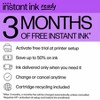
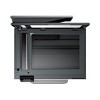
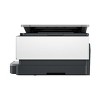
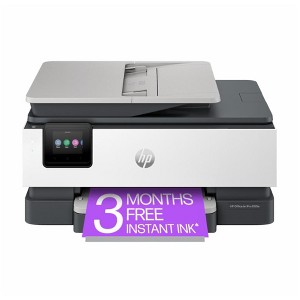
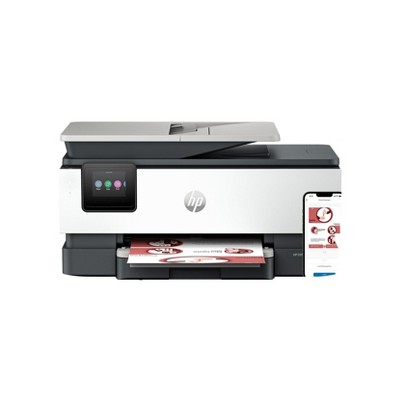
HP OfficeJet Pro 8125e All-in-One Printer with 3 Months of Instant Ink for free with HP+, AI-enabled
In Stock
Sponsored
About this item
Highlights
- Fast color print, copy, scan, 35-sheet ADF, 2-sided printing, mobile/wireless printing
- Print, scan, copy, or fax right from your smartphone with the best and easiest-to-use print app
- Get perfectly formatted prints with HP AI
- Driving innovation with 45% recycled plastic
Description
Shipping details
Return details
Q: Does it come with ink
A: Hi, thank you for reaching out about HP OfficeJet Pro 8125e All-in-One Printer with 3 Months of Instant Ink for free with HP+, AI-enabled. Yes, the HP OfficeJet Pro 8125e comes with a set of HP 923 setup ink cartridges (black, cyan, magenta, and yellow). If you have any additional questions, we welcome you to contact MyTGTtech at 833-848-8324 every day, between 7am-11pm CST.
submitted byMatt - 1 month agoTarget expert support
Q: Does this printer have SD card reader?
A: Hi, thanks for reaching out about HP OfficeJet Pro 8125e All-in-One Printer with 3 Months of Instant Ink for free with HP+, AI-enabled. No, the HP OfficeJet Pro 8125e All-in-One Printer does not have a built-in SD card reader. If you have any additional questions, we welcome you to contact MyTGTtech at 833-848-8324 every day, between 7am-11pm CST.
submitted byJoe - 2 months agoTarget staff support
Q: Is it compatible with cricut
A: Hi, thanks for reaching out about HP OfficeJet Pro 8125e All-in-One Printer with 3 Months of Instant Ink for free with HP+. Yes, the HP OfficeJet Pro 8125e is compatible with Cricut machines for "Print Then Cut" projects. Cricut's "Print Then Cut" feature is designed to work with almost any inkjet printer, and the HP OfficeJet Pro 8125e is a color inkjet printer. The process involves designing your project in Cricut Design Space, printing it to your home printer, and then using your Cricut machine to precisely cut the design. If you have any additional questions, we welcome you to contact MyTGTtech at 833-848-8324 every day, between 7am-11pm CST.
submitted byJoe - 2 months agoTarget staff support
Q: Is the HP OfficeJet Pro 81253 printer compatible with the Apple iPad Air (M3)
A: Hi, thanks for reaching out about the HP OfficeJet Pro 8125e All-in-One Printer with 3 Months of Instant Ink for free with HP+ Yes, the HP OfficeJet Pro 8125e All-in-One Printer is fully compatible with the Apple iPad Air (M3). If you have any additional questions, we welcome you to contact MyTGTtech at 833-848-8324 every day between 7 am and 11 pm CST.
submitted byRena - 2 months agoTarget expert support
Q: Does this have auto duplex feed scanning?
A: Hi, thanks for reaching out about HP OfficeJet Pro 8125e All-in-One Printer with 3 Months of Instant Ink for free with HP+. While the HP OfficeJet Pro 8125e has automatic two-sided printing (duplex printing), it does not have an automatic duplex scanning feature. Here's a breakdown of the scanning and printing capabilities: Automatic Document Feeder (ADF): Yes, the printer has a 35-sheet ADF. This allows you to place a stack of pages and have the printer scan them one after another without manual feeding. Automatic Two-Sided Printing: Yes, the printer can automatically print on both sides of a page without you having to manually flip the paper. This is a common feature on many printers and is often referred to as "auto-duplex printing." Automatic Two-Sided Scanning (Auto-Duplex ADF): No, the HP OfficeJet Pro 8125e's ADF is described as a "1-sided ADF." To scan a two-sided document, you would need to manually flip the stack of pages and re-insert it into the ADF to scan the second side. While some printers can perform duplex scanning automatically by scanning both sides in a single pass, this model does not have that capability. If you have any additional questions, we welcome you to contact MyTGTtech at 833-848-8324 every day, between 7am-11pm CST.
submitted byJoe - 2 months agoTarget staff support
Q: Does it print on envelopes? Particularly standard mailing envelopes?
A: Hi, thank you for reaching out about HP OfficeJet Pro 8125e All-in-One Printer with 3 Months of Instant Ink for free with HP+. Yes, the HP OfficeJet Pro 8125e can print on envelopes; however, it only supports a limited quantity, up to 10 at a time. If you have any additional questions, we welcome you to contact MyTGTtech at 833-848-8324 every day, between 7am-11pm CST.
submitted byMatt - 2 months agoTarget expert support
Q: Does this come with software, and set-up instructions/support?
A: Hi, thanks for reaching out about HP OfficeJet Pro 8125e All-in-One Printer with 3 Months of Instant Ink for free with HP+ A setup poster is included. While software isn't necessarily required, all software for this device can be downloaded directly from the manfuacturer's website. If you have any additional questions, we welcome you to contact MyTGTtech at 833-848-8324 every day, between 7am-11pm CST.
submitted byJustin - 3 months agoTarget expert support
Q: Does this printer automatically print back-to-back?
A: Hi, thanks for reaching out about HP OfficeJet Pro 8125e All-in-One Printer with 3 Months of Instant Ink for free with HP+. Yes, the HP OfficeJet Pro 8125e All-in-One Printer supports automatic two-sided or "duplex" printing. This means the printer has a built-in mechanism to flip the page and print on the back side without you having to manually re-load the paper. This feature is standard on this model and is a key selling point for home offices and small businesses as it helps save on paper costs. You can typically enable this setting from the print dialogue box on your computer or within the HP Smart app. If you have any additional questions, we welcome you to contact MyTGTtech at 833-848-8324 every day, between 7am-11pm CST.
submitted byJoe - 3 months agoTarget staff support
Q: Does this printer have the ability to reduce or enlarge copies?
A: Hi, thanks for reaching out about HP OfficeJet Pro 8125e All-in-One Printer with 3 Months of Instant Ink for free with HP+. Yes, the HP OfficeJet Pro 8125e All-in-One Printer has the ability to reduce and enlarge copies. If you have any additional questions, we welcome you to contact MyTGTtech at 833-848-8324 every day, between 7am-11pm CST.
submitted byJoe - 3 months agoTarget staff support
Frequently bought together


Guests also viewed







Related Categories
Guests are saying

No complaints
Best ever

A card- printing printer at last!
Very happy.
Office Jet
Printer

Love the printer, very fast printing. Don't have to wait long for spooling with this printer.
Cheap but not cheerful!
Amazing All-in-one
Not Efficient
Mister
Exactly as specified
It Works but slowly
Thanks

Great printer!!
Great printer
Happy in my opinion
Like our last HP printer, but worse
Excellent reliable printer