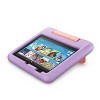
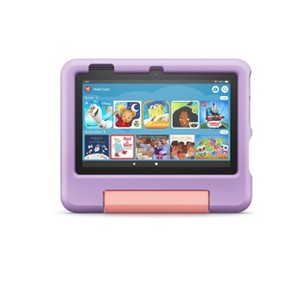
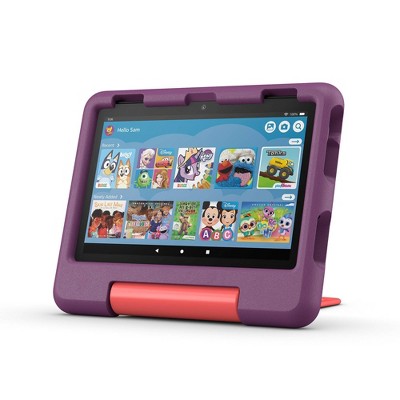
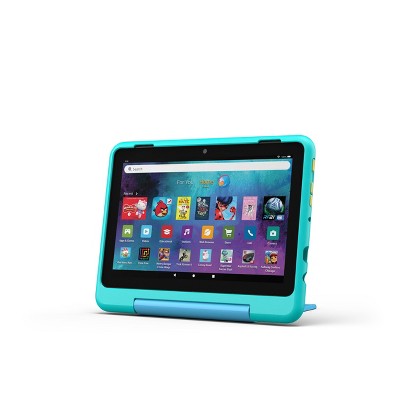
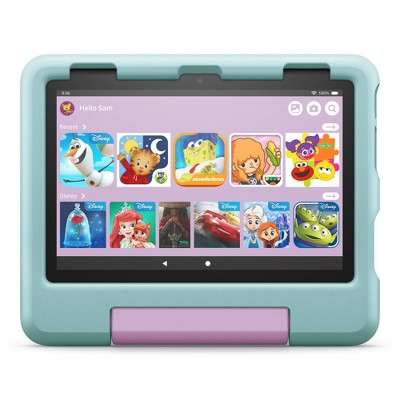
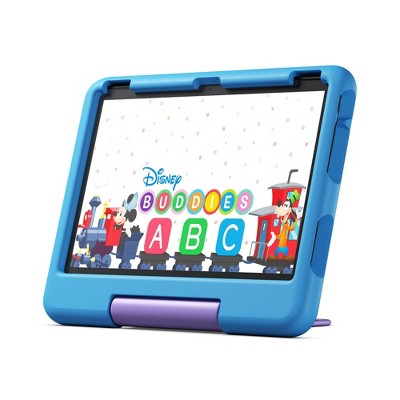
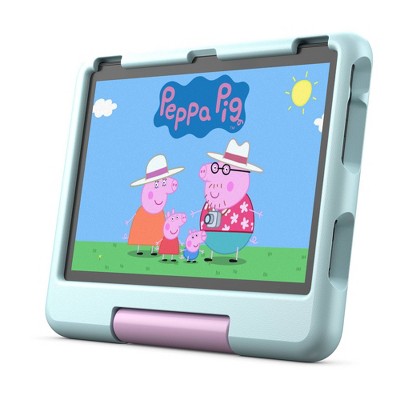
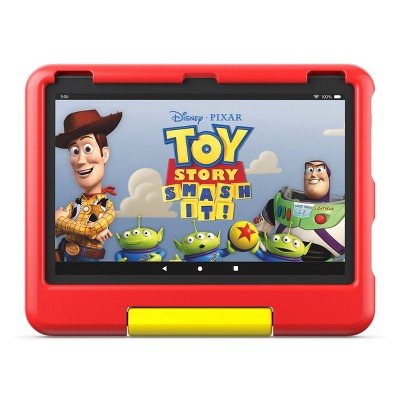
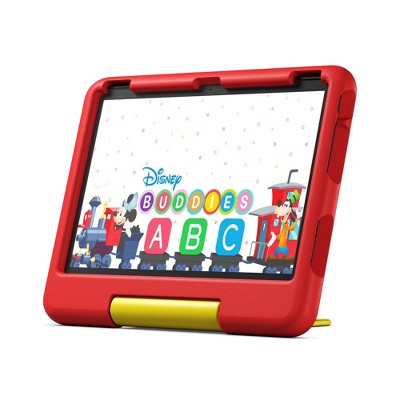
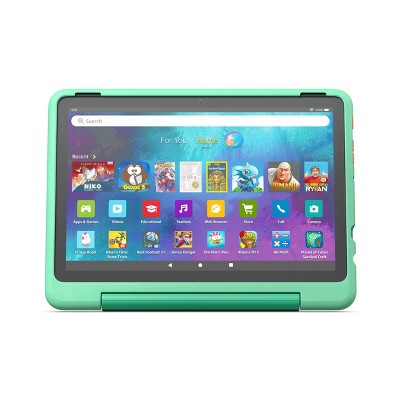
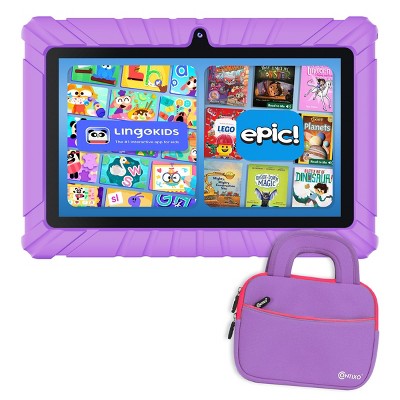
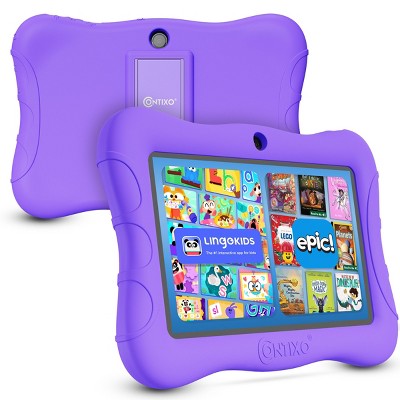
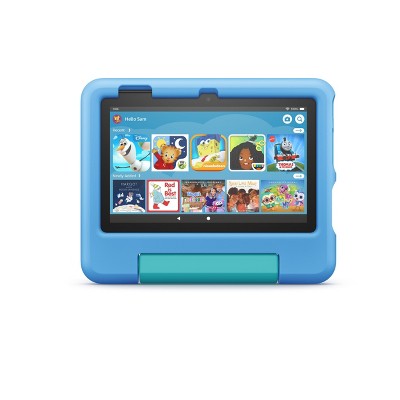
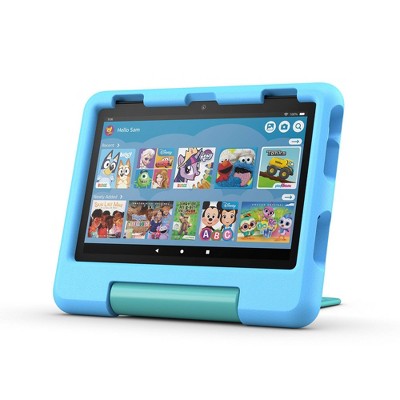
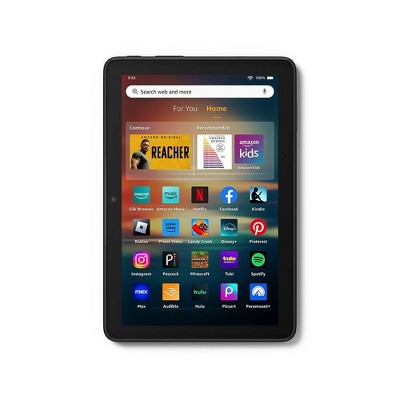
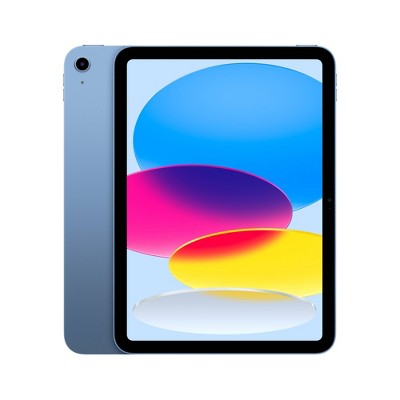
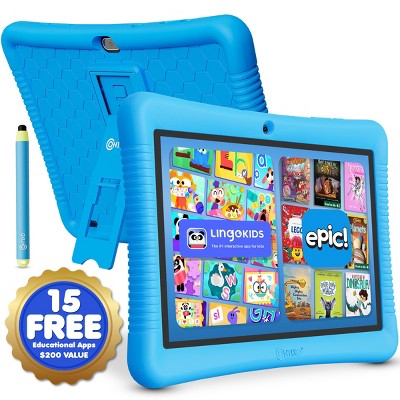
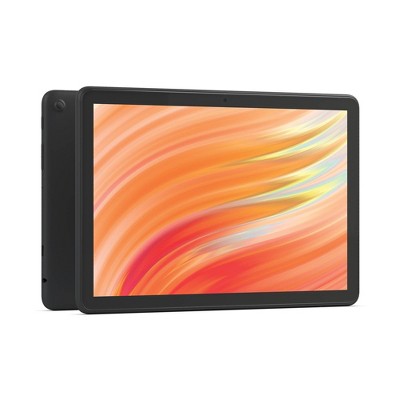
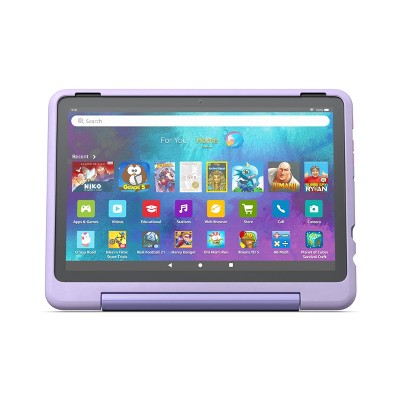
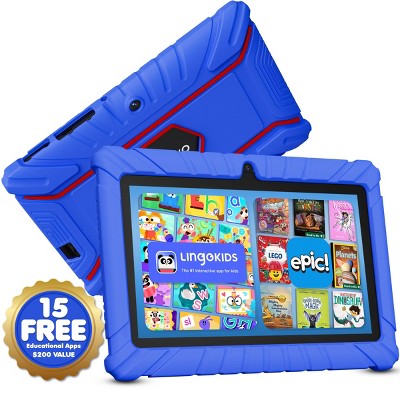
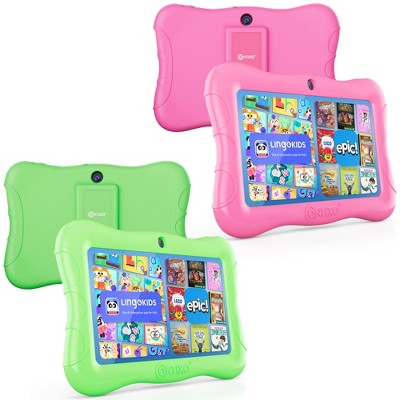
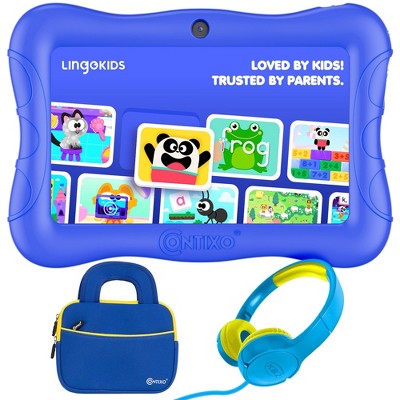
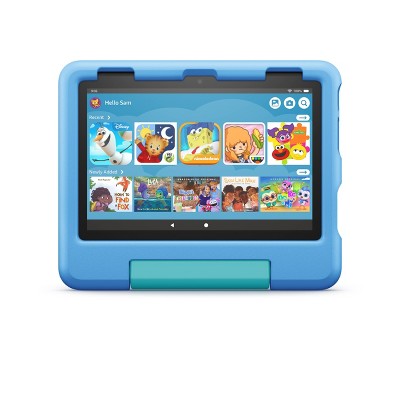
Get a full-featured tablet (not a toy) for kids ages 3–7, 6 months of Amazon Kids+ content, and a Kid-Proof Case with a built-in stand and save versus purchasing items separately.
2 YEAR WORRY-FREE GUARANTEE INCLUDED: If it breaks, return it and we’ll replace it for free for 2 years.
CONTENT KIDS LOVE - Includes a 6 month subscription of Amazon Kids+: the only service with thousands of ad-free books, games, videos, apps and Alexa skills from brands like Disney, Nickelodeon and PBS Kids. After 6 months, your subscription will automatically renew every month starting at just $4.99/month plus applicable tax. You may cancel any time by visiting the Amazon Parent Dashboard or contacting Customer Service.
NO-HASSLE PARENTAL CONTROLS: Easy-to-use Parent Dashboard allows you to filter content based on child's age, set educational goals and time limits, and grant access to additional content like Netflix and Disney+.
NOW 30% FASTER: Up to 10 hours of battery for reading, browsing the web, watching videos, and listening to music and enhanced performance—up to 30% faster quad-core processor compared to Fire 7 Kids 9th Generation and 2GB of RAM (double compared to Fire 7 Kids 9th Generation).
NEVER RUN OUT OF SPACE: Choose from 16 GB of internal storage. Add up to 1TB of expandable storage with microSD—more space for downloading favorite content.
STURDY KID-PROOF CASE: Every Fire Kids tablet comes with a sturdy Kid-Proof case designed to protect against drops and bumps.
Description
A full-feature tablet for kids, Includes ready-to-go bundle. Fire 7 Kids tablet includes a sturdy Kid-Proof Case with built-in stand, Amazon Kids+, and a 2-year worry-free guarantee. Content kids love - Amazon Kids+ is an award-winning, digital subscription offering access to thousands of ad-free books, Audible books, movies, shows, music stations, apps, and games. Kids can access their subscription across all Amazon Kids devices, iOS, and Android. Fire 7 Kids tablets offer a full-feature tablet experience, including up to 30% faster quad-core processor compared to previous generation, 16 or 32 GB internal storage, and up to 10 hours enjoying their favorite games, apps, videos, and more.eace of mind for parents. Easy-to-use Parent Dashboard - Use parental controls to limit screen time, set educational goals and curfews, and manage content for up to 4 child profiles. Learn more about the Amazon Parent Dashboard here. All fun, no distractions - All Amazon Kids+ content is ad-free and is not connected to social media platforms. In the box: Fire 7 tablet, Amazon Kid-Proof Case, USB-C (2.0) cable, 5W power adapter, Quick Start Guide.
Dimensions (Overall): .38 Inches (H) x 4.62 Inches (W) x 7.11 Inches (D)
Warranty: 2 Year Limited Warranty. To obtain a copy of the manufacturer's or supplier's warranty for this item prior to purchasing the item, please call Target Guest Services at 1-800-591-3869
TCIN: 91563145
UPC: 840268959197
Item Number (DPCI): 056-01-6429
Origin: Imported
If the item details aren’t accurate or complete, we want to know about it.
Amazon
tablet
Features
Fire
Fire Plus
Fire Kids
Fire Kids Pro
Best for
Brilliant and responsive entertainment
Portable, fast entertainment
Kids ages 3-7
Older kids ages 6-12
Display
7in, 8in HD, 10in HD
8in HD, 10in HD
7in, 8in HD, 10in HD
7in, 8in HD, 10in HD
Storage
16, 32, or 64 GB
32 or 64 GB
16 or 32 GB
16 or 32 GB
RAM
1-3 GB
3-4 GB
1-3 GB
1-3 GB
Warranty
Starting at 90-day limited warranty
Starting at 90-day limited warranty
2-year worry-free guarantee
2-year worry-free guarantee
Wireless Charging
-
X
-
-
1-year Amazon Kids+ subscription included
-
-
X
X
Case included
-
-
X
X
Digital store with parental controls
-
-
-
X
All Sizes in Inches Unless Otherwise Stated
Shipping details
Estimated ship dimensions: 9.8 inches length x 6.6 inches width x 1.1 inches height
Estimated ship weight: 1.2 pounds
We regret that this item cannot be shipped to PO Boxes.
This item cannot be shipped to the following locations: American Samoa (see also separate entry under AS), Guam (see also separate entry under GU), Northern Mariana Islands, Puerto Rico (see also separate entry under PR), United States Minor Outlying Islands, Virgin Islands, U.S., APO/FPO, Alaska, Hawaii
Return details
This item must be returned to any Target store.
This item must be returned within 30 days of the date it was purchased in store, delivered to the guest, delivered by a Shipt shopper, or picked up by the guest.
A: Hi Rg, thanks for reaching out about Amazon Fire 7" Kids Tablet 16GB
Yes. This device supports the YouTube app.
If you have any additional questions, we welcome you to contact MyTGTtech at 833-848-8324 every day, between 7am-11pm CST.
submitted byJustin - 1 year ago
Target expert support
A: Hi Rg, thank you for your question. You can download the YouTube app onto the Amazon Fire 7"Kids tablet from the app store. I hope this helps, have a great day!
submitted byAmazon Devices Customer Support - 1 year ago
Brand expert
Q: My question keeps getting removed for some reason. Can an adult use this instead of a child? How would I go about using it as an adult? Not a child
submitted by Andrew - 3 months ago
A: Hello Andrew and thank you for your question! Yes, an adult can use the Amazon Fire 7" Kids Tablet. Hope this helps! Have a great day!
submitted byAmazon Devices Customer Support - 3 months ago
Brand expert
A: Hi, thanks for reaching out about the Amazon Fire 7" Kids Tablet 16GB
Yes, an adult can absolutely use the Amazon Fire 7 Kids Tablet.
If you have any additional questions, we welcome you to contact MyTGTtech at 833-848-8324 every day between 7 am and 11 pm CST.
submitted byRena - 3 months ago
Target expert support
Q: Which version is this device
submitted by Ch - 1 month ago
A: Hello Ch and thank you for your question! The Amazon Fire 7" Kids tablet is the 12th generation, and was released in 2022. This is the latest version of this model. Hope this helps! Have a great day!
submitted byAmazon Devices Customer Support - 1 month ago
Brand expert
A: Hi, thanks for reaching out about Amazon Fire 7" Kids Tablet 16GB.
The Amazon Fire 7" Kids Tablet 16 GB that’s currently sold by Amazon and major retailers is the 12th‑generation Fire 7 Kids, originally released in 2022 and still sold as the newest model as of 2026.
If you have any additional questions, we welcome you to contact MyTGTtech at 833-848-8324 every day, between 7am-11pm CST.
submitted byJoe - 1 month ago
Target staff support
Q: Can this tablet use Google app store. Aka Google play
submitted by Justamom - 2 months ago
A: Hello Justamom and thank you for your question! The Amazon Fire 7" Kids tablet uses Amazons Fire Operating System. This Operating System was built using Googles Android Operating System, but the app store is Amazons Appstore. Many popular apps are available on Amazons App Store and you can always check the specific apps website to see if the app you are interested in is available on the App Store. Hope this helps! Have a great day!
submitted byAmazon Devices Customer Support - 1 month ago
Brand expert
A: Hi, thanks for reaching out about Amazon Fire 7" Kids Tablet 16GB
Amazon Fire 7" Kids Tablet (16GB) runs Amazon Fire OS, which is based on Android but does NOT include the Google Play Store or Google services by default. It instead has Amazon equivalent apps like the Amazon Appstore, and Amazon Kids+.
If you have any additional questions, we welcome you to contact MyTGTtech at 833-848-8324 every day, between 7am-11pm CST.
submitted byMike - 1 month ago
Target expert support
Q: Can I cast to this? Samsung devices can screen cast to other devices which would be helpful from the front seat so I don't have to go to the back seat.
submitted by Annie Grace - 2 months ago
A: Hi, thanks for reaching out about Amazon Fire 7" Kids Tablet 16GB.
While the Amazon Fire 7 Kids Tablet is great for entertainment, it cannot natively act as a "receiver" for screen casting.
Typically, Samsung devices use Smart View to cast their screens to TVs or other monitors. However, the Fire 7 Tablet is designed to send its screen to a TV, not to receive a video feed from another phone or tablet.
Because you are trying to manage the tablet from the front seat, here are the three best workarounds for your situation:
1. The "Remote Control" Solution (Recommended)
Since you can't "cast" the screen to the tablet, the best way to control it from the front seat is to use a remote access app.
TeamViewer QuickSupport: You can install this on the Fire Tablet (via the Amazon Appstore).
How it works: From your Samsung phone in the front seat, you open the standard TeamViewer app, enter the ID shown on the tablet, and you can actually see and control the tablet screen.
The Catch: You may need to briefly exit "Kids Mode" on the tablet to launch the app initially, or ensure the app is "allowed" in the Amazon Kids settings.
2. Using "Matter Casting" (New for 2026)
As of early 2026, Amazon has expanded Matter Casting across most of its ecosystem.
If you are playing a movie on your Samsung phone via the Prime Video app, you should see a "Cast" icon.
If both devices are on the same car Wi-Fi hotspot, you can often select the Fire Tablet as the playback destination. This doesn't mirror your whole phone screen, but it lets you start and stop movies for them.
3. Screen Mirroring from the Tablet to a Headrest Monitor
If your goal is to see what they are doing, some parents do the opposite:
They use the Display Mirroring feature on the Fire Tablet (found in Settings > Display & Sounds) to send the tablet's image to a small monitor mounted on the back of the front-seat headrest. This lets you glance in the rearview mirror (or a dedicated front monitor) to see exactly what is on their screen.
If you have any additional questions, we welcome you to contact MyTGTtech at 833-848-8324 every day, between 7am-11pm CST.
submitted byJoe - 2 months ago
Target staff support
Q: Is it possible for an adult to use this instead of a child? If so how would I go about doing that so an adult can use it?
submitted by Andrew - 3 months ago
A: Hello Andrew and thank you for your question! Yes, adults can purchase the Amazon Fire 7" Kids Tablet for themselves. There is even an option to create adult profiles on the device. Hope this helps! Have a great day!
submitted byAmazon Devices Customer Support - 3 months ago
Brand expert
A: Hi, thanks for reaching out about the Amazon Fire 7" Kids Tablet 16GB
Yes, an adult can absolutely use the Amazon Fire 7 Kids Tablet.
If you have any additional questions, we welcome you to contact MyTGTtech at 833-848-8324 every day between 7 am and 11 pm CST.
submitted byRena - 3 months ago
Target expert support
Q: Is it possible for an adult to use this instead of a child? If so how would I make it so an adult can use it?
submitted by Andrew - 3 months ago
A: Hello Andrew, yes an adult can use this. During setup it will require you to add a kids profile. Once the setup is complete you can go into the settings and disable the kids profile and it will work just like any other tablet.
Have a great day!
submitted byAmazon Devices Customer Support - 3 months ago
Brand expert
A: Hi, thanks for reaching out about Amazon Fire 7" Kids Tablet 16GB - Blue
Yes, the Amazon Fire 7 Kids Tablet 16GB can absolutely be used by adults. It is essentially a standard Amazon Fire 7 tablet with a rugged case, a 2-year warranty, and a 1-year subscription to Amazon Kids+. Adults can bypass the child-friendly interface to access a standard Android-based Fire OS profile, allowing for web browsing, Netflix, and other apps.
If you have any additional questions, we welcome you to contact MyTGTtech at 833-848-8324 every day, between 7am-11pm CST.
submitted byJustin - 3 months ago
Target expert support
Q: Does this have a audio jack for headphones?
submitted by Danaecatherine - 3 months ago
A: Hi Danaecatherine! The Fire 7 Kids tablet features a 3.5mm headphone jack to use with wired headphones, and also supports Bluetooth if you'd prefer to go wireless. The tablet also features a Micro SD Card slot that you can use to expand the internal storage, though you'll have to purchase a Micro SD Card separately. I hope that helps, have a great rest of your day!
submitted byAmazon Devices Customer Support - 3 months ago
Brand expert
A: Hi, thanks for reaching out about Amazon Fire 7" Kids Tablet 16GB.
Yes, the Amazon Fire 7 Kids tablet (16GB) includes a 3.5mm stereo audio jack for wired headphones.
If you have any additional questions, we welcome you to contact MyTGTtech at 833-848-8324 every day, between 7am-11pm CST.
submitted byJoe - 3 months ago
Target staff support
Q: How can I download youtube kids I dont seem to find a way to?
submitted by Mari - 4 months ago
A: Hello Mari, the Official YouTube App is not available on the Amazon Fire Tablets. You can use the Silk Browser to access the Web Version of YouTube and YouTube Kids.
Have a great day!
submitted byAmazon Devices Customer Support - 4 months ago
Brand expert
A: Hi, thanks for reaching out about Amazon Fire 7" Kids Tablet 16GB - Blue
To download YouTube Kids on an Amazon Fire 7" Kids Tablet, log into the parent profile, download YouTube Kids from the Amazon Appstore, and then add the app to the child's profile through the "Add Content" setting in Parental Controls.
If you have any additional questions, we welcome you to contact MyTGTtech at 833-848-8324 every day, between 7am-11pm CST.
submitted byJustin - 4 months ago
Target expert support
Q: Can i call and or video call with my child?
submitted by Jose Franco - 4 months ago
A: Hi Jose!
Yes, you can video call your child on their Amazon Fire Kids Tablet 7 using Alexa's communication features (Alexa-to-Alexa calls) but you must first enable consent and approve contacts in the Parent Dashboard and Alexa app on your phone, as kids can initiate calls but typically can't receive them without setup, and external calling requires approved contacts.
I hope this answers your question!
submitted byAmazon Devices Customer Support - 4 months ago
Brand expert
A: Hi, thanks for reaching out about Amazon Fire 7" Kids Tablet 16GB
Yes, you can both voice and video call your child on the Amazon Fire 7 Kids Tablet, but it does not work like a traditional phone. Instead, it uses Alexa Calling through the Amazon ecosystem. For safety, the tablet is locked down by default. You have to manually enable these features through your own phone before your child can use them.
If you have any additional questions, we welcome you to contact MyTGTtech at 833-848-8324 every day, between 7am-11pm CST.
Thumbs down graphic, would not recommendWould not recommend
3 May, 2026Verified purchase
Garbage
Stopped working after a few months
1 reply from Amazon Devices Customer Support team - 11 days ago
Hello, and thank you for your feedback on the Fire 7 Kids tablet. I'm sorry to hear that your tablet stopped working after only a few months — that is certainly not the experience we want for you or your child. There are a few troubleshooting steps that may help resolve the issue. First, try restarting the tablet by pressing and holding the power button for 40 seconds, then releasing it — the device should restart automatically. If the tablet appears completely unresponsive, connect it to the included charger and let it charge for at least 30 minutes before attempting to power it on again, as a fully drained battery can sometimes make the device seem non-functional. If the tablet does power on but is malfunctioning, check for software updates by navigating to Settings, then Device Options, then System Updates to ensure you have the latest software installed. As a last resort, you can perform a factory reset through Settings, then Device Options, then Reset to Factory Defaults, though please note this will erase all content on the device. It's also worth noting that the Fire 7 Kids tablet comes with a 2-year worry-free guarantee, and since your device stopped working after just a few months, you are well within the coverage period. If you have anymore concerns or troubleshooting questions please contact Amazon Customer Service 24/7 at 1-888-280-4331. Hope you have a great day!
Deana
quality
1.0 out of 5
quality: 1 out of 5
value
1.0 out of 5
value: 1 out of 5
Did you find this review helpful?
5 out of 5 stars
Thumbs up graphic, would recommendWould recommend
21 April, 2026Verified purchase
(no review title)
grandson loves it.
Sharon
quality
5.0 out of 5
quality: 5 out of 5
value
5.0 out of 5
value: 5 out of 5
Did you find this review helpful?
5 out of 5 stars
Thumbs up graphic, would recommendWould recommend
5 April, 2026Verified purchase
(no review title)
Great and easy process for ordering and pickup.
Ydalia
quality
5.0 out of 5
quality: 5 out of 5
value
5.0 out of 5
value: 5 out of 5
Did you find this review helpful?
1 out of 5 stars
1 April, 2026Verified purchase
(no review title)
Bought new and was sent a used one with someone else’s accounts on it.
AL
quality
1.0 out of 5
quality: 1 out of 5
value
1.0 out of 5
value: 1 out of 5
1 guest found this review helpful. Did you?
5 out of 5 stars
Thumbs up graphic, would recommendWould recommend
31 March, 2026Verified purchase
(no review title)
My grandson loves it , it’s not consuming like the cell phone.
Kim
quality
5.0 out of 5
quality: 5 out of 5
value
5.0 out of 5
value: 5 out of 5
Did you find this review helpful?
1 out of 5 stars
28 March, 2026Verified purchase
(no review title)
Waste of money it lags a lot . It’s touch screen but it’s one of those that doesn’t actual work smoothly it’s very slow can’t play games etc
1 reply from Amazon Devices Customer Support team - 2 months ago
Hi cila222, Thank you for sharing your honest feedback about the Fire 7" Kids Tablet. I'm truly sorry to hear that the device has been such a disappointment with the lagging, unresponsive touchscreen, and inability to play games smoothly. When you purchase a tablet specifically designed for kids, you expect it to handle basic functions like games and touch interactions without frustration—and clearly, this device isn't meeting those fundamental expectations. A slow, laggy touchscreen that doesn't respond properly defeats the entire purpose of a kids' tablet, especially at a time when children expect technology to work seamlessly. I completely understand why you feel this was a waste of money, and your frustration is absolutely valid. Here are a few troubleshooting steps that might help improve performance, though I understand you may have already tried some of these: Restart the tablet: Hold down the power button for 20 seconds, then turn it back on. This can sometimes clear temporary performance issues. Clear cache and storage: Go to Settings > Apps & Notifications > Manage All Applications, and clear cache for apps that are running slowly. Also check Settings > Storage to see if the device is running low on space. Remove unused apps and content: The 16GB model has limited storage, and performance can suffer when storage is nearly full. Try removing apps, videos, or games that aren't being used. Factory reset: Settings > Device Options > Reset to Factory Defaults. This will erase everything and start fresh, which sometimes resolves persistent performance issues. Check for software updates: Go to Settings > Device Options > System Updates to ensure you have the latest software version. If these steps don't significantly improve the performance, please contact us at 1-888-280-4331 so we can discuss your options. A kids' tablet should provide a smooth, enjoyable experience, and we want to make sure you get that. Thank you for taking the time to share this feedback—it helps us understand real-world performance issues.
cila222
1 guest found this review helpful. Did you?
1 out of 5 stars
Thumbs down graphic, would not recommendWould not recommend
18 March, 2026Verified purchase
(no review title)
I've had it for not even 24 hours and I'm out of storage
1 reply from Amazon Devices Customer Support team - 2 months ago
Hi Anna, Thank you for sharing your feedback about the Amazon Fire 7" Kids Tablet. I'm sorry to hear you're already running into storage issues within the first 24 hours—that's definitely frustrating when you're just getting started with a new device. The 16GB model does have limited built-in storage, and with the operating system and pre-installed Amazon Kids+ content, the available space can fill up quickly, especially if you're downloading apps, games, videos, or photos. Here are a few tips that might help: Use a microSD card: The Fire 7 Kids Tablet supports expandable storage up to 1TB with a microSD card (sold separately), which can significantly increase your available space for downloaded content, photos, and videos. Manage downloaded content: Remove apps, games, or videos that aren't being used regularly. You can always re-download them later from your library. Stream instead of download: When possible, stream videos and music rather than downloading them to save storage space. If you find that 16GB just isn't enough for your needs even with these workarounds, you might want to consider exchanging it for a tablet with more built-in storage or a different model that better fits your usage requirements. I appreciate you taking the time to share this feedback—it helps other parents understand what to expect and plan accordingly.
Anna
quality
1.0 out of 5
quality: 1 out of 5
value
1.0 out of 5
value: 1 out of 5
2 guests found this review helpful. Did you?
2 out of 5 stars
Thumbs down graphic, would not recommendWould not recommend
14 March, 2026Verified purchase
Pass
Product isn’t horrible, but honestly not worth the money. There is virtually no storage, if you want to download movies / shows it takes FOREVER, and the tablet in general lags. My girls do not need anything nice, but at $100/tablet, these are absolutely not worth the price. Returning these and going to buy older iPads instead.
1 reply from Amazon Devices Customer Support team - 1 month ago
Hi JessicaC, Thank you for taking the time to share your honest feedback on the Fire 7" Kids Tablet. We're sorry to hear that the device didn't meet your expectations, particularly regarding storage capacity, download speeds, and overall performance. We understand how frustrating it can be when a product doesn't deliver the experience you were hoping for, especially at this price point. One feature that may help with storage concerns is the expandable storage option—the Fire 7 Kids Tablet supports microSD cards up to 1 TB, which can significantly increase available space for downloading movies, shows, and apps. This can be a cost-effective way to add storage without needing to upgrade to a different device. However, we completely understand if the overall performance issues have led you to explore other options. We appreciate you giving the Fire 7" Kids Tablet a try, and we value your feedback as it helps us continue to improve our products. We hope you find a solution that works better for your girls' needs.
JessicaC
quality
2.0 out of 5
quality: 2 out of 5
value
1.0 out of 5
value: 1 out of 5
2 guests found this review helpful. Did you?
1 out of 5 stars
Thumbs down graphic, would not recommendWould not recommend
28 February, 2026
the delivery driver stole my whole order! this isn't my home
the shipt driver stole my whole order
Theresa
Did you find this review helpful?
1 out of 5 stars
Thumbs down graphic, would not recommendWould not recommend
21 February, 2026Verified purchase
Trash Recommend the Fire HD Kids Pro Tablet Instead
Bought in June 2025 for $50 and oh boy am I regretting that decision 9 months later. This thing is trash. There’s no storage because it’s taken up by system settings so you can only download about three apps before you get an error telling you to free up space. And the only way to free up space is by factory resetting the tablet because archiving apps does not free up space like it claims it does. Then the system itself moves SO slow. Downloading an app? Expect to wait at least 5+ minutes. I’m also not a fan of the screen quality. It’s not crisp at all. We have the Fire HD 10 kids Pro Tablet which is awesome. It’s fast, has great storage (we have multiple apps downloaded with more storage to go) and the screen is bright and crisp. I was trying to save money but in the long run I’m out money because now I’m going to have to purchase a better tablet.
1 reply from Amazon Devices Customer Support team - 3 months ago
Hello, Mamabeardan! Thank you for taking the time to share your detailed feedback on the Fire 7 Kids Tablet. We're sorry to hear that your experience has been frustrating, and we completely understand your disappointment — especially when you're comparing it to the Fire HD 10 Kids Pro, which you've had such a great experience with. We'd like to offer a few tips that may help improve performance on the Fire 7 Kids Tablet in the meantime: Storage Management: Go to Settings > Storage to review which apps and content are taking up the most space. Remove downloaded videos or books that are no longer needed, as these can take up significant storage. Consider using Amazon Kids content streaming rather than downloading, which can reduce local storage usage. Perform a soft reset (hold the power button for 40 seconds) rather than a full factory reset, as this can sometimes resolve performance issues without wiping the device. Performance & Speed: Ensure your device is running the latest software by going to Settings > Device Options > System Updates. Close unused apps running in the background by tapping the Multitask icon (located to the right of the Home button) and swiping away open apps. Restart the tablet regularly to help clear the cache and improve overall speed. Screen Quality: Adjust the brightness and display settings under Settings > Display to optimize the screen appearance for your environment. We also want to make sure you're aware of Amazon's Worry-Free Guarantee, which covers Kids tablets against accidental damage. If you feel the device is not meeting your expectations, Amazon Customer Support may be able to assist you with options under this guarantee. You can reach them 24/7 at 1-888-280-4331. We appreciate your honest feedback, Mamabeardan, and we're sorry this purchase didn't meet your expectations. We hope these tips help, and our team is always here to support you. Thank you!
Mamabeardan
quality
1.0 out of 5
quality: 1 out of 5
value
2.0 out of 5
value: 2 out of 5
1 guest found this review helpful. Did you?
2 out of 5 stars
Thumbs down graphic, would not recommendWould not recommend
12 February, 2026Verified purchase
Don't recommend for parent that want more control
You cannot turn off the kids+ so your kid has access to download any content that is on there. For family’s that want more control in what their kids have access to or watch this is not a good feature. You can block content on there but there is a lot to go through and can’t block everything. Also have to frequently reset the device by powering it down and back on because the pause screen time functions don’t work properly. It is a nice simple device. Decent battery life but it is not used daily in our house. Performs decently, more like an old tablet. Kind of slow and a little clunky. I wish there was more control and I probably would not buy again.
1 reply from Amazon Devices Customer Support team - 3 months ago
Hi Hanna, Thank you for your feedback on the Amazon Fire 7 kids tablet. I am sorry to hear you have issues accessing the kids + parent controls. There is an app you may download and control from your mobile phone that could make things easier, download the Amazon Kids+ app on your mobile device, open the Amazon Kids+ app on your phone and log in with your Amazon account; you'll automatically access the Parent Dashboard. To fix a slow Amazon Fire 7 tablet, restart it by holding the power button for 40 seconds, check for system updates in Settings > Device Options, and free up space by deleting unused apps or using "Archive Now" in Settings. Clearing app caches and restarting weekly will improve performance. If these steps do not help and you are still experiencing issues, you can reach out to Amazon Customer Support 24/7 at 1-888-280-4331.
Hanna
quality
3.0 out of 5
quality: 3 out of 5
value
3.0 out of 5
value: 3 out of 5
Did you find this review helpful?
1 out of 5 stars
Thumbs down graphic, would not recommendWould not recommend
11 February, 2026
(no review title)
Store sold an Open Box Item!!!
Arlene
quality
1.0 out of 5
quality: 1 out of 5
value
1.0 out of 5
value: 1 out of 5
Did you find this review helpful?
1 out of 5 stars
Thumbs down graphic, would not recommendWould not recommend
29 January, 2026Verified purchase
slow
insanely slow. takes literally forever just to get into an app
1 reply from Amazon Devices Customer Support team - 4 months ago
Hi Rebecca! Thank you for your feedback on the Fire 7 Kids tablet. I'm sorry to hear about the performance issues you're experiencing with slow app loading times. To help improve the tablet's performance, start by checking that your device has a strong and stable internet connection, as slow connectivity can significantly impact app loading times. Power off the device completely, wait 30 seconds, then power it back on to clear temporary memory and resolve many performance issues. Make sure the tablet is fully charged, as low battery can affect processing speed and performance. Check what apps are currently running on the device and close any that are not in use, since multiple apps running simultaneously can slow down performance considerably. You can also go to Settings > Apps & Notifications > Manage All Applications, select the slow-loading app, and clear its cache to free up memory and improve loading times. Low storage space can significantly impact performance, so go to Settings > Storage to see how much space is available, and if storage is nearly full, consider removing unused apps, photos, or videos, or adding an SD card for additional storage. Ensure your Fire tablet is running the latest software version by going to Settings > Device Options > System Updates. As a last resort, you can perform a factory reset to restore the tablet to its original state, though this will erase all data. If these troubleshooting steps don't resolve the performance issues and the tablet continues to be unacceptably slow, Amazon Customer Service is available 24/7 for assistance at 1-888-280-4331 for additional assistance. Hope you have a great rest of your day!
Rebecca
3 guests found this review helpful. Did you?
1 out of 5 stars
20 January, 2026Verified purchase
(no review title)
Bought it and when I open it for my child it look like the screen had a little water in it don’t buy
1 reply from Amazon Devices Customer Support team - 4 months ago
Hi Christina! Thank you for your feedback about the Fire 7 Kids tablet. I'm sorry to hear about the screen issue you experienced. A screen that appears to have moisture inside is a quality concern that shouldn't occur with a new device. First, ensure any protective film has been removed, as this can create a cloudy appearance. Try restarting the tablet by powering it off for 30 seconds, then check Settings > Display to adjust brightness levels. If the issue persists, this appears to be a manufacturing defect requiring replacement. Amazon Customer Service is available 24/7 at 1-888-280-4331 to assist with returns or exchanges so your child can receive a properly functioning tablet. Thank you for bringing this to our attention.
Christina
Did you find this review helpful?
2 out of 5 stars
Thumbs down graphic, would not recommendWould not recommend
10 January, 2026Verified purchase
Not enough storage on brand new tablets
Bought two. Same situation for both. Just set up, nothing downloaded, go to download game and apparently there’s not enough storage for a single game. Bought memory cards to see if it helps. Absolutely not. Tried every single thing to fix the issue and nothing works. The system itself is what’s taking up all the storage.
1 reply from Amazon Devices Customer Support team - 4 months ago
Hello Anna, Thank you for bringing this storage issue to our attention. I'm sorry to hear that both Fire 7" Kids Tablets are experiencing insufficient storage right out of the box, even before downloading any games. This is understandably frustrating, especially when you've already tried adding memory cards and other troubleshooting steps. The Fire 7" Kids Tablet with 16GB does have a significant portion of storage allocated to the operating system, parental controls, and pre-installed content, which can limit available space for additional downloads. However, you should still be able to download games, so the issue you're experiencing suggests there may be a software problem or the tablets need a system update to properly recognize and utilize available storage. Here are a few additional steps that might help: Check for system updates in Settings > Device Options > System Updates to ensure the tablets have the latest software Clear cache from Settings > Storage to free up temporary files Remove pre-installed content you don't need through the Manage Content section Factory reset the devices if other steps don't work, which can sometimes resolve storage recognition issues However, since you've already tried multiple solutions without success and this is affecting both brand-new tablets, I strongly recommend contacting Amazon Customer Service at 1-888-280-4331 or through your Amazon account. They can run diagnostics and likely arrange replacements since these devices should have adequate storage for basic game downloads right out of the box. Your feedback helps us identify when products aren't meeting expectations, and I appreciate you taking the time to share your experience.
Anna
quality
4.0 out of 5
quality: 4 out of 5
value
2.0 out of 5
value: 2 out of 5
1 guest found this review helpful. Did you?
1 out of 5 stars
Thumbs down graphic, would not recommendWould not recommend
6 January, 2026Verified purchase
Storage space is faulty advertising
Would definitely not recommend the 16gb as more than half of the storage is used up by “system files” and when I delete apps to make room for other apps, rather than freeing up storage space it just fills the system files up even more. If you want a functioning device with any reasonable amount of apps you need more gigs than this.
1 reply from Amazon Devices Customer Support team - 4 months ago
Hi Brianne, Thank you for sharing your feedback about the Fire 7" Kids Tablet 16GB. I understand your frustration with the storage limitations – it's disappointing when a significant portion of the advertised storage is taken up by system files, leaving less space than expected for apps and content. You're right that the 16GB model has limited usable storage after accounting for the Fire OS system files and pre-installed content. This is a common challenge with entry-level tablets, and your experience highlights an important consideration for other parents looking at this device. For a better experience with more apps and content, you might want to consider: Upgrading to the 32GB model – This provides significantly more usable storage for apps, games, and downloaded content Using Amazon Kids+ content – Streaming content instead of downloading can help conserve storage space Adding a microSD card – The Fire 7 Kids supports expandable storage up to 1TB for photos, videos, and some compatible content (though not all apps can be moved to the SD card) If you're still within Target's return window and the 16GB isn't meeting your needs, exchanging it for the 32GB version would give you much more flexibility for installing apps. We appreciate your honest feedback, as it helps other customers make informed decisions about which storage capacity will work best for their family's needs.