Sponsored

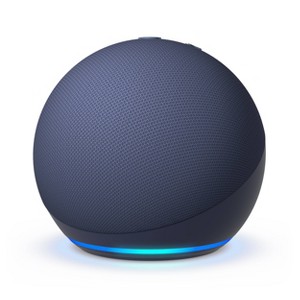
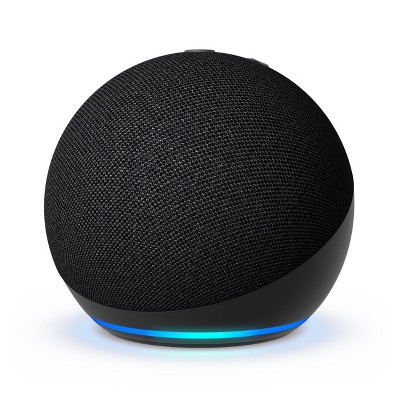
Amazon Echo Dot (5th Gen 2022) - Smart Speaker with Alexa
In Stock
At a glance
Sponsored
About this item
Highlights
- Enjoy an improved audio experience compared to any previous Echo Dot with Alexa for clearer vocals, deeper bass and vibrant sound in any room
- Alexa+ Early Access is now on Echo Dot. Get access to a smarter, more useful Alexa when you set up this device.
- Your favorite music and content – Play music, audiobooks, and podcasts from Amazon Music, Apple Music, Spotify and others or via Bluetooth throughout your home
- Alexa is happy to help – Ask Alexa for weather updates and to set hands-free timers, get answers to your questions and even hear jokes, need a few extra minutes in the morning- Just tap your Echo Dot to snooze your alarm
- Keep your home comfortable – Control compatible smart home devices with your voice and routines triggered by built-in motion or indoor temperature sensors-create routines to automatically turn on lights when you walk into a room
- Designed to protect your privacy – Amazon is not in the business of selling your personal information to others- Built with multiple layers of privacy controls including a mic off button
- Do more with device pairing – Fill your home with music using compatible Echo devices in different rooms, create a home theater system with Fire TV, or extend wifi coverage with a compatible eero network so you can say goodbye to drop-offs and buffering.
- After Early Access, Alexa+ will be free with your Prime membership or available to non-Prime customers for $19.99/month. The original Alexa continues to be included with all Alexa enabled devices.
- Alexa+ Early Access requires a personal, US-based Amazon account with US English language set on all compatible Alexa+ devices. Access to Alexa+ when you purchase this device will be granted on the Amazon account you use to set up this device (certified refurbished or used devices excluded).
Description
Shipping details
Return details
Q: What if u have echo dot already when will u get Alexa plus
A: Hi Awesomegirl! Alexa+ Early Access is already rolling out to Echo Dot 5th Gen owners in the US, appearing as a free upgrade when you set up a new device or by signing up at Amazon's Alexa site or saying "Alexa, notify me when Alexa+ is available" on your device! I hope this answers your question!
submitted byAmazon Devices Customer Support - 7 days agoBrand expertA: Hi, thanks for reaching out about Amazon Echo Dot (5th Gen 2022) - Smart Speaker with Alexa. If you already own an Echo Dot (5th Gen), the good news is that your device is fully compatible with the new Alexa+ (Amazon’s next-generation AI assistant). If you have any additional questions, we welcome you to contact MyTGTtech at 833-848-8324 every day, between 7am-11pm CST.
submitted byJoe - 7 days agoTarget staff support
Q: Our Alexa will not connect to our internet at all. We tried connecting it to a hot spot and that worked but nothing seems to be wrong with our internet either and still won’t connect. I don’t know what to do. Please help
A: Hi Chelsey! Your Echo Doy not connecting to your home Wi-Fi but working on a hotspot may be a network-specific issue, likely with your router settings or the Echo's connection to your network. Try restarting your router/modem, moving the Echo closer, ensuring the Wi-Fi password is correct in the app, checking for interference, and if needed, factory resetting the Echo and re-setting it up with your home Wi-Fi. I hope this helps!
submitted byAmazon Devices Customer Support - 7 days agoBrand expertA: Hi, thanks for reaching out about Amazon Echo Dot (5th Gen 2022) - Smart Speaker with Alexa. It is incredibly frustrating when your internet works fine for everything else but one specific device refuses to play along. Since your Echo Dot worked with a mobile hotspot, we know the hardware is fine—the issue is a specific communication "glitch" between your router and the Alexa. Here is a step-by-step plan to fix this, starting with the most likely culprits. 1. The "Frequency Switch" (Most Common Fix) Most modern routers combine two signals (2.4GHz and 5GHz) into one name. The Echo Dot 5th Gen sometimes gets confused and tries to connect to the faster 5GHz signal when it really needs the more stable 2.4GHz signal. The Trick: If you can, go into your router settings and temporarily "split" the bands so they have different names (e.g., HomeWifi_2G and HomeWifi_5G). Try connecting the Echo Dot specifically to the 2.4GHz name. 2. Check "WPA3" Security Newer routers use a security protocol called WPA3. Many Echo devices (including some 5th Gen units) struggle with this and prefer the older WPA2. Check your router settings to see if it is set to "WPA3 Only." If it is, change it to "WPA2/WPA3 Mixed" or just "WPA2." This often instantly solves the "Incorrect Password" or "Cannot Connect" errors even when the password is right. 3. Clear the App's "Memory" Sometimes the Alexa app on your phone is holding onto an old, "bad" connection attempt. Uninstall the Alexa app from your phone. Power cycle your router (unplug it for 30 seconds). Reinstall the Alexa app. Put the Echo Dot into Setup Mode (hold the Action button for 15 seconds until the light turns orange) and try the setup completely fresh. 4. The "Hotspot Bridge" Method Since you already know it works with a hotspot, you can use that to "force" an update that might fix the bug: Connect the Echo Dot to your hotspot again. Once connected, ask: "Alexa, check for software updates." Let it update completely (it may take 10 minutes). Once updated, go into the Alexa app and try to Change Wi-Fi back to your home network. Sometimes a fresh update includes the "handshake" fix needed for your specific router. 5. Disable "Wi-Fi Assist" (iPhone users) If you are using an iPhone to set it up: Go to Settings > Cellular. Scroll all the way to the very bottom and toggle Wi-Fi Assist to OFF. This prevents your phone from jumping back to cellular data while it's trying to "talk" to the Echo Dot during setup. If you have any additional questions, we welcome you to contact MyTGTtech at 833-848-8324 every day, between 7am-11pm CST.
submitted byJoe - 8 days agoTarget staff support
Q: does this connect with I-Phone
A: Hello sara roscoe and thank you for your question! Yes, you can use the Amazon echo dot with iphone. You can download the Alexa app and use the echo dot as a Bluetooth speaker. Hope this helps! Have a great day!
submitted byAmazon Devices Customer Support - 22 days agoBrand expertA: Hi, thanks for reaching out about the Amazon Echo Dot (5th Gen 2022) - Smart Speaker with Alexa Yes, the Amazon Echo Dot (5th Gen 2022) is completely compatible with the iPhone. If you have any additional questions, we welcome you to contact MyTGTtech at 833-848-8324 every day between 7 am and 11 pm CST.
submitted byRena - 25 days agoTarget expert support
Q: Does this model have the zigbee hub?
A: Hi there! The Echo Dot 5th gen unfortunately does not have a Zigbee hub built-in. If you're looking for a small form factor device that has a Zigbee hub, check out the Echo Dot Max which features Zigbee, Matter, and functions as a Thread border router! The Dot Max is one of our newest devices and features great sound quality as well as a ton of smart home support. You'll also get access to the early access period of Alexa+ just for picking up one! I hope that helps, have a great rest of your day!
submitted byAmazon Devices Customer Support - 1 month agoBrand expertA: Hi, thanks for reaching out about Amazon Echo Dot (5th Gen 2022) - Smart Speaker with Alexa No, the Amazon Echo Dot (5th Gen 2022) does not have a built-in Zigbee hub. Unlike some other Echo devices, you cannot directly connect Zigbee-compatible devices to the 5th Gen Echo Dot and will need a separate Zigbee hub to do so. If you have any additional questions, we welcome you to contact MyTGTtech at 833-848-8324 every day, between 7am-11pm CST.
submitted byJustin - 2 months agoTarget expert support
Q: Can you add parental controls to this device
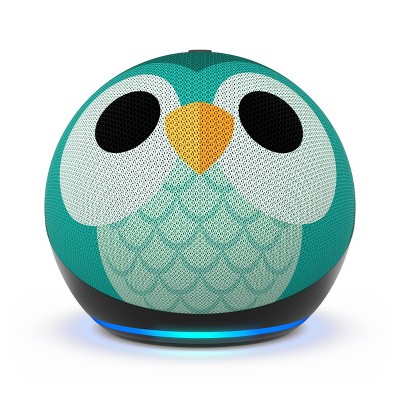
A: Hi Wanda! You can enable Amazon Kids (with associated parental controls) on ANY Echo device by using the free Alexa app. To set it up, find your device in the Alexa App under devices. Next, tap on the settings icon (a cog wheel) on the right, then scroll down to Amazon Kids and select it. From here you can turn on Amazon Kids mode and access the settings for a more child friendly experience. As part of that you'll set up profiles for your children, and then can customize things further using the Amazon Parent Dashboard. I'd also suggest checking out the Kids version of the Echo Dot, which also comes with a free trial of Amazon Kids+. I hope that helps, have a great rest of your day!
submitted byAmazon Devices Customer Support - 2 months agoBrand expertA: Hi, thanks for reaching out about Amazon Echo Dot (5th Gen 2022) - Smart Speaker with Alexa The Amazon Echo Dot (5th Gen) offers a robust set of parental controls, primarily managed through the Amazon Kids feature (formerly known as FreeTime). You can enable Amazon Kids on any standard Echo Dot (5th Gen) via the Alexa App to activate these controls. If you buy the dedicated Echo Dot Kids Edition, these controls are enabled by default and you get a one-year subscription to the child-friendly content library, Amazon Kids+. If you have any additional questions, we welcome you to contact MyTGTtech at 833-848-8324 every day, between 7am-11pm CST.
submitted byMike - 2 months agoTarget expert support
Q: Does this Alexa have a clock that lights up?
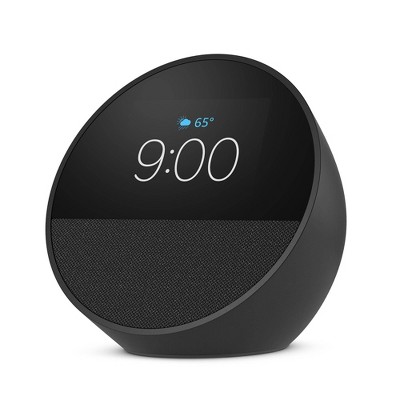
A: Hi K! Unfortunately this version doesn't have a clock interface, but you can always ask Alexa for the time! If you'd like a visual display of the time, check out the Echo Spot for a device with a similar form factor but screen that animates when you ask for things like the time or the weather! I hope that helps, have a great rest of your day!
submitted byAmazon Devices Customer Support - 2 months agoBrand expertA: Hi, thank you for reaching out about Amazon Echo Dot (5th Gen 2022) - Smart Speaker with Alexa. No, the Amazon Echo Dot (5th Gen, 2022 release) - Smart Speaker with Alexa does not have a clock that lights up. The version with the clock is a separate, distinct model. If you have any additional questions, we welcome you to contact MyTGTtech at 833-848-8324 every day, between 7am-11pm CST.
submitted byMatt - 2 months agoTarget expert support
Q: Can you control this speaker when you're not at home? Say I want to set up music to play when I arrive home- can I set this up when I'm away?
A: Hi AK! Using the free Alexa app on your smart phone, you could set up a routine that start playing music when you arrive at the house. I've done something similar to turn on my lights. To do so, open your Alexa app on your phone and enable location services. Once you've done that you'll create a new routine from the 'Routines' menu under 'More.' The '+' symbol at the top right lets you get started. On the New Routine menu, you'll see a few options. "For" is what device you want to control, go ahead and select your Echo Dot. Next, you'll set "When" using 'Location' and choosing 'Arrives' at the top. If you're at home when you set this up, you can just use your current location. Next you can set some qualifiers, like having this only trigger during certain hours. Finally, you'll choose an action which in this case will be 'Music and Podcasts.' You'll choose what song or station you want to start playing when this routine runs, and you can even set a duration and pick your streaming provider! I know that was a little long, but I hope that helps you get an idea of how you'd get things going. Remember, if that seems like a lot you can also just say "Alexa, play some music" once you get inside! I hope that helps, have a great rest of your day!
submitted byAmazon Devices Customer Support - 2 months agoBrand expertA: Hi, thank you for reaching out about Amazon Echo Dot (5th Gen 2022) - Smart Speaker with Alexa. Yes, you can control the Amazon Echo Dot (5th Gen) when you are not at home using the Alexa app on your smartphone. Through the app, you can manage smart home devices, adjust settings like volume and Do Not Disturb, and use features like "Drop In" to connect with other Echo devices in your home. If you have any additional questions, we welcome you to contact MyTGTtech at 833-848-8324 every day, between 7am-11pm CST.
submitted byMatt - 2 months agoTarget expert support
Q: IS THIS NEW OR REFURBISHED
A: Hi SweetHappiness! The Echo Dot 5th Gen sold at Target is a new device, the latest version of the Echo Dot available. Not only does the Echo Dot feature great sound and access to Alexa, you can even use it to help extend an eero Wi-Fi network! Additionally, each Echo Dot also features built-in motion detection as well as a temperature sensor so you can set up smart home routines like turning off the lights if no one is around! I hope that helps, have a great rest of your day!
submitted byAmazon Devices Customer Support - 2 months agoBrand expertA: Hi, thanks for reaching out about the Amazon Echo Dot (5th Gen 2022) - Smart Speaker with Alexa Amazon Echo Dot (5th Gen 2022) - Smart Speaker with Alexa is new. If you have any additional questions, we welcome you to contact MyTGTtech at 833-848-8324 every day between 7 am and 11 pm CST.
submitted byRena - 2 months agoTarget expert support
Q: Can it be used without being plugged in?
A: Hello Lay337, the Amazon Echo Dot does require constant power for use. There are some 3rd party accessories that will allow you to connect a battery to the Echo Dot for a more portable solution. The Echo Dot also requires a constant WI-FI connection to operate as well. Have a great day!
submitted byAmazon Devices Customer Support - 3 months agoBrand expertA: Hi, thanks for reaching out about Amazon Echo Dot (5th Gen 2022) - Smart Speaker with Alexa. No, the Amazon Echo Dot (5th Gen) does not have a built-in battery and cannot be used without being plugged into a power outlet. It requires a constant connection to a wall outlet for power to operate. If you have any additional questions, we welcome you to contact MyTGTtech at 833-848-8324 every day, between 7am-11pm CST.
submitted byJoe - 3 months agoTarget staff support
Q: I have a Ring door bell, will dot tell me someone at door, will the door bell as ring through dot. I will be using Alexa app.
A: Hello narcoossee, thank you for your question. Yes, after connecting your Ring doorbell to the Alexa app, your Echo Dot will be able to announce when someone is at the door. You can also use the Echo Dot as an indoor chime, playing a doorbell sound when the button is pressed. I hope that helps, have a great day!
submitted byAmazon Devices Customer Support - 4 months agoBrand expertA: Hi, thanks for reaching out about the Amazon Echo Dot (5th Gen 2022) - Smart Speaker with Alexa Yes, the Amazon Echo Dot (5th Gen) can absolutely tell you when someone is at the door, and the doorbell can "ring" through the Echo Dot. This is one of the most common and useful integrations between Amazon Echo and Ring devices. If you have any additional questions, we welcome you to contact MyTGTtech at 833-848-8324 every day between 7 am and 11 pm CST.
submitted byRena - 5 months agoTarget expert support
Frequently bought together
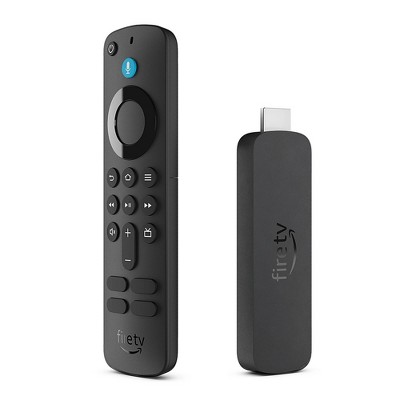

Guests also viewed