
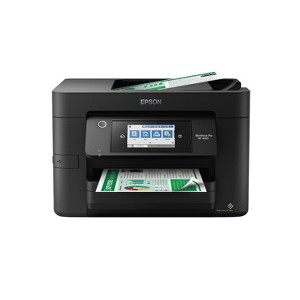
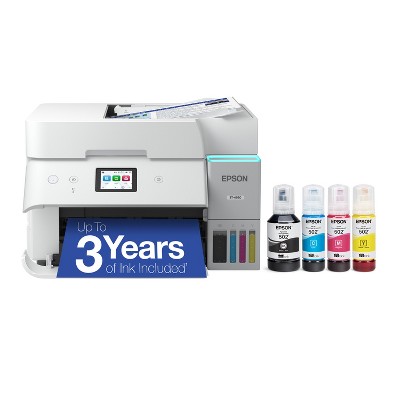
Epson WorkForce Pro WF-4820 Wireless All-in-One Printer
$249.99
In Stock

Free & easy returns
Return this item by mail or in store within 30 days for a full refund.
Sold & shipped by Epson
Eligible for registries and wish lists
About this item
Additional product information and recommendations
Discover more options
- $419.99reg $519.99 Sale4.4 out of 5 stars with 157 ratings






Guests also viewed
Related Categories
Guests are saying
The Epson Workforce Pro WF 4820 is a versatile all-in-one printer that offers quick setup and efficient printing capabilities. Many guests appreciate its ability to handle various tasks, including scanning and double-sided printing. However, concerns about ink consumption and connectivity issues have been raised. Overall, it serves well for home and small office use, providing good print quality and functionality, though some guests have experienced frustrations with its performance over time.
Summary created by AI from text of reviews reflecting recent feedback provided across different star ratings (includes incentivized reviews)
4.1 out of 5 stars with 324 reviews
1 out of 5 stars
15 September, 2026
originally posted on epson.com

Not worth the eventual trouble
Bought this printer a couple of years ago, slowly connectivity became a problem until printing from phones and laptops became an ever increasing hassle for both my wife and myself. In a feeble attempt to solve the issue an update was downloaded only to find that the printer no longer recognized the non epson ink cartridges that were in it. I would then need to buy 4 new epson ink cartridges and most likely have to deal with the connection issues again. Bought a Brother printer for just a little more than the epson cartridges would have cost insead.
3 out of 5 stars
2 September, 2026
originally posted on epson.com
(no review title)
Printing works fine. No problems relating to that. Issue I have is when scanning to pc the printer does not see pc. I can print from pc wirelessly but scanning does not see pc. I've had it connected and working before but lately I am unable to connect. I've updated drivers as instructed but no success. Very frustrating.
1 out of 5 stars
13 August, 2026
originally posted on epson.com
WorkForce Waste
This WF-4820 is one of the worst printers I have ever bought. I set it up around 07/07/2026; it's August 13th, and I already need to replace 3 of the 4 ink cartridges. I'm one person using it for personal home use. It consistently pulls multiple pages at a time. I've followed the suggestions, etc., and it hasn't made a difference. This printer replaced my Epson EcoTank ET-2720 Wireless Color All-in-One Supertank Printer, which I had for over 4 years and was really pleased with. That is why I purchased another Epson, but I regret buying this one. When I consider the cost of ink, it's a money pit.
5 out of 5 stars
13 August, 2026
originally posted on epson.com
(no review title)
Bought this unit to replace my ET4750 i've had for years. Set up was quick and easy and all the functions I need are again at my disposal. Price was right and the product functions are familiar, this all in one looks and works very nice. Great fit, finish and function so far, hope it lasts 9 years like our last one.
3 out of 5 stars
10 July, 2026
originally posted on epson.com
Loses Connectivity
I have owned Epson printers for more than 20 yrs.The quality and speed of the products has always been great. When my 3620 developed jet clogging issues, I read reviews and made the decision to purchase the 4820. I am so sorry I made that decision. It is the most frustrating printer I have ever owned. When it works, it prints well, but it is constantly losing connectivity, along with stating the printer drivers are not installed, which is most frustrating. I work from home and need a reliable printer and so far this is not it. It holds a good amount of paper, and prints quickly-when it works. Hopefully it will work better for others, but I am very dissapointed in this product.
5 out of 5 stars
21 June, 2026
originally posted on epson.com
Beat HP totally
Retired needed a nice dependable printer scanner that didn't eat me out house and home for ink, simple to operate and wified. 4820 hit it out of park. Works great , simple and easy. price was outstanding beat everything else by a mile, killed HP which I have used consistently since the 90s. Stick fork in HP thier done. Bad quality poor prining schemes lost their way and a lot of faithful customers like me.Epson rocks!
5 out of 5 stars
12 June, 2026
originally posted on http://www.dell.com/en-us

Perfect for my house
Daily fax machine works fast
5 out of 5 stars
22 May, 2026
originally posted on epson.com
Great printer overall
So far I am very pleased with this printer. I made this upgrade fron an Epson XP 640, I know this is two different series but I no longer print photos so the photo features didn't interest me anymore. I needed to print fast and mostly custom sizes with less bottleneck. the xp 640 was doing an okay job but regularly getting jammed and skipping papers. this printer solve all that, it has a very good paper feeding mechanism, no jam so far and no skipping. the interface is quick and easy to use. the only annoyance I see is when to do firmware update, this settings is hard to find, I wished when that notification popped up it would have a direct button to do the update.
1 out of 5 stars
7 May, 2026
originally posted on epson.com
(no review title)
Just bought this printer. Worked for a few weeks. Now it does not work. Tried online help. No help. Tried finding a phone number to call. Not able to talk to a human. NOT IMPRESSED WITH EPSON.
1 reply from The Epson Team team - 5 months ago
Dear not a robot, we appreciate your business and are sorry to hear you are not completely satisfied with your purchase. Your Epson WF-4820 includes free technical support for the life of your product. Please reach out to our Epson Support Team for assistance at (562) 276-4382; Hours: Monday – Friday, 7 a.m. to 4 p.m. (PT). We’re here to help. Sincerely, Joseph – The Epson Team.
5 out of 5 stars
7 May, 2026
originally posted on http://www.dell.com/en-us
(no review title)
5
1 out of 5 stars
12 April, 2026
originally posted on epson.com
Garbage. Scan function doesn’t work
Garbage. It cannot scan. No matter what I do with it the scan function won’t work.
1 reply from The Epson Team team - 5 months ago
Hi Tigrincs, we are sorry to hear that you are experiencing issues with your printer. Your WF-4820 includes free technical support for the life of your product. Our Epson Support Team would be happy to help and can be reached at (562) 276-4382; Hours: Monday – Friday, 7 a.m. – 4 p.m. PT. Sincerely, Joseph – The Epson Team.
1 out of 5 stars
31 January, 2026
originally posted on epson.com
Never Again - fool me once
Ink Guzzling Pig. Will never buy another Epson Product
1 reply from The Epson Team team - 8 months ago
Hi Markus88, we are sorry you are disappointed with your Epson printer. Your WF-4820 includes free technical support for the life of your product. Our Epson Support Team may be able to help you customize your settings for a more efficient performance. Please contact us at (562) 276-4382; Hours: Monday – Friday, 7 a.m. – 4 p.m. PT. We look forward to your call. Regards, Joseph – The Epson Team.
1 out of 5 stars
30 November, 2025
originally posted on epson.com
Probably great if I could get it to print
Having a very hard time getting it connected to any devices & not much support from the device or website.
1 reply from Epson Service team - 10 months ago
Hi RKing, we are sorry to hear you are having issues with your Epson printer. Your WF-4820 includes a 1-year limited warranty plus free technical support for the life of your product. Our Epson Support Team would be happy to hear from you and can be reached at (562) 276-4382; Hours: Monday – Friday, 7 a.m. to 4 p.m. (PT). Sincerely,Jacob– The Epson Team.
5 out of 5 stars
8 November, 2025
Five stars all the way
[This review was collected as part of a promotion.] I love this printer, easy to set-up and use! I would buy it again and again!
2 out of 5 stars
28 October, 2025
originally posted on epson.com
Ink cartridges
My beef with Epson is ink cost. I purchased one an Epson Workforce printer and discovered the outrageous cost of ink cartridges. Never again.
1 reply from The Epson Team team - 11 months ago
Hi Dixie 1, we are sorry you are disappointed with your Epson printer. Your WF-4820 includes free technical support for the life of your product. Our Epson Support Team may be able to help you customize your settings for a more efficient performance. Please contact us at (562) 276-4382; Hours: Monday – Friday, 7 a.m. – 4 p.m. PT. We look forward to your call. Regards, Joseph
1 out of 5 stars
26 October, 2025
originally posted on epson.com
Eats Toner Way Too Fast!
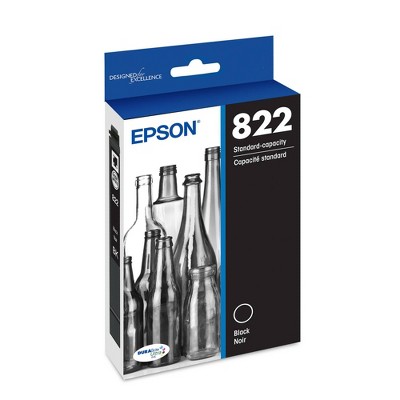
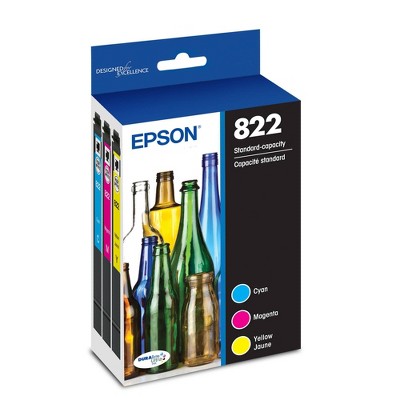
Eats Toner Way Too Fast! Uses entire brand new $23 toner # 822 pack after about 15-18 pages.
1 reply from The Epson Team team - 11 months ago
Hi A_le, we are sorry you are disappointed with your Epson printer. Your WF-3820 includes free technical support for the life of your product. Our Epson Support Team may be able to help you customize your settings for a more efficient performance. Please contact us at (562) 276-4382; Hours: Monday – Friday, 7 a.m. – 4 p.m. PT. We look forward to your call. Regards, Joseph
5 out of 5 stars
4 October, 2025
originally posted on http://www.dell.com/en-us
Works Great!
It prints. It scans. Thumbs up! What more do you need? It's a printer! I got it to replace my much older version of the same printer, which lasted almost forever. There was no second choice. easy decision.
5 out of 5 stars
29 August, 2025
originally posted on http://www.dell.com/en-us
(no review title)
5
5 out of 5 stars
14 August, 2025
originally posted on epson.com
Great printer
It gets 5 stars just for how easy it was to setup. My last Epson WorkForce printer lasted 10 years. No reason to think this one won't as well. Everything looks good on day one.
1 out of 5 stars
29 June, 2025
originally posted on epson.com
Firmware Updates Plague This Printer!!
This printer works good when you first buy it, then after what seems like weekly firmware updates.... the ink cartridges are no longer compatible for some reason... costing more money and not needed. I have bought 2 or 3 of these exact printers, and then once it does a firmware update, it rejects the EPSON cartridges and can no longer be used without buying more ink, even though the ink is full and made for EPSON printers. Worthless.
1 reply from Epson Service team - 1 year ago
Dear Nobody12, we appreciate your business and are sorry to hear you are not completely satisfied with your purchase. Your Epson WF-4820 includes free technical support for the life of your product. Please reach out to our Epson Support Team for assistance at (562) 276-4382; Hours: Monday – Friday, 7 a.m. to 4 p.m. (PT). We’re here to help. Sincerely, Jacob – The Epson Team.