
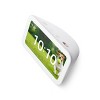

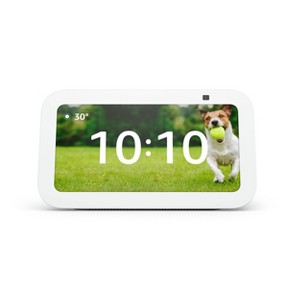
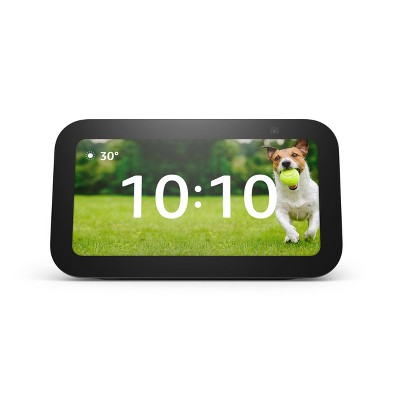
Amazon Echo Show 5 (3rd Gen, 2023 release) | Smart Display with Deeper Bass and Clearer Sound - Glacier White
$89.99
ColorGlacier White
In Stock
Eligible for registries and wish lists
At a glance
About this item
Additional product information and recommendations
Discover more options
Frequently bought together
- $26.98reg $69.99 Sale
- $229.99 - $799.99Select items on sale4.3 out of 5 stars with 2196 ratings
- $999.99 - $1,899.99Get the iPad Pro (M5) starting at $65/mo. on select items3.5 out of 5 stars with 16 ratings
Guests also viewed

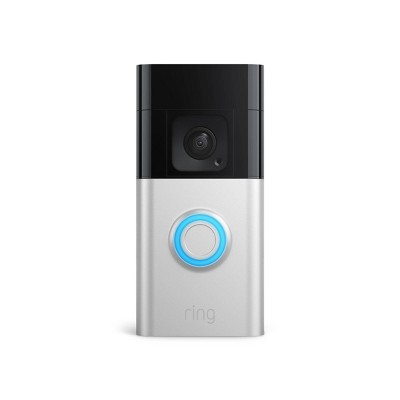
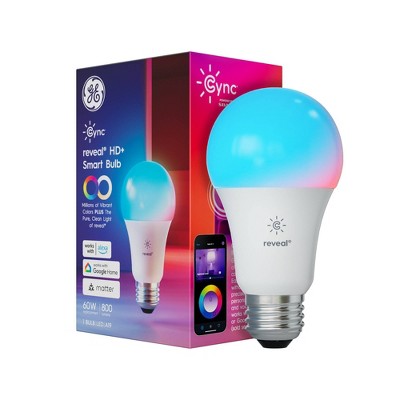
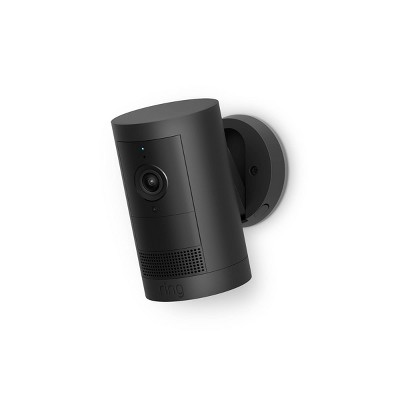
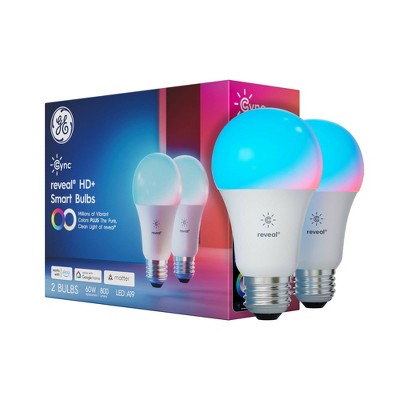
Related Categories
Guests are saying
The Echo Show 5 is a compact and versatile smart display that enhances daily life with its multifunctionality. Guests appreciate its excellent sound quality, ease of use, and ability to integrate with smart home devices. Many find it useful for video calls, checking the weather, and displaying photos. However, some guests have experienced issues with connectivity and performance, which may affect their overall satisfaction. Overall, it serves as a great addition to any home.
Summary created by AI from text of reviews reflecting recent feedback provided across different star ratings (includes incentivized reviews)
4.2 out of 5 stars with 290 reviews
quality: 3.81 out of 5
value: 3.85 out of 5
70% would recommend
48 recommendations
1 out of 5 stars
Thumbs down graphic, would not recommend
23 April, 2026Verified purchase
(no review title)
Constant glitching. Shows the wrong time.
1 reply from Amazon Devices Customer Support team - 29 days ago
Hello Shannon! Thank you for your feedback on the Echo Show 5 (3rd Gen). I'm sorry to hear about the glitching and incorrect time display — that's certainly not the experience you should be having with your device. The Echo Show 5 is designed to be a reliable smart display, and issues like screen glitching and incorrect time are typically resolvable. Here are several troubleshooting steps that should help: Restart your device — Unplug the Echo Show 5 from power, wait 30 seconds, and plug it back in. This is often the most effective first step for resolving display glitches and software-related issues. Check your time zone settings — Open the Alexa app, go to Devices > select your Echo Show 5 > Time Zone, and verify that the correct time zone is selected. An incorrect time zone setting is the most common cause of the wrong time being displayed. Ensure a strong Wi-Fi connection — The Echo Show 5 syncs its clock over the internet. If your Wi-Fi connection is weak or intermittent, the device may not update the time correctly. Move the device closer to your router or restart your router to improve connectivity. Update the software — On your Echo Show 5, swipe down from the top of the screen and tap Settings > Device Options > Check for Software Updates. Installing the latest update can fix known bugs that cause glitching and display errors. Factory reset — If the glitching persists after trying the steps above, you can perform a factory reset by going to Settings > Device Options > Reset to Factory Defaults. This will erase your settings and restore the device to its original state, which can resolve persistent software issues. Check the power adapter — Make sure you are using the original power adapter that came with the device. A third-party or underpowered adapter can cause screen flickering and erratic behavior. Your experience matters, and I hope these steps get your Echo Show 5 working smoothly. Thank you for sharing your feedback. Have a great day!
5 out of 5 stars
Thumbs up graphic, would recommend
13 April, 2026Verified purchase
(no review title)
good
5 out of 5 stars
14 February, 2026Verified purchase
(no review title)
It tells me what to do with myself
1 out of 5 stars
Thumbs down graphic, would not recommend
10 February, 2026Verified purchase
Junk
I purchased this on December 7 and went to move it to the other side of my kitchen and it doesn’t work. The cord isn’t even completely unraveled like I don’t understand why it’s not working. Pass my return window so I can do nothing.
1 reply from Amazon Devices Customer Support team - 3 months ago
Hello, Scerney. Thank you for taking the time to leave a review on the Echo Show 5. I'm sorry to hear about the issue you are having with the device. Here are some troubleshooting steps that may help resolve the issue: 1. Ensure the power cord is fully plugged into both the Echo Show 5 and the wall outlet—sometimes connections can become loose during movement. 2. Try a different power outlet to rule out any issues with the original outlet. 3. Check that the power adapter is firmly connected to the cord. 4. Unplug the device, wait 30 seconds, then plug it back in to perform a power cycle. If these steps don't resolve the issue and your Echo Show 5 still won't power on, please contact Amazon Customer Support at 1-888-280-4331. They're available 24/7 and can assist with troubleshooting. Thank you for your feedback, and I hope we can help get your Echo Show 5 working properly again.
3 out of 5 stars
19 January, 2026Verified purchase
(no review title)
Moves really slow
1 reply from Amazon Devices Customer Support team - 4 months ago
Hello Daralie! Thank you for your feedback on the Amazon Echo Show 5 (3rd Gen). I'm sorry to hear that your device is experiencing slow performance—this should not happen and is not the expected user experience for the Echo Show 5. Try these troubleshooting steps to improve responsiveness: restart your Echo Show 5 by unplugging it from power for 30 seconds and plugging it back in, ensure you have a strong and stable internet connection as slow Wi-Fi can cause lag, check for software updates in Settings > Device Options > System Updates and install any available updates, and clear the cache by going to Settings > Storage and selecting Clear Cache if available. If the device continues to move slowly after these steps, it could indicate a hardware defect. Thank you for bringing this to our attention, and I apologize for the inconvenience.
1 out of 5 stars
18 January, 2026
(no review title)
To small and to annoying to set up and it lags the battery port is loose
1 reply from Amazon Devices Customer Support team - 4 months ago
Hello Chris! Thank you for your feedback on the Echo Show 5 (3rd Gen). I'm sorry to hear you're experiencing frustration with the size, setup process, performance lag, and a loose power port on your device. Let me address each of your concerns with solutions that can help improve your experience: Device Size: The Echo Show 5 features a compact 5.5-inch display, which is designed for smaller spaces like nightstands, desks, or kitchens. If you're finding the screen too small for your needs, you might consider the Echo Show 8 (8-inch display) for larger viewing areas. However, the Echo Show 5 offers the same smart home control, video calling, and Alexa functionality in its compact form. Setup Simplification: To make setup easier, ensure you have the latest version of the Alexa app downloaded on your mobile device before beginning. The setup process should involve: plugging in the device, connecting to your Wi-Fi network when prompted on screen, and signing in with your Amazon account. If you encountered specific error messages or steps that were confusing, try performing a factory reset (press and hold the Volume Down button and Mute button simultaneously, releasing once the Amazon logo reappears) and attempt setup again with your phone close to the device for a stronger connection during the process. Performance Lag Issues: If the device is responding slowly or freezing, try these steps: Restart the device by unplugging it from power, waiting 30 seconds, then plugging it back in. Ensure your Wi-Fi connection is strong—the Echo Show 5 performs best with a stable internet connection. Check for software updates by saying "Alexa, check for software updates" or going to Settings > Device Options > Check for Software Updates. Loose Power Port: A loose connection at the power supply port is a hardware defect that shouldn't occur on a new device. This can cause intermittent power issues and device instability. Since this is a physical defect, I strongly recommend contacting Amazon Customer Support to discuss what options are available under warranty, as this type of hardware issue typically qualifies for resolution under the standard one-year limited warranty. Given the combination of issues you're experiencing—particularly the hardware defect with the power port—I encourage you to reach out to Amazon Customer Support at 1-888-280-4331 (available 24/7) to explore your warranty options. A device with a defective power port will only become more problematic over time. I hope these troubleshooting steps help with the setup and performance concerns, and that Amazon can resolve the hardware issue for you. Thank you for your feedback!
1 out of 5 stars
11 January, 2026Verified purchase
(no review title)
Had a week before it just totally stopped working. Lagged terribly in the week it worked
1 reply from Amazon Devices Customer Support team - 4 months ago
Hello Amanda, Thank you for sharing your feedback about the Amazon Echo Show 5 (3rd Gen). We're truly sorry to hear that your device stopped working after just one week and experienced significant lag during that time. This is absolutely not the experience we want our customers to have with Echo Show devices. A device failing within a week of use is unacceptable, and we understand how frustrating this must have been, especially when dealing with lag issues before it stopped working entirely. Since your Echo Show 5 has completely stopped functioning, we'd like to help you get this resolved. Please contact Amazon Customer Service at 1 888 280-4331 or through your Amazon account. Our team will work with you to make this right. We appreciate you taking the time to let us know about this issue. Your feedback helps us identify quality concerns and improve our products.
1 out of 5 stars
7 January, 2026Verified purchase
(no review title)
Defective! Do not respond- screen goes off constantly - garbage.
1 reply from Amazon Devices Customer Support team - 4 months ago
Hello Sergio! I'm sorry to hear about the frustrating issues you're experiencing with your Echo Show 5. Here are comprehensive troubleshooting steps to help resolve these issues: First, check your device's internet connection, as a weak or unstable Wi-Fi connection can cause unresponsiveness and screen issues, so ensure your Echo Show 5 has a strong signal. Next, restart your Echo Show 5 by unplugging the device from power, waiting 30 seconds, then plugging it back in, as this simple step resolves many functionality issues. You should also adjust your screen settings, as the screen may be turning off due to power-saving settings—swipe down from the top of the screen, select Settings > Display & Brightness, adjust the screen timeout settings and brightness levels, and check if "Adaptive Brightness" is enabled and adjust as needed. If your device setup uses the Alexa app, ensure you have the latest version installed on your mobile device. Your Echo Show 5 should update automatically, but you can manually check by going to Settings > Device Options > Check for Software Updates. If none of these steps help, a factory reset will clear up most issues—swipe down from the top, select Settings > Device Options > Reset to Factory Defaults, though note that this will erase all settings and you'll need to set up the device again. If these troubleshooting steps don't resolve the screen and responsiveness issues, Amazon Customer Support is available 24/7 for assistance at 1-888-280-4331. Thank you for your feedback it helps improve product quality and customer experience.
5 out of 5 stars
30 December, 2025Verified purchase
(no review title)
Works great
1 out of 5 stars
28 December, 2025
Item was not there when i got there to pick up.
Ordered online. They showed plenty of stock. Got to Target to pick up and they didn’t have the ones that they said they had.
5 out of 5 stars
Thumbs up graphic, would recommend
27 December, 2025Verified purchase
(no review title)
I really like my item .
1 out of 5 stars
Thumbs down graphic, would not recommend
26 December, 2025Verified purchase
(no review title)
i ordered it for christmas it came opened box beat up my replacement never got here i will be canceling my $100 membership DO BETTER TARGET
5 out of 5 stars
Thumbs up graphic, would recommend
23 December, 2025Verified purchase
(no review title)
It's very loud
5 out of 5 stars
Thumbs up graphic, would recommend
17 December, 2025Verified purchase
(no review title)
Very clean store
1 reply from Amazon Devices Customer Support team - 5 months ago
Hi Nora, Thank you for your 5-star review! We appreciate your feedback about the store experience. While we're glad you had a positive visit to Target, we'd love to hear about your experience with the Amazon Echo Show 5 (3rd Gen)! If you have any thoughts about the device itself—such as the deeper bass, clearer sound, or smart display features—we'd be happy to hear them. Thank you for choosing the Echo Show 5, and we hope it's serving you well!
1 out of 5 stars
14 December, 2025Verified purchase
(no review title)
Trash
1 reply from Amazon Devices Customer Support team - 5 months ago
Hello Robert! Thank you for your feedback on the Amazon Echo Show 5 (3rd Gen, 2023 release). I'm sorry to hear you're disappointed with your experience. Without more specific details about what issues you're encountering, it's difficult to provide targeted solutions, but here are some common troubleshooting steps that can resolve many Echo Show 5 problems: ensure your device has a strong internet connection, check that you have the latest software updates installed through Settings, restart your Echo Show 5 by unplugging it from power for 30 seconds then plugging it back in, and if you're experiencing audio quality issues, adjust the equalizer settings in the Alexa app or check that the speakers aren't obstructed. The Echo Show 5 (3rd Gen) features improved audio with deeper bass and clearer sound, a 5.5-inch display, and enhanced smart home controls, but if the device isn't meeting your expectations or you're experiencing persistent functionality issues, you may want to consider whether it's the right fit for your needs. I hope this information helps improve your experience with the device. Have a great day!
2 out of 5 stars
11 December, 2025Verified purchase
(no review title)
Love the sound quality, however it shows you can stream prime video which you CANNOT. And the was the whole purpose of me purchasing this one! So that is super disappointing!
1 reply from Amazon Devices Customer Support team - 5 months ago
Dear Jessica, Thank you for your feedback about the Echo Show 5 (3rd Gen). I'm glad you're enjoying the sound quality, but I understand your frustration regarding Prime Video streaming. You're right to be disappointed, as product capabilities should be clearly communicated. While the Echo Show 5 does have limitations with Prime Video streaming, let me help clarify what video content you can access: You can still use your Echo Show 5 for: Video calling Compatible security camera feeds Other supported video services However, if Prime Video streaming was your main reason for purchase, you may want to: Contact Amazon customer support to discuss your options Consider returning the device to Target if you're still within the return window Look into alternative devices that better suit your needs Thank you for bringing this issue to our attention. Your feedback helps us improve our product information and customer experience.
5 out of 5 stars
10 December, 2025Verified purchase
Love it!
I love my Echo show. The sound on it is great, love listening to music on it. I connected my ring doorbell to it, so it announce it if someone is at the door. I’m planning to buy a stand for it. I hope it will last for a long time!
1 reply from Amazon Devices Customer Support team - 5 months ago
Hi Kathy, Thank you so much for your wonderful 5-star review of the Amazon Echo Show 5 (3rd Gen)! We're thrilled to hear that you love it! It's fantastic that you're enjoying the great sound quality for listening to music—the deeper bass and clearer sound really do make a difference. We're also glad to hear that you've connected your Ring doorbell to it for door announcements. That's such a convenient feature for staying connected to what's happening at your front door! A stand is a great addition and will give you even more flexibility with placement and viewing angles. We hope your Echo Show 5 continues to serve you well for many years to come! Thank you for choosing the Echo Show 5 and for taking the time to share your positive experience!
4 out of 5 stars
Thumbs up graphic, would recommend
9 December, 2025Verified purchase
(no review title)
It is slow displaying my Google Nest cameras. Other than that, it is a very good product.
1 out of 5 stars
Thumbs down graphic, would not recommend
8 December, 2025Verified purchase
(no review title)
It’s not what I expected and for that price too price
1 reply from Amazon Devices Customer Support team - 6 months ago
Hello Karina! Thank you for your feedback on the Echo Show 5 (3rd Gen). I'm sorry to hear that the device didn't meet your expectations, especially considering the price point. The Echo Show 5 features a 5.5-inch display with improved audio quality including deeper bass and clearer sound, designed as a compact smart display for smaller spaces with video calling, smart home control, streaming entertainment, and Alexa voice assistance. If you're experiencing specific functionality issues, try checking your internet connection for strong Wi-Fi stability, updating your device software through Settings, restarting by unplugging for 30 seconds then reconnecting, adjusting equalizer settings in the Alexa app, or resetting to factory settings if problems persist. I hope this information helps address your concerns with the Echo Show 5. Have a great day!
5 out of 5 stars
Thumbs up graphic, would recommend
7 December, 2025
Handy smart picture frame
I have had this smart photo frame for over two years and have enjoyed it. The home screen displays personal photos and my wife and I use it frequently for timers and reminders. It is also handy for getting quick answers to simple questions. It does show occasional ads but they are infrequent and unobtrusive.
1 reply from Amazon Devices Customer Support team - 5 months ago
Thank you for your feedback john!