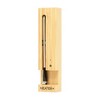
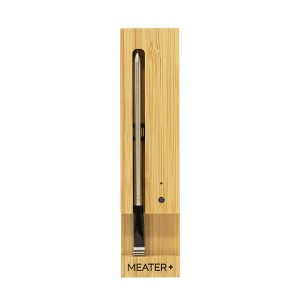
Traeger Meater Digital Wireless Meat Thermometer with Extended Bluetooth Range Brown/Silver
$79.99
In Stock
Eligible for registries and wish lists
About this item
Additional product information and recommendations
Discover more options
- $26.09 - $27.19reg $34.79 - $36.29 Sale
- $19.99reg $39.99 Sale
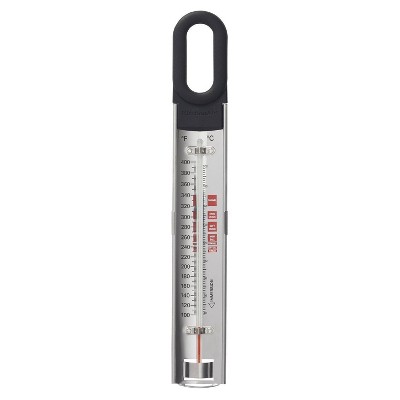
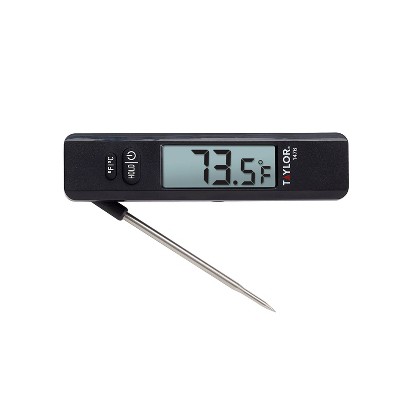
Frequently bought together
- $9.99 - $11.99reg $13.39 - $15.99 Sale
- $10.49 - $11.99reg $13.99 - $15.99 Sale

Related Categories
Guests are saying
The Meater thermometer has garnered mixed feedback from guests, with many praising its ease of use and ability to deliver perfectly cooked meats. Guests appreciate the wireless convenience and app integration, making it a valuable tool for both novice and experienced cooks. However, some have experienced connectivity issues and concerns about durability. Overall, it stands out as a helpful gadget for enhancing cooking experiences, especially for grilling and smoking meats.
Summary created by AI from text of reviews reflecting recent feedback provided across different star ratings (includes incentivized reviews)
4.4 out of 5 stars with 689 reviews
ease of use: 5 out of 5
easy to clean: 5 out of 5
quality: 5 out of 5
value: 5 out of 5
100% would recommend
2 recommendations
5 out of 5 stars
25 October, 2026
originally posted on Meater

Meater plus the best
Used for the 1st time today. This is a game changer, have been figuring out rotisserie whole chicken on the Big Green egg and this helped the cause
1 out of 5 stars
11 October, 2026
originally posted on Meater
Junk
Had MEATER plus for less than 2 years and it won’t pair. Expensive peace of junk.
From Meater team
We want you to get back to cooking with confidence. Let’s start by checking the LED on your charging dock. If it blinks green but the probe won’t connect in the app, the connection between the dock and phone may need attention. If it blinks red, the probe may not be connecting to the dock, so check that the probe and charging contacts are clean and dry. If it still won’t pair, please reach out to us at +1 888-407-0303 so our team can help you find a solution. MEATER
13 days ago
5 out of 5 stars
11 October, 2026
originally posted on Meater
Works amazing
I have had a MEATER for 4 years and it produces great results
2 out of 5 stars
7 October, 2026
originally posted on Meater
Great if it works, it never works.
It's great when it works! Which is almost never. It's constantly getting disconnected. On its best day, I need to hang out in the kitchen right next to it, and right now that's not even enough. Also, the notifications on the app are ridiculous. I always have 2 notifications showing, my phone buzzes and gives me a notification when when I turn off my phone screen, just everything about it is annoying.
From Meater team
Adam, we want to help make the connection more reliable. During your next cook, keep the probe, dock, and phone within range and check whether there are walls, metal surfaces, or other obstructions between them, as these can interfere with the signal. Also, avoid placing the probe back in the dock while a cook is in progress, since this disconnects it and returns the unit to standby, which can trigger notifications. We do not expect you to have to stay in the kitchen just to keep a connection, so if these steps do not help, please give us a call at +1 888 407 0303 and we can take a closer look. MEATER
24 days ago
5 out of 5 stars
4 October, 2026
originally posted on Meater
Great tool for the poimastwr.
Easy to use and monitor. Perfect tool for pitmasters.
5 out of 5 stars
24 September, 2026
originally posted on Meater
Ezzy pezzy. Always perfect
Been using for over two years. Always perfect regardless the type or meat.
5 out of 5 stars
9 August, 2026
originally posted on Meater
Great cooking tool.
Received as a gift one of the best things I have ever received. Do not use my smokers or grills without it. Have found that it is spot on
1 out of 5 stars
9 August, 2026
originally posted on Meater
Worst thing I bought
Only used a couple of times don’t hold a charge and doesn’t connect with the base or the app.
From Meater team
Hey there, let’s get to the bottom of this and see what’s keeping your MEATER from staying charged and connected. Since both symptoms can be related to how the probe and dock are communicating, press and hold the black button on the dock and check for a solid green LED. Then remove the probe and note whether it blinks green or red, and check whether it appears in the app. If there is no LED at all, the dock may not be receiving power. These details will help us pinpoint what’s happening and guide you to the right next steps. MEATER
3 months ago
5 out of 5 stars
8 August, 2026
originally posted on Meater
Best Tool Ever
I’ve had this tool for years and I have never had a problem getting my food cooked to the best quality!
5 out of 5 stars
30 July, 2026
originally posted on Meater
Want to smile, get a Meater plus
I can tell you using Meater with no wires and long battery life with the ability to monitor on my phone and ipad at the same time from all over the house is amazing! The app is also a great surprise. Get one it will make you smile!
5 out of 5 stars
27 July, 2026
originally posted on Meater
Good Cook
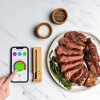
When you Gas BBQ with your Meater all set up, ready to go. The Ribeye steak comes out Amazing, 128, just like I like it. One important thing you need to remember is check your propane tank, make sure you have enough gas. Very Important step to becoming a Good Cook!
2 out of 5 stars
20 July, 2026
originally posted on Meater
Great until it fell apart.
Worked great till it fell apart. Used m Meater many times, although the Bluetooth connection was sometimes sketchy It did the job. Now the ceramic is breaking apart, and the inner probe just slides out and will no longer charge.
From Meater team
Hi Fess, thanks for stopping by Since the ceramic is breaking apart and the inner probe is no longer staying in place or charging, this is something we would like to take a closer look at. Please contact our support team at +1 888 407 0303 so we can review this and work with you to get it resolved as quickly as possible. MEATER
3 months ago
1 out of 5 stars
20 July, 2026
originally posted on Meater
Waste of Money
Complete waste of money. Received in December and thought it was the greatest thing ever. It worked for maybe five months of once a week use. Now it will not stay connected. I've tried at least a dozen times and followed all of the trouble shooting guidelines and it always fails mid-cook.
From Meater team
Hey Bronson, we appreciate you taking the time to share your experience. Since you mentioned that you have already gone through the recommended steps, we would like to share a few additional things to check that can affect the connection during a cook. The charging dock should be placed as close to the probe as safely possible because the dock acts as the Bluetooth repeater. Keep in mind that closed grills, smokers, ovens, and other metal cooking appliances can reduce or block the Bluetooth signal, similar to a Faraday cage effect. Walls, large metal objects, aluminum foil, or moving your mobile device too far from the charging dock can also interrupt the connection. Making sure the dock remains close to the grill and your mobile device stays within range throughout the cook can often improve performance. If the connection continues to drop after checking these conditions, please contact our support team so we can review this with you and work toward a resolution. MEATER
3 months ago
5 out of 5 stars
13 July, 2026
originally posted on Meater
Love this thing. Need more probes
Great cook every time. Used it fixed of times. Best in thicker steaks.
5 out of 5 stars
25 May, 2026
originally posted on Meater
Great Thermometer!
Absolutely the best thermometer for serious outdoor cooking.
1 out of 5 stars
10 May, 2026
originally posted on Meater
Would not use or buy again
Used the meater plus for the first time today. Had an energiser lithium battery in it for 24 hours. The probe keeps disconnecting from the base while its only 6 inches apart with only a thin metal sheet between them (hark smoker) and have the phone 2 feet away from the base. Connection dropped more than it connected. Would not reccommend would give 0 stars if i could. Would like jave this rectified.
From Traeger team
Hi Ben, thanks for sharing your feedback. What you are describing sounds more related to range interference from the smoker structure rather than the probe itself, since metal surfaces and enclosed cookers can significantly reduce Bluetooth signal strength between the probe and the dock even at short distances. For the strongest performance, we recommend keeping the dock positioned as close as possible to the cooker opening with the logo side facing the probe, since the dock acts as the Bluetooth extender for the MEATER Plus system. A good next step would also be running a stability test in open air for about 30 minutes with the probe next to the dock to confirm the connection remains stable outside the smoker environment. The MEATER Plus is designed for up to 165ft total range in open air conditions, so if the behavior continues during an open air test, please contact us at +1 888-407-0303 so we can continue assisting you further and help get everything working as expected. MEATER
6 months ago
1 out of 5 stars
28 April, 2026
originally posted on Meater
Try Something Else
Works great... when it works. I had an earlier model that crapped out after about 18mos of use - the probe would no longer sync to the base or my phone, no matter how many times I changed the battery or cleaned the probe. Got a newer model as a gift - same issue... just up and stopped working
From MEATER team
Steve, we really appreciate you sharing this, especially after giving both generations a fair chance. That kind of consistency in your experience is important for us to understand. When a probe works well for a period of time and then suddenly stops syncing entirely (even after replacing batteries, cleaning, and retrying setup), it usually points to the probe no longer maintaining a stable connection with the charger. That connection is essential, as it’s what allows the signal to be relayed to your phone. Once it becomes inconsistent, the probe may fail to sync no matter how many times you reset or retry. A good step to further confirm this is to place the probe back in the charger for about 20–30 minutes, ensuring it’s fully seated. When you remove it, check for a steady green light at the start. This indicates the probe is activating correctly. If that light doesn’t appear consistently or drops quickly, it’s a strong sign the connection isn’t being sustained. Also, making sure the contacts on both the probe and inside the charger are thoroughly clean and dry can help rule out any surface-level interference. That said, experiencing the same pattern across multiple units over time isn’t what we expect, and it’s understandable that this would impact your confidence in the product. We want to make sure you have something dependable every time you cook, not something you have to second-guess. Please reach out to us at support.meater.com. We’ll take a closer look at your case and work with you directly toward a solution that gets you back to a reliable and consistent experience.
6 months ago
1 out of 5 stars
26 April, 2026
originally posted on Meater
Disapointed
Worked for awhile now will mot connect thought it was good at first
From MEATER team
Good day, we really appreciate you taking the time to share this, especially after having a good first experience with it. From what you’re describing, when a probe stops connecting after working initially, it usually means the link between the probe and the charger is no longer consistent. That connection is key because it’s what allows the probe to communicate with your phone. If it weakens over time, the probe may not reconnect even if everything else appears normal. To check this, place the probe in the charger for about 20–30 minutes, making sure it’s properly seated. When you remove it, look for a steady green light at the start. If that light doesn’t show consistently or drops quickly, it helps confirm the connection isn’t being maintained. It’s also a good idea to clean the contacts on both the probe and inside the charger, as small residues can affect both charging and connectivity. If you’re cooking with a grill or oven, keeping the charger as close as possible and reducing any obstruction can also improve stability during use. This kind of behavior isn’t expected, especially after it was working well before, and we want to make sure you have a dependable experience every time. Please reach out to us at support.meater.com. We’ll work with you directly and get this properly sorted.
6 months ago
1 out of 5 stars
24 April, 2026
originally posted on Meater
Not so great after all
Probes won’t stay connected during a cook. So after the cook I did a factory reset and I can get the block connected to Wi-Fi but it won’t connect to my phone.
From MEATER team
Matt, we really appreciate you letting us know what’s been happening, especially after taking the time to reset everything. If the block connects to Wi-Fi but won’t connect to your phone, it usually means the local Bluetooth communication isn’t establishing properly. During cooks, if the probes keep dropping, that can also point to the probe not maintaining a consistent connection with the charger, which affects both range and stability. A good step is to place the probes in the charger for about 20–30 minutes, then remove it and check for a solid green light to confirm it’s fully active. Keep the charger very close to your phone during setup, and clear any previous MEATER pairings from your Bluetooth settings to avoid conflicts. Gently cleaning the contacts on the probes and inside the charger can also help restore a stable link. The behavior you’re seeing isn’t expected, and we want to make sure you can rely on it during every cook. Please reach out to us at support.meater.com and we’ll work with you directly to get this resolved and back to a smooth experience.
6 months ago
1 out of 5 stars
30 March, 2026
originally posted on Meater
Not a good product
I would only recommend this product if you wanted to relive 1990s era internet connection issues
From MEATER team
Good day, we appreciate you taking the time to share this. Connection reliability is such an important part of the overall experience, so when it doesn’t perform consistently, it can really take away from the convenience and confidence the product is meant to provide. This is not the expected behavior, and your feedback is very important to us.When connectivity feels inconsistent, it’s often related to Bluetooth or Wi-Fi communication stability, stored app data, or the connection between the probe and charger not remaining steady throughout the cook. Even small interruptions can affect pairing and reconnection. Your comments help us better understand where improvements are most needed. Our team would be glad to take a closer look and help you work toward a more stable experience at support.meater.com.
7 months ago