


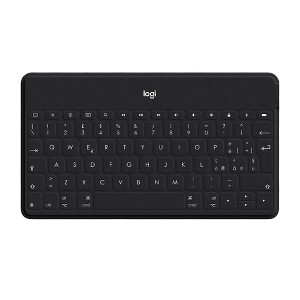
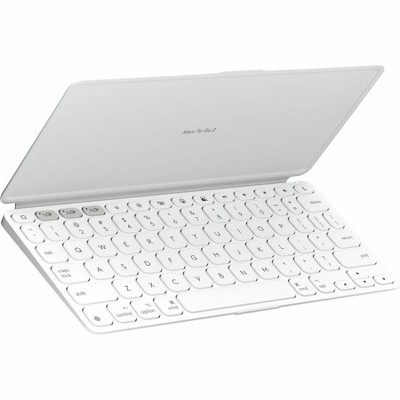
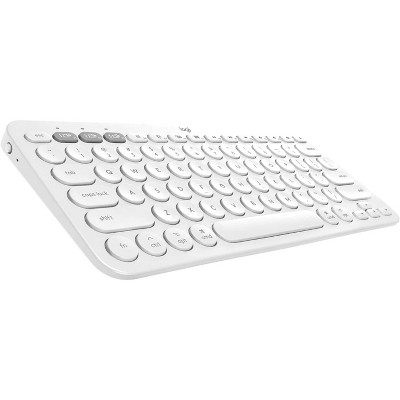
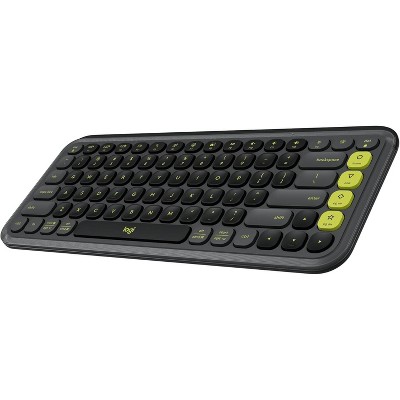
Logitech Keys-To-Go Ultra Portable Keyboard for iPad - Black
$69.99
Out of Stock

Free & easy returns
Return this item in store within 30 days for a full refund.
Eligible for registries and wish lists
At a glance
About this item
Additional product information and recommendations
Related Categories
Discover more options
- $166.99reg $239.99 Sale
- $229.99
- $234.99reg $249.99 Sale

Frequently bought together
- $57.99was $61.99 New lower price3.9 out of 5 stars with 75 ratings



Guests also viewed
- $89.99reg $99.99 Sale
3.3 out of 5 stars with 7 reviews
quality: 3.5 out of 5
value: 3 out of 5
50% would recommend
2 recommendations
1 out of 5 stars
11 January, 2026
originally posted on Logitech

Great, until it doesn’t work
I really like Logitech products. I have mice and keyboards etc. This keyboard is great for travel and switching between devices. It died after about six months of light travel, I bought a special tool to extract and change the coin batteries. I changed the batteries twice to make sure, but it won’t turn back on. Very disappointed. Why not make one we can charge?
1 reply from Customer Care team - 3 months ago
We're very sorry to learn about the issues you've encountered with your Logitech Keys To Go. This is not the standard we strive for. Kindly reach out to us at socialcare@logitech.com, providing your information, so we can offer direct assistance.
4 out of 5 stars
24 December, 2025
originally posted on Logitech
Great keyboard at a great price
I'd give it a full 5 stars if the phone holder was large enough to hold your phone while it is in it's case. That is the only drawback. But, it is easily overcomed -- just lay your phone down next to the keyboard and type away.
1 reply from Customer Care team - 3 months ago
We appreciate your honest feedback. It helps us identify where we can improve and provide a better experience.
5 out of 5 stars
Thumbs up graphic, would recommend
13 June, 2023Verified purchase
Perfect portable keyboard
Very light and slim, easy to carry around
2 out of 5 stars
Thumbs down graphic, would not recommend
2 May, 2023Verified purchase
Not the beat
Space at doesn’t work half the time. Connected easily to iPad Pro and windows laptop. Keys just didn’t work well.
1 reply from Logitech team - 3 years ago
That's unfortunate and we're sorry about the negative experience. Have you tried cleaning the button with compressed air? Also try unpair/repair or disconnect/reconnect hardware and check if that helps. If the issue persists, reach out to Logi Support and our dedicated team will find a solution.