New ArrivalsChristmasHoliday Hosting & EntertainingGift IdeasAI Gift FinderClothing, Shoes & AccessoriesToysElectronicsBeautyGift CardsHomeFurnitureCharacter ShopBabyKitchen & DiningGroceryHousehold EssentialsSchool & Office SuppliesVideo GamesMovies, Music & BooksSports & OutdoorsBackpacks & LuggagePersonal CareHealthPetsUlta Beauty at TargetTarget OpticalParty SuppliesClearanceTarget New Arrivals Target Finds #TargetStyleHanukkahStore EventsAsian-Owned Brands at TargetBlack-Owned or Founded Brands at TargetLatino-Owned Brands at TargetWomen-Owned Brands at TargetLGBTQIA+ ShopTop DealsTarget Circle DealsWeekly AdShop Order PickupShop Same Day DeliveryRegistryRedCardTarget CircleFind Stores
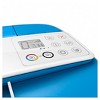
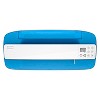
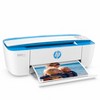
HP DeskJet 3755 Wireless All-In-One Color Printer, Scanner, Copier, Instant Ink Ready - 2 of 4HP DeskJet 3755 Wireless All-In-One Color Printer, Scanner, Copier, Instant Ink Ready - 3 of 4HP DeskJet 3755 Wireless All-In-One Color Printer, Scanner, Copier, Instant Ink Ready - 4 of 4


HP DeskJet 3755 Wireless All-In-One Color Printer, Scanner, Copier, Instant Ink Ready - 1 of 4

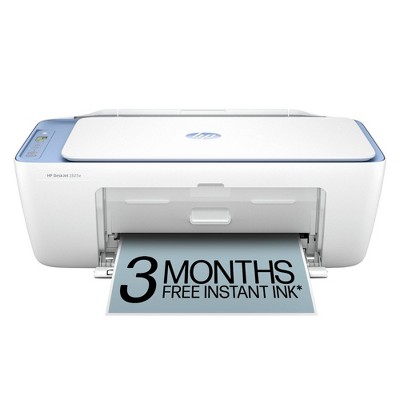
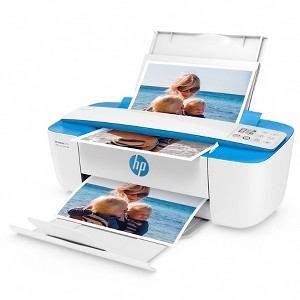
HP DeskJet 3755 Wireless All-In-One Color Printer, Scanner, Copier, Instant Ink Ready

$104.99

ColorBlue
  • Blue
  • Seagrass

In Stock

Eligible for registries and wish lists

Sponsored

About this item

Highlights

  • World's smallest all in one printer
  • Wireless printing
  • Quickly print from smartphone or tablet
  • Print from social media or cloud drive
  • All-in-one print/scan/copy
  • Enroll in HP Instant Ink (optional) during printer set up to have Ink delivered to your home.

Description

Save space and get the power you need with ultra compact all-in-one for your home. HP Scroll Scan helps you easily handle most scan jobs, from plain paper to stiff media. Show your style with a sleek design and a variety of head-turning hues. Quickly print anything you need from a variety of smartphones and tablets.

THE POWER OF YOUR PRINTER IN THE PALM OF YOUR HAND
HP Smart App compatible: Print photos and documents directly from your cloud drive, social media account or wirelessly from your iOS and Android mobile device.

SPACE SAVING DESIGN
Compact and wireless, this printer is designed to fit your space and life.

ONE-YEAR LIMITED HARDWARE WARRANTY
Get help with 24-hour, 7-day-a-week free web support.

COMPATIBLE HP INK CARTRIDGES
HP 65 Black & Tri-Color cartridges

Dimensions (Overall): 5.55 Inches (H) x 15.86 Inches (W) x 6.97 Inches (D)
Weight: 5.13 Pounds
B&W Print Speed: 8 pages per minute
Color Print Speed: 5.5 pages per minute
Electronics Condition: New
Electronics Features: Ink Indicator Lights, LCD Display, Printer, Copier, Scanner, Flatbed Design, Print From Mobile Device, Legal-Size Document Glass
Connection Type: USB
Maximum capacity: 60 sheets
Operating System Compatibility: MacOS
Maximum Resolution: 4800 x 1200 (Color), 1200 x 1200 (Black and White)
Wireless Technology: Wi-Fi
Printer Ink Color: Multiple Colors
Compatible With: Up to 8.5" x 14" Documents
Ink Series: HP 65 series
Battery: No Battery Used
Warranty: 1 Year Limited Warranty. To obtain a copy of the manufacturer's or supplier's warranty for this item prior to purchasing the item, please call Target Guest Services at 1-800-591-3869
TCIN: 51021863
UPC: 889894728661
Item Number (DPCI): 056-03-0234
Origin: Imported
If the item details aren’t accurate or complete, we want to know about it.

Shipping details

Estimated ship dimensions: 17.68 inches length x 9.8 inches width x 6.76 inches height
Estimated ship weight: 6.72 pounds
This item ships in its manufacturer’s packaging, revealing what’s inside. ·

Return details

This item can be returned to any Target store or Target.com.
This item must be returned within 30 days of the date it was purchased in store, shipped, delivered by a Shipt shopper, or made ready for pickup.
See the return policy for complete information.

Q: Can I use this printer with my HP Instant Ink account?

submitted by kkreations510 - 4 years ago
  • A: Hello there! Happy to confirm that the HP DeskJet 3755 qualifies for HP Instant Ink. When signing up for HP Instant Ink you have the option of continuing or canceling a previous HP printer's plan. Thank you for your question!

    submitted byHP Team - 2 years ago
    Brand expert

Q: Can I use cardstock in this printer?

submitted by Gin2you - 2 years ago
  • A: Hi Gin2you, thanks for reaching out about the HP DeskJet 3755 Wireless All-In-One Color Printer, Scanner, Copier, Instant Ink Ready. Yes, this Deskjet 3755 printer can handle cardstock up to 110lbs. If you have any additional questions, we welcome you to contact MyTGTtech at 833-848-8324 every day, between 7 am-11 pm CST.

    submitted byRena - 2 years ago
    Target expert support
  • A: The DeskJet 3755 printer can handle the following media/weights: Letter: 16 to 32 lb; HP envelopes: 20 to 24 lb; HP cards: up to 110 lb; HP 4 x 6 inch photo paper: up to 145 lb.

    submitted byHP Team - 2 years ago
    Brand expert

Q: can you use photo stock paper in this?

submitted by CC - 4 years ago
  • A: Thank you for the question. The DeskJet 3755 supports the following media types/weights: Letter: 16 to 32 lb; HP envelopes: 20 to 24 lb; HP cards: up to 110 lb; HP 4 x 6 inch photo paper: up to 145 lb. Media sizes supported: Letter; legal; 4 x 6 in; 5 x 7 in; 8 x 10 in; No. 10 envelopes (Note: many other media sizes are supported. Anything from 3 x 5 to 8.5 x 14").

    submitted byHP Team - 2 years ago
    Brand expert

Q: does this printer come with ink?

submitted by RJ - 5 years ago
  • A: Thank you for asking. Yes, the DeskJet 3755 includes introductory print cartridges. We always recommend subscribing to Instant Ink after you set up the printer, to ensure that you always have ink.

    submitted byHP Team - 2 years ago
    Brand expert

Q: what ink does this printer use

submitted by arnold - 5 years ago
  • A: Hi Arnold, thank you for the question. The DeskJet 3755 accepts HP 65 and 65XL black and tri-color cartridges.

    submitted byHP Team - 2 years ago
    Brand expert

Q: Does it come with a USB cord? does it have a multi paper feeder tray?

submitted by Donna - 6 years ago
  • A: Why does it say there is a USB cable included in the box if there isn't one?

    submitted byGd - 5 years ago
  • A: Hi, Donna! Regarding your question about the HP DeskJet 3755 Compact Wireless Printer - Blue (J9V90A_B1H): This item does include a USB 2.0 type-A to type-B cable, a common USB cable type in printers. You can feed various sizes of paper to 8.5" x 14". This item features capacity of 60 sheets in the input tray and 25 sheets in the output tray. If you have any additional questions, please do not hesitate to contact MyTGTtech at 877-698-4883 every day, between 7am-11pm CST.

    submitted byRebecca - 6 years ago
    Target expert support
  • A: The USB cable is not included with this printer. There is not an auto document feeder on this printer. It only scan or copy one page at a time.

    submitted byHP Team - 5 years ago
    Brand expert

Q: does this have a cord to hook up to computer and outlet?

submitted by jeni - 6 years ago
  • A: The cable you need to purchase could alternatively be USB C to B if for example you own a MacPro which only has C ports. Right?

    submitted bypao4154 - 5 years ago
  • A: The power cord is included with this printer. The USB A to B cable would need to be purchased separately.

    submitted byHP Team - 5 years ago
    Brand expert
  • A: Hi, jeni! Regarding your question about the HP DeskJet 3755 Compact Wireless Printer - Blue (J9V90A_B1H): It does! A power cable is included with purchase, as well as ink. Only thing you will need to purchase separately is paper! If you have any additional questions, please do not hesitate to contact MyTGTtech at 877-698-4883 every day, between 7am-11pm CST.

    submitted byRobert - 6 years ago
    Target expert support

Q: Are you able to print from a laptop also with this printer?

submitted by mimixs5 - 7 years ago
  • A: Yes, you can print from a laptop with this printer.

    submitted byHP Team - 5 years ago
    Brand expert
  • A: Hi, mimixs5! Regarding your question about the HP Printer DeskJet 3755 Stone J9V91A_B1H: You can print from any device that is also connected through the same wireless network. Including PC's and Macs. If you have any additional questions, please do not hesitate to contact MyTGTtech at 877-698-4883.

    submitted byOrlando - 7 years ago
    Target expert support
  • A: WHICH INK CARTRIDGE?

    submitted byAndi - 7 years ago

Q: what ink cartridges doe this printer use? number?

submitted by ann - 9 years ago
  • A: Compatible Ink Cartridges: HP 65 black, HP 65 tri-color, HP 65XL black, HP 65XL tri-color

    submitted byChesneypoo - 9 years ago
  • A: Hello, Ann! Regarding your question about the HP DeskJet 3755 World's Smallest All-in-One Wireless Photo Printer - Blue (J9V90A_B1H): this printer uses HP 65 and HP 65XL cartridges. It uses one black and one tri-color cartridge. If you have any additional questions, please do not hesitate to contact MyTGT Tech at 877-698-4883, every day, between 7am-11pm CST.

    submitted byClifford - 8 years ago
    Target expert support
  • A: This printer uses the HP 65 and 65XL inks.

    submitted byHP Team - 5 years ago
    Brand expert

Q: Can I scan to email?

submitted by Marie - 11 months ago
  • A: Hi Marie, thanks for reaching out about HP DeskJet 3755 Wireless All-In-One Color Printer, Scanner, Copier, Instant Ink Ready. Yes, the HP DeskJet 3755 printer has a "Scan to Email" feature. If you have any additional questions, we welcome you to contact MyTGTtech at 833-848-8324 every day, between 7am-11pm CST.

    submitted byJoe - 11 months ago
    Target staff support
  • A: Thank you for your question, the HP DeskJet 3755 does feature scan to email functionality.

    submitted byHP Team - 11 months ago
    Brand expert

Related Categories

3.3 out of 5 stars with 643 reviews
quality: 2.73 out of 5
value: 2.72 out of 5
41% would recommend
301 recommendations
1 out of 5 stars
Thumbs down graphic, would not recommend
12 August, 2024Verified purchase

Buyer Beware

Item did not work. Printheads malfunctioning and not printing magenta. Returned for a refund and refund was denied AFTER item was sent back.
Dtrosclair
value: 1 out of 5
quality: 1 out of 5
Did you find this review helpful?
1 out of 5 stars
Thumbs down graphic, would not recommend
12 July, 2024

I'm taking this printer to a rage room.

This is legitimately the worst printer I’ve ever had the displeasure of using. This printer is actually awful, the connection issues we have faced with this stupid printer is unreal. Our setup of this printer didn’t even go smoothly even though we followed every instruction and even reached out for support wondering if we just had a defective printer, they said nope! The printer is just like that. So after hours and hours of cursing at this stupid printer just trying to set it up, finally, after we did nothing different then we had been, it FINALLY set itself up. Hallelujah! But the problems with connection do not stop there almost anytime I need to use this printer it disconnects. No reason. It just stops connecting and it claims it’s offline, which it’s not. For a year this has been happening. My final straw was today when I was actively printing multiple pages and then, on the last page the printer was “offline” and I needed to check its connection and if the power button was on. You’ve got to be joking. So after trying everything it tells you to try for OVER AN HOUR just trying to print my last page of my documents, I’ve decided I’m throwing this piece of garbage out and buying from a different brand because this printer is actually the worst piece of technology I’ve ever owned. Literally save your money and your time and your sanity and buy anything but this printer.
Alexxa
value: 1 out of 5
quality: 1 out of 5
Did you find this review helpful?
1 out of 5 stars
Thumbs down graphic, would not recommend
7 July, 2024Verified purchase

Junk!

We purchased this printer in April 2023 and now it will not connect to wireless not matter how many times we follow all the steps. Piece of junk!
CatHistorian
quality: 1 out of 5
value: 1 out of 5
1 guest found this review helpful. Did you?
1 out of 5 stars
Thumbs down graphic, would not recommend
10 June, 2024

Do not ignore bad reviews

Printer sucks. Constantly loses connection with computer. App doesn’t connect to it. HP customer service is useless as you have to pay them to help you troubleshoot their piece of junk printer once it’s out of warranty. I smashed it and threw it in my dumpster and feel much better.
Grace63
quality: 1 out of 5
value: 1 out of 5
3 guests found this review helpful. Did you?
1 out of 5 stars
Thumbs down graphic, would not recommend
20 March, 2024Verified purchase

Heed the warning

This printer is garbage. Literally. I just threw it away. It will not print black ink and I’ve been on the phone with HP for over an hour with no resolution. My time is worth more than sitting on the phone to only get a replacement that also does not work. Find something else!
Ok
value: 1 out of 5
quality: 1 out of 5
5 guests found this review helpful. Did you?
3 out of 5 stars
Thumbs down graphic, would not recommend
29 February, 2024Verified purchase

Meh

It does an okay job. If I am printing a bunch of papers at once it will decide that it is finished in the middle of printing, but it gets the job done eventually. You just need lots of patience.
gorillaglue99
quality: 3 out of 5
value: 2 out of 5
3 guests found this review helpful. Did you?
1 out of 5 stars
Thumbs down graphic, would not recommend
21 February, 2024

The absolute worst printer!!

Absolutely terrible!! I wish I knew before purchasing that it does not print a full 8.5x11 page. Tried adjusting settings but there is nothing to adjust and it just keeps cutting off my page and creating a large margin at the bottom. Google it- it’s a known issue that can’t be fixed for this printer. Spend a little more and get a better printer, this one is not worth it! Wish I knew before buying!
Brielle K
value: 1 out of 5
quality: 1 out of 5
7 guests found this review helpful. Did you?
1 out of 5 stars
Thumbs down graphic, would not recommend
14 February, 2024Verified purchase

Stopped working

After around four months of using this printer the printheads became misaligned, so everything printed was crooked and blurred. Despite following the instructions to realign them multiple times I kept getting an error message that they can’t be aligned. Returning this today and I won’t buy an HP printer again; this is the second one to die on me.
Dc89
value: 1 out of 5
quality: 1 out of 5
2 guests found this review helpful. Did you?
4 out of 5 stars
Thumbs up graphic, would recommend
28 December, 2023Verified purchase

Satisfied with item

HP Deskjet 3755 printer
Walker
quality: 4 out of 5
value: 4 out of 5
3 guests found this review helpful. Did you?
1 out of 5 stars
Thumbs down graphic, would not recommend
27 December, 2023Verified purchase

No found

It’s useless. Very poor print quality and very uncomfortable
Black and white no found
value: 1 out of 5
quality: 1 out of 5
3 guests found this review helpful. Did you?
5 out of 5 stars
Thumbs up graphic, would recommend
24 December, 2023

Great printer

Works every time. Quality it good. Perfect for all my needs. I never have any issues connecting. (I connect from my phone, iPad and laptop.)
Furbabies
value: 5 out of 5
quality: 5 out of 5
4 guests found this review helpful. Did you?
1 out of 5 stars
Thumbs down graphic, would not recommend
16 December, 2023

Piece of CRAP

I am a rare reviewer. It has to be wonderful or a piece of CRAP. This printer is a piece of CRAP. IT NEVER WORKS! It constantly has to be added onto my computer even though it is already on there. It works from my phone occsionally. The ink is horrible - there is always a problem...the color is off....the black decides to stop working...not to mention I have the ink subscription and yet the ink is NEVER right when I use the printer. It takes SO MUCH time to contact customer service to where I end up never using the dang printer, but still pay a monthly fee like an idiot. Idiot no more - subscription GONE. Oh and I bought the dang thing to print pictures - horrible quality - color off and pixalated (except from my husbands phone?). I also bought it to scan - again HORRIBLE. Every scan has random lines through it. PIECE OF CRAP. Just in case you did not hear it...PIECE OF CRAP!
Melissa
quality: 1 out of 5
value: 1 out of 5
9 guests found this review helpful. Did you?
5 out of 5 stars
Thumbs up graphic, would recommend
2 December, 2023Verified purchase

Great printer

I liked that the same price was pretty low and the printer has multiple functions.
print
Did you find this review helpful?
1 out of 5 stars
Thumbs down graphic, would not recommend
21 November, 2023

Save Yourselves

Not only was it extremely difficult and time consuming on the initial set up, if you happen to get a new wifi router, good luck getting it connected to the new wifi. I had to scour the depths of the dark web to find a way to reconnect my printer. The solution that I found has about 10 steps to get it connected to wifi and I have to do it Every. Single. Time. I want to print something now. It is so tedious and takes all of the convenience out of having a wireless printer. Also, print quality is not great and no matter what setting I try to use to fix it, 90% of the time it spreads the page out and doesn’t have the correct borders. Spend a little more to get a better printer and save yourself the trouble… trust me.
Coco
quality: 1 out of 5
value: 3 out of 5
8 guests found this review helpful. Did you?
1 out of 5 stars
Thumbs down graphic, would not recommend
8 November, 2023Verified purchase

Horrible Printer

I like how compact this printer is but it eats up a lot of ink. One reason why I think it eats up so much ink it because it's printing everything in bold. I tried aligning the cartridges and cleaning whatever else it told me to but it didn't work. Also the printer keeps telling me there's no paper loaded in the tray but there is. I've clean that out too but it still seems to be an issue.
Abby Rae
quality: 2 out of 5
value: 1 out of 5
3 guests found this review helpful. Did you?
1 out of 5 stars
Thumbs down graphic, would not recommend
1 November, 2023Verified purchase

Liked for about a week.

Eats ink. Also, bought it only a few months ago, it’s already broken because every step that HP gives to fix the error doesn’t work and no I have nothing to print my children’s school on.
Holly L
quality: 1 out of 5
value: 1 out of 5
2 guests found this review helpful. Did you?
1 out of 5 stars
Thumbs down graphic, would not recommend
28 October, 2023

Ink doesnt last

The printer connects easy enough but you need a brand new cartridge for just one piece of paper print job. Horrible. Would not recommend or buy again. Waste of money
ACA
quality: 1 out of 5
value: 1 out of 5
2 guests found this review helpful. Did you?
1 out of 5 stars
Thumbs down graphic, would not recommend
14 October, 2023Verified purchase

Mel

Horrible setup. Returning.
Mel
1 guest found this review helpful. Did you?
5 out of 5 stars
Thumbs up graphic, would recommend
11 September, 2023Verified purchase

Great for the price!

I love how lightweight it is! It took me a little bit to get it connected to get it to connect to the wifi and and my phone but once I did it was great! When I ordered more ink that was a pain but I finally figured it out! I absolutely love how quiet it is. I’d highly recommend!
Kayla
value: 5 out of 5
quality: 5 out of 5
4 guests found this review helpful. Did you?
1 out of 5 stars
Thumbs down graphic, would not recommend
5 September, 2023

Scanner malfunctions constantly

Really disappointed with this scanner. Honestly it feels cheap so I guess you get what you pay for. It seemed like a good deal but I’m just past the return window and of course it no longer scans documents correctly. This was used very lightly as a back up scanner. Would not recommend this product.
Stephdoucette
value: 1 out of 5
quality: 1 out of 5
1 guest found this review helpful. Did you?

Get top deals, latest trends, and more.

Privacy policy

Footer

About Us

About TargetCareersNews & BlogTarget BrandsBullseye ShopSustainability & GovernancePress CenterAdvertise with UsInvestorsAffiliates & PartnersSuppliersTargetPlus

Help

Target HelpReturnsTrack OrdersRecallsContact UsFeedbackAccessibilitySecurity & FraudTeam Member ServicesLegal & Privacy

Stores

Find a StoreClinicPharmacyTarget OpticalMore In-Store Services

Services

Target Circle™Target Circle™ CardTarget Circle 360™Target AppRegistrySame Day DeliveryOrder PickupDrive UpFree 2-Day ShippingShipping & DeliveryMore Services
PinterestFacebookInstagramXYoutubeTiktokTermsCA Supply ChainPrivacy PolicyCA Privacy RightsYour Privacy ChoicesInterest Based AdsHealth Privacy Policy