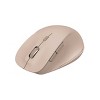
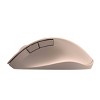
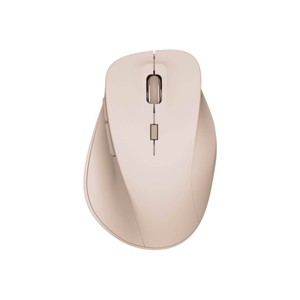
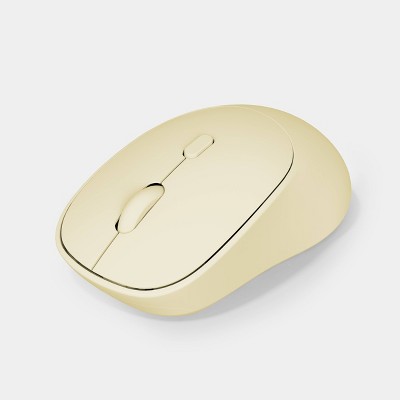
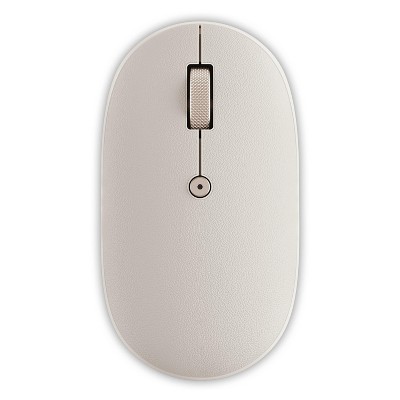
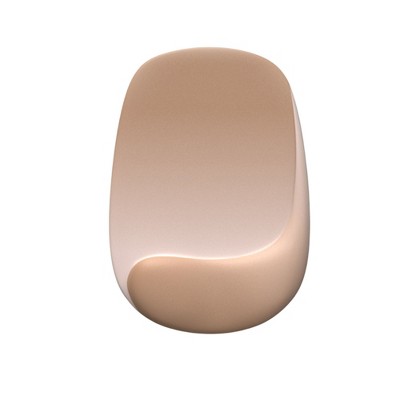
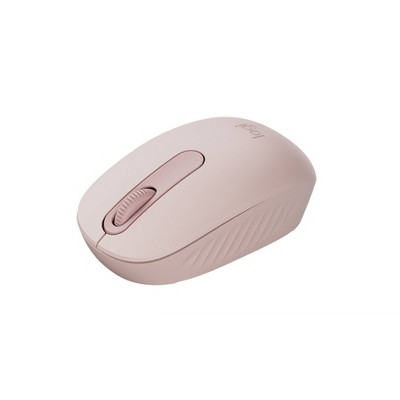
North Wireless Ergonomic 6 Button Mouse - Pink: Built-In Rechargeable Battery
$14.99
In Stock

Eligible for registries and wish lists
At a glance
About this item
Additional product information and recommendations



Guests also viewed






Guests are saying
This wireless mouse offers a stylish design and ergonomic comfort, making it appealing for daily use. However, many guests have reported issues with connectivity and battery life, which can hinder its functionality. While some appreciate its aesthetic and ease of use, others have experienced frustrating performance problems. Guests looking for a reliable mouse may want to consider alternatives, especially for intensive tasks.
Summary created by AI from text of reviews reflecting recent feedback provided across different star ratings (includes incentivized reviews)
3.1 out of 5 stars with 293 reviews
quality: 1.73 out of 5
value: 2.05 out of 5
47% would recommend
176 recommendations
1 out of 5 stars
Thumbs down graphic, would not recommend
30 September, 2026Verified purchase
doesn't work anymore
Stopped working and accepting charge after a few months
2 out of 5 stars
Thumbs down graphic, would not recommend
21 September, 2026Verified purchase
Great until it wasn't.
This mouse stopped working 6 months in.
1 out of 5 stars
Thumbs down graphic, would not recommend
9 September, 2026Verified purchase
(no review title)
Comfortable and light. Had to file down the switch on the bottom because it kept dragging and getting stuck. Has connectivity issues especially when the battery is low. Pointer ends up on opposite side of screen, frequent double clicks. Definitely wouldn’t recommend or buy again.
1 out of 5 stars
8 September, 2026Verified purchase
Stopped working
Did not work for a full year
1 out of 5 stars
Thumbs down graphic, would not recommend
25 August, 2026Verified purchase
Barely works
How can they even sell this? It barely works. Moves the mouse but then stops and starts again
1 out of 5 stars
Thumbs down graphic, would not recommend
18 August, 2026Verified purchase
Terrible Functionality
The feel and design of the mouse is perfect, unfortunately, the actual functionality of the device is terrible. The cursor would jump a quarter inch at a time if you tried to select a specific thing(corner of a cell in Excel or to resize a window, etc.) Tried to return but unfortunately missed my window. Also there's no way to tell how much battery life it has or even if it's done charging. You only know because it starts to work slower and slower until your ready to chuck it. I hope to find a mouse with similar design but better technology.
5 out of 5 stars
Thumbs down graphic, would not recommend
16 August, 2026Verified purchase
(no review title)
super cute
5 out of 5 stars
12 August, 2026Verified purchase
(no review title)
Works great!
5 out of 5 stars
Thumbs up graphic, would recommend
10 August, 2026Verified purchase
(no review title)
Connected really easily and works really well. The charge lasts a decent amount of time and still works when connected to the laptop.
2 out of 5 stars
Thumbs down graphic, would not recommend
9 August, 2026
(no review title)
Colors are cool. Doesnt hold much charge, works great when I have it plugged in, but that defeats the purpose of it being wireless. Biggest problem is that it will double click when I have not double clicked, and it will stay held down even though I let go of the click. Causing problems when I try to use it at work.
5 out of 5 stars
Thumbs up graphic, would recommend
9 August, 2026Verified purchase
Met all my expectations
Comfortable, rechargeable, and easy to use on my Mac. Exactly what I was looking for.
1 out of 5 stars
Thumbs down graphic, would not recommend
5 August, 2026Verified purchase
Horrible wireless mouse
mouse constainly disconnects while using. Bought not long ago, but already stopped working. DO NOT BUY!!
2 out of 5 stars
24 July, 2026Verified purchase
(no review title)
Bought in April. Worked pretty good until July and now no longer works. Not worth it!
1 out of 5 stars
Thumbs down graphic, would not recommend
16 July, 2026
Bad
Doesn't hold a charge, struggles to connect to receiver. Bought on clearance, I wonder why.
1 out of 5 stars
Thumbs down graphic, would not recommend
12 July, 2026Verified purchase
(no review title)
Absolute garbage. I like the look and feel of the mouse.. WHEN IT WORKS! This thing will not stay charged! I don’t even get an hour of use before it’s dead again. I got it on clearance for half the normal price, not even worth that. Can’t return it either since I threw the packaging away. Do not recommend.
1 out of 5 stars
Thumbs down graphic, would not recommend
3 July, 2026Verified purchase
Junk
This mouse is garbage. It struggles to connect and when it finally does, it lags so bad to the point of being unusable. I am not talking about it doing this over time, it came straight out of the box with poor performance. Waste of money.
2 out of 5 stars
Thumbs down graphic, would not recommend
26 June, 2026Verified purchase
(no review title)
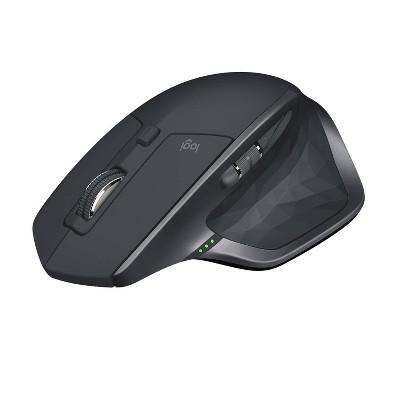
I will have to say I agree with everyone else on this. My mouse still works, I got it back at the beginnning of the year. It does do this thing where I'll be using it and suddenly it'll go offfscreen and I'll have to move it around and bit and then it will come back on screen. Would recommend to have as a backup but not a main. The battery life is definitely the weakest link of all for me. Buy at your own risk. I just ended up getting a JLab Ergonomic mouse and its the best thing ever for $40! I know Logi has some good ones as well but they're a bit pricey and about $60.
5 out of 5 stars
Thumbs up graphic, would recommend
16 June, 2026
(no review title)
Works as expected. I like the style/shape. Perfect for the price point.
1 out of 5 stars
12 June, 2026Verified purchase
(no review title)
This mouse does not work well. It constantly freezes or lags behind. I do not recommend.
3 out of 5 stars
10 June, 2026Verified purchase
(no review title)
Connectivity is not great. However, inexpensive and works.