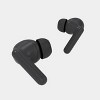
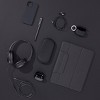
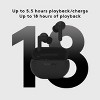
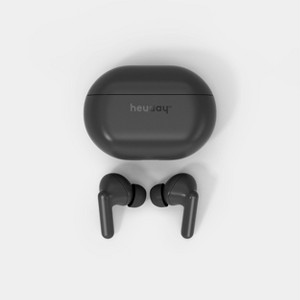
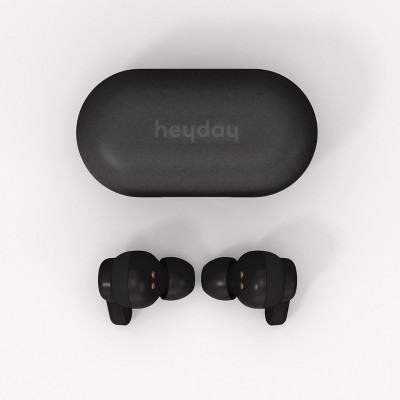
True Wireless Bluetooth Earbuds - heyday™ Black
$9.99
In Stock
Eligible for registries and wish lists
At a glance
About this item
Additional product information and recommendations
Discover more options
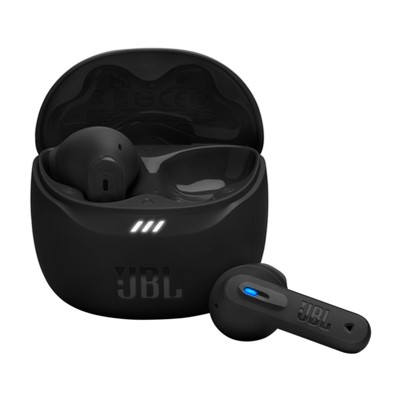
- $69.99reg $79.99 Sale3.4 out of 5 stars with 2055 ratings
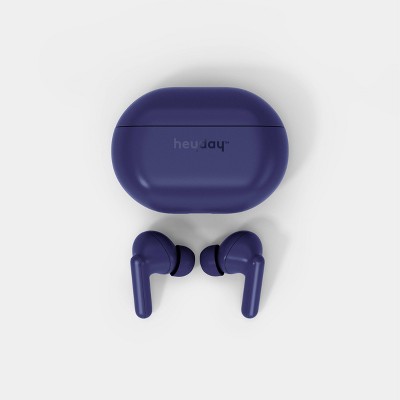
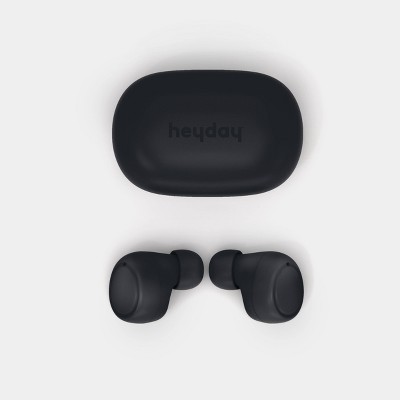
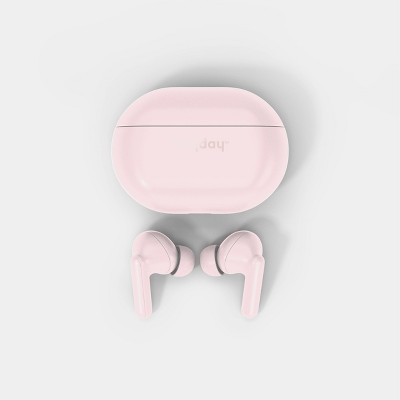
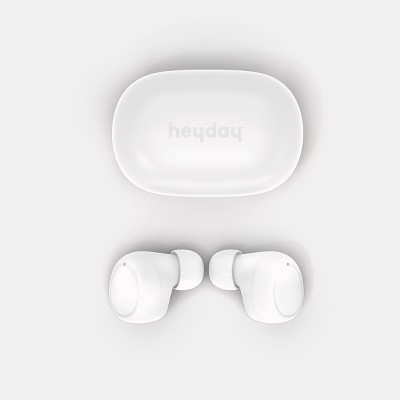

Guests also viewed
- $69.99reg $79.99 Sale3.4 out of 5 stars with 2055 ratings
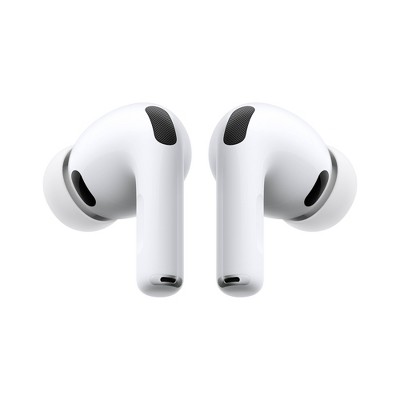
- Bestseller$199.99reg $249.99 SaleGet the AirPods Pro 3 starting at $24/mo.3.9 out of 5 stars with 2325 ratings
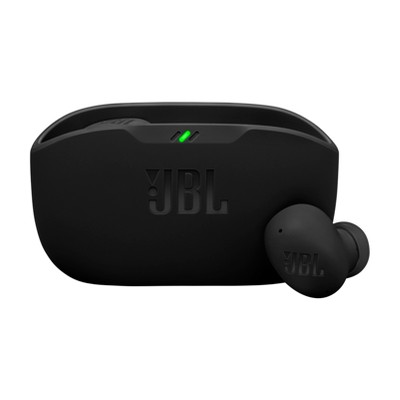
- $129.99 - $179.99Get the AirPods 4 starting at $13/mo. on select items3.9 out of 5 stars with 5033 ratings
Related Categories
Guests are saying
The heyday true wireless earbuds offer a blend of comfort, sound quality, and convenience at an affordable price. Many guests appreciate the easy pairing process and the inclusion of multiple ear tip sizes for a secure fit. The compact charging case enhances portability, making them suitable for daily use. However, some guests have experienced connectivity issues and durability concerns, which may affect their overall satisfaction with the product.
Summary created by AI from text of reviews reflecting recent feedback provided across different star ratings (includes incentivized reviews)
2.9 out of 5 stars with 73 reviews
16% would recommend
30 recommendations
5 out of 5 stars
Thumbs up graphic, would recommend
6 November, 2026
A Gem
i like the price, the audio is really good for the price and the battery is better than I expected. it's a gem among the collection of earbuds that are sold by target
From the Product Manufacturer team
Hi Josue, we love hearing that these earbuds have been such a great find! We're glad the sound quality and battery life have exceeded your expectations, especially at this price point.
4 days ago
1 out of 5 stars
Thumbs down graphic, would not recommend
30 October, 2026Verified purchase
(no review title)
did not even work.
From the Product Manufacturer team
Hi Jaime, we're sorry to hear the earbuds didn't work for you. That's definitely not the experience we want you to have with a new pair. Please reach out to Target Guest Services at guest.service@target.com for further assistance.
7 days ago
1 out of 5 stars
Thumbs down graphic, would not recommend
26 October, 2026Verified purchase
Broke in an hour
Broke within an hour. So not worth the money.
From the Product Manufacturer team
Hi Maria, we're sorry the earbuds stopped working within the first hour. That's incredibly frustrating when you're expecting a new product to work right out of the box. Please reach out to guest.service@target.com for further assistance.
12 days ago
1 out of 5 stars
Thumbs down graphic, would not recommend
23 October, 2026
They don't work
They don’t pair. Only one connected to my phone at a time. I don’t think these are worth it, save your 10 bucks on this
From the Product Manufacturer team
Hi Gracie, we’re sorry to hear the earbuds are connecting separately. A full reset and pairing is required. Under Bluetooth - My Devices, select 'heyday earbuds' and then 'Forget This Device'. Then hold each bud for 10 full seconds until the LED turns off. Press each earbud again for 15 seconds until the LED flashes pink. Replace them in the case, remove them and allow them to pair with each other, as indicated by the LEDs. Once paired, reconnect to your phone.
15 days ago
1 out of 5 stars
Thumbs down graphic, would not recommend
19 October, 2026
Junk
Junk. Don't work. Followed all the instructions. These dont pair.
From the Product Manufacturer team
Hi Jay, we’re sorry to hear the earbuds are connecting separately. A full reset and pairing is required. Under Bluetooth - My Devices, select 'heyday earbuds' and then 'Forget This Device'. Then hold each bud for 10 full seconds until the LED turns off. Press each earbud again for 15 seconds until the LED flashes pink. Replace them in the case, remove them and allow them to pair with each other, as indicated by the LEDs. Once paired, reconnect to your phone. Please reach to guest.service@target.com for further assistance.
21 days ago
5 out of 5 stars
Thumbs up graphic, would recommend
19 October, 2026Verified purchase
(no review title)
awsome quality for the price!
From the Product Manufacturer team
Hi Rosa, we’re happy you’re loving the sound and quality! It’s great to hear these earbuds feel like such a good value.
22 days ago
3 out of 5 stars
Thumbs up graphic, would recommend
16 October, 2026
Buy if your on a budget
Not very good earbuds for for the price it can’t get any better
From the Product Manufacturer team
Hi Dylan, thanks for sharing your honest feedback. We're glad you found them affordable, though we're sorry the overall quality didn't meet your expectations. We appreciate you giving them a try.
21 days ago
1 out of 5 stars
Thumbs down graphic, would not recommend
16 October, 2026
(no review title)
My black Heyday earbuds are not working because they won't charge or connect to my phone's Bluetooth.
From the Product Manufacturer team
Hi kenji, we’re sorry to hear the earbuds are connecting separately. A full reset and pairing is required. Under Bluetooth - My Devices, select 'heyday earbuds' and then 'Forget This Device'. Then hold each bud for 10 full seconds until the LED turns off. Press each earbud again for 15 seconds until the LED flashes pink. Replace them in the case, remove them and allow them to pair with each other, as indicated by the LEDs. Once paired, reconnect to your phone.
22 days ago
2 out of 5 stars
Thumbs down graphic, would not recommend
15 October, 2026
Not good......
Well…. Only one bud works. It sounds good…. But only one bud works.
From the Product Manufacturer team
Hi Mandy, we’re sorry to hear the earbuds are connecting separately. A full reset and pairing is required. Under Bluetooth - My Devices, select 'heyday earbuds' and then 'Forget This Device'. Then hold each bud for 10 full seconds until the LED turns off. Press each earbud again for 15 seconds until the LED flashes pink. Replace them in the case, remove them and allow them to pair with each other, as indicated by the LEDs. Once paired, reconnect to your phone.
25 days ago
1 out of 5 stars
Thumbs down graphic, would not recommend
12 October, 2026
(no review title)
I wish I had read the other reviews before purchasing but I was just running in quickly to grab some headphones for work because I had left mine at home. These don't connect, they are brand new (2hours old) and I cannot get them to connect to my phone. I don't understand how these are being sold when they don't preform the most basics function.
From the Product Manufacturer team
Hi Stephanie, we’re sorry to hear the earbuds are connecting separately. A full reset and pairing is required. Under Bluetooth - My Devices, select 'heyday earbuds' and then 'Forget This Device'. Then hold each bud for 10 full seconds until the LED turns off. Press each earbud again for 15 seconds until the LED flashes pink. Replace them in the case, remove them and allow them to pair with each other, as indicated by the LEDs. Once paired, reconnect to your phone.
28 days ago
1 out of 5 stars
7 October, 2026Verified purchase
(no review title)
I’m really disappointed with these Heyday earbuds. I bought three pairs, and one pair started having an issue where one earbud connects separately from the other instead of the two earbuds pairing together. I exchanged the last pair because of this issue, thinking I simply received a defective set. Unfortunately, the brand-new replacement is now doing the exact same thing. One earbud connects separately from the other, and both show up as “Heyday” in my Bluetooth settings. I’ve tried forgetting both earbuds from Bluetooth, restarting my phone, and reconnecting them multiple times, but nothing has worked. At this point, I’m frustrated because I went through the trouble of exchanging them only to have the replacement develop the same problem. I really liked these earbuds when they worked, but having the same issue with two different pairs makes me question the quality and reliability of the product. I hope Heyday looks into this because I shouldn’t have to keep exchanging earbuds just to get both sides to connect and work together.
From the Product Manufacturer team
Hi there, we’re sorry you’ve had the same pairing issue with multiple pairs of earbuds, even after trying the usual Bluetooth troubleshooting steps. We understand how frustrating it is to exchange a product and run into the same problem again. Please reach out to Target Guest Services at guest.service@target.com for further assistance.
28 days ago
1 out of 5 stars
Thumbs down graphic, would not recommend
1 October, 2026
(no review title)
Total garbage didn't last but a few months if that!!!
From the Product Manufacturer team
Hi Dedee, we’re sorry the earbuds stopped working after only a few months. We appreciate you sharing your experience. Please feel free to reach out to Target Guest Services at guest.service@target.com for further assistance.
1 month ago
1 out of 5 stars
Thumbs down graphic, would not recommend
21 September, 2026Verified purchase
One and done.
One and done. That's it. Charged once. Used once. Tried recharging - nope! So - one and done.
From the Product Manufacturer team
Hi Soul, we’re sorry to hear the earbuds stopped charging after only one use. We understand how frustrating that is when you barely got a chance to use them. Please feel free to reach out to Target Guest Services at guest.service@target.com for further assistance.
2 months ago
1 out of 5 stars
20 September, 2026Verified purchase
Absolute garbage product
Imagine the worst earphone experience you’ve ever had. Now imagine a product 10x worse than that. This is that product, it’s amazing that Target thought this was something that could be sold. It’s utterly useless, and not something anyone should buy, or accept for free. Seriously, save your money and avoid this product at all costs.
From the Product Manufacturer team
Hi Jimothy, we’re sorry to hear the earbuds are connecting separately. A full reset and pairing is required. Under Bluetooth - My Devices, select 'heyday earbuds' and then 'Forget This Device'. Then hold each bud for 10 full seconds until the LED turns off. Press each earbud again for 15 seconds until the LED flashes pink. Replace them in the case, remove them and allow them to pair with each other, as indicated by the LEDs. Once paired, reconnect to your phone.
2 months ago
1 out of 5 stars
Thumbs down graphic, would not recommend
15 September, 2026Verified purchase
(no review title)
Horrible they won’t charge at all !!!!
From the Product Manufacturer team
Hi there, we’re sorry to hear the earbuds won’t charge at all. We appreciate you sharing your experience with us. Please feel free to reach out to Target Guest Services at guest.service@target.com for further assistance.
2 months ago
1 out of 5 stars
Thumbs down graphic, would not recommend
11 September, 2026Verified purchase
Dont buy
Won’t pair together
From the Product Manufacturer team
Hello, we’re sorry to hear the earbuds are connecting separately. A full reset and pairing is required. Under Bluetooth - My Devices, select 'heyday earbuds' and then 'Forget This Device'. Then hold each bud for 10 full seconds until the LED turns off. Press each earbud again for 15 seconds until the LED flashes pink. Replace them in the case, remove them and allow them to pair with each other, as indicated by the LEDs. Once paired, reconnect to your phone.
2 months ago
1 out of 5 stars
Thumbs down graphic, would not recommend
10 September, 2026Verified purchase
connections issues again
Second pair of earbuds that I've bought which have stopped connecting within two weeks of purchase. No troubleshooting helped. Only one ear bud connects. worked fine for a whole week. Junk.
From the Product Manufacturer team
Hi Rebecca, we’re sorry to hear the earbuds are connecting separately. A full reset and pairing is required. Under Bluetooth - My Devices, select 'heyday earbuds' and then 'Forget This Device'. Then hold each bud for 10 full seconds until the LED turns off. Press each earbud again for 15 seconds until the LED flashes pink. Replace them in the case, remove them and allow them to pair with each other, as indicated by the LEDs. Once paired, reconnect to your phone.
2 months ago
1 out of 5 stars
Thumbs down graphic, would not recommend
7 September, 2026Verified purchase
Nice fit but audio does not work
Audio works only on right side.
From the Product Manufacturer team
Hi Lindsay, We're sorry to hear you're only getting audio from one earbud. We appreciate you letting us know, and please reach out to Target Guest Services at guest.service@target.com for further assistance.
2 months ago
5 out of 5 stars
6 September, 2026
originally posted on influenster.com

Decent quality audio for an affordable price
I was actually thoroughly impressed with these bluetooth earbuds. For $10 I really wasn't expecting much, but these surpassed my expectations. The cushions are comfy and stay in well for my tiny ears. The sound quality is pretty good and I can still have a concert in my ears when I blast my pop music. These connect super easy once paired. Even the mic was decent. Used it for some calls and my friends said they heard me clearly. The touch controls work too but I avoided using those cause I bumped them too much myself, so it's easier to use my phone for music control.
From the Product Manufacturer team
Hi Serenity, we're so glad the earbuds exceeded your expectations! It's great to hear you're enjoying the comfortable fit, sound quality, easy pairing, and microphone. Thanks for sharing!
2 months ago
1 out of 5 stars
Thumbs down graphic, would not recommend
2 September, 2026Verified purchase
Dont waste your money
Could not get them to pair. Managed to get the left side to work once for a couple minutes.
From the Product Manufacturer team
Hi Jennifer, we’re sorry to hear the earbuds are connecting separately. A full reset and pairing is required. Under Bluetooth - My Devices, select 'heyday earbuds' and then 'Forget This Device'. Then hold each bud for 10 full seconds until the LED turns off. Press each earbud again for 15 seconds until the LED flashes pink. Replace them in the case, remove them and allow them to pair with each other, as indicated by the LEDs. Once paired, reconnect to your phone.
2 months ago