


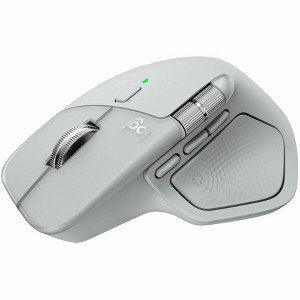
Logitech MX Master 4 Ergonomic Wireless Mouse Pale Gray 910-007559
$132.99
In Stock

Free & easy returns
Return this item in store within 30 days for a full refund.
Sold & shipped by Spacebound
Eligible for registries and wish lists
At a glance
About this item
Additional product information and recommendations
Discover more options
- $17.99 - $21.99reg $29.99 Sale5 out of 5 stars with 1 ratings
- $49.99reg $59.99 Sale
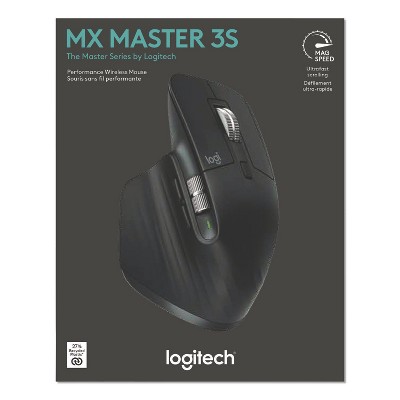
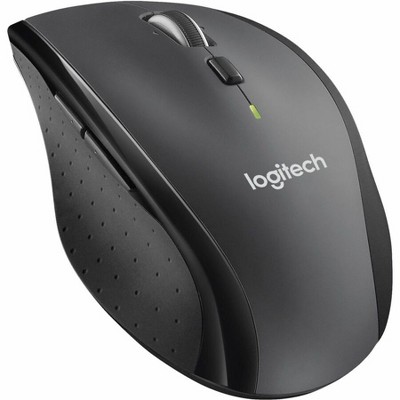
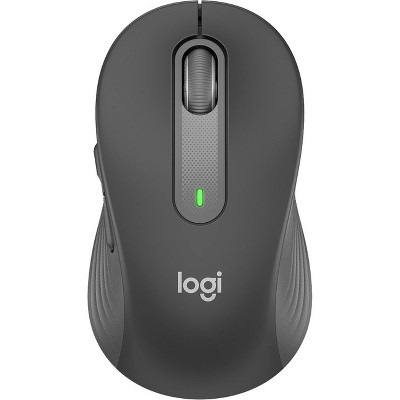
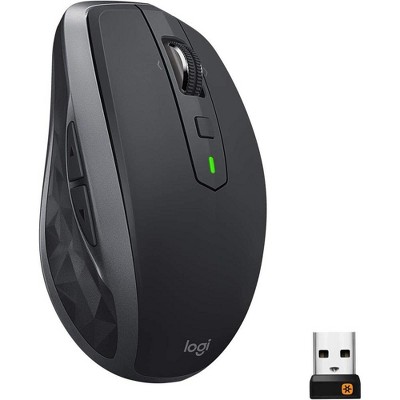
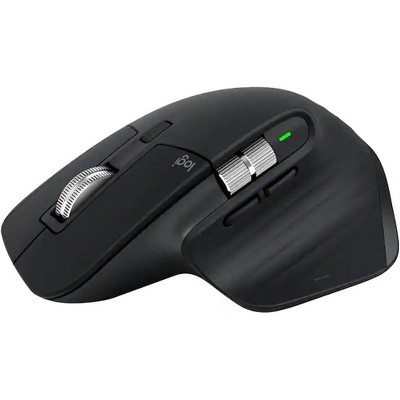

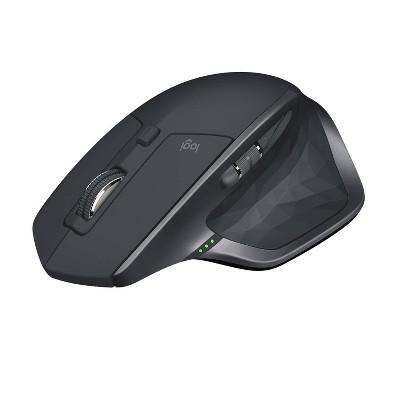

Frequently bought together
Guests also viewed
- $44.99reg $54.99 Sale3.6 out of 5 stars with 5 ratings
- $15.99reg $29.99 Sale1.8 out of 5 stars with 5 ratings
Related Categories
Guests are saying
The Logitech MX Master 4 Graphite is a highly praised mouse that excels in ergonomics, comfort, and productivity features. Guests appreciate its fast scroll wheel, customizable buttons, and impressive battery life, making it ideal for both work and leisure. The ability to connect to multiple devices seamlessly adds to its versatility. However, some guests noted concerns about the mouse's weight and texture, which may affect grip during extended use. Overall, it is a solid choice for anyone seeking a reliable and feature-rich mouse.
Summary created by AI from text of reviews reflecting recent feedback provided across different star ratings (includes incentivized reviews)
4.4 out of 5 stars with 486 reviews
4 out of 5 stars
20 May, 2026
originally posted on Logitech

Heavy but otherwise good
Good mouse but much heavier than the previous Lift I had. And also wish it was the handshake grip.
5 out of 5 stars
20 May, 2026
originally posted on Logitech
Best mouse for office!
Fantastic improvement over 3 or 3S. Way better material!
5 out of 5 stars
19 May, 2026
originally posted on Logitech
MX Master Mouse would make a good rap name
And not only would I for-sure favorite the debut single from MX Master Mouse on Spotify, it's also a damned good input device for my PC. It's comfortable, fits beautifully in my hand, and has a lot of features that I love (especially the MagSpeed scrolling). I still accidentally click the thumb-triggered "Action ring" when I don't mean to, but turning the sensitivity down has helped with that. I need to spend some time setting the action ring up and getting used to it. I'm sure it's great but I just haven't used it much. Anyhoo, in summary, I've been using MX Master mouses since v2 and I love them. I wouldn't call an upgrade from v3 to v4 a necessity, but I bought one for home and one for work so I guess you could say they're my favorite. A++++++ 10/10 Would recommend.
5 out of 5 stars
19 May, 2026
originally posted on Logitech
amazing product
I am in love with it and totally worth it. Would definitely recommend. Ergonomic design helps my hand posture to be relaxed
5 out of 5 stars
18 May, 2026
originally posted on Logitech
A Decent Update from MX Master 3s
I switched to MX Master 4 from the 3s due to click button problem. Comparing to the 3s, 4 is heavier. The material is also more desirable for me as I don't really like rubber-stick-ness in my hand. Controling is much better with weight. I am in academic, so heavier the better control. Short key buttons are also convenient.
5 out of 5 stars
15 May, 2026
originally posted on Logitech
Great
[This review was collected as part of a promotion.] Love the quiet switches and the haptic thumb button. Great build quality.
5 out of 5 stars
15 May, 2026
originally posted on Logitech
Next-Level Productivity Mouse: Logitech MX Master 4
As a previous user of the MX Master 3S, I can confidently say that the MX Master 4 is on a whole different level. I am extremely satisfied with this purchase! Premium Innovation: The new haptic feedback system gives a fantastic tactile response that makes scrolling and navigating intuitive. Actions Ring: This new button feature is a game-changer, giving instant access to shortcuts directly at your cursor and saving massive amounts of time. Superior Build: The materials feel much more premium and solid in the hand compared to older generations. It is smooth, whisper-quiet, and provides the ultimate navigation experience. 100% recommended for any professional!
5 out of 5 stars
14 May, 2026
originally posted on Logitech
Great Upgrade - comfortable and functional
I recently upgraded to the Logitech MX Master 4 Wireless Mouse in Graphite and it has quickly become one of the best productivity peripherals I’ve used. The ergonomics are excellent for long workdays, especially when moving between CAD drawings, spreadsheets, browser tabs, and remote sessions. The shape feels natural in the hand and significantly reduces fatigue compared to standard office mice. The MagSpeed scroll wheel is exceptionally smooth and precise, and the side scroll wheel is a major advantage when working with large timelines or wide spreadsheets. Logitech also did a great job refining the Quiet Click buttons — the mouse feels premium without adding unnecessary noise in an office environment. The new haptic feedback and customization options through Logi Options+ add another level of workflow efficiency. Switching between multiple computers is seamless, and the tracking performance works flawlessly even on glass surfaces. Battery life has also been outstanding. Overall, the Graphite finish looks professional and holds up well to daily use. If your work depends on productivity, multitasking, or precision navigation, the MX Master 4 is absolutely worth the investment. 
5 out of 5 stars
13 May, 2026
originally posted on Logitech
Love it!
This is a wonderful ergonomic mouse and definitely worth the price. The haptic feedback works really well and gives a reassuring feel when the mouse connects to the device. The buttons are soft, responsive, and comfortable to use. Still more to explore. The scrolling experience is excellent—very smooth and extremely fast, which is especially helpful while working with large documents. The side scroll feature is another great addition, making it easy to navigate Excel sheets horizontally from left to right. Overall, this mouse improves productivity and comfort during daily use. Thanks to Logitech for creating such a great product!
5 out of 5 stars
13 May, 2026
originally posted on Logitech
Best Mouse I've Ever Used
I bought this mouse because it was highly rated. And it has lived up to the hype. Very satisfied with its performance.
3 out of 5 stars
11 May, 2026
originally posted on Logitech
Love the extra functions; but it does not move as smooth as MX3S
Extra functionality, but has different stick-slip than MX3S. I end up pushing the cursor too far and having to backtrack because of the stickslip. When you turn over the MX4 and the MX3S, the portion of the live which touches the table is considerably different causing the MX4 to stick and not move as smoothly as my old MX3S
4 out of 5 stars
11 May, 2026
originally posted on Logitech
Good Product
I have been using Logitech hardware for years now, and I have never been disappointed. Battery life is exceptional, ease of use is outstanding. HOWEVER, I wanted to give this product a 5, but there's one annoying feature that keeps me from doing so. The thumb click for the action ring drives me nuts. I use this mouse for gaming as well, and every now and then I press too hard on the "pad" and the ring appears and makes me lose my place in the game. I have turned down the sensitivity, but it still triggers. I wish I could disable it altogether, but I have been told it can't be done.
2 out of 5 stars
10 May, 2026
originally posted on Logitech
Great mouse with one fatal flaw
This is a great mouse with one flaw that made me return it. The ergonomics hurt my wrist. I had the MX master 3 before this and loved that mouse. Everything about this is a welcome upgrade, except the angle that it turns my wrist. The new design levels out the angle that your wrist holds the mouse so that it’s more parallel with your work surface. It hurt so much I had to return it.
5 out of 5 stars
8 May, 2026
originally posted on Logitech
Best and most comfortable mouse EVER
I had the Master 3 before this one and hands down love it more. The haptic takes a bit to get used to, but is so helpful. I like that it’s black so that it hides the dirt better. So comfortable and helpful with its capabilities.
5 out of 5 stars
7 May, 2026
originally posted on Logitech
mighty mouse!
great mouse. I enjoy the haptic feel. I would like for better options for the haptic ring, but that is a conversation to be had with Microsoft.
2 out of 5 stars
6 May, 2026
originally posted on Logitech
No app support for iPad
With iPad getting closer to macOS, I expected the mouse to have a good support for iPadOS, but it does not support well. Neither it supports Linux that well. Most developers are using linux distros, logitech should have thought about it.
5 out of 5 stars
6 May, 2026
originally posted on Logitech
Versatile, ergonomic
The MX Master 4 feels solid and comfortable in my hand. I appreciate the context-sensitive controls. Also, I'm glad for the included dedicated dongle. I tried connecting through both standard BlueTooth and the dedicated dongle. I liked the flexiibility of using the BlueTooth controls, but I found that the dongle gave me faster response -- probably because of other device loading through my integrated BlueTooth.
1 out of 5 stars
4 May, 2026
originally posted on Logitech
Ended up repairing my MX Master 2S instead
I didn't find this mouse to be very comfortable. The haptic feedback was also a little weird and didn't really feel like it had a purpose. Returned the mouse with no issue though
5 out of 5 stars
4 May, 2026
originally posted on Logitech
Great Ergonomics, Better Battery – MX Master 4 Delivers
I’ve been using the MX Master 4 (Pale Gray) and so far it’s been a great experience with no issues to report. Logitech really nailed the form factor—it's comfortable for long sessions and fits naturally in hand. The weight feels well-balanced, not too heavy but still substantial enough to feel premium and controlled. One of the biggest improvements for me is the battery life. Compared to my original MX Master, the charge interval is noticeably better, which makes day-to-day use more convenient and low-maintenance. Overall, it feels like a refined version of an already solid lineup. If you’re familiar with the MX series, this is a smooth upgrade.
4 out of 5 stars
3 May, 2026
originally posted on Logitech
Pretty good, mostly what I expected.
[This review was collected as part of a promotion.] Overall pretty good. Battery life has been killer so far, the white hasn't stained in the last month, and I hope the new materials don't wear down or get sticky. My only three complaints: 1) low polling rate. Hopefully this will be fixed in the next gen with a new bluetooth revision 2) Haptics are a bit underused. Mostly I write code and use Google Chrome, and there aren't good haptic plugins for my programs. 3) Build quality nit: The left and right click buttons are slightly misaligned with each other vertically at the tip, resulting in a height difference I can see and feel. The mag scrolling is great, the repositioned thumbwheel is nice, the new gesture button is good, and the action ring is cool once you customize it.