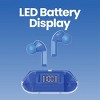
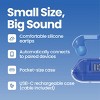
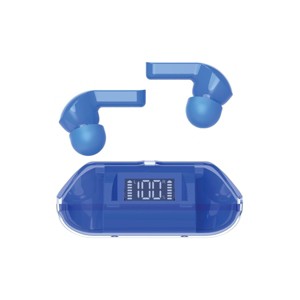
GEMS Neon True Wireless Earbuds - Blue
$5.00
In Stock
Eligible for registries and wish lists
At a glance
About this item
Additional product information and recommendations
Discover more options
- Highly rated$35.99reg $199.99 SaleVEAT00L Wireless Earbuds Bluetooth 6.0 Sport 48Hrs Earhook 6 ENC Mic IP68 Waterproof Workout Running4.7 out of 5 stars with 87 ratings
Guests also viewed
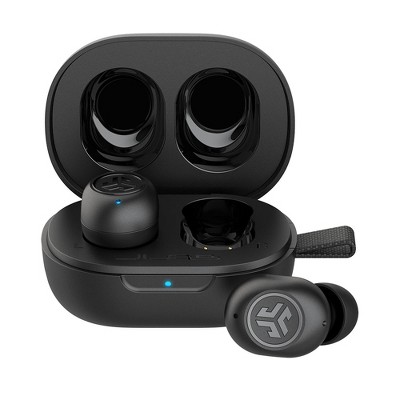
- $69.99reg $79.99 Sale3.4 out of 5 stars with 2019 ratings
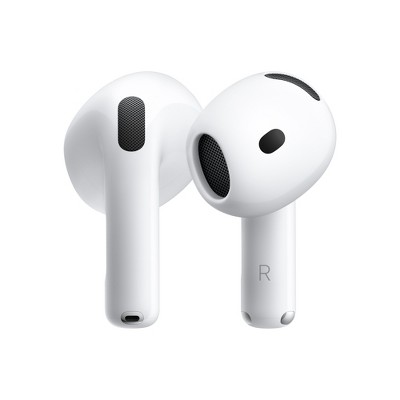
- $129.99 - $179.99Get the AirPods 4 starting at $13/mo. on select items3.9 out of 5 stars with 5005 ratings
- Bestseller$199.99reg $249.99 SaleGet the AirPods Pro 3 starting at $24/mo.3.9 out of 5 stars with 2231 ratings
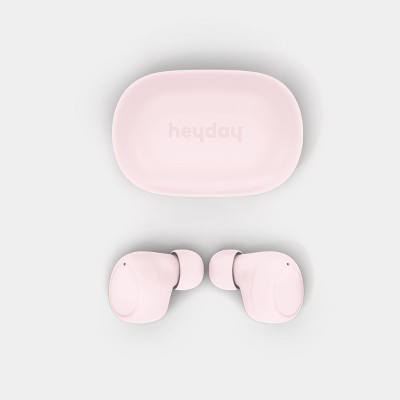
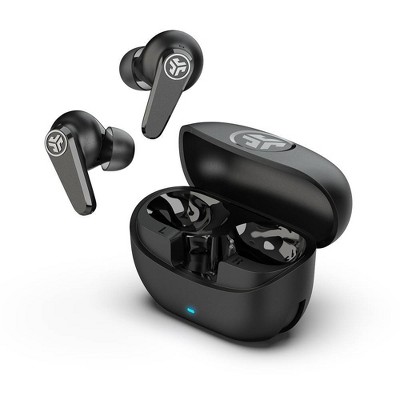
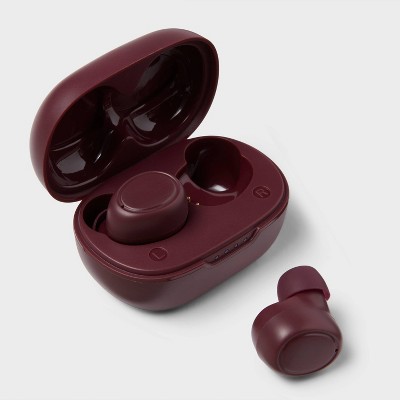
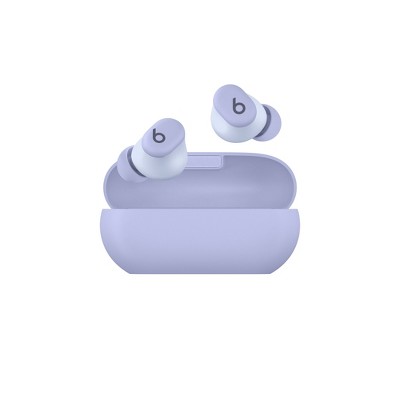

Related Categories
Guests are saying
These earbuds offer a budget-friendly option for guests seeking a simple audio solution. While they come with a cute charging case and decent sound quality, many guests experienced connectivity issues and short battery life. The need to remove protective stickers before use was a common point of confusion. Despite these drawbacks, the earbuds are lightweight and easy to carry, making them suitable for casual use or as a backup option.
Summary created by AI from text of reviews reflecting recent feedback provided across different star ratings (includes incentivized reviews)
3.1 out of 5 stars with 146 reviews
quality: 1.89 out of 5
value: 2.18 out of 5
21% would recommend
47 recommendations
1 out of 5 stars
Thumbs down graphic, would not recommend
16 October, 2026Verified purchase
In addition to not holding a charge. These headphones also don't like to connect and stay connected to the Bluetooth. I do not recommend buying these unless you just want them for decoration.
They don't hold a charge
1 out of 5 stars
Thumbs down graphic, would not recommend
11 October, 2026
Don't buy
Junk. Don't waste your $5.
1 reply from CHUG, Inc. / GEMS team - 3 days ago
Hi, we’re sorry the earbuds didn’t work out for you. We appreciate you giving them a try and sharing your feedback. Please reach out to Target Guest Services at guest.service@target.com for further assistance.
1 out of 5 stars
Thumbs down graphic, would not recommend
9 October, 2026
Junk
Don't buy, I bought them and did what it told me in the directions, I connected them and the second they were in my ears they disconnected, I disconnected them several times and reconnected them and they still disconnected when they went into my ears.
1 out of 5 stars
Thumbs down graphic, would not recommend
8 October, 2026Verified purchase
(no review title)
They look cool, very late 90s/early 00s. But they don’t hold any kind of charge out of the box. They just constantly drain and fast. I didn’t expect much for $5, but the last $5 wireless earbuds I bought from target lasted my kid almost a year without issue.
1 reply from CHUG, Inc. / GEMS team - 10 days ago
Hi there, we’re sorry the earbuds aren’t holding a charge as expected. We appreciate you sharing your experience and comparing them to your previous pair. Please feel free to reach out to Target Guest Services at guest.service@target.com for further assistance.
4 out of 5 stars
Thumbs up graphic, would recommend
5 October, 2026Verified purchase
(no review title)
They sound great for the given price, however, the mic doesn't seem to be great when making calls. They also automatically hang up/stop music when putting them back in the case to convert back to phone settings. So not amazing, but not bad for just listening for $5
3 out of 5 stars
Thumbs up graphic, would recommend
4 October, 2026
(no review title)
PLEASE READ IF YOUR'S DONT WORK!!! I was about to throw these away and saw where someone said you have to take the tiny blue stickers off the buds for them to charge. Now they work fine!! The connectors will not charge if the stickers are still on. Weird that they would not mention this anywhere! Quality wise, they're $5 headphones I can't complain and I knew what to expect.
1 reply from CHUG, Inc. / GEMS team - 10 days ago
Hi Jacob, we’re glad you figured out the protective stickers were keeping the earbuds from charging! We appreciate you sharing this helpful tip for other shoppers. Thanks for choosing GEMS!
1 out of 5 stars
Thumbs down graphic, would not recommend
2 October, 2026
(no review title)
Junk
1 reply from CHUG, Inc. / GEMS team - 12 days ago
Hi Tim, we’re sorry to hear you had a poor experience with the earbuds. We appreciate you sharing your feedback. Please feel free to reach out to Target Guest Services at guest.service@target.com for further assistance.
4 out of 5 stars
Thumbs up graphic, would recommend
27 September, 2026Verified purchase
They're $5 earbuds
They're $5 earbuds, can't complain. They feel nice, cute holder, they sound... like $5 earbuds, lol. You have to take the blue tape off the charging magnets on the earbuds themself to charge them up fully. Only annoying part was that with my volume on 2 they were too quiet but volume 3 was way too loud. I had to disable absolute volume in developer controls on my phone, so that's a tip if you have the same issue. I like that they connect and disconnect super easily when you snap them in/out of the magnetic case!
1 out of 5 stars
Thumbs down graphic, would not recommend
27 September, 2026
(no review title)
Bought one couldn't get them to pair up. Exchanged not pairing up again. Simply one word "JUNK." The instructions don't help. One works the other dosent. This is why their five dollars. The parent company has a poor track record throughout the internet!
1 reply from CHUG, Inc. / GEMS team - 19 days ago
Hi Douglas, we’re sorry you had so much trouble getting the earbuds to pair, especially after exchanging them and running into the same issue again. We appreciate you sharing the details of what happened and how the instructions worked for you. Please feel free to reach out to Target Guest Services at guest.service@target.com for further assistance.
2 out of 5 stars
Thumbs down graphic, would not recommend
23 September, 2026Verified purchase
Wouldn't recommend
They suck but they’re also $5 so expect them to sound like 5 bucks. I wasn’t really too bothered by the sound because they’re cheap but the fact that one bud stopped working in 2 or 3 days was very upsetting.
1 reply from CHUG, Inc. / GEMS team - 25 days ago
Hi Ryann, we’re sorry one of the earbuds stopped working after only a few days. We appreciate you sharing your experience, and please feel free to reach out to Target Guest Services at guest.service@target.com for further assistance.
1 out of 5 stars
Thumbs down graphic, would not recommend
22 September, 2026Verified purchase
junk
they didn't work at all. junk
1 out of 5 stars
Thumbs down graphic, would not recommend
22 September, 2026Verified purchase
DONT DO IT
Listen to the other reviews!! These work the first time we opened them for 3 minutes! Then they don’t work anymore! TERRIBLE waste of $5
1 reply from CHUG, Inc. / GEMS team - 24 days ago
Hi there, we’re sorry the earbuds stopped working after only a few minutes. Before reaching out for further assistance, please make sure the dark gray protective film has been removed from the charging nodes on both earbuds, as this needs to be removed for the earbuds to charge properly. If you’re still having trouble after removing the film, please feel free to reach out to Target Guest Services at guest.service@target.com for further assistance.
1 out of 5 stars
Thumbs down graphic, would not recommend
19 September, 2026Verified purchase
Do not buy! They don't work!
I should have listened to the reviews. If I could give zero stars I would. I basically threw away $5. These do not work!! What I mean by this is they work for approximately 10 minutes then never work again. Remember to remove the blue stickers for charging, the instructions don’t say to do this. Even then, they stop working after 10 minutes. Not 5 hours. It should instead say “up to 10 minutes”. I am literally serious. 10 minutes max even if you charge them for hours. This is a prime example of you get what you pay for.
1 reply from CHUG, Inc. / GEMS team - 26 days ago
Hi Courtney, we’re sorry to hear the earbuds stopped working after about 10 minutes. Before reaching out for further assistance, please make sure the dark gray protective film has been removed from the charging nodes on both earbuds, as this needs to be removed for the earbuds to charge properly. If you’re still having trouble after removing the film, please feel free to reach out to Target Guest Services at guest.service@target.com for further assistance.
5 out of 5 stars
Thumbs up graphic, would recommend
17 September, 2026
Peel the blue sticker so they can pair!!!
I’m just writing this quick review to help some out. Hopefully I can, at first they we’re not pairing and I got so frustrated. I looked it up and read reviews of it not pairing and I was like cheap crap but then I YouTube it and you have to peel off the little blue sticker by the charging earbud dots! Hope it helps !!
1 reply from CHUG, Inc. / GEMS team - 1 month ago
Hi Tee, we love that you shared this tip to help other customers! We’re glad you were able to get your earbuds paired and working.
1 out of 5 stars
Thumbs down graphic, would not recommend
13 September, 2026Verified purchase
(no review title)
5 hour playtime more like 0 second playtime I removed blue stickers and they still wouldn't work i even bought a other 5 dollar one and that one actually worked 1 star for the color
1 out of 5 stars
Thumbs down graphic, would not recommend
13 September, 2026
Crap - won't connect
Should have read the reviews - useless plastic crap. Not worth even $5. Not even worth returning...as I threw the box away and only purchased as I needed something for gym. Target do better... technically ZERO stars.
1 reply from CHUG, Inc. / GEMS team - 1 month ago
Hi SAE, thank you for your honest feedback. We’re sorry to hear you had trouble getting the earbuds to connect, and we appreciate you sharing your experience. Please feel free to reach out to Target Guest Services at guest.service@target.com for further assistance.
1 out of 5 stars
Thumbs down graphic, would not recommend
12 September, 2026Verified purchase
(no review title)
Terrible product. I bought three for my children and none of them worked in anyway. They look pretty but are worthless.
1 out of 5 stars
Thumbs down graphic, would not recommend
9 September, 2026
(no review title)
don't waste your money
1 out of 5 stars
Thumbs down graphic, would not recommend
8 September, 2026
Do Not Buy
Absolute waste of money. These don’t work at all. Spent more time trying to connect them than they actually worked. Played music for all of 15 seconds. Save your money.
1 reply from CHUG, Inc. / GEMS team - 1 month ago
Hi Emily, We’re sorry to hear you had such a frustrating experience getting the earbuds connected and that they stopped playing so quickly. We appreciate you sharing your feedback. Please reach out to Target Guest Services at guest.service@target.com for further assistance.
1 out of 5 stars
Thumbs down graphic, would not recommend
8 September, 2026
(no review title)
only one side works and the battery life is extremely short. honestly, even for $5 it's not worth it.
1 reply from CHUG, Inc. / GEMS team - 1 month ago
Hi JT, We’re sorry to hear you’re having issues with one earbud and the battery life. Before charging, please make sure the dark gray protective film covering the charging nodes has been removed, as this can prevent the earbuds from charging properly. We appreciate you sharing your experience, and if you continue to have issues, please reach out to Target Guest Services at guest.service@target.com for further assistance.