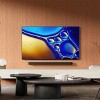
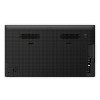
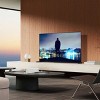
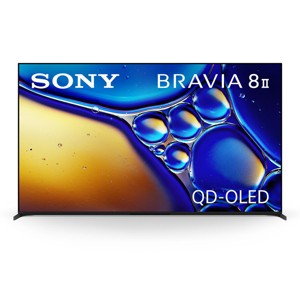
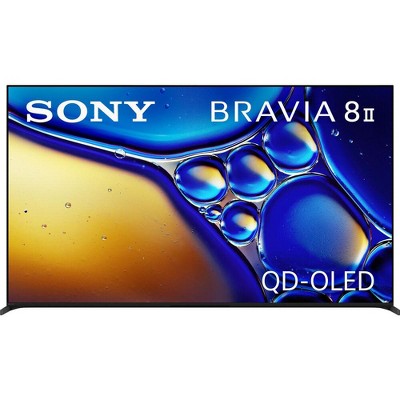
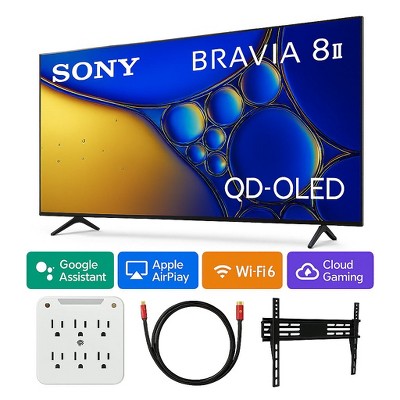
Sony K65XR80M2 BRAVIA 8 II 65 Inch QD-OLED 4K HDR Google TV
$3,299.99
Out of Stock

Free & easy returns
Return this item by mail or in store within 30 days for a full refund.
Sold & shipped by WORLD WIDE STEREO
Eligible for registries and wish lists
At a glance
About this item
Additional product information and recommendations
Related Categories
Discover more options
- $2,881.94reg $2,967.80 Sale
- $2,881.94reg $3,999.95 Sale
- $2,368.99reg $3,399.00 Sale
- $1,027.93reg $2,199.00 Sale
- $1,007.33reg $1,599.95 Sale
- $2,699.99reg $2,999.99 Sale4.9 out of 5 stars with 739 ratings
- $1,390.49reg $1,903.95 Sale1 out of 5 stars with 2 ratings
- $1,029.99reg $1,499.00 Sale4.7 out of 5 stars with 458 ratings
- $1,439.93reg $1,999.95 Sale
- $1,235.99reg $1,699.00 Sale
- $1,441.99reg $2,499.99 Sale
- $2,366.93reg $5,999.00 Sale
- $1,127.85reg $1,999.99 Sale
- $2,881.94reg $3,299.99 Sale
- $349.99 - $399.99Select items on sale4.1 out of 5 stars with 330 ratings
- $199.99 - $479.99Select items on sale4 out of 5 stars with 1047 ratings
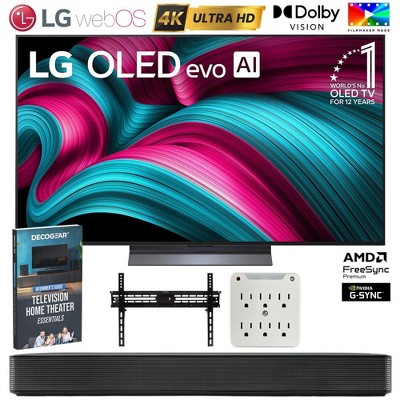
Frequently bought together
- $29.99reg $39.99 Sale3.7 out of 5 stars with 32 ratings
- $15.45reg $21.45 Sale

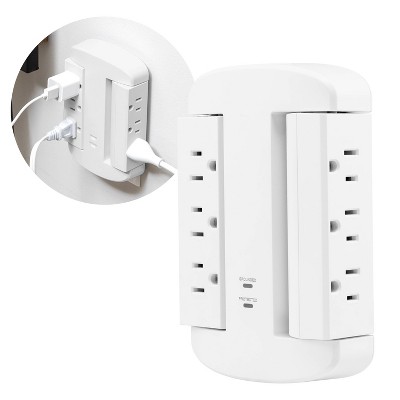
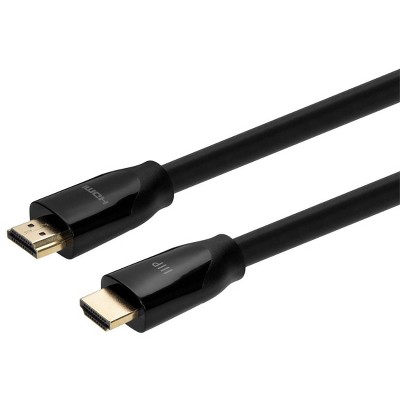
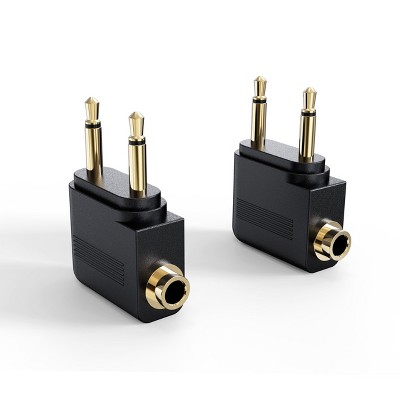
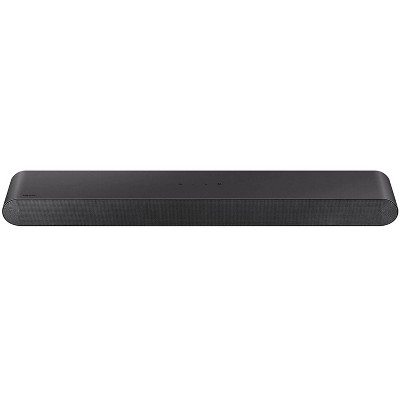

Guests also viewed
- $2,881.94reg $2,967.80 Sale
- $2,675.94reg $3,999.00 Sale
- $229.99 - $699.99Select items on sale4.4 out of 5 stars with 2654 ratings
- $2,881.94reg $3,299.99 Sale
- $199.99 - $479.99Select items on sale4 out of 5 stars with 1047 ratings
- $2,881.94reg $3,999.95 Sale
- $2,366.93reg $5,999.00 Sale
- $599.99 - $699.99reg $699.99 - $899.99 Sale4.7 out of 5 stars with 1313 ratings
- $899.99 - $1,199.99reg $1,199.99 - $1,699.99 Sale4.5 out of 5 stars with 515 ratings
- $1,027.93reg $2,199.00 Sale
- $1,954.93reg $2,999.00 Sale
- $1,439.93reg $1,999.95 Sale
- $1,235.99reg $1,699.00 Sale
- $219.99 - $249.99Select items on sale3.7 out of 5 stars with 322 ratings
- $1,127.85reg $1,999.99 Sale

Guests are saying
The Sony TV has garnered positive feedback for its exceptional picture and sound quality, making it a great choice for movie enthusiasts and gamers alike. Many guests appreciate the ease of setup and integration with sound systems, enhancing the overall viewing experience. However, some guests have encountered minor issues with navigation and remote control functionality. Overall, it stands out as a premium television option that delivers impressive performance.
Summary created by AI from text of reviews reflecting recent feedback provided across different star ratings (includes incentivized reviews)
4.5 out of 5 stars with 340 reviews
4 out of 5 stars
6 June, 2026
originally posted on sony.com

Exceptional picture
A stunning picture, with exceptional black levels especially on UHD. My only gripe is the software isn’t flawless in the different platforms that are on offer
5 out of 5 stars
4 June, 2026
originally posted on sony.com
Great viewing
Excellent clarity of vision... The best TV I've bought, probably the best on the market. User friendly interface and great videos on U-Tube to help with configuration of settings... I would also advise purchase of Sony surround sound speakers to match the excellent output of sound...
4 out of 5 stars
2 June, 2026
originally posted on sony.com
Bravia
Too complicated to set up and picture quality is not as demonstarted
1 reply from Sony UK team - 12 days ago
Hi, Thank you for your feedback. We're sorry to hear that the K-55XR8M2 didn't meet your expectations. This is not the experience we aim to provide, as we continuously strive to deliver the best quality possible. You can easily set up your TV by following the instructions here: https://cutt.ly/0e1b2oAa Additionally, you can adjust the picture quality settings to meet your preferences by following the steps here: https://cutt.ly/Gt0Sf2pT Furthermore, if you need any further assistance, feel free to contact us using the details here: https://cutt.ly/heoRCkdW (Please copy and paste the links into your browser). Menna @Sony Support UK
4 out of 5 stars
1 June, 2026
originally posted on sony.com
Stunning Picture, but how reliable?
The picture quality is stunning, in 4K images are very realistic. The sound from the TV is above average. Please note - The original TV failed after 4 months with no sound and during it's repair, the screen was marked, hence the need for a replacement. I have had no issue with Sony honouring the warranty.
1 reply from Sony UK team - 13 days ago
Hi, Thank you for your feedback. We are happy to hear that you are enjoying your K-65XR8M2, and happy with the quality we always aim to deliver! We hope you continue to enjoy it for years to come! Yet, we're sorry to learn that you were experiencing difficulties with the previous TV. Furthermore, if you need any further assistance, feel free to contact us using this link: https://cutt.ly/heoRCkdW (Please copy and paste the links into your browser) Ismail @Sony Support UK
5 out of 5 stars
29 May, 2026
originally posted on sony.com
Sony 65" TV K-65XR8M2
Had it a few weeks now, very good TV. The picture is excellent, I wasn't sure if I needed a soundbar or not. The sound is very good so I'm happy with it as it is.
4 out of 5 stars
28 May, 2026
originally posted on sony.com
Not great enough
A little disappointed that only one pair of headphones appear to work on bluetooth
1 reply from Sony support team team - 17 days ago
Hi, Thank you for your feedback. We’re sorry for your disappointment regarding the pairing of a single pair of headphones with your K-55XR8M2. We appreciate your feedback. Hearing from our customers helps us continuously improve our products to align with your preferences. Rest assured that we've raised it to the concerned team for future consideration. If you need any further assistance, do not hesitate to contact us using the details provided in the following link: https://cutt.ly/heoRCkdW (Copy and paste the link into your browser) Nadine @Sony Support UK
3 out of 5 stars
26 May, 2026
originally posted on sony.com
Sound has disappeared
I bought this Sony TV a few months ago, and unfortunately the sound suddenly stopped working out of nowhere. Thankfully, it was still under the store warranty. They first tried to repair it, but eventually replaced it with a brand-new unit. Hopefully, the new one will work without any issues. Apart from that experience, I’m really happy with the TV overall. The picture quality is excellent, the sound is impressive, and the overall viewing experience is fantastic. I guess I was just unlucky with the first unit.
1 reply from Sony UK team - 19 days ago
Hi, Thank you for your feedback. We are happy to hear that you are enjoying your K-65XR8M2, and happy with the quality we always aim to deliver! We hope you continue to enjoy it for years to come! Yet, we're sorry to learn about your experience with the previous model. Regarding the sound issue, in case you face any similar issues in the future, please try the steps in following link and test again: https://cutt.ly/ztM5cojP Additionally, please make sure to follow the steps below: 1. Disconnect all externals (e.g., Sky box, Ariel cable, HDMI cables or USB, etc.). 2. Unplug the TV from the mains and leave it for 1 minute and then plug it back. 3. Make sure the software is updated using this link: https://cutt.ly/KtLK2IOF 4. Remove the cached data: Press HOME, then select [Settings] → [Storage and Reset] → [Internal storage] → [Cached data] → then select [Yes]. 5. Perform a factory data reset: https://cutt.ly/UtJBLvPS Furthermore, if you need any further assistance, feel free to contact us using this link: https://cutt.ly/heoRCkdW (Please copy and paste the links into your browser) Ismail @Sony Support UK
5 out of 5 stars
26 May, 2026
originally posted on sony.com
Awesome TV
TV fits like a glove, picture and sound quality is superb
5 out of 5 stars
26 May, 2026
originally posted on sony.com
New tv
Fantastic sound and picture quality Also perfect for my ps5
5 out of 5 stars
25 May, 2026
originally posted on sony.com
Sony TV
Great colours and sounds picture is amazing. I strongly recommend.
5 out of 5 stars
23 May, 2026
originally posted on sony.com
Great top of the range tv.
Only had just over a week i had top range sony tv for 12 years and after visit to sony dealer check upgrades and took the plunge to upgrade to this top speck tv.My old tv had a great picture quality is even better and wife has also said she realy pleased and fot her that is a realy big compliment.
3 out of 5 stars
20 May, 2026
originally posted on sony.com
Complicated to use
Whilst the picture and sound are good, I am having problems watching live TV using the internet (I do not have an aerial or satellite dish). I have found that Freeserve and Freely do not work on these TVs (Freeserve works in New Zealand only!). I also find that it is difficult to navigate through the system using either of the remotes (why provide 2?) as it requires a lot of clicks and a bit of trial and error to work out which buttons work/don't work at different points in the system. It really is not simple to use.
1 reply from Sony UK team - 25 days ago
Hi, Thank you for your feedback. We're happy to hear that you're enjoying the quality of your K-55XR8M2. Yet, we're sorry to learn that you're experiencing difficulties with the live TV. Regarding the live TV issue, It's not possible to watch live TV channels without an aerial. However, feel free to check the information in the following article learn more about YouView service: https://cutt.ly/rtNEEpVC Additionally, you can check the information in the following link to learn more about the differences between the two included remote controls: https://cutt.ly/xtNRXIKh Furthermore, please check this link to learn about the functions and buttons of the each remote: https://cutt.ly/ZtNRCk7d Moreover, if you need any further assistance, feel free to contact us using this link: https://cutt.ly/heoRCkdW (Please copy and paste the links into your browser) Ismail @Sony Support UK
4 out of 5 stars
19 May, 2026
originally posted on sony.com
Great TV ...But Sync issues I cannot resolve
Its been a while since I last upgraded my TV and things have come a long way! What has impressed me most is the integration with my home cinema, The ARC is much more fluid than my previous model. Also the ease of use.. I only need the one remote, Its far less complicated to use too. The speaker is very good quality. The only downside is, because the sound mainly passes through my NAD Amp or my BOSE soundbar I have l AV sinc issues despite making the necessary adjustments in the sound settings. Not something I had with my outgoing LG unit.
1 reply from Sony UK team - 26 days ago
Hi, Thank you for your feedback. We're happy to hear that you're enjoying your K-65XR8M2, and happy with the quality we always aim to deliver! Yet, we are sorry to hear that you're experiencing a lip-syncing issue with your TV. Please try the steps below and test again: 1. Disconnect all externals (e.g., Sky box, Ariel cable, HDMI cables, USB, etc.). 2. Unplug the TV from the mains and leave it for 1 minute, and then plug it back in. 3. Make sure all the cables are securely connected to the TV and source device (e.g. Blu-ray disc player, set-top box, soundbar). 4. Use a different video source to determine if the issue occurs with other devices as well, or just one. 5. Set the Game Mode setting to OFF when watching TV or playing a DVD or Blu-ray disc. 6. Make sure the software is updated using this link: https://cutt.ly/GtNdNxIh 7. Try using different HDMI cables. 8. Remove the cached data: Press HOME, then select [Settings] → [Storage and Reset] → [Internal storage] → [Cached data] → then select [Yes]. 9. In case the issue persists, perform a factory data reset by following the steps here: https://cutt.ly/gtNdN4NE Furthermore, if you need any further assistance, please do not hesitate to contact us using the details here: https://cutt.ly/heoRCkdW (Please copy and paste the links into your browser). Menna @Sony Support UK
5 out of 5 stars
18 May, 2026
originally posted on sony.com
Great TV
Great TV. Nothing much else to say about it. Just buy one.
4 out of 5 stars
14 May, 2026
originally posted on sony.com
Brilliant picture, fragile screen.
Brilliant picture. I wish I knew how fragile the anti-reflection coating was before I left a mark on the screen.
1 reply from Sony support team team - 30 days ago
Hi, Thank you for your feedback. We’re happy to hear that you're enjoying the picture quality of your K-55XR8M2. Yet, we're sorry to hear that a mark was left on the screen. Please follow the instructions at this link to clean the surface of your TV properly: https://cutt.ly/dtBu0m5W If you need any further assistance, do not hesitate to contact us using the details provided in the following link: https://cutt.ly/heoRCkdW (Please copy and paste links into your browser) Nadine @Sony Support UK
5 out of 5 stars
13 May, 2026
originally posted on sony.com
Amazing sound
Really happy so far, great sound and Amazing picture quality
4 out of 5 stars
11 May, 2026
originally posted on sony.com
Replacement for faulty A95L
Bought this to replace a faulty A95L. Great picture - a step up from the A95L, but not so great TV sound quality - a step down from the A95L TV speaker quality.
1 reply from Sony support team team - 1 month ago
Hi, Thank you for your feedback. We’re happy to hear that you're enjoying the picture quality of your K-55XR8M2. Yet, we're sorry to hear that the sound quality didn't meet your expectations. This is certainly not the experience we aim to provide, as we continuously strive to deliver the best possible quality. To have the optimum experience, you can configure various settings related to the TV’s sound, such as sound quality and sound mode here: https://cutt.ly/wtqegwWS Furthermore, if you need any further assistance, please do not hesitate to contact us using the details here: https://cutt.ly/heoRCkdW (Please copy and paste links into your browser) . Nadine @Sony Support UK
4 out of 5 stars
7 May, 2026
originally posted on sony.com
Superb picture, good sound and lots of features.
I bought my K-55XR8M2 about 2 weeks ago and am so happy with it except for one thing….. ….. I have always turned off my TVs etc fully rather than on just on standby. When I turn it on, it takes soooo looooong to boot up. I have never had a TV like this before. Whether it’s due to Google TV or what I have no idea as my internet is ultra high speed. However, apart from that, I am gobsmacked over the picture quality and, without any boosters etc, the sound is excellent for TV speakers. I will probably never reach the end of the options available to me AND it sorted out all of my free-to-view tv stations which most of which I’ve never had access to before despite using the same tv arial; well done Sony!
1 reply from Sony support team team - 1 month ago
Hi, Thank you for your feedback. We’re happy to hear that you're enjoying the picture and sound quality of your K-55XR8M2. Yet, we're sorry to hear that the TV takes too long to operate. This is not the norm, as we strive to deliver the best quality possible. To improve the overall TV performance, follow the instructions at this link and test again: https://cutt.ly/Xtrtrdce If the issue persists, please follow the below steps: 1. Disconnect all externals (e.g., Sky box, Ariel cable, HDMI cables, USB, etc.). 2. Unplug the TV from the mains and leave it for 1 minute, and then plug it back in. 3. Make sure the software is updated by following the steps here: https://cutt.ly/8r35VyGe 4. Perform a factory data reset: https://cutt.ly/1r35VTLi And you can also use the following link to help you with the initial setup afterwards: https://cutt.ly/SrcuhqKd If you need any further assistance, do not hesitate to contact us using the details provided in the following link: https://cutt.ly/heoRCkdW (Please copy and paste links into your browser) Nadine @Sony Support UK
5 out of 5 stars
5 May, 2026
originally posted on sony.com
Great Features
I bought this a month ago and am happy that i did. Its abosolutely an excellent telivision.
5 out of 5 stars
2 May, 2026
originally posted on sony.com
My best TV ever.
I bought 2..Best TV's I've ever had in terms of picture and sound quality, ease and speed of use, availability of apps, streams and music, and variations within Settings