Target New ArrivalsGift Ideas for DadClothing, Shoes & AccessoriesHome & DecorKitchen & DiningOutdoor Living & GardenGroceryHousehold EssentialsBabyBeautyPersonal CareSports & OutdoorsHealthWellnessLuggageSchool & Office SuppliesToysElectronicsVideo GamesMovies, Music & BooksParty SuppliesGift IdeasGift CardsPetsUlta Beauty at TargetShop by CommunityTarget OpticalDealsClearanceNew ArrivalsGift Ideas for DadBack to SchoolCollegeTop DealsTarget Circle DealsWeekly AdShop Order PickupShop Same Day DeliveryRegistryRedCardTarget CircleFind Stores
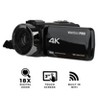
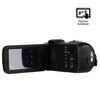
Vivitar 4K Pro Camcorder with 56MP Photos, 18x Zoom, and Infrared Night Vision - 2 of 4Vivitar 4K Pro Camcorder with 56MP Photos, 18x Zoom, and Infrared Night Vision - 3 of 4Vivitar 4K Pro Camcorder with 56MP Photos, 18x Zoom, and Infrared Night Vision - 4 of 4
Vivitar 4K Pro Camcorder with 56MP Photos, 18x Zoom, and Infrared Night Vision - 1 of 4

Vivitar 4K Pro Camcorder with 56MP Photos, 18x Zoom, and Infrared Night Vision

$99.99 reg $109.99
Sale save $10.00 (9% off)

Out of Stock

Free & easy returns

Free & easy returns

Return this item in store within 30 days for a full refund.
Sold & shipped by Square1
Eligible for registries and wish lists

About this item

Highlights

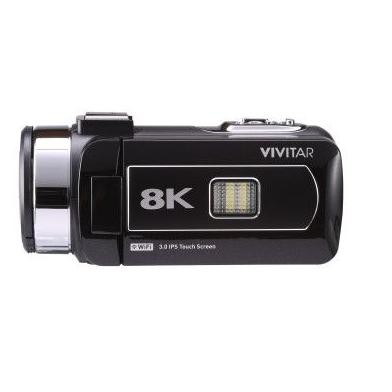
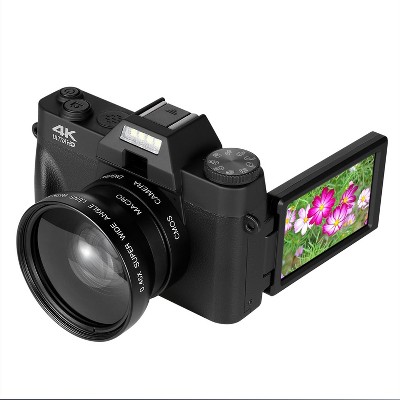
  • 4K Ultra HD Video + 56MP Stills: Capture crisp videos and high-resolution photos with a built-in infrared light for low-light and nighttime shooting.
  • 18x Super Digital Zoom + Rotatable LCD: Get closer to the action and frame shots easily with the 3" full-color touchscreen display.
  • Portable & Reliable: Lightweight, compact design with long battery life and included remote control for effortless recording

Description

Capture memories as they happen—day or night—with the Vivitar 4K Pro Camcorder. Record 4K HD videos and take 56 megapixel still images with clarity and ease thanks to the 3" LCD touchscreen monitor and included remote control. 18x super digital zoom helps you get closer to the action, while a built-in infrared light provides the ability to shoot in both low-light and nighttime conditions.
Dimensions (Overall): 6.1 inches (H) x 3.5 inches (W) x 7.1 inches (D)
Weight: 1.5 pounds
Electronics Condition: New
Connection Type: USB
Data Storage Capacity: No Internal Data Storage
Maximum Resolution: 1920 x 1080
View Finder Type: No View Finder
Product Name: Vivitar 4K Pro Camcorder with 56MP Photos, 18x Zoom, and Infrared Night Vision
Megapixels: 56 mp
Screen Size: 3 inches
Battery: Required, Installed
TCIN: 91793527
UPC: 681066048207
Origin: imported
The above item details were provided by the Target Plus™ Partner. Target does not represent or warrant that this information is accurate or complete. On occasion, manufacturers may modify their items and update their labels.
We recommend that you do not rely solely on the information presented. If you have a specific question about this item, you may consult the item's label, contact the manufacturer directly or call Target Guest Services at 1-800-591-3869.
If the item details aren’t accurate or complete, we want to know about it.

Shipping details

Estimated ship dimensions: 7.1 inches length x 3.5 inches width x 6.1 inches height
Estimated ship weight: 1.5 pounds
We regret that this item cannot be shipped to PO Boxes.
This item cannot be shipped to the following locations: American Samoa (see also separate entry under AS), Guam (see also separate entry under GU), Northern Mariana Islands, Puerto Rico (see also separate entry under PR), United States Minor Outlying Islands, Virgin Islands, U.S., APO/FPO, Alaska, Hawaii
item ships from third party seller: Square1

Return details

This item must be returned to any Target store.
This item must be returned within 30 days of the date it was purchased in store, delivered to the guest, delivered by a Shipt shopper, or picked up by the guest.
See the return policy for complete information.
This document lists product hazards, safety info and any potential ill effects on human health. All info has been collected and verified by the manufacturer.

Q: Yeah, I was wondering how easy this is to put together and get a recording from the time. I take it out of the box. I'm going to a concert and that's all I want it for.

submitted by Little huff - 3 months ago
  • A: Hi, thanks for reaching out about Vivitar 4K Pro Camcorder with 56MP Photos, 18x Zoom, and Infrared Night Vision. The Vivitar 4K Pro Camcorder is designed exactly for the "take it out of the box and go" experience. Since you have two months before your concert, you have plenty of time to get comfortable with it, but realistically, you can have it recording your first test clip in about 15 minutes. Here is the breakdown of the setup and how it will perform for your concert: 1. The "Out of the Box" Setup It is very beginner-friendly. Most retail bundles (from Target, Walmart, or HSN) include a 32GB or 64GB SD card and rechargeable batteries in the box. Step 1: Insert the battery and SD card (usually located in a compartment on the bottom). Step 2: Charge it via the included USB cable. It takes about 2–3 hours for a full charge, which gives you roughly 70–90 minutes of recording time. Step 3: Format the SD card. This is the most important "tech" step. Go into the Menu > System Settings > Format. This ensures the card works perfectly with the camera’s 4K file system. Step 4: Flip open the 3-inch touchscreen—the camera will automatically power on. Hit the red button to start recording. 2. Performance at a Concert Since you want "good video," there are three things to keep in mind for this specific model: The Zoom: It has an 18x Digital Zoom. Unlike "Optical Zoom," digital zoom can make the image look a bit grainy or "pixelated" if you zoom in all the way to the stage from the back of an arena. For the best quality, try to stay as "wide" as possible. The Audio: Concerts are incredibly loud. Budget camcorders often struggle with high-decibel bass, which can cause the audio to sound muffled or "crackle." Pro Tip: This model has a 3.5mm mic jack. If audio is a priority, grabbing a cheap external "shotgun" microphone (around $25) will significantly improve the sound over the built-in mic. Low Light/Night Vision: Stage lights are tricky. While the Infrared Night Vision is great for total darkness, it turns everything black-and-white (like a ghost-hunting show). For a concert, keep Night Vision OFF so you can capture the actual colors of the stage lights. 3. Quick Tips for Success File Limits: The camera often saves videos in 10-minute segments (files) to prevent data loss. Don't worry if you see multiple files on your computer later; they will line up perfectly. Stability: This camera is very lightweight (about 2 lbs), which makes it prone to "shaky cam." If the venue allows it, a small hand grip or tripod will make your footage much easier to watch later. If you have any additional questions, we welcome you to contact MyTGTtech at 833-848-8324 every day, between 7am-11pm CST.

    submitted byJoe - 3 months ago
    Target staff support
  • A: Hi, thanks for reaching out about Vivitar 4K Pro Camcorder with 56MP Photos, 18x Zoom, and Infrared Night Vision. The Vivitar 4K Pro Camcorder is designed exactly for the "take it out of the box and go" experience. Since you have two months before your concert, you have plenty of time to get comfortable with it, but realistically, you can have it recording your first test clip in about 15 minutes. Here is the breakdown of the setup and how it will perform for your concert: 1. The "Out of the Box" Setup It is very beginner-friendly. Most retail bundles (from Target, Walmart, or HSN) include a 32GB or 64GB SD card and rechargeable batteries in the box. Step 1: Insert the battery and SD card (usually located in a compartment on the bottom). Step 2: Charge it via the included USB cable. It takes about 2–3 hours for a full charge, which gives you roughly 70–90 minutes of recording time. Step 3: Format the SD card. This is the most important "tech" step. Go into the Menu > System Settings > Format. This ensures the card works perfectly with the camera’s 4K file system. Step 4: Flip open the 3-inch touchscreen—the camera will automatically power on. Hit the red button to start recording. 2. Performance at a Concert Since you want "good video," there are three things to keep in mind for this specific model: The Zoom: It has an 18x Digital Zoom. Unlike "Optical Zoom," digital zoom can make the image look a bit grainy or "pixelated" if you zoom in all the way to the stage from the back of an arena. For the best quality, try to stay as "wide" as possible. The Audio: Concerts are incredibly loud. Budget camcorders often struggle with high-decibel bass, which can cause the audio to sound muffled or "crackle." Pro Tip: This model has a 3.5mm mic jack. If audio is a priority, grabbing a cheap external "shotgun" microphone (around $25) will significantly improve the sound over the built-in mic. Low Light/Night Vision: Stage lights are tricky. While the Infrared Night Vision is great for total darkness, it turns everything black-and-white (like a ghost-hunting show). For a concert, keep Night Vision OFF so you can capture the actual colors of the stage lights. 3. Quick Tips for Success File Limits: The camera often saves videos in 10-minute segments (files) to prevent data loss. Don't worry if you see multiple files on your computer later; they will line up perfectly. Stability: This camera is very lightweight (about 2 lbs), which makes it prone to "shaky cam." If the venue allows it, a small hand grip or tripod will make your footage much easier to watch later.

    submitted byVivitar Customer Service - 3 months ago
    Brand expert
  • A: Hi, thanks for reaching out about Vivitar 4K Pro Camcorder with 56MP Photos, 18x Zoom, and Infrared Night Vision. The Vivitar 4K Pro Camcorder is designed exactly for the "take it out of the box and go" experience. Since you have two months before your concert, you have plenty of time to get comfortable with it, but realistically, you can have it recording your first test clip in about 15 minutes. Here is the breakdown of the setup and how it will perform for your concert: 1. The "Out of the Box" Setup It is very beginner-friendly. Most retail bundles (from Target, Walmart, or HSN) include a 32GB or 64GB SD card and rechargeable batteries in the box. Step 1: Insert the battery and SD card (usually located in a compartment on the bottom). Step 2: Charge it via the included USB cable. It takes about 2–3 hours for a full charge, which gives you roughly 70–90 minutes of recording time. Step 3: Format the SD card. This is the most important "tech" step. Go into the Menu > System Settings > Format. This ensures the card works perfectly with the camera’s 4K file system. Step 4: Flip open the 3-inch touchscreen—the camera will automatically power on. Hit the red button to start recording. 2. Performance at a Concert Since you want "good video," there are three things to keep in mind for this specific model: The Zoom: It has an 18x Digital Zoom. Unlike "Optical Zoom," digital zoom can make the image look a bit grainy or "pixelated" if you zoom in all the way to the stage from the back of an arena. For the best quality, try to stay as "wide" as possible. The Audio: Concerts are incredibly loud. Budget camcorders often struggle with high-decibel bass, which can cause the audio to sound muffled or "crackle." Pro Tip: This model has a 3.5mm mic jack. If audio is a priority, grabbing a cheap external "shotgun" microphone (around $25) will significantly improve the sound over the built-in mic. Low Light/Night Vision: Stage lights are tricky. While the Infrared Night Vision is great for total darkness, it turns everything black-and-white (like a ghost-hunting show). For a concert, keep Night Vision OFF so you can capture the actual colors of the stage lights. 3. Quick Tips for Success File Limits: The camera often saves videos in 10-minute segments (files) to prevent data loss. Don't worry if you see multiple files on your computer later; they will line up perfectly. Stability: This camera is very lightweight (about 2 lbs), which makes it prone to "shaky cam." If the venue allows it, a small hand grip or tripod will make your footage much easier to watch later. Please reach out to us at 18005929541 or support@vivitar.com, quoting ticket number 30297. We will try to help you fix the issue. Thank you"

    submitted byProductExpert - 3 months ago
    Brand expert

Q: Yes, I'm wondering how easy this is to set up from the time I get it and take it out of the box i'm going to a concert in two months and I wanna take some good video. That's all I want.

submitted by Little huff - 3 months ago
  • A: Hi, thanks for reaching out about Vivitar 4K Pro Camcorder with 56MP Photos, 18x Zoom, and Infrared Night Vision. The Vivitar 4K Pro Camcorder is designed exactly for the "take it out of the box and go" experience. Since you have two months before your concert, you have plenty of time to get comfortable with it, but realistically, you could learn the basics in about 15 minutes. Here is the breakdown of the setup and how it will perform for your concert: 1. The "Out of the Box" Setup It is very beginner-friendly. Most bundles (like those from Target or Walmart) include a 32GB SD card and rechargeable batteries in the box. Step 1: Insert the battery and SD card. Step 2: Charge it via the included USB-C cable (usually takes 1–2 hours). Step 3: Format the SD card in the settings menu (this takes 10 seconds). Step 4: Flip open the 3-inch touchscreen and press the red record button. 2. Performance at a Concert Since you want "good video," there are a few things to keep in mind regarding this specific model: The Zoom: It has an 18x Digital Zoom. Unlike "Optical Zoom," digital zoom can make the image look a bit grainy or "pixelated" if you zoom in all the way to the stage from the back of an arena. For the best quality, try to use the zoom sparingly. The Audio: Concerts are loud. Budget camcorders often struggle with high-decibel bass, which can cause the audio to "clip" or sound muffled. Pro Tip: This model has a 3.5mm mic jack. If audio is a priority, grabbing a cheap external "shotgun" microphone (around $25) will significantly improve the sound over the built-in mic. Low Light/Night Vision: The Infrared Night Vision is a cool perk, but it will turn the video black-and-white (like a ghost-hunting show). For a concert with colorful stage lights, you’ll want to stay in Standard Mode so you don't lose the vibrant colors of the show. 3. Stability This camera is very lightweight (about 1.5 lbs), which is great for carrying but makes it prone to "shaky cam" if you're holding it for a 2-hour set. Recommendation: If the venue allows it, use a small hand grip or a "gorillapod" style tripod to keep your arm from getting tired and your footage from looking dizzy. If you have any additional questions, we welcome you to contact MyTGTtech at 833-848-8324 every day, between 7am-11pm CST.

    submitted byJoe - 3 months ago
    Target staff support
  • A: Hi, thanks for reaching out about Vivitar 4K Pro Camcorder with 56MP Photos, 18x Zoom, and Infrared Night Vision. The Vivitar 4K Pro Camcorder is designed exactly for the "take it out of the box and go" experience. Since you have two months before your concert, you have plenty of time to get comfortable with it, but realistically, you could learn the basics in about 15 minutes. Here is the breakdown of the setup and how it will perform for your concert: 1. The "Out of the Box" Setup It is very beginner-friendly. Most bundles (like those from Target or Walmart) include a 32GB SD card and rechargeable batteries in the box. Step 1: Insert the battery and SD card. Step 2: Charge it via the included USB-C cable (usually takes 1–2 hours). Step 3: Format the SD card in the settings menu (this takes 10 seconds). Step 4: Flip open the 3-inch touchscreen and press the red record button. 2. Performance at a Concert Since you want "good video," there are a few things to keep in mind regarding this specific model: The Zoom: It has an 18x Digital Zoom. Unlike "Optical Zoom," digital zoom can make the image look a bit grainy or "pixelated" if you zoom in all the way to the stage from the back of an arena. For the best quality, try to use the zoom sparingly. The Audio: Concerts are loud. Budget camcorders often struggle with high-decibel bass, which can cause the audio to "clip" or sound muffled. Pro Tip: This model has a 3.5mm mic jack. If audio is a priority, grabbing a cheap external "shotgun" microphone (around $25) will significantly improve the sound over the built-in mic. Low Light/Night Vision: The Infrared Night Vision is a cool perk, but it will turn the video black-and-white (like a ghost-hunting show). For a concert with colorful stage lights, you’ll want to stay in Standard Mode so you don't lose the vibrant colors of the show. 3. Stability This camera is very lightweight (about 1.5 lbs), which is great for carrying but makes it prone to "shaky cam" if you're holding it for a 2-hour set. Recommendation: If the venue allows it, use a small hand grip or a "gorillapod" style tripod to keep your arm from getting tired and your footage from looking dizzy

    submitted byVivitar Customer Service - 3 months ago
    Brand expert
  • A: Hi, thanks for reaching out about Vivitar 4K Pro Camcorder with 56MP Photos, 18x Zoom, and Infrared Night Vision. The Vivitar 4K Pro Camcorder is designed exactly for the "take it out of the box and go" experience. Since you have two months before your concert, you have plenty of time to get comfortable with it, but realistically, you could learn the basics in about 15 minutes. Here is the breakdown of the setup and how it will perform for your concert: 1. The "Out of the Box" Setup It is very beginner-friendly. Most bundles (like those from Target or Walmart) include a 32GB SD card and rechargeable batteries in the box. Step 1: Insert the battery and SD card. Step 2: Charge it via the included USB-C cable (usually takes 1–2 hours). Step 3: Format the SD card in the settings menu (this takes 10 seconds). Step 4: Flip open the 3-inch touchscreen and press the red record button. 2. Performance at a Concert Since you want "good video," there are a few things to keep in mind regarding this specific model: The Zoom: It has an 18x Digital Zoom. Unlike "Optical Zoom," digital zoom can make the image look a bit grainy or "pixelated" if you zoom in all the way to the stage from the back of an arena. For the best quality, try to use the zoom sparingly. The Audio: Concerts are loud. Budget camcorders often struggle with high-decibel bass, which can cause the audio to "clip" or sound muffled. Pro Tip: This model has a 3.5mm mic jack. If audio is a priority, grabbing a cheap external "shotgun" microphone (around $25) will significantly improve the sound over the built-in mic. Low Light/Night Vision: The Infrared Night Vision is a cool perk, but it will turn the video black-and-white (like a ghost-hunting show). For a concert with colorful stage lights, you’ll want to stay in Standard Mode so you don't lose the vibrant colors of the show. 3. Stability This camera is very lightweight (about 1.5 lbs), which is great for carrying but makes it prone to "shaky cam" if you're holding it for a 2-hour set. Please reach out to us at 18005929541 or support@vivitar.com, quoting ticket number 30298. We will try to help you fix the issue. Thank you"

    submitted byProductExpert - 3 months ago
    Brand expert

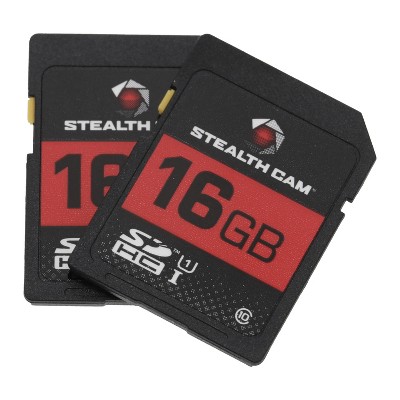
Q: It takes and SD and not a micro SD?

submitted by Questioner - 12 days ago
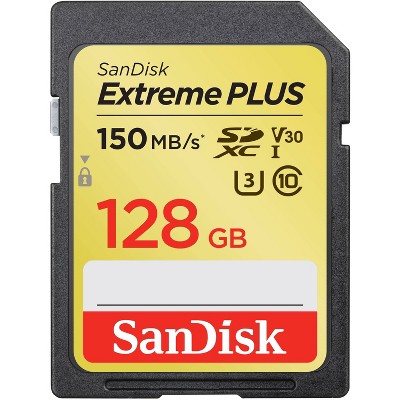
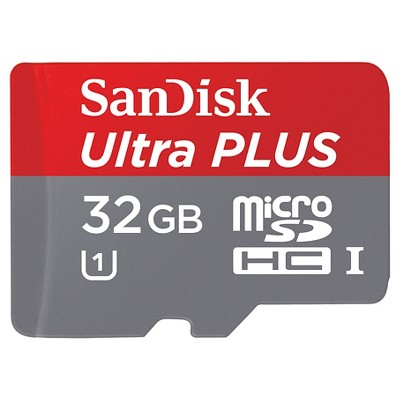
  • A: Hi, thanks for reaching out. The Vivitar 4k Camcorder is compatible with micro SD card upto 128GB. Please reach out to us at 18005929541 or support@sakar.com, quoting ticket number 30343. We will try to help you fix the issue. Thank you

    submitted byVivitar Customer Service - 12 days ago
    Brand expert
  • A: Hi, thanks for reaching out. The Vivitar 4k Camcorder is compatible with micro SD card upto 128GB. Please reach out to us at 18005929541 or support@sakar.com, quoting ticket number 30343. We will try to help you fix the issue. Thank you

    submitted byProductExpert - 11 days ago
    Brand expert

Q: can you transfer videos onto iphone??

submitted by madison - 2 months ago
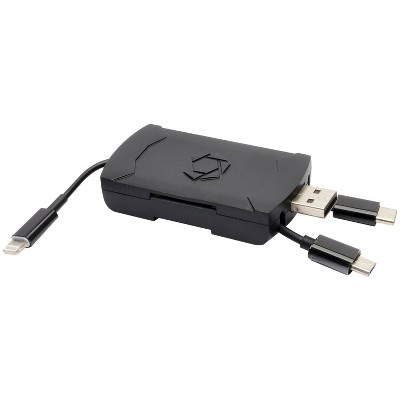
  • A: Hi, thanks for reaching out. Yes, you can transfer videos from the Vivitar 4K Pro Camcorder to your iPhone. Please reach out to us at 18005929541 or support@vivitar.com, quoting ticket number 30334. We will try to help you fix the issue. Thank you.

    submitted byVivitar Customer Service - 2 months ago
    Brand expert
  • A: Hi, thanks for reaching out. Yes, you can transfer videos from the Vivitar 4K Pro Camcorder to your iPhone. Please reach out to us at 18005929541 or support@vivitar.com, quoting ticket number 30339. We will try to help you fix the issue. Thank you.

    submitted byProductExpert - 2 months ago
    Brand expert

Q: Does this camcorder have a built in mic

submitted by Mona - 2 months ago
  • A: Hi, thanks for reaching out.Yes, the Vivitar 4K Pro Camcorder (specifically the 56MP model with 18x zoom) does have a built-in microphone. Please reach out to us at 18005929541 or support@vivitar.com, quoting ticket number 30309. We will try to help you fix the issue. Thank you.

    submitted byProductExpert - 2 months ago
    Brand expert
  • A: Hi, Thanks for reaching out. Yes, the Vivitar 4K Pro Camcorder features a built-in microphone for capturing audio during video recording. Please reach out to us at 18774080033 or support@vivitar.com, ticket number 30323. If you have any more questions. Thank you.

    submitted byVivitar Customer Service - 2 months ago
    Brand expert

Q: Hi, I was wondering what kind of USB port was on the back, because most of the camcorders I've seen have USB C ports and I want to connect a flash drive.

submitted by BraveShirt91 - 6 months ago
  • A: "Hi, Thanks for reaching out. Yes the camcorder has USB-C. Please reach out to us at 18005929541 or support@vivitar.com quoting ticket number 30198. we will try and help you fix the issue. Thank you."

    submitted byVivitar Customer Service - 6 months ago
    Brand expert
  • A: "Hi, Thanks for reaching out. The Vivitar 4K Wi-Fi Video HD Camcorder has a Type-C USB port. However, you cannot connect a flash drive directly to this port to view or transfer files in that manner. Please reach out to us at 18005929541 or support@vivitar.com quoting ticket number 30204. We will try and help you fix the issue. Thank you.

    submitted byProductExpert - 6 months ago
    Brand expert

Q: I set up the camera exactly how the instructions say, but when I try to record it says "card low speed!". I am confused because I thought this camera was supposed to be a ready to go one.

submitted by Micaela - 7 days ago
  • A: Hi, thanks for reaching out about Vivitar 4K Pro Camcorder with 56MP Photos, 18x Zoom, and Infrared Night Vision. That “card low speed!” message is actually a very common issue with budget 4K camcorders like this—nothing is wrong with your setup. ⚠️ What “card low speed” means The camera is telling you: The microSD card you’re using is too slow to keep up with video recording Even though the camera is “ready to go,” it still requires a fast enough memory card to record properly. 🎥 Why this happens Recording video (especially “4K” or even 1080p) writes a lot of data quickly. If the card is too slow: The camera can’t save data fast enough It throws “card low speed” instead of recording ✅ What you should be using ✔ Required minimum microSD card Class 10 OR higher ✔ Recommended (best choice) ✅ UHS‑I U3 or V30 rated ✅ 32GB or 64GB capacity If you have any additional questions, we welcome you to contact MyTGTtech at 833-848-8324 every day, between 7am-11pm CST.

    submitted byJoe - 7 days ago
    Target staff support

Q: What size add memory card does it take

submitted by Patty - 1 year ago
  • A: Hi Patty, thanks for reaching out about Vivitar 4K Wi-Fi Video HD Camcorder with 18x Digital Zoom and 3” IPS Touchscreen. To determine the compatible memory card size for the Vivitar 4K Wi-Fi Video HD Camcorder with 18x Digital Zoom and 3” IPS Touchscreen, we need to look at its specifications. This Vivitar camcorder typically supports SD (Secure Digital) and SDHC (Secure Digital High Capacity) memory cards. If you have any additional questions, we welcome you to contact MyTGTtech at 833-848-8324 every day, between 7am-11pm CST.

    submitted byJoe - 1 year ago
    Target staff support

Q: Can this camcorder accept an external microphone with 3.5mm jack?

submitted by HarolD - 1 year ago
  • A: "Hi, thank you for reaching out. We would like to inform you that the DVR4K camera have the option to use the external microphone Please reach out to us at 18005929541 or support@vivitar.com, ticket number 30178 , for further information. Thank you.

    submitted byVivitar Customer Service - 1 year ago
    Brand expert

Q: Two questions, what's the FPS rate on this camcorder? And does it capture any audio?

submitted by Lance - 2 years ago
  • A: Hi Lance, thanks for reaching out about Vivitar 4K Wi-Fi Video HD Camcorder with 18x Digital Zoom and 3” IPS Touchscreen. It has 30FPS but it can go upto 60FPS and yes, it can record audio. If you have any additional questions, we welcome you to contact MyTGTtech at 833-848-8324 every day, between 7am-11pm CST.

    submitted byJoe - 2 years ago
    Target staff support

Additional product information and recommendations

Discover more options

Frequently bought together
Guests also viewed

Guests are saying

The Vivitar 4K camcorder is a compact and user-friendly device that captures high-quality video and photos, making it ideal for family events, vacations, and creative projects. Guests appreciate its lightweight design, ease of use, and features like built-in Wi-Fi and night vision. While some mention the need for an SD card and occasional touchscreen sensitivity issues, the overall experience is positive, highlighting its nostalgic appeal and functionality for both casual and serious users.
    Summary created by AI from text of reviews reflecting recent feedback provided across different star ratings (includes incentivized reviews)
    4.5 out of 5 stars with 70 reviews
    quality: 3 out of 5
    value: 3 out of 5
    50% would recommend
    2 recommendations
    5 out of 5 stars
    Thumbs up graphic, would recommend
    28 May, 2026Verified purchase

    (no review title)

    In very t happy with the product and the customer service
    1 reply from ProductExpert team - 8 days ago
    Hi, we are delighted to learn that you're having a positive experience with our product! We sincerely hope that your enjoyment persists. Please reach out to us at 1800-5929-541 or support@sakar.com, quoting ticket number 80664. If you have more suggestions and feedback. Thank you.
    1 reply from Vivitar Customer Service team - 8 days ago
    "Hi, we're delighted to know that you're having a positive experience with our product! We sincerely hope that your enjoyment persists. Please reach out to us at 18005929541 or support@sakar.com, quoting ticket number 63026. If you have any more suggestions/feedback for us. Thank you."
    Gary
    quality: 5 out of 5
    value: 5 out of 5
    Did you find this review helpful?
    1 out of 5 stars
    Thumbs down graphic, would not recommend
    12 May, 2026Verified purchase

    Item doesnt work and cant be fixed or returned

    This item does not work. It came completely uncharged, I put it on the charger and it got super hot then never turned on. I can’t return it and it can’t be repaired. DO NOT BUY THIS CRAP
    1 reply from ProductExpert team - 24 days ago
    Hi, Thanks for reaching out. We're sorry to know that the unit is not working as expected. Please reach out to us at 18005929541 or support@sakar.com, ticket number 80651. We will try to help you fix the issue. Thank you
    1 reply from Vivitar Customer Service team - 24 days ago
    Hi, Thanks for reaching out. We're sorry to know that the unit is not powering on. Please reach out to us at 1800-5929-541 or support@sakar.com, quoting ticket number 348912. We will try to help you fix the issue. Thank you.
    Alexis
    quality: 1 out of 5
    value: 1 out of 5
    Did you find this review helpful?
    5 out of 5 stars
    25 February, 2026
    originally posted on Sakar International, Inc.
    Image

    Love

    [This review was collected as part of a promotion.] Loved this camcorder! Took it on a recent snowboarding trip and concert and people were loving the old school vibe. I’m making content with it using my laptop and loving the edits that are coming together. Highly recommend:)
    Kimberly L.
    Did you find this review helpful?
    5 out of 5 stars
    24 February, 2026
    originally posted on Sakar International, Inc.
    Image

    Great for work

    [This review was collected as part of a promotion.] This was a fantastic addition to my work in non profit. I’ve recently become in charge of social media and this is light weight and fits easily into my computer bag. Great quality!!!
    Kelly S.
    Did you find this review helpful?
    5 out of 5 stars
    9 February, 2026
    originally posted on Sakar International, Inc.
    Image

    We took this on a

    [This review was collected as part of a promotion.] We took this on a camping trip and it was great fun to capture our memories!
    Meghan F.
    Did you find this review helpful?
    5 out of 5 stars
    23 January, 2026
    originally posted on Sakar International, Inc.
    Image

    We charged it fully and

    [This review was collected as part of a promotion.] We charged it fully and used this camera on a camping trip, from the youngest (5) to the oldest (40) we all felt the camera was easy to use, durable - because it got dropped on the ground and continued working just fine!). It is a great camcorder!
    Mallory V.
    Did you find this review helpful?
    5 out of 5 stars
    15 January, 2026
    originally posted on Sakar International, Inc.
    Image

    We are obsessed with this

    [This review was collected as part of a promotion.] We are obsessed with this camcorder. It was easy to use straight out of the box. The added bonus is you can plug it in directly to your tv or monitor and view the video or photos directly from the camera without having to upload footage to your computer. Would recommend!!!
    Ashley L.
    Did you find this review helpful?
    5 out of 5 stars
    4 January, 2026
    originally posted on Sakar International, Inc.
    Image

    Camera works great for easy

    [This review was collected as part of a promotion.] Camera works great for easy setup and capturing holiday memories.
    Laura N.
    Did you find this review helpful?
    5 out of 5 stars
    1 January, 2026
    originally posted on Sakar International, Inc.
    Image

    Love this. It’s the perfect

    [This review was collected as part of a promotion.] Love this. It’s the perfect size and so much fun, my kids are enjoying making home made videos like we used to when we were kids! You can also transfer the videos wirelessly to your laptop so cool
    Mia G.
    Did you find this review helpful?
    5 out of 5 stars
    23 December, 2025
    originally posted on Sakar International, Inc.
    Image

    Great little camera

    [This review was collected as part of a promotion.] This little video camera is light weight and easy to use. My 8 year old love using it.
    Samantha S.
    Did you find this review helpful?
    5 out of 5 stars
    23 December, 2025
    originally posted on Sakar International, Inc.
    Image

    Perfect videos

    [This review was collected as part of a promotion.] Not everything has to be recorded on your phone if you have this camcorder. It fits perfectly in the palm of my hand and the videos are recorded in 4k. The quality is great.
    Maria P.
    Did you find this review helpful?
    5 out of 5 stars
    23 March, 2025
    originally posted on influenster.com

    Image

    Perfect for concerts!

    [This review was collected as part of a promotion.] The video quality is good but to me personally it gives like 2000’s vibes. The battery lasts a long time and on top of that it’s definitely portable and easy to take anywhere with you.
    melissar507_8528
    Did you find this review helpful?
    4 out of 5 stars
    5 October, 2024
    originally posted on influenster.com
    Image

    Very fun! Very nostalgic!

    [This review was collected as part of a promotion.] My family and I had so much filming with this camcorder. I can’t wait to pull it out on holidays & birthdays! Definitely gives that nostalgic feel of growing up in the 90s!
    prettylittlerosalyn
    Did you find this review helpful?
    5 out of 5 stars
    26 August, 2024
    originally posted on influenster.com
    Image

    LOVE!!!!!!

    [This review was collected as part of a promotion.] I LOVED THIS!!! I was so excited when I saw I was getting this! I’m a huge fan of camcorders so definitely something I will continue to use in my every day life. It’s extremely durable, I appreciate the battery life, and in comparison to the camcorders from my childhood it is so portable and durable. I definitely would recommend.
    spins1
    1 guest found this review helpful. Did you?
    3 out of 5 stars
    2 July, 2024
    originally posted on influenster.com
    Image

    Retro vibes and nice to travel with!

    [This review was collected as part of a promotion.] Love the retro vibes this gives to any clips, wish it came with an SD card as you have to buy separately which was a bummer. Comes with a nice travel case and overall feels high quality for the price
    normuzi21
    Did you find this review helpful?
    3 out of 5 stars
    20 June, 2024
    originally posted on influenster.com
    Image

    Cam recorder

    [This review was collected as part of a promotion.] This cam recorder is very light and easy to use. Battery life is pretty good i have charged once and battery is still full. Very easy to use and video quality is excellent!
    claridurham
    Did you find this review helpful?
    5 out of 5 stars
    20 June, 2024
    originally posted on influenster.com
    Image

    Great quality

    [This review was collected as part of a promotion.] This Vivitar camcorder is awesome! I’m so used to using my phone for everything, but this was easy to use. Very user friendly! It’s lightweight, small and easy to take with you whoever you go. The battery lasts a long time. The video quality is also good. I’m happy to be able to use this at any event, but especially special events! Definitely recommend!
    nrmadden
    Did you find this review helpful?
    5 out of 5 stars
    20 June, 2024
    originally posted on influenster.com
    Image

    Amazing!!

    [This review was collected as part of a promotion.] I took these before getting a sims card but this camera is nice! It is great for taking videos of my little boy. It is also nice for using at home. The battery is so long lasting! It is a great portable camera for taking anywhere. I think this is overall an amazing product! I love it!!
    makeupbytbug
    Did you find this review helpful?
    4 out of 5 stars
    19 June, 2024
    originally posted on influenster.com
    Image

    Long battery

    [This review was collected as part of a promotion.] This is the perfect size for one hand to hold it sits comfortably. The video quality is 4k precisely and it has a long lasting battery life. I love that it came with a remote.
    lolaab21
    Did you find this review helpful?
    5 out of 5 stars
    17 June, 2024
    originally posted on influenster.com
    Image

    Good quality

    [This review was collected as part of a promotion.] Ive been looking forward to getting a video camera and am so happy I got to try this. Video quality is great! It is also easy to use. I recommend to anyone wanting to start filming.
    samanthat172
    Did you find this review helpful?

    Get top deals, latest trends, and more.

    Privacy policy