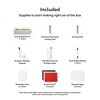
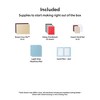

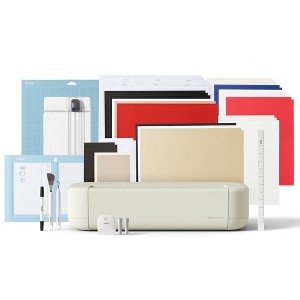
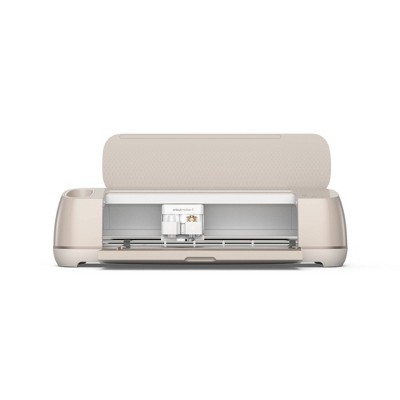
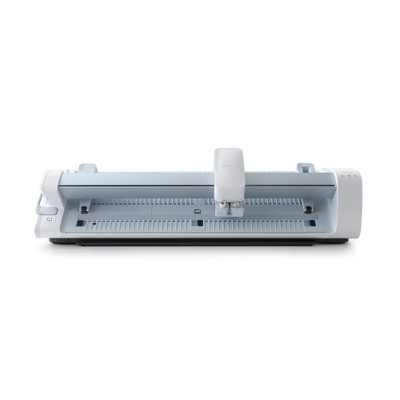
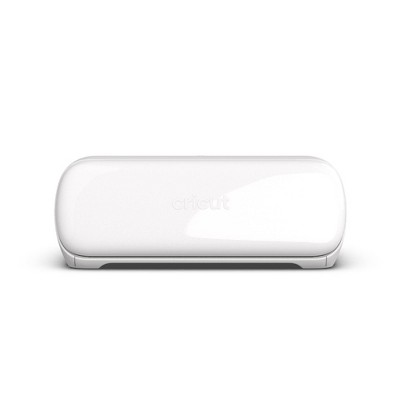
Cricut Explore 5 Cutting Machine Essential Bundle Taupe
New at target
$249.99
In Stock
Eligible for registries and wish lists
At a glance
About this item
Additional product information and recommendations
Discover more options
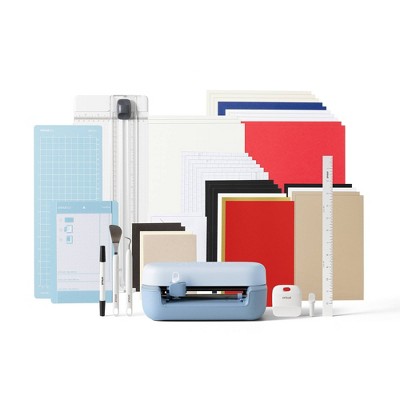
Frequently bought together
- $15.49reg $20.69 Sale
- $9.49 - $10.99reg $12.69 - $14.69 Sale
Guests also viewed
Related Categories
Guests are saying
The Cricut Explore 5 impresses with its speed, precision, and user-friendly features, making it an excellent choice for both beginners and experienced crafters. Guests appreciate the compact design, load and go functionality, and compatibility with various materials. However, some have noted issues with pen compatibility and the lack of an on/off button. Overall, it offers a great balance of performance and convenience for creative projects.
Summary created by AI from text of reviews reflecting recent feedback provided across different star ratings (includes incentivized reviews)
4.4 out of 5 stars with 98 reviews
1 out of 5 stars
5 June, 2026
originally posted on Cricut

Not worth the money or frustration
I was happy with my Cricut Air Explore. I didn't realize it worked like a dream until this Explore 5. Cuts are inconsistent/non-existent. Old pens are incompatible. The pen it came with broke after one use. The pen text looks nothing like the font. Fabric blade doesn't cut, original blade is inconsistent, the deep cut seems to be ok. Had to change pressure settings and I'm going through mats now. I'm close to throwing it all away.
5 out of 5 stars
2 June, 2026
originally posted on Cricut
Super fast!
I got an upgrade from air 2, this machine is amazing. How it cuts, super fast and is not that loud!
5 out of 5 stars
30 May, 2026
originally posted on Cricut
Love it!
I love my Cricut Explore 5. It is much faster and quieter than my Explore2.
1 reply from Cricut team - 9 days ago
We are so glad you are loving your Explore 5. Thank you for taking the time to leave a review.
5 out of 5 stars
28 May, 2026
originally posted on Cricut
Great Quality
Great machine easy to use Very helpful support as well
1 reply from Cricut team - 12 days ago
Thank you so much for your kind review! We’re delighted to hear that you’re enjoying the machine and that you’ve found it easy to use. We truly appreciate you taking the time to share your experience and hope you continue to enjoy creating with your machine.
4 out of 5 stars
22 May, 2026
originally posted on Cricut
Cricut Explore 5
It’s lighter and smaller and cuts lightening fast, I would just say read instructions carefully for the pen holder. It does move down which makes he one too long. It can be pushed up to work properly…so far I love it.
1 reply from Cricut team - 19 days ago
Hello Liz, we are glad to hear that you are happy with your Explore 5. Please let us know if there is anything we can do for you.
5 out of 5 stars
22 May, 2026
originally posted on Cricut
I LOVE it!!
This machine is so fast! The only thing I don’t like is how it has an open top feature instead of a “lid” to cover it. With my dusty house, I have covers on my machines anyway, this one currently has a dish towel.
1 reply from Cricut team - 19 days ago
Hello Rae, we are glad to hear that you are happy with your Explore 5. We are glad to hear that you found a way to be creative with covering your machine up. Please let us know if there is anything we can do for you.
1 out of 5 stars
18 May, 2026
originally posted on Cricut
Does not work
I purchased this with high expectations, but it doesn’t cut all the way through. I contacted support, and after spending nearly 3 hours troubleshooting and feeling like I was being blamed for the issue, they finally agreed to send a replacement cutter. I’m hoping that solves the problem, but I’m not very confident at this point. I have a feeling I’ll end up spending another few hours with support if the replacement doesn’t fix it.
1 reply from Cricut team - 23 days ago
Thank you for sharing your experience with us. We’re truly sorry to hear that the cutter didn’t perform as expected and that the troubleshooting process left you feeling frustrated. That’s not the experience we want for our customers. Your feedback is incredibly important, and we appreciate you taking the time to let us know what happened. Someone will be reaching out to you to make sure you end up with a product that works the way it should.
5 out of 5 stars
17 May, 2026
originally posted on Cricut
Explore 5 bundle
Explore 5 is so new and exciting to me. I last bought the explore air in 2016 The machines are so different. I hope I get as many years of joy with the 5 as I did and continue to get from my explore. The bundle is packed with everything you could possibly need to get started right out of the gate! Im looking forward to getting plenty if use out if my premium membership. Im all set!
1 reply from Cricut team - 22 days ago
Thank you for your kind review! We’re so glad you’re excited about your new Explore 5 and that the bundle has you ready to get started. Wishing you many more years of crafting joy!
3 out of 5 stars
16 May, 2026
originally posted on Cricut
Machine is great, app is ok
The machine is great and works very well. Very crisp cuts, fast, precise. Quality of the output is great. My issues are with the applications running it. I’ve had it freeze up on me where it will not finish through to the printer/cutter. Moving files around, reorganizing, etc is not user friendly. The app will not allow me to delete files. I think there is a lot of room for improvement in the app to make usability, creating, organizing, etc more user friendly.
1 reply from Cricut team - 23 days ago
Hello Scott, Thank you for taking the time to let us know about the experience. We are so happy to hear that you love your machine. We understand your frustration with Design Space and appreciate you for letting us know the impact that it has on your journey with creating. We want to assure you that we take all feedback seriously, and we will forward this on to the appropriate team for review.
5 out of 5 stars
8 May, 2026
originally posted on Cricut
So slick
Took me a bit to get it set up but boy once it’s set w- love it.
1 reply from Cricut team - 29 days ago
Hello, we are glad to hear that you are happy with your Explore 5 and Essential Bundle Items. Please let us know if there is anything we can do for you.
3 out of 5 stars
8 May, 2026
originally posted on Cricut
It takes some learning
I bought this and for the life of me I don’t get how to work this no matter how many tutorials I watch.
1 reply from Cricut team - 29 days ago
Hello JJ. We’re sorry you encountered issues setting up your Explore 5. Rest assured, our Member Care team of experts is available to help, so you and your machine can make DIY magic again asap.
5 out of 5 stars
7 May, 2026
originally posted on Cricut
Fast precise cutting
Machine is perfect for beginners and experts. Cut speed is precise and fast like Maker 4!
1 reply from Cricut team - 29 days ago
We’re so happy to hear that! It’s great to know the machine works just as well for beginners and experienced crafters, with fast and precise cuts like the Maker 4. Thanks for sharing!
5 out of 5 stars
2 May, 2026
originally posted on Cricut
Needed to buy new pens. Not happy about that !!
Love my explore 5 but very disappointed that they changed the pens so I can't use all the pens I already have from my explore 2. Just another way for the customer to spend more money on their products.
1 reply from Cricut team - 1 month ago
Hello Ginger, Thank you for taking the time to write to us about your experience with your Explore 5. We also appreciate you letting us know how we can further improve your user experience.
4 out of 5 stars
1 May, 2026
originally posted on Cricut
New Cricut Explore 5
Like the size of the machine and weight. Miss the on and off button. It's a pain pulling the cord from the machine when I am finished. I prefer to keep the cord attached to the machine. Disappointed the color pens do not fit. That is the only disappointment I have about the machine.
1 reply from Cricut team - 1 month ago
Hello, Thank you for taking the time to share your feedback on the Explore 5 and help us improve your user experience. Please reach out to our Member Care Team if you have any other concerns or questions.
5 out of 5 stars
30 April, 2026
originally posted on Cricut
Love Cricut!
I like how fast it cuts. Its quiet and cuts so well. I love the load /unload button! Not having one on joy xtra and then suddenly have it on Explore 5 was very nice to be able to check cuts before unloading. If joy xtra has a way of doing that I haven't figured it out yet.
1 reply from Cricut team - 1 month ago
Hi Doxiemom73, thank you for taking the time to let us know about your experience. We are so happy to hear that you are loving your new Explore 5. If there is anything you need, please reach out to Member Care.
3 out of 5 stars
21 April, 2026
originally posted on Cricut
Maker vs Explorer 5
Not compatible with any of my cricut maker pens even though everything I look up says they should work in my new Explorer 5. Having trouble aligning cuts with prints even after calabirating.
1 reply from Cricut team - 2 months ago
Hello, Vonnie. We’re sorry you encountered a compatibility issue with your machine. Rest assured, our Member Care team of experts is available to help, so you and your machine can make DIY magic again asap.
2 out of 5 stars
20 April, 2026
originally posted on Cricut
Not the best
Personally I feel like this was a step down from my “ Last cricut
1 reply from Cricut team - 2 months ago
We’re sorry to hear this felt like a step down compared to your previous Cricut. That’s certainly not the experience we want for our members. Your feedback is appreciated and has been shared with the appropriate teams. If there is anything specific we can look into, please contact our Member Care.
5 out of 5 stars
16 April, 2026
originally posted on Cricut
Explore 5
I love how fast the machine, coming from the first Air machine. I don’t like that there isn’t an On and Off button, so I’m having to unplug the unit after every use.
5 out of 5 stars
16 April, 2026
originally posted on Cricut
great and fast
great machine works very fast and accurately down to the tiniest details cutout
1 out of 5 stars
16 April, 2026
originally posted on Cricut
Does not read the lines to scan and cut
Doesn’t not work the print an cut does not read the lines
1 reply from Cricut team - 2 months ago
We’re sorry to hear you’re experiencing an issue when doing a Print-Then-Cut project. We understand your frustration and want to make sure you get the support you deserve. Please contact our Member Care team, so they can help find a solution.