
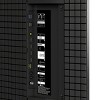

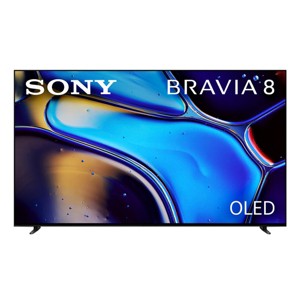
Sony K65XR80 BRAVIA 8 65" 4K OLED Smart TV
$1,999.99
Out of Stock

Free & easy returns
Return this item by mail or in store within 30 days for a full refund.
Sold & shipped by WORLD WIDE STEREO
Eligible for registries and wish lists
At a glance
About this item
Additional product information and recommendations
Discover more options
- $2,675.94reg $2,967.80 Sale
- $2,780.99reg $3,999.95 Sale
- $2,012.99reg $3,299.99 Sale
- $1,024.85reg $1,999.99 Sale
- $2,549.25reg $3,399.00 Sale
- $799.99reg $1,599.99 Sale4.5 out of 5 stars with 9 ratings
- $349.99 - $399.99Select items on salex on select items4.1 out of 5 stars with 329 ratings
- $1,336.93reg $5,999.00 Sale
- $1,197.99reg $1,899.99 Sale
- $2,263.93reg $5,999.00 Sale
- $1,187.46reg $2,199.00 Sale
- $1,132.99reg $1,699.00 Sale
- $976.43reg $1,599.95 Sale
- $1,599.36reg $2,499.00 Sale
- $2,059.99reg $2,999.99 Sale4.9 out of 5 stars with 718 ratings
- $1,132.99reg $1,903.95 Sale1 out of 5 stars with 1 ratings
- $1,094.27reg $1,499.00 Sale4.7 out of 5 stars with 457 ratings
- $1,171.61reg $1,697.99 Sale

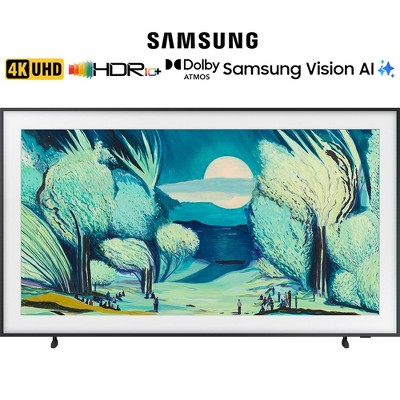
Frequently bought together
- $328.00 - $350.00reg $500.00 - $809.00 Sale
- $229.99 - $269.99reg $519.99 - $704.99 Sale4.3 out of 5 stars with 51 ratings
- $29.99reg $39.99 Sale3.7 out of 5 stars with 32 ratings

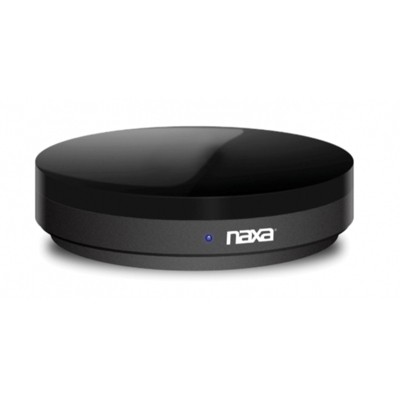

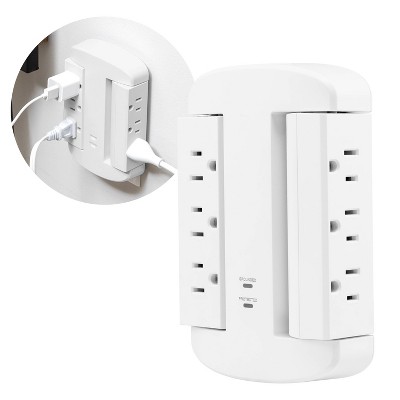

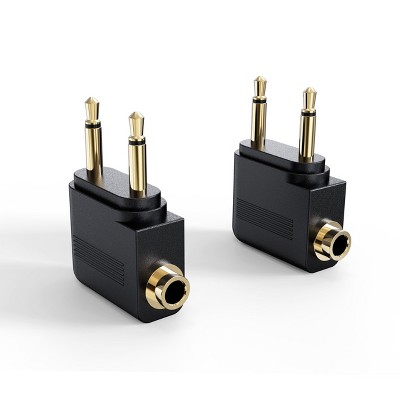
Guests also viewed
- $549.99 - $599.99reg $699.99 - $899.99 Sale4.7 out of 5 stars with 1100 ratings
- $229.99 - $799.99Select items on sale4.3 out of 5 stars with 2283 ratings
- $359.99 - $429.99reg $379.99 - $499.00 Sale4.6 out of 5 stars with 2362 ratings
- $349.99 - $399.99Select items on salex on select items4.1 out of 5 stars with 329 ratings
- $1,204.99reg $1,399.99 Sale4.9 out of 5 stars with 663 ratings
- $1,187.46reg $2,199.00 Sale
- $199.99 - $479.99Select items on sale4 out of 5 stars with 1040 ratings
- $1,599.36reg $2,499.00 Sale
- $2,399.40reg $3,999.00 Sale
- $1,132.99reg $1,699.00 Sale
- $799.99 - $999.99reg $1,199.99 - $1,699.99 Sale4.5 out of 5 stars with 429 ratings

Guests are saying
The Sony Bravia 8 OLED TV impresses with its stunning picture quality, vibrant colors, and excellent sound performance, making it a great choice for movie nights and gaming. Guests appreciate its easy setup and user-friendly interface, although some have noted issues with sound quality and the lack of a proper instruction manual. Overall, it offers a premium viewing experience that many guests find worth the investment.
Summary created by AI from text of reviews reflecting recent feedback provided across different star ratings (includes incentivized reviews)
4.4 out of 5 stars with 425 reviews
5 out of 5 stars
26 May, 2026
originally posted on sony.com

Very pleased with quality and features
Purchased a couple of weeks ago based on my previous Bravia's reliability over 17 years and the picture quality I'd seen displayed in John Lewis. Very happy with the OLED screen, sound quality and Google TV system. I had been planning on buying a soundbar but I'm not sure now as the sound is certainly good enough for movies and TV. I would recommend this TV to anyone as it's just fantastic quality.
4 out of 5 stars
26 May, 2026
originally posted on sony.com
Mm, not sure
Lack of sound modes lets it down. No instant guide. Bit outdated for the price. Previous Panasonic far better, except for Freely rubbish
5 out of 5 stars
22 May, 2026
originally posted on sony.com
Happy so far
I am happy with the TV so far but would like subtitles to be easier to switch on and off. The remote is not as user friendly as previous remotes. I am also of the generation who likes a printed manual. The sound quality and picture are excellent and the TV works well with my ageing Sony surround sound system
3 out of 5 stars
18 May, 2026
originally posted on sony.com
Good but lacks Freesat.
Happy enough, just wish that it was Freesat compatible.
1 reply from Sony support team team - 10 days ago
Hi, Thank you for your feedback. We’re happy to hear that you're enjoying your K-55XR80. Yet, we’re sorry to hear about your disappointment regarding the absence of Freesat. This is not the norm, as we strive to deliver the best quality possible. We appreciate your feedback. Hearing from our customers helps us continuously improve our products to align with your preferences. Rest assured that we've raised it to the concerned team for future consideration. If you need any further assistance, do not hesitate to contact us using the details provided in the following link: https://cutt.ly/heoRCkdW (Copy and paste the link into your browser) Nadine @Sony Support UK
5 out of 5 stars
14 May, 2026
originally posted on sony.com
Fantastic quality
Bought this 2 weeks ago and its absolutely amazing, the picture is perfect almost like looking through the window
4 out of 5 stars
13 May, 2026
originally posted on sony.com
Beware the glare, on this otherwise excellent TV
A beautiful, slim TV with simple set up and superb picture. My only slight criticism is that due to the screen. being gloss, rather than matt, in daylight we find that the screen reflects a picture of our garden, meaning that we have to close the curtains to watch TV until the light fades. This, however, is the only criticism and we will just adapt our routine, but it may have been a consideration, had we realised this would be the case.
5 out of 5 stars
13 May, 2026
originally posted on sony.com
Visually Stimulating
Upgraded after ten years of owning a Plasma TV. The difference is remarkable! The colours, clarity and sharpness are wonderful. Went for the 65" and it feels like I'm at the cinema every night. i would highly recommend the Sony Bravia 8 as one of the best TV's money can buy.
5 out of 5 stars
12 May, 2026
originally posted on sony.com
Bravia 8 OLED TV
A great picture, as expected from a Sony Bravia TV. The ability to use the TV speakers as a centre speaker in conjunction with my sound system is a surprisingly welcome bonus. It's also great to be able to enhance voices, which is always necessary when playing American movies and TV series. The only niggle being that the mains cable is ridiculously short (as usual).
5 out of 5 stars
11 May, 2026
originally posted on sony.com
Sony Bravia Oled TV Voice Zoom superb
We bought a 55” Sony Bravia Oled TV. Very happy with it. Picture quality is superb but most of all (as we are both hard of hearing) we appreciate the Voice Zoom feature… this enhances dialogue rather than just increasing the volume. Makes speech so much easier to understand
5 out of 5 stars
6 May, 2026
originally posted on sony.com
Buy it!
Absolutely love this television. Incredible resolution and display with no visible movement, great sound, easy to use and a vast range of features.
5 out of 5 stars
6 May, 2026
originally posted on sony.com
Google voice control
Great tv, it would take too long to go into all details, very happy
4 out of 5 stars
6 May, 2026
originally posted on sony.com
Excellent picture, good sound, poor guide.
This TV was purchased to replace an old plasma TV that had started to malfunction. The picture is excellent, and the sound is good for a modern TV. The live programme guide is not as usable as the old TV, and for some reason several live programmes that are available on other TVs fed from the same aerial are not available on the Sony, despite being shown as so on the guide. This is a problem and not one I would have expected on a new TV.
1 reply from Sony UK team - 22 days ago
Hi, Thank you for your feedback. We're happy to hear that you are enjoying your K-55XR80. Yet, we're sorry to hear that your facing difficulties with the programme guide. You can follow the instructions in the following link to perform retuning: https://cutt.ly/TtXBjUqR Additionally, you can use the following link to learn more about the programme guide: https://cutt.ly/ItXCVd2R If the issue remained, please follow the steps in the following link to improve and measure the TV reception signal strength: https://cutt.ly/NtXBzvxa Furthermore, if you need any further assistance, you can contact us directly using this link: https://cutt.ly/teQ6Ci60 (Please copy and paste the links in your browser). Ismail @Sony Support UK
5 out of 5 stars
5 May, 2026
originally posted on sony.com
Great picture and features
Have just purchased this TV and am still finding my way round it but so far am really impressed with the sharp picture.
4 out of 5 stars
5 May, 2026
originally posted on sony.com
Good picture quality
Excellent picture quality. Although the sun coming in the room makes it difficult to see it Any sequence of filming that’s supposed to be night time is impossible to see clearly and now way can we make it lighter using the brightness app. The sound is loud but if you turn it up to hear the dialogue the music blasts your ears. I can get the bbc text index for news headlines. All in all it’s okay but no better than the Samsung analogue it replaced
1 reply from Sony UK team - 23 days ago
Hi, Thank you for your feedback. We're happy to hear that you're enjoying the picture quality of your K-55XR80. Yet, we're sorry to learn that you're experiencing difficulties with your TV. You can follow the steps in the following article to adjust the picture and sound quality automatically: https://cutt.ly/AtXUpEvV Additionally, try selecting the "dialogue enhancer" by following the steps in the following article and test again: https://cutt.ly/9tXI6kUY If the issue persists, please follow the steps below: 1. Disconnect all externals (e.g., Sky box, Ariel cable, HDMI cables or USB, etc.). 2. Unplug the TV from the mains and leave it for 1 minute and then plug it back. 3. Make sure the software is updated using this link: https://cutt.ly/CtXUsnwc 4. Remove the cached data: Press HOME, then select [Settings] → [Storage and Reset] → [Internal storage] → [Cached data] → then select [Yes]. 5. Perform a factory data reset: https://cutt.ly/wtXUsfL3 Furthermore, if you need any further assistance, do not hesitate to contact us using the details here: https://cutt.ly/heoRCkdW (Please copy and paste the links into your browser). Ismail @Sony Support UK
4 out of 5 stars
4 May, 2026
originally posted on sony.com
Easy to operate
Very good clear picture but will have to get a sound bar to improve that.
1 reply from Sony support team team - 24 days ago
Hi, Thank you for your feedback. We're happy to hear that you are enjoying your K-55XR80. We hope you continue to enjoy it for years to come! Also, to have the optimum experience, you can configure various settings related to the TV’s sound, such as sound quality and sound mode here: https://cutt.ly/wtqegwWS If you need any assistance, do not hesitate to contact us using the details provided in the following link: https://cutt.ly/heoRCkdW (Copy and paste the link into your browser) Nadine @Sony Support UK
5 out of 5 stars
3 May, 2026
originally posted on sony.com
Picture quality
Absolutely lv this oled its like sony have little wizards living inside of it
4 out of 5 stars
2 May, 2026
originally posted on sony.com
Great TV with amazing sound
I have always been a Samsung person but, after my last 2 screens failed I decided to give Sony a go. Very impressed with the quality of the picture and the sound is amazing direct from the TV. The only gripe I do have is that the remote control doesn't fully operate the Sky Q box particularly it isn't capable of accessing the Sky Q home screen (menu).
1 reply from Sony UK team - 25 days ago
Hi, Thank you for your feedback. We are happy to hear that you are enjoying your K-55XR80, and happy with the quality we always aim to deliver! We hope you continue to enjoy it for years to come! Regarding the remote control issue, please make sure to follow the steps in the following link and try again: https://cutt.ly/RtZLYg0R Additionally, in the "Note" section in the stated article, it's stated that "Depending on the external devices, some buttons may not respond.". Furthermore, if you need any assistance, please do not hesitate to contact us using the details here: https://cutt.ly/heoRCkdW (Please copy and paste the links in your browser). Ismail @Sony Support UK
4 out of 5 stars
1 May, 2026
originally posted on sony.com
As above
No problems at all with the new Sony tv, very pleased But the way to achieve your 5 year warranty was extremely unclear and protracted - unhappy with this process
1 reply from Sony support team team - 26 days ago
Hi, Thank you for your feedback. We're happy to hear that you are enjoying your K-55XR80. We hope you continue to enjoy it for years to come! Moreover, we appreciate your feedback regarding the warranty process. Hearing from our customers helps us continuously improve our products to align with your preferences. Rest assured that we've raised it to the concerned team for future consideration. If you need any assistance, do not hesitate to contact us using the details provided in the following link: https://cutt.ly/heoRCkdW (Copy and paste the link into your browser) Nadine @Sony Support UK
4 out of 5 stars
1 May, 2026
originally posted on sony.com
Great tv
Great TV would of been 5 stars but still getting hear round how it works compared to old Sony bravia i had
1 reply from Sony support team team - 26 days ago
Hi, Thank you for your feedback. We're happy to hear that you are enjoying your K-65XR80. We hope you continue to enjoy it for years to come! However, you can explore the TV features using the online manual guide as it's comprehensive and thorough which helps you to adjust the settings up to your liking by using this link: https://cutt.ly/lr3XT16K If you need any assistance, do not hesitate to contact us using the details provided in the following link: https://cutt.ly/heoRCkdW (Please copy and paste links into your browser) Nadine @Sony Support UK
3 out of 5 stars
29 April, 2026
originally posted on sony.com
Too difficult
I bought this two weeks ago. The picture is great. Setting it up so difficult I have almost given up. We have a friend with the same TV he has given up. It appears you have no choice with the sound bar settings permanent on or off. We only use the sound bar for Music videos. switching channels is guesswork.
1 reply from Sony UK team - 28 days ago
Hi, Thank you for your feedback. We're happy to hear that you're enjoying the picture quality of your K-55XR80. Yet, we're sorry to hear that you're facing difficulties setting the TV with your sound bar. Please try the steps at the following link and test again: https://cutt.ly/otZtQ32O If the issue remains, please make sure to follow the steps here: https://cutt.ly/vtZtWuVi You can also, adjust the sound settings, following the steps here: https://cutt.ly/ItZtWxbn Additionally, regarding the channels issue, you can use the programme guide to select the desired channel, following the steps here: https://cutt.ly/htZtWTMl Furthermore, if you need any further assistance, you can contact us directly using this link: https://cutt.ly/teQ6Ci60 (Please copy and paste the links in your browser). Ismail @Sony Support UK