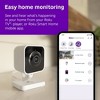
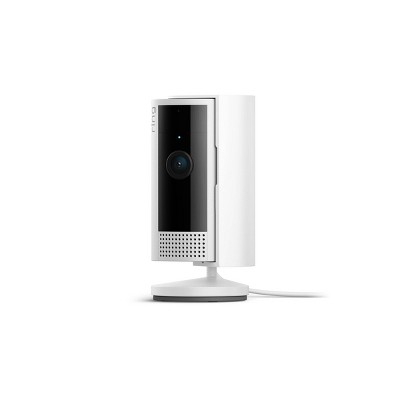
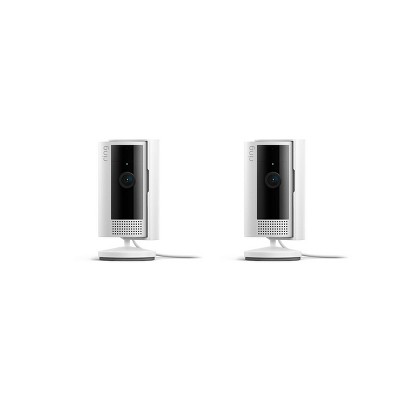
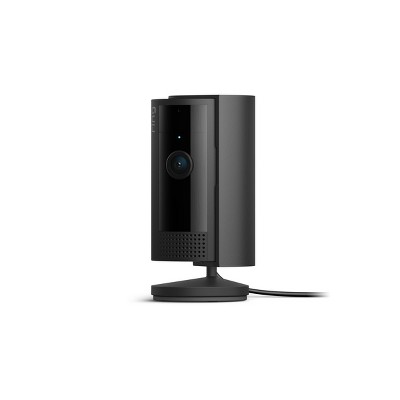
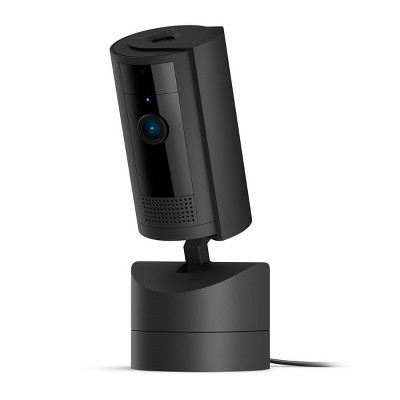
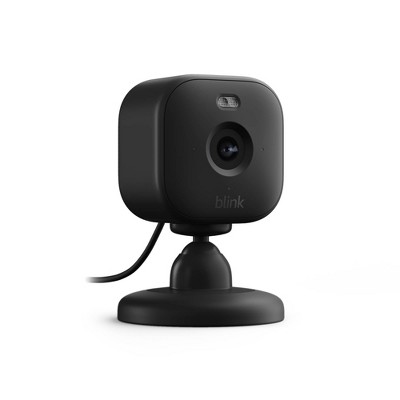
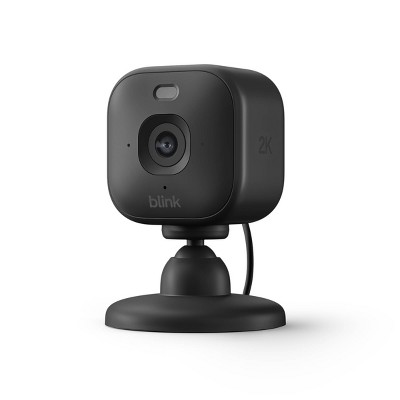
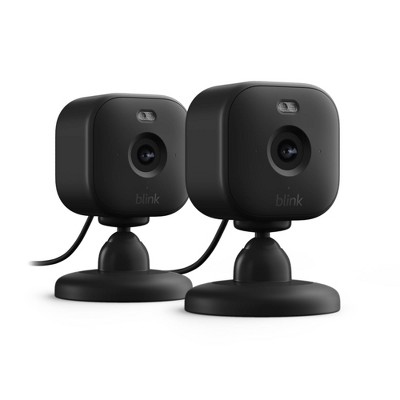
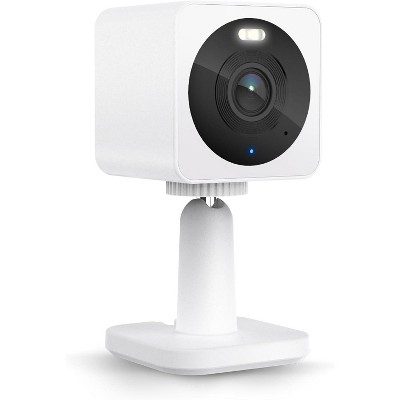
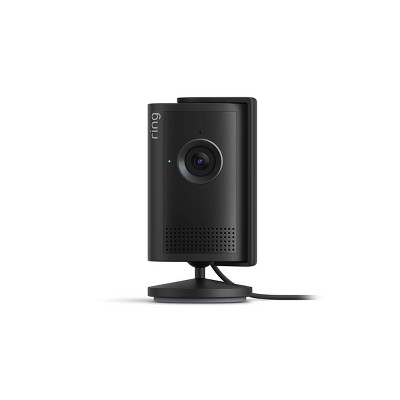
Easy home monitoring: Pop into any room—from anywhere with the Roku Indoor Camera. Check in with the kids and make sure your pets are OK from your Roku TV, player, or Roku Smart Home mobile app.
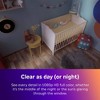
Clear as day (or night): Get every detail of the kids' room in 1080p HD full-color picture, whether it’s the middle of the night or the sun’s glaring through the window.
Check your home from your phone: View a live stream, adjust your camera settings, talk to your pet, and more—all from the Roku Smart Home mobile app.
Motion & sound detection: Whether you’re out running errands or in the middle of a show, get an alert within seconds of your indoor security camera’s sensor detecting motion or sound.
See it all on your TV: No, no—don’t get up. Pull up your camera’s feed on your Roku TV or player by simply pressing a button on your remote or using Roku Voice. Have multiple cameras? Use Camera Carousel to cycle through each feed and detect motion automatically.
Peace of mind: Enjoy enhanced security with a camera that holds an ioXt certification, ensuring rigorous safety standards and that has been through robust 3rd party review.
Surprisingly simple setup: No more juggling manuals and hard-to-read instructions. Your Roku Smart Home app will walk you through it in a snap with easy-to-follow photos and videos.
Don’t lose your connection: Place your camera anywhere in your home without losing connectivity thanks to Wi-Fi 6.
Description
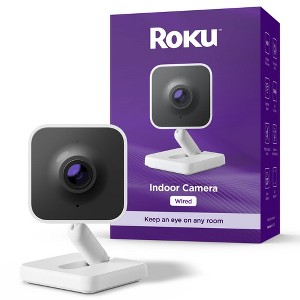
Roku Wired Indoor Camera from America’s #1 TV streaming company now brings your home to your screen. Place this home security camera in the kids' room, near the front door, or anywhere you want to watch closely, and catch all the action on HD video. Pull up a live feed from the couch on your Roku TV or player, or the Roku Smart Home mobile app. Automatic motion and sound detection alerts you of accidents about to happen, so you have enough time to say “Stop it!” with clear two-way audio. A built-in siren deters unwanted visitors, while customized motion detection ensures it won’t mistake a curtain for a threat. Plus, automatic software updates mean your Roku camera always offers the best performance and security.
Dimensions (Overall): 2.8 Inches (H) x 2.4 Inches (W) x 2.2 Inches (D)
Weight: 3.5 Ounces
Features: Built-In Microphone, 2-Way Talk, Night Vision, Controlled by Smartphone App, Senses Motion, Motion Activated
Indoor/Outdoor: Indoor
Assembly Details: Adult Assembly Required, Some Tools Provided
Connection Type: USB-C
Model #: SCS11R
Number of Cameras: 1
Mount Type: Hardware Mounted
Operating System Compatibility: Apple iOS, Android
Maximum Resolution: 1920 x 1080
Screen Resolution: No Screen
Image Sensor Type: CMOS Sensor
Wireless Technology: Wi-Fi
Compatible With: Google Assistant, ROKU Smart Home, Amazon Alexa
Night Vision Range: 25 Feet
Focal Length: 2.8mm
Minimum Operating Temperature Fahrenheit: -5
Maximum Operating Temperature Fahrenheit: 113
Motion Detection Angle: 105 Degrees
Power Source: Electric Hardwired
Battery: No Battery Used
Warranty: 1 Year Limited Warranty. To obtain a copy of the manufacturer's or supplier's warranty for this item prior to purchasing the item, please call Target Guest Services at 1-800-591-3869
TCIN: 94728671
UPC: 829610007793
Item Number (DPCI): 056-16-0573
Origin: Imported
If the item details aren’t accurate or complete, we want to know about it.
Shipping details
Estimated ship dimensions: 4.92 inches length x 3.34 inches width x 2.36 inches height
Estimated ship weight: 0.485 pounds
Return details
This item can be returned to any Target store or Target.com.
This item must be returned within 30 days of the date it was purchased in store, delivered to the guest, delivered by a Shipt shopper, or picked up by the guest.
Q: Can I buy multiple of these and they all work at the same time?
submitted by Shoes - 4 months ago
A: Hello Shoes, Yes, multiple Roku Indoor Cameras (Wired) function simultaneously within the same Roku Smart Home app and Roku account, allowing for multiple simultaneous live feeds. They can all display on your mobile device, with Camera Carousel functionality on Roku TVs, and support comprehensive motion/sound detection alerts.
submitted byRoku Support - 4 months ago
Brand expert
A: Hi, thanks for reaching out about Roku Indoor Camera - Home Security - Wired Security Camera with 1080p HD Color Night Vision, WDR & Wi-Fi 6
Yes, multiple Roku Indoor Cameras (Wired) function simultaneously within the same Roku Smart Home app and Roku account, allowing for multiple simultaneous live feeds. They can all display on your mobile device, with Camera Carousel functionality on Roku TVs, and support comprehensive motion/sound detection alerts.
If you have any additional questions, we welcome you to contact MyTGTtech at 833-848-8324 every day, between 7am-11pm CST.
submitted byJustin - 4 months ago
Target expert support
Q: Can you move the camera
submitted by janut24 - 5 months ago
A: Hello janut24, this camera does not feature auto mixed movement and any adjustments must be done manually.
submitted byRoku Support - 4 months ago
Brand expert
A: Hi, thanks for reaching out about Roku Indoor Camera - Home Security - Wired Security Camera with 1080p HD Color Night Vision, WDR & Wi-Fi 6.
Yes — you can move it, but with an important limitation.
✅ What “move” means for the Roku Indoor Camera
📦 Physical movement: YES
The Roku Indoor Camera is not permanently fixed.
You can pick it up and reposition it anywhere indoors as long as:
There’s a power outlet (it’s wired)
It’s within Wi‑Fi range
It’s designed for tabletop placement, shelves, or wall mounting.
After moving it, you can easily re‑aim the viewing angle by tilting the camera housing.
✅ This makes it easy to relocate between rooms (living room, nursery, hallway, etc.).
🎥 Remote movement (pan/tilt): NO
This model does NOT have motorized pan or tilt.
You cannot move or rotate the camera remotely in the Roku app.
The camera view stays fixed once you position it.
❌ If you’re looking for on‑screen controls to turn the camera left/right or up/down, this model doesn’t support that.
If you have any additional questions, we welcome you to contact MyTGTtech at 833-848-8324 every day, between 7am-11pm CST.
submitted byJoe - 5 months ago
Target staff support
Q: Is this battery operated or is does it need to be plugged in?
submitted by Anomybus - 5 months ago
A: Hello Anomybus, this camera is wired and must be plugged in.
submitted byRoku Support - 5 months ago
Brand expert
A: Wired means it needs to be plugged in. It is not battery operated.
submitted byAnomybus - 5 months ago
Q: Can this camera be viewed by multiple family members in elderly parents home?
submitted by Sharon - 5 months ago
A: Hello Sharon, Yes — multiple family members can view a Roku Indoor Camera, but there’s an important limitation you should know about, especially for an elderly‑care situation. How sharing works with Roku Indoor Cameras What IS possible Multiple people can view the camera live and recorded video Works on multiple phones or tablets (iOS/Android) Also viewable on Roku TVs or streaming players linked to the same account No limit on how many devices are signed in The key requirement (important) All viewers must be logged in to the same Roku Smart Home account. Roku does not currently offer individual user invitations, guest access, or permission levels for cameras. This is confirmed by Roku moderators on the official Roku Community boards: The only way to let someone else view a camera is to sign them in using your Roku account credentials. [community.roku.com] Access is account‑based, not Wi‑Fi‑based, and not tied to profiles. What this means for an elderly parents’ home Good news All adult children or caregivers can: Check in visually Use two‑way audio (if enabled) Receive motion alerts Works well for remote wellness checks Simple setup (no complex permissions to manage) Trade‑offs to be aware of Because everyone shares one account: Everyone has equal access (view, settings, delete clips) No way to: Give “view‑only” access Restrict controls to certain people See who logged in last If you stop wanting someone to access the camera, you must: Change the Roku account password Or manually sign them out of each device.
submitted byRoku Support - 5 months ago
Brand expert
A: Hi, thanks for reaching out about Roku Indoor Camera - Home Security - Wired Security Camera with 1080p HD Color Night Vision, WDR & Wi-Fi 6.
Yes — multiple family members can view a Roku Indoor Camera, but there’s an important limitation you should know about, especially for an elderly‑care situation.
✅ How sharing works with Roku Indoor Cameras
✅ What IS possible
Multiple people can view the camera live and recorded video
Works on multiple phones or tablets (iOS/Android)
Also viewable on Roku TVs or streaming players linked to the same account
No limit on how many devices are signed in
❗ The key requirement (important)
All viewers must be logged in to the same Roku Smart Home account.
👉 Roku does not currently offer individual user invitations, guest access, or permission levels for cameras.
This is confirmed by Roku moderators on the official Roku Community boards:
The only way to let someone else view a camera is to sign them in using your Roku account credentials. [community.roku.com]
Access is account‑based, not Wi‑Fi‑based, and not tied to profiles.
👵 What this means for an elderly parents’ home
✅ Good news
All adult children or caregivers can:
Check in visually
Use two‑way audio (if enabled)
Receive motion alerts
Works well for remote wellness checks
Simple setup (no complex permissions to manage)
⚠️ Trade‑offs to be aware of
Because everyone shares one account:
Everyone has equal access (view, settings, delete clips)
No way to:
Give “view‑only” access
Restrict controls to certain people
See who logged in last
If you stop wanting someone to access the camera, you must:
Change the Roku account password
Or manually sign them out of each device.
If you have any additional questions, we welcome you to contact MyTGTtech at 833-848-8324 every day, between 7am-11pm CST.
submitted byJoe - 5 months ago
Target staff support
Q: If I get the Roku subscription, can I go back and watch a video & can I then download it to my phone to save permanently?
submitted by Laurbar - 5 months ago
A: Hello Laurbar, Yes, if you purchase a Roku Smart Home Subscription, you can go back and watch recorded video events, and you can download them directly to your phone to save them permanently.
submitted byRoku Support - 5 months ago
Brand expert
A: Hi, thank you for reaching out about Roku Indoor Camera - Home Security - Wired Security Camera with 1080p HD Color Night Vision, WDR & Wi-Fi 6.
Yes, if you purchase a Roku Smart Home Subscription, you can go back and watch recorded video events, and you can download them directly to your phone to save them permanently.
If you have any additional questions, we welcome you to contact MyTGTtech at 833-848-8324 every day, between 7am-11pm CST.
submitted byMatt - 5 months ago
Target expert support
Q: Will this camera work with the Wyze app on an Android phone?
submitted by Gary - 6 months ago
A: Hello Gary, No, the Roku Indoor Camera will not work with the Wyze app on an Android phone. Although Roku cameras are developed in partnership with Wyze, they are designed to work exclusively with the Roku Smart Home app and Roku ecosystem.
submitted byRoku Support - 6 months ago
Brand expert
A: Hi, thank you for reaching out about Roku Indoor Camera - Home Security - Wired Security Camera with 1080p HD Color Night Vision, WDR & Wi-Fi 6.
No, the Roku Indoor Camera will not work with the Wyze app on an Android phone. Although Roku cameras are developed in partnership with Wyze, they are designed to work exclusively with the Roku Smart Home app and Roku ecosystem.
If you have any additional questions, we welcome you to contact MyTGTtech at 833-848-8324 every day, between 7am-11pm CST.
submitted byMatt - 6 months ago
Target expert support
Q: can I put the camera indoor in my window, to view traffic in my parking lot. Will it be able to catch the cars that are in and out/parking? its directly infront of my window, so no huge distance
submitted by India - 8 months ago
A: Hello India, Yes, you can use the Roku Indoor Camera to monitor your parking lot through a window, but you need to make two specific setting changes to make it actually work—especially at night. If you just plug it in and point it out the window, you will likely see nothing but a reflection of the camera itself once the sun goes down. Most security cameras use small red LED lights to see in the dark. When pointed at a window, these lights hit the glass and bounce right back into the lens, creating a blinding white glare that hides everything outside. To resolve this you will want to go into the Roku Smart Home App > Settings > Advanced Settings > Night Vision and turn the IR lights OFF. The small blue/red status light on the front of the camera will also reflect off the glass and create a "ghost" image in your footage. To run off the status light, in the same Advanced Settings menu, toggle the Camera Status Light to OFF.
submitted byRoku Support - 8 months ago
Brand expert
A: Hi, thanks for reaching out about Roku Indoor Camera - Home Security - Wired Security Camera with 1080p HD Color Night Vision, WDR & Wi-Fi 6
Yes, you can use the Roku Indoor Camera to monitor your parking lot through a window, but you need to make two specific setting changes to make it actually work—especially at night. If you just plug it in and point it out the window, you will likely see nothing but a reflection of the camera itself once the sun goes down.
Most security cameras use small red LED lights to see in the dark. When pointed at a window, these lights hit the glass and bounce right back into the lens, creating a blinding white glare that hides everything outside. To resolve this you will want to go into the Roku Smart Home App > Settings > Advanced Settings > Night Vision and turn the IR lights OFF. The small blue/red status light on the front of the camera will also reflect off the glass and create a "ghost" image in your footage. To run off the status light, in the same Advanced Settings menu, toggle the Camera Status Light to OFF.
If you have any additional questions, we welcome you to contact MyTGTtech at 833-848-8324 every day, between 7am-11pm CST.
submitted byMike - 8 months ago
Target expert support
Q: Will it will work with T-Mobile 5g WiFi service?
submitted by Pam - 8 months ago
A: Hello Pam, Yes it sure will!
submitted byRoku Support - 8 months ago
Brand expert
A: Hi, thank you for reaching out about Roku Indoor Camera - Home Security - Wired Security Camera with 1080p HD Color Night Vision, WDR & Wi-Fi 6.
Yes, the Roku Indoor Camera can work with T-Mobile 5G WiFi, but only if your T-Mobile gateway is broadcasting a separate 2.4GHz Wi-Fi network, because the camera requires 2.4GHz for setup and connectivity, even though it lists Wi-Fi 6 support (which includes 2.4GHz/5GHz).
If you have any additional questions, we welcome you to contact MyTGTtech at 833-848-8324 every day, between 7am-11pm CST.
submitted byMatt - 8 months ago
Target expert support
Q: Does this camera record or can you only see live footage ?
submitted by Jennifer - 8 months ago
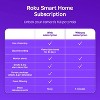
A: Hello Jennifer, The Roku Indoor Camera can record, but how it does so depends on whether you want to pay a monthly fee or use local storage. Out of the box, without any extras, it is primarily for live viewing only. Here are your three options for recording: 1. The "Free" Way (Live Only) - If you do not pay for a subscription and do not use an SD card, you will be able to: -Live Stream: You can watch the live feed anytime on your phone or Roku TV. -No Saved Video: When the camera detects motion, you will get a notification, but you cannot go back and watch what happened. As of 2025, Roku has removed the "free still image" snapshots that used to come with alerts. 2. Local Recording (MicroSD Card) - You can insert a MicroSD card (up to 256GB) into the base of the camera, which allows for: -Continuous Recording: The camera can record 24/7 to the card. When the card is full, it overwrites the oldest footage. -Reviewing the video: Roku currently does not allow you to view SD card footage remotely through the app. To see what was recorded, you have to physically remove the card and plug it into a computer or a phone with a card reader. 3. Cloud Recording (Roku Smart Home Subscription) - If you choose to pay for the monthly subscription , you unlock the full recording features: -Event Clips: Every time motion or sound is detected, a video clip is saved to the cloud for 14 days. -Easy Access: you can watch these clips instantly from the "Events" tab in the Roku app on your phone or your Roku TV. -Smart Alerts: It can tell the difference between a person, a pet, or a package.
submitted byRoku Support - 8 months ago
Brand expert
A: Hi, thanks for reaching out about Roku Indoor Camera - Home Security - Wired Security Camera with 1080p HD Color Night Vision, WDR & Wi-Fi 6
The Roku Indoor Camera can record, but how it does so depends on whether you want to pay a monthly fee or use local storage. Out of the box, without any extras, it is primarily for live viewing only.
Here are your three options for recording:
1. The "Free" Way (Live Only) - If you do not pay for a subscription and do not use an SD card, you will be able to:
-Live Stream: You can watch the live feed anytime on your phone or Roku TV.
-No Saved Video: When the camera detects motion, you will get a notification, but you cannot go back and watch what happened. As of 2025, Roku has removed the "free still image" snapshots that used to come with alerts.
2. Local Recording (MicroSD Card) - You can insert a MicroSD card (up to 256GB) into the base of the camera, which allows for:
-Continuous Recording: The camera can record 24/7 to the card. When the card is full, it overwrites the oldest footage.
-Reviewing the video: Roku currently does not allow you to view SD card footage remotely through the app. To see what was recorded, you have to physically remove the card and plug it into a computer or a phone with a card reader.
3. Cloud Recording (Roku Smart Home Subscription) - If you choose to pay for the monthly subscription , you unlock the full recording features:
-Event Clips: Every time motion or sound is detected, a video clip is saved to the cloud for 14 days.
-Easy Access: you can watch these clips instantly from the "Events" tab in the Roku app on your phone or your Roku TV.
-Smart Alerts: It can tell the difference between a person, a pet, or a package.
If you have any additional questions, we welcome you to contact MyTGTtech at 833-848-8324 every day, between 7am-11pm CST.
submitted byMike - 8 months ago
Target expert support
Q: Does this camera record or can you only see live footage
submitted by Jennifer - 8 months ago
A: Hello Jennifer, The Roku Indoor Camera can record, but how it does so depends on whether you want to pay a monthly fee or use local storage. Out of the box, without any extras, it is primarily for live viewing only. Here are your three options for recording: 1. The "Free" Way (Live Only) - If you do not pay for a subscription and do not use an SD card, you will be able to: -Live Stream: You can watch the live feed anytime on your phone or Roku TV. -No Saved Video: When the camera detects motion, you will get a notification, but you cannot go back and watch what happened. As of 2025, Roku has removed the "free still image" snapshots that used to come with alerts. 2. Local Recording (MicroSD Card) - You can insert a MicroSD card (up to 256GB) into the base of the camera, which allows for: -Continuous Recording: The camera can record 24/7 to the card. When the card is full, it overwrites the oldest footage. -Reviewing the video: Roku currently does not allow you to view SD card footage remotely through the app. To see what was recorded, you have to physically remove the card and plug it into a computer or a phone with a card reader. 3. Cloud Recording (Roku Smart Home Subscription) - If you choose to pay for the monthly subscription , you unlock the full recording features: -Event Clips: Every time motion or sound is detected, a video clip is saved to the cloud for 14 days. -Easy Access: you can watch these clips instantly from the "Events" tab in the Roku app on your phone or your Roku TV. -Smart Alerts: It can tell the difference between a person, a pet, or a package.
submitted byRoku Support - 8 months ago
Brand expert
A: Hi, thanks for reaching out about Roku Indoor Camera - Home Security - Wired Security Camera with 1080p HD Color Night Vision, WDR & Wi-Fi 6
The Roku Indoor Camera can record, but how it does so depends on whether you want to pay a monthly fee or use local storage. Out of the box, without any extras, it is primarily for live viewing only.
Here are your three options for recording:
1. The "Free" Way (Live Only) - If you do not pay for a subscription and do not use an SD card, you will be able to:
-Live Stream: You can watch the live feed anytime on your phone or Roku TV.
-No Saved Video: When the camera detects motion, you will get a notification, but you cannot go back and watch what happened. As of 2025, Roku has removed the "free still image" snapshots that used to come with alerts.
2. Local Recording (MicroSD Card) - You can insert a MicroSD card (up to 256GB) into the base of the camera, which allows for:
-Continuous Recording: The camera can record 24/7 to the card. When the card is full, it overwrites the oldest footage.
-Reviewing the video: Roku currently does not allow you to view SD card footage remotely through the app. To see what was recorded, you have to physically remove the card and plug it into a computer or a phone with a card reader.
3. Cloud Recording (Roku Smart Home Subscription) - If you choose to pay for the monthly subscription , you unlock the full recording features:
-Event Clips: Every time motion or sound is detected, a video clip is saved to the cloud for 14 days.
-Easy Access: you can watch these clips instantly from the "Events" tab in the Roku app on your phone or your Roku TV.
-Smart Alerts: It can tell the difference between a person, a pet, or a package.
If you have any additional questions, we welcome you to contact MyTGTtech at 833-848-8324 every day, between 7am-11pm CST.
WARNING: This product can expose you to chemicals including styrene which is known to the state of California to cause cancer, and bisphenol A which is known to the state of California to cause birth defects or other reproductive harm. For more information, go to www.P65Warnings.ca.gov For more information, go to https://www.p65warnings.ca.gov/
This product offers exceptional value with its impressive camera quality and user-friendly app, making it ideal for monitoring pets, home security, and wildlife observation. Guests appreciate the clear images, sound features, and ease of installation. While some have experienced connectivity issues and subscription requirements for advanced features, the overall satisfaction with the cameras remains high, making them a popular choice for home surveillance.
Summary created by AI from text of reviews reflecting recent feedback provided across different star ratings (includes incentivized reviews)
4.6
4.6 out of 5 stars
657 star ratings
4.6 out of 5 stars with 657 reviews
quality
4.2 out of 5
quality: 4.2 out of 5
value
5.0 out of 5
value: 5 out of 5
50% would recommend
8 recommendations
5 out of 5 stars
27 August, 2026
originally posted on roku.com
Roku Cameras
I just referred someone on Facebook to buy these. They are safe, I have had some problems before with uploading but I'm back on track now & I can take pictures, sound, I love my cameras. The price to buy and the monthly subscription is so reasonably that I have told so many people about them.
Janet D
Did you find this review helpful?
5 out of 5 stars
21 August, 2026
originally posted on roku.com
Great
Works great! Great picture! Roku cameras have a very clear picture.
Allen B
Did you find this review helpful?
5 out of 5 stars
20 August, 2026
originally posted on roku.com
(no review title)
I love them and I would recommend to friends and family
Toni F
Did you find this review helpful?
5 out of 5 stars
7 August, 2026
originally posted on roku.com
These cameras work great
These cameras work great the cost of hosting is very small.
Ken H
Did you find this review helpful?
5 out of 5 stars
3 May, 2026
originally posted on roku.com
(no review title)
Great app and equipment if you don't have it Get ut now.......
Jamal T
Did you find this review helpful?
5 out of 5 stars
8 April, 2026
originally posted on roku.com
(no review title)
Just love havi the cameras its great to see whst happens when your not home L
Rebecca B
Did you find this review helpful?
5 out of 5 stars
30 March, 2026
originally posted on roku.com
I couldn't believe how good the quality is
for the price, these cameras are incredible. It catches across the parking lot where my car is perfectly clear
Amanda S
1 guest found this review helpful. Did you?
5 out of 5 stars
27 March, 2026
originally posted on roku.com
(no review title)
I Love This Camera, Brought One 3 Years Ago & Decided To Get Another One
Sarah T
Did you find this review helpful?
5 out of 5 stars
27 March, 2026
originally posted on roku.com
Roku cameras
Best cameras ever.. I already have 10 altogether.. no problems whatsoever.. I recommend them 100%
Nora D
Did you find this review helpful?
5 out of 5 stars
26 March, 2026
originally posted on roku.com
I love it!!
I have a covered back porch, so I'm using it outside. Porch has 2 doors, and I leave both open. I put out food and water for wildlife, but up to now I didn't know what I was feeding. (the food was always gone in the morning) Guess what!! Not only do I get feral cats, but also possums, and raccoons. Last night I had a fox out there, snacking!! My Roku camera alerts me when a guest shows up, so I can observe them, and even hear them due to the "sound" feature. That camera is the best thing I have spent money on in the last year. And the price was so reasonable! I rate it an A++++.
Colleen M
1 guest found this review helpful. Did you?
5 out of 5 stars
25 March, 2026
originally posted on roku.com
(no review title)
I love this camaras they recorded really nice loved them
Bianca S
Did you find this review helpful?
5 out of 5 stars
24 March, 2026
originally posted on roku.com
Love it
Best camera ever and I feel safe with the camera's and I recommend them to everyone
Tabatha B
Did you find this review helpful?
5 out of 5 stars
24 March, 2026
originally posted on roku.com
Indoor Cameras
I'm so glad that I purchased these indoor cameras to watch my pets while I'm away from home.
Sophia Totman
1 guest found this review helpful. Did you?
1 out of 5 stars
Thumbs down graphic, would not recommendWould not recommend
23 March, 2026Verified purchase
Connection issues and expensive subscription required
Frequent connection issues and you have to pay for a subscription to record or take photos. It’s only helpful if you hear the notification on your phone and look at whatever is happening right at that moment.
1 reply from Roku Support team - 5 months ago
Hello! Thank you for bringing this issue to our attention. Have you encountered any error messages or codes? We recommend restarting your router and moving your device closer to it. Additionally, try reducing the number of other devices using your network. Please ensure that both the Roku Smart Home app and the camera are updated. You may also want to test the app on a different mobile device to see if that resolves the issue. If the problem persists, please contact us at https://support.roku.com/contactus for further assistance. Rest assured that we'll share this feedback along with our product team. Jessica, Roku Customer Advocate
L
1 guest found this review helpful. Did you?
1 out of 5 stars
22 March, 2026
originally posted on roku.com
Very disappointing
I got this camera so i can get notifications when I'm not home and so i can see who walks by or to my front door. When i first got the camera it worked perfect and i would get timely notifications as well as could play back from my SD card any events that happened while away from home. After a year or so I guess ROKU got greedy and took that all away so they could force me to have to pay for a subscription. Didnt work Ha ha ha! I've found another free camera that gives me what i want, not as reliable but better than what roku is now. HEY Leave my Review a thumbs up if you want to see me share a clip of the roku cam being melted by a torch. LOL .
1 reply from Roku Customer Advocate team - 5 months ago
Hi there, thank you for sharing your feedback with us! We completely understand how helpful event clips, still images after receiving a motion notification, and an SD card slot can be. While this feature is currently available only with a Roku Smart Home Subscription, you will still receive push notifications on your device if phone notifications are enabled, and you can stream live from your camera. Your input is valuable, and we’ve forwarded it to our product team as they continue to improve the experience. If there’s anything else we can assist you with in the future, please don’t hesitate to reach out. Thanks again! Roku Customer Advocate
JRockZ
5 guests found this review helpful. Did you?
5 out of 5 stars
21 March, 2026
originally posted on roku.com
Excellent cameras exactly what I needed
Love the cameras they work wonderfully. I would definitely recommend them to anyone who needs to have cameras with voice and sound capabilities it's a game changer for us
Christine S
Did you find this review helpful?
5 out of 5 stars
20 March, 2026
originally posted on roku.com
Love it!
I feel more secure knowing I have this security system in my home!
Jean Donovan
Did you find this review helpful?
5 out of 5 stars
19 March, 2026
originally posted on roku.com
(no review title)
My cameras are absolutely amazing and great quality
Haley F
Did you find this review helpful?
5 out of 5 stars
18 March, 2026
originally posted on roku.com
(no review title)
Nice product recommendation to everyone??????? ??
Jonathan F
Did you find this review helpful?
5 out of 5 stars
14 March, 2026
originally posted on roku.com
(no review title)
Very satisfied with the cameras i have 4 indoor camera Tku Roku