Target New ArrivalsGift Ideas for DadClothing, Shoes & AccessoriesHome & DecorKitchen & DiningOutdoor Living & GardenGroceryHousehold EssentialsBabyBeautyPersonal CareSports & OutdoorsHealthWellnessLuggageSchool & Office SuppliesToysElectronicsVideo GamesMovies, Music & BooksParty SuppliesGift IdeasGift CardsPetsUlta Beauty at TargetShop by CommunityTarget OpticalDealsClearanceNew ArrivalsGift Ideas for DadBack to SchoolCollegeTop DealsTarget Circle DealsWeekly AdShop Order PickupShop Same Day DeliveryRegistryRedCardTarget CircleFind Stores
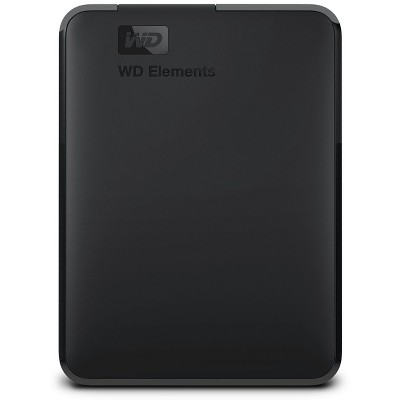
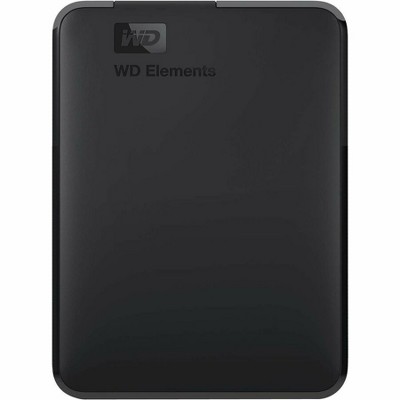
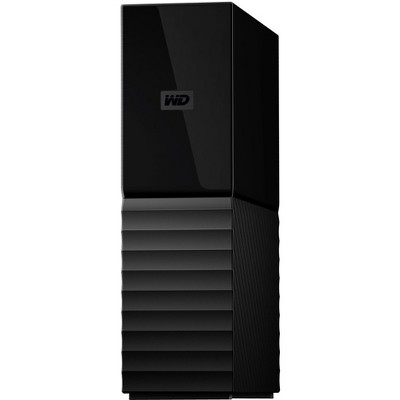
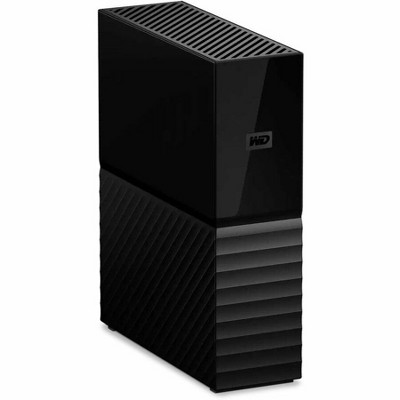
Western Digital My Passport 4TB - Black - 2 of 4Western Digital My Passport 4TB - Black - 3 of 4Western Digital My Passport 4TB - Black - 4 of 4
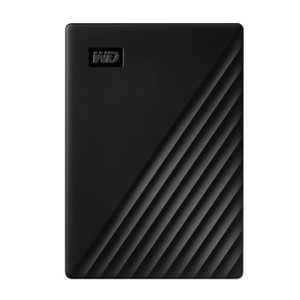
Western Digital My Passport 4TB - Black - 1 of 4

Western Digital My Passport 4TB - Black

$159.99

In Stock

Eligible for registries and wish lists

About this item

Highlights

  • Slim design
  • Automatic backup - easy to use
  • Password protection + 256-bit AES hardware encryption
  • Trusted drive built with WD® reliability
  • WD Discovery™ software for WD Backup™, password protection and drive management
  • SuperSpeed USB port; USB 2.0 compatible

Description

Slim style.
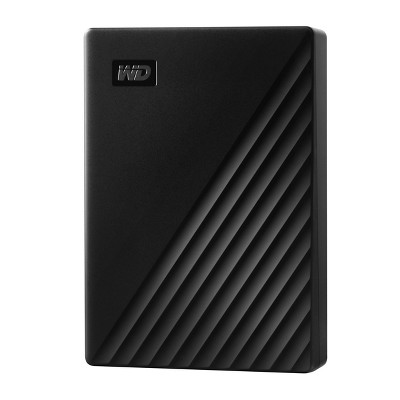
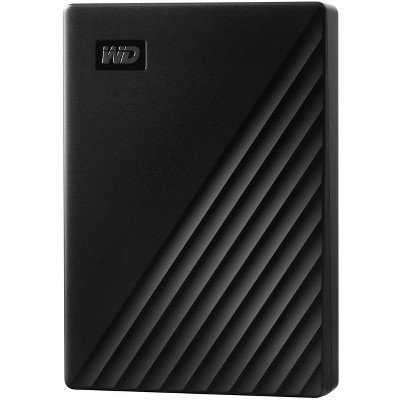
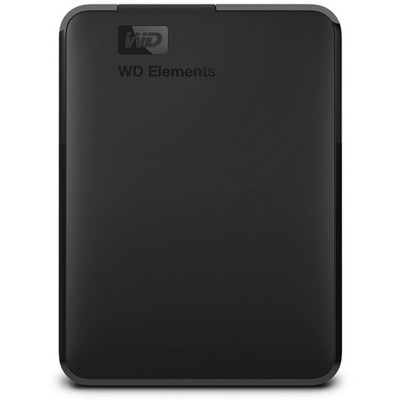
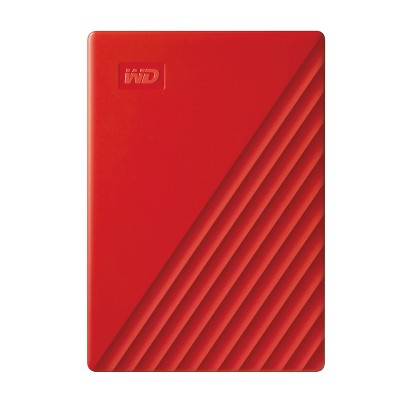
The new My Passport™ drive has been redesigned for you to make the most of your own journey. It features a convenient, slim form factor and is available in a range of vibrant colors.
Locked down.
The My Passport™ drive’s built-in 256-bit AES hardware encryption with password protection helps keep your digital life's contents secure. Just activate password protection and set your own personalized password using WD Discovery™.
Backed up.
The My Passport™ drive comes equipped with WD Backup™ software to help make sure everything you create while on your own life journey - photos, videos, music and documents - doesn’t get lost. You can set it to run automatically to your schedule. Just pick the time and frequency to back up important files from your system onto your My Passport drive.
Super easy.
My Passport™ portable storage is ready right out of the box including all necessary cables. And with SuperSpeed USB, you can quickly start backing up everything in your life and keep driving forward.
Social friendly.
Included WD Discovery™ software lets you connect to popular social media and cloud storage services like Facebook, Dropbox and Google Drive™. Seamlessly import, organise and share your photos, videos and docs to the My Passport drive to backup your online social life. WD Discovery can also manage your drive through WD Drive Utilities™.
Ongoing confidence.
There's no telling what's ahead in your own journey. That's why WD® builds drives to demanding requirements for durability, and long-term reliability. On top of that, it comes with a 3-year limited warranty.
Dimensions (Overall): .85 Inches (H) x 3.21 Inches (W) x 4.33 Inches (D)
Weight: .54 Pounds
Hard Drive Speed: 5400 RPM
Electronics Features: Easy Setup, Password Protected, Plug and Play, Automatic Backup Function, USB Powered
Connection Type: USB
Data Storage Capacity: 4TB
Operating System Compatibility: Google Chrome OS, Microsoft Windows
Data storage type: HDD
Warranty: 3 Year Limited Warranty. To obtain a copy of the manufacturer's or supplier's warranty for this item prior to purchasing the item, please call Target Guest Services at 1-800-591-3869
TCIN: 76457034
UPC: 718037869438
Item Number (DPCI): 056-02-2868
Origin: Imported
If the item details aren’t accurate or complete, we want to know about it.

Shipping details

Estimated ship dimensions: 5.66 inches length x 4.05 inches width x 1.73 inches height
Estimated ship weight: 0.66 pounds

Return details

This item can be returned to any Target store or Target.com.
This item must be returned within 30 days of the date it was purchased in store, delivered to the guest, delivered by a Shipt shopper, or picked up by the guest.
See the return policy for complete information.

Q: Can photos on my iPhone 6s be directly downloaded onto this device?

submitted by Pup mom - 1 month ago
  • A: Hi, Please be informed that WD My Passport Portable Hard Drive is a plug and play device which designed for Windows and Mac operating system. We have not tested the drive on mobile devices or an iPhone. Therefore, we recommend you to move the data from phone to computer or vice versa using your computer. For more information about the drive, please refer to the link: https://products.wdc.com/library/AAG/ENG/4078-705155.pdf

    submitted byWestern Digital Team - 29 days ago
    Brand expert
  • A: Hi, thanks for reaching out about the Western Digital My Passport 4TB – Black No, photos from an iPhone 6s cannot be downloaded directly to this drive. The My Passport connects via USB to a computer, not directly to an iPhone. To transfer photos, you’ll need to: Connect your iPhone 6s to a computer Connect the My Passport drive to the same computer Copy the photos from the iPhone to the external drive Some users use adapters or third‑party apps, but a computer is required for this process. If you have any additional questions, we welcome you to contact MyTGTtech at 833-848-8324 every day, between 7am-11pm CST.

    submitted byMike - 30 days ago
    Target expert support

Q: Will I have to add Acronis True Image to backup my Windows 11 desktop and laptop? My previous WD drives I just plugged in and the backup ran fine?

submitted by Jo - 2 months ago
  • A: Hello, Please be informed that WD My Passport External drive is a plug 'n' play device tested and designed for Windows and Mac computers for seamless operation. You could use Acronis True Image for Western Digital on Windows and Mac operating system for automatic backup. You could refer to the link mentioned for using Acronis : https://support en.wd.com/app/answers/detailweb/a_id/30022/kw/acronis If you are facing any issue, please contact us at https://support-en.wd.com/app/ask/session/ the customer support team will contact you as soon as possible.

    submitted byWestern Digital Team - 2 months ago
    Brand expert
  • A: Hi, thank you for reaching out about Western Digital My Passport 4TB - Black. You do not strictly need Acronis True Image for Windows 11, but it is recommended, as older WD backup software is likely incompatible. While you can manually drag-and-drop files or use built-in Windows backup, Acronis is provided for free by WD to enable automatic full-system backups and scheduled protection. If you have any additional questions, we welcome you to contact MyTGTtech at 833-848-8324 every day, between 7am-11pm CST.

    submitted byMatt - 2 months ago
    Target expert support

Q: Is this external hard drive compatible with the Tablo streaming device?

submitted by Rob - 5 months ago
  • A: Hi Rob, Please be informed that the WD My Passport External Portable drive is a plug 'n' play device tested and designed for Windows and Mac computers for seamless operation. We recommend you to please check with your host device vendor for more compatibility information. For more information about the drive please refer to the link: https://products.wdc.com/library/AAG/ENG/4078-705155.pdf

    submitted byWestern Digital Team - 5 months ago
    Brand expert
  • A: Hi, thanks for reaching out about the Western Digital My Passport 4TB - Black Yes, the Western Digital My Passport 4TB is compatible with the Tablo streaming device, including the newer 4th Generation models. If you have any additional questions, we welcome you to contact MyTGTtech at 833-848-8324 every day between 7 am and 11 pm CST.

    submitted byRena - 5 months ago
    Target expert support

Q: Am I able to back up my windows 10 PC to this drive?

submitted by Sandy - 7 months ago
  • A: Hi Sandy, Please be informed that you could use Acronis True Image for Western Digital to backup your computer to the drive. Please refer to the following link: https://support-in.wd.com/app/answers/detailweb/a_id/15564/ If you are facing any issues, please contact us at https://support-en.wd.com/app/ask/session/

    submitted byWestern Digital Team - 7 months ago
    Brand expert
  • A: Hi, thanks for reaching out about Western Digital My Passport 4TB - Black. Yes, you can use a Western Digital My Passport 4TB drive to back up your Windows 10 PC. In fact, these drives are a very common choice for this purpose. If you have any additional questions, we welcome you to contact MyTGTtech at 833-848-8324 every day, between 7am-11pm CST.

    submitted byJoe - 7 months ago
    Target staff support

Q: Can I use this with a thumb drive to transfer data?

submitted by KathyP - 11 months ago
  • A: Hi KathyP, thanks for reaching out about Western Digital My Passport 4TB - Black Yes, the WD My Passport 4TB (Black) can be used to transfer data with a thumb drive, but not directly. You'll need to connect both the My Passport and the thumb drive to a computer (like a laptop or desktop) and then transfer the files using the computer's file management system. If you have any additional questions, we welcome you to contact MyTGTtech at 833-848-8324 every day, between 7am-11pm CST.

    submitted byJustin - 11 months ago
    Target expert support
  • A: Hi KathyP, Yes, you can transfer data between the My Passport drive and the thumb drive, but you will need a computer as the middle device. Plug both in, and then copy the files. If you are facing any issues please contact us at https://support-en.wd.com/app/ask/session/ we will be happy to assist you.

    submitted byWestern Digital Team - 11 months ago
    Brand expert

Q: Can I download movies to play on my pc laptop? iPad? Kindly advise. Thank you.

submitted by Wildflower - 2 years ago
  • A: Hi Wildflower, thanks for reaching out about the Western Digital My Passport 4TB - Black. Yes, you download movies to play on my pc laptop. If you have any additional questions, we welcome you to contact MyTGTtech at 833-848-8324 every day, between 7am-11pm CST.

    submitted byRena - 2 years ago
    Target expert support
  • A: Hello, Please be informed that the WD My Passport Portable Hard Drive is a plug 'n' play device designed and tested for Windows & MacOS. We would like to inform you that you can download the movies on your computer and then transfer them to the drive via copy and paste. We have not tested the drive with mobile devices and iPad, so we recommend you to move the data from phone to drive using your computer. If you're having any issues with the drive, kindly open a ticket at (https://support-en.wd.com/app/askweb)

    submitted byWestern Digital Team - 2 years ago
    Brand expert

Q: How does this differ from the Western Digital Storage Drive?

submitted by Layth I - 2 years ago
  • A: Hi, Thank you for reaching out to us. Please know that the WD My Passport drive is a plug and play external drive and it is of the model available in Western Digital. This drive comes with Automatic backup that's easy to use, a password protection feature + 256-bit AES hardware encryption, and the best and comfortable slim design. For more info, please visit: https://www.westerndigital.com/en-in/tools/documentRequestHandler?docPath=/content/dam/doc-library/en_us/assets/public/wd/product/external-storage/my_passport/my-passport-new/product-overview-wd-my-passport.pdf

    submitted byWestern Digital Team - 2 years ago
    Brand expert
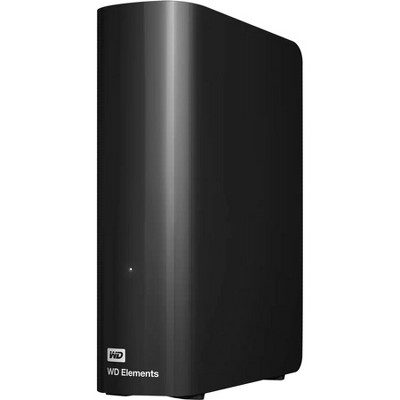
  • A: Hi Layth I, thanks for reaching out about the Western Digital My Passport 4TB - Black. The Western Digital My Passport 4TB - Black The My Passport™ drive comes equipped with WD Backup™ software with password protection, and drive management. WD Discovery™ software lets you connect to popular social media and cloud storage services. The Western Elements Digital Storage Drive does not include software. If you have any additional questions, we welcome you to contact MyTGTtech at 833-848-8324 every day, between 7 am-11 pm CST.

    submitted byRena - 2 years ago
    Target expert support

Q: What is the hard drive's speed?

submitted by AI Shopping Assistant - 2 months ago
  • A: The hard drive operates at a speed of 5400 RPM for efficient data transfer.

    submitted byAI Shopping Assistant - 2 months ago
    Ai generated

Q: How does the drive connect to devices?

submitted by AI Shopping Assistant - 2 months ago
  • A: It connects via a SuperSpeed USB port and is also compatible with USB 2.0.

    submitted byAI Shopping Assistant - 2 months ago
    Ai generated

Q: What types of files can be backed up automatically?

submitted by AI Shopping Assistant - 2 months ago
  • A: You can back up photos, videos, music, and documents automatically using the WD Backup software.

    submitted byAI Shopping Assistant - 2 months ago
    Ai generated

Additional product information and recommendations

Discover more options
Frequently bought together

Guests also viewed

Guests are saying

The WD 4TB Passport external hard drive is praised for its ease of use, compact design, and ample storage capacity, making it a great choice for guests needing reliable data backup. Many guests appreciate its plug-and-play functionality, allowing for quick setup on both Windows and Mac systems. However, some guests have experienced issues with reliability and data loss, which may be a concern for potential buyers. Overall, it offers a practical solution for storing important files and media.
    Summary created by AI from text of reviews reflecting recent feedback provided across different star ratings (includes incentivized reviews)
    4.1 out of 5 stars with 118 reviews
    quality: 3.62 out of 5
    value: 3.77 out of 5
    73% would recommend
    15 recommendations

    Get top deals, latest trends, and more.

    Privacy policy