

New ArrivalsEasterClothing, Shoes & AccessoriesHomeKitchen & DiningOutdoor Living & GardenFurnitureGroceryHousehold EssentialsBabyBeautyPersonal CareHealthWellnessBackpacks & LuggageSports & OutdoorsToysElectronicsVideo GamesMovies, Music & BooksSchool & Office SuppliesParty SuppliesGift IdeasGift CardsPetsUlta Beauty at TargetShop by CommunityTarget OpticalDealsClearanceTarget New ArrivalsRoller Rabbit x TargetEasterHome Decor Ideas & TrendsTop DealsTarget Circle DealsWeekly AdShop Order PickupShop Same Day DeliveryRegistryRedCardTarget CircleFind Stores
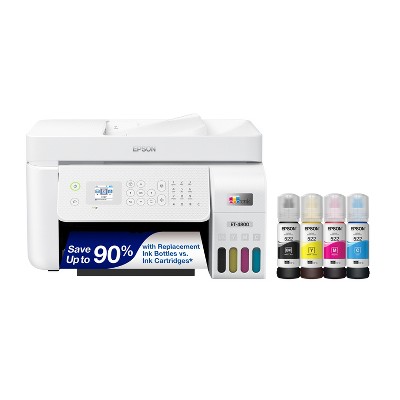
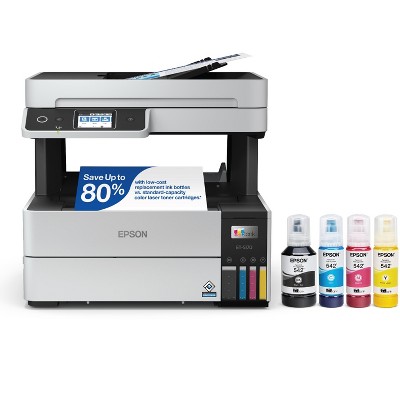
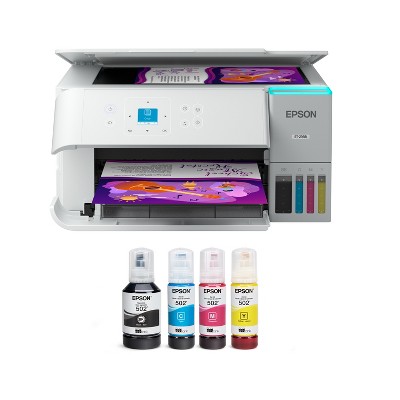
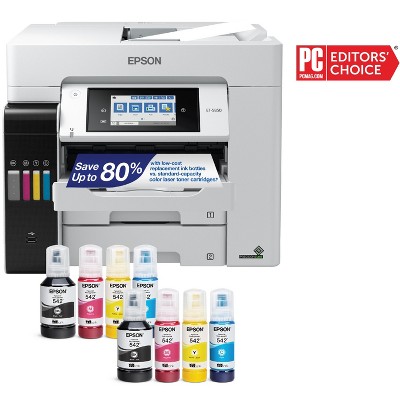
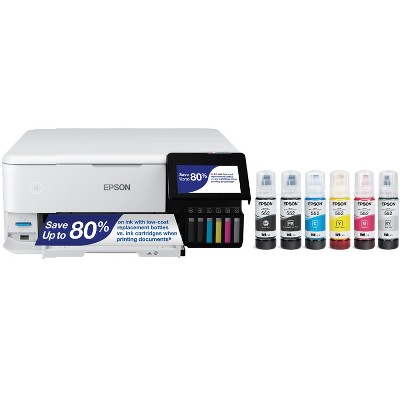
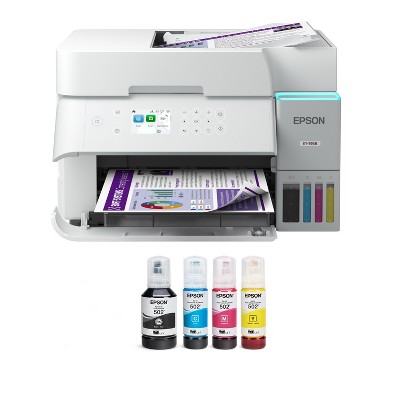
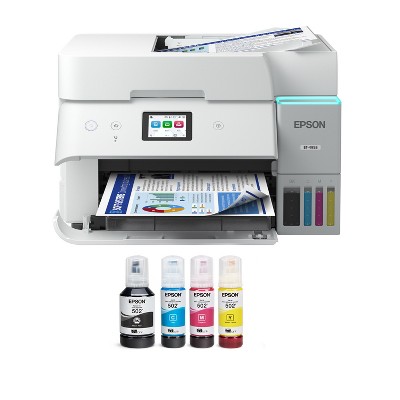
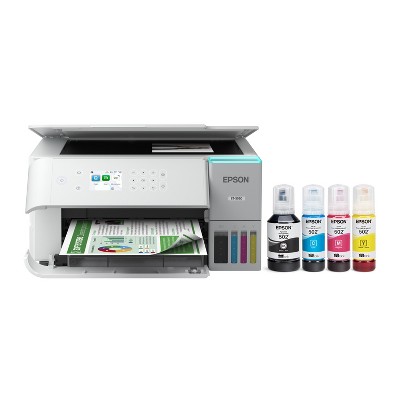
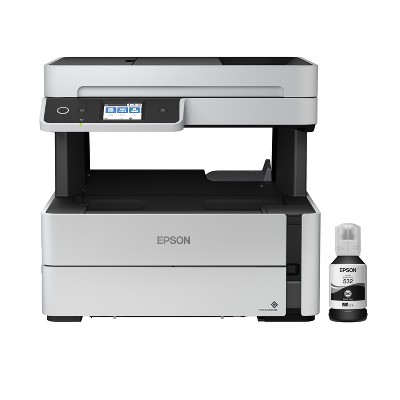
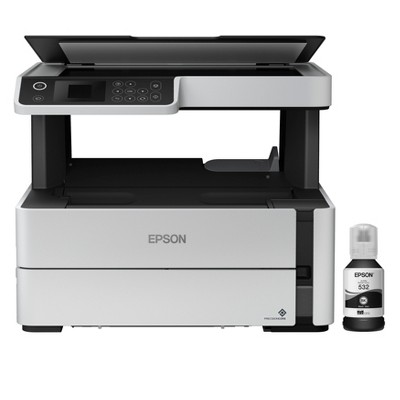
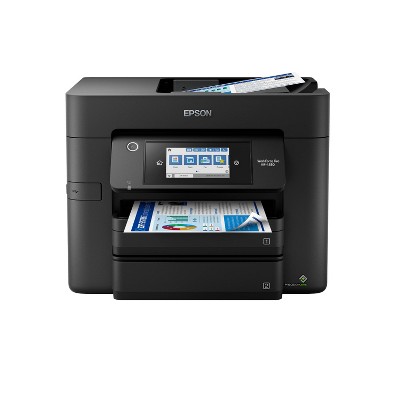
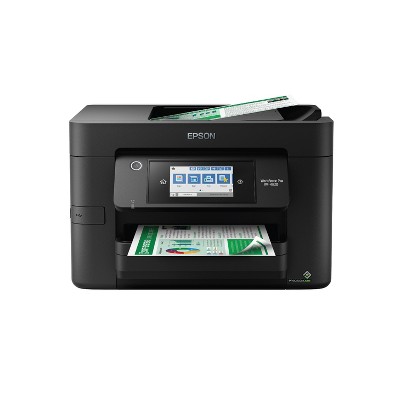
Epson EcoTank ET-2800 Wireless Color All-in-One Cartridge-Free Supertank Printer: Inkjet, Wi-Fi, Apple AirPrint - 2 of 4Epson EcoTank ET-2800 Wireless Color All-in-One Cartridge-Free Supertank Printer: Inkjet, Wi-Fi, Apple AirPrint - 3 of 4Epson EcoTank ET-2800 Wireless Color All-in-One Cartridge-Free Supertank Printer: Inkjet, Wi-Fi, Apple AirPrint - 4 of 4
Epson EcoTank ET-2800 Wireless Color All-in-One Cartridge-Free Supertank Printer: Inkjet, Wi-Fi, Apple AirPrint - 1 of 4

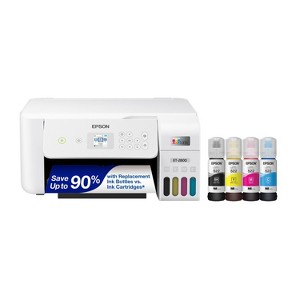
Epson EcoTank ET-2800 Wireless Color All-in-One Cartridge-Free Supertank Printer: Inkjet, Wi-Fi, Apple AirPrint

$179.99 reg $239.99
Sale save $60.00 (25% off)

In Stock

Eligible for registries and wish lists

About this item

Highlights

  • Innovative Cartridge-Free Printing ― No more tiny, expensive ink cartridges; each ink bottle set is equivalent to about 80 individual cartridges
  • Dramatic Savings on Replacement Ink ― Save up to 90% with replacement ink bottles vs. ink cartridges – that’s enough to print up to 4,500 pages black/7,500 color
  • Stress-Free Printing — Up to 2 years of ink in the box – and with every replacement ink set – for fewer out of ink frustrations
  • High-Capacity Ink Tanks — Epson’s exclusive EcoFit ink bottles make filling easy and worry-free
  • Zero Cartridge Waste — By using an EcoTank printer, you can help reduce the amount of cartridge waste ending up in landfills
  • Impressive Print Quality ― Unique Micro Piezo Heat Free technology produces sharp text – plus impressive color photos and graphics – on virtually any paper type
  • Built-In Scanner & Copier ― High-resolution flatbed scanner and a color display for easy document copying and navigation
  • Modern Connectivity ― Features wireless, plus hands-free voice-activated printing. Easily print from your smart device using AirPrint or the intuitive Epson Smart Panel app
  • Use Genuine Epson Ink ― For optimal print quality and performance. Non-genuine ink could cause damage not covered by the printer’s limited warranty

Description

Your family needs a printer that’s fast, affordable, and easy to use. That’s why we developed the EcoTank ET-2800 – an innovative cartridge-free solution that uses high-capacity, easily refillable ink tanks. So you’ll worry less about running out of ink, and save a lot on replacement ink. The ET-2800 features genuine Epson print quality, a high-resolution flatbed scanner, and convenient color display – making it the ideal basic home printer.
Dimensions (Overall): 10 Inches (H) x 14.8 Inches (W) x 22.8 Inches (D)
Weight: 8.8 Pounds
B&W Print Speed: 10 Pages per Minute
Color Print Speed: 5 Pages per Minute
Electronics Condition: New
Electronics Features: Scan to Mobile Device, Printer, Copier, Scanner
Maximum capacity: 100 Sheets
Operating System Compatibility: Android, Apple iOS, macOS, Microsoft Windows
Maximum Resolution: 5760 x 1440 (Color)
Wireless Technology: Wi-Fi, Apple AirPrint
Printer Ink Color: Multiple Colors
Compatible With: Up to 8.5" x 47.2" Documents
Ink Series: Epson 522 Series
Battery: No Battery Used
Warranty: 1 Year Limited Warranty. To obtain a copy of the manufacturer's or supplier's warranty for this item prior to purchasing the item, please call Target Guest Services at 1-800-591-3869
TCIN: 90762990
UPC: 010343957893
Item Number (DPCI): 056-03-2526
Origin: Imported
If the item details aren’t accurate or complete, we want to know about it.

Shipping details

Estimated ship dimensions: 16.1 inches length x 17.3 inches width x 9.3 inches height
Estimated ship weight: 12.2357 pounds

Return details

This item can be returned to any Target store or Target.com.
This item must be returned within 30 days of the date it was purchased in store, delivered to the guest, delivered by a Shipt shopper, or picked up by the guest.
See the return policy for complete information.

Q: Can you do dtf transfer sheets

submitted by Isa - 7 months ago
  • A: Hi, thanks for reaching out about Epson EcoTank ET-2800 Wireless Color All-in-One Cartridge-Free Supertank Printer: Inkjet, Wi-Fi, Apple AirPrint No, the standard Epson EcoTank ET-2800 is not designed for printing DTF transfers directly, as it is not a wide-format printer and lacks specialized features like a robust paper path or specific settings for DTF transfer media. However, the EcoTank system's refillable ink tanks make it a popular choice for conversion into specialized DTF printers, a process that typically involves using a wider-format model or a dedicated DTF printer to handle the specialized paper and software required. If you have any additional questions, we welcome you to contact MyTGTtech at 833-848-8324 every day, between 7am-11pm CST.

    submitted byJustin - 7 months ago
    Target expert support
  • A: Hello Isa. The ET-2800 is not compatible with direct-to-film (DTF) printing. However, the printer will work with Epson Iron-on Cool Peel Transfer Paper. Other transfer papers may work, but we haven’t tested them, so results can vary depending on the brand. Regards, Kevin - The Epson Team.

    submitted byEpson - 7 months ago
    Brand expert

Q: Is this a LaserJet or inkjet printer?

submitted by Seaangel64 - 11 months ago
  • A: Hello Seaangel64. All Epson printers, including the ET-2800, use inkjet printing technology. Regards, Kevin - The Epson Team.

    submitted byEpson - 11 months ago
    Brand expert
  • A: Hi Seaangel64, thanks for reaching out about Epson EcoTank ET-2800 Wireless Color All-in-One Cartridge-Free Supertank Printer, Copier, Scanner - White. The Epson EcoTank ET-2800 is an inkjet printer, not a LaserJet printer. If you have any additional questions, we welcome you to contact MyTGTtech at 833-848-8324 every day, between 7am-11pm CST.

    submitted byJoe - 11 months ago
    Target staff support

Q: Can you use 4x6 shipping labels in this printer?

submitted by Laltennis - 1 year ago
  • A: Hello Laltennis. The ET-2800 can print on 4" x 6" paper. It should be able to print on shipping labels, but we recommend confirming with the label manufacturer if they can be used with inkjet printers. Regards, Kevin - The Epson Team.

    submitted byEpson - 1 year ago
    Brand expert
  • A: Hi Laltennis, thanks for reaching out about Epson EcoTank ET-2800 Wireless Color All-in-One Cartridge-Free Supertank Printer, Copier, Scanner - White. Yes, the Epson EcoTank ET-2800 can print on 4x6 inch shipping labels. If you have any additional questions, we welcome you to contact MyTGTtech at 833-848-8324 every day, between 7am-11pm CST.

    submitted byJoe - 1 year ago
    Target staff support

Q: Is this printer compatible with an IPad and IPhone?

submitted by NBC - 1 year ago
  • A: Hello NBC. Yes, the ET-2800 can be used with an iPad and iPhone. You can use most features on the printer by downloading the Epson Smart Panel App onto your device. Regards, Kevin - The Epson Team.

    submitted byEpson - 1 year ago
    Brand expert
  • A: Hi NBC, thanks for reaching out about Epson EcoTank ET-2800 Wireless Color All-in-One Cartridge-Free Supertank Printer, Copier, Scanner - White. Yes, the Epson EcoTank ET-2800 is compatible with both iPads and iPhones. If you have any additional questions, we welcome you to contact MyTGTtech at 833-848-8324 every day, between 7am-11pm CST.

    submitted byJoe - 1 year ago
    Target staff support

Q: Can you use T-Shirt transfer sheets (sublimation printing) with this printer?

submitted by Sharon - 1 year ago
  • A: Hi Sharon, thanks for reaching out about Epson EcoTank ET-2800 Wireless Color All-in-One Cartridge-Free Supertank Printer, Copier, Scanner - White Yes, this printer is compatible with the heat transfer sheets for T-Shirts. If you have any additional questions, we welcome you to contact MyTGTtech at 833-848-8324 every day, between 7am-11pm CST.

    submitted byMike - 1 year ago
    Target expert support
  • A: Hello Sharon. The ET-2800 is not designed to use sublimation inks. However, the printer works with Epson Iron-on Cool Peel Transfer paper, which can be used with T-shirts. Please note we have not tested other brands of transfer paper with the machine. If you plan to use 3rd party paper, we recommend trying a small batch first to ensure it works properly and has satisfactory image quality. Regards, Kevin - The Epson Team.

    submitted byEpson - 1 year ago
    Brand expert

Q: Print photos on photo paper

submitted by Lisa - 9 days ago
  • A: Hello Lisa. Yes, the ET-2800 can print on a variety of photo papers, including Epson glossy photo paper. Please review the User's Guide on the official Epson Support page for compatible paper types. Regards, Kevin - The Epson Team.

    submitted byEpson - 7 days ago
    Brand expert
  • A: Hi, thanks for reaching out about Epson EcoTank ET-2800 Wireless Color All-in-One Cartridge-Free Supertank Printer: Inkjet, Wi-Fi, Apple AirPrint. The Epson EcoTank ET-2800 is a solid choice for printing photos at home, mainly because it uses "Supertank" ink bottles instead of expensive cartridges. This means you can print dozens of photos for pennies rather than dollars. However, because this is an entry-level EcoTank model, there are a few specific things you should know about its photo-printing capabilities: Photo Printing Performance Quality: It uses a 4-color ink system (Cyan, Magenta, Yellow, Black). While it produces vibrant and sharp images for everyday use, it won't have the professional color depth of a dedicated 6-color photo printer (like the ET-8500). Borderless Printing: This is the biggest "catch." The ET-2800 cannot print borderless photos on 8.5" x 11" paper. It can only do borderless printing on 4" x 6" photo paper. For larger sizes, you will always have a small white margin around the edge. Paper Handling: It has a rear paper feed, which is actually great for photo paper. It allows the thicker specialty paper to stay flat rather than being bent around a roller like in front-loading printers. If you have any additional questions, we welcome you to contact MyTGTtech at 833-848-8324 every day, between 7am-11pm CST.

    submitted byJoe - 8 days ago
    Target staff support

Q: Do I have to continuously pay for a subscription to use this printer? Thanks.

submitted by Sophie - 16 days ago
  • A: Hello Sophie. No, the ET-2800 does not require a subscription to use the printer. Regards, Kevin - The Epson Team.

    submitted byEpson - 13 days ago
    Brand expert
  • A: Hi, thanks for reaching out about the Epson EcoTank ET-2800 Wireless Color All-in-One Cartridge-Free Supertank Printer: Inkjet, Wi-Fi, Apple AirPrint No, you do not have to pay for a subscription to use the Epson EcoTank ET-2800. If you have any additional questions, we welcome you to contact MyTGTtech at 833-848-8324 every day between 7 am and 11 pm CST.

    submitted byRena - 14 days ago
    Target expert support

Q: Does this printer make 8.5x14 sheets

submitted by FRAN - 24 days ago
  • A: Hello FRAN. Yes, the ET-2800 can print on 8.5" x 14" sheets. The printer supports paper sizes ranging from 2.2" x 3.4 to 8.5" x 47.2". Regards, Kevin - The Epson Team.

    submitted byEpson - 23 days ago
    Brand expert
  • A: Hi, thanks for reaching out about Epson EcoTank ET-2800 Wireless Color All-in-One Cartridge-Free Supertank Printer: Inkjet, Wi-Fi, Apple AirPrint Yes, the Epson EcoTank ET-2800 can print on 8.5" x 14" (Legal) sheets, but there is a catch when it comes to copying or scanning. Here is the breakdown of how it handles that specific paper size: The printer's rear paper feed is adjustable and can handle paper up to 8.5" wide and 47.2" long. You can load Legal-sized (8.5" x 14") paper into the back tray. When you send a document from your computer or phone, just ensure the "Paper Size" in your print settings is set to Legal. However it is worth noting that the scanner glass is only large enough for 8.5" x 11.7" (Letter/A4). If you try to scan the legal size, it will cut off the bottom 3 inches of your document. If you have any additional questions, we welcome you to contact MyTGTtech at 833-848-8324 every day, between 7am-11pm CST.

    submitted byMike - 23 days ago
    Target expert support

Q: does this printer have a document feeder?

submitted by grandma - 2 months ago
  • A: Hello grandma. The ET‑2800 does not include a document feeder; it only offers a flatbed scanner for scanning. Regards, Kevin - The Epson Team.

    submitted byEpson - 2 months ago
    Brand expert
  • A: Hi, thank you for reaching out about Epson EcoTank ET-2800 Wireless Color All-in-One Cartridge-Free Supertank Printer: Inkjet, Wi-Fi, Apple AirPrint. No, the Epson EcoTank ET-2800 does not have an automatic document feeder (ADF). It features a flatbed scanner that requires you to scan or copy multi-page documents one page at a time. If you have any additional questions, we welcome you to contact MyTGTtech at 833-848-8324 every day, between 7am-11pm CST.

    submitted byMatt - 2 months ago
    Target expert support

Q: Are the usb connector and power cord included?

submitted by Crystal - 2 months ago
  • A: Hello Crystal. The ET-2800 includes a power cable. Depending on your computer, you could use a "USB A to B" or "USB B to C" cable, which is sold separately. Regards, Kevin - The Epson Team.

    submitted byEpson - 2 months ago
    Brand expert
  • A: Hi, thanks for reaching out about Epson EcoTank ET-2800 Wireless Color All-in-One Cartridge-Free Supertank Printer: Inkjet, Wi-Fi, Apple AirPrint. For the Epson EcoTank ET-2800, the answer is a split one: Power Cord: ✅ Included. Every new Epson ET-2800 comes with the necessary AC power cable in the box. USB Connector Cable: ❌ Not Included. Like most modern wireless printers, Epson does not include a USB cable (A-to-B type) because they assume most users will connect via Wi-Fi or Apple AirPrint. What’s Actually in the Box? When you unbox this printer, you will find: The ET-2800 Printer itself. Power Cord. Full set of ink bottles (Epson 522 series: Black, Cyan, Magenta, and Yellow). Quick Setup Guide and Documentation. CD-ROM with software/drivers (though most people download the updated versions from Epson's website). If you have any additional questions, we welcome you to contact MyTGTtech at 833-848-8324 every day, between 7am-11pm CST.

    submitted byJoe - 2 months ago
    Target staff support

Additional product information and recommendations

Guests are saying

The Epson ET 2800 printer offers a unique eco-friendly ink tank system that reduces the hassle of frequent cartridge replacements, making it appealing for guests who print regularly. While many appreciate its easy setup and print quality, some guests have encountered issues with connectivity, maintenance, and photo printing quality. Overall, it serves well for basic printing needs but may require patience for troubleshooting.
    Summary created by AI from text of reviews reflecting recent feedback provided across different star ratings (includes incentivized reviews)
    3.6 out of 5 stars with 563 reviews
    quality: 2.56 out of 5
    value: 2.45 out of 5
    30% would recommend
    53 recommendations
    2 out of 5 stars
    29 March, 2026

    (no review title)

    I was excited about the way the ink worked and was cheaper but this thing broke on me within 6 months. My ink levels have not gone down because I only use the printer a few times. The ink now won’t work. I looked online and I guess the ink gets clogged and you have to open the printer to do a few things to clear it out. Maybe this is common with printers or maybe I just didn’t use the printer enough and the ink dries? I have no idea. But I’m disappointed how little I used this printer and it took. Printer looks nice and clean so I do see potential in it. I just am disappointed that it clogged up on me like that.
    Njegos
    quality: 3 out of 5
    value: 3 out of 5
    Did you find this review helpful?
    5 out of 5 stars
    Thumbs up graphic, would recommend
    24 March, 2026Verified purchase

    (no review title)

    Was just what I was looking for.
    Carol
    quality: 5 out of 5
    value: 5 out of 5
    Did you find this review helpful?
    3 out of 5 stars
    17 March, 2026
    originally posted on epson.com
    Image

    Support prossess

    The unit seems to be fine! However I am having trouble printing various paper sizes. The support venue lacks any way to contact any real person to talk to for help! NOT impressed
    1 reply from The Epson Team team - 15 days ago
    Hi Epson Customer, we are sorry to hear you are having issues with your Epson printer. Your ET-2800 includes free technical telephone support for the life of your product. Our Epson Support Team would be happy to help you and can be reached at (562) 276-4382; Hours: Monday – Friday, 7 a.m. to 4 p.m. (PT). Sincerely, Joseph – The Epson Team.
    Witt
    Did you find this review helpful?
    1 out of 5 stars
    Thumbs down graphic, would not recommend
    15 March, 2026Verified purchase

    2nd failure with this model

    6 months in and its broke. Appatently passed the return window
    1 reply from Epson team - 9 days ago
    Hi brandon671, we are sorry to hear you are having issues with your Epson printer. Your ET-2800 includes a 1-year limited warranty plus free technical support for the life of your product. Our Epson Support Team would be happy to hear from you and can be reached at (562) 276-4382; Hours: Monday – Friday, 7 a.m. to 4 p.m. (PT). Sincerely, Joseph – The Epson Team.
    brandon671
    quality: 1 out of 5
    value: 1 out of 5
    1 guest found this review helpful. Did you?
    5 out of 5 stars
    14 March, 2026

    Had this for years and still on same ink. Best printer we’ve ever had!

    The little printer that could!
    Val
    3 guests found this review helpful. Did you?
    1 out of 5 stars
    13 March, 2026
    originally posted on epson.com
    Image

    Bad dont buy

    This printer cant sat its wifi direct. So frustrated. It doesnt come with usb cable just me aware. I trying to see if I can return because I am sick of fighting it to find connection. Also, I have printed maybe 5 page since I bought it, when I finally get it to work, it keep pausing asking me to check ink level and it doesnt finish printing!!
    1 reply from The Epson Team team - 16 days ago
    Hi Limee, we are sorry to hear that you are experiencing issues with your printer. Your ET-2800 includes free technical support for the life of your product. Our Epson Support Team would be happy to help and can be reached at (562) 276-4382; Hours: Monday – Friday, 7 a.m. – 4 p.m. PT. Sincerely, Joseph – The Epson Team.
    Limee
    Did you find this review helpful?
    1 out of 5 stars
    Thumbs down graphic, would not recommend
    13 March, 2026Verified purchase

    Regret ordering offline

    Item was delivered on its side so it doesn’t work. Came broken basically
    1 reply from Epson team - 12 days ago
    Hi kailyn, we are sorry to hear you are having issues with your Epson printer. Your ET-2800 includes a 1-year limited warranty plus free technical support for the life of your product. Our Epson Support Team would be happy to hear from you and can be reached at (562) 276-4382; Hours: Monday – Friday, 7 a.m. to 4 p.m. (PT). Sincerely, Joseph – The Epson Team.
    kailyn
    quality: 1 out of 5
    value: 1 out of 5
    1 guest found this review helpful. Did you?
    1 out of 5 stars
    Thumbs down graphic, would not recommend
    12 March, 2026

    Avoid!

    I’ve had this printer for a couple of years. Had to clean the heads and power cleaning many times to fix poor print quality. I have just over 1300 pages printed & now have a E-11 error which means I need to replace the ink pad (fills up after 20,000 printed pages or running a lot of cleaning cycles). I’ve checked the ink pad & it is not full. You have to buy a key to reset the waste counter. Oh, you also have to buy a USB cable because the reset process won’t work wirelessly. Key didn’t work for me so I’m stuck with an error & now have to buy a new printer.
    Sue
    quality: 1 out of 5
    value: 1 out of 5
    1 guest found this review helpful. Did you?
    1 out of 5 stars
    9 March, 2026
    originally posted on epson.com
    Image

    Poorly Made

    Think twice about buying this Epson 2803 ECOTANK. The cartridges are made of a thick plastic on one side and a paper film like a ziploc bag that is glued over the side of the tank, which makes it easy for other ink color to spill inside the other colors on the film side, which is what happened with mines. The lines the ink go through are made of soft plastic. The app kept showing me that I needed to put ink in and I didn't need to fill it at all. The printer kept printing green, and yellow, no red or black in a color picture. Get a 5 yr warranty if they have it. This printer and the extra bottles of ink is getting threw away, $298.00 wasted on junk. Photos are blocked from showing.
    1 reply from The Epson Team team - 15 days ago
    Hello Epson Customer, we apologize for the disappointing experience you’ve encountered with your Epson printer. Your ET-2803 includes free technical support for the life of your product. Please reach out to our Epson Support Team for assistance at (562) 276-4382; Hours: Monday – Friday, 7 a.m. to 4 p.m. (PT). We’re here to help. Sincerely, Joseph – The Epson Team.
    Epson 2803 ECOTANK
    1 guest found this review helpful. Did you?
    1 out of 5 stars
    Thumbs down graphic, would not recommend
    8 March, 2026Verified purchase

    Don't waste your time or money

    This printer has been nothing but a headache since I’ve gotten it. It requires constant nozzle cleanings and my prints always have lines through them. I am a teacher, do a lot of printing and use what I print for displays. I am so disappointed that I wasted money on this printer.
    1 reply from Epson team - 15 days ago
    Hi Epson Customer, we are sorry to hear you are having issues with your Epson printer. Your ET-2800 includes a 1-year limited warranty plus free technical support for the life of your product. Our Epson Support Team would be happy to hear from you and can be reached at (562) 276-4382; Hours: Monday – Friday, 7 a.m. to 4 p.m. (PT). Sincerely, Joseph – The Epson Team.
    Disappointed
    quality: 1 out of 5
    value: 1 out of 5
    1 guest found this review helpful. Did you?
    1 out of 5 stars
    Thumbs down graphic, would not recommend
    5 March, 2026Verified purchase

    (no review title)

    My item arrived broken and dirty.
    1 reply from Epson team - 23 days ago
    Hi P, thank you for sharing your experience. Epson takes into consideration all feedback to improve the performance and quality of our products. We will forward your feedback to the relevant Epson department, as we are always looking to make future Epson products better. Once again, thank you. Regards, Joseph – The Epson Team.
    P
    quality: 1 out of 5
    value: 1 out of 5
    1 guest found this review helpful. Did you?
    1 out of 5 stars
    Thumbs down graphic, would not recommend
    5 March, 2026

    (no review title)

    Rarely works without a new cleaning cycle
    1 reply from Epson team - 23 days ago
    Hi Caitlyn, we are sorry to hear you are having issues with your Epson printer. Your ET-2800 includes a 1-year limited warranty plus free technical support for the life of your product. Our Epson Support Team would be happy to hear from you and can be reached at (562) 276-4382; Hours: Monday – Friday, 7 a.m. to 4 p.m. (PT). Sincerely, Joseph – The Epson Team.
    Caitlyn
    quality: 2 out of 5
    value: 2 out of 5
    Did you find this review helpful?
    5 out of 5 stars
    Thumbs down graphic, would not recommend
    28 February, 2026Verified purchase

    Great Printer

    This is my favorite printer ive used in years. Affordable, easy to use and the ink typically last me forever.
    lea michelle
    Did you find this review helpful?
    1 out of 5 stars
    19 February, 2026
    originally posted on epson.com
    Image

    Worst printer ever!!!!!

    I wish there was an option for 1/4 star.
    1 reply from Epson Service team - 29 days ago
    Hello Chuck101, we apologize for the disappointing experience you’ve encountered with your Epson printer. Your ET-2800 includes free technical support for the life of your product. Please reach out to our Epson Support Team for assistance at (562) 276-4382; Hours: Monday – Friday, 7 a.m. to 4 p.m. (PT). We’re here to help. Sincerely, Jacob– The Epson Team.
    Chuck101
    1 guest found this review helpful. Did you?
    1 out of 5 stars
    Thumbs down graphic, would not recommend
    11 February, 2026Verified purchase

    Disappointed

    Was very excited to buy this printer for my daughter… But the colors are so dull, not true to the prints with warm colors. And 8/10 the printing comes with lines or smears of ink
    1 reply from Epson team - 1 month ago
    Hi Ter, you can find product information, including FAQs and for additional information and to help optimize photo print settings in the product User’s Guide at: www.epson.com/support/et2800 If you continue to have problems with your printer, our Epson Support Team would be happy to help you and can be reached at (562) 276-4382; Hours: Monday – Friday, 7 a.m. to 4 p.m. (PT). Have a great day. Sincerely, Joseph – The Epson Team.
    Ter
    quality: 1 out of 5
    value: 1 out of 5
    1 guest found this review helpful. Did you?
    1 out of 5 stars
    10 February, 2026
    originally posted on epson.com
    Image

    Easy Install -

    So frustrated trying to connect an HP Printer to my network. Gave up and purchased the ET-2800. Followed the tutorials. It connected to my internet without a hitch. Thank you Epson for making a printer that is easy to install!
    1 reply from The Epson Team team - 1 month ago
    Hi SpecK279, thank you for taking the time to write a review of your new Epson printer. We appreciate your business, and value your feedback. Your ET-2800 includes free technical support for the life of your product, so if you’d like help, feel free to contact us at (562) 276-4382; Hours: Monday – Friday, 7 a.m. to 4 p.m. (PT). Kind Regards, Joseph – The Epson Team.
    SpecK279
    Did you find this review helpful?
    1 out of 5 stars
    10 February, 2026
    originally posted on epson.com
    Image

    Epson is Trash

    This printer is absolute trash. It never works, it wastes tons of ink, and when it does work the print quality is atrocious. The original version of this printer had good reviews but apparently they decided to destroy it and make a piece of junk. I hate Epson.
    1 reply from The Epson Team team - 1 month ago
    Hello Alvigil, we apologize for the disappointing experience you’ve encountered with your Epson printer. Your ET-2800 includes free technical support for the life of your product. Please reach out to our Epson Support Team for assistance at (562) 276-4382; Hours: Monday – Friday, 7 a.m. to 4 p.m. (PT). We’re here to help. Sincerely, Joseph – The Epson Team.
    Alvigil
    Did you find this review helpful?
    1 out of 5 stars
    6 February, 2026
    originally posted on epson.com
    Image

    Piece of crap

    This thing is terrible. It won't print in color. I've cleaned the heads, renewed all the software, firmware, did all the stuff the machine tells me to do. NO LUCK.
    1 reply from The Epson Team team - 2 months ago
    Hi Neveragain23, we are sorry to hear you are having issues with your Epson printer. Your ET-2800 includes a 1-year limited warranty plus free technical support for the life of your product. Our Epson Support Team would be happy to hear from you and can be reached at (562) 276-4382; Hours: Monday – Friday, 7 a.m. to 4 p.m. (PT). Sincerely, Joseph – The Epson Team.
    Neveragain23
    1 guest found this review helpful. Did you?
    1 out of 5 stars
    Thumbs down graphic, would not recommend
    4 February, 2026Verified purchase

    (no review title)

    this printer is horrible. i’ve had it for about a year now. it prints dull, you have to clean the ink heads often and it always loses connection to my macbook. i do not recommend!!!!
    alyssa
    quality: 1 out of 5
    value: 1 out of 5
    Did you find this review helpful?
    5 out of 5 stars
    Thumbs up graphic, would recommend
    3 February, 2026

    Five stars!

    How are people seriously complaining about this printer!?? It’s freaking amazing!! So easy to install literal step by step guide both in the pamphlet on your phone and printer window! I freaking love it! The quality upgrade is insane!! I’m very happy with it!
    Jackie
    quality: 5 out of 5
    value: 5 out of 5
    3 guests found this review helpful. Did you?

    Get top deals, latest trends, and more.

    Privacy policy

    Footer

    About Us

    About TargetCareersNews & BlogTarget BrandsBullseye ShopSustainability & GovernancePress CenterAdvertise with UsInvestorsAffiliates & PartnersSuppliersTargetPlus

    Help

    Target HelpReturnsTrack OrdersRecallsContact UsFeedbackAccessibilitySecurity & FraudTeam Member ServicesLegal & Privacy

    Stores

    Find a StoreClinicPharmacyTarget OpticalMore In-Store Services

    Services

    Target Circle™Target Circle™ CardTarget Circle 360™Target AppRegistrySame Day DeliveryOrder PickupDrive UpFree 2-Day ShippingShipping & DeliveryMore Services
    PinterestFacebookInstagramXYoutubeTiktokTermsCA Supply ChainPrivacy PolicyCA Privacy RightsYour Privacy ChoicesInterest Based AdsHealth Privacy Policy