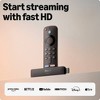
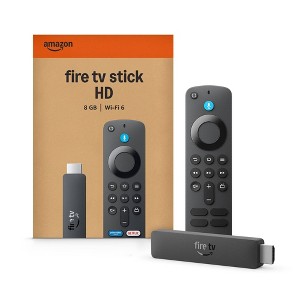
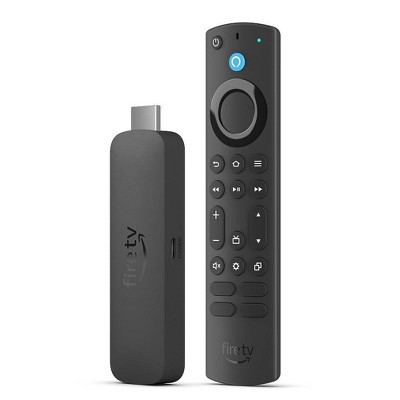
Upgrade your TV, instantly – Fire TV Stick HD is our fastest HD streaming stick ever, with a streamlined navigation that jumps straight to your movies, shows, and live TV. Take your entertainment on the go with the new ultra-portable profile. And watch it all come to life with crisp Full HD and Wi-Fi 6 support.
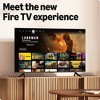
The new Fire TV experience (2026 release) – Our biggest update to Fire TV has a new, modern design that gets you to your entertainment fast. Browse dedicated content categories, pin more of your favorite apps, and get personalized recommendations. Spend less time scrolling, and more time watching.
All your apps in one place – Prime Video, Netflix, YouTube, Disney+, Apple TV, HBO Max, Hulu, Peacock, Paramount+, and thousands more. It’s easy to find what to watch from hundreds of thousands of movies and TV episodes, including free, ad-supported content. Subscription fees may apply.
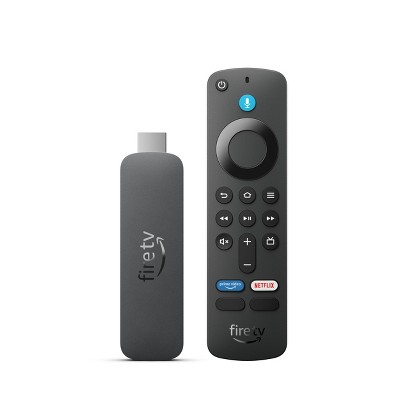
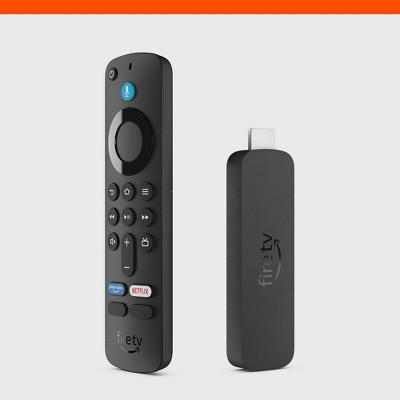
Our most portable stick – Thin and light, without extra clutter. Connects directly to your TV's HDMI port without blocking other ports.
Easier than ever to set up – Now with Direct Power, it's powered by your TV with the included USB-C cable and eliminates the need for a wall adapter.
Smarter picks with Alexa+ – Getting to what you love has never been easier. Press the voice remote button and talk naturally to find what to watch across your apps, manage your smart home, or dive into virtually any topic.
For enhanced security, this device prevents sideloading or installing apps from unknown sources. Only apps from the Amazon Appstore are available for download.
Description
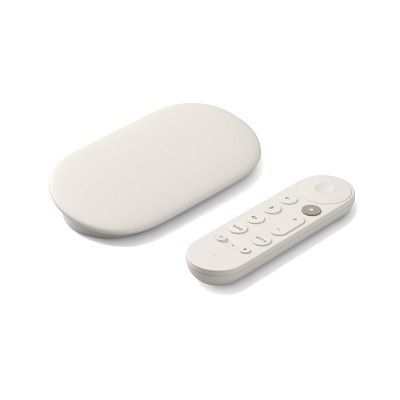
Upgrade your TV, instantly. Jump to movies, shows, and live TV, and stay locked into every scene. It’s our fastest HD streaming stick ever, with crisp Full HD and Wi-Fi 6 support for smooth streaming. Now thinner and even more portable, it sets up fast so you can stream anywhere. Discover the new Fire TV experience - Our biggest update to Fire TV has a new, modern design that gets you to your entertainment fast. Pin up to three times more apps to your home screen, so you can jump right to your favorite one. Browse dedicated content categories that make it easy to find what to watch. And Alexa+ brings smarter, more personalized recommendations. Spend less time scrolling, and more time watching. In the box: Fire TV Stick HD, Alexa Voice Remote, power cable, 2 AAA batteries, Quick Start Guide. HDMI extender is available separately.
Dimensions (Overall): .83 Inches (H) x 3.6 Inches (W) x .57 Inches (D)
Weight: .08 Pounds
Connection Type: HDMI, USB-C
Data Storage Capacity: 8GB
Maximum Resolution: 1080p
Wireless Technology: Wi-Fi 6 (IEEE 802.11ax), Bluetooth 5.3
System RAM: 8 GB
Compatible With: Disney+, Netflix, Hulu, Amazon Prime Music, Starz, Paramount+, Max, Apple TV+, Amazon Prime Video, Peacock, Showtime
Voice assistant built-in: Alexa Built-in
Battery: 2 AAA Alkaline, Required, Packaged With
Warranty: 90 Day Limited Warranty. To obtain a copy of the manufacturer's or supplier's warranty for this item prior to purchasing the item, please call Target Guest Services at 1-800-591-3869
Street Date: May 3, 2026
TCIN: 94609469
UPC: 840414612631
Item Number (DPCI): 008-06-0078
Origin: Imported
If the item details aren’t accurate or complete, we want to know about it.
Shipping details
Estimated ship dimensions: 5.75 inches length x 4.1 inches width x 0.75 inches height
Estimated ship weight: 0.36 pounds
Return details
This item can be returned to any Target store or Target.com.
This item must be returned within 30 days of the date it was purchased in store, delivered to the guest, delivered by a Shipt shopper, or picked up by the guest.
A: Hi Kpk, no — the Fire TV Stick HD is designed to plug into a TV or monitor with an HDMI input, not a laptop.
Most laptops have HDMI output only, so they can’t display the Fire TV Stick. Hope this helps!
submitted byAmazon Devices Customer Support - 2 months ago
Brand expert
A: Hi, thank you for reaching out about Amazon Fire TV Stick HD (2026).
Yes, but not natively. Because 99.9% of laptops feature HDMI ports designed for output-only (sending a signal out) rather than input, you cannot simply plug the Fire TV Stick into the laptop's port to view its interface.
If you have any additional questions, we welcome you to contact MyTGTtech at 833-848-8324 every day, between 7am-11pm CST.
submitted byMatt - 2 months ago
Target expert support
Q: Can I download the USA network app with this device?
submitted by David Hs - 19 days ago
A: Hello David HS and thank you for your question! The USA Network app is available to download from the Amazon App Store on to the Amazon Fire TV Stick HD. Here are the steps to download the app onto your Fire TV Stick:
-Go to the Search icon (the magnifying glass) on the home screen.
-Type in "USA Network"
-Select the app from the search results.
-Click Download or Get to install the app on your device.
Hope this helps! Have a great day!
submitted byAmazon Devices Customer Support - 16 days ago
Brand expert
A: Hi, thanks for reaching out about the Amazon Fire TV Stick HD (2026)
Yes. The USA Network app is available on Amazon Fire TV devices, including Fire TV Stick models, and can be downloaded from the Amazon Appstore.
If you have any additional questions, we welcome you to contact MyTGTtech at 833-848-8324 every day between 7 am and 11 pm CST.
submitted byRena - 18 days ago
Target expert support
Q: Does this model support YouTube TV?
submitted by Lily - 22 days ago
A: Hi, thank you for reaching out about Amazon Fire TV Stick HD (2026).
Yes, the Amazon Fire TV Stick HD (2026) supports mainstream core apps like YouTube and YouTube TV, allowing you to download the service directly from the on-device Amazon Appstore.
If you have any additional questions, we welcome you to contact MyTGTtech at 833-848-8324 every day, between 7am-11pm CST.
submitted byMatt - 22 days ago
Target expert support
A: Hi Lily, yes — the Fire TV Stick HD supports the YouTube TV app.
You can download it from the app store and sign in with your YouTube TV account. Hope this helps!
submitted byAmazon Devices Customer Support - 21 days ago
Brand expert
Q: What operating system is this? I am looking for Fire OS 6
submitted by Mjay - 1 month ago
A: Hello Mjay! The Amazon Fire TV Stick HD (2026) does NOT run Fire OS 6. It runs a completely different operating system called Vega OS. Vega OS is Amazon's new operating system that replaces Fire OS on newer Fire TV devices. It was first introduced with the Fire TV Stick 4K Select in October 2025, and the Fire TV Stick HD (2026) is the second device to use it. I hope this helps!
submitted byAmazon Devices Customer Support - 19 days ago
Brand expert
A: Hi, thanks for reaching out about Amazon Fire TV Stick HD (2026).
No, this Fire TV Stick does not run Fire OS 6. As a newer 2026 Fire TV device, it ships with a more recent version of Fire OS, and Amazon does not provide an option to downgrade to Fire OS 6.
If you specifically require Fire OS 6, you would need to look for an older Fire TV device that originally shipped with that operating system.
If you have any additional questions, we welcome you to contact MyTGTtech at 833-848-8324 every day, between 7am-11pm CST.
submitted byMike - 27 days ago
Target expert support
Q: will this work in my samsung tv and peloton app
submitted by kl - 1 month ago
A: Hello kl, all the Fire TV Sticks will work with any TV that has an available HDMI port. I also looked up the Peloton App and it is available on the Fire TV Stick.
Have a great day!
submitted byAmazon Devices Customer Support - 1 month ago
Brand expert
A: Hi, thanks for reaching out about Amazon Fire TV Stick HD (2026).
Yes. The Amazon Fire TV Stick HD will work with any Samsung TV that has an available HDMI port and internet connection. You simply plug the Fire TV Stick into the TV's HDMI port and complete the setup.
The Peloton app is available on Amazon Fire TV devices, including Fire TV Stick models, and can be downloaded from the Amazon Appstore. Sign in with your Peloton account to access classes.
If you have any additional questions, we welcome you to contact MyTGTtech at 833-848-8324 every day, between 7am-11pm CST.
submitted byJoe - 1 month ago
Target staff support
Q: Will this work with a Vizio smart tv .and if you lose your remote just have a feature that enamels you to find your amount
submitted by Sandy - 2 months ago
A: Hello Sandy, the Amazon Fire TV Stick HD will work with any TV that has an available HDMI port. The remote that comes with this version of the Fire TV Stick will control volume and power on most TV's. The Find My Remote feature is only available on the Fire TV Remote Pro version which is sold separately.
Have a great day!
submitted byAmazon Devices Customer Support - 1 month ago
Brand expert
A: Hi, thanks for reaching out about Amazon Fire TV Stick HD (2026).
Yes, the Amazon Fire TV Stick HD (2026) will work with a Vizio Smart TV as long as the TV has an available HDMI port. The Fire TV Stick plugs into the HDMI port and operates independently of the TV's built-in smart features.
Regarding the remote:
The included Alexa Voice Remote lets you control the Fire TV Stick and can often control TV power and volume.
However, the"Find My Remote" feature is not included with the standard remote. That feature is available with the Alexa Voice Remote Pro, which can ring when you ask Alexa to find it.
If you have any additional questions, we welcome you to contact MyTGTtech at 833-848-8324 every day, between 7am-11pm CST.
submitted byJoe - 2 months ago
Target staff support
Q: Will this Fire stick work with a Roku tv?
submitted by Michael - 2 months ago
A: Hello, OlyphantValiant ! Yes, it will work perfectly.Even though a Roku TV already has its own built-in Roku smart interface, it is still a standard television at its core. You can plug any external device you want into its HDMI ports. I hope this helps!
submitted byAmazon Devices Customer Support - 2 months ago
Brand expert
A: Hi, thanks for reaching out about Amazon Fire TV Stick HD (2026)
Yes, the Fire TV Stick HD will work with a Roku TV as long as the TV has an available HDMI port. Simply plug the Fire TV Stick into an HDMI input on the Roku TV and switch to that HDMI source to use the Fire TV interface and apps.
If you have any additional questions, we welcome you to contact MyTGTtech at 833-848-8324 every day, between 7am-11pm CST.
submitted byMike - 2 months ago
Target expert support
Q: Will this fire stick work with fire tv recast?
submitted by Richard - 2 months ago
A: Hello Richard, unfortunately newer Fire TV devices like the Fire TV Stick HD are not compatible with the Fire TV Recast.
Have a great day!
submitted byAmazon Devices Customer Support - 2 months ago
Brand expert
A: Hi, thanks for reaching out about Amazon Fire TV Stick HD (2026)
No — the Amazon Fire TV Stick HD (2026) is NOT compatible with Fire TV Recast.
If you have any additional questions, we welcome you to contact MyTGTtech at 833-848-8324 every day, between 7am-11pm CST.
submitted byJustin - 2 months ago
Target expert support
Q: Which operating system is this? I am looking for Fire OS 6
submitted by Mjay - 25 days ago
A: Hi Mjay! The Fire TV Stick HD features the neweset version of Fire OS, Vega OS. Vega OS is a new operating system based on Linux, designed specifically for our devices. You'll still use the Amazon App Store to download all your favorite streaming services, and you can talk to Alexa using the included Voice Remote's microphone button the same as you always could. If you're interested in developing your own apps for the new Vega OS, you can get additional information at developer.amazon.com. I hope that helps, have a great rest of your day!
submitted byAmazon Devices Customer Support - 24 days ago
Brand expert
Q: Is it the os model , can you download the downloader app
submitted by Sadrian - 27 days ago
A: Hi, thanks for reaching out about Amazon Fire TV Stick HD (2026).
If you're asking about the new Amazon Fire TV Stick HD (2026 model), the key question is whether it runs Fire OS (Android-based) or Amazon's newer Vega OS.
According to multiple 2026 reports, the Fire TV Stick HD released in 2026 runs Vega OS, not the older Android-based Fire OS. On Vega OS devices, APK sideloading is not supported, which means apps such as Downloader cannot be used to install Android APKs the way they can on older Fire TV devices.
So:
❌ Downloader cannot be used for sideloading APKs on the 2026 Fire TV Stick HD.
❌ Traditional Android app sideloading is not supported.
✅ You can still install apps that are available through Amazon's supported app ecosystem for that device.
If you have any additional questions, we welcome you to contact MyTGTtech at 833-848-8324 every day, between 7am-11pm CST.
Thumbs down graphic, would not recommendWould not recommend
24 August, 2026
OUT OF STOCK when I Came to Pick It Up
I came by to pick it up and the individual in the service area showed that it was OUT OF STOCK with none in Harker Heights, TX despite saying it was ready. I went to Temple and got one when he said that they had some. I wasted gas and hopefully will get a refund.
James
ease of use
1.0 out of 5
ease of use: 1 out of 5
features
1.0 out of 5
features: 1 out of 5
quality
1.0 out of 5
quality: 1 out of 5
value
1.0 out of 5
value: 1 out of 5
Did you find this review helpful?
5 out of 5 stars
Thumbs down graphic, would not recommendWould not recommend
17 August, 2026
(no review title)
fast
Did you find this review helpful?
1 out of 5 stars
Thumbs down graphic, would not recommendWould not recommend
7 August, 2026Verified purchase
Power cable too short
Power cable too short. Will be returning.
1 reply from Amazon Devices Customer Support team - 19 days ago
Hello Trgaddict. Thank you for your feedback on the Fire TV Stick HD. I'm sorry to hear the included power cable isn't meeting your setup needs. The Fire TV Stick HD (2026) actually supports powering directly through your TV's USB port, which eliminates the need for the wall adapter and power cable entirely. Simply connect the included USB cable to an available USB port on your television, and the device will draw power directly from the TV. This also means the Fire TV Stick will turn on and off with your TV automatically, keeping your setup clean and cable-free. If your TV's USB port doesn't provide sufficient power or you'd prefer to use a wall outlet, a longer micro-USB extension cable or a USB power cable in the length you need can be an affordable alternative to get the reach required for your setup. I hope this helps before you decide on the return. Thank you!
Trgaddict
ease of use
1.0 out of 5
ease of use: 1 out of 5
features
1.0 out of 5
features: 1 out of 5
quality
1.0 out of 5
quality: 1 out of 5
value
1.0 out of 5
value: 1 out of 5
Did you find this review helpful?
5 out of 5 stars
Thumbs up graphic, would recommendWould recommend
27 July, 2026Verified purchase
(no review title)
Great price, excellent costomer service
ease of use
5.0 out of 5
ease of use: 5 out of 5
features
5.0 out of 5
features: 5 out of 5
quality
5.0 out of 5
quality: 5 out of 5
value
5.0 out of 5
value: 5 out of 5
Did you find this review helpful?
5 out of 5 stars
24 July, 2026
originally posted on Amazon Devices
Me gusta 👍🏼
[This review was collected as part of a promotion.] The remote control is easy to use and has a comfortable design that makes it easy to hold. Its buttons are well-organized and respond quickly to pressure. It also includes basic functions such as volume up and down, channel changing, and accessing the TV menu. On the downside, the buttons are a bit small and can be difficult to see in low light. Overall, it's a practical, functional remote control that I recommend for everyday use.
DelkaE
Did you find this review helpful?
1 out of 5 stars
Thumbs down graphic, would not recommendWould not recommend
16 July, 2026Verified purchase
(no review title)
Cant sideload
features
1.0 out of 5
features: 1 out of 5
1 guest found this review helpful. Did you?
1 out of 5 stars
Thumbs down graphic, would not recommendWould not recommend
10 July, 2026Verified purchase
this isn't worth it
no good complete different set up
Did you find this review helpful?
3 out of 5 stars
8 July, 2026
Power Cord is Too Short
Power Cord is Too Short so you have to either move the tv or receiver that you have it connected to really close to the power source (1 foot), or purchase a longer cord. Boo!!
1 reply from Amazon Devices Customer Support team - 2 months ago
Hello Salee. Thank you for your feedback on the Fire TV Stick HD. I understand the cable length may seem short at first glance, but the Fire TV Stick HD was actually designed with a feature called Direct Power — the included USB-C cable is intentionally short because it's optimized to connect directly from the stick to your TV's USB port, eliminating the need for a wall adapter altogether. This is an upgrade from previous generation models that required a separate power adapter plugged into a wall outlet. If your TV has an available USB port, simply plug the included cable from the Fire TV Stick HD into that port, and the device will power on and off with your TV — no wall outlet needed. This also results in a cleaner setup with less cable clutter behind your entertainment center. If your TV does not have a USB port or the port doesn't provide sufficient power, a longer USB-C cable paired with a standard USB wall adapter will work as an alternative to reach a more distant outlet. I appreciate you sharing your experience, and I hope this clarifies the design intent behind the cable length. If you have any other questions about your Fire TV Stick HD, Amazon Customer Service is available 24/7 at 1-888-280-4331. Thank you, and enjoy your streaming experience.
ease of use
4.0 out of 5
ease of use: 4 out of 5
features
4.0 out of 5
features: 4 out of 5
quality
2.0 out of 5
quality: 2 out of 5
value
3.0 out of 5
value: 3 out of 5
3 guests found this review helpful. Did you?
5 out of 5 stars
Thumbs up graphic, would recommendWould recommend
4 July, 2026Verified purchase
Target All The Way!
I love it!
ease of use
5.0 out of 5
ease of use: 5 out of 5
features
5.0 out of 5
features: 5 out of 5
quality
5.0 out of 5
quality: 5 out of 5
value
5.0 out of 5
value: 5 out of 5
Did you find this review helpful?
3 out of 5 stars
Thumbs up graphic, would recommendWould recommend
25 June, 2026Verified purchase
(no review title)
great price.
ease of use
4.0 out of 5
ease of use: 4 out of 5
features
4.0 out of 5
features: 4 out of 5
quality
4.0 out of 5
quality: 4 out of 5
value
5.0 out of 5
value: 5 out of 5
Did you find this review helpful?
5 out of 5 stars
25 June, 2026
originally posted on Amazon Devices
Amazon Made Easy
[This review was collected as part of a promotion.] The Amazon Fire Stick is super easy to use and you’re able to stream your content at the click of a button. My favorite feature is that your batteries are apart of the package for your remote so you’re not having to spend extra money purchasing a pair. The picture quality is solid and it’s easy to connect to your WiFi.
CatherineC
Did you find this review helpful?
5 out of 5 stars
22 June, 2026
originally posted on Amazon Devices
Just like Apple TV, no lag
[This review was collected as part of a promotion.] 8 gb of storage. Easy navigation between the different streaming apps/ services. Fast performance. Didn’t notice any lag when using this. Overall very happy I received this for a review.
EvelnaW
Did you find this review helpful?
3 out of 5 stars
21 June, 2026
Doesn't Allow to download 3rd Party Apps anymore
I bought only because i wanted to install 3rd party apps. But seems like they dont allow anymore.
Tandon
1 guest found this review helpful. Did you?
5 out of 5 stars
21 June, 2026Verified purchase
(no review title)
It's nice but it was the wrong one
Did you find this review helpful?
5 out of 5 stars
Thumbs up graphic, would recommendWould recommend
19 June, 2026Verified purchase
(no review title)
Works perfect. I love it and it is fast connection.
Did you find this review helpful?
5 out of 5 stars
17 June, 2026
originally posted on Amazon Devices
Works well
[This review was collected as part of a promotion.] Really like this Amazon fire TV stick. It is easy to install and use. The picture is so great and looks sharp. There is no lagging and performs well. I have not experienced any buffering. Actually works faster than my smart TV.
BrendaC
Did you find this review helpful?
5 out of 5 stars
17 June, 2026
originally posted on Amazon Devices
Good product
[This review was collected as part of a promotion.] The Amazon Fire TV Stick HD is great for allowing older (or non-smart) TVs have access to apps. Set up was very easy. The voice control is a feature I haven’t had before, but it makes things so much easier! The Fire stick feels sturdy.
EmilyM
1 guest found this review helpful. Did you?
5 out of 5 stars
16 June, 2026
originally posted on Amazon Devices
Sleek, easy, quick!
[This review was collected as part of a promotion.] I was so excited to try the newest fire stick! It was packed so well, sleek, and easy to use! It connected to my internet easily and I was able to log into all of my streaming services without trouble! The remote is so user friendly! I have not experienced any buffering or delayed responses! The remote does not get hot either.
EmilyK
Did you find this review helpful?
5 out of 5 stars
15 June, 2026
originally posted on Amazon Devices
Easy setup!
[This review was collected as part of a promotion.] Love this! I owned a fire stick years ago and it was okay, but complicated for me. This one seems so easy to use! The remote is slick and honestly came with my most viewed channels as shortcut buttons at the bottom. Setup was simple and easy. I was even able to take it on the road with me and hook it up in my hotel room! The picture quality was great as well. I’m sure this will last awhile, even with excess use in my household (lol)!
GabriellaS
Did you find this review helpful?
5 out of 5 stars
14 June, 2026
originally posted on Amazon Devices
Works well! Great way to utilize streaming services.
[This review was collected as part of a promotion.] Easy set-up. Everything you need is included in the box. We have used several different versions of the Fire TV Stick over the years and this one works well. Will be great for travel!
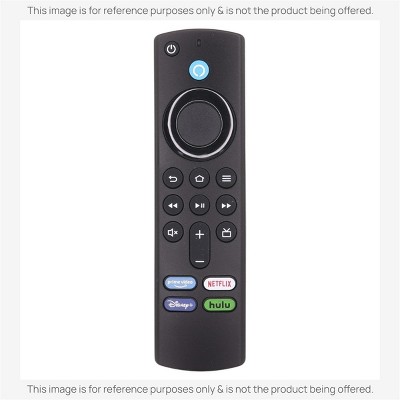
![Anderic Substitute for Amazon Alexa Firestick Streaming Remote Control 2nd Gen PE59CV [RRF1G1]](https://target.scene7.com/is/image/Target/GUEST_ef8a0aee-0f9f-436d-92bd-116b3ccd6251)
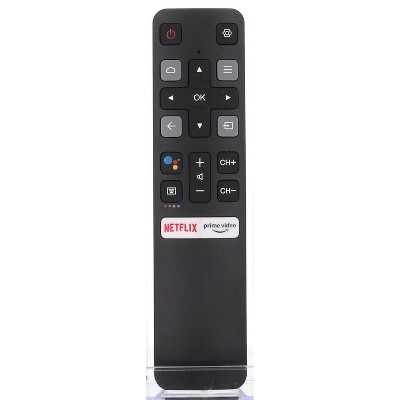
![Anderic Substitute Amazon Fire TV Voice Remote Control Replacement (Remote Only, Fire Stick NOT Included) PE59CV [RRF1G1]](https://target.scene7.com/is/image/Target/GUEST_fb897a67-459c-44df-8e18-a2a4614af2ec)

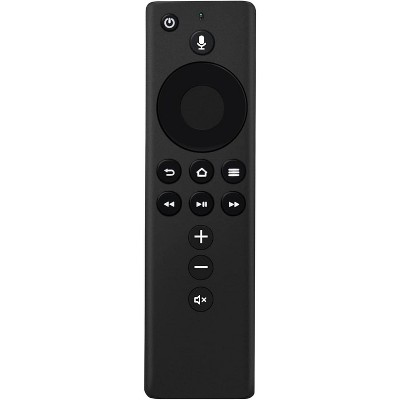
![Anderic Substitute for Amazon Alexa Voice Remote 3rd Gen Streaming Remote Control with TV controls [RRF1G1]](https://target.scene7.com/is/image/Target/GUEST_827f34ea-6639-4d27-a559-dab31118cb84)